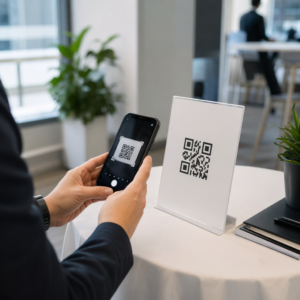
Menu Penjana Kod QR

Bingkai

Gaya

Bingkai

Warna bingkai

Warna latar belakang

Warna teks di atas

Teks di bawah warna

Reka bentuk Kod QR

Badan

Warna badan

Tepi

Jenis bingkai

Warna bingkai tepi

Jenis bola

Warna bola tepi

Buat Kod QR untuk Menu
Contoh

Ketik pada imej untuk mengezum masuk

Apakah kod QR menu?

A menu QR code is a QR code that opens your restaurant, cafe or bar menu on a guest’s phone. The guest points the phone camera at the code, taps the link that appears and reads the menu. Nobody installs an app or types a web address.

The code does not contain the menu. It contains a link, and the menu is stored online behind that link. That is why a QR code menu generator is useful: you print the code once, and with a dynamic code you can change the menu behind it.

Most places use one code for the whole menu card. Others use separate codes for food, drinks, desserts or a kids menu. Cafes, bars, hotels and food trucks all work the same way. For more ideas see QR codes for menus.

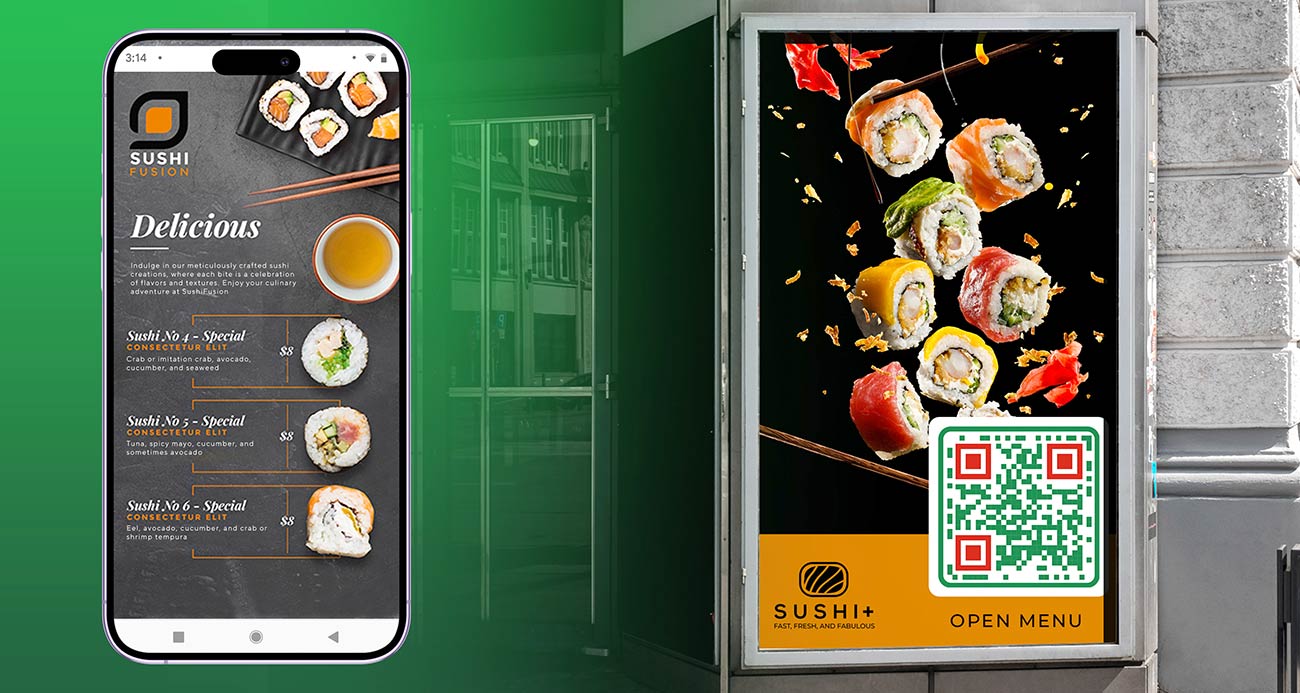
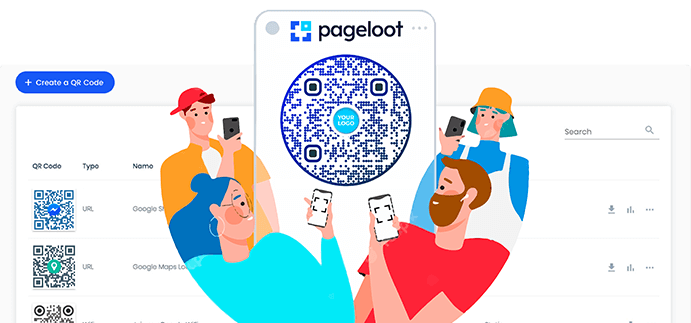
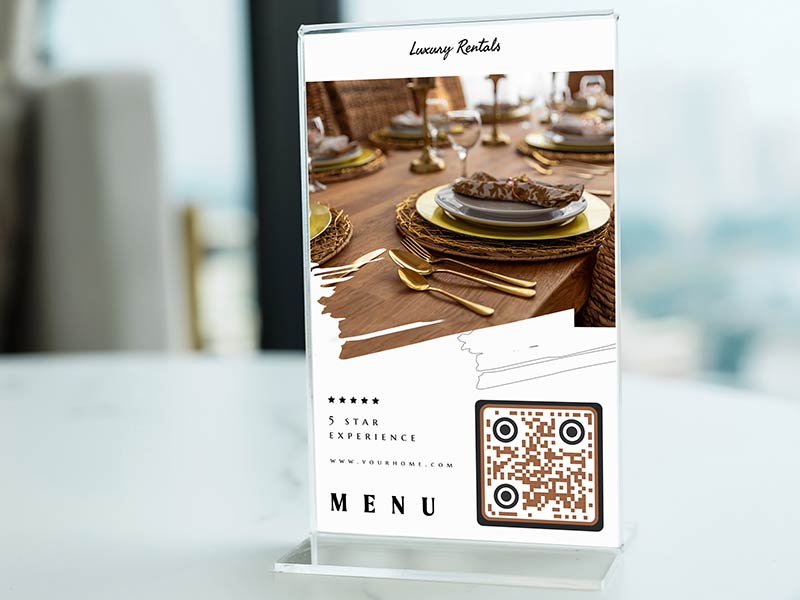
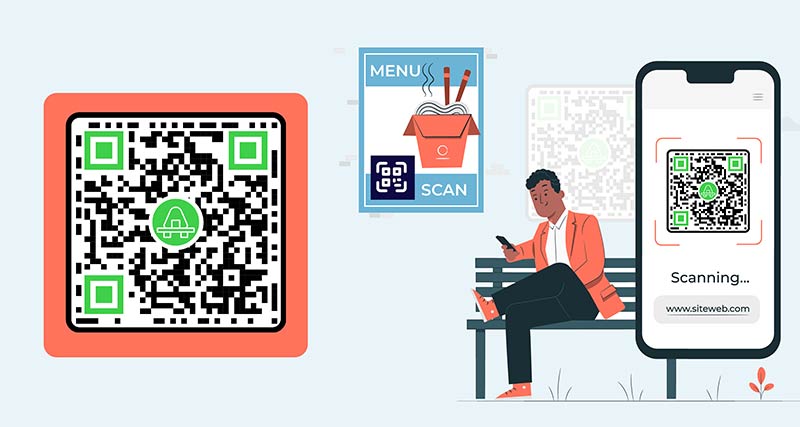
Menu penjana kod QR dipaparkan pada telefon pelawat restoran

Three ways to connect a QR code to your menu

Kod QR menu dibuka pada telefon pintar
A PDF menu

Upload your menu as a PDF. The PDF is stored online and the code opens it. This is the fastest way if you already have a menu file from Word, Canva or a designer. Export a PDF with real text, not a photo of a printed menu, so guests can zoom in and screen readers can read it.

Menambah butiran kod QR dan URL dalam alat
A menu web page

The code opens a page on your own website where the menu is normal web text. The text fits the phone screen, loads fast and is easy to read. Choose this if you can edit your website or have many dishes and photos. Make the code with the penjana kod QR pautan.

Menyesuaikan kod QR Menu dalam alat
A link to an existing online menu

If your menu already exists online, for example in an ordering system, on a delivery page or in a shared document, paste that link. Open it on a phone that is not yours first. It must load without a login.

Kod AR Menu diletakkan di atas meja restoran
Which one to pick

Start with a PDF if you want a code today. Use a web page if you can keep one up to date. Use the existing link if ordering is already online. With a dynamic code you can switch from one to another later without reprinting.

How to create a QR code for a menu

Mendaftar

Untuk membuat kod QR untuk menu, daftar di Pageloot untuk percubaan 14 hari percuma. Platform ini menawarkan 4 pelan langganan berbeza yang menyediakan pelbagai alat untuk menjejak dan mencipta kod QR. Anda juga boleh memilih untuk membuat menu kod QR secara percuma dengan pautan statik.
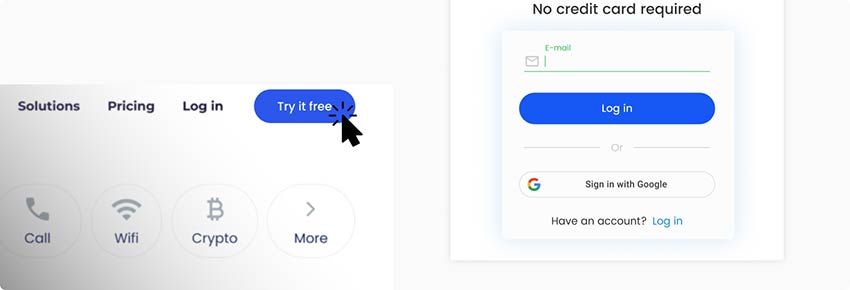
Mencipta akaun percuma pada platform penjana kod QR Menu
Tambahkan PDF anda

Setelah mendaftar, cari halaman penciptaan kod QR. Anda boleh memuat naik pautan PDF menu anda pada halaman atau memuat naiknya dari peranti anda. Anda juga boleh membina menu anda dari awal, memisahkan makanan ke dalam kategori.
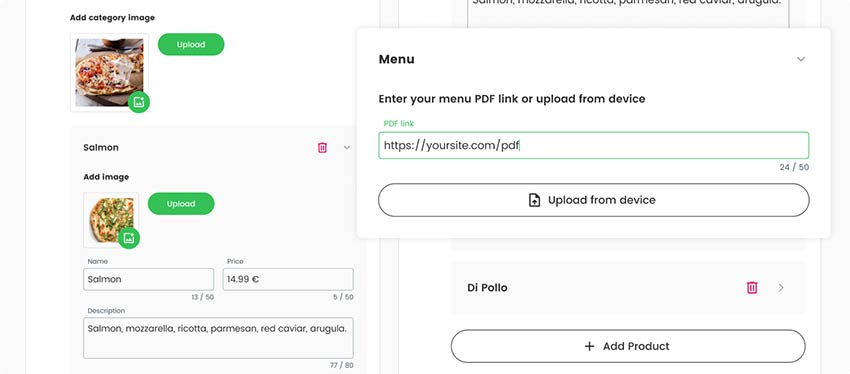
Menambah pautan ke menu untuk kod QR
Buat halaman pendaratan anda

Pastikan anda tidak membiarkan halaman pendaratan anda kosong. Tambahkan penerangan menu atau beberapa foto makanan bermusim yang anda tawarkan. Anda juga boleh memasukkan beberapa maklumat tentang diskaun atau cadangan yang anda ada pada menu harian.
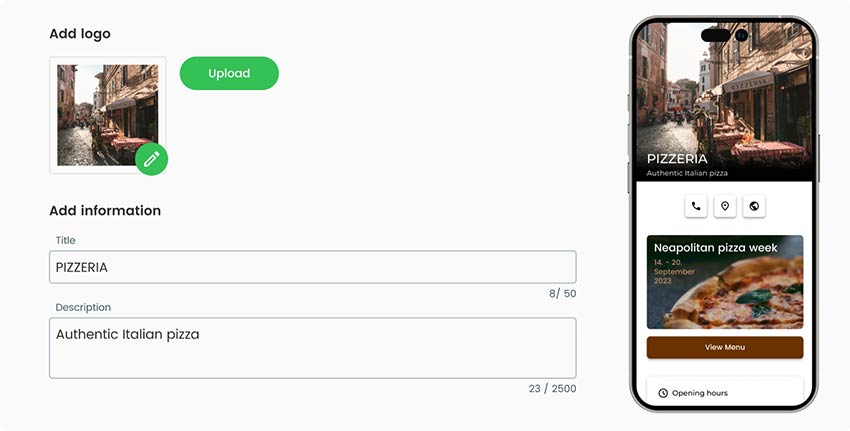
Menambah lebih banyak maklumat tentang restoran dan item pada menu, sambil anda membuat kod QR
Pilih gaya kod QR

Apabila anda selesai dengan bahagian umum kod QR, anda juga boleh mereka bentuk rupa luar kod QR. Pada Pencipta Menu QR, anda boleh menambah logo tersuai pada kod, menukar warnanya, menambah bingkai dan juga menukar bentuknya.

Dalam bahagian Gaya & Bingkai, edit bentuk dan bingkai kod QR menu
Muat turun kod QR

Dengan semua butiran selesai, anda boleh menyimpan dan memuat turun kod QR Menu sedia anda. Kod QR boleh dicetak pada semua permukaan dan boleh dikongsi di mana-mana dalam talian.
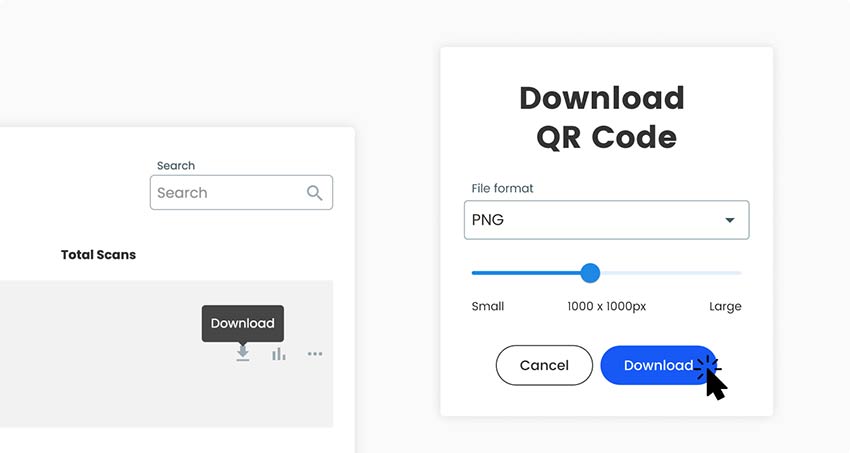
Memuat turun kod QR siap untuk menu dari platform penjana
Semua selesai!

Mengapa saya memerlukan pencipta menu QR?

Cara membuat kod bar restoran dipautkan ke menu

A menu changes more often than almost anything else a restaurant prints. Prices rise, dishes sell out, specials change daily and the drinks list changes with the season. On paper, every change means reprinting or crossing things out by hand.

A QR code menu removes that work. The table tents, stickers and window signs stay where they are, and you change the menu behind the code. Guests always see current prices, and you stop reprinting menus for small changes.

Guests also read the menu before they sit down, zoom in on small text and take their time. Staff hand out fewer menus and wipe fewer of them. A free QR code menu generator like the one at the top of this page is enough to make the code. Whether you need a paid dynamic code depends on how often your menu changes. The section on static and dynamic codes below explains it.

Soalan lazim

Soalan lazim tentang cara membuat menu kod QR

A menu as a PDF or as a web page, and a phone to test with. If you have no menu file yet, write it in Word, Google Docs or Canva and export it as a PDF. Use real text, not a photo of the menu. That is all you need to use the generator at the top of this page.

Yes. You can make and download a menu QR code for free, as PNG, SVG or PDF. A free code is static: it cannot be edited later and does not track scans. If it points to a page you edit yourself, such as a menu page on your website, the code keeps working when you change the page. For a PDF that changes often, a dynamic code is easier. Tick Edit kemudian atau Imbasan jejak di atas untuk memulakan percubaan percuma selama 14 hari.

Making and downloading a static code costs nothing. Dynamic codes need a Pageloot plan. You get a 14-day free trial, then the Starter plan is EUR 7 a month billed yearly. A one-time lifetime deal also exists. See the halaman harga for current plans. The code NEW30 gives 30% off your first purchase. Dynamic codes stop working when a paid plan ends, except on the lifetime deal, so subscribe before you print.

No, if you use a dynamic code, or if the code points to a page you edit yourself. Change prices, dishes or the whole menu and the printed code keeps working. Yes, if you made a static code from an uploaded PDF and want to use a different PDF. That needs a new code and new prints.

Open the camera app on an iPhone or Android phone, point it at the code and tap the link that appears. Current phones need no extra app. If nothing happens, hold the phone 20 to 30 cm away, make sure the whole code is in view and avoid glare. Older phones may need a aplikasi pengimbas QR.

  1. Get your menu ready as a PDF, a web page or an existing link.
  2. Upload the PDF in the generator at the top of this page, or make a link code from your web page link.
  3. Add a frame with the words “Scan for menu”, your colors and your logo.
  4. Download PNG for screens, or SVG or PDF for print.
  5. Scan it with two phones, on mobile data, from the distance a guest will use.
  6. Print one table tent and test it on a table before you print the rest.

One code for the whole menu is enough for most places. It is easy to print and to keep up to date. Use one code per table if you want to see which table scans, or to match an order to a table. Use separate codes for food and drinks if you want to see which menu guests read.

About 3 to 4 cm wide on a table tent, because guests scan from about 30 cm. A bar-top sticker is the same size. A window sign needs about 10 cm or more. A good rule is 1 cm of code for every 10 cm of scanning distance, and never under 2 x 2 cm.

Ikon soalan lazim
Lebih banyak soalan?

Hubungi kami dan kami dengan senang hati akan membantu!

Dipercayai oleh jenama terkenal
Dinilai 4.8 daripada 5

Penilaian 4.86 / 5 bintang

Hugo Laurent
Hugo Laurent
★★★★★
Pemilik restoran
Penjana kod QR yang paling mudah dan boleh dipercayai. Fail PDF boleh dimuat naik serta-merta. Menu restoran kami kini digital.
Lucas Jansen
Lucas Jansen
★★★★★
Pemaju hartanah
Ini adalah alat yang sangat baik dan kod QR membawa anda ke tempat yang anda mahukan. Kami hanya menggunakan kod QR lokasi tetapi terdapat banyak ciri berguna.

Emma Moretti
Emma Moretti
★★★★★
Produk runcit
Mudah digunakan dan cepat. Ia berfungsi hebat dan mencipta imej yang sempurna, jadi pekerja boleh memuat turun vCard saya.
Hugo Laurent
Hugo Laurent
★★★★★
Pemilik restoran
Penjana kod QR yang paling mudah dan boleh dipercayai. Fail PDF boleh dimuat naik serta-merta. Menu restoran kami kini digital.
Lucas Jansen
Lucas Jansen
★★★★★
Pemaju hartanah
Ini adalah alat yang sangat baik dan kod QR membawa anda ke tempat yang anda mahukan. Kami hanya menggunakan kod QR lokasi tetapi terdapat banyak ciri berguna.
Emma Moretti
Emma Moretti
★★★★★
Produk runcit
Mudah digunakan dan cepat. Ia berfungsi hebat dan mencipta imej yang sempurna, jadi pekerja boleh memuat turun vCard saya.
Hasilkan kod QR Menu

Percubaan 14 hari percuma. Tiada kad kredit diperlukan.

Pratonton papan pemuka penjana kod QR

Di mana untuk menggunakan kod QR menu?
Contoh

Ketik pada imej untuk mengezum masuk

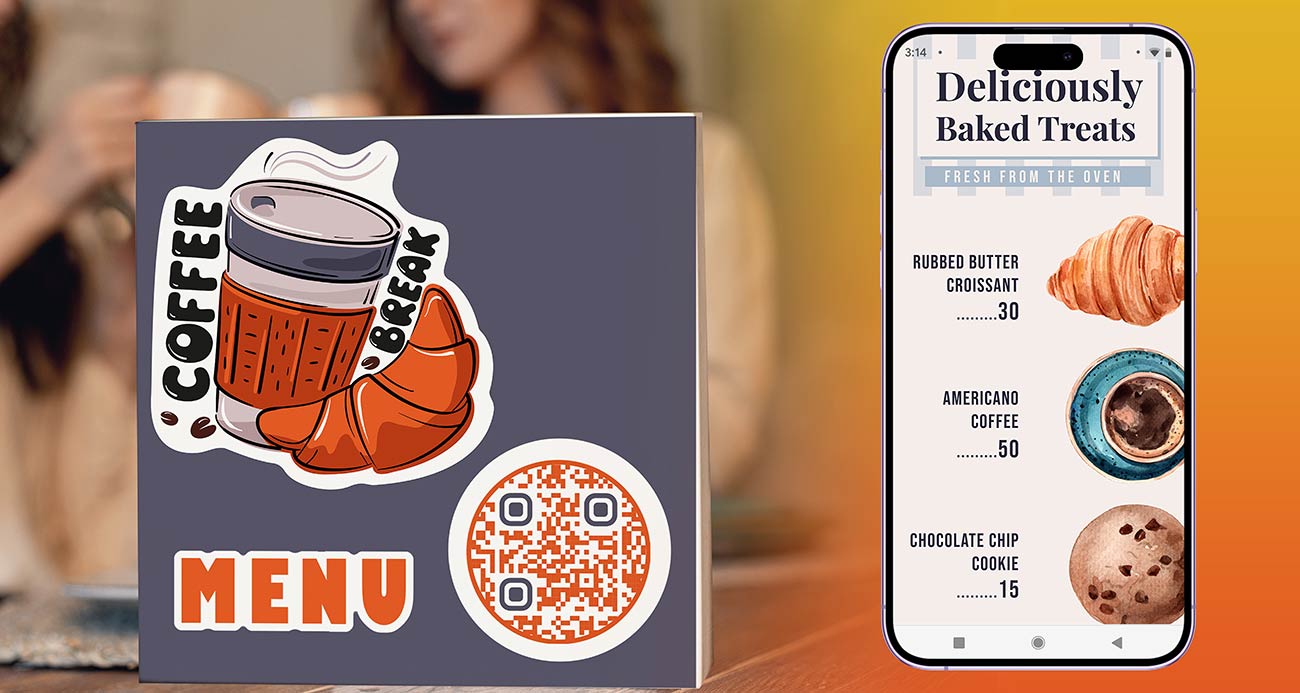
Meja restoran dengan beberapa kod QR Menu diletakkan di atasnya

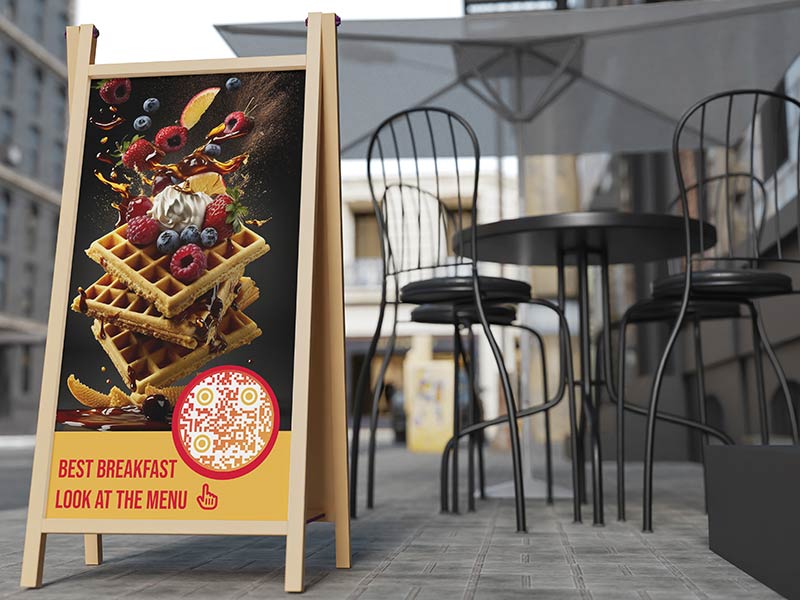
A cafe with 12 tables prints 12 table tents with the same code. Guests scan, read the menu and order at the counter or from the waiter. When the cake of the day changes, the cafe edits the menu behind the code and prints nothing. On a tent, make the table QR code menu 3 to 4 cm wide and put “Scan for menu” above it.

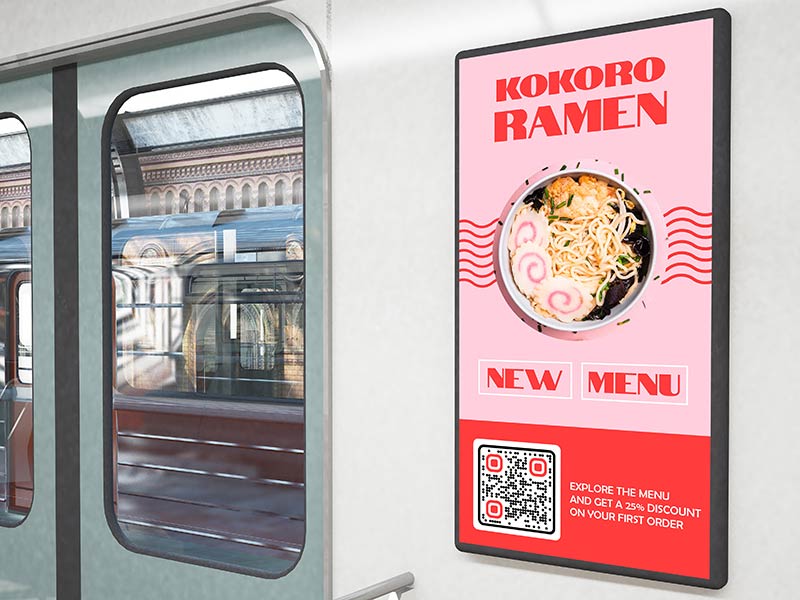
Kod QR Menu dilekatkan pada tingkap kereta api awam dan papan iklan

A bar can keep two codes: one for drinks and one for food. Guest beers, cocktail specials and happy hour prices change often, so a QR menu for bars and pubs saves a lot of reprinting. Bars are dim, so use a dark code on a light background and a matte sticker on the bar top. A code on the window also lets people read the drinks list before they walk in.

Cara membuat kod bar restoran dipautkan ke menu

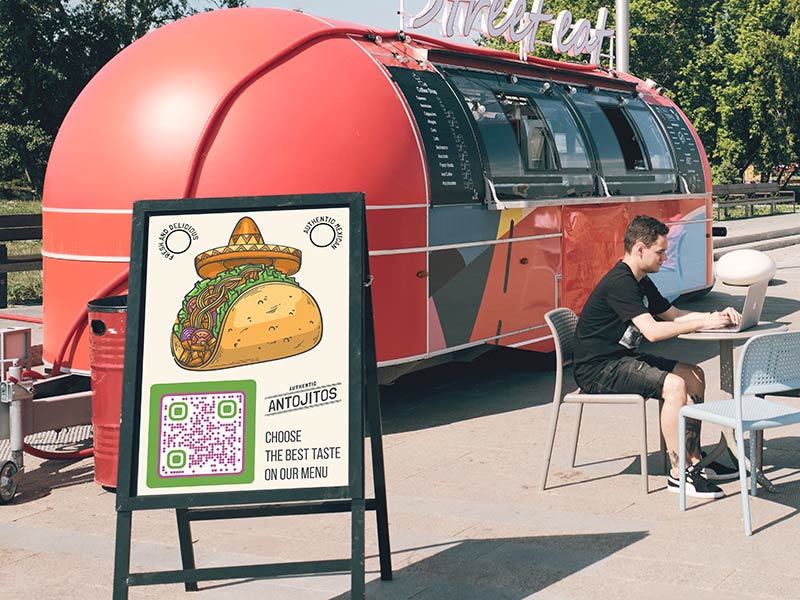
A food truck has little space for paper, and the menu changes with the day and the location. Put a large code, about 10 cm wide, beside the serving window. People in the queue can scan it from 1 m away and decide before they reach the counter. When an item sells out, change the menu behind the code.

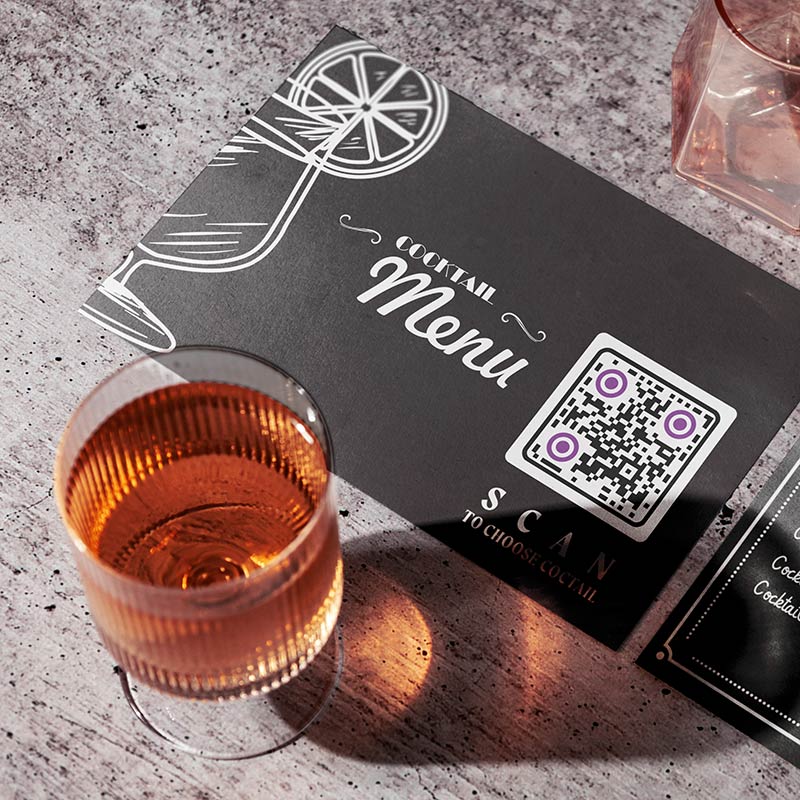
Risalah kod QR menu pada meja malam di bilik hotel

Put a code on the in-room directory or the bedside card that opens the room service menu. Change the menu behind the code for breakfast, all day and late night. Guests read it in the room and order the way your hotel takes orders. Keep a printed menu in the room drawer for guests who prefer paper.

Menu QR code design, size and penempatan

Menu QR code not working or too slow? Check these first

The PDF is too big

A menu PDF full of large photos can be many megabytes. On mobile data that means a long wait, and guests give up. Compress the PDF or use smaller images, and keep it to a few megabytes at most. Test it with Wi-Fi switched off on your own phone.

Dalam reka bentuk menu kod QR menambah penerangan kod
Menambah makanan baharu pada kod QR menu
The PDF is hard to read on a phone

A PDF made for a printer is often A4 landscape with small text, and guests must pinch and scroll sideways. Export a single-column PDF with large text, or build the menu as a web page, which fits the screen by itself. Use real text so the menu can be searched and enlarged.

Glare on laminated tents

Glossy lamination reflects ceiling lights and windows, and the phone cannot read the code. Use matte lamination or matte paper in a holder, and keep the code away from candles and direct sun. Check the tent from the angle a guest really holds a phone.

Nama makanan menu dengan imej makanan di sebelahnya
The restaurant's logo inside of the QR code that is printed on a flyer
Weak signal or Wi-Fi dead zones

Guests need an internet connection to open the menu. In a cellar bar or a building with thick walls, mobile data can be weak. A small file helps. Put the guest Wi-Fi name and password on the tent, or keep printed menus ready for guests who cannot connect.

Hasilkan kod QR Menu

Percubaan 14 hari percuma. Tiada kad kredit diperlukan.

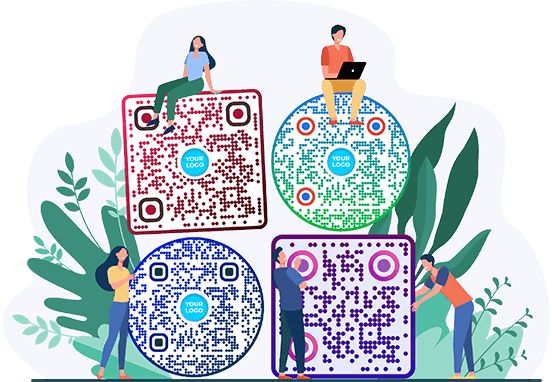
Gaya kod QR yang berbeza dicipta

Update prices, see busy times and stay accessible

Satu timbunan menu kertas lama vs menu digital kod QR
Change prices without reprinting

With a dynamic code the printed code stays the same and you change what it opens. Raise a price, remove a sold-out dish or add a seasonal special, and the next scan shows it. A static code cannot be edited after printing.

Pelawat mengimbas telefon mereka dengan menu QR dibuka pada skrin
See busy times in scan stats

A dynamic code shows when, where and on which device it was scanned, with the detail depending on your plan. Scan times point to your busy hours and days. Use separate codes for food and drinks to see which menu is read most. Scans are a guide, not a sales count.

Menggunakan penjana kod QR Menu untuk mengedit senarai menu
One code per menu or one per table

One code per menu is simplest: one design for every table and one menu to keep up to date. Use one code per table only if you want to know which table scanned, for example to match orders. Each table code can open the same menu and is counted separately. Check the code limit of your plan on the halaman harga.

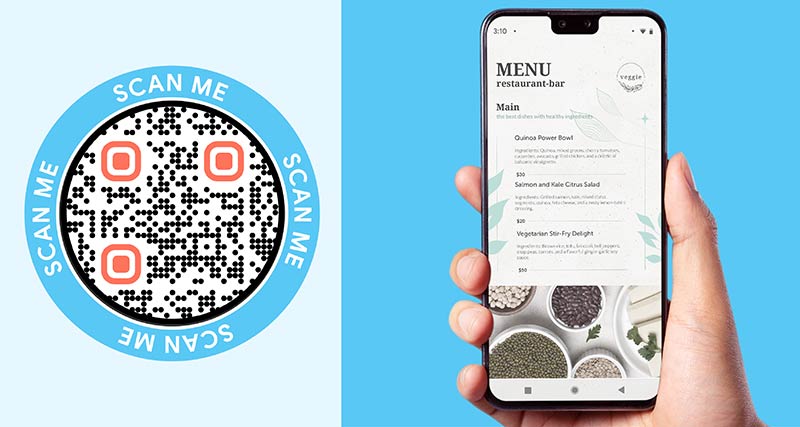
Skrin telefon dengan menu dan senarai ramuan padanya
Keep a printed menu on request

Some guests have no smartphone, no mobile data or a flat battery. Others find small screens hard to read. Keep a few printed menus at the bar and write “Printed menu on request” under the code. Use large text in the PDF or web page so it zooms well.

Pautan media sosial di sebelah menu
Static or dynamic for a menu

A static code is enough if it points to a page you edit yourself, such as a menu page on your website, or if the menu never changes. Choose a dynamic code if your menu is a PDF that changes, you print many tents or you want scan stats.

A dynamic code works while your plan is active. The lifetime deal is the exception. Subscribe before you print, not after.

Orang yang duduk di meja restoran mengimbas kod QR Menu
Percuma untuk dimuat turun

Make and download your menu QR code without an account, as PNG, SVG or PDF. Add a frame, change the colors and upload your logo. Use SVG or PDF for print, so the code stays sharp at any size.

GL-34

Ketahui lebih lanjut tentang menu kod QR

Google Drive dibuka dalam penyemak imbas
Kod QR untukGoogle Drive
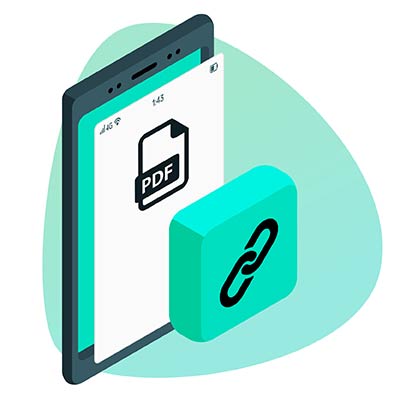
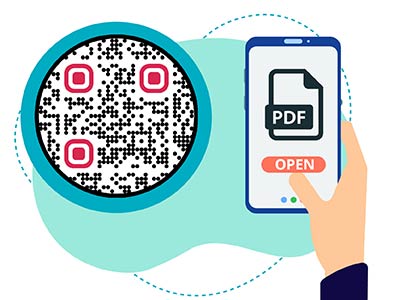
Fail PDF dipaparkan pada telefon selepas mengimbas Kod QR
Kod QR untukPDF
Mengimbas kod QR Dropbox
Kod QR untukDropbox

Dapatkan 30% daripada pembelian pertama anda

Gunakan kod:

Kongsi fail MP3 anda

Daftar untuk membuat kod QR PDF

Muat naik dan paparkan semua yang anda perlukan:

  • Fail audio
  • Podcast
  • Muzik

Percubaan percuma 14 hari dengan pendaftaran.
Kod QR tamat tempoh selepas percubaan.

mendaftar untuk mencipta kod QR mp3 audio

Dapatkan lebih banyak imbasan dengan bingkai

Daftar untuk menambah lebih banyak bingkai pada kod QR anda

Bingkai seruan tindak membantu pelanggan anda berinteraksi dengan Kod QR dengan mudah. Cuba mereka keluar!

Percubaan percuma 14 hari dengan pendaftaran.
Kod QR tamat tempoh selepas percubaan.

Daftar untuk menambah lebih banyak bingkai pada kod QR anda

Tambah lebih gaya dengan bentuk

Daftar untuk membuat lebih banyak bentuk

Kod QR tidak semestinya segi empat sama. Cuba tukar supaya sesuai dengan imej jenama anda.

Percubaan percuma 14 hari dengan pendaftaran.
Kod QR tamat tempoh selepas percubaan.

Daftar untuk membuat lebih banyak bentuk

Tambah logo pada Kod QR anda

Daftar untuk menambahkan logo anda pada kod QR

Jadikan kod QR anda menonjol dengan menambahkan logo dan jenama anda padanya.

Percubaan percuma 14 hari dengan pendaftaran.
Kod QR tamat tempoh selepas percubaan.

Daftar untuk menambahkan logo anda pada kod QR

Pengalihan hala Kedai Aplikasi Pintar

Daftar untuk membuat kod QR kedai aplikasi

Tambahkan pautan Apl anda ke Kod QR App Store pintar kami. Pengguna diubah hala berdasarkan peranti mereka.

Percubaan percuma 14 hari dengan pendaftaran.
Kod QR tamat tempoh selepas percubaan.

Daftar untuk membuat kod QR kedai aplikasi

Muat naik imej ke Kod QR

Daftar untuk membuat kod QR imej

Kongsi imej anda dengan mudah. Tukar mana-mana imej secara dinamik dalam beberapa saat.

Percubaan percuma 14 hari dengan pendaftaran.
Kod QR tamat tempoh selepas percubaan.

Daftar untuk membuat kod QR imej

Kongsi fail PDF anda

Daftar untuk membuat kod QR PDF

Muat naik dan paparkan semua yang anda perlukan:

  • Menu & senarai harga
  • Arahan
  • Sebarang dokumen

Percubaan percuma 14 hari dengan pendaftaran.
Kod QR tamat tempoh selepas percubaan.

Daftar untuk membuat kod QR PDF

Edit kemudian tanpa mencetak

Daftar untuk mengedit kod QR anda tanpa mencetak lagi

Kod QR Dinamik membolehkan anda menukar kandungan Kod QR anda tanpa perlu mencetak yang baharu.

Percubaan percuma 14 hari dengan pendaftaran.
Kod QR tamat tempoh selepas percubaan.

Daftar untuk mengedit kod QR anda tanpa mencetak lagi

Bila? Di mana? Jejaki imbasan Kod QR anda

Daftar untuk menjejaki kod QR anda

Temui Kod QR anda yang paling banyak menerima imbasan dan perkara yang paling menggembirakan pelanggan anda.

Percubaan percuma 14 hari dengan pendaftaran.
Kod QR tamat tempoh selepas percubaan.

Daftar untuk menjejaki kod QR anda

Fail sedia cetak tersedia

Daftar untuk membuat kod QR vektor seperti PDF dan SVG

.EPS, .PDF, .SVG

Ingin memuat turun Kod QR anda dalam resolusi HD? Dapatkan format vektor atau piksel yang sedia untuk dicetak.

Percubaan percuma 14 hari dengan pendaftaran.
Kod QR tamat tempoh selepas percubaan.

Daftar untuk membuat kod QR vektor seperti PDF dan SVG

Sila tunggu. Kod QR anda ialah memuatkan... memuatkan...

Jadikan ia milik anda

Daftar untuk menyimpan kod QR anda untuk kemudian

Dapatkan lebih banyak imbasan dengan mencipta Kod QR yang hebat dengan warna, logo dan bingkai seruan tindak yang berbeza.

Percubaan percuma 14 hari dengan pendaftaran.
Kod QR tamat tempoh selepas percubaan.

Daftar untuk menyimpan kod QR anda untuk kemudian