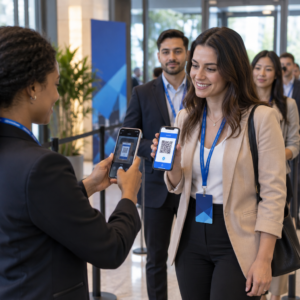
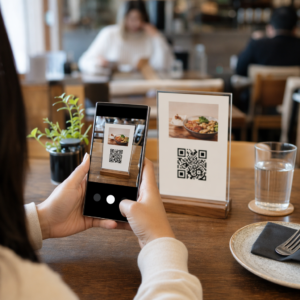
Potřebujete pomoci zákazníkům najít vaši polohu, aniž by museli zadávat adresu? Ruční zadávání adresy vytváří tření – a frustrované návštěvníky. Tento průvodce vás provede přeměnou jakékoli polohy z Google Maps na skenovatelný QR kód během několika minut.
Získání odkazu na vaši polohu v Google Maps
Než cokoli vygenerujete, potřebujete správný odkaz z Google Maps. Odkaz, který zkopírujete, přesně určuje, kam se uživatelé dostanou po naskenování, takže přesnost je zde důležitá.
Najděte a připněte svou polohu
Otevřete Google Maps a vyhledejte svůj cíl. Můžete zadat název firmy jako “Starbucks Times Square”, celou ulici a číslo, nebo rozpoznatelný orientační bod. Pokud poloha nemá formální adresu – venkovní místo, vchod do parku, parkoviště – stiskněte a podržte na mobilu (nebo klikněte na počítači) pro umístění špendlíku na přesné místo.
Jakmile je špendlík umístěn, přibližte si a potvrďte, že značka sedí na správném místě. Pokud směřujete lidi k určitému vchodu spíše než k obecnému půdorysu budovy, upravte to. Tento dodatečný krok zabraňuje zmatkům, když návštěvníci dorazí.
Zkopírujte odkaz na polohu
Jakmile je vaše poloha potvrzena, klepněte nebo klikněte na Sdílet tlačítko:
- Na mobilu: Klepněte na název polohy ve spodní části obrazovky, poté klepněte na ikonu Sdílet (šipka nahoru) a vyberte “Kopírovat do schránky”.”
- Na počítači: Klikněte na Sdílet v informačním panelu nebo pod nabídkou se třemi tečkami, poté vyberte “Kopírovat odkaz”.”
Zkopírovaná URL je obvykle zkrácený odkaz jako `maps.app.goo.gl/xyz123`. Kratší odkazy vytvářejí čistší, méně husté QR kódy, které se spolehlivěji skenují. Než budete pokračovat, vložte odkaz do prohlížeče a potvrďte, že otevírá správnou polohu.
Různé typy odkazů slouží různým účelům:
| Typ odkazu | Co dělá | Příklad použití |
|---|---|---|
| Odkaz na místo | Otevře konkrétní firmu nebo adresu | Sdílení výlohy nebo kanceláře |
| Odkaz na vyhledávání | Zobrazí výsledky pro vyhledávací dotaz | Zobrazení “restaurací v blízkosti místa konání” |
| Odkaz na trasu | Otevře přednastavenou navigační trasu | Navigování hostů z letiště do hotelu |
Pro QR kódy používané pro navigaci a sdílení adresy, odkaz na místo nebo odkaz na trasu obvykle funguje nejlépe – přeskočí krok vyhledávání a uživatele rovnou přesměrují do navigace.
Generování vašeho QR kódu
Jakmile máte odkaz připravený, navštivte Google Maps QR kód generátor a vložte svou URL do vstupního pole. Vyberte typ QR kódu – “Odkaz” nebo “Mapy” – a kód se okamžitě vygeneruje.
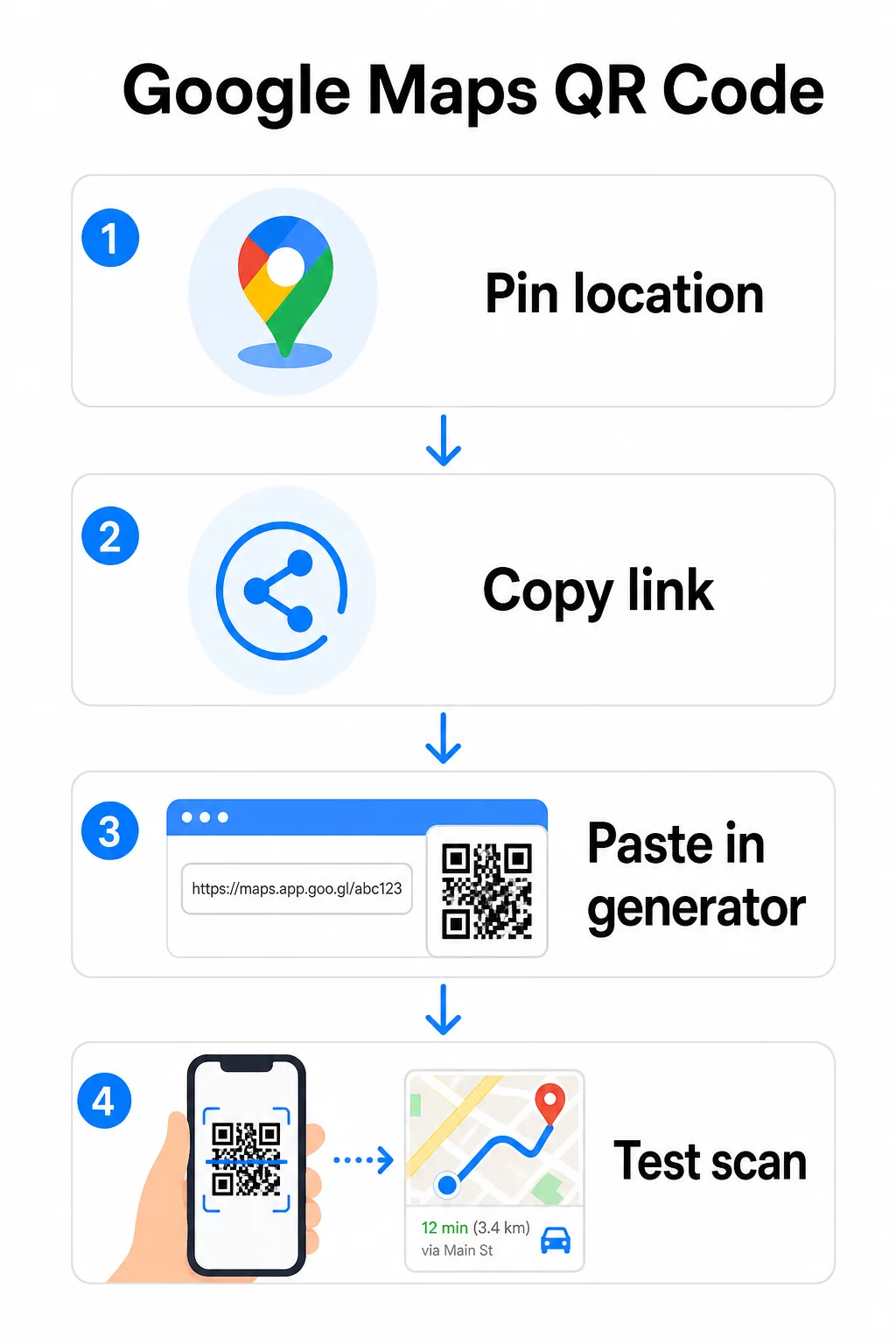
Pro trvalé umístění bez nutnosti měnit cíl, a statický QR kód je zdarma a nikdy nevyprší. Stáhněte si jej jako PNG a jste připraveni jej použít.
Potřebujete aktualizovat svou polohu nebo sledovat data skenování? Použijte Generátor QR kódu Pageloot k vytvoření dynamického kódu, který vám umožní kdykoli změnit cíl z vašeho panelu – bez nutnosti opětovného tisku.
Statický vs. Dynamický: Který potřebujete?
Statický QR kód kóduje odkaz na Google Maps přímo do vzoru. Je trvalý, zdarma a funguje bez jakéhokoli účtu. Nevýhoda: pokud se vaše poloha změní, musíte vygenerovat a znovu vytisknout nový kód.
Dynamický QR kód místo toho ukládá krátkou přesměrovací URL. Odkud toto přesměrování směřuje, ovládáte z vašeho panelu Pageloot. To znamená:
- Můžete aktualizovat cíl, aniž byste se dotkli vytištěného kódu
- Získáte analýzy v reálném čase – počty skenování, typy zařízení, geografické polohy a časování
- Můžete testovat a měnit cílové odkazy pro sezónní události nebo dočasná místa
Pokud tisknete kódy na trvalé značení, statický funguje dobře. Pro kampaně, události, dočasné lokality nebo jakoukoli situaci, kde se cíl může změnit, jsou dynamické kódy praktickou volbou.
Přizpůsobení vašeho QR kódu
Obyčejný černobílý QR kód funguje, ale značkový funguje lépe. Možnosti přizpůsobení Pageloot vám umožňují:
- Přidat logo vaší společnosti do středu kódu
- Změnit barvy tak, aby odpovídaly paletě vaší značky (pro spolehlivé skenování udržujte tmavé vzory na světlém pozadí)
- Vybrat si z různých tvarů modulů: Kulatý, Čárkovaný nebo Diamantový
- Přidat rámeček s výzvou k akci s textem jako “Skenujte pro směr” nebo “Najděte nás na mapách”
Při přidávání loga nebo barev použijte úroveň opravy chyb Q nebo H. Tato nastavení umožňují, aby QR kód zůstal skenovatelný, i když je až 25–30 % vzoru zakryto logem nebo drobným poškozením. Loga by neměla přesahovat 30 % celkové plochy kódu a ujistěte se, že nepřekrývají tři rohové “vyhledávací” čtverce.
Pro tiskové materiály si stáhněte kód jako soubor SVG, PDF nebo EPS. Tyto vektorové formáty zůstávají ostré v jakékékoli velikosti – což je klíčové pro velkoformátový tisk, jako jsou plakáty nebo vývěsní štíty.
Chcete plně brandovaný kód lokace? Ten Generátor QR kódů pro odkazy podporuje vlastní barvy, loga a styly rámečků s 14denní bezplatnou zkušební verzí – není vyžadována kreditní karta.
Testování před publikováním
Vždy otestujte svůj QR kód, než jej použijete pro tisk nebo živou kampaň. Nefunkční nebo špatně nasměrovaný kód poškozuje důvěru a plýtvá náklady na tisk.
Projděte si tento kontrolní seznam:
- Skenujte pomocí nativní aplikace fotoaparátu vašeho telefonu na iOS i Androidu
- Potvrďte, že odkaz otevírá správné místo v Google Maps
- Otestujte na zařízení bez nainstalované aplikace Google Maps – mělo by přesměrovat na Google Maps v prohlížeči
- Skenujte z různých vzdáleností a za různých světelných podmínek
- Pokud jste si přizpůsobili design, potvrďte, že rohové vyhledávací čtverce a tichá zóna (prázdný okraj kolem kódu) jsou bez překážek
Pro tiskové použití, minimální velikost 2 × 2 palce (přibližně 5 × 5 cm) zajišťuje, že většina zařízení dokáže spolehlivě skenovat zblízka. Pro materiály prohlížené z dálky – plakáty, bannery, výlohy – zvětšete proporcionálně. Obecné pravidlo: kód by měl být alespoň jedna desetina vzdálenosti, ze které ho lidé budou skenovat.
Časté problémy a řešení:
| Problém se skenováním | Řešení |
|---|---|
| Rozmazaný nebo pixelovaný kód | Exportujte jako SVG, PDF nebo EPS pro tisk |
| Skener nerozpozná kód | Zvyšte kontrast; tmavé popředí na světlém pozadí |
| Logo blokuje skenování | Ujistěte se, že logo nezakrývá rohové čtverce; použijte vyšší úroveň korekce chyb |
| Kód je příliš malý | Zvětšete na minimálně 2 × 2 palce pro fyzické materiály |
| Odkaz otevírá špatné místo | Před generováním znovu ověřte zkopírovaný odkaz pro sdílení v Google Maps |
Pro více podrobností o velikosti, kontrastu a standardech umístění viz osvědčené postupy pro čitelnost QR kódů a pokynech pro použitelnost QR kódů.
Kde používat QR kódy Google Maps
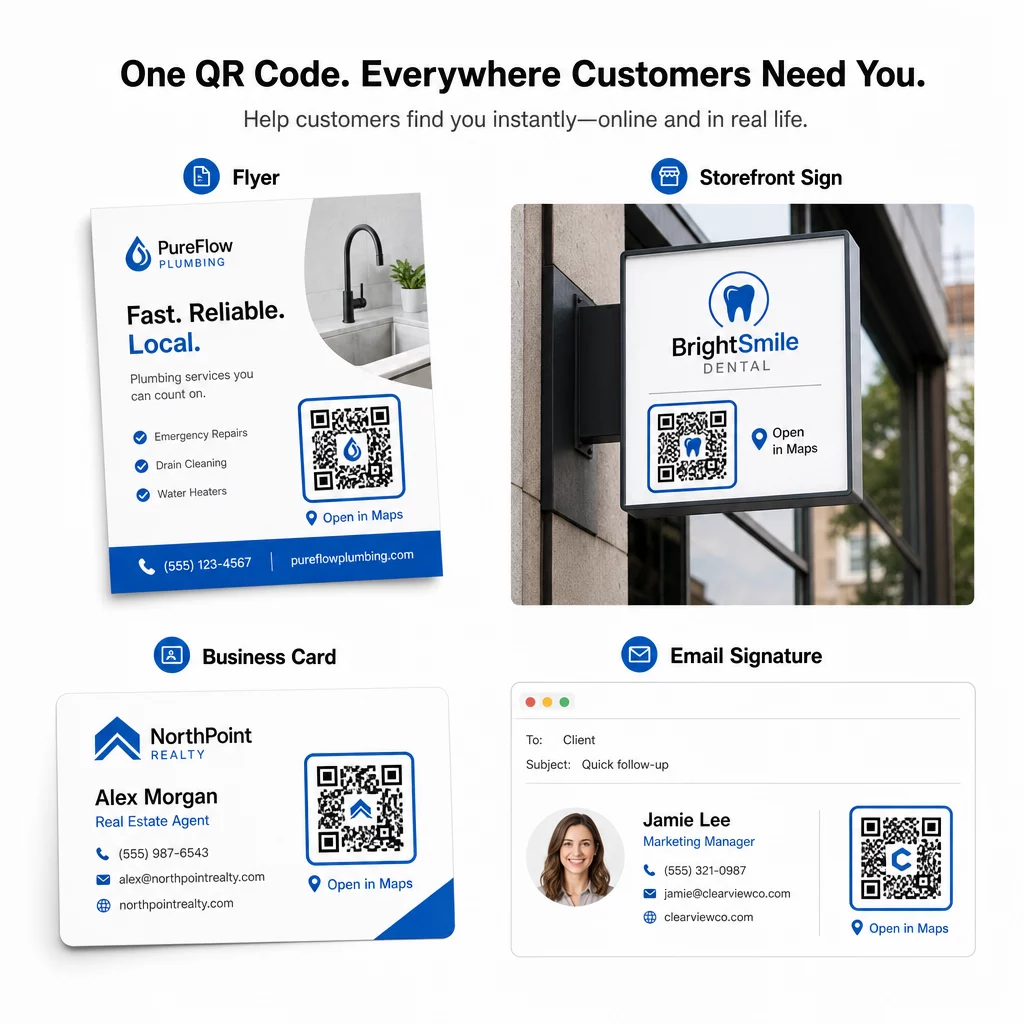
Jakmile je otestován, váš QR kód je připraven k nasazení napříč tiskovými a digitálními kanály:
Tiskové materiály:
- Vizitky – nahraďte tištěné adresy skenovatelným kódem
- Letáky a brožury – veďte hosty události přímo na místo konání
- Výlohy obchodů a dveřní cedule – pomozte zákazníkům najít parkování nebo alternativní vchody
- Realitní cedule – nasměrujte kupující na místa prohlídek
- Obaly produktů – propojte zákazníky s vaší fyzickou maloobchodní prodejnou
Digitální kanály:
- E-mailové podpisy – nahraďte statické adresy skenovatelným kódem lokace
- Příspěvky a Stories na sociálních sítích – propagujte novou lokaci nebo místo konání události
- Zápatí webových stránek – umožněte návštěvníkům otevřít pokyny jedním klepnutím
- Digitální menu – pomozte strávníkům najít druhou pobočku nebo cateringovou kancelář
U každého umístění zahrňte jasnou výzvu k akci poblíž kódu. “Naskenujte pro pokyny” nebo “Otevřít v Mapách” uživatelům přesně řekne, co se stane, když naskenují, což zvyšuje zapojení. Pro pokyny k umístění a velikosti napříč různými materiály, Průvodce umístěním QR kódu pro marketing pokrývá podrobná doporučení specifická pro formát.
Srovnání plánů Pageloot
| FUNKCE | Bezplatný plán | Pro plán | Vlastní/Podnikový |
|---|---|---|---|
| Typ QR kódu | Pouze statické | Dynamické a statické | Dynamické a statické |
| Editovatelné odkazy | Ne | Ano | Ano |
| Analýza skenů | Žádné | V reálném čase (poloha, zařízení) | Kompletní historie a expertní poznatky |
| Roční limit skenování | Neomezené (statické) | 250,000 | Vlastní |
| Přizpůsobení | Základní (barvy, logo) | Pokročilé možnosti designu | Plná integrace značky |
| Měsíční cena | $0 | $38.34 | $106.52 |
Bezplatný plán zahrnuje trvalé statické kódy bez expirace a neomezené skenování. Placené plány odemykají dynamické úpravy, analýzy v reálném čase a pokročilé přizpůsobení. Plán Starter začíná na $4.86/měsíc se 2 dynamickými kódy a 15 000 ročními skeny – vhodné pro malé podniky testující formát. Všechny placené plány zahrnují 14denní bezplatnou zkušební verzi bez nutnosti zadání kreditní karty.
Jak to vyjádřil Lucas Jansen, realitní developer, který používá QR kódy Pageloot pro lokace:
“Toto je vynikající nástroj a QR kódy vás zavedou přesně tam, kam chcete.”
Pro trvalá umístění je nejjednodušší cestou bezplatný statický kód. Pro cokoli, co vyžaduje aktualizace, sledování nebo měření kampaní, vám dynamické kódy poskytují flexibilitu a data pro zlepšování v průběhu času. Začněte zkopírováním odkazu na Google Maps, vygenerováním kódu na Google Maps QR kód generátor, a otestováním na skutečném zařízení, než bude spuštěn.
Často kladené otázky
Pro většinu použití zkopírujte odkaz na místo z tlačítka Sdílet v Mapách Google – otevře přesnou polohu přímo v Mapách Google nebo v prohlížeči. Pokud chcete uživatele poslat přímo do podrobné navigace z pevného výchozího bodu, použijte místo toho odkaz na trasu. Vždy nejprve vložte odkaz do prohlížeče, abyste potvrdili, že vede na správné místo, než vygenerujete kód.
Po připnutí vaší polohy v Google Maps použijte tlačítko Sdílet a zkopírujte URL, které poskytuje. Tento odkaz je vázán na konkrétní souřadnice připnutého bodu, nikoli pouze na obecné vyhledávání. Vyhněte se kopírování URL z adresního řádku prohlížeče při procházení mapy – tato verze se nemusí spolehlivě vyřešit na připnutý bod. Vložte odkaz Sdílet do prohlížeče k ověření před vygenerováním QR kódu.
Použijte vektorový formát – SVG, EPS nebo PDF – pro jakoukoli tiskovou aplikaci. Vektorové soubory se škálují na jakoukoli velikost bez ztráty ostrosti, na rozdíl od exportů PNG nebo JPEG, které se mohou jevit jako pixelované při velkých tiskových rozměrech. Pro tiskové materiály také zajistěte, aby vaše rozlišení bylo alespoň 300 DPI a aby kód měřil alespoň 2 × 2 palce pro spolehlivé skenování zblízka.