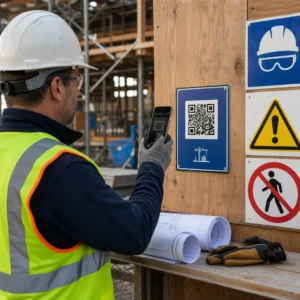
Adakah pelanggan e-mel anda mengabaikan pautan teks semasa membaca mesej pada skrin desktop? Apabila penerima membuka e-mel pada komputer, memaksa mereka mencari aplikasi mudah alih secara manual atau menaip alamat web yang panjang akan mewujudkan pergeseran yang tidak perlu. Menggabungkan kod yang boleh diimbas ke dalam pemasaran e-mel anda menyediakan jambatan langsung antara paparan desktop dan pelaksanaan mudah alih.
Bagaimana Kod QR Merapatkan Jurang Desktop-ke-Mudah Alih
Kebanyakan kempen e-mel menghadapi halangan merentas peranti: pelanggan kerap membaca e-mel promosi pada komputer desktop atau komputer riba, tetapi tindakan yang dimaksudkan – seperti memasang aplikasi mudah alih, menyimpan kad kenalan atau menambah pas acara – sepatutnya pada telefon pintar.
Meletakkan grafik yang boleh diimbas di dalam e-mel membolehkan penerima membuka kamera telefon pintar mereka, menghalakannya ke skrin komputer mereka dan segera mencetuskan tindakan pada peranti mudah alih mereka. Interaksi merentas peranti ini mengurangkan kadar penurunan untuk aliran kerja yang memerlukan penyertaan mudah alih. Pemasar juga boleh menggunakan strategi merentas saluran ini untuk menghubungkan media sosial dan pemasaran e-mel, membimbing pembaca surat berita desktop terus ke profil sosial yang aktif.
Kes Penggunaan Praktikal untuk Kempen Pemasaran E-mel
Memasukkan elemen yang boleh diimbas dalam e-mel harus sentiasa mempunyai tujuan fungsi yang jelas. Berikut adalah senario utama di mana penambahan kod yang boleh diimbas mengatasi pautan teks standard sahaja:
- Muat Turun Aplikasi Memandu: Halakan pembaca desktop terus ke iOS App Store atau Google Play Store berdasarkan sistem pengendalian telefon mereka.
- Menambah Kad Kesetiaan DompetPindahkan pas acara, tiket atau kupon digital daripada paparan desktop terus ke Apple Wallet atau Google Wallet.
- Mengemas kini Butiran PerhubunganBenarkan kenalan perniagaan menyimpan butiran wakil jualan terus ke dalam buku alamat telefon mereka melalui vCards.
- Mencetuskan Mesej Pra-IsiBuka klien e-mel mudah alih atau aplikasi pemesejan yang telah diisi dengan maklumat penerima dan teks pertanyaan.
- Memudahkan Penyerahan Borang: Mengarahkan pembaca ke tinjauan yang dioptimumkan untuk mudah alih atau halaman pengurusan langganan. Jika anda menjalankan kempen surat berita, anda boleh menghubungkan elemen yang boleh diimbas dengan lancar Aliran kerja e-mel Mailchimp untuk melancarkan pendaftaran pelanggan.
Cipta Kod Kempen E-mel Fleksibel Perlu mengemas kini pautan promosi anda selepas menghantar e-mel? Gunakan Penjana dynamic QR code untuk mengubah suai pautan destinasi pada bila-bila masa dan memantau prestasi imbasan dalam masa nyata.
Amalan Terbaik Kritikal untuk Kebolehimbasan dan Kebolehcapaian E-mel
Apabila meletakkan grafik yang boleh diimbas ke dalam templat e-mel, pelaksanaan teknikal menentukan sama ada pelanggan boleh berinteraksi dengan kandungan anda dengan jayanya. Mematuhi piawaian visual dan kebolehcapaian yang ditetapkan memastikan setiap pelanggan boleh menyertai tanpa halangan teknikal.
Sentiasa Berikan Pautan Teks Setara
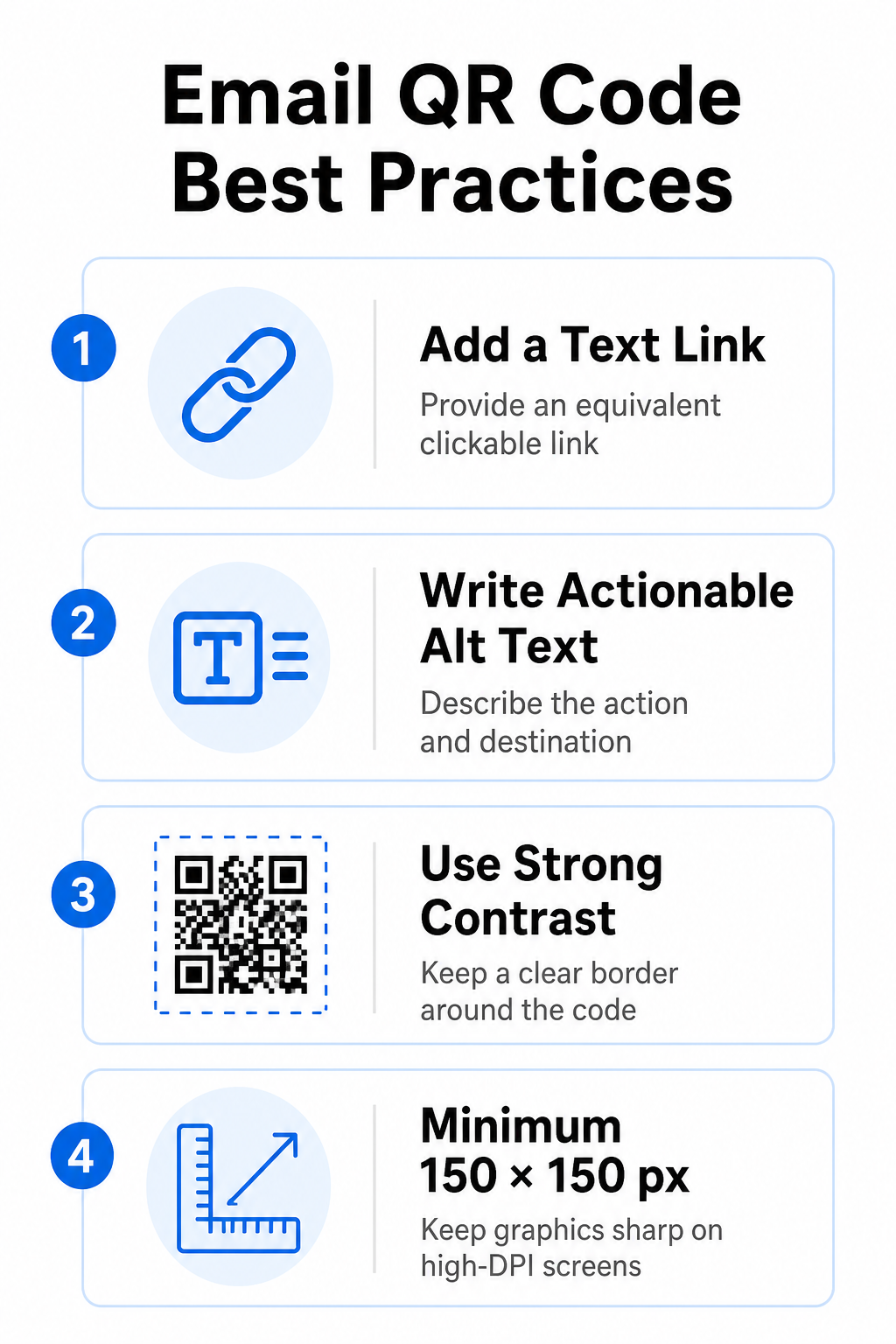
Grafik yang boleh diimbas tidak boleh menjadi kaedah eksklusif untuk mengakses maklumat dalam mesej e-mel. Piawaian kebolehcapaian memerlukan hiperpautan standard yang boleh diklik yang diletakkan bersebelahan atau betul-betul di bawah grafik. Ini memastikan pelanggan yang membaca e-mel pada peranti mudah alih – di mana pengimbasan skrin mereka sendiri adalah mustahil – atau mereka yang menggunakan pembaca skrin boleh mengakses pautan destinasi dengan mudah.
Sertakan Teks Alt yang Boleh Ditindaklanjuti
Klien e-mel kerap menyekat imej secara lalai. Jika grafik anda gagal dimuatkan dengan segera, pembaca skrin dan pelanggan bergantung pada teks alternatif untuk memahami kandungannya. Gunakan teks alt deskriptif yang menerangkan tindakan dan destinasi tertentu, seperti `alt=”Imbas kod QR untuk menuntut kupon diskaun 20% anda”`, daripada menerangkan grafik secara visual.
Pastikan Kontras Warna Tinggi dan Zon Senyap
Pengimbas memerlukan kontras yang tinggi antara corak latar depan yang gelap dan ruang latar belakang yang terang. Kod gelap yang diletakkan pada latar belakang yang terang memaksimumkan penyerapan cahaya dan memastikan pengesanan kamera yang pantas. Elakkan penggunaan kod berwarna terang pada latar belakang yang terang atau corak gelap pada bahagian templat e-mel yang gelap. Selain itu, kekalkan sempadan yang tidak terhalang – yang dikenali sebagai zon senyap – di sekeliling perimeter kod untuk mengelakkan elemen reka bentuk e-mel di sekeliling daripada mengganggu pengecaman pengimbas. Semak parameter struktur ini dalam panduan kami tentang amalan terbaik untuk kebolehbacaan kod QR sebelum membina templat anda.
Grafik Saiz untuk Paparan DPI Tinggi
Untuk memastikan grafik dipaparkan dengan jelas pada skrin beresolusi tinggi tanpa kekaburan atau pikselasi, paparkan imej pada saiz minimum 150 x 150 piksel (2 cm x 2 cm). Mengeksport imej anda dalam format vektor beresolusi tinggi menggunakan yang boleh dipercayai penjana kod QR pautan memastikan ketumpatan data terkawal dan garisan tajam merentasi paparan desktop.
| Parameter Reka Bentuk | Cadangan | Sebab Teknikal |
|---|---|---|
| Dimensi Minimum | 150 x 150 piksel (2 x 2 cm) | Mencegah kegagalan fokus kamera dan pikselasi pada skrin desktop DPI tinggi. |
| Warna Latar Depan | Gelap (cth., Hitam, Biru Laut) | Memaksimumkan penyerapan cahaya untuk pengesanan kamera yang pantas. |
| Warna Latar Belakang | Cerah (cth., Putih, Kelabu Cerah) | Memberikan kontras yang diperlukan terhadap modul data latar depan. |
| Kandungan Teks Alt | “"Imbas kod QR untuk [tindakan]"” | Memberikan konteks pautan yang jelas apabila imej dinyahdayakan oleh klien e-mel. |
Bina Kod QR Berjenama Tersuai Bersedia untuk mengintegrasikan kod boleh imbas ke dalam reka bentuk surat berita e-mel anda? Jana kod tersuai beresolusi tinggi secara percuma menggunakan kod utama kami Penjana Kod QR hari ini.
Kod QR Statik vs. Dinamik dalam Kempen E-mel
Memilih format teknikal yang betul untuk grafik boleh imbas anda mempengaruhi fleksibiliti kempen dan ketepatan pelaporan.
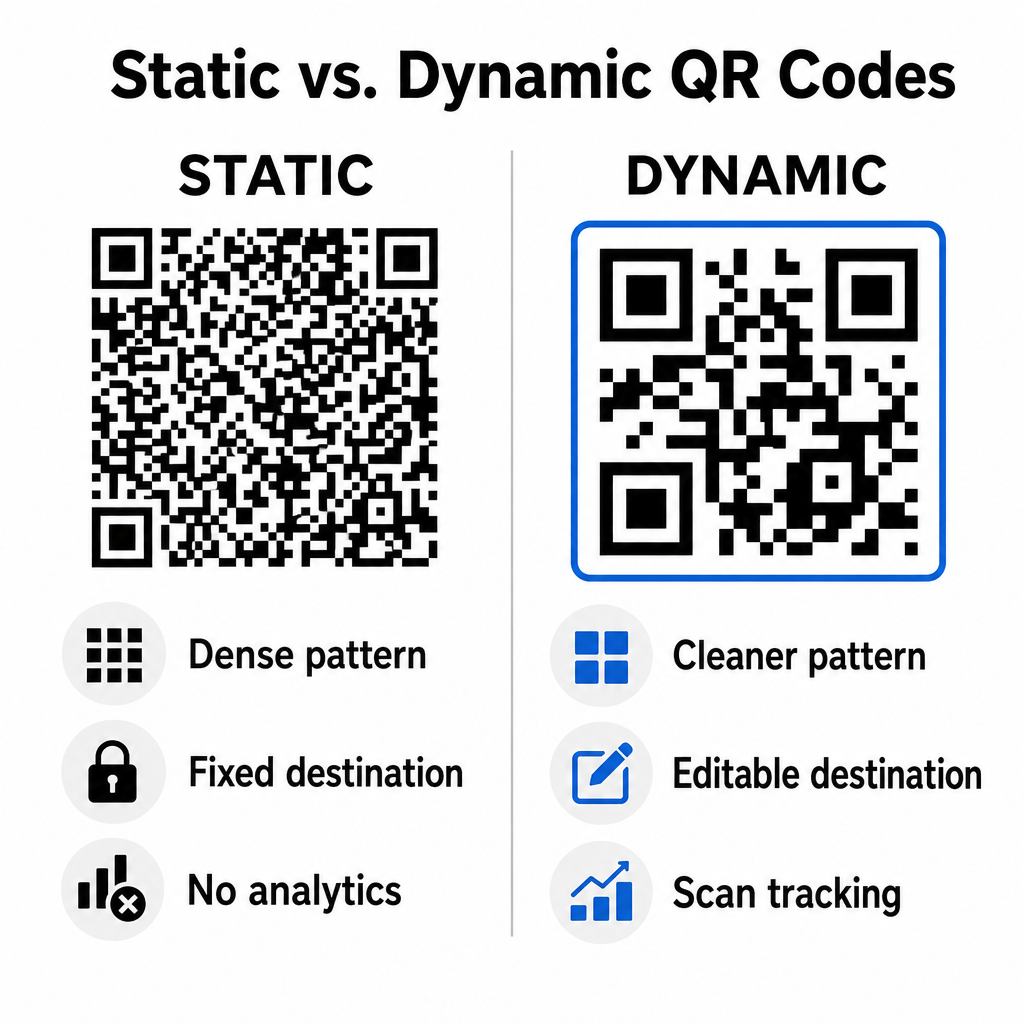
Kod statik menyimpan URL destinasi anda terus di dalam matriks visual. Oleh kerana alamat web yang panjang memerlukan lebih banyak modul data, kod statik memaparkan corak yang padat dan kompleks yang menjadi lebih sukar untuk dinyahkod oleh kamera telefon pintar daripada paparan komputer. Tambahan pula, kod statik tidak menawarkan metrik penjejakan dan tidak boleh diedit sebaik sahaja surat berita e-mel dihantar.
Kod dinamik membenamkan URL pengalihan pendek dan bukannya alamat halaman pendaratan penuh. Perbezaan struktur ini menghasilkan corak visual yang lebih bersih dan berketumpatan rendah yang mengimbas serta-merta walaupun pada saiz yang lebih kecil. Kod dinamik membolehkan pengurus kempen mengemas kini pautan destinasi selepas penggunaan dan menangkap analitik yang komprehensif. Memahami perbezaan antara kod QR statik lwn dinamik membantu anda memilih format yang betul untuk urutan surat berita berulang. Dengan menggunakan URL pengalihan dinamik, anda mendapat akses kepada maklumat penting Metrik penjejakan kod QR termasuk jumlah kiraan imbasan, sistem pengendalian peranti, cap masa imbasan dan taburan geografi.
Kesilapan Biasa yang Perlu Dielakkan dalam Kempen E-mel
Mengelakkan ralat reka bentuk dan pengalaman pengguna yang boleh diramal melindungi kadar penglibatan kempen anda dan memelihara kepercayaan pelanggan:
- Mengecualikan arahan pengimbasan yang jelasMemaparkan kod tanpa label tanpa menerangkan ganjaran atau langkah seterusnya akan mengurangkan penglibatan.
- Mengarahkan pengguna ke halaman yang tidak responsifMenghantar pengimbas mudah alih ke halaman pendaratan desktop sahaja mewujudkan geseran dan memacu kadar lantunan yang lebih tinggi.
- Elemen visual yang terlalu disesuaikanMeletakkan logo tebal atau kecerunan latar belakang kontras rendah di atas matriks data menjejaskan kebolehimbasan kamera.
- Melangkau ujian pemaparan silang klienGagal menguji penampilan kod merentasi Gmail, Outlook dan Apple Mail dalam mod terang dan gelap menyebabkan susun atur rosak.
Melancarkan Strategi Kod QR E-mel Anda
Menggabungkan hiperpautan teks dengan grafik boleh imbas dinamik mewujudkan laluan yang cekap daripada pembacaan e-mel desktop kepada tindakan mudah alih. Mengekalkan kontras warna yang kukuh, menyediakan teks alt deskriptif dan mengesahkan bahawa halaman pendaratan destinasi dioptimumkan untuk skrin mudah alih memastikan perjalanan merentas peranti yang lancar untuk khalayak anda. Laksanakan piawaian ini dalam urutan seterusnya dengan menggunakan Penjana dynamic QR code untuk membina, menyesuaikan dan menjejaki pautan yang boleh diimbas merentasi semua kempen pemasaran e-mel anda.
Soalan lazim
Pembaca mudah alih tidak boleh mengimbas kod yang dipaparkan pada skrin peranti mereka sendiri dengan mudah. Sentiasa pasangkan grafik yang boleh diimbas dengan pautan teks bersebelahan yang boleh diklik supaya pengguna mudah alih boleh mengetik untuk sampai ke destinasi.
Paparkan imej pada saiz minimum 150 x 150 piksel (atau 2 cm x 2 cm). Ini memastikan kamera telefon pintar boleh menyahkod matriks semasa mengimbas skrin komputer riba atau desktop.
Ya, dengan syarat anda menggunakan penjana kod QR dinamik. Kod dinamik merekodkan metrik imbasan termasuk masa imbasan, sistem pengendalian peranti dan lokasi geografi tanpa memerlukan parameter URL yang kompleks.