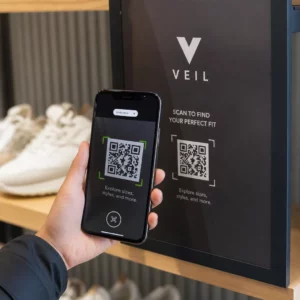
Нужно помочь клиентам найти ваше местоположение, не заставляя их вводить адрес? Ручной ввод адреса создает трудности – и разочарованных посетителей. Это руководство поможет вам превратить любое местопоположение Google Карт в сканируемый QR-код за считанные минуты.
Получение ссылки на ваше местоположение в Google Картах
Прежде чем что-либо генерировать, вам нужна правильная ссылка из Google Карт. Ссылка, которую вы копируете, точно определяет, куда попадут пользователи при сканировании, поэтому точность здесь имеет значение.
Найдите и закрепите свое местоположение
Откройте Google Карты и найдите пункт назначения. Вы можете ввести название компании, например “Starbucks Times Square”, полный почтовый адрес или узнаваемый ориентир. Если у местоположения нет официального адреса – открытая площадка, вход в парк, парковка – нажмите и удерживайте на мобильном устройстве (или нажмите на компьютере), чтобы установить метку в точном месте.
После закрепления увеличьте масштаб и убедитесь, что маркер находится в правильной точке. Если вы направляете людей к определенному входу, а не к общему контуру здания, скорректируйте соответствующим образом. Этот дополнительный шаг предотвращает путаницу, когда посетители прибывают.
Скопируйте ссылку на местоположение
После подтверждения местоположения нажмите или щелкните Отправка кнопку:
- На мобильном устройстве: Нажмите на название местоположения в нижней части экрана, затем нажмите значок “Поделиться” (стрелка вверх) и выберите «Копировать в буфер обмена».”
- На компьютере: Нажмите “Поделиться” на информационной панели или в меню с тремя точками, затем выберите «Копировать ссылку».”
Скопированный URL-адрес обычно представляет собой сокращенную ссылку, например `maps.app.goo.gl/xyz123`. Более короткие ссылки создают более чистые, менее плотные QR-коды, которые сканируются надежнее. Прежде чем продолжить, вставьте ссылку в браузер, чтобы убедиться, что она открывает правильное местоположение.
Различные типы ссылок служат разным целям:
| Тип ссылки | Что она делает | Пример использования |
|---|---|---|
| Ссылка на место | Открывает конкретную компанию или адрес | Обмен витриной или офисом |
| Ссылка для поиска | Отображает результаты поискового запроса | Показ “ресторанов рядом с местом проведения” |
| Ссылка на маршрут | Открывает предустановленный навигационный маршрут | Направление гостей из аэропорта в отель |
Для QR-коды, используемые для указания маршрута и обмена адресами, ссылка на место или ссылка на маршрут обычно работают лучше всего – они пропускают шаг поиска и сразу направляют пользователя в навигацию.
Создание вашего QR-кода
Когда ваша ссылка готова, посетите QR код на карте Google Maps и вставьте ваш URL в поле ввода. Выберите тип QR-кода – “Ссылка” или “Карты” – и код сгенерируется мгновенно.
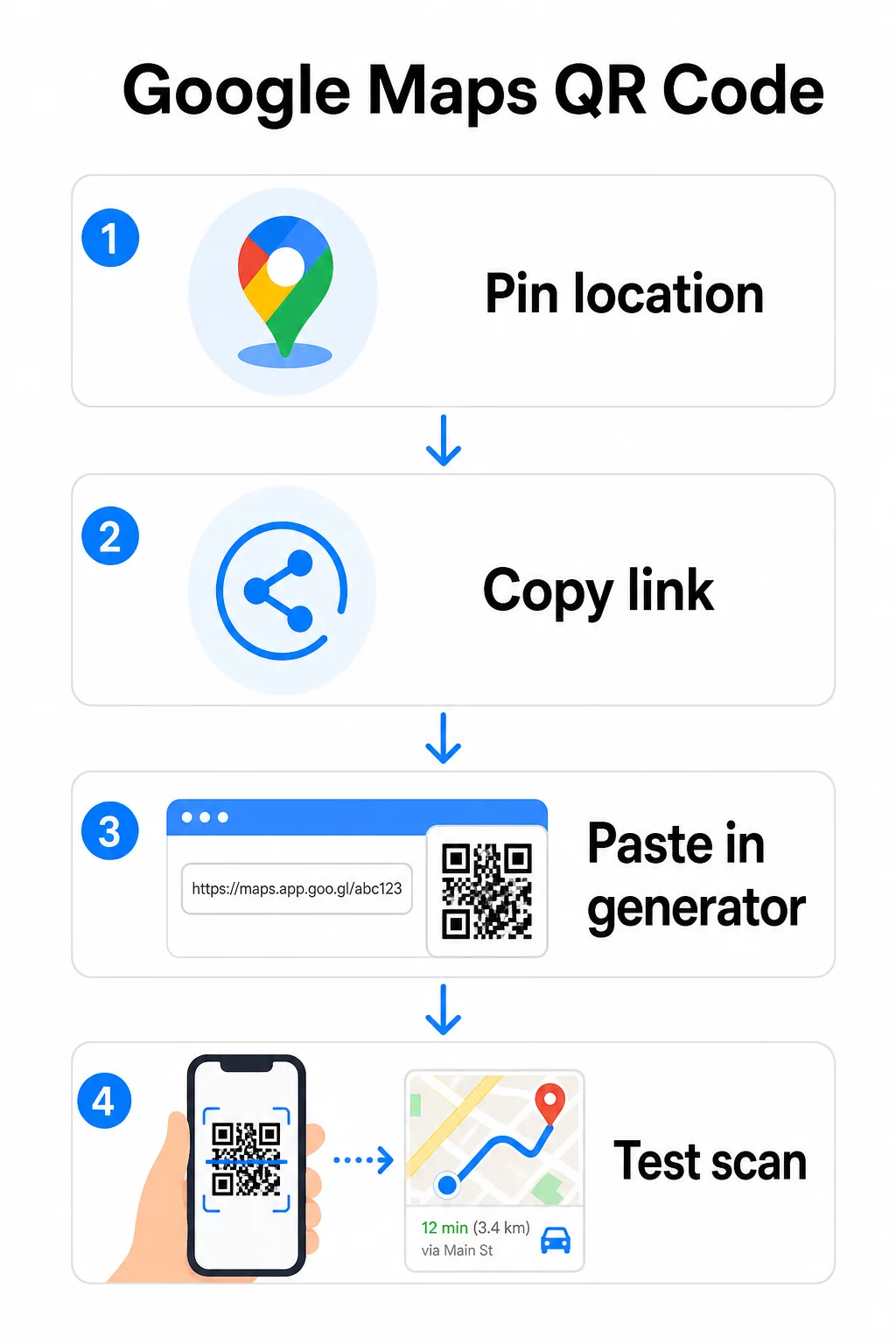
Для постоянного местоположения, где нет необходимости менять пункт назначения, статический QR-код бесплатно и никогда не истекает. Загрузите его как PNG, и вы готовы его использовать.
Нужно обновить ваше местоположение или отслеживать данные сканирования? Использовать Генератор QR-кодов чтобы создать динамический код, который позволяет вам менять пункт назначения в любое время из вашей панели управления – перепечатка не требуется.
Статический против Динамического: Какой вам нужен?
Статический QR-код кодирует ссылку Google Карт непосредственно в шаблон. Он постоянный, бесплатный и работает без какой-либо учетной записи. Компромисс: если ваше местоположение меняется, вам нужно сгенерировать и перепечатать новый код.
Динамический QR-код вместо этого хранит короткий URL-адрес перенаправления. Вы управляете тем, куда указывает это перенаправление, из вашей панели управления Pageloot. Это означает:
- Вы можете обновить пункт назначения, не затрагивая напечатанный код
- Вы получаете аналитику в реальном времени – количество сканирований, типы устройств, географические местоположения и время
- Вы можете тестировать и менять ссылки назначения для сезонных мероприятий или временных площадок
Если вы печатаете коды на постоянных вывесках, статический вариант подходит. Для кампаний, мероприятий, временных локаций или любой ситуации, когда пункт назначения может измениться, динамические коды являются практичным выбором.
Настройка вашего QR-кода
Простой черно-белый QR-код работает, но брендированный работает лучше. Параметры настройки Pageloot позволяют вам:
- Добавить логотип вашей компании в центр кода
- Изменить цвета, чтобы они соответствовали палитре вашего бренда (сохраняйте темные узоры на светлом фоне для надежного сканирования)
- Выбрать из различных форм модулей: Круг, Тире или Ромб
- Добавить рамку с призывом к действию с текстом, таким как “Сканировать для маршрута” или “Найти нас на Картах”
При добавлении логотипа или цветов, используйте уровень коррекции ошибок Q или H. Эти настройки позволяют QR-коду оставаться сканируемым, даже если до 25–30% шаблона скрыто логотипом или незначительным повреждением. Держите логотипы не более 30% от общей площади кода и убедитесь, что они не перекрывают три угловых “поисковых” квадрата.
Для печатных материалов загрузите свой код в формате SVG, PDF или EPS. Эти векторные форматы остаются четкими при любом размере – это критически важно для крупноформатной печати, такой как плакаты или вывески магазинов.
Хотите полностью брендированный код местоположения? В Генератор QR-кодов для ссылок поддерживает пользовательские цвета, логотипы и стили рамок с 14-дневной бесплатной пробной версией – кредитная карта не требуется.
Тестирование перед публикацией
Всегда тестируйте свой QR-код, прежде чем отправлять его в печать или запускать в живую кампанию. Неработающий или неправильно направленный код подрывает доверие и приводит к напрасным расходам на печать.
Пройдите по этому контрольному списку:
- Сканируйте с помощью встроенного приложения камеры вашего телефона как на iOS, так и на Android
- Подтвердите, что ссылка открывает правильное местоположение в Google Картах
- Протестируйте на устройстве без установленного приложения Google Карт – оно должно перенаправить на Google Карты в браузере
- Сканируйте с разных расстояний и при различных условиях освещения
- Если вы настроили дизайн, убедитесь, что угловые поисковые квадраты и тихая зона (пустая граница вокруг кода) не заблокированы
Для использования в печати минимальный размер 2 × 2 дюйма (приблизительно 5 × 5 см) гарантирует, что большинство устройств могут надежно сканировать с близкого расстояния. Для материалов, просматриваемых издалека – плакатов, баннеров, витрин – масштабируйте пропорционально. Общее правило: код должен быть не менее одной десятой расстояния, с которого люди будут его сканировать.
Распространенные проблемы и их решения:
| Проблема сканирования | Решение |
|---|---|
| Размытый или пикселизированный код | Экспортируйте как SVG, PDF или EPS для печати |
| Сканер не распознает код | Увеличьте контраст; темный передний план на светлом фоне |
| Логотип блокирует сканирование | Убедитесь, что логотип не закрывает угловые квадраты; используйте более высокую коррекцию ошибок |
| Код слишком мал | Увеличьте до минимум 2 × 2 дюймов для физических материалов |
| Ссылка открывает неправильное местоположение | Повторно проверьте скопированную ссылку "Поделиться" в Google Картах перед генерацией |
Для получения более подробной информации о стандартах размера, контрастности и размещения см. лучшим практикам читаемости QR-кодов и рекомендациям по удобству использования QR-кодов.
Где использовать QR-коды Google Карт
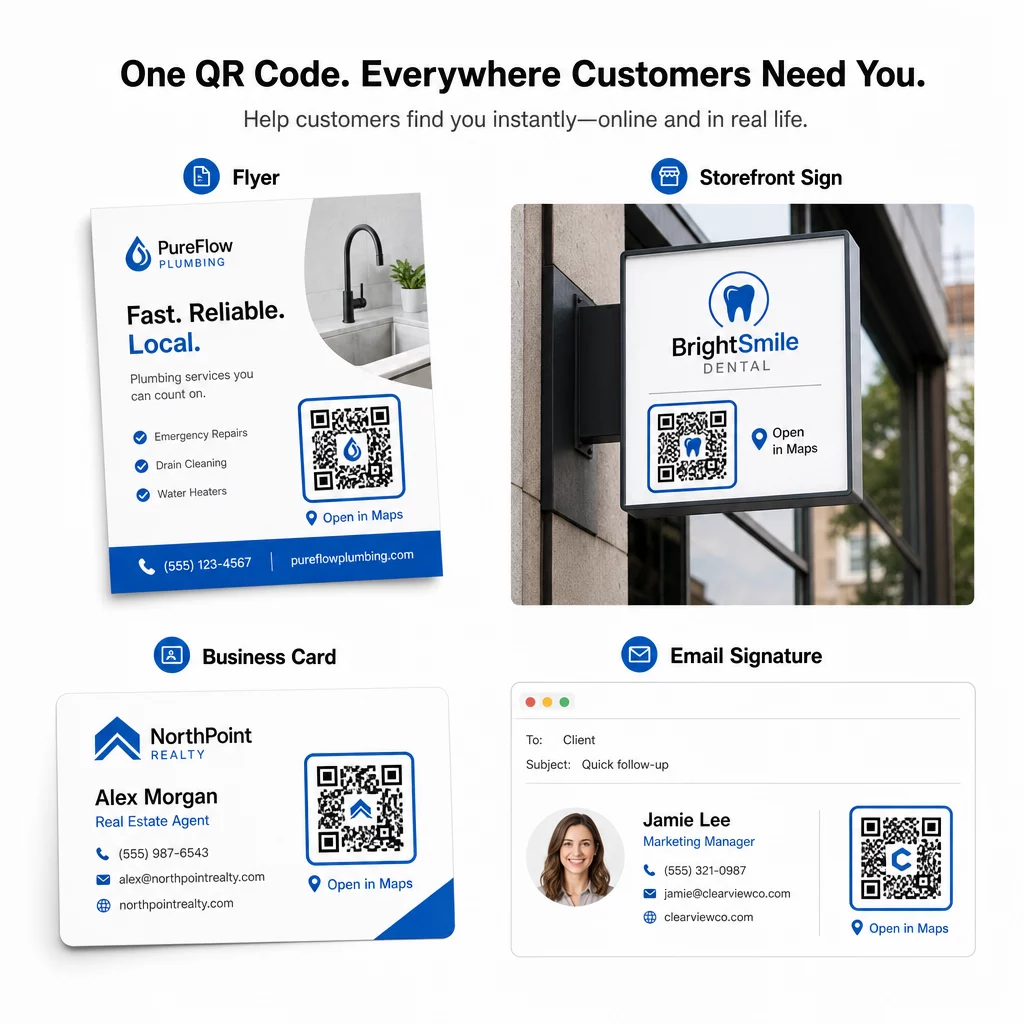
После тестирования ваш QR-код готов к развертыванию на печатных и цифровых каналах:
Печатные материалы:
- Визитные карточки – замените напечатанные адреса сканируемым кодом
- Флаеры и брошюры – направляйте гостей мероприятия непосредственно к месту проведения
- Витрины магазинов и дверные вывески – помогите клиентам найти парковку или альтернативные входы
- Вывески недвижимости – направляйте покупателей к местам проведения открытых показов
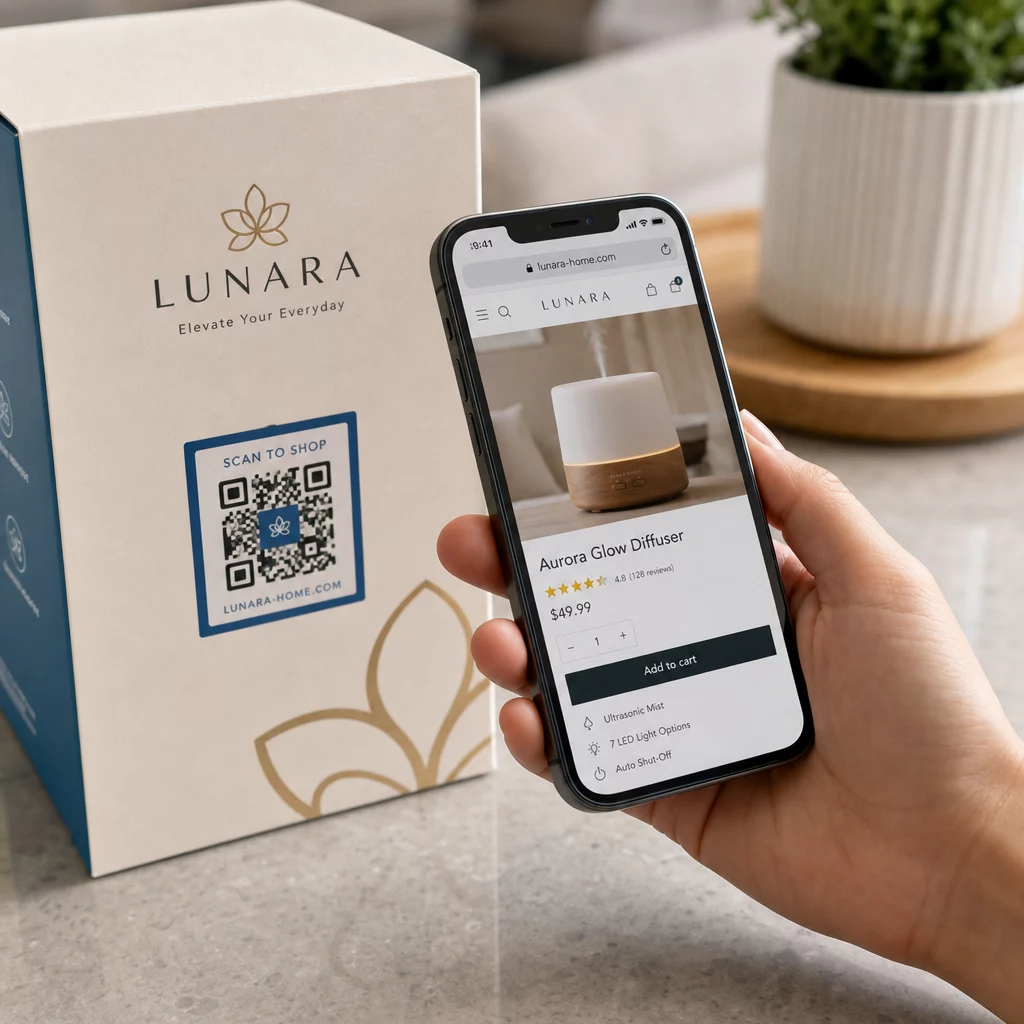
- Упаковка продукта – свяжите клиентов с вашей физической розничной точкой
Цифровые каналы:
- Подписи электронной почты – замените статические адреса сканируемым кодом местоположения
- Посты и истории в социальных сетях – продвигайте новое местоположение или место проведения мероприятия
- Нижние колонтитулы веб-сайтов – позвольте посетителям открывать маршруты одним касанием
- Цифровые меню – помогите посетителям найти второе местоположение или офис кейтеринга
В каждом размещении включайте четкий призыв к действию рядом с кодом. “Сканировать для маршрута” или “Открыть в Картах” точно сообщает пользователям, что произойдет при сканировании, что увеличивает вовлеченность. Для получения рекомендаций по позиционированию и размеру на различных материалах, Руководство по размещению QR-кодов для маркетинга подробно описывает рекомендации по конкретным форматам.
Сравнение планов Pageloot
| ФУНКЦИЯ | Бесплатный план | Профессиональный план | Пользовательский/Корпоративный |
|---|---|---|---|
| Тип QR-кода | Только статический | Динамический и статический | Динамический и статический |
| Редактируемые ссылки | Нет | Да | Да |
| Аналитика сканирований | Отсутствуют | В реальном времени (местоположение, устройство) | Полная история и экспертные данные |
| Годовой лимит сканирований | Безлимитный (статический) | 250,000 | Свои ссылки |
| Персонализация | Базовый (цвета, логотип) | Расширенные возможности дизайна | Полная интеграция бренда |
| Ежемесячная цена | $0 | $38.34 | $106.52 |
Бесплатный план включает постоянные статические коды без срока действия и неограниченное количество сканирований. Платные планы открывают динамическое редактирование, аналитику в реальном времени и расширенную настройку. Стартовый план начинается от $4.86/месяц с 2 динамическими кодами и 15 000 годовых сканирований – подходит для малых предприятий, тестирующих формат. Все платные планы включают 14-дневную бесплатную пробную версию без необходимости ввода данных кредитной карты.
Как выразился Лукас Янсен, девелопер недвижимости, использующий QR-коды местоположения Pageloot:
“Это отличный инструмент, и QR-коды приводят вас именно туда, куда вы хотите”.”
Для постоянных местоположений бесплатный статический код — самый простой путь. Для всего, что требует обновлений, отслеживания или измерения кампаний, динамические коды дают вам гибкость и данные для улучшения со временем. Начните с копирования ссылки Google Карт, сгенерируйте свой код на QR код на карте Google Maps, и тестирование его на реальном устройстве до запуска.
Часто задаваемые вопросы
Для большинства случаев использования скопируйте ссылку на место из кнопки «Поделиться» в Google Картах – она открывает точное местоположение непосредственно в Google Картах или браузере. Если вы хотите отправить пользователей прямо в пошаговую навигацию из фиксированной начальной точки, используйте вместо этого ссылку на маршрут. Всегда вставляйте ссылку сначала в браузер, чтобы убедиться, что она ведет к правильному месту, прежде чем генерировать код.
После закрепления вашего местоположения в Google Картах используйте кнопку «Поделиться» и скопируйте URL-адрес, который она предоставляет. Эта ссылка привязана к конкретным координатам метки, а не просто к общему поиску. Избегайте копирования URL-адреса из адресной строки вашего браузера во время просмотра карты – эта версия может ненадежно указывать на закрепленную точку. Вставьте ссылку «Поделиться» в браузер для проверки перед генерацией QR-кода.
Используйте векторный формат – SVG, EPS или PDF – для любого печатного применения. Векторные файлы масштабируются до любого размера без потери четкости, в отличие от экспортов PNG или JPEG, которые могут выглядеть пикселизированными при больших размерах печати. Для печатных материалов также убедитесь, что разрешение составляет не менее 300 DPI и что размер кода составляет не менее 2 × 2 дюймов для надежного сканирования с близкого расстояния.