Amalan terbaik kod QR untuk penempatan bergantung kepada lima peraturan. Cetak kod sekurang-kurangnya 2 x 2 cm (0.8 x 0.8 inci), pastikan zon senyap empat modul pada setiap sisi, gunakan modul gelap pada latar belakang cerah, letakkannya pada permukaan rata dan pusam pada ketinggian yang selesa, dan tambahkan panggilan untuk bertindak yang ringkas di sebelahnya. Uji setiap bukti cetakan dengan sekurang-kurangnya dua telefon sebelum cetakan penuh.
Panduan ini merangkumi peraturan dan garis panduan reka bentuk kod QR untuk saiz, kontras dan permukaan, di mana untuk meletakkan kod pada setiap jenis bahan, cara beriklan menggunakan kod QR, dan apa yang diperlukan oleh halaman pendaratan di sebalik kod tersebut.
Amalan Terbaik Kod QR Sepintas Lalu
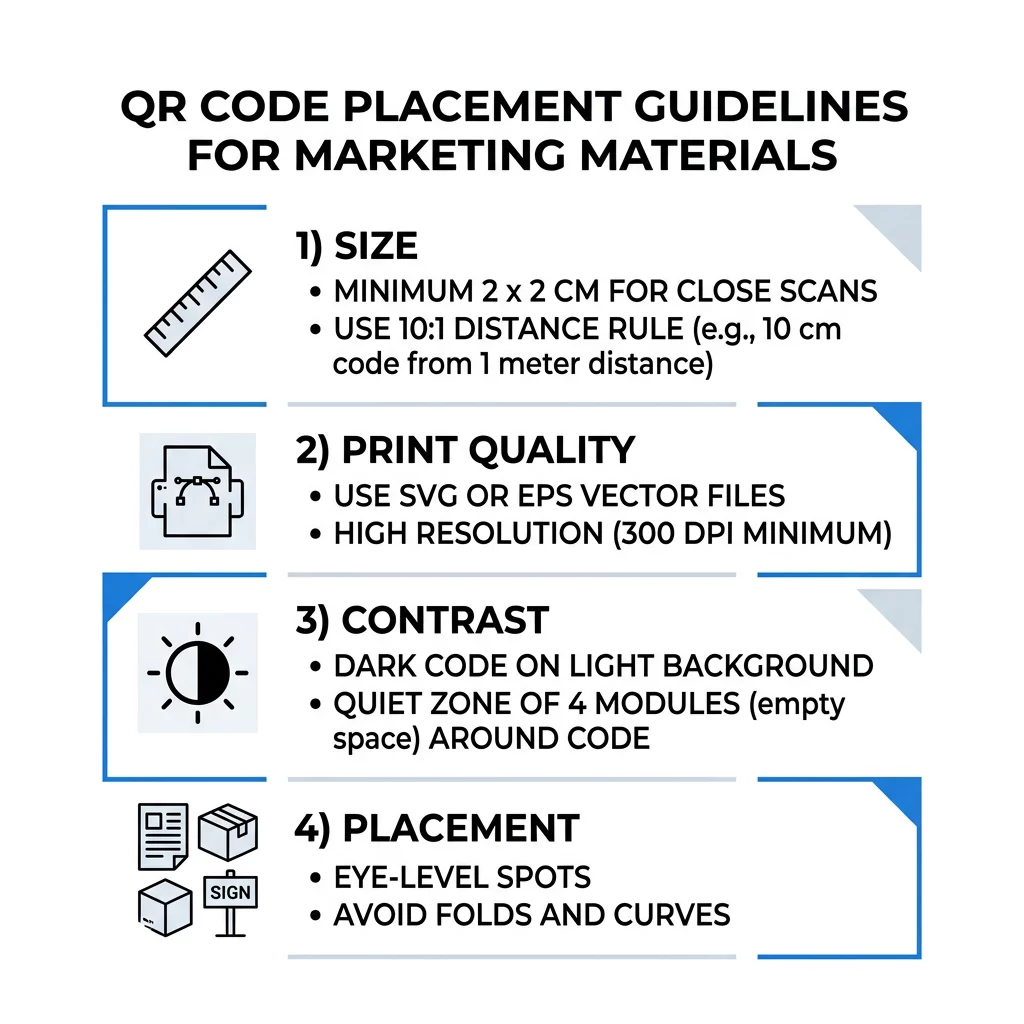
- Saiz: sekurang-kurangnya 2 x 2 cm (0.8 x 0.8 inci) untuk item pegang tangan. Untuk jarak, gunakan lebar kod 1 inci untuk setiap 10 inci jarak imbasan.
- Zon senyap: margin kosong sekurang-kurangnya empat modul pada keempat-empat sisi. Tiada teks, garisan atau tanda pangkas di dalamnya.
- Kontras: kod gelap pada latar belakang cerah. Jangan sekali-kali membalikkannya atau menggunakan kod cerah pada latar belakang gelap melainkan anda telah mengujinya pada beberapa telefon.
- Permukaan: rata dan pusam. Elakkan lipatan, jahitan, lengkung, silau dan lamina berkilat.
- Panggilan untuk bertindak: beritahu orang mengapa perlu mengimbas, contohnya “Imbas untuk melihat menu”.
- Destinasi: halaman mesra mudah alih yang dimuatkan dengan pantas dan sepadan dengan apa yang dijanjikan oleh panggilan untuk bertindak.
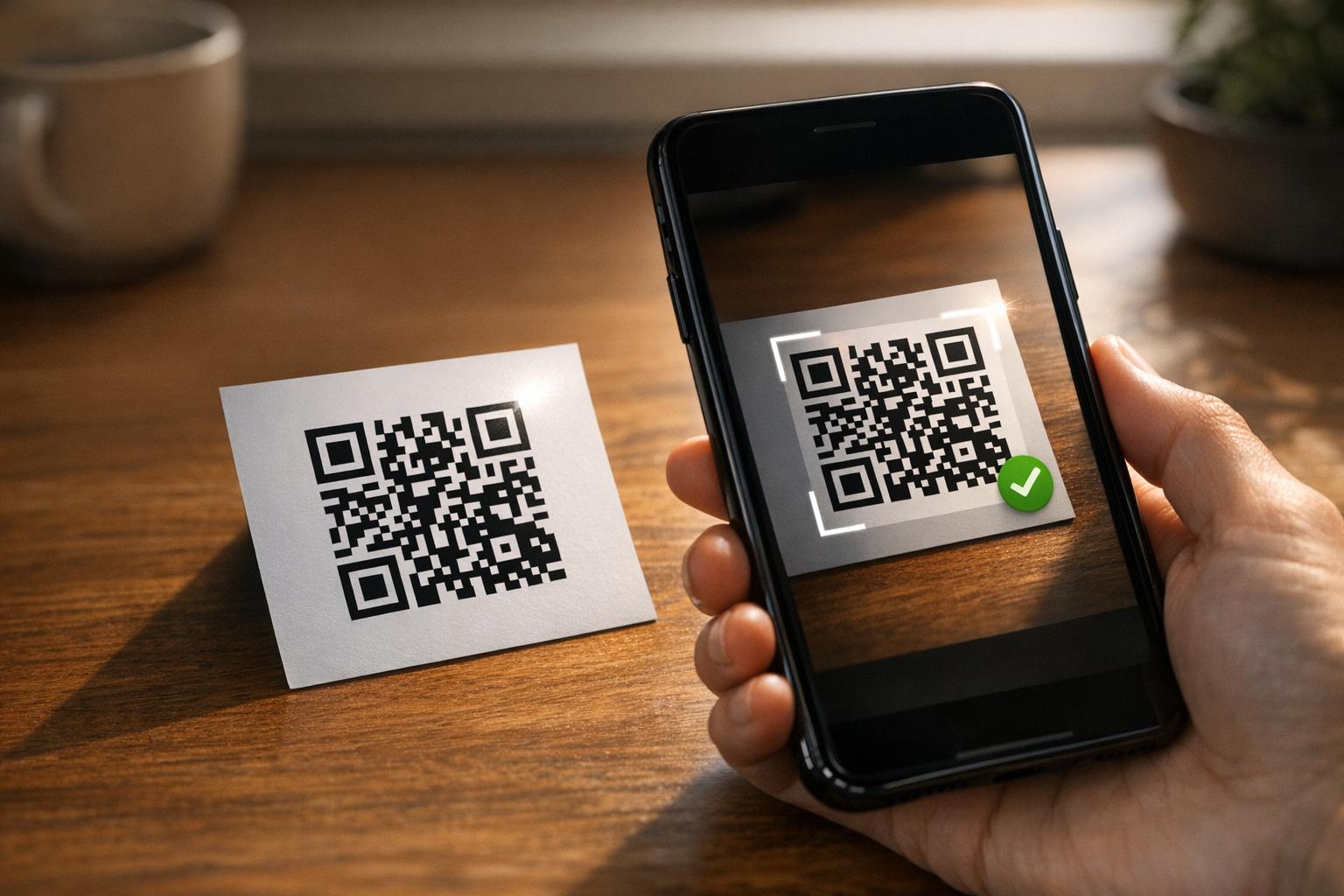
- Pengujian: imbas bukti akhir pada iPhone dan telefon Android, dalam cahaya di mana kod akan digunakan.
Piawaian Teknikal untuk Saiz dan Jarak Pandang
Kod QR yang terlalu kecil atau kabur tidak akan dapat diimbas. Untuk bahan pegang tangan jarak dekat, saiz minimum praktikal ialah 2 x 2 cm (0.8 x 0.8 inci). Untuk bahan yang lebih besar yang dilihat dari seberang bilik atau jalan, gunakan peraturan 10:1: benarkan sekurang-kurangnya lebar kod 1 inci untuk setiap 10 inci jarak imbasan. Poster yang dibaca orang dari jarak 5 kaki memerlukan kod sekurang-kurangnya 6 inci lebar.
Untuk cetakan komersial, eksport karya seni sebagai fail vektor seperti SVG, EPS atau PDF. Fail vektor kekal tajam pada sebarang saiz, manakala imej raster menjadi kabur apabila dibesarkan. Jika anda mesti menggunakan imej raster seperti PNG, eksport ia pada saiz yang cukup besar untuk 300 DPI pada saiz cetakan akhir. Baca kami panduan saiz kod QR untuk menyemak dimensi yang betul bagi setiap format.
| Jenis Penempatan | Saiz yang Disyorkan | Jarak Tontonan | Tahap Pembetulan Ralat |
|---|---|---|---|
| Kad perniagaan | 2 x 2 cm (0.8 x 0.8 in) | Genggam (bawah 1 kaki) | Tahap L atau M |
| Risalah dan brosur | 3 x 3 cm (1.2 x 1.2 inci) | Jarak lengan (1 hingga 2 kaki) | Tahap M |
| Pembungkusan produk | 3 x 3 cm (1.2 x 1.2 inci) | Genggam (1 hingga 2 kaki) | Tahap Q atau H |
| Poster dan paparan | 10 x 10 cm (4 x 4 inci) | Jarak berjalan kaki (3 hingga 7 kaki) | Tahap M |
| Papan iklan dan sepanduk | 40 x 40 cm (16 x 16 inci) atau lebih besar | Jarak jauh (15+ kaki) | Tahap H |
Pembetulan ralat membolehkan pengimbas membaca kod walaupun sebahagian daripadanya rosak atau tertutup. Tahap L memulihkan kira-kira 7% data, M kira-kira 15%, Q kira-kira 25% dan H kira-kira 30%. Tahap yang lebih tinggi menjadikan corak lebih padat, jadi kod dengan URL panjang pada Tahap H memerlukan saiz cetakan yang lebih besar untuk kekal boleh dibaca.
Peraturan Reka Bentuk Kod QR: Kontras, Zon Senyap dan Pemilihan Permukaan
Pengimbas membaca kod QR dengan mengesan perbezaan antara modul gelap dan ruang terang di sekelilingnya. Modul hitam pada latar belakang putih adalah pilihan paling selamat. Warna jenama berfungsi jika modul gelap kekal lebih gelap daripada latar belakang. Semak hasilnya dengan menukar reka bentuk anda kepada skala kelabu: jika kod kelihatan pudar, kamera telefon juga akan sukar membacanya.
- Pastikan latar depan lebih gelap daripada latar belakang. Kod terang-atas-gelap (songsang) gagal pada banyak aplikasi pengimbas lama.
- Jangan gunakan merah pada latar belakang gelap, atau dua warna dengan kecerahan yang serupa.
- Tinggalkan zon senyap sekurang-kurangnya empat modul pada setiap sisi. Teks, sempadan, foto dan garisan potong di dalam margin ini boleh menghentikan imbasan.
- Jangan regangkan kod. Pastikan ia berbentuk segi empat sama sempurna.
- Elakkan lamina berkilat, kerajang berkilat dan kaca yang memantulkan cahaya. Gunakan kertas matte atau laminasi matte.
- Jika anda menambah logo, pastikan ia kecil dan di tengah, dan gunakan tahap pembetulan ralat yang lebih tinggi.
Banyak imbasan yang gagal berpunca daripada beberapa ralat berulang. Elakkan ini kesilapan penempatan kod QR biasa sebelum anda mencetak.
Amalan Terbaik untuk Penempatan Kod QR Merentasi Format Cetakan dan Paparan
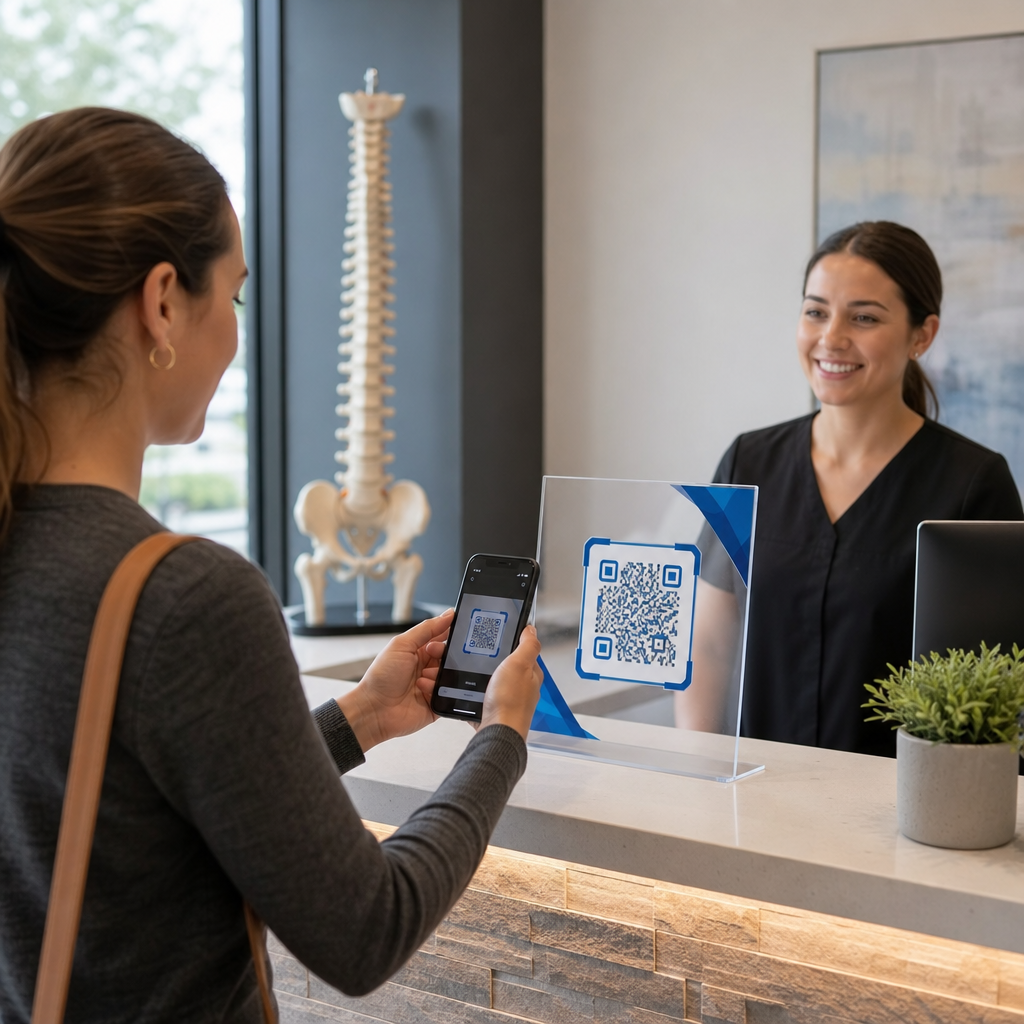
Penempatan menentukan sama ada orang ramai perasan kod itu sama sekali. Letakkannya di mana orang ramai sudah melihat dan di mana mereka boleh memegang telefon dengan stabil. Tambahkan arahan ringkas di sebelahnya, kerana orang ramai tidak mengimbas apa yang mereka tidak faham.
Risalah, Brosur, dan Mel Langsung
Letakkan kod di mana pembaca selesai membaca, contohnya sudut kanan bawah atau panel terakhir:
- Letak Kod QR pada risalah di sebelah tawaran utama dan jauhkan dari tepi kertas yang dipotong.
- Letakkan kod QR pada brosur di dalam satu panel. Jangan letakkan kod melintang lipatan atau kedutan, kerana corak akan bengkok dan patah.
- Untuk mel terus, jauhkan kod dari tanda pos dan zon bersih kod bar yang diperlukan oleh perkhidmatan pos anda. Semak peraturan dengan syarikat mel anda.
Pembungkusan dan Label Produk
Pembungkusan sampai kepada orang ramai selepas mereka membeli, yang sesuai untuk video persediaan, pendaftaran waranti dan tawaran pesanan semula:
- Letak kod QR pada pembungkusan produk pada panel rata, bukan pada sudut bulat atau leher sempit.
- Gunakan pembetulan ralat Tahap Q atau H supaya kod masih boleh dibaca selepas calar, kelembapan atau pengendalian.
- Jauhkan kod dari jalur koyak, jahitan dan pelekat harga yang boleh menutup sebahagian daripadanya.
- Pada botol dan tin, pastikan kod cukup kecil untuk diletakkan pada bahagian paling rata. Kod yang melilit terlalu jauh pada lengkung tidak akan dapat diimbas.
Poster, Pintu Kedai, dan Skrin Awam
Tanda perlu berfungsi untuk orang yang berjalan atau berdiri beberapa kaki jauhnya:
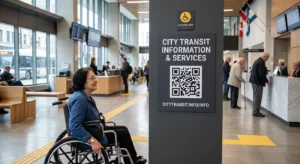
- Letak Kod QR pada poster pada paras mata, kira-kira 3.5 hingga 5.5 kaki dari tanah, supaya tiada siapa perlu membongkok atau menjangkau.
- Pastikan kod QR pada paparan dan skrin pada skrin cukup lama untuk diimbas. Sepuluh saat adalah minimum yang selamat, dan kod statik yang kekal kelihatan lebih baik daripada satu dalam animasi bergerak.
- Ikut asas menggunakan kod QR dalam media cetak dan tunjukkan satu kod setiap tanda, supaya kamera tidak perlu memilih.
- Jangan letakkan kod di mana orang tidak boleh berhenti, seperti pada kenderaan bergerak, papan iklan tinggi atau tingkap yang jauh dari kaki lima.
Cara Mengiklankan Menggunakan Kod QR
Untuk mengiklankan menggunakan kod QR, anggap setiap kod sebagai iklan pendek dengan satu matlamat. Pilih penempatan, tulis seruan untuk bertindak, hantar orang ke satu halaman tertentu, dan ukur hasilnya. Gunakan proses ini:
- Pilih satu matlamat bagi setiap kod, seperti kupon, menu, ulasan atau halaman produk.
- Jana kod dengan destinasi yang telah ditetapkan. Jangan hantar orang ke halaman utama apabila anda menjanjikan kupon.
- Letakkannya menggunakan peraturan saiz dan permukaan di atas, dan tambahkan seruan untuk bertindak dengan faedahnya, contohnya “Imbas untuk diskaun 15% bagi pesanan pertama anda”.
- Gunakan kod yang berbeza untuk setiap penempatan (risalah, tingkap, pakej), supaya anda dapat mengetahui yang mana berkesan.
- Cetak satu bukti, imbasnya dengan dua telefon, dan barulah tempah cetakan penuh.
- Semak kiraan imbasan selepas satu atau dua minggu dan alihkan bajet ke penempatan yang mendapat imbasan.
Tempat yang baik untuk mengiklankan dengan kod QR termasuk tingkap kedai, kad meja, resit, kotak penghantaran, tanda acara, gerai pameran perdagangan dan mel terus. Tempat yang kurang sesuai termasuk apa-apa yang bergerak, apa-apa yang melebihi paras mata, dan mana-mana tempat tanpa isyarat mudah alih.
Meningkatkan Imbasan dengan Bingkai Seruan untuk Bertindak
Kod tanpa konteks tidak memberi sebab kepada orang untuk mengeluarkan telefon. Letakkan seruan untuk bertindak yang pendek di sebelahnya. Contoh yang berkesan: “Imbas untuk melihat menu”, “Imbas untuk menempah meja”, “Imbas untuk diskaun 15%”, “Imbas untuk meninggalkan ulasan”. Letakkan teks terus di atas atau di bawah kod, dalam saiz yang boleh dibaca oleh orang dari jarak yang sama dengan kod.
Logo di tengah boleh membantu orang mempercayai kod itu. Gunakan QR code with logo, kekalkan logo kecil, dan uji semula kod itu selepas menambahnya. Mencetak alamat web pendek di bawah kod memberi cara kepada orang yang tidak dapat mengimbas untuk menaipnya.
Amalan Terbaik Halaman Pendaratan Kod QR
Kebanyakan orang mengimbas menggunakan telefon, dengan sebelah tangan, selalunya menggunakan data mudah alih. Halaman di sebalik kod menentukan sama ada imbasan itu menjadi pelanggan. Ikuti amalan terbaik halaman pendaratan kod QR ini:
- Bina untuk skrin telefon dahulu. Gunakan teks besar dan butang besar.
- Jadikan halaman memuat dengan pantas. Gunakan imej kecil dan elakkan pop timbul yang berat atau video main automatik.
- Padankan panggilan untuk bertindak. Jika tanda mengatakan “Imbas untuk diskaun 15%”, tunjukkan diskaun pada skrin pertama.
- Letakkan satu tindakan utama di bahagian atas, seperti satu butang untuk kupon, tempahan atau panggilan.
- Pastikan borang pendek. Minta alamat e-mel atau nombor telefon, bukan profil lengkap.
- Gunakan https, dan pastikan halaman berfungsi tanpa log masuk.
- Ujinya pada kedua-dua iPhone dan Android, menggunakan data mudah alih dan bukan hanya pada Wi-Fi pejabat.
Mengesan Penglibatan dengan Teknologi Dinamik
Kod QR statik menyimpan alamat web di dalam corak. Ia tidak pernah tamat tempoh dan berfungsi tanpa sebarang perkhidmatan, yang mencukupi untuk pautan kekal seperti log masuk Wi-Fi atau kad hubungan. Hadnya ialah anda tidak boleh menukar alamat selepas mencetak. Jika halaman berpindah atau tawaran tamat, setiap kod yang dicetak akan menunjuk ke halaman lama.
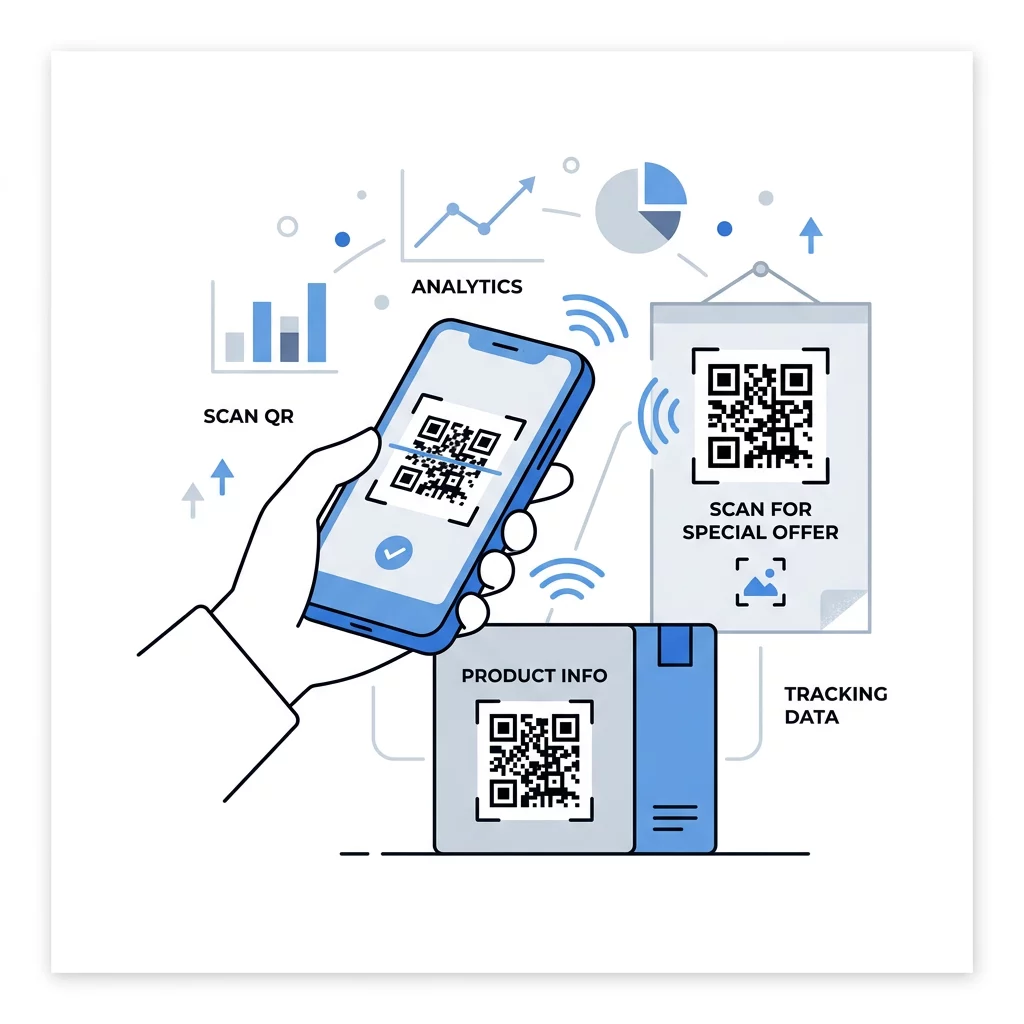
Kod QR dinamik menunjuk kepada pautan pendek yang boleh anda alihkan pada bila-bila masa, jadi kod yang dicetak kekal sama manakala destinasinya berubah. Ia juga merekodkan imbasan, termasuk bila, di mana dan pada jenis peranti apa. Ini membantu anda membandingkan risalah dengan tanda tingkap, dan ia menghapuskan kos cetak semula apabila kempen berubah. Pautan pendek juga memberikan corak yang lebih ringkas, kurang padat yang lebih mudah diimbas pada saiz kecil.
Kod dinamik Pageloot disertakan dengan percubaan percuma 14 hari dan jaminan wang dikembalikan 30 hari untuk pelan, dan anda boleh melihat pelan tersebut di pageloot.com/pricing. Kod dinamik pada pelan bulanan atau tahunan akan menjadi tidak aktif apabila pelan berakhir, jadi pilih kod dinamik untuk kempen yang anda rancang untuk terus jalankan.
Jejak Prestasi Kempen Ingin melihat bahan mana yang mendorong paling banyak imbasan? Gunakan Penjana dynamic QR code untuk mencipta kod boleh diedit, menyemak analitik imbasan, dan mengemas kini URL destinasi tanpa perlu mencetak semula.
Ringkasnya: pilih saiz yang sesuai dengan jarak pandangan, pastikan zon senyap jelas, gunakan kontras tinggi, letakkan kod pada permukaan rata pada paras mata, dan tulis seruan tindakan. Kemudian uji cetakan percubaan sebelum pengeluaran penuh. Anda boleh mencipta dan memuat turun kod anda dengan QR code generator percuma di Pageloot.
Soalan lazim
Letakkan kod pada permukaan rata, kusam pada ketinggian yang selesa, sekurang-kurangnya 2 x 2 cm untuk barangan pegang tangan, dengan zon senyap empat modul di setiap sisi. Letakkannya di tempat yang sudah menjadi tumpuan orang, seperti di hujung risalah atau di tengah poster, dan tambahkan seruan tindakan ringkas di sebelahnya.
Gunakan modul gelap pada latar belakang cerah, pastikan kod itu berbentuk segi empat sama dan tidak diregangkan, tinggalkan zon senyap sekurang-kurangnya empat modul, dan pastikan sebarang logo kecil dan di tengah. Jangan cetak pada permukaan berkilat atau melengkung, dan uji cetakan bukti pada lebih daripada satu telefon.
Ukuran minimum praktikal untuk bahan pegang tangan seperti kad perniagaan ialah 2 x 2 cm (0.8 x 0.8 inci). Untuk bahan yang dilihat dari jauh, gunakan peraturan 10:1: lebar kod 1 inci untuk setiap 10 inci jarak imbasan.
Berikan setiap kod satu matlamat, halakannya ke halaman tertentu yang sepadan dengan seruan tindakan anda, dan letakkannya pada paras mata di permukaan rata. Gunakan kod berasingan untuk setiap penempatan dan bandingkan kiraan imbasan selepas satu hingga dua minggu.
Halaman yang dimuat dengan pantas pada telefon, menunjukkan tawaran yang dijanjikan pada skrin pertama, mempunyai satu tindakan yang jelas, dan tidak memerlukan log masuk. Ujinya pada iPhone dan Android menggunakan data mudah alih.
Ya, tetapi pastikan kod itu kecil dan letakkan di bahagian permukaan yang paling rata. Jika kod itu melilit terlalu jauh di sekeliling lengkung, corak akan herot dan kamera tidak dapat membacanya sepenuhnya.
Gunakan kod QR dinamik. Corak yang dicetak kekal sama, dan anda mengubah destinasi dalam akaun anda. Kod QR statik tidak boleh diubah selepas dicetak.
Punca-punca paling biasa ialah kod yang terlalu kecil, zon senyap yang hilang, kontras rendah, permukaan berkilat atau melengkung, dan fail resolusi rendah yang kabur. Cetak salinan ujian yang lebih besar dan semak perkara-perkara ini mengikut urutan tersebut.