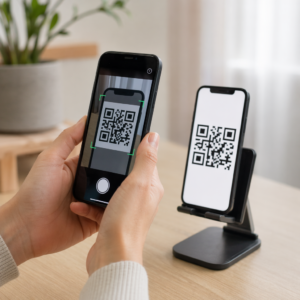

Are your technicians spending too much time searching paper binders, manually logging equipment, or hunting down chemical safety data in the field? Misplaced documentation slows down service calls and creates serious compliance risks for your business. Implementing QR codes across physical gear and vehicles provides instant digital access to safety sheets, labels, and inspection logs.
Simplifying Equipment and Bait Station Tracking
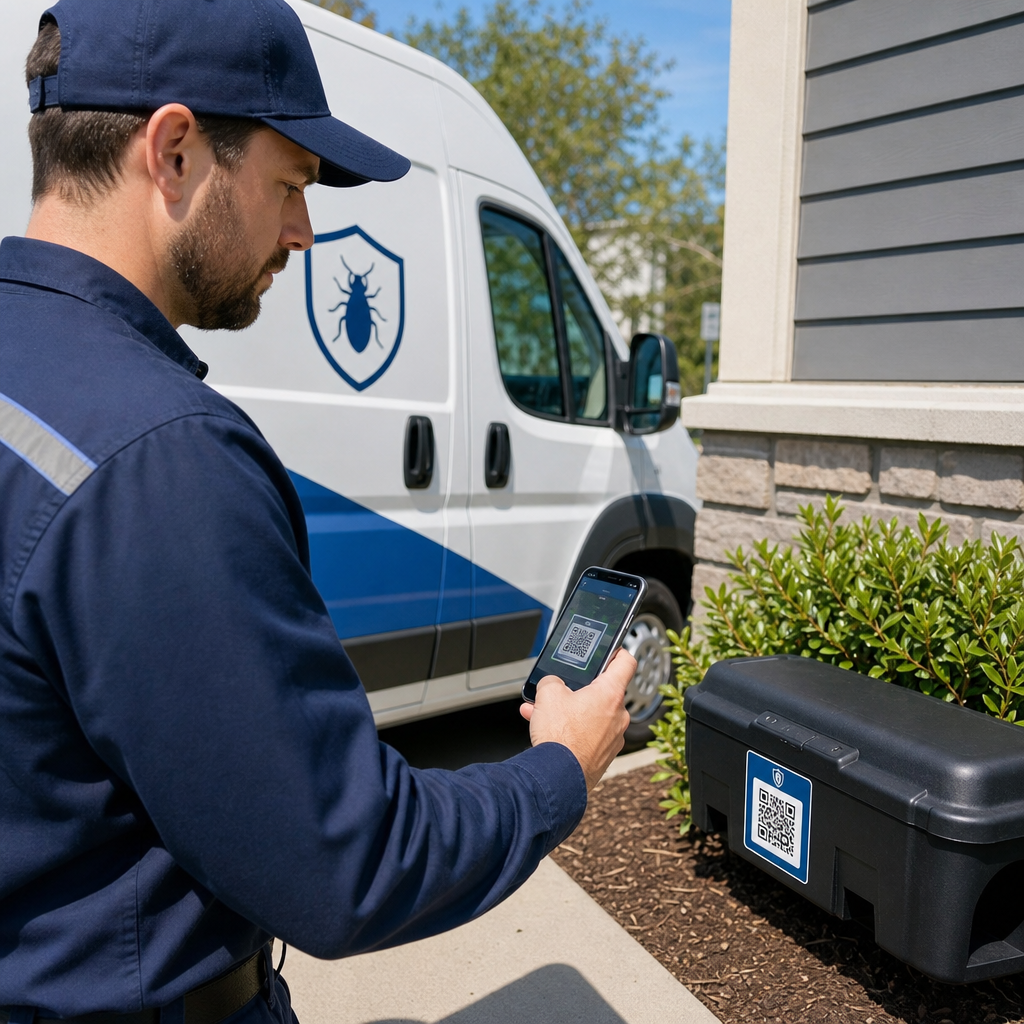
Managing hundreds of rodent bait stations, insect light traps, and power sprayers across multiple commercial sites often leads to missing inventory and incomplete inspection logs. Attaching a unique QR code to each physical asset connects that item directly to your field management system. When a technician arrives on site, a quick scan identifies the specific station, displays its service history, and prompts the technician to log current activity.
Using dynamic asset tags allows you to maintain a central record for every piece of equipment. If you need to update an asset’s service protocol or reassign a sprayer to a different truck, updating the digital destination link keeps the physical tag working without reprinting. You can learn more about managing physical assets through equipment tracking best practices and applying similar principles to your pest control gear.
Implementing a QR-based asset workflow provides clear operational advantages:
- Eliminate manual data errors by replacing written serial numbers with automated mobile scans.
- Generate timestamped digital audit trails to meet commercial client reporting requirements and contract compliance.
- Track maintenance schedules and chemical fill levels on heavy equipment such as thermal foggers and rig sprayers.
- Update central stock databases instantly by adopting proven product inventory management strategies.
Streamline Your Equipment and Field Inventory Connect physical gear to dynamic digital records across your fleet using the Dynamic QR Code Generator to build editable asset tags that update instantly.
Providing Immediate Access to SDS and Pesticide Labels
Federal regulations strictly govern how chemical treatments are documented and handled on job sites. Technicians must have immediate access to Safety Data Sheets (SDSs) and product labels during every work shift. Storing physical paper binders in service vans takes up space and makes updating outdated chemical sheets difficult.
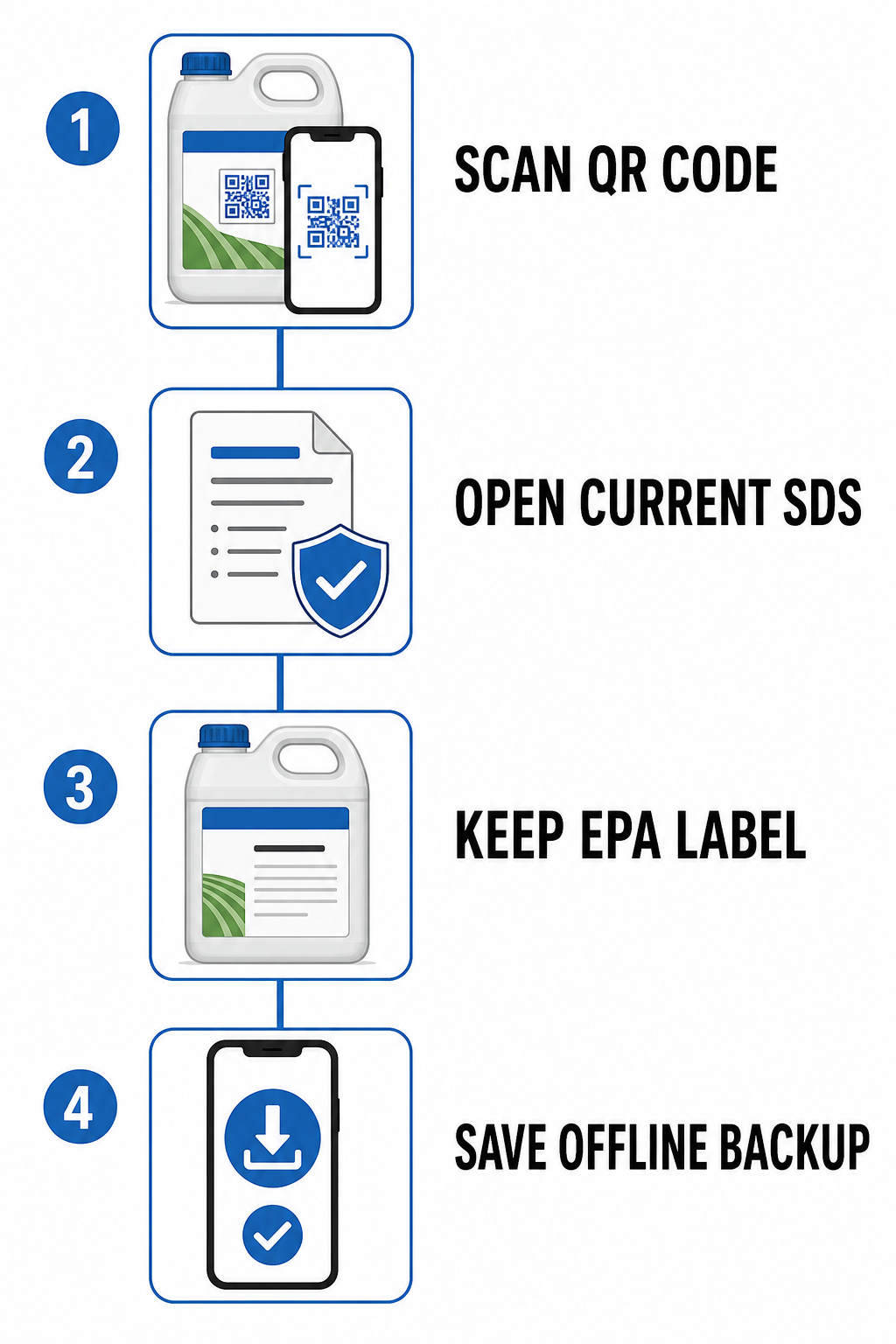
To streamline compliance, pest control companies can place QR codes inside fleet vehicles or on application equipment that link directly to digital files generated through a PDF QR Code Generator. When designing your digital safety system, keep the regulatory framework in mind:
| Regulatory Standard | Compliance Requirement | Role of QR Codes |
|---|---|---|
| OSHA Hazard Communication | Requires immediate employee access to Safety Data Sheets during every shift without barriers. | Connects technicians directly to central SDS files, requiring local offline backups for cellular dead zones. |
| EPA Pesticide Labeling (FIFRA) | Mandates that container labels remain physically attached and legally binding (“the label is the law”). | Delivers supplemental digital access to extended specimen labels, dilution charts, and translated instructions. |
Under EPA guidelines governed by 40 CFR Part 156, a QR code on a pesticide container cannot replace the physical container label required by law. Instead, it provides supplemental access to detailed specimen labels, dilution charts, or translated directions. For OSHA compliance, electronic SDS systems must give workers direct access without requiring arbitrary internet searches, and companies must maintain offline backup files on mobile devices in case cellular coverage fails in remote areas.
Streamlining Field Workflows and Inspection Logs
Field productivity increases when technicians spend less time filling out paperwork and more time inspecting structures. Placing scannable codes at key inspection points – such as crawlspace entries, commercial kitchen perimeters, or main breaker panels – creates an intuitive, guided workflow for your team.
Technicians can use a standard phone camera or a web-based QR Code Scanner to open job forms instantly. To build seamless field reporting processes, consider these application workflows:
- Accelerate customer check-ins by placing codes near main service entrances so technicians scan upon arrival to log start times and view site-specific safety advisories.
- Deploy digital inspection forms by linking trap tags to custom digital surveys built with a Google Form QR Code Generator to collect pest counts and bait consumption data.
- Distribute operational documents by using a file upload tool to host equipment user manuals, pest identification guides, and customer prep sheets for instant field downloads.
- Improve subcontractor coordination by sharing site access codes, gate combinations, and property maps using tactics detailed in our guide on subcontractor communication strategies.
Deliver Compliance Documents in One Scan Ensure your technicians always have access to up-to-date SDS files and specimen labels. Upload core safety files using our file sharing tools and create durable QR codes for every service vehicle.
Best Practices for Implementing QR Codes in Field Service
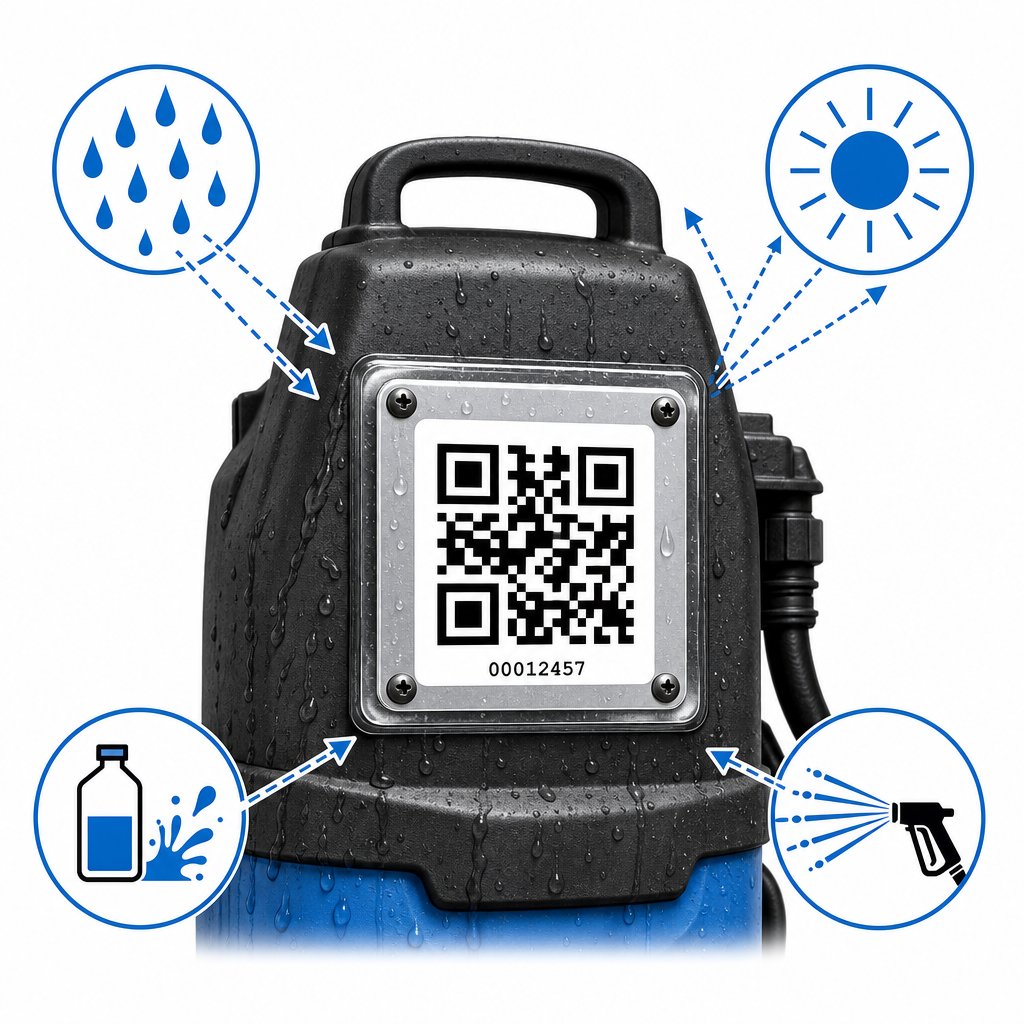
Pest control environments subject physical tags to harsh conditions, including outdoor weather, chemical exposure, dirt, and high-pressure washdowns. A code that degrades or fails to scan creates delays for field crews. Following clear design and printing guidelines ensures long-term operational reliability across different service industries.
Choose Durable Label Materials
Standard paper labels degrade quickly in pest management environments. For bait stations, chemical tanks, and outdoor placement, print tags on industrial-grade polyester or vinyl materials with permanent acrylic adhesive. Ensure labels resist UV light, moisture, and chemical contact.
Maintain Proper Sizing and Viewing Distances
Size your codes according to how close technicians stand when scanning. Follow the 10:1 distance-to-size ratio: a tag scanned from 10 inches away should measure at least 1 inch square (2.5 cm). For small bait station lids or tool handles, never print smaller than 0.8 x 0.8 inches (2 x 2 cm).
Preserve Contrast and Clear Margins
Scanners rely on strong visual contrast to capture encoded data quickly. Print dark patterns on high-contrast light backgrounds, maintaining at least a 4:1 contrast ratio. Leave a clean “quiet zone” margin around all four sides of the code – at least four modules wide – free of logos, text, or border lines.
Use Dynamic QR Codes for Centralized Management
Static codes hardcode a fixed web address directly into the graphic matrix. If your document link changes, the physical tag becomes non-functional. Dynamic QR codes use short redirect URLs, allowing managers to update destination files, chemical labels, or backend form links centrally from a dashboard without reprinting labels in the field. You can learn more about how dynamic updates simplify asset management in our guide to real-time inventory tracking.
Modernizing Your Pest Control Operations
Digitizing your equipment tags, inspection forms, and safety documentation turns manual field routines into automated digital workflows. Taking control of your field documentation lowers operational costs, improves regulatory compliance, and supports your field service technicians on every call. Get started today by setting up document QR code solutions to organize your compliance paperwork and streamline daily field operations.
Frequently Asked Questions
No. Under EPA regulations (40 CFR Part 156), the legally binding pesticide container label must remain physically attached to the immediate package. QR codes serve as supplemental labeling to provide easy access to detailed specimen labels, digital manuals, or translated instructions, but they cannot replace the physical container label.
OSHA permits electronic access to Safety Data Sheets as long as employees have immediate access to the documents during every work shift without barriers. To remain compliant, technicians must be trained on the system, and your business must maintain an offline backup method (such as downloaded local files on mobile devices) for areas with poor cellular service.
Dynamic QR codes allow you to edit the linked destination URL or document at any time without replacing the physical tag on the asset. If an SDS updates, a form URL changes, or equipment is reassigned, you can update the destination link instantly in your dashboard while keeping the printed label in place.