Are you struggling to turn a physical venue into an immersive playground that actually holds an audience’s attention? Traditional paper-based scavenger hunts often fail to engage tech-savvy visitors, resulting in low participation and stagnant foot traffic. Implementing QR codes as triggers for augmented reality (AR) creates a seamless bridge between physical exploration and interactive digital storytelling.
The Role of QR Codes in Augmented Reality
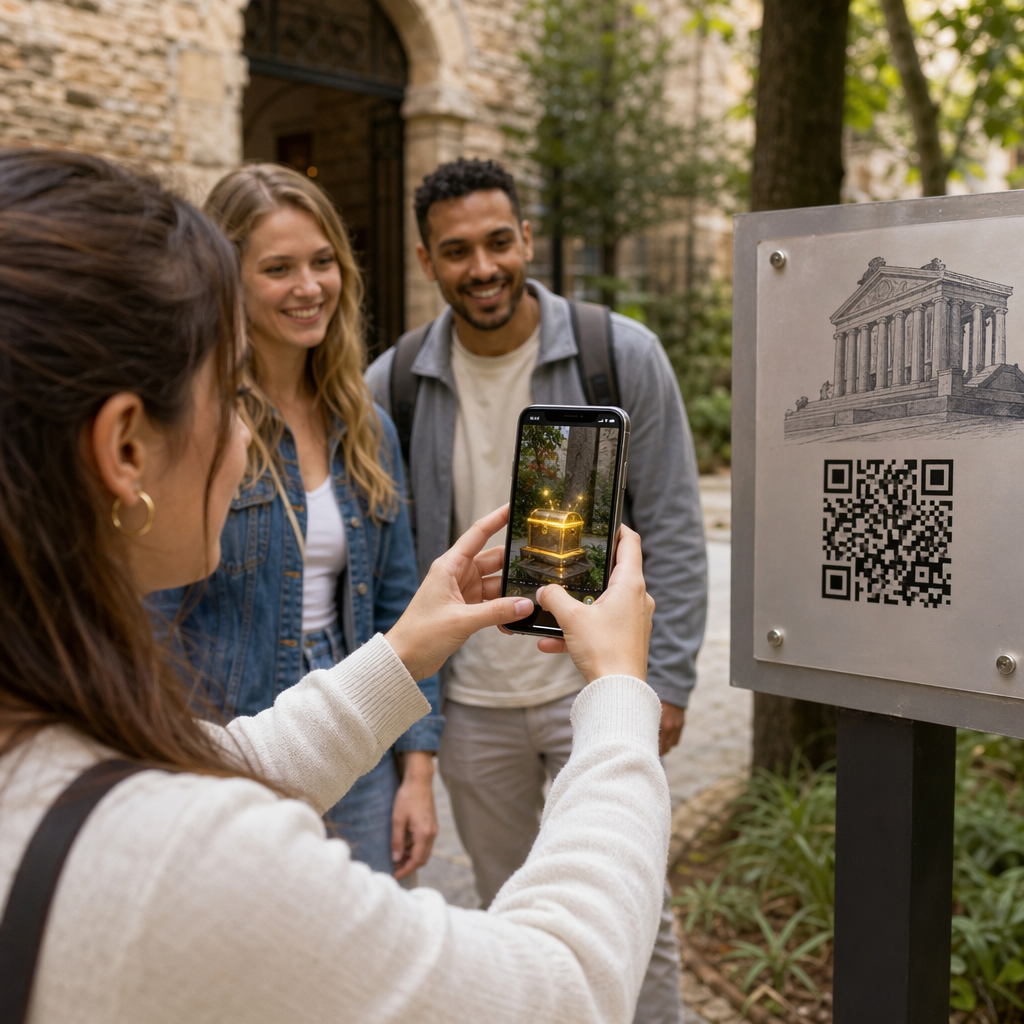
Augmented reality transforms static environments into dynamic experiences by layering digital information – such as 3D models, animations, or videos – over the real world. QR codes serve as the essential gateway for this transition, acting as the digital “trigger” that tells a smartphone exactly which AR content to launch. This technology is particularly effective because it requires no specialized hardware; participants simply use their own devices to unlock the experience.
When organizers use a link QR code generator to connect physical markers to WebAR platforms, they remove the friction of requiring a dedicated app download. This approach significantly lowers the barrier to entry, as seen in how AR QR codes transform events by providing instant access to 3D stories or puzzles. By placing these triggers on posters or localized plaques, you can guide participants through a narrative journey that feels both high-tech and intuitive.
Technical Setup and Implementation
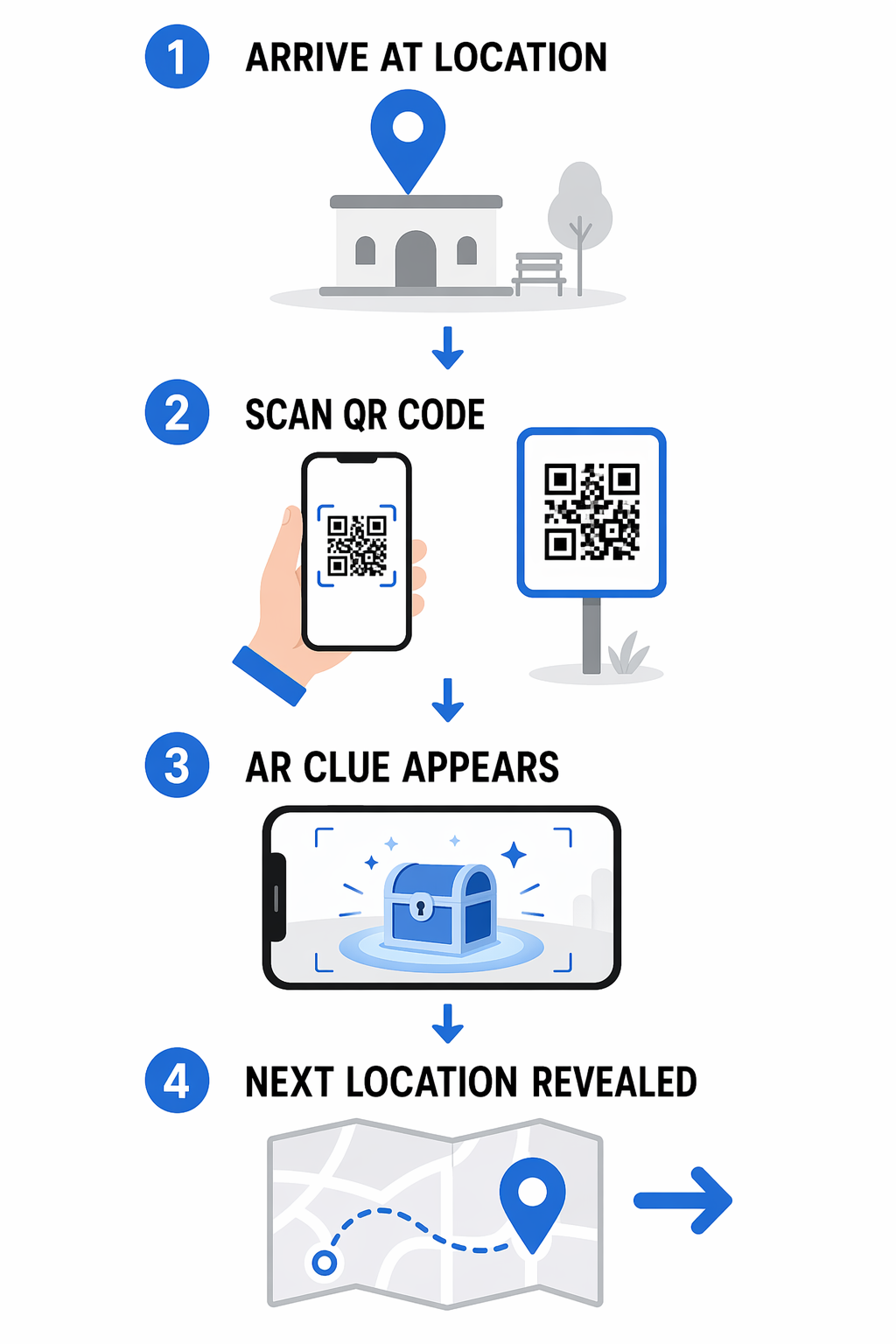
The foundation of a successful AR treasure hunt lies in how the digital content is mapped to the physical venue. Using a Google Maps QR code generator allows you to provide participants with precise coordinates for each station. Once they arrive at a location, they scan a code to launch the specific AR scenario tied to that spot.
To maintain a smooth flow, the experience should be sequential, where each solved puzzle reveals the location or the “key” for the next scan. This method was effectively demonstrated in Portland’s Pearl District, where 45 strategically placed codes triggered historical overlays and virtual puzzles. By using WebAR technology, the campaign ensured that anyone with a modern smartphone could participate without navigating an app store.
Manage Your Hunt from a Single Dashboard Want to update your clues or change locations without reprinting your materials? Use the Dynamic QR Code Generator to create editable codes that provide full control over your interactive campaign.
Designing for Scannability and Branding
A treasure hunt is only as good as the visibility of its clues. Standard black-and-white codes can sometimes get lost in a cluttered urban environment or a busy event venue. Utilizing a QR code generator with logo helps brand the experience, making the triggers easily recognizable as part of the official game. High-contrast designs and clear borders are essential to ensure the QR code scanner on a participant’s phone can register the code quickly, even in varying light conditions.
Following QR code readability best practices is critical for outdoor or high-traffic hunts. This includes maintaining a sufficient “quiet zone” around the code and choosing a size appropriate for the scanning distance – typically a 10:1 ratio. For example, a code meant to be scanned from 10 feet away should be at least one foot wide to ensure reliability.
Measuring Success with Real-Time Analytics
One of the primary advantages of digital hunts over traditional scavenger hunts is the ability to track participant behavior. Every scan provides data on when and where users are engaging most frequently. By leveraging geolocation analytics for QR codes, organizers can see which parts of the venue are bottlenecks and which clues might be too difficult to find.
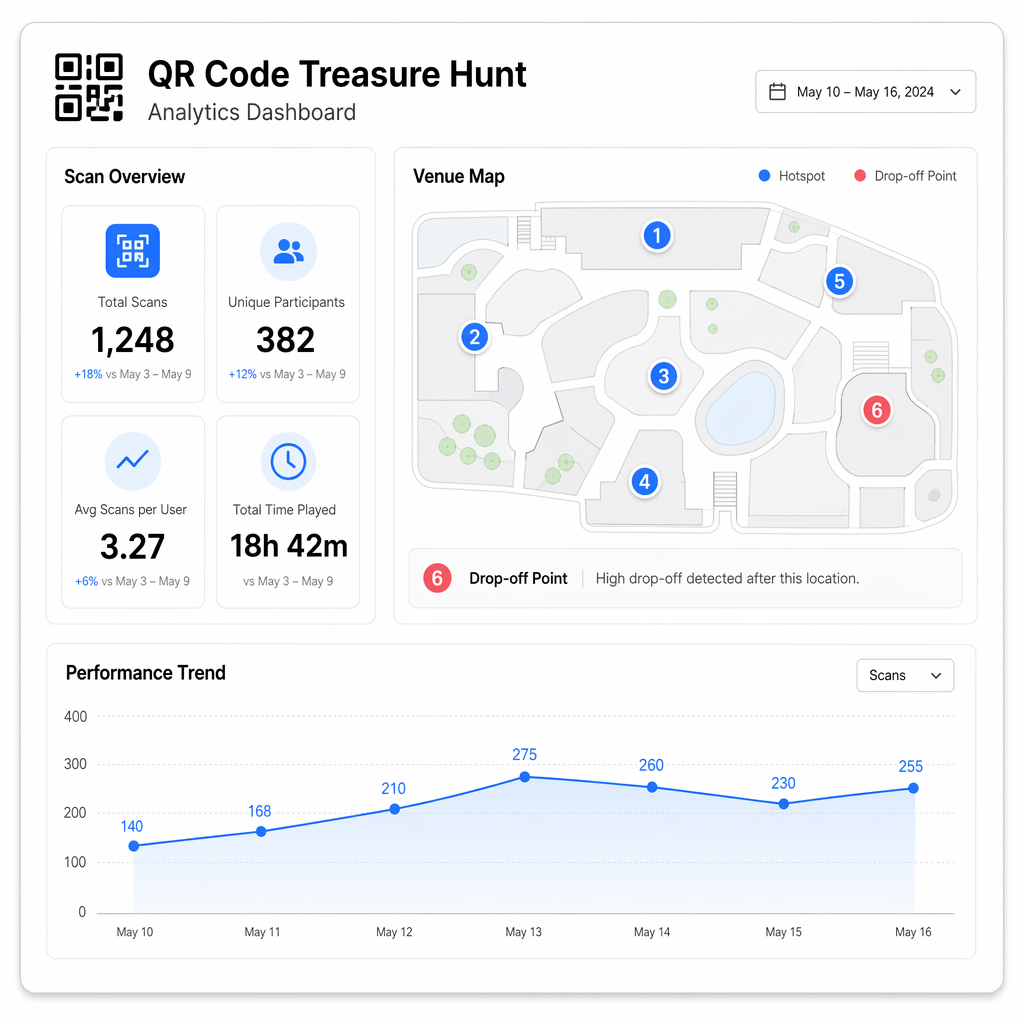
Real-time data allows for mid-campaign adjustments. If analytics show a high drop-off rate at a specific station, the linked content can be updated via a dynamic dashboard to provide additional hints or a simpler puzzle. This level of optimization ensures that the campaign continues to drive foot traffic and meet its engagement goals throughout its duration.
Lessons from Successful AR Campaigns
Analyzing recent large-scale implementations, such as the Pearl District initiative, reveals that engagement peaks when digital rewards are tied to physical benefits. In that campaign, 8,200 participants generated over 34,000 scans, with local businesses seeing a 38% increase in foot traffic. The key was a mix of accessibility and incentive; participants who completed challenges received digital badges or discount codes for nearby shops.
- Use WebAR to eliminate the need for app downloads and maximize participation.
- Incorporate diverse difficulty levels, such as beginner paths for families and advanced puzzles for enthusiasts.
- Ensure all codes are placed at eye level in well-lit areas to prevent scanning frustration.
- Provide clear visual instructions at the first station to help users understand how to interact with the AR elements.
By focusing on these practical elements, you can create an interactive experience that not only entertains but also provides measurable ROI for sponsors and local partners. Whether it is used for museum storytelling or city-wide tourism, the combination of AR and QR codes turns a simple walk into an unforgettable adventure.
Frequently Asked Questions
No. By using WebAR technology and standard link QR codes, participants can scan the codes using their phone’s native camera app to launch the experience directly in their web browser.
Yes, provided you use dynamic QR codes. These allow you to update the destination URL or the linked digital content at any time without having to replace the physical markers or signs.
You can monitor participant progress through an analytics dashboard. By assigning a unique dynamic code to the final “treasure” or finish line, you can track the exact number of users who successfully navigated the entire route.