QR Code for Print: Free Print-Ready Generator
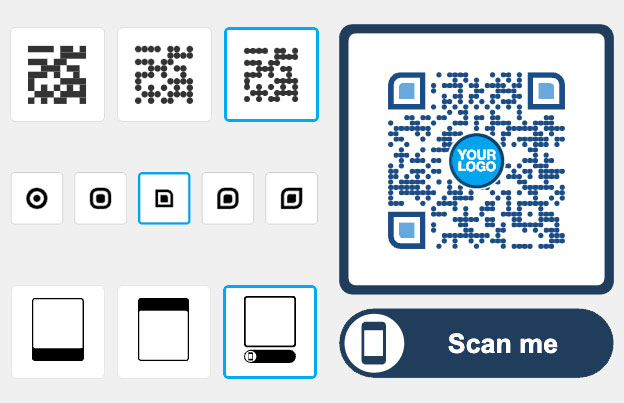
Use this free generator to make a QR code for print. Paste your link, choose dark colors, add a logo if you want, and download a print-ready file as SVG or PDF. These vector files stay sharp at any size, from a business card to a poster. A PNG is also available for small prints and screens. Below you find the sizes, colors and checks that make a printed QR code scan.
 Frame color
 Background color
 Text above color
 Text below color
 Body color
 Edge ball color
Create a printable QR code Examples
Tap on the images to zoom in


What is a QR code for print?
A QR code for print is a QR code made to be placed on paper, cardboard, stickers, signs or packaging. It is the same code that works on a screen. What is different is the file you hand to the printer and the care you take with size, contrast and the empty border.
A printer needs a file that stays sharp when it is enlarged. That is a vector file: SVG, PDF or EPS. A printable QR code in a vector file is built from shapes, so its edges stay clean at 2 cm or at 2 m. A small PNG is built from pixels and gets blurry if you enlarge it. This page shows which file to use, how big to print the code and how to test it before the full run.

QR code printing in 4 steps

Paste the full link into the generator at the top of this page, starting with https://. Open it on your phone first. Use a page made for the print piece, such as a landing page, a menu or a booking form, not just your home page.

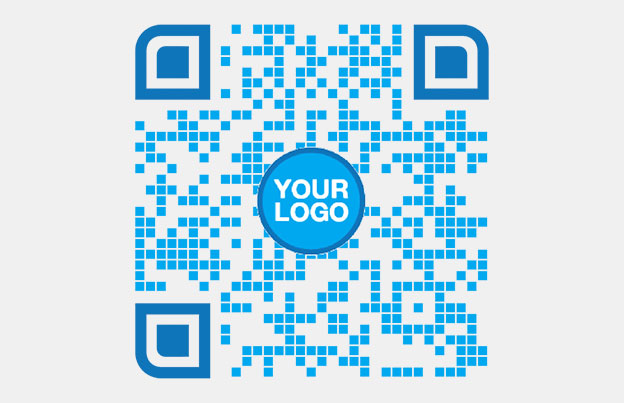
Pick a dark code color on a light background. Black on white is the safest choice. Add a logo or a frame with a short call to action if you want, such as “Scan to see the menu”. Keep the logo small.

Use the PDF / SVG button for a vector file that you can send to a printer or place in a design program. Download a PNG only for small prints and screens. Pick the final size first, because a PNG cannot be enlarged without losing sharpness.

Place the file in your layout at the final size, print one copy on the real paper and scan it with two phones from the distance people will use. Print the full run only after the proof scans every time.
How to add a QR code to your print design

Pick the size from the scanning distance. Use at least 2 cm (0.8 in) wide, and bigger the farther away people will stand.


Open the QR code generator on top of this page and paste your link.


Use dark modules on a light background. Add a logo or a frame only if the code stays easy to scan.


Download an SVG or PDF file and place it in your print layout without resizing the pixels.


Print a proof, then scan it with two different phones before you print the full run.


SVG, PDF, EPS or PNG: which QR code file for print?

Choose the file by where the code will end up.
SVG is a QR code vector file. It works for posters, signs, banners, vehicle wraps, packaging, and any file a designer opens in Illustrator, Affinity, Figma or Inkscape. Use a QR code SVG whenever the printer accepts it.
PDF is the file most print shops ask for. A vector PDF prints sharp at any size and keeps its shape on every computer.
EPS is an older vector format that some printers still request. If yours does, open the SVG or PDF in a design program and save or export it as EPS. The result is the same shapes in a different wrapper.
PNG is made of pixels. Use it for websites, email, slides and small print such as business cards and stickers. Make it at the final print size and do not enlarge it later.
JPG is not a good choice for a QR code. It blurs the edges of the squares and can lower scan reliability. Use it only if a form forces you to.
A simple rule: SVG or PDF for anything printed by a print shop or larger than about 15 cm (6 in). PNG for screens and small home printing.
QR code size for print: how big and how sharp
Size the code by the distance it is scanned from. A common rule is 10:1: the code is 1 cm wide for every 10 cm of scanning distance. Under it sits a floor: print the code itself at 2 x 2 cm (0.8 x 0.8 in) or larger. A code of 1.5 cm (0.6 in) can work with a short link and a clean print, but many phones struggle below that.
- Business card or small label, scanned at 10 to 25 cm: 2 cm (0.8 in), or 2.5 cm (1 in) for a code with a lot of data.
- Flyer, brochure, menu or packaging, scanned at about 30 cm (1 ft): 3 cm (1.2 in) or more. A range of 2.5 to 4 cm (1 to 1.5 in) is common.
- Poster at a hallway distance of 1 m (3 ft): 10 cm (4 in).
- Shop window or A2 poster, scanned from 2 m (6.5 ft): 20 cm (8 in).
- Trade show stand or large wall poster, scanned from 3 m (10 ft): 30 cm (12 in).
Resolution. A vector file (SVG, PDF, EPS) has no DPI. It stays sharp at any size, so it is the way to get a high resolution QR code. If you must use a PNG, make it for 300 DPI at the final size. Multiply the size in inches by 300 to get the pixels: a 2 cm (0.8 in) code needs about 240 px, 5 cm (2 in) needs 600 px, and 10 cm (4 in) needs 1200 px. Large signs read from far away can use a lower DPI, but a vector file avoids the question.
Quiet zone. Leave an empty border of at least four small squares on every side. For a 2 cm code with a short link, that is about 3 mm. Text, lines, photos and the edge of the paper must stay outside this border. The size above is the code itself, so the border is extra.
A frame or a big logo reduces what is left for the squares, and a link with many characters makes the squares smaller. Shorten the link or print larger. Learn more in our guide to QR codes in print media.
Frequently asked questions

Paste your link into the generator at the top of this page, choose dark colors on a light background, and download the PDF or SVG file. Place it in your layout at 2 cm (0.8 in) or larger, print a proof and scan it with two phones before the full run.
SVG, PDF or EPS. These vector files stay sharp at any size, so they suit print shops, posters and packaging. Use PNG for websites, slides and small prints, and make it at the final size. For more on PNG, see the QR code PNG page.
Print the code itself at 2 x 2 cm (0.8 x 0.8 in) or larger. For longer distances, use 1 cm of code for every 10 cm of scanning distance: 10 cm (4 in) for 1 m, 20 cm (8 in) for 2 m. Leave an empty border of at least four small squares around it.
A vector file (SVG, PDF, EPS) needs no resolution, because it stays sharp at any size. If you use a PNG, make it for 300 DPI at the final size: about 240 px for a 2 cm code and 1200 px for a 10 cm code. Do not enlarge a small PNG.
Send the file the way your printer asks. Printers convert screen colors (RGB) to print inks (CMYK). Black on white is the safest, and in a design program you can set the code to 100% black (K only). If you use a color, keep it dark and test a printed proof.
Not with a static code. Print a new one. With a dynamic QR code you change the destination in your Pageloot account and the printed code keeps working. You can try it with a free 14-day trial, no credit card required.
Static codes never expire and have no scan limit. A dynamic code works while your paid plan is active and becomes inactive after the plan ends, so keep the plan running as long as the print is in use. See the pricing page.
The usual causes are a code that is too small for the distance, a missing border, low contrast, a blurry or enlarged file, glare from glossy paper, or a wrong link. Check the list above, print a proof and scan it with several phones. You can also make a new code with the QR code generator.

Contact us and we’ll be happy to help!
Printed QR code not scanning? Check these
-
The code is too small for the distance
Compare it with the size list above. A code printed under 2 cm (0.8 in), or scanned from far away, fails on many phones. Print it larger, or shorten the link so the squares get bigger. -
The border is missing or too narrow
Text, a photo or a design line is touching the code. Keep a clear border of at least four small squares on every side, and keep the code away from folds and trim edges. -
The file was enlarged or is low resolution
A small PNG or a screenshot gets blurry edges when it is enlarged. Download an SVG or PDF and place that in your design.
-
Low contrast or inverted colors
Light squares on a dark background, pale colors, or red on pink often fail. Use a dark code on a light background, and check a printed copy, not only the screen. -
Glare, gloss or a curved surface
Shiny laminate reflects light and hides the squares. Curved bottles and cups stretch the code. Use a matte finish and a flat area, or make the code larger. -
The link is wrong or a dynamic code was switched off
Open the link in a browser. A typo on a printed static code cannot be fixed, so print again. A dynamic code stops redirecting when your Pageloot plan ends, so keep the plan active while the print is in use.
4.86 / 5 stars rating



Free 14-day trial. No credit card required.
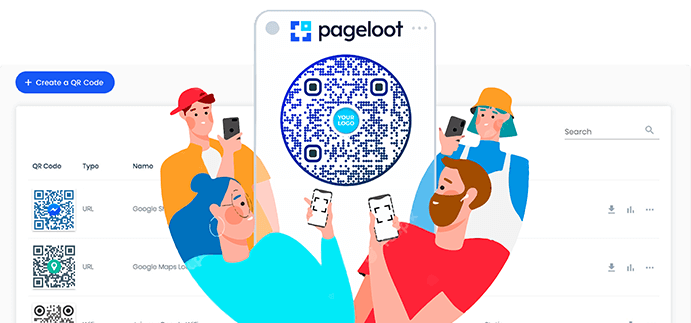
Where to use a printable QR code Examples
Tap on the images to zoom in

Put a 2 cm (0.8 in) code or larger on the back of the card, or 3 cm (1.2 in) on a flyer, next to a line such as “Scan to book”. Our guides cover QR codes in print media for flyers, brochures and ads.

Place the vector file on a flat, light area of the box or label. Send the printer an SVG or PDF and ask for a matte finish. See how to print a QR code on a label.

Choose the size from the viewing distance: 10 cm (4 in) for 1 m, 20 cm (8 in) for 2 m. Put the code on a plain area at about chest height, between 1.1 and 1.7 m (3.5 to 5.5 ft) from the floor.

Use a separate code for each menu, ad or sticker batch. When you use dynamic codes, you can then compare scans per print piece and see which one works.
Get more scans from your printed QR code
-
Add a call to action
A code with no explanation gets skipped. Put a short line next to it that says what the scan gives, such as "Scan for the menu" or "Scan to book a table". -
Send people to a mobile page
Most scans come from phones. Open your link on a phone before you print. It should load fast and fit a small screen.
-
Use strong contrast
Dark squares on a light background scan best. A contrast ratio of 4.5:1 or higher is a good minimum, and higher is better. -
Put it where people can scan it
Place it at a comfortable height, away from glare, folds and the edge of the paper. Do not put it on a photo or a busy pattern.
Static or dynamic QR code for print: what to choose
A static code has the link built into the pattern. It is free, it never expires and it has no scan limit. If the link will never change and you do not need scan numbers, a static code is all you need. The downside: you cannot fix a typo or change the page after you have printed.


A dynamic code points to a short link that you can edit. You change the destination in your Pageloot account and the printed code follows, so a typo or an old page does not mean a reprint. You also see scans: when, where and on which device. This pays off for packaging, signs, menus and ads. Tick Track scans or Edit later in the generator to start a free 14-day trial, no credit card required. See the pricing page for plans. Dynamic codes stop working when a paid plan ends.
Print one copy on the real paper at the final size. Scan it with an iPhone and an Android phone, in normal room light, from the distance a reader will use. Also test at a slight angle. If any scan is slow or fails, change the size or the colors and test again.


Black on white is the safest. For a brand color, choose one that is clearly dark. In a design program, set the code to a single dark ink, for example 100% black (K only) instead of a mix of four inks, so the squares stay sharp. The printer converts screen colors (RGB) to print inks (CMYK), and the result can shift. Ask your printer how they want the file, and scan a printed proof.
Free 14-day trial. No credit card required.
Why use Pageloot as your print QR code generator

Make and download SVG, PDF or PNG without creating an account. You may be asked for your email before the download starts.

Download a QR code SVG or vector PDF that stays sharp at any print size, ready to send to your printer or place in your layout.

Set the PNG size from 200 to 2000 px for screens and small print, or use SVG and PDF for any size.

A dynamic code shows how many people scanned it, when, where and on what device. It needs a Pageloot account, and you can start with a free 14-day trial.

With a dynamic code you can point the printed code to a new page later, in your Pageloot account.

Upload your logo, choose dark colors and add a frame with a call to action.
Learn more about QR codes in print