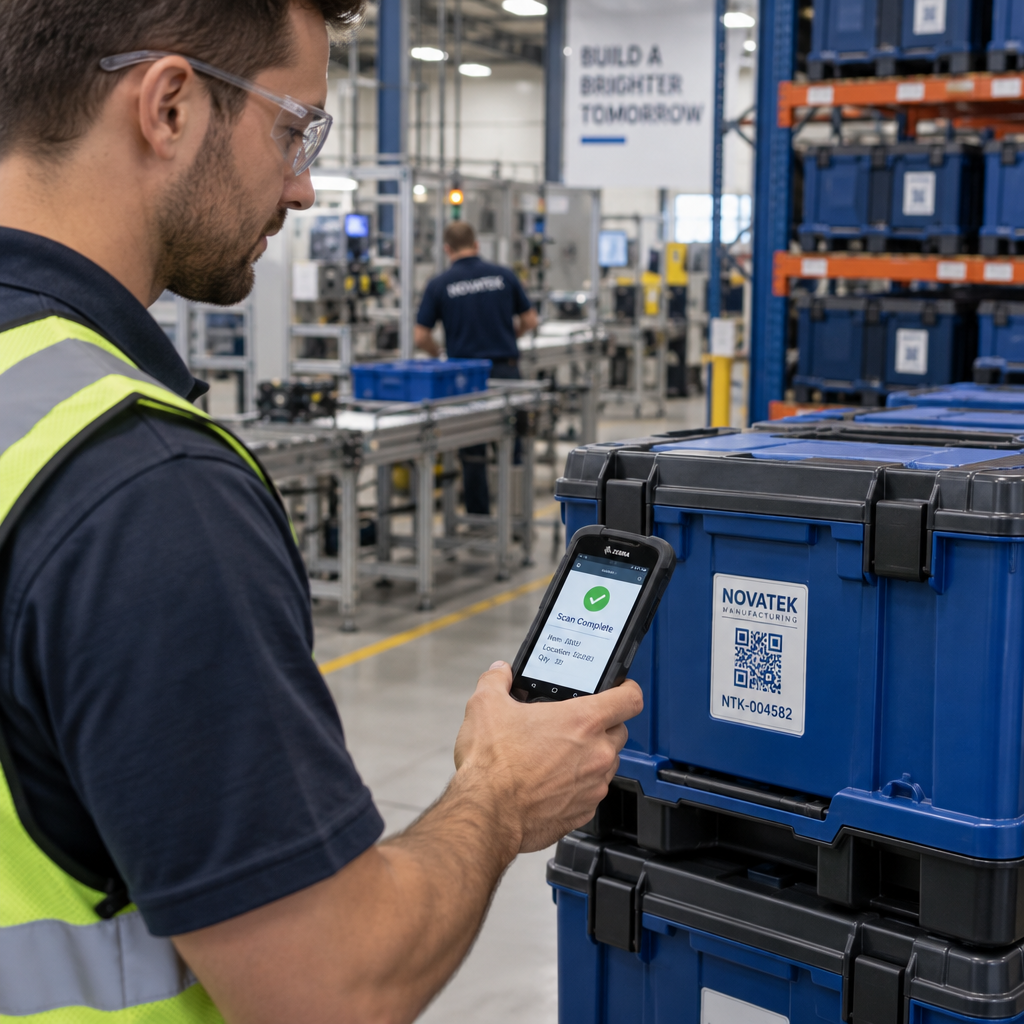

Are you struggling to maintain visibility across your products once they leave the factory floor? Fragmented tracking systems and manual data entry lead to operational blind spots, costly recalls, and lost inventory. Implementing 2D barcodes like QR codes establishes a direct link between physical items and centralized digital records, giving your operations and product teams real-time control from production to disposal.
Core Traceability Architecture Across the Product Lifecycle
Tracking an item across distinct lifecycle stages requires a structured data model. Rather than serving as passive links, QR codes function as scannable identifiers that connect to dynamic records in your enterprise resource planning (ERP) or warehouse management system (WMS).
Depending on operational requirements and regulatory demands, teams must select the appropriate level of tracking granularity:
- Model-level identifiers: Encodes standard identifiers like a Global Trade Item Number (GTIN) to represent an entire product line. This tier suits general product instructions, consumer marketing, or broad recycling guides, but it cannot differentiate specific batches or single items.
- Lot-level identifiers: Combines a GTIN with batch or lot numbers. This provides the level of tracking necessary to trace supplier components, monitor expiration dates, and isolate quality control issues to specific production runs without recalling unrelated stock.
- Serial-level identifiers: Pairs a product GTIN with a unique serialized alphanumeric code. This creates a dedicated digital record for every single physical unit, supporting complete instance history, warranty claims, maintenance logs, and anti-counterfeiting validation.
Modern lifecycle systems use standards such as GS1 Digital Link, which structure the encoded data into a web URI (for example: `https://id.example.com/01/{GTIN}/21/{SERIAL}`). This format allows standard point-of-sale checkout scanners to parse the barcode data offline while enabling mobile devices and web apps to resolve the link to live product documentation, warranty portals, or supply chain logs.
Tracking Lifecycle Events with EPCIS Event Standards
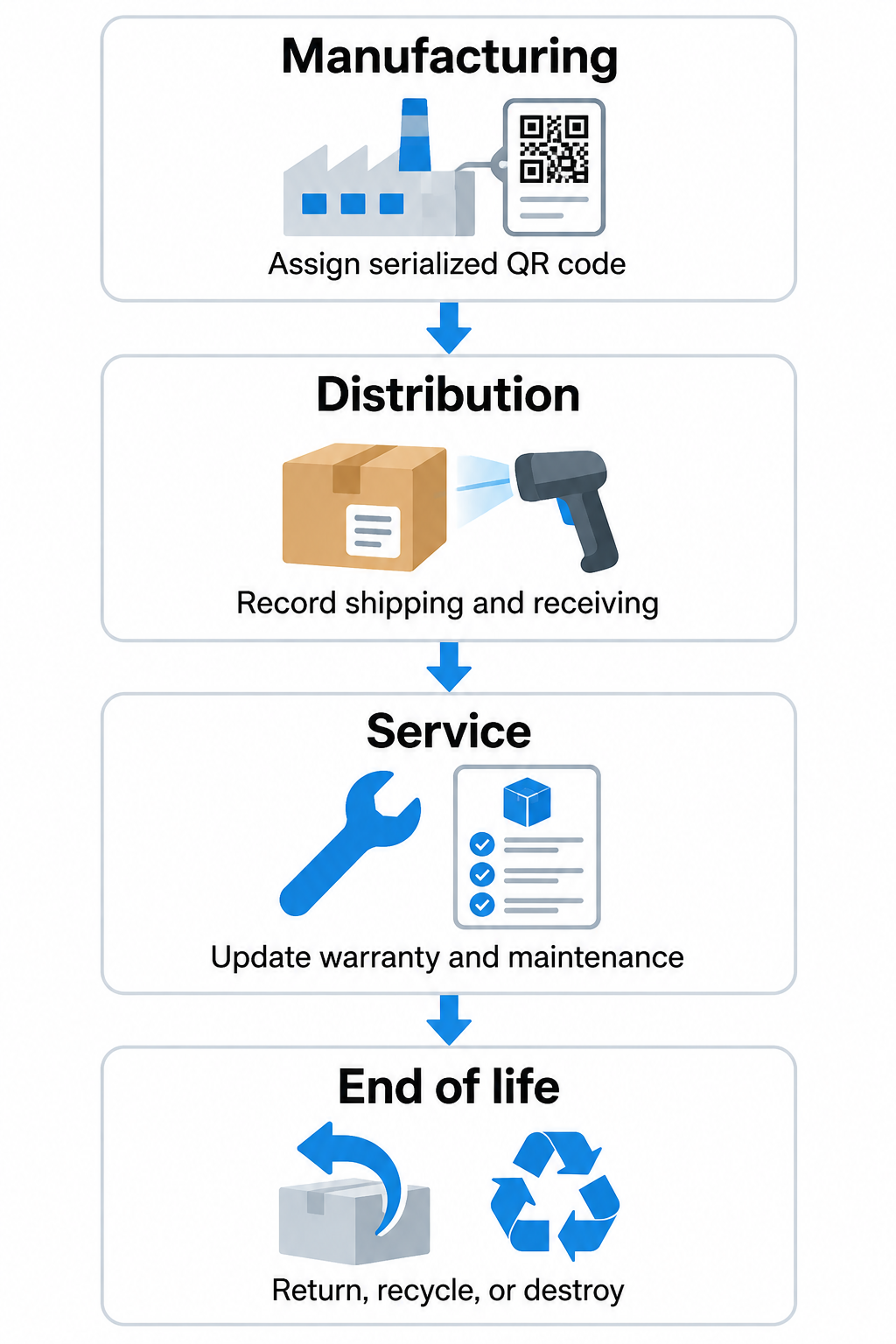
To maintain an auditable timeline from manufacturing to destruction, your data infrastructure should log Electronic Product Code Information Services (EPCIS) event data at critical tracking intervals.
| Lifecycle Stage | Standard EPCIS Step (`bizStep`) | Data Captured at Scan | Primary Operational Outcome |
|---|---|---|---|
| Component Assembly | `transforming` | Component batch IDs, station ID, timestamp, operator ID | Documents raw material provenance into the finished item record |
| Factory Completion | `commissioning` | GTIN, serial number, factory location, initial QA pass | Activates the product’s unique digital record in the system |
| Warehouse Fulfillment | `shipping` | Outbound container ID, destination facility, transit status | Confirms custody transfer and triggers dispatch notifications |
| Distribution Arrival | `receiving` | Inbound scan location, pallet ID, physical condition check | Verifies shipment integrity and updates active warehouse stock |
| Customer Returns | `returned` | Return authorization, return reason, item condition | Routes goods to refurbishment, repackaging, or destruction |
| Decommissioning | `destroying` | Disposal facility, material breakdown, disposal method | Closes out serial history to prevent grey-market re-entry |
At each stage, capture the critical event fields: the traceable object identifier, event date and time, physical location identifier, business step URI, current disposition, and the identity of the reporting organization. Standardizing these inputs ensures internal departments and external supply chain partners can query identical historical event records without translation errors.
Deploy Dynamic Traceability at Scale Need to update product documentation or track scans across your operations in real time? Use the Dynamic QR Code Generator to create manageable codes linked to a centralized analytics dashboard.
Physical Labeling, Durability, and ISO Printing Specifications
A digital tracking architecture fails if the physical carrier cannot be decoded in industrial environments. To ensure consistent read rates across optical scanners and handheld smartphones, labels and direct markings must adhere to defined engineering constraints.
- Maintain high-contrast printing, targeting at least a 4:1 contrast ratio by using dark patterns on light, non-reflective backgrounds.
- Provide an uninterrupted quiet zone around the matrix perimeter measuring at least four times the module width (4X) on all four sides to prevent adjacent text or graphics from corrupting scans, per ISO/IEC 18004:2024.
- Choose print resolutions of at least 300 DPI, sizing individual matrix modules to at least 0.5 mm to ensure reliable decoding across various scanning distances and optical sensors.
- Size standard warehouse and distribution labels to a minimum of 1.0 x 1.0 inch (2.5 x 2.5 cm) to allow quick reads from hand-held terminals in variable industrial lighting.
- Apply industrial-grade synthetic materials, such as durable polyester labels, to resist abrasion, industrial cleaners, moisture, and extreme temperatures ranging from -40°F to 300°F.
- Use direct part marking (DPM) methods evaluated under ISO/IEC 29158:2020 when embedding marks on bare metals, electronics, or molded automotive components subject to severe wear.
- Place codes on flat packaging surfaces away from edges, seams, or heavy contours, checking that tertiary shipping boxes and product packaging retain accessible scannable surfaces during palletizing.
Implementing Post-Sale Support and Circular Economy Workflows
A product’s operational cycle extends well beyond its initial sale. Maintaining an active digital record accessible via on-product codes streamlines customer service, regulatory documentation, and end-of-life recovery.
Because product destinations, manuals, and service procedures change over several years, using dynamic codes allows operations teams to edit destinations after printing. When a customer scans a label on a consumer device or industrial machine, the underlying server routes them to the latest documentation, recall notice, or warranty portal without requiring physical packaging redesigns.
Servicing, Warranty, and Recall Isolation
When field equipment requires scheduled maintenance, technicians scan the serialized QR code to review past service logs and record new maintenance actions directly into the asset registry. In high-reliability environments, such as facilities tracking medical equipment, immediate access to calibration dates and sanitization histories prevents critical procedural oversights.

If quality control teams identify a component defect, lot-level serialization enables precise recall execution. Rather than pulling an entire production run from retail shelves or customer facilities, teams can isolate and recall only the specific batch numbers linked to the flawed component lot.
End-of-Life Take-Back and Material Reclamation
As sustainability standards and circular economy frameworks expand, manufacturers must facilitate responsible product decommissioning. Clear digital documentation assists recyclers and consumers alike:
- Material disclosures: Provide automated breakdowns of plastic types, composite structures, and metal alloys to help reclamation facilities sort materials accurately.
- Disassembly instructions: Offer step-by-step schematics showing technicians how to safely remove hazardous components, such as lithium-ion batteries, prior to shredding.
- Take-back routing: Direct users to localized drop-off points, mail-in warranty exchanges, or authorized electronic refurbishers.
- Regulatory compliance: Ensure any public-facing claims regarding recyclability comply with the FTC’s Green Guides. Claims must qualify whether local recovery programs are accessible to at least 60% of consumers where the item is distributed, avoiding broad, unsubstantiated statements.
Optimizing Operations with Scan Analytics and Access Controls
Data generated each time an item is scanned provides product managers with practical intelligence regarding product velocity, geographic spread, and field performance.
Using centralized analytics tools, teams can monitor total scan counts, timestamps, geographic locations by city or region, and the operating systems of scanning devices. Observing geographic scan patterns highlights regional adoption spikes or identifies supply chain diversions where items surface outside designated distribution zones. In post-sale workflows, a sudden surge in service-portal scans from a specific region can alert engineering teams to an emerging batch defect long before formal warranty tickets are aggregated.
To protect sensitive supply chain records and internal business systems, adopt rigorous access controls. Establish identity and credential management protocols ensuring that warehouse personnel, retail shoppers, and authorized service technicians access different digital layers from the same physical code:
- Consumers scanning a fashion item or luxury product access brand authenticity proofs and care guides, as shown in workflows for fashion brands.
- Internal warehouse teams authenticate their mobile scanners to write `shipping` or `receiving` events to private ERP tables.
- Certified technicians log into private portals via the code to view proprietary schematics and modify active maintenance histories.
Step-by-Step Production Integration
Deploying QR lifecycle tracking requires methodical execution to avoid production slowdowns or data desynchronization.
- Audit system architecture: Map your critical tracking events, select appropriate EPCIS business steps, and establish whether your operations require model-, lot-, or serial-level tracking.
- Integrate generation software: Connect dynamic code generation APIs with your manufacturing execution systems to assign unique GTINs, batch details, and serial links automatically during assembly.
- Select label substrates: Evaluate physical environmental exposure, including chemical washes, friction, and thermal swings, choosing durable polyester or DPM etching when paper labels cannot survive.
- Implement in-line verification: Install optical machine-vision cameras along your packaging lines to test print contrast, quiet zones, and decodability against ISO standards before items leave the facility.
- Train operational staff: Equip logistics and warehouse operators with mobile or handheld optical scanners, documenting standard protocols for verifying product inventory at every handoff.
- Establish partner access: Coordinate with external carriers, distributors, and certified repair networks to align scanning protocols and streamline supply chain tracking.
Connecting physical goods to centralized digital records transforms inventory visibility from a guessing game into a predictable, auditable workflow. By implementing durable labels, standardizing lifecycle events, and leveraging dynamic code management, your operations team can streamline production handoffs, simplify maintenance, and ensure compliance across the entire product lifespan.
Explore how Pageloot supports asset visibility and batch management across industrial environments on our manufacturing solutions page, or review broader cross-sector workflows in our industry directory.
Frequently Asked Questions
Static QR codes encode a permanent destination directly into the matrix, meaning the linked information cannot be changed once printed. Dynamic QR codes point to an editable redirect link, allowing operations teams to update URLs, manuals, and destination systems at any time without having to reprint physical labels or alter packaging.
Yes. Modern smartphones can decode standard ISO/IEC 18004-compliant QR codes natively using their built-in camera applications. When codes follow the GS1 Digital Link standard, consumer devices resolve the URL to access public product information, while authorized enterprise applications can read the underlying data elements to update warehouse inventory or record maintenance events.
QR codes link directly to end-of-life resources, including material composition manifests, hazardous component disassembly guides, and verified take-back or recycling depot locators. Providing this data digitally helps recyclers process materials efficiently and ensures marketing claims comply with environmental disclosure regulations.