Are you struggling with manual data entry errors and blind spots in your shipment tracking? These inefficiencies lead to lost cargo, delayed deliveries, and frustrated clients who demand real-time visibility. Implementing a QR-based tracking system allows you to automate workflows and monitor every asset from the warehouse to the final mile.
Why QR Codes Replace Traditional Logistics Labels
While 1D barcodes have been the industry standard for decades, they are limited by low data capacity and poor damage resistance. In high-velocity freight environments, QR codes offer a more resilient solution because they feature up to 30% error correction. This means a label can be partially torn or stained in a shipping container and still remain scannable. Think of this error correction like a puzzle where you can still see the full image even if a few pieces are missing.
Unlike traditional barcodes, QR codes can store over 4,000 alphanumeric characters. This allows you to encode not just a tracking number, but also SKUs, batch details, handling instructions, and direct links to digital manifests. When you learn how to make a shipping label barcode, choosing a 2D format like a QR code ensures that workers can scan labels from any angle. This omni-directional scanning significantly speeds up high-volume sorting and loading processes compared to the precise alignment required for linear codes.
Critical Use Cases for Cargo and Logistics
Implementing QR codes across your supply chain provides granular visibility at every touchpoint. By connecting physical cargo to a digital dashboard, you can eliminate “dark periods” in the shipping lifecycle and ensure every stakeholder has access to updated information.
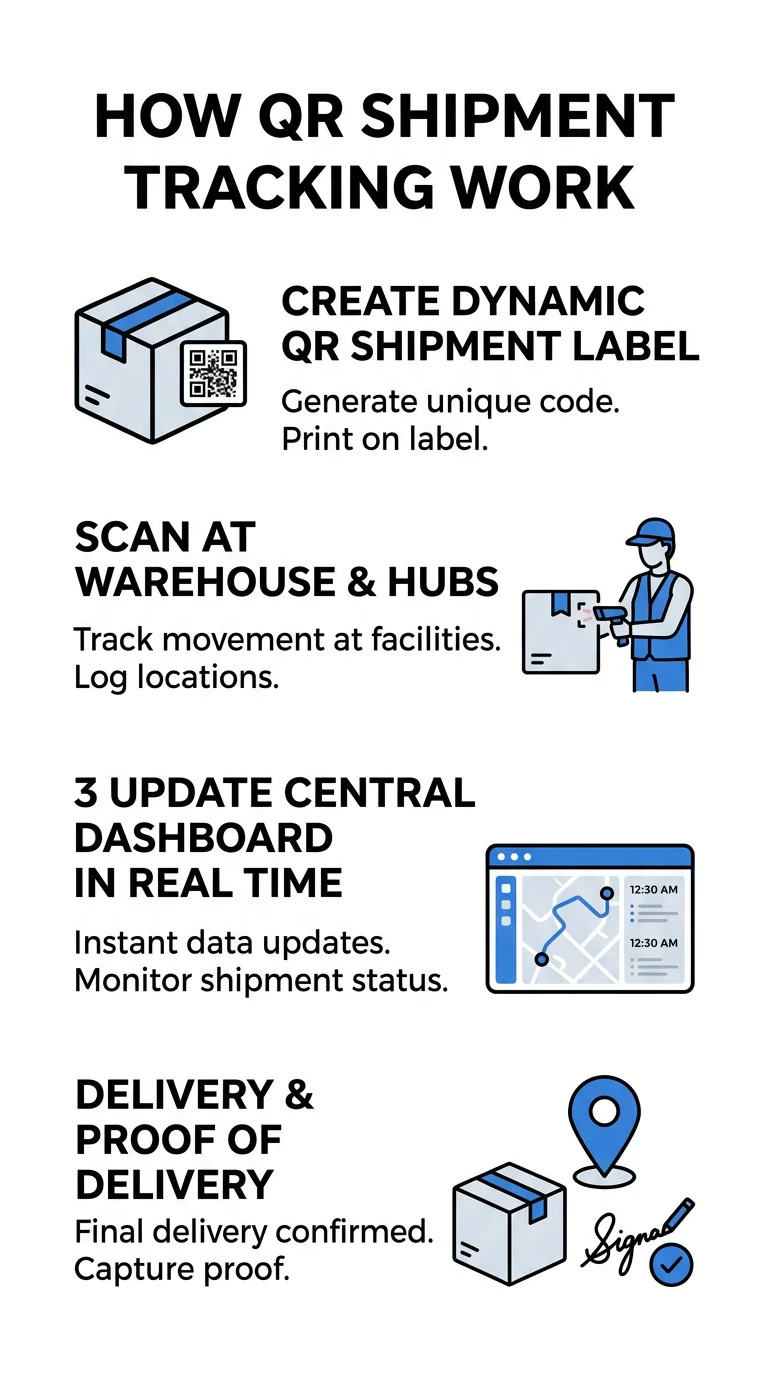
- Real-Time Shipment Tracking: Each scan at a hub or sorting facility logs the precise time and location. This creates an automated audit trail for both carriers and customers using tracking QR codes that sync instantly with your management platform.
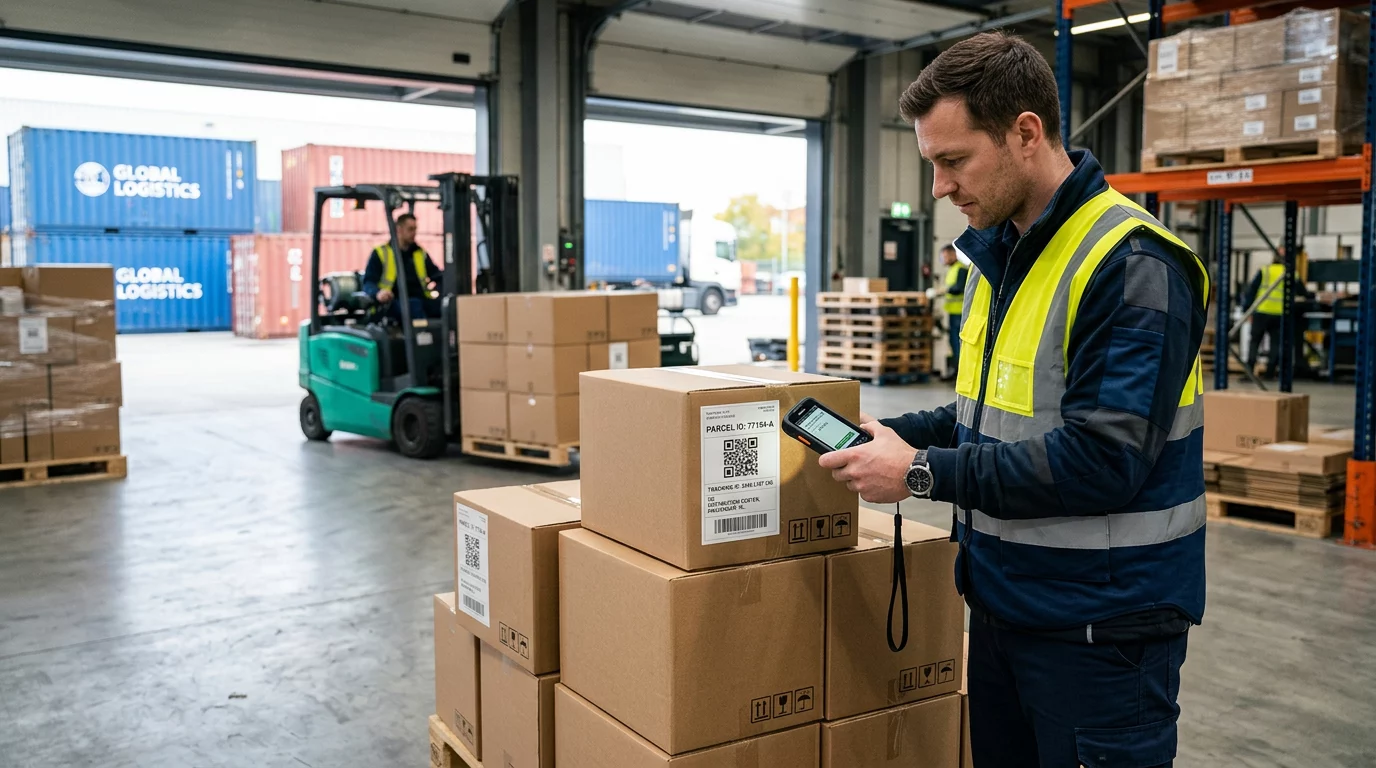
- Cargo Identification and Inventory: Workers scan unique codes on pallets or individual packages to verify contents. This process is essential for tracking inventory and materials, as it reduces picking errors and ensures the right product reaches the right destination.
- Digital Proof of Delivery: Upon arrival, the driver scans the code to capture a GPS timestamp and digital signature. This instantly updates the centralized management platform, which can then trigger automated invoicing and customer notifications.
- Returns Management: QR codes on packing slips allow for printerless returns. A customer simply shows a code at a drop-off point, and the scan initiates the reverse logistics workflow, automatically routing the item back to the correct warehouse.
Simplify your bulk logistics labeling If you need to manage thousands of unique assets, Pageloot’s Supplier & Reseller platform allows you to generate and track QR codes in bulk while maintaining full control over distribution.
Steps to Integrate QR Tracking into Your Workflow
To successfully integrate QR codes into your logistics operations, you must move beyond static labels and connect your physical assets to a digital management system. The first step involves using a dynamic QR code generator to create shipment labels. Dynamic codes are essential because they allow you to update the destination URL or shipment status in the backend without ever reprinting the physical label. This flexibility is vital if a shipment is rerouted or if documentation needs to be updated while the cargo is already in transit.
Once your labels are generated, you can standardize your scanning process without investing in expensive proprietary hardware. Modern online barcode scanners and smartphone-based apps allow your staff to use existing mobile devices to log events. This democratizes data entry, ensuring that every worker from the loading dock to the delivery van can contribute to the tracking trail.
The final stage of integration involves monitoring all activity via a centralized QR code analytics dashboard. Every scan feeds into this system, giving managers a birds-eye view of transit times, bottleneck locations, and staff performance. You can also configure the platform to send automated push notifications to stakeholders whenever a critical scan occurs, such as customs clearance or a final delivery attempt.
Technical Standards for Industrial Environments
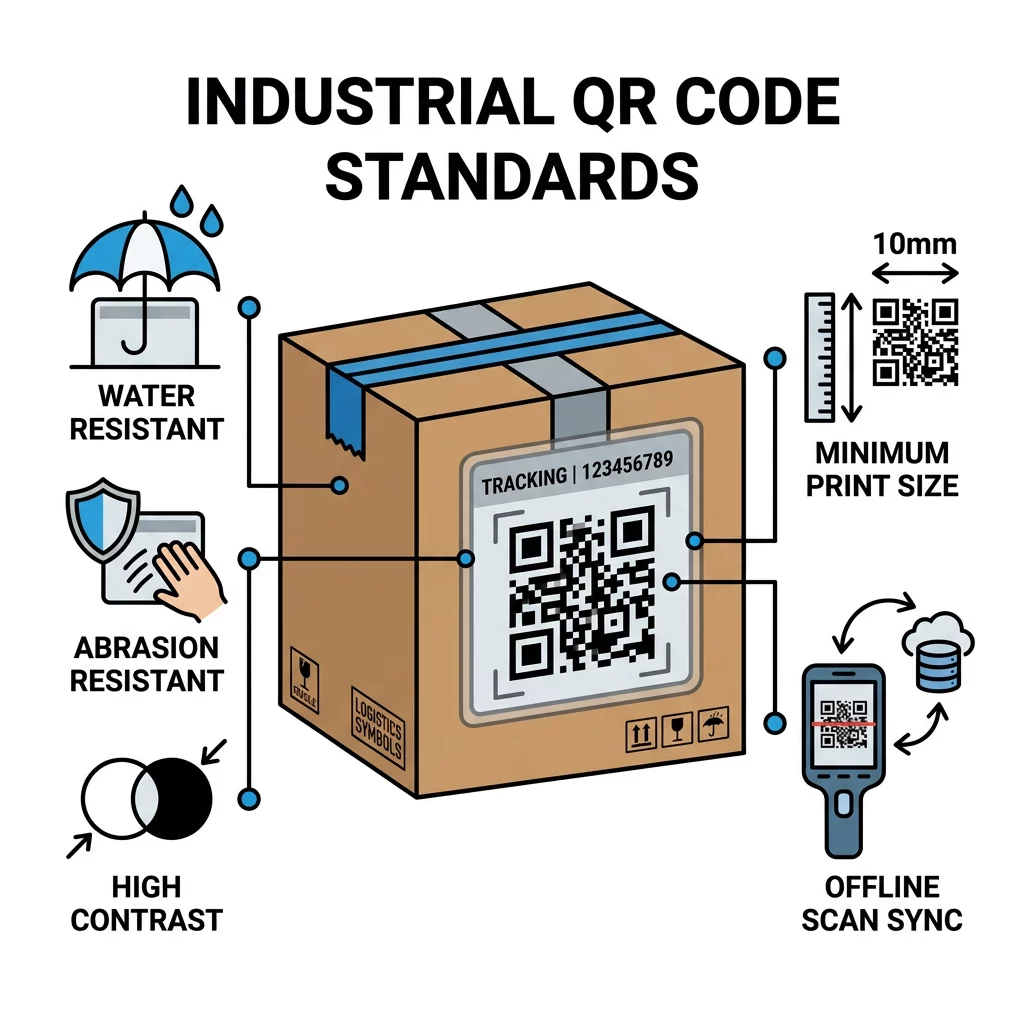
Freight environments are notoriously harsh on labels, so you must account for durability and technical specifications to maintain high scan success rates. We recommend using thermal-transfer or UV-resistant materials that can withstand moisture, abrasion, and temperature fluctuations during international transit. If a label fails in the middle of the ocean or in a humid warehouse, your visibility disappears.
In addition to material durability, scan reliability depends on visual standards. You should maintain a high contrast ratio – ideally 4:1 – between the dark code and the light background. For logistics, codes should typically be printed at a size of at least 0.8 x 0.8 inches. This ensures they are easily readable from a standard distance of 12 to 18 inches, allowing workers to scan quickly without having to get uncomfortably close to the cargo.
Finally, your workflow must account for the reality of “dead zones” where internet connectivity is unavailable. Professional mobile scanning apps should be capable of caching scan data locally on the device when a driver is deep inside a warehouse or on a rural route. The system then automatically syncs the timestamps and scan events to the central management platform once a connection is re-established.
Need to track scans in real-time? Start a 14-day free trial with Pageloot to see how real-time geolocation and scan analytics can transform your shipment visibility.
FAQ
Yes, professional logistics systems support offline scanning. The device captures the data and stores it in a local cache, then automatically syncs it with the centralized platform once the worker returns to an area with Wi-Fi or cellular service.
Static codes contain fixed information that cannot be changed once printed. Dynamic QR codes use a redirect URL, which means you can edit the destination data or tracking link at any time – even after the package has left the warehouse – without needing a new label.
A QR scan at the destination acts as a digital handshake. It records the exact GPS coordinates and time of the scan, and it can be linked to a digital form where the driver captures a customer signature or a photo of the package to confirm a successful delivery.