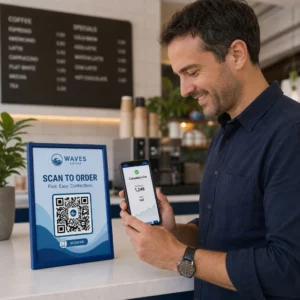
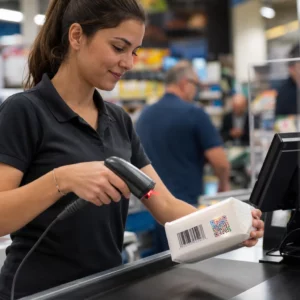
Potřebujete rychlý, skenovatelný způsob, jak propojit fyzické materiály s digitálním obsahem? Nálepky s QR kódem promění jakýkoli povrch v interaktivní kontaktní bod – a správné použití znamená pochopení materiálů, designových voleb a typů kódů, které určují, zda je zákazníci skutečně naskenují.
Co jsou nálepky s QR kódem?
Nálepky s QR kódem jsou samolepicí štítky potištěné skenovatelným QR kódem. Když na něj zákazník namíří fotoaparát chytrého telefonu, kód je okamžitě přesměruje na webovou stránku, digitální menu, kontaktní stránku, propagační nabídku nebo jakýkoli jiný obsah, který jste propojili. Firmy je používají na obaly produktů, výlohy, vozidla, restaurační stoly, eventové značení a přepravní materiály – kdekoli, kde fyzický povrch může zahájit digitální interakci.
Klíčové rozlišení, které je důležité, než vytisknete jedinou nálepku: zda je váš kód STATICKÝ NEBO DYNAMICKÝ.
- A statický QR kód trvale kóduje svůj cíl. Jakmile je vytištěn, nelze jej změnit a nesleduje skenování.
- A dynamický QR kód odkazuje na krátkou přesměrovací URL, kterou můžete kdykoli aktualizovat – bez opětovného tisku. Zaznamenává také data o skenování včetně času, objemu a geografické polohy.
Pro aplikace nálepek, kde budete tisknout ve velkém objemu nebo spouštět časově omezené kampaně, je Dynamický QR kód praktickou volbou. Změna propagace nebo aktualizace URL nestojí nic, když jsou nálepky již na pultech nebo vozidlech.
Sledujte každé skenování z vašich nálepek Chcete přesně vědět, která umístění nálepek generují zájem? Použijte Dynamický QR kód k vytvoření editovatelných, sledovatelných kódů s kompletním analytickým panelem – není potřeba opětovný tisk, když se váš obsah změní.
Jak vytvořit QR kód pro vaše nálepky
Získání QR kódu připraveného k tisku vyžaduje tři kroky:
- Vygenerujte svůj QR kód. Použijte a generátor QR kódů k vytvoření kódu, který odkazuje na váš cílový obsah – URL, PDF, digitální menu, vCard nebo jiný cíl. Pokud očekáváte aktualizaci tohoto cíle nebo sledování výkonu skenování, vytvořte dynamický kód.
- Přizpůsobte design. Přidejte své logo, barvy značky a rámeček s výzvou k akci, aby byl štítek rozpoznatelný a stálo za to jej skenovat. The QR kód s logem generátor vám umožní vložit logo přímo do kódu, což zvyšuje rozpoznatelnost značky a míru skenování ve srovnání s obyčejnými černobílými kódy.
- Stáhněte si ve formátu připraveném k tisku. Exportujte svůj kód jako SVG, EPS nebo PDF pro vektorové škálování, nebo jako PNG ve vysokém rozlišení pokud jej skládáte do návrhu štítku. Tyto soubory předejte tiskárně štítků nebo je použijte s potisknutelnými archy štítků doma.
Výběr správného materiálu pro štítky
Volba materiálu přímo ovlivňuje, zda se váš QR kód spolehlivě naskenuje v zamýšleném prostředí. Hlavní možnosti, se kterými se setkáte u tiskáren štítků, jsou:
- Lesklý BOPP nebo PET laminát – vhodný pro vnitřní i venkovní použití, jasné barvy, ale může se odrážet pod stropním osvětlením a ztěžovat skenování z určitých úhlů.
- Matný BOPP laminát – snižuje odlesky pod maloobchodním osvětlením a slunečním světlem, což z něj činí preferovanou volbu pro štítky, které budou skenovány v obchodě nebo u pokladny. Mnoho značek a designérů také preferuje rafinovaný vzhled.
- Průhledný materiál na štítky – potištěný bílým inkoustem za barvami, aby byly návrhy viditelné; dobře funguje pro etikety na lahve a obaly, kde chcete vzhled “bez etikety”.
- Vinyl s laminátem – odolný a odolný vůči povětrnostním vlivům, doporučený pro venkovní aplikace, polepy vozidel a jakýkoli povrch vystavený vlhkosti nebo UV záření. Vinylové QR kódové štítky vydrží v těchto podmínkách výrazně déle než standardní papírové etikety.
- Tenký BOPP etiketový materiál – dostatečně flexibilní, aby se přizpůsobil zakřiveným povrchům, což z něj činí praktickou volbu pro lahve a obaly produktů.
Matné povrchy se obecně skenují rychleji a spolehlivěji než lesklé, pokud budou kódy skenovány pod jasným nebo přímým světlem. Pokud budou vaše nálepky venku nebo na vozidlech, upřednostněte voděodolný vinyl před materiály na bázi papíru.
Specifikace velikosti a designu, které ovlivňují skenovatelnost
Nálepka s QR kódem, která se nespolehlivě skenuje, je horší než žádná nálepka. Před odesláním souborů k tisku potvrďte, že jsou splněny tyto požadavky:
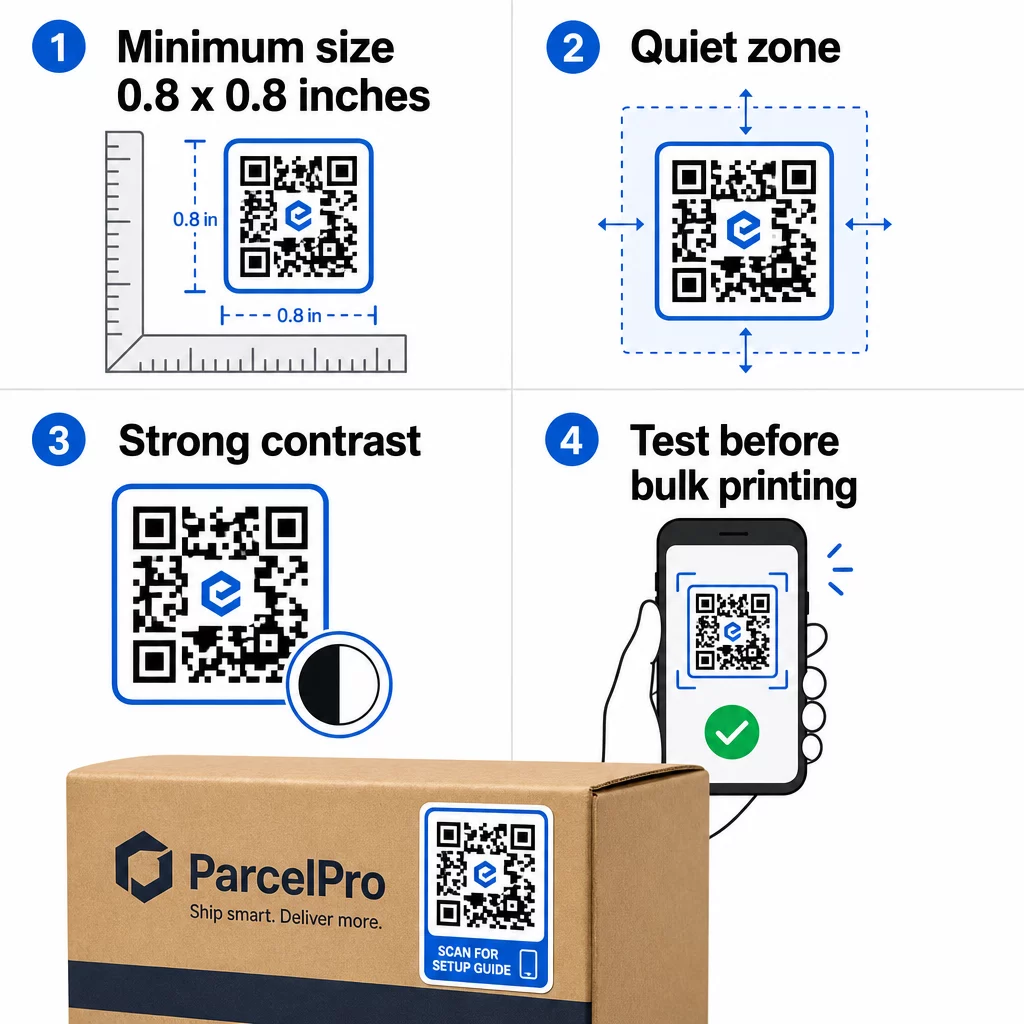
- Minimální velikost: 0,8 × 0,8 palce (2 × 2 cm) pro jednoduchou URL adresu. Větší kódy s vyšší hustotou dat je třeba proporcionálně zvětšit.
- Tichá zóna: Kolem všech čtyř stran kódu ponechte alespoň čtyři moduly čistého, nepotištěného prostoru. Text, loga nebo okraje umístěné uvnitř tohoto okraje způsobují selhání skenování.
- Kontrastní poměr: Udržujte kontrastní poměr alespoň 4:1 mezi tmavými moduly a světlým pozadím. Černá na bílé zůstává nejspolehlivější kombinací. Vyhněte se inverzím světlé na tmavé – mnoho skenerů selhává u obrácených barevných schémat.
- Žádné přechody na modulech kódu: Přechody vytvářejí střední tóny, které skenery obtížně čtou. Používejte pouze plné barvy.
- Testujte před velkoobjemovým tiskem: Naskenujte svůj kód více zařízeními – různými telefony, různými aplikacemi fotoaparátu – a testujte v světelných podmínkách, kde bude nálepka skutečně použita. U venkovních nálepek testujte na slunci. U nálepek na maloobchodní regály testujte pod zářivkovým osvětlením.
Pro kompletní rozpis velikostí napříč různými tiskovými materiály viz průvodce na velikosti QR kódu pro různé tiskové materiály. For contrast and color guidance, osvědčené postupy pro barevný kontrast QR kódů Pro pokyny k kontrastu a barvám,.
Kde používat nálepky s QR kódem
Nálepky s QR kódem fungují v široké škále obchodních aplikací. Zde jsou nejběžnější a nejúčinnější umístění:
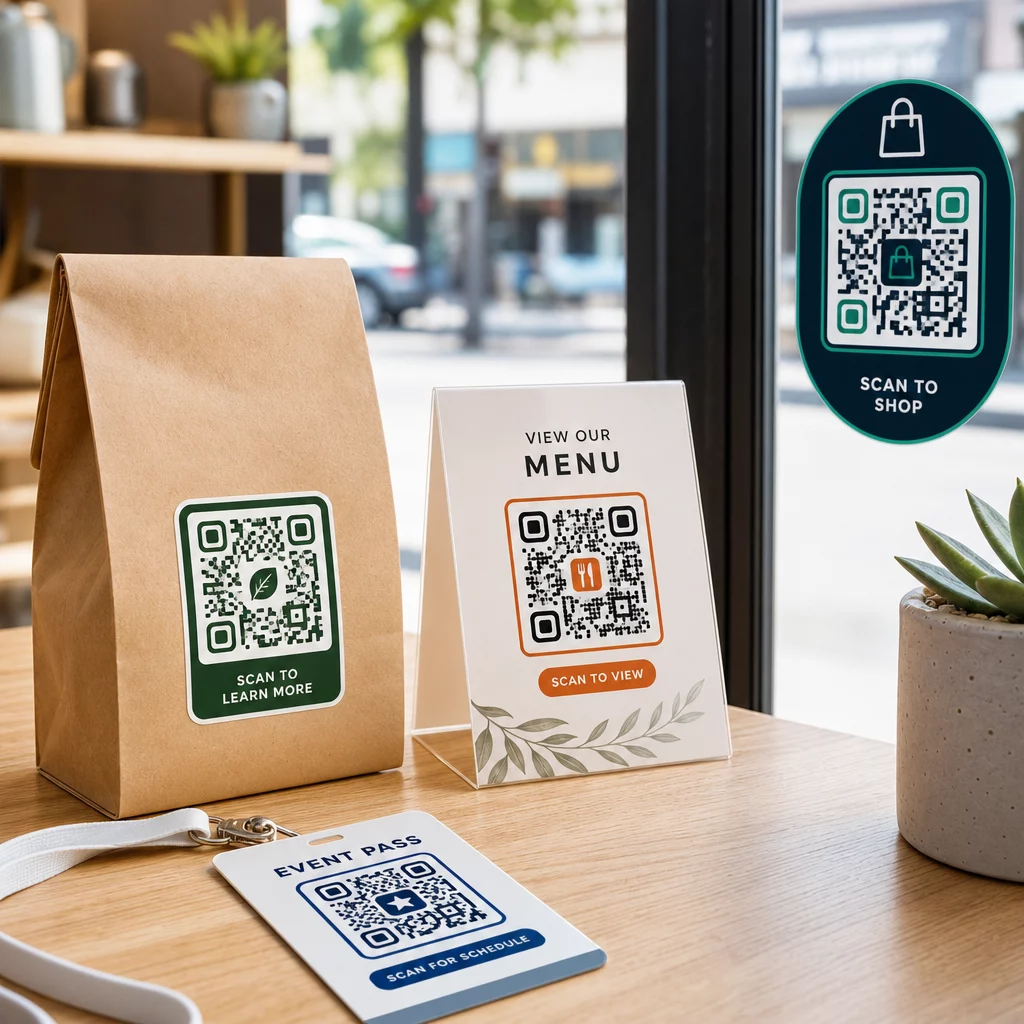
Obaly a etikety produktů – Propojte zákazníky s návody k produktu, detaily složení, video tutoriály, slevovými kódy nebo stránkami s recenzemi. Nálepky fungují jak na primárním obalu (samotný produkt), tak na sekundárním obalu (krabice, obaly). Pro hlubší pohled na možnosti viz QR kódy na obalech produktů and the ultimativního průvodce QR kódy pro etikety produktů.
Stoly v restauracích a pohostinství – Nálepka s QR kódem na stole nebo dveřích propojuje hosty s digitálním menu, heslem k Wi-Fi nebo platformou pro recenze. Dynamické kódy vám umožňují aktualizovat menu nebo propagaci bez nutnosti výměny každé nálepky.
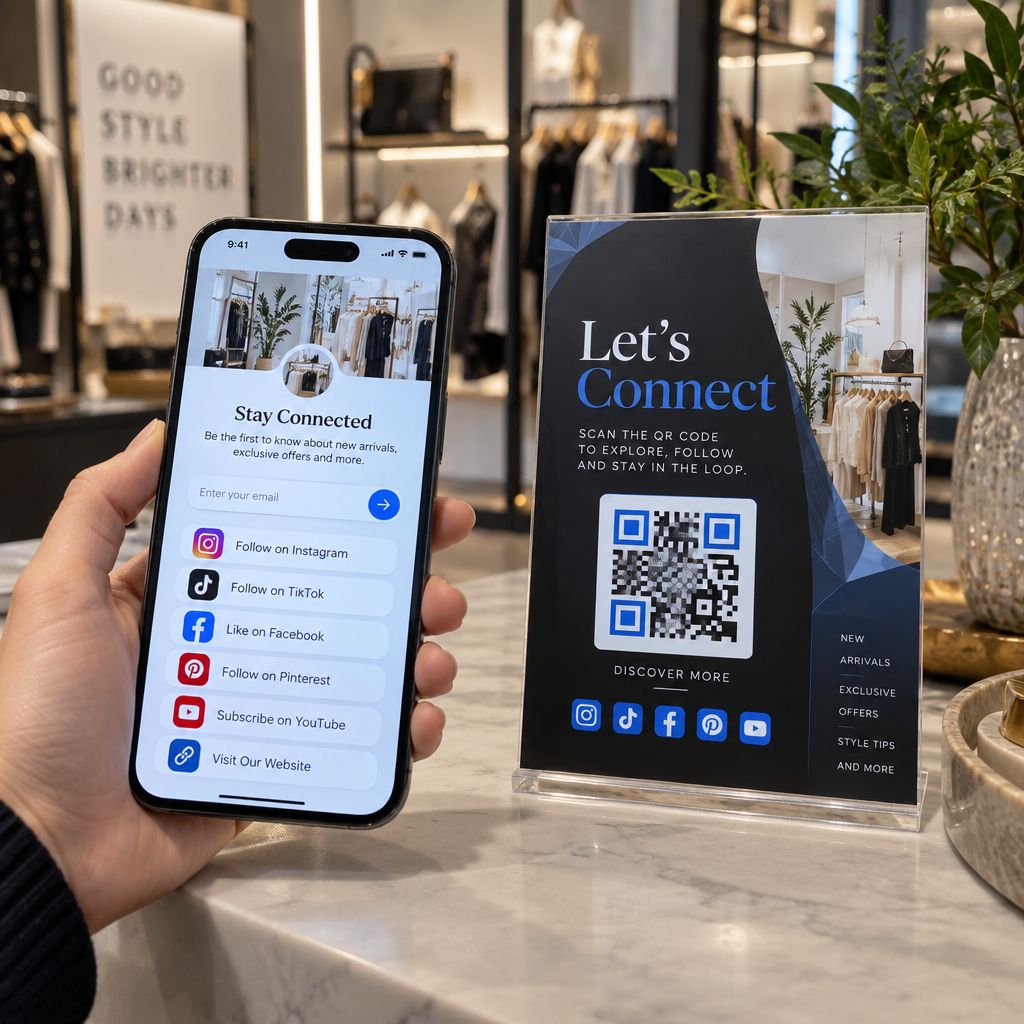
Výlohy a dveře obchodů – Okenní nálepky s QR kódem jsou efektivním způsobem, jak sdílet otevírací dobu, akce nebo odkazy na sociální média s kolemjdoucími, kteří procházejí mimo provozní dobu.
Nálepky na vozidla – Nálepka s QR kódem na firemním vozidle z něj dělá mobilní reklamu, která propojuje každého, kdo ji naskenuje, se stránkou pro rezervaci, seznamem služeb nebo kontaktním formulářem.
Obaly pro maloobchod a e-commerce – Nálepky na odchozích zásilkách nebo krabicích s produkty mohou nasměrovat zákazníky k videím s rozbalováním, věrnostním programům nebo stránkám s doplňkovým prodejem, aniž by zvětšovaly objem balíčku.
Označení akcí a vstupenky – Přidejte QR nálepky na odznaky, označení nebo vstupenky, abyste propojili účastníky s programy, procesy odbavení nebo zdroji pro řečníky.
| Typ nálepky | Nejlepší materiál | Typické použití |
|---|---|---|
| Nálepka s vlastním brandingem | Matný nebo lesklý BOPP | Balení produktů, propagace |
| Vodotěsná venkovní nálepka | Vinyl s laminátem | Nálepky na vozidla, venkovní značení |
| Okenní fólie nebo nálepka | Průhledný nebo bílý vinyl | Výlohy obchodů, maloobchodní okna |
| Malá etiketová nálepka | Tenký BOPP | Lahve, štítky produktů, vizitky |
| Nálepka na stůl v restauraci | Matný laminát | Odkazy na menu, odkazy na stránky s recenzemi |
Používání dynamických QR kódů pro kampaně s nálepkami
Pro jakoukoli kampaň, kde se cíl může měnit – sezónní akce, aktualizace menu, rotující nabídky – jsou dynamické QR kódy nezbytné. Samotná nálepka se nemění; mění se pouze cílová URL adresa za ní. To je důležité, když jste vytiskli tisíce nálepek a URL adresa vstupní stránky se změní, nebo když akce skončí a chcete přesměrovat skenery na novou nabídku.
Dynamické kódy vám také poskytují analytiku skenování: celkový počet skenů, časování skenů a geografická data. To vám umožní vyhodnotit, která umístění skutečně generují zapojení, a podle toho se přizpůsobit. Nálepka na obalu produktu se chová jinak než ta ve výloze obchodu, a analytika vám pomůže tento rozdíl jasně vidět.
Pro QR kódy na obalech, které slouží maloobchodním kampaním, dynamické kódy vám také umožňují provádět A/B testy nasměrováním různých dávek kódů na různé vstupní stránky a porovnáváním výsledků.
Aktualizujte svou kampaň s nálepkami bez opětovného tisku Provozujete časově omezenou akci? The Dynamický QR kód vám umožní přesměrovat vaše nálepky na novou URL adresu v okamžiku, kdy kampaň skončí – žádné nové nálepky, žádné zbytečné tiskové náklady.
Často kladené otázky
Minimální spolehlivá velikost pro jednoduchou URL je 0,8 × 0,8 palce (2 × 2 cm). Pro nálepky umístěné dále od skeneru – na značení nebo polepech vozidel – zvětšete úměrně. Obecným pravidlem je, aby kód tvořil alespoň jednu desetinu skenovací vzdálenosti. Vždy ponechte jasnou klidovou zónu o velikosti alespoň čtyř modulů kolem kódu ze všech stran a otestujte konečnou velikost na skutečných zařízeních před hromadným tiskem.
Ne, pokud se jedná o statický QR kód – ty kódují svůj cíl trvale. S dynamickým QR kódem však můžete kdykoli změnit propojenou URL adresu, soubor nebo obsah prostřednictvím svého účtu, aniž byste se dotkli nálepky. Díky tomu jsou dynamické kódy praktickou volbou pro jakoukoli aplikaci, kde se URL adresy nebo akce mohou měnit, včetně obalů produktů, sezónních kampaní a jídelních lístků restaurací.
Vinylové samolepky s laminátovou úpravou jsou nejodolnější volbou pro venkovní použití. Odolávají vodě, UV záření a fyzickému opotřebení mnohem lépe než papírové nebo standardní BOPP etikety. Matný laminát snižuje odlesky pod přímým slunečním světlem, což zlepšuje skenovatelnost. Pro povrchy, jako jsou vozidla nebo venkovní značení, si ověřte, zda vaše tiskárna nabízí materiály odolné proti UV záření, určené pro dlouhodobé venkovní aplikace.