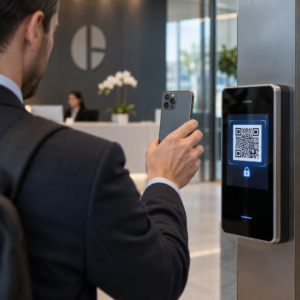
Hledáte způsoby, jak zatraktivnit expozice vašeho muzea, aniž byste museli kompletně přepracovat celou návštěvnickou zkušenost? Statické popisky na stěnách a tištěné brožury toho dokážou jen omezeně – návštěvníci stále více očekávají digitální přístup k bohatšímu obsahu na svých vlastních zařízeních. Tento průvodce pokrývá nejpraktičtější způsoby implementace QR kódů v muzeích, od audio průvodců a digitálních map po prodej vstupenek a přístupnost.
Proč muzea zavádějí QR kódy
QR kódy poskytují muzeím nízkonákladový způsob, jak vytvořit vrstvený informační systém, který dalece přesahuje to, co se vejde na fyzický štítek. Návštěvník stojící před artefaktem může naskenovat kód a okamžitě získat přístup k rozšířenému textu, obrázkům, videu, zvukovým vyprávěním nebo dokonce rozšířené realitě – vše na svém vlastním smartphonu a svým vlastním tempem.
Hlavní přitažlivost spočívá v flexibilitě. Muzea mohou kdykoli aktualizovat obsah propojený s kódem, aniž by musela cokoli přetiskovat, což činí dynamické QR kódy obzvláště praktickými pro rotující výstavy nebo sezónní programy. Kromě doručování obsahu otevírají QR kódy také přímý kanál pro sběr zpětné vazby od návštěvníků, nabízení vícejazyčného obsahu a propojení fyzických expozic s virtuálními prohlídkami a online sbírkami.
Vytvářejte aktualizovatelné muzejní QR kódy Potřebujete aktualizovat obsah expozice bez přetiskování cedulí? Použijte Dynamický QR kód k vytvoření kódů, které můžete kdykoli upravovat z centrálního panelu.
Běžné způsoby použití QR kódů v muzeích
| Pouzdro | Co poskytuje |
|---|---|
| Audio a video průvodci | Vyprávěné příběhy expozic, rozhovory s umělci, animované rekonstrukce |
| Digitální mapy | Navigovatelné plány pater, ke kterým mají návštěvníci přístup na svých telefonech |
| Informace o expozici | Rozšířený text, historický kontext, provenience artefaktu |
| Interaktivní zážitky | Překryvy rozšířené reality, honby za pokladem, kvízy |
| Prodej vstupenek | Bezkontaktní vstup pomocí skenovatelných digitálních vstupenek |
| Wi-Fi přístup | Okamžité síťové připojení bez zadávání hesel |
| Zpětná vazba návštěvníků | Dotazníky přístupné přímo z výstavní plochy |
| Propagace v obchodě se suvenýry | Odkazy na exkluzivní nabídky obchodu nebo online produktové stránky |
| Darování a členství | Portály pro darování nebo připojení přístupné jediným skenováním |
Audio a video průvodce
Audioprohlídky s QR kódy umožňují návštěvníkům naskenovat kód u každého exponátu a slyšet vyprávění, komentáře kurátorů nebo příběhy na pozadí na svých vlastních zařízeních. To nahrazuje objemné pronajaté audio vybavení a podporuje flexibilní trasy muzeem s vlastním tempem. Pro instituce, které chtějí jít dál, AR QR kódy mohou transformovat muzejní vyprávění vrstvením 3D modelů nebo animací přímo přes fyzické artefakty, když návštěvník namíří svůj telefon na exponát.
Muzea mohou vytvářet audio průvodce pomocí Audio QR kód z MP3, který vám umožní nahrát zvukové soubory a vygenerovat skenovatelný kód, který si návštěvníci mohou přehrát přímo ze svého zařízení. Pro video obsah – jako jsou rozhovory s umělci nebo vizualizace restaurování krok za krokem – a QR kód YouTube generátor usnadňuje propojení jakéhokoli exponátu s hostovaným videem.
Digitální mapy a samoobslužné prohlídky
Velká muzea mohou použít PDF QR kódy poskytnout návštěvníkům interaktivní digitální mapu, která jim pomůže orientovat se v sekcích, najít konkrétní exponáty a naplánovat si návštěvu podle jejich zájmů. Umístění kódů na určených “zastávkách” prohlídky, které odkazují na zvukové soubory nebo webové stránky popisující, co návštěvník vidí, umožňuje plně nezávislé prozkoumávání pouze s chytrým telefonem.
Pro hlubší pohled na vytváření těchto zážitků, průvodce používáním QR kódů pro virtuální prohlídky provede vás celým procesem nastavení, od hostování vašeho obsahu po navrhování a umisťování kódů.
Informace o exponátech a interaktivní zážitky
Umístění QR kódů v blízkosti exponátů umožňuje návštěvníkům přístup k dalšímu kontextu – historickému pozadí, biografiím umělců, provenienci sbírky – aniž by se přeplňoval štítek. Některá muzea jdou ještě dál a vytvářejí honby za pokladem, kde každý kód u artefaktu poskytuje informace o objektu a nápovědu ukazující na další zastávku. Tento formát podporuje aktivní průzkum a udržuje návštěvníky zapojené napříč několika galeriemi.
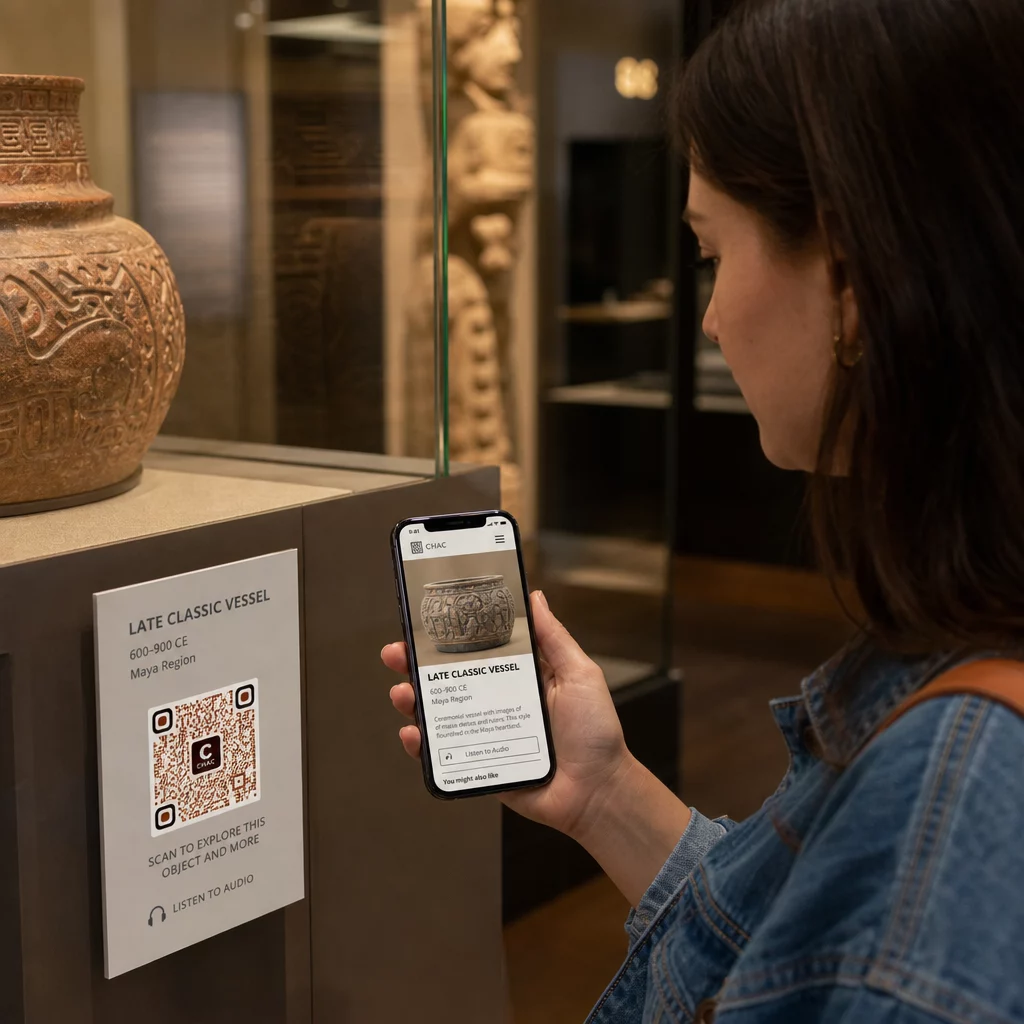
Muzea také použila QR kódy v instalacích moderního umění k propojení fyzické práce s digitálním vyprávěním, včetně gamifikovaného obsahu a narativů o historii designu vložených do samotných kódů.
Vstupenky a bezkontaktní vstup
Digitální prodej vstupenek prostřednictvím QR kódů poskytuje návštěvníkům skenovatelné vstupenky, které mohou ukázat u vstupních bodů přímo ze svých telefonů. To zjednodušuje správu vstupů, snižuje fronty a eliminuje závislost na fyzických zásobách vstupenek – což je obzvláště užitečné v obdobích s vysokou návštěvností.
Zpětná vazba od návštěvníků
Umístění QR kódů u východů nebo po celé ploše galerie umožňuje návštěvníkům rychle vyplnit formulář zpětné vazby, aniž by jim byl předán papírový dotazník. Shromážděná data pomáhají muzeím porozumět preferencím návštěvníků, vyhodnocovat exponáty a plánovat zlepšení. A QR kód z odkazu odkazující na online formulář je nejjednodušší způsob, jak to nastavit.
Aspekty přístupnosti
QR kódy mohou smysluplně zlepšit přístupnost, pokud jsou implementovány promyšleně – ale mohou také vytvářet bariéry, pokud tyto potřeby nejsou řešeny předem.
Poskytněte alternativu. Ne každý návštěvník bude mít chytrý telefon nebo se bude cítit pohodlně při skenování kódu. Vždy nabídněte jiný způsob přístupu ke stejnému obsahu, například blízkou tištěnou URL adresu, možnost SMS nebo člena personálu, který může pomoci. Návštěvníci, kteří jsou nevidomí nebo mají slabý zrak, mohou považovat přístup přes SMS za použitelnější než skenování QR kódu.
Navrhujte s ohledem na kontrast a viditelnost. Používejte tmavé prvky kódu na světlém pozadí a usilujte o kontrastní poměr alespoň 4:1. To splňuje požadavky WCAG 2.1 na nekódový kontrast a zajišťuje, že kód zůstane čitelný pro návštěvníky se slabým zrakem. Podrobné pokyny k dosažení tohoto cíle jsou k dispozici v osvědčené postupy pro použitelnost QR kódů referenci.
Velikost kódů pro skenovací vzdálenost. Hrubé pravidlo je poměr 10:1 – na každých 10 cm očekávané skenovací vzdálenosti by kód měl být široký alespoň 1 cm. Praktické minimum pro většinu umístění v muzeích je 2 × 2 cm (asi 0,8 × 0,8 palce), ačkoli větší formáty jsou lepší pro exponáty prohlížené z dálky.
Zvažte výšku umístění. Kódy umístěte ve výšce a úhlu, které návštěvníci používající invalidní vozíky nebo osoby s omezeným růstem mohou pohodlně dosáhnout a naskenovat. Umístění ve výšce očí 3 až 5 stop od podlahy funguje dobře pro stojící návštěvníky; pro plnou inkluzivitu mohou být potřeba nižší umístění.
Poskytněte krátké, jasné pokyny. Ne všichni návštěvníci budou vědět, jak naskenovat QR kód. Krátký pokyn – “Otevřete aplikaci fotoaparátu a namiřte ji na tento kód” – odstraní dohady. Udržujte pokyny konzistentní v celém muzeu, aby se návštěvníci nemuseli znovu učit interakci u každého exponátu.
Testujte s asistenčními technologiemi. Před spuštěním ověřte, že propojený obsah a jakékoli alternativní metody přístupu fungují správně se čtečkami obrazovky a nástroji pro zvětšení, jako jsou VoiceOver a TalkBack.
Pro muzea, která se konkrétně zajímají o zvukovou přístupnost, hlasem aktivované QR kódy nabídněte bezdotykovou alternativu, která propojuje skenování s mluveným vyprávěním – zvláště užitečné pro návštěvníky, kteří nemohou pohodlně navigovat vizuálními rozhraními.
Jak nastavit QR kódy ve vašem muzeu
Krok 1: Definujte svůj obsah a cíle
Před vygenerováním jediného kódu se rozhodněte, co každý kód poskytne a komu slouží. Audioprůvodce pro klíčový artefakt má jiné požadavky než formulář zpětné vazby u východu. Zmapujte si typy kódů – audio, PDF mapa, video, odkaz na průzkum – a každý přiřaďte k odpovídajícímu formátu obsahu.
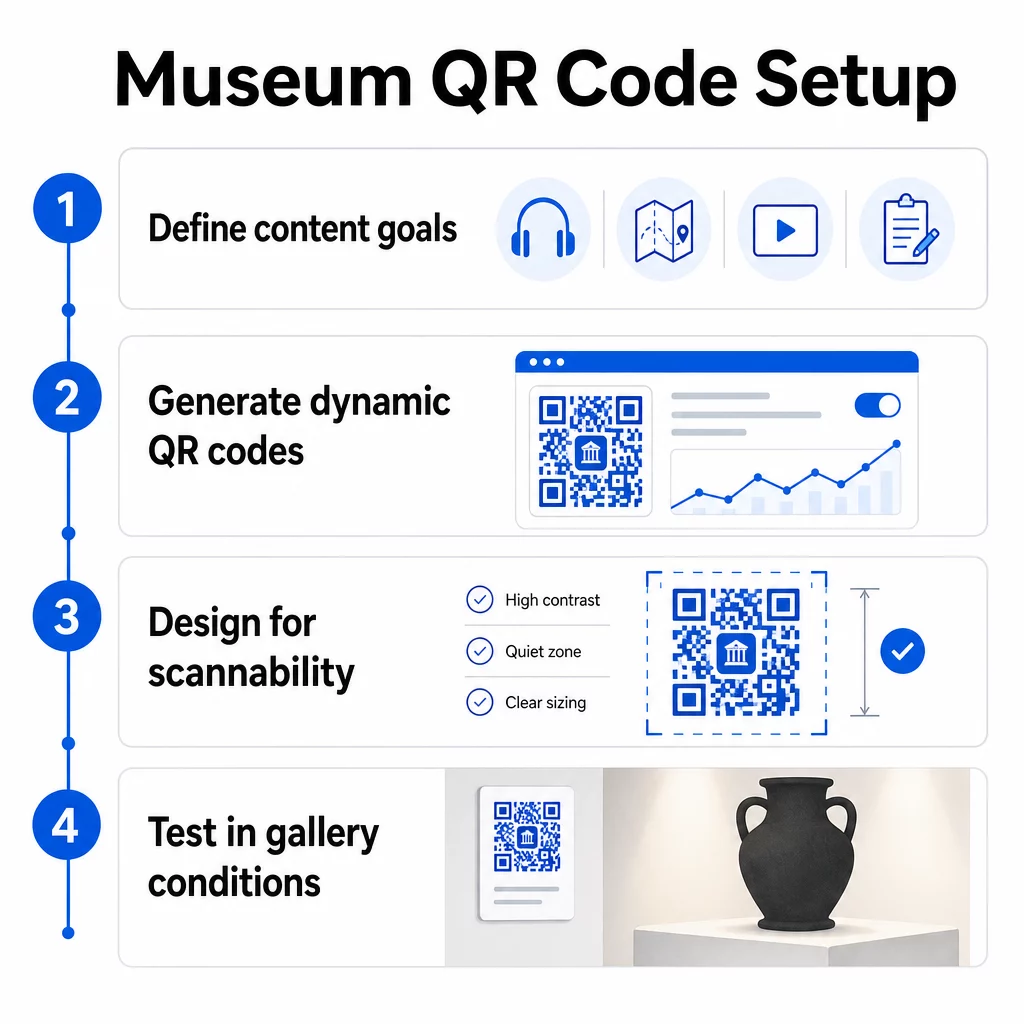
Krok 2: Vygenerujte své kódy
Použijte platformu pro QR kódy, která podporuje dynamické kódy, abyste mohli aktualizovat cíle bez opětovného tisku. Pageloot Generátor QR kódů vám umožňuje vytvářet kódy pro URL adresy, PDF soubory, zvukové soubory, videa a další, a poté je spravovat z jednoho panelu. Dynamické kódy také poskytují analytiku skenování – sledování objemu, polohy, typu zařízení a času – takže můžete vidět, které exponáty generují největší zájem.
Sledujte zapojení do exponátů Chcete vědět, se kterými artefakty se návštěvníci nejvíce zapojují? Použijte dynamické QR kódy s vestavěnou analytikou ke sledování dat skenování u každého exponátu ve vašem muzeu.
Krok 3: Navrhněte pro skenovatelnost
Použijte konzistentní branding – barvy a logo vašeho muzea – a zároveň udržujte vysoký kontrast mezi kódem a jeho pozadím. Kolem každého kódu udržujte jasnou tichou zónu (prázdný okraj). Pro podrobné pokyny k designu, osvědčené postupy pro čitelnost QR kódů článek prakticky pokrývá poměry kontrastu, tiché zóny, umístění loga a úrovně korekce chyb.
Krok 4: Vytiskněte a strategicky umístěte kódy
Tiskněte kódy v dostatečné velikosti pro očekávanou vzdálenost skenování, s použitím vektorových formátů s vysokým rozlišením (SVG, EPS nebo PDF), abyste předešli rozmazání. Umístěte je do úrovně očí poblíž exponátu, na který odkazují – ne přes celou místnost. Pro rozsáhlé nebo složité instalace, konečném průvodci umístěním QR kódů poskytuje rady specifické pro prostředí, které se dobře uplatní v muzejních podmínkách.
Krok 5: Testujte před otevřením
Otestujte každý kód na zařízeních iOS i Android, za skutečných světelných podmínek vaší galerie. Ověřte, že propojené stránky se rychle načítají na mobilních datech (nejen na WiFi), že se zvukový a video obsah přehrává správně a že všechny alternativní přístupové cesty fungují podle záměru.
Populární muzea pomocí QR kódů
- Smithsonianovo národní muzeum přírodní historie využilo zážitky rozšířené reality propojené s QR kódy k oživení fyzických exponátů digitálními překryvy a 3D rekonstrukcemi.
- Metropolitní muzeum umění integruje přístup pomocí QR kódů do standardního zážitku návštěvníků jako možnost pro přístup k digitálnímu průvodci.
- Muzeum Akropole nabízí audio průvodce založeného na QR kódech, který umožňuje samostatné prohlídky, čímž je návštěva flexibilnější a informativnější pro mezinárodní návštěvníky.
- Britské muzeum používá QR kódy, aby návštěvníci mohli přistupovat k dalšímu obsahu a dozvědět se více o exponátech vlastním tempem.
Pro širší pohled na inovativní aplikace, průvodce QR kódy pro virtuální umělecké prohlídky dokumentuje, jak instituce používají tyto nástroje k rozšíření muzejního zážitku za fyzické zdi.
Často kladené otázky
QR kód muzea může odkazovat na téměř jakýkoli digitální obsah: zvukové vyprávění, videoprůvodce, zážitky s rozšířenou realitou, PDF mapy, informační stránky exponátů, vícejazyčný text, formuláře zpětné vazby, dárcovské portály nebo virtuální prohlídky. Formát, který si vyberete, závisí na tom, co nejlépe slouží každému exponátu a potřebám návštěvníků.
Ne. Moderní smartphony se systémy iOS a Android dokážou skenovat QR kódy přímo pomocí vestavěné aplikace fotoaparátu – není potřeba žádná samostatná aplikace. Některá starší zařízení mohou potřebovat vyhrazený skener QR kódů, proto je dobré to zmínit ve svých pokynech a zajistit, aby se váš propojený obsah rychle načítal ve standardním mobilním prohlížeči.
Dynamické QR kódy vám umožňují kdykoli aktualizovat obsah, na který kód odkazuje, bez opětovného tisku fyzického kódu. To znamená, že můžete aktualizovat popisy exponátů, vyměnit zvukové soubory pro novou sezónu nebo opravit nefunkční odkaz, aniž byste narušili své tištěné značení. Dynamické kódy také poskytují analytiku skenování – ukazují vám, které exponáty přitahují největší zájem, v jakých časech a na jakých zařízeních – což vašemu týmu poskytuje použitelná data pro plánování exponátů a zlepšení zážitku návštěvníků.