Ищете способы сделать экспозиции вашего музея более увлекательными, не перестраивая при этом весь опыт посетителей? Статические настенные этикетки и печатные брошюры могут сделать не так много – посетители все чаще ожидают цифрового доступа к более богатому контенту на своих собственных устройствах. Это руководство охватывает наиболее практичные способы внедрения QR-кодов в музеях, от аудиогидов и цифровых карт до продажи билетов и обеспечения доступности.
Почему музеи внедряют QR-коды
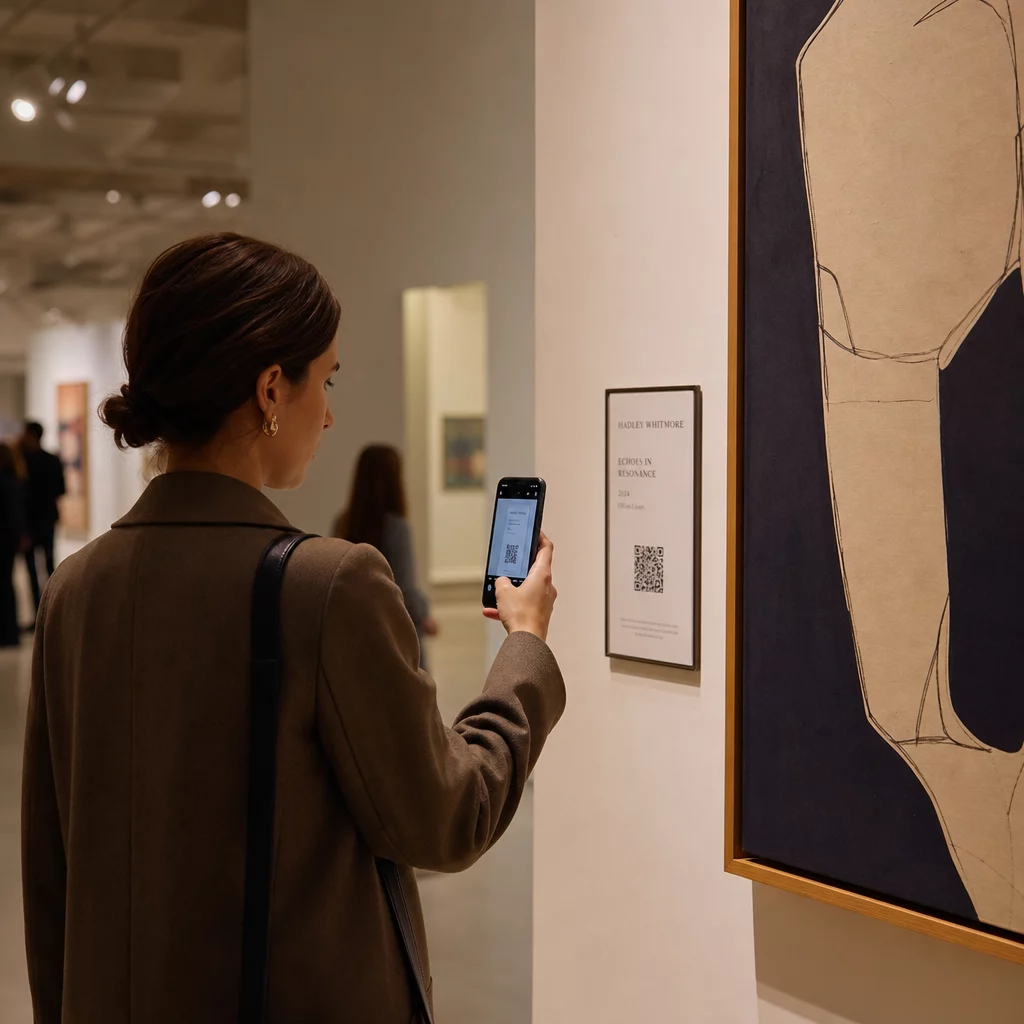
QR-коды предоставляют музеям недорогой способ создания многоуровневой информационной системы, которая выходит далеко за рамки того, что помещается на физической этикетке. Посетитель, стоящий перед артефактом, может отсканировать код и немедленно получить доступ к расширенному тексту, изображениям, видео, аудиозаписям или даже дополненной реальности – все это на своем собственном смартфоне, в своем собственном темпе.
Основная привлекательность – это гибкость. Музеи могут обновлять контент, связанный с кодом, в любое время без перепечатки чего-либо, что делает динамические QR-коды особенно практичными для сменных выставок или сезонных программ. Помимо доставки контента, QR-коды также открывают прямой канал для сбора отзывов посетителей, предоставления многоязычного контента и связи физических экспозиций с виртуальными турами и онлайн-коллекциями.
Создавайте обновляемые музейные QR-коды Нужно обновить содержание экспозиции без перепечатки вывесок? Используйте Динамический QR код: генератор для создания кодов, которые вы можете редактировать в любое время из центральной панели управления.
Распространенные способы использования QR-кодов в музеях
| Случай использования | Что это дает |
|---|---|
| Аудио- и видеогиды | Рассказы об экспонатах с комментариями, интервью с художниками, анимированные реконструкции |
| Цифровые карты | Навигационные планы этажей, к которым посетители получают доступ на своих телефонах |
| Информация об экспонатах | Расширенный текст, исторический контекст, происхождение артефакта |
| Интерактивные впечатления | Наложения дополненной реальности, квесты, викторины |
| Продажа билетов | Бесконтактный вход по сканируемым цифровым билетам |
| доступ к Wi-Fi | Мгновенное подключение к сети без ввода паролей |
| Отзывы посетителей | Формы опросов, доступные прямо с выставочной площадки |
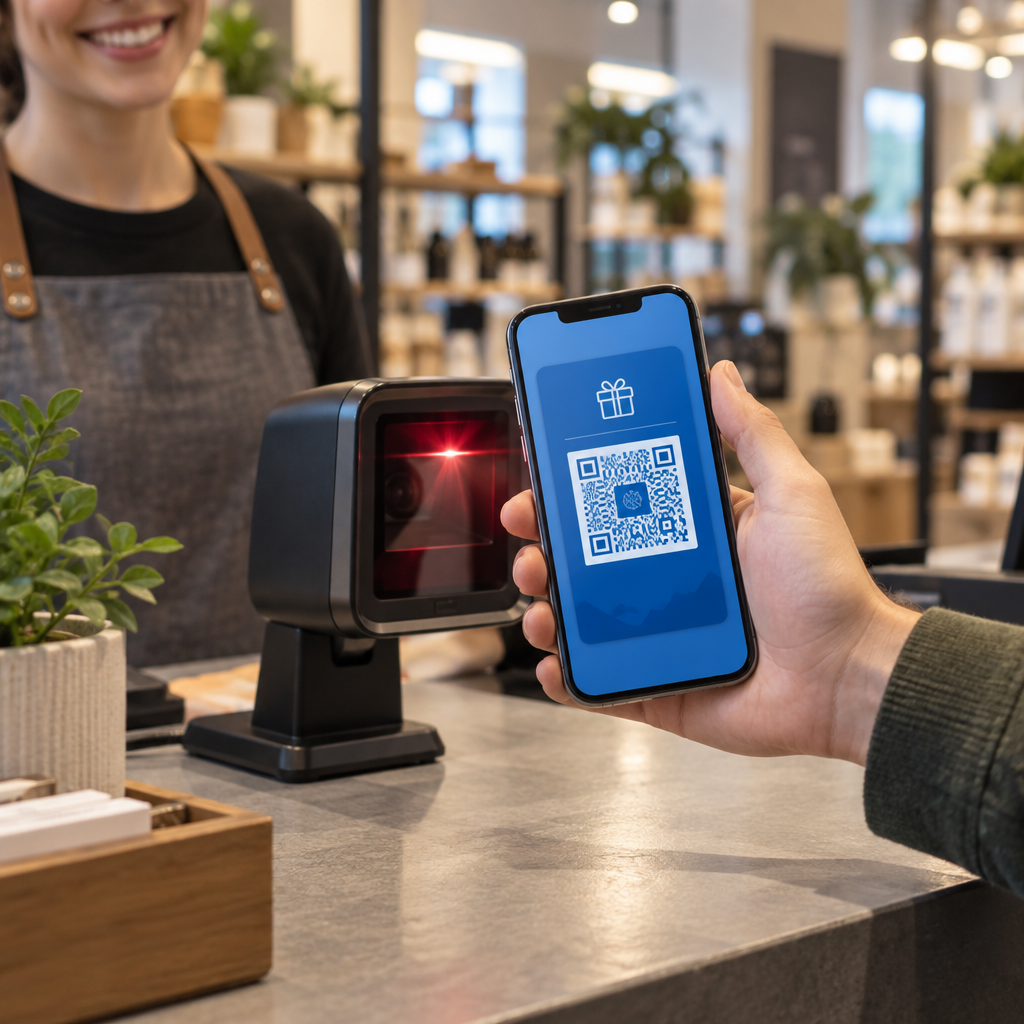
| Акции в сувенирном магазине | Ссылки на эксклюзивные предложения магазина или страницы товаров онлайн |
| Пожертвования и членство | Порталы для пожертвований или вступления, доступные одним сканированием |
Аудио и видео гиды
Аудиотуры с QR-кодами позволяют посетителям сканировать код у каждого экспоната и слушать повествования, комментарии кураторов или предыстории на своих собственных устройствах. Это заменяет громоздкое арендованное аудиооборудование и поддерживает гибкие, самостоятельные маршруты по музею. Для учреждений, которые хотят пойти дальше, QR-коды дополненной реальности могут преобразить музейное повествование путем наложения 3D-моделей или анимации непосредственно на физические артефакты, когда посетитель наводит свой телефон на экспонат.
Музеи могут создавать аудиогиды, используя QR код на песню из MP3, что позволяет загружать аудиофайлы и генерировать сканируемый код, который посетители могут воспроизводить непосредственно со своего устройства. Для видеоконтента – такого как интервью с художниками или пошаговые визуализации реставрации – QR код ютуб позволяет легко связать любой экспонат с размещенным видео.
Цифровые карты и самостоятельные туры
Крупные музеи могут использовать PDF QR-коды предоставить посетителям интерактивную цифровую карту, которая помогает им ориентироваться в разделах, находить конкретные экспонаты и планировать свой визит в соответствии с их интересами. Размещение кодов на обозначенных “остановках” тура, которые ссылаются на аудиофайлы или веб-страницы, описывающие то, что видит посетитель, позволяет полностью самостоятельно исследовать с помощью только смартфона.
Для более глубокого изучения создания таких впечатлений, руководство по использованию QR-кодов для виртуальных туров подробно описывает весь процесс настройки, от размещения вашего контента до разработки и размещения кодов.
Информация об экспонатах и интерактивные впечатления
Размещение QR-кодов рядом с экспонатами позволяет посетителям получить доступ к дополнительному контексту – историческая справка, биографии художников, происхождение коллекции – не перегружая этикетку. Некоторые музеи идут дальше, создавая квесты, где каждый код рядом с артефактом предоставляет информацию об объекте и подсказку, указывающую на следующую остановку. Этот формат поощряет активное исследование и поддерживает интерес посетителей в нескольких галереях.
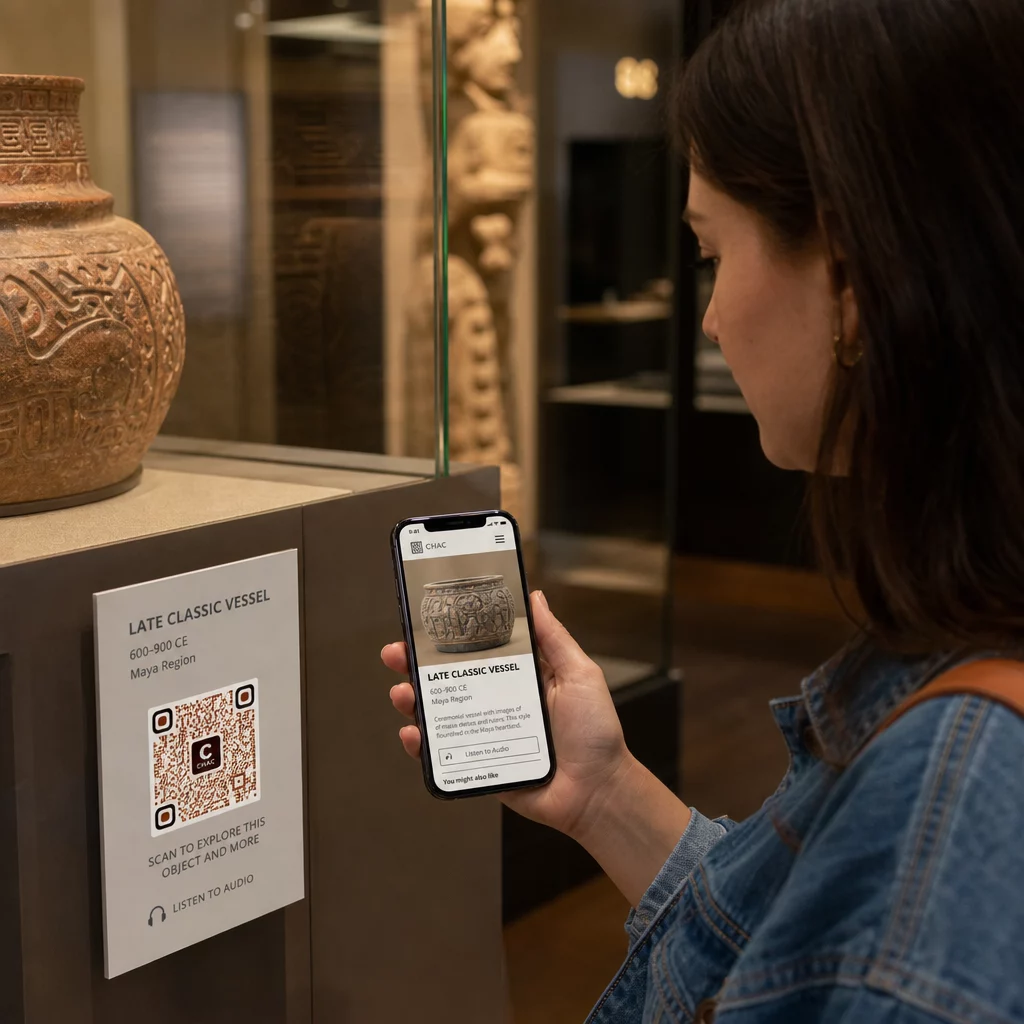
Музеи также использовали QR-коды в инсталляциях современного искусства для связи физических произведений с цифровым повествованием, включая геймифицированный контент и нарративы по истории дизайна, встроенные в сами коды.
Продажа билетов и бесконтактный вход
Цифровая продажа билетов через QR-коды предоставляет посетителям сканируемые билеты, которые они могут предъявлять на входах прямо со своих телефонов. Это упрощает управление допуском, сокращает очереди и устраняет зависимость от физических билетов – особенно полезно в периоды высокой посещаемости.
Отзывы посетителей
Размещение QR-кодов на выходах или по всему выставочному залу позволяет посетителям быстро заполнить форму обратной связи, не получая бумажный опросник. Собранные данные помогают музеям понять предпочтения посетителей, оценить экспонаты и спланировать улучшения. А QR-кода ссылки ссылка на онлайн-форму — самый простой способ это настроить.
Вопросы доступности
QR-коды могут значительно улучшить доступность при вдумчивой реализации – но они также могут создавать барьеры, если эти потребности не учитываются заранее.
Предоставьте альтернативу. Не у каждого посетителя будет смартфон или он будет чувствовать себя комфортно при сканировании кода. Всегда предлагайте другой способ доступа к тому же контенту, например, расположенный рядом печатный URL-адрес, опцию SMS или сотрудника, который может помочь. Посетители с нарушениями зрения или слабовидящие могут найти доступ по SMS более удобным, чем сканирование QR-кода.
Разработайте дизайн с учетом контраста и видимости. Используйте темные элементы кода на светлом фоне и стремитесь к коэффициенту контрастности не менее 4:1. Это соответствует требованиям WCAG 2.1 к нетекстовому контрасту и гарантирует, что код останется разборчивым для посетителей со слабым зрением. Подробное руководство по достижению этого доступно в лучших практик использования QR-кодов справочнике.
Размер кодов для расстояния сканирования. Приблизительное эмпирическое правило — соотношение 10:1: на каждые 10 см ожидаемого расстояния сканирования код должен быть не менее 1 см в ширину. Практический минимум для большинства музейных размещений составляет 2 × 2 см (около 0,8 × 0,8 дюйма), хотя более крупные форматы лучше подходят для экспонатов, просматриваемых издалека.
Учитывайте высоту размещения. Размещайте коды на такой высоте и под таким углом, чтобы посетители в инвалидных колясках или люди с ограниченным ростом могли комфортно дотянуться и отсканировать их. Размещение на уровне глаз, от 3 до 5 футов от пола, хорошо подходит для стоящих посетителей; для полной инклюзивности могут потребоваться более низкие размещения.
Предоставьте короткие, четкие инструкции. Не все посетители будут знать, как сканировать QR-код. Краткая инструкция – “Откройте приложение камеры и наведите его на этот код” – устраняет догадки. Сохраняйте инструкции единообразными по всему музею, чтобы посетителям не приходилось заново изучать взаимодействие с каждым экспонатом.
Тестируйте с использованием вспомогательных технологий. Перед запуском убедитесь, что связанный контент и любые альтернативные методы доступа корректно работают со скринридерами и инструментами увеличения, такими как VoiceOver и TalkBack.
Для музеев, особо заинтересованных в аудиодоступности, QR-коды с голосовой активацией предложите альтернативу без использования рук, которая связывает сканирование с голосовым повествованием – особенно полезно для посетителей, которые не могут комфортно ориентироваться в визуальных интерфейсах.
Как настроить QR-коды в вашем музее
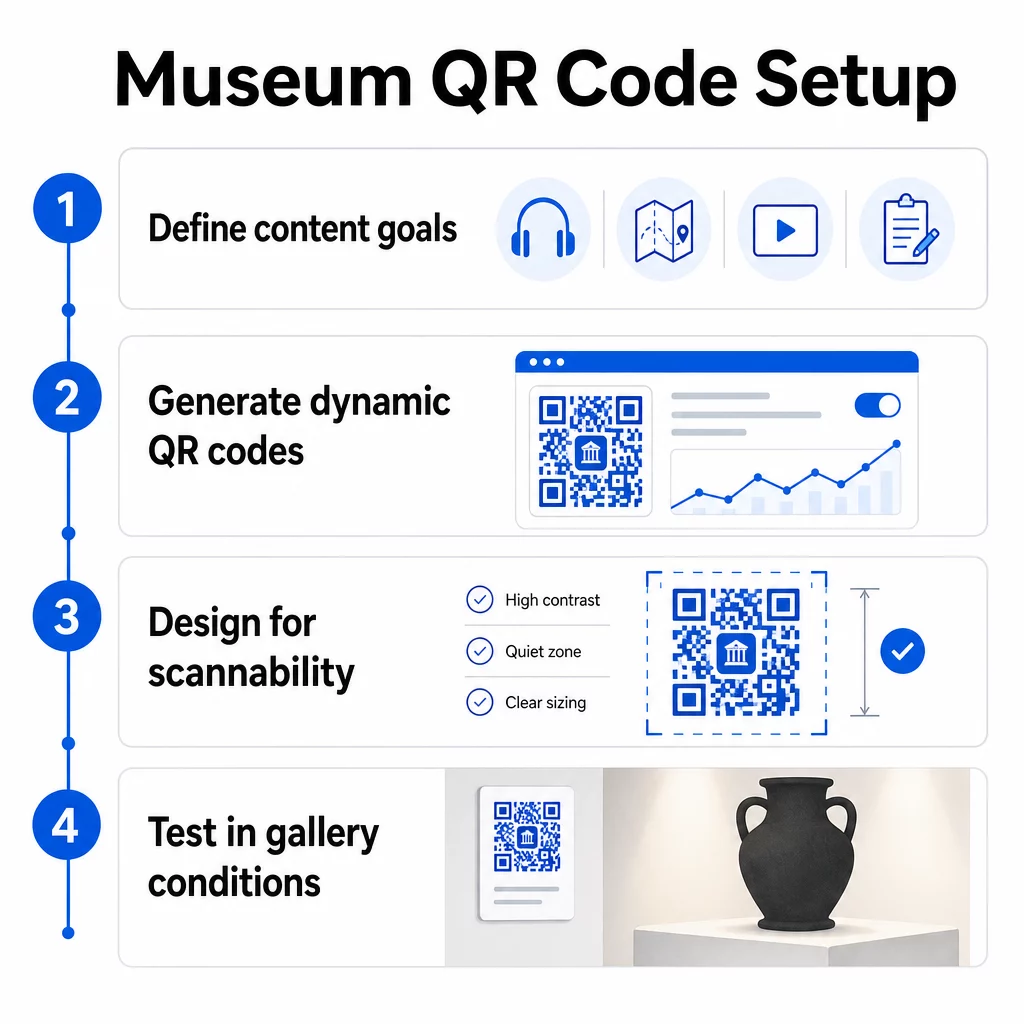
Шаг 1: Определите свой контент и цели
Прежде чем генерировать хотя бы один код, решите, что каждый код будет предоставлять и кому он служит. Аудиогид для ключевого артефакта имеет иные требования, чем форма обратной связи на выходе. Составьте карту типов ваших кодов – аудио, карта PDF, видео, ссылка на опрос – и сопоставьте каждый с соответствующим форматом контента.
Шаг 2: Сгенерируйте свои коды
Используйте платформу QR-кодов, которая поддерживает динамические коды, чтобы вы могли обновлять пункты назначения без перепечатки. Pageloot’s Генератор QR-кодов позволяет создавать коды для URL-адресов, PDF-файлов, аудиофайлов, видео и многого другого, а затем управлять ими с единой панели инструментов. Динамические коды также предоставляют аналитику сканирования – отслеживание объема, местоположения, типа устройства и времени – чтобы вы могли видеть, какие экспонаты вызывают наибольший интерес.
Отслеживайте вовлеченность в экспозиции Хотите знать, с какими артефактами посетители взаимодействуют больше всего? Используйте динамические QR-коды со встроенной аналитикой для мониторинга данных сканирования по каждой экспозиции в вашем музее.
Шаг 3: Разработайте дизайн для сканируемости
Применяйте последовательный брендинг – цвета и логотип вашего музея – сохраняя при этом высокий контраст между кодом и его фоном. Сохраняйте четкую тихую зону (пустую границу) вокруг каждого кода. Для подробных рекомендаций по дизайну, лучшим практикам читаемости QR-кодов статья охватывает коэффициенты контрастности, тихие зоны, размещение логотипа и уровни коррекции ошибок в практическом плане.
Шаг 4: Распечатайте и разместите коды стратегически
Печатайте коды достаточного размера для ожидаемого расстояния сканирования, используя векторные форматы высокого разрешения (SVG, EPS или PDF), чтобы избежать размытия. Размещайте их на уровне глаз рядом с экспонатом, на который они ссылаются – не через всю комнату. Для крупномасштабных или сложных инсталляций, полному руководству по размещению QR-кодов предоставляет рекомендации, специфичные для окружающей среды, которые хорошо применимы в музейных условиях.
Шаг 5: Протестируйте перед открытием
Протестируйте каждый код как на устройствах iOS, так и на Android, в реальных условиях освещения вашей галереи. Убедитесь, что связанные страницы быстро загружаются по сотовой связи (а не только по WiFi), что аудио- и видеоконтент воспроизводится корректно, и что любые альтернативные маршруты доступа работают должным образом.
Популярные музеи, использующие QR-коды
- Смитсоновский национальный музей естественной истории использовал опыт дополненной реальности, связанный с QR-кодами, чтобы оживить физические экспонаты с помощью цифровых наложений и 3D-реконструкций.
- Музей Метрополитен интегрирует доступ по QR-коду в стандартный опыт посетителей как опцию для доступа к своему цифровому гиду.
- Музей Акрополя предлагает аудиогид на основе QR-кодов, который позволяет проводить самостоятельные экскурсии, делая посещение более гибким и информативным для иностранных посетителей.
- Британский музей использует QR-коды, чтобы посетители могли получить доступ к дополнительному контенту и узнать больше об экспонатах в своем собственном темпе.
Для более широкой перспективы инновационных применений, руководство по QR-кодам для виртуальных художественных туров документирует, как учреждения используют эти инструменты для расширения музейного опыта за пределы физических стен.
Часто задаваемые вопросы
QR-код музея может вести к почти любому цифровому контенту: аудиорассказам, видеогидам, возможностям дополненной реальности, PDF-картам, страницам с информацией об экспонатах, многоязычному тексту, формам обратной связи, порталам для пожертвований или виртуальным турам. Выбранный формат зависит от того, что наилучшим образом соответствует потребностям каждого экспоната и посетителя.
Нет. Современные смартфоны на iOS и Android могут сканировать QR-коды напрямую, используя встроенное приложение камеры – отдельное приложение не требуется. Некоторым старым устройствам может потребоваться специальный сканер QR-кодов, поэтому рекомендуется упомянуть об этом в ваших инструкциях и убедиться, что ваш связанный контент быстро загружается в стандартном мобильном браузере.
Динамические QR-коды позволяют обновлять содержимое, на которое указывает код, в любое время без перепечатки физического кода. Это означает, что вы можете обновлять описания экспонатов, заменять аудиофайлы для нового сезона или исправлять неработающую ссылку, не нарушая целостности ваших печатных вывесок. Динамические коды также предоставляют аналитику сканирований – показывая, какие экспонаты привлекают наибольшее внимание, в какое время и на каких устройствах – предоставляя вашей команде полезные данные для планирования экспозиций и улучшения опыта посетителей.