Нужен быстрый, сканируемый способ связать физические материалы с цифровым контентом? Наклейки с QR-кодом превращают любую поверхность в интерактивную точку взаимодействия – и чтобы они работали правильно, нужно понимать материалы, дизайнерские решения и типы кодов, которые определяют, будут ли клиенты их сканировать.
Что такое наклейки с QR-кодом?
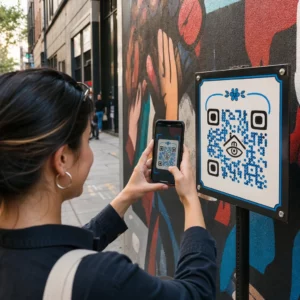
Наклейки с QR-кодом — это самоклеящиеся этикетки с напечатанным сканируемым QR-кодом. Когда клиент наводит на него камеру смартфона, код мгновенно перенаправляет его на веб-сайт, цифровое меню, страницу контактов, рекламное предложение или любой другой контент, который вы связали. Компании используют их на упаковке продуктов, витринах магазинов, транспортных средствах, столах в ресторанах, вывесках мероприятий и упаковочных материалах – везде, где физическая поверхность может начать цифровое взаимодействие.
Ключевое различие, которое имеет значение до того, как вы напечатаете хотя бы одну наклейку: является ли ваш код СТАТИЧЕСКИЙ ИЛИ ДИНАМИЧЕСКИЙ.
- A статический QR-код кодирует свое назначение навсегда. После печати его нельзя изменить, и он не отслеживает сканирования.
- A динамический QR-код указывает на короткий URL-адрес перенаправления, который вы можете обновить в любое время – без повторной печати. Он также записывает данные сканирования, включая время, объем и географическое положение.
Для применения наклеек, где вы будете печатать большими тиражами или проводить ограниченные по времени кампании, Динамический QR код: генератор является практичным выбором. Изменение акции или обновление URL-адреса ничего не стоит, когда наклейки уже находятся на полках или транспортных средствах.
Отслеживайте каждое сканирование с ваших наклеек Хотите точно знать, какие места размещения наклеек стимулируют вовлеченность? Используйте Динамический QR код: генератор для создания редактируемых, отслеживаемых кодов с полной аналитической панелью – повторная печать не требуется при изменении вашего контента.
Как создать QR-код для ваших наклеек
Получение готового к печати QR-кода состоит из трех шагов:
- Сгенерируйте свой QR-код. Используйте генератор QR-кодов для создания кода, который ссылается на ваш целевой контент – URL-адрес, PDF, цифровое меню, vCard или другое назначение. Если вы планируете обновлять это назначение или отслеживать производительность сканирования, создайте динамический код.
- Настройте дизайн. Добавьте свой логотип, фирменные цвета и рамку с призывом к действию, чтобы сделать наклейку узнаваемой и стоящей сканирования. Этот QR код с логотипом позволяет встроить логотип непосредственно в код, что повышает узнаваемость бренда и скорость сканирования по сравнению с обычными черно-белыми кодами.
- Скачайте в формате, готовом к печати. Экспортируйте свой код как SVG, EPS или PDF для векторного масштабирования, или как PNG высокого разрешения если вы встраиваете его в дизайн этикетки. Передайте эти файлы вашему производителю наклеек или используйте их с печатными листами наклеек дома.
Выбор подходящего материала для наклеек
Выбор материала напрямую влияет на то, будет ли ваш QR-код надежно сканироваться в предполагаемой среде. Основные варианты, с которыми вы столкнетесь у производителей наклеек, это:
- Глянцевый ламинат BOPP или PET – подходит для использования в помещении и на улице, яркие цвета, но может отражать свет от верхнего освещения и затруднять сканирование под определенными углами.
- Матовый ламинат BOPP – уменьшает блики при магазинном освещении и солнечном свете, что делает его предпочтительным выбором для наклеек, которые будут сканироваться в магазине или на кассе. Многие бренды и дизайнеры также предпочитают изысканный вид.
- Прозрачный материал для наклеек – печатается белыми чернилами за цветами, чтобы сохранить видимость дизайна; хорошо подходит для этикеток на бутылки и упаковки, где вы хотите получить эффект “без этикетки”.
- Винил с ламинатом – прочный и устойчивый к атмосферным воздействиям, рекомендуется для наружного применения, автомобильных наклеек и любых поверхностей, подверженных воздействию влаги или УФ-излучения. Виниловые наклейки с QR-кодом служат значительно дольше, чем стандартные бумажные этикетки в таких условиях.
- Тонкий этикеточный материал БОПП – достаточно гибкий, чтобы соответствовать изогнутым поверхностям, что делает его практичным выбором для бутылок и упаковки продуктов.
Матовые покрытия обычно сканируются быстрее и надежнее, чем глянцевые, когда коды будут сканироваться при ярком или прямом свете. Если ваши наклейки будут использоваться на улице или на транспортных средствах, отдавайте предпочтение водонепроницаемому винилу, а не материалам на бумажной основе.
Спецификации размера и дизайна, влияющие на сканируемость
Наклейка с QR-кодом, которая ненадежно сканируется, хуже, чем отсутствие наклейки вообще. Перед отправкой файлов в печать убедитесь, что эти требования соблюдены:
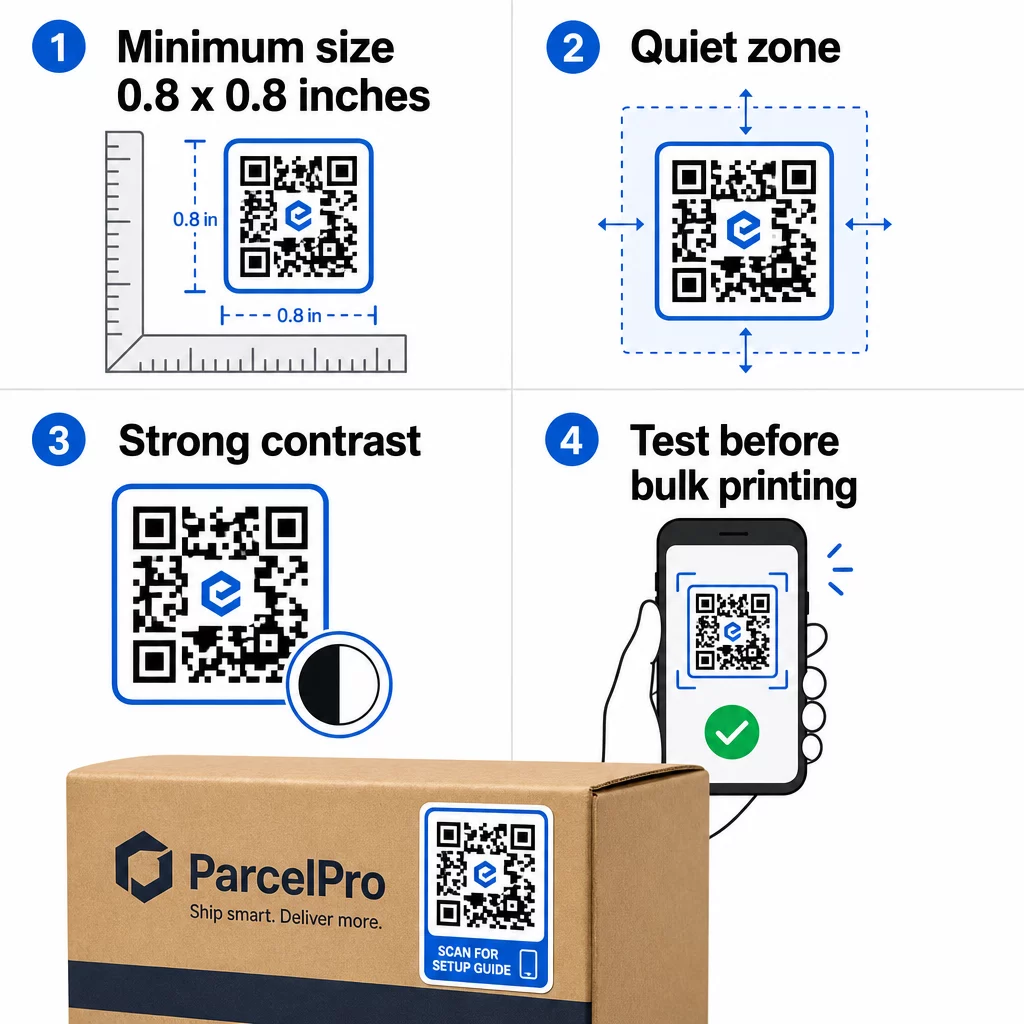
- Минимальный размер: 0,8 × 0,8 дюйма (2 × 2 см) для простой ссылки. Более крупные коды с большей плотностью данных должны быть пропорционально увеличены.
- Тихая зона: Оставьте не менее четырех модулей чистого, незапечатанного пространства со всех четырех сторон кода. Текст, логотипы или рамки, размещенные внутри этого поля, вызывают сбои сканирования.
- Коэффициент контрастности: Поддерживайте коэффициент контрастности не менее 4:1 между темными модулями и светлым фоном. Черный на белом остается наиболее надежной комбинацией. Избегайте инверсий светлого на темном – многие сканеры не справляются с инвертированными цветовыми схемами.
- Без градиентов на модулях кода: Градиенты создают полутона, которые сканерам трудно считывать. Используйте только сплошные цвета.
- Протестируйте перед массовой печатью: Отсканируйте свой код с помощью нескольких устройств – разных телефонов, разных приложений камеры – и протестируйте в условиях освещения, где наклейка будет фактически использоваться. Для уличных наклеек тестируйте при солнечном свете. Для наклеек на розничных полках тестируйте при флуоресцентном освещении.
Для полного обзора размеров для различных печатных материалов см. руководство по размеру QR-кода для различных печатных материалов. For contrast and color guidance, лучшим практикам контрастности цветов QR-кода . Для рекомендаций по контрасту и цвету,.
Где использовать наклейки с QR-кодом
Наклейки с QR-кодом работают в широком спектре бизнес-приложений. Вот наиболее распространенные и эффективные места размещения:
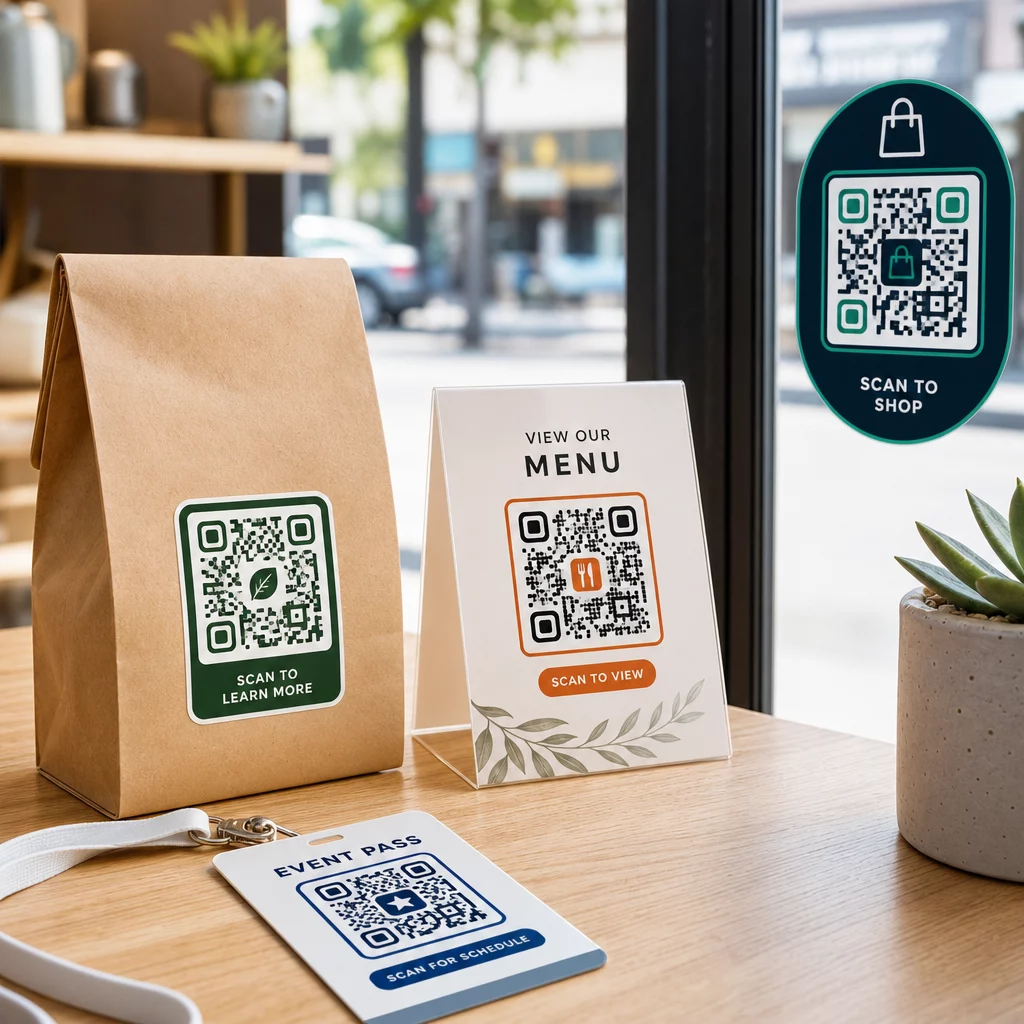
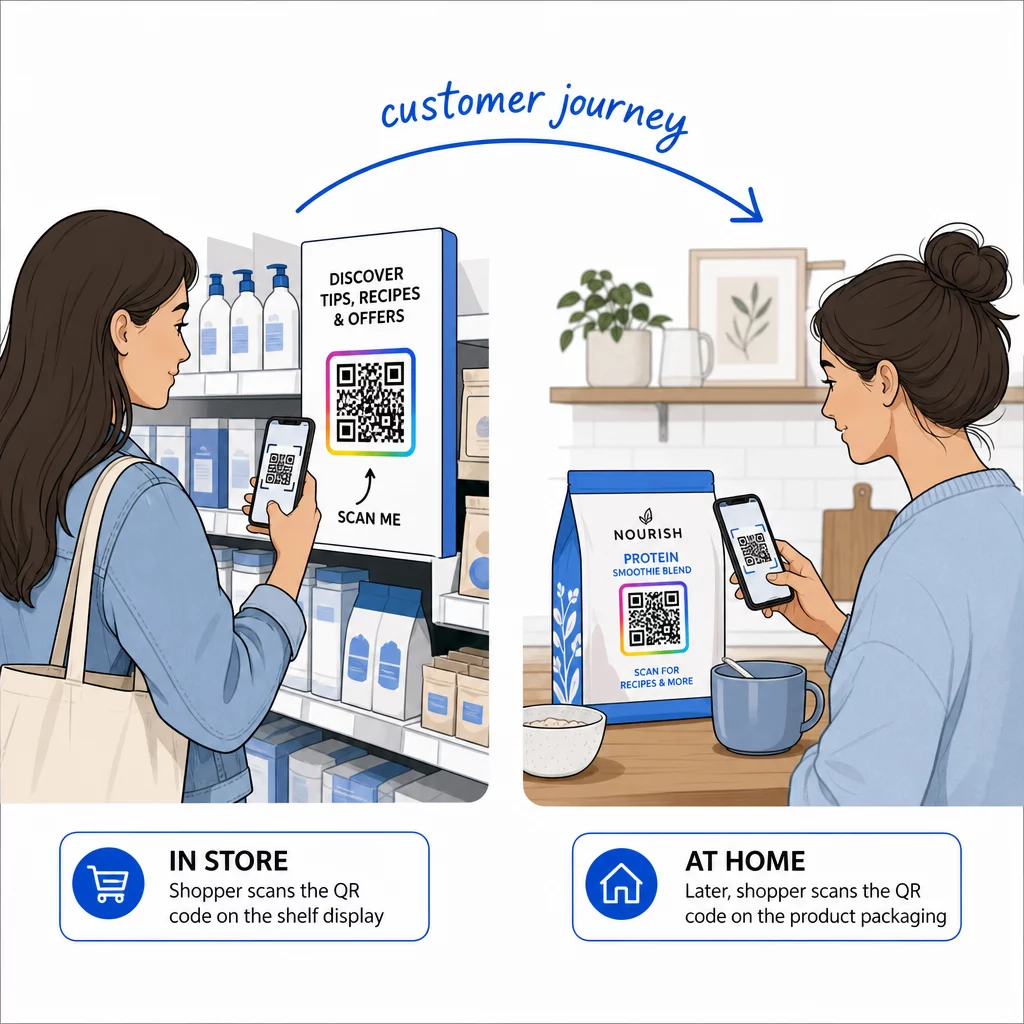
Упаковка продукта и этикетки – Свяжите клиентов с инструкциями по продукту, информацией об ингредиентах, видеоуроками, скидочными кодами или страницами отзывов. Наклейки работают как на первичной упаковке (сам продукт), так и на вторичной упаковке (коробки, рукава). Для более глубокого изучения возможностей см. QR-коды на упаковке продукта а также полного руководства по QR-кодам для этикеток продуктов.
Столы в ресторанах и гостиницах – Наклейка с QR-кодом на столе или двери связывает гостей с цифровым меню, паролем Wi-Fi или платформой для отзывов. Динамические коды позволяют обновлять меню или акции, не заменяя каждую наклейку.
Витрины магазинов и двери – Наклейки на окна с QR-кодом — это эффективный способ поделиться часами работы, акциями или ссылками на социальные сети с пешеходами, проходящими мимо в нерабочее время.
Наклейки на транспортные средства – Наклейка с QR-кодом на корпоративном автомобиле превращает его в мобильную рекламу, связывая любого, кто ее сканирует, со страницей бронирования, списком услуг или контактной формой.
Упаковка для розничной торговли и электронной коммерции – Наклейки на исходящих отправлениях или коробках с продуктами могут направлять клиентов к видеороликам распаковки, программам лояльности или страницам перекрестных продаж, не увеличивая объем упаковки.
Вывески и билеты на мероприятия – Добавьте наклейки с QR-кодом на бейджи, вывески или билеты, чтобы связать участников с расписанием, процедурами регистрации или ресурсами для докладчиков.
| Тип наклейки | Лучший материал | Типичное использование |
|---|---|---|
| Наклейка с индивидуальным брендом | Матовый или глянцевый БОПП | Упаковка продуктов, акции |
| Водонепроницаемая уличная наклейка | Винил с ламинатом | Наклейки на транспорт, наружная реклама |
| Наклейка или аппликация на окно | Прозрачный или белый винил | Витрины магазинов, розничные окна |
| Маленькая этикетка-наклейка | Тонкий БОПП | Бутылки, бирки для продуктов, визитные карточки |
| Наклейка на стол в ресторане | Матовый ламинат | Ссылки на меню, ссылки на страницы отзывов |
Использование динамических QR-кодов для стикер-кампаний
Для любой кампании, где пункт назначения может меняться – сезонные акции, обновления меню, ротирующиеся предложения – динамические QR-коды незаменимы. Сама наклейка не меняется; меняется только URL-адрес назначения, стоящий за ней. Это важно, когда вы напечатали тысячи наклеек, а URL целевой страницы изменился, или когда акция заканчивается, и вы хотите перенаправить сканеров на новое предложение.
Динамические коды также предоставляют вам аналитику сканирований: общее количество сканирований, время сканирования и географические данные. Это позволяет вам оценить, какие размещения действительно стимулируют вовлеченность, и соответствующим образом скорректировать их. Наклейка на упаковке продукта работает иначе, чем на витрине магазина, и аналитика помогает вам четко увидеть эту разницу.
Для QR-коды на упаковке, используемые для розничных кампаний, динамические коды также позволяют проводить A/B-тестирование, направляя разные партии кодов на разные целевые страницы и сравнивая результаты.
Обновите свою стикер-кампанию без перепечатки Проводите ограниченную по времени акцию? Динамический QR код: генератор позволяет перенаправить ваши наклейки на новый URL-адрес в момент окончания кампании – никаких новых наклеек, никаких напрасных тиражей.
Часто задаваемые вопросы
Минимальный надежный размер для простой URL-ссылки составляет 0,8 × 0,8 дюйма (2 × 2 см). Для наклеек, расположенных дальше от сканера – на вывесках или наклейках на транспортных средствах – увеличивайте размер пропорционально. Общее правило – делать код размером не менее одной десятой от расстояния сканирования. Всегда оставляйте чистую тихую зону не менее четырех модулей вокруг кода со всех сторон и тестируйте окончательный размер на реальных устройствах перед массовой печатью.
Не если это статический QR-код – они кодируют свое назначение навсегда. Однако с динамическим QR-кодом вы можете изменить связанный URL-адрес, файл или контент в любое время через панель управления вашей учетной записи, не трогая наклейку. Это делает динамические коды практичным выбором для любого применения, где URL-адреса или акции могут меняться, включая упаковку продуктов, сезонные кампании и меню ресторанов.
Виниловые наклейки с ламинированным покрытием являются наиболее долговечным вариантом для наружного использования. Они гораздо лучше противостоят воде, УФ-излучению и физическому износу, чем бумажные или стандартные этикетки из БОПП. Матовый ламинат уменьшает блики под прямыми солнечными лучами, что улучшает сканируемость. Для таких поверхностей, как транспортные средства или наружные вывески, убедитесь, что ваш принтер предлагает УФ-стойкие материалы, предназначенные для долгосрочного наружного применения.