
Are paper job logs, untracked equipment, and payment delays slowing down your plumbing business? Missing service histories and misplaced tools cost field teams valuable billable hours while creating administrative headaches. Placing scannable QR codes on equipment labels, invoices, and job tags bridges physical plumbing workflows with digital management.
Streamline Service History with Equipment Service Labels
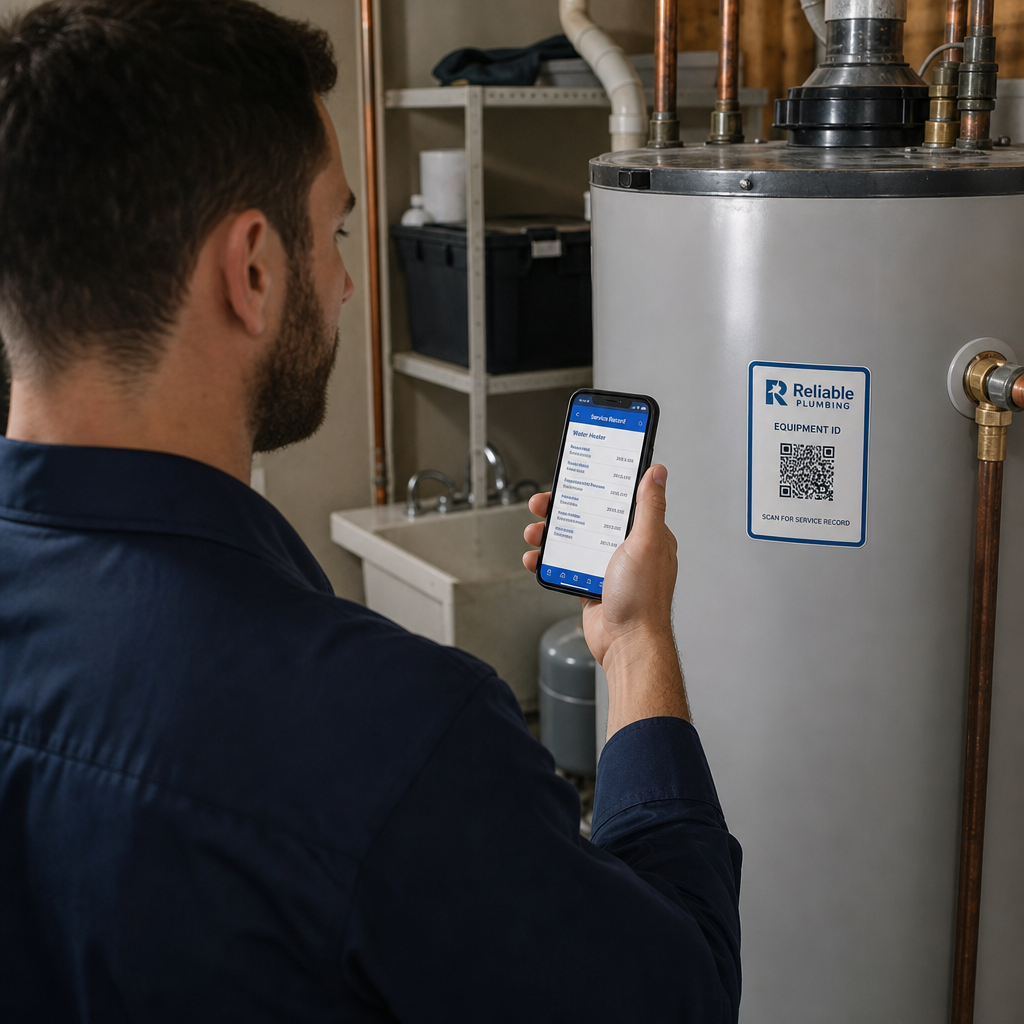
Plumbing systems such as water heaters, boilers, backflow preventers, and main shut-off valves require routine maintenance and inspection. Attaching durable QR code labels directly to this equipment creates a reliable link between the physical fixture and its digital service history.
When a technician or property owner scans the equipment label using a smartphone, they can immediately access critical operational records:
- Viewing maintenance logs, including previous repair dates, replaced parts, and technician notes.
- Downloading equipment documentation, user manuals, and spec sheets created with a PDF QR code generator.
- Ordering replacement filters, valves, or components directly through dedicated manufacturer links.
- Contacting emergency support through instant call prompts or direct service request forms.
Using dynamic QR codes on service stickers ensures that you can update linked maintenance logs or user manuals over time without printing and applying new stickers after every visit. For specialized field workflows, explore our guide on service industry QR solutions.
Track Plumbing Tools and Machinery in the Field
Field equipment like drain snakes, press tools, pipe location cameras, and leak detectors frequently move between service vans and job sites. Paper clipboards and manual spreadsheets make tracking asset locations difficult, increasing the risk of lost or misplaced inventory.
Placing QR asset tags on high-value plumbing equipment establishes a quick, structured management system:
- Instant Check-In and Check-Out: Technicians scan the tool with a mobile device to log who is using the equipment and at which job site location.
- Calibration and Inspection Logs: Maintain digital compliance records to know when specialized tools require recalibration, safety checks, or routine maintenance.
- Centralized Asset Records: Store serial numbers, purchase dates, and complete repair histories in a centralized database linked to the physical asset label.
Because plumbing tools encounter water, pipe grease, and heavy handling, print tags on industrial-grade materials such as weather-resistant vinyl or polyester. Applying a protective overlaminate and maintaining clear visual contrast keeps codes readable under harsh conditions. To learn more about managing physical assets with digital tags, review our guide on equipment tracking best practices.
Upgrade Your Asset Tracking and Service Labels Want to update equipment manuals or track field scans without reprinting your tags? Use the QR Code Generator to build flexible, trackable codes for your plumbing operations today.
Collect Authentic Customer Reviews on Job Completion
Customer reviews drive local search visibility and build consumer trust for home service businesses. However, asking clients to search for your business manually after a service call yields low response rates.
Placing a scannable review tag on completed job stickers, leave-behind cards, or paper receipts simplifies the review process. Customers point their smartphone camera at the code and land directly on your review page.
When collecting feedback with a Google review QR code generator, align your approach with Federal Trade Commission (FTC) guidelines:
- Treat All Reviews Equally: Invite all customers to leave feedback without filtering or redirecting unsatisfied clients away from public review portals.
- Avoid Conditioned Incentives: Never offer discounts, payments, or gifts in exchange for expressing a specific positive sentiment or rating.
- Disclose Material Connections: If you offer a general contest entry or token of appreciation for leaving an honest review, clearly disclose that incentive alongside the review request.
For broader feedback strategies, read our overview on QR codes for customer feedback.
Speed Up Payments with Invoices and Digital Receipts
Delayed payments for completed plumbing work create cash flow bottlenecks. Adding scannable codes to physical estimates, job work orders, or printed billing statements allows customers to settle their bills immediately while the technician is still on site.
Scanning an invoice code routes the customer directly to a secure online payment portal where they can pay via credit card, digital wallet, or bank transfer. You can establish direct destination links using a link QR code generator.
To keep billing processes secure and compliant:
- Display Secure Web Addresses: Advise clients to verify that the destination URL begins with standard secure protocol (`https://`) before entering financial information.
- Maintain Financial Records: Keep complete digital copies of all issued invoices and payment receipts. General business tax rules require retaining billing records for three to seven years to support tax compliance and auditing standards.
Learn more about optimizing billing workflows by visiting our guide on QR codes on invoices.
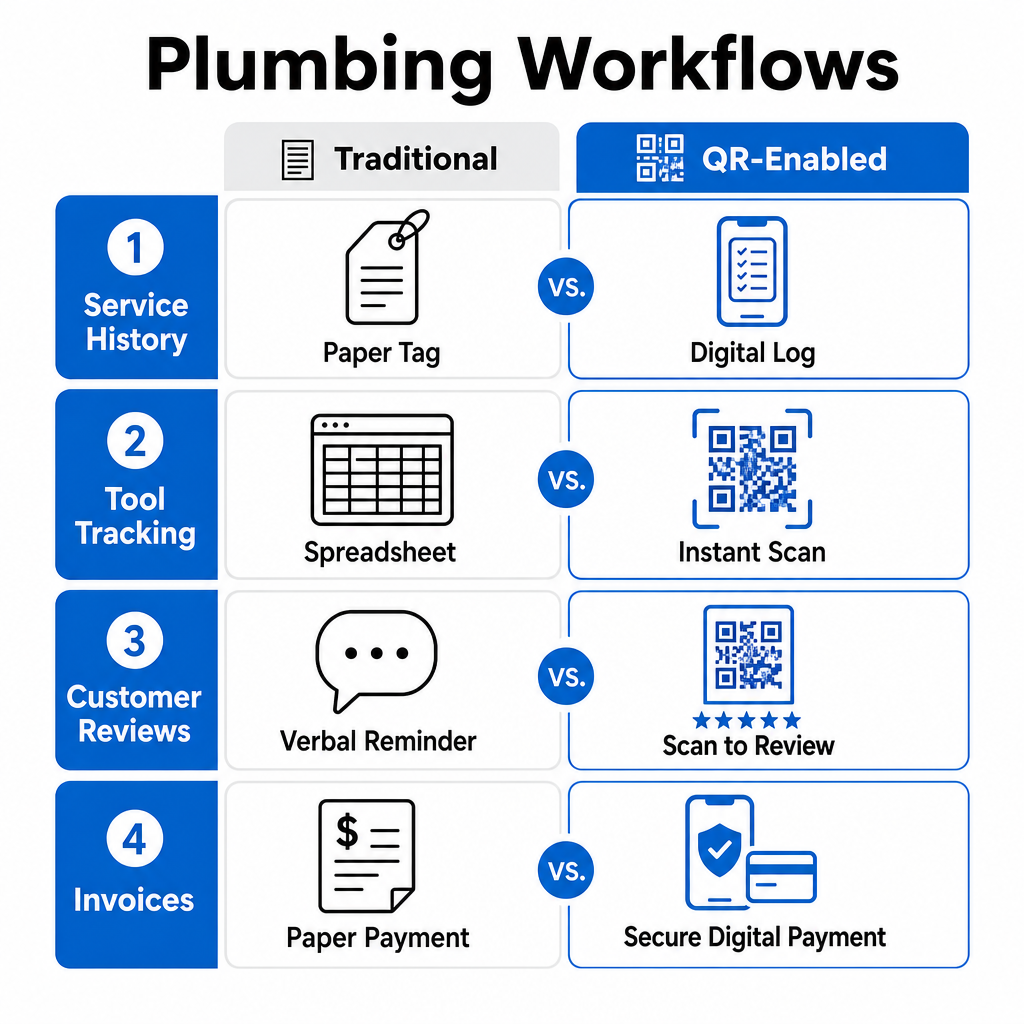
Traditional Workflows vs. QR-Enabled Plumbing Operations
| Operational Task | Traditional Method | QR-Enabled Method |
|---|---|---|
| Equipment Service History | Handwritten paper tags that fade, tear, or smudge near water heaters. | Permanent scannable tags linked to digital logs updated on every visit. |
| Tool & Asset Tracking | Manual spreadsheets and end-of-week paper check-ins. | On-the-spot smartphone scans capturing user, time, and job site location. |
| Customer Review Gathering | Verbal reminders or follow-up email chains with low conversion. | Instant scan-to-review prompts on finished job stickers and receipts. |
| Invoice Processing | Mailing paper checks or manual phone calls to collect credit card details. | Instant digital payment links integrated directly into billing documents. |
Best Practices for Printing Plumbing QR Codes
Plumbing environments present environmental challenges like dark utility closets, damp basements, and chemical exposure. Follow these printing guidelines to ensure every code scans reliably:
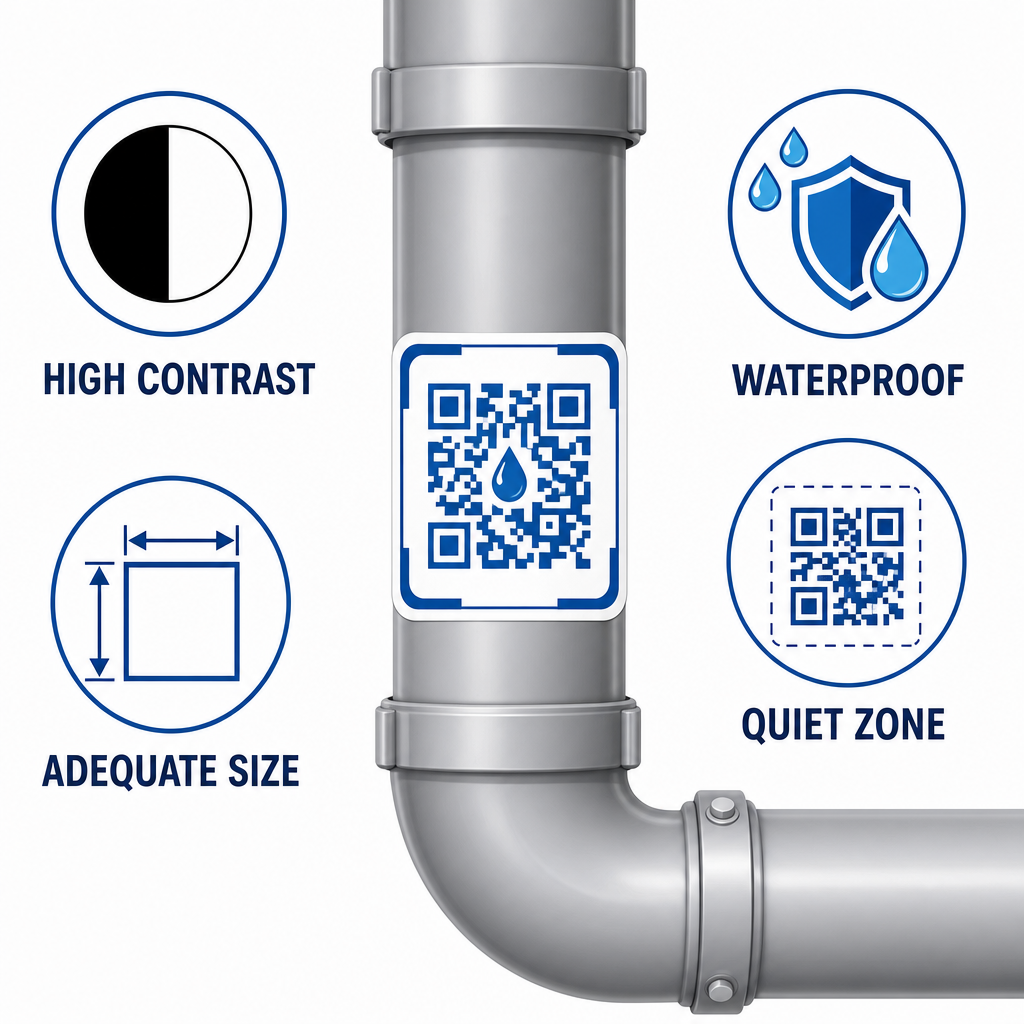
- Maintain High Contrast: Print dark foreground patterns on light backgrounds (preferably black on white). Ensure a contrast ratio of at least 4:1 between the code and its background.
- Select Durable Materials: Choose industrial polyester, metallic tags, or clear overlaminates to shield the code from moisture, extreme heat, pipe sweating, and abrasion.
- Respect Minimum Sizing: Keep close-range codes at least 2×2 cm (0.8×0.8 inches). For labels placed on high ceilings or in dimly lit equipment rooms, expand the code size to at least 5×5 cm (2×2 inches).
- Preserve the Quiet Zone: Maintain an unprinted margin (quiet zone) around all four sides of the code that is at least four modules wide.
- Test Across Devices: Scan printed test samples using both Android and iOS devices under realistic job site lighting conditions before placing bulk print orders.
Modernize Your Plumbing Operations with Scannable Touchpoints
Integrating QR codes into equipment labels, tool tags, review requests, and invoice workflows eliminates manual data entry and improves operational transparency. Simple physical labels allow field technicians to access accurate records instantly while giving clients direct access to support and digital payment options.
Start streamlining your service workflows today. Explore Pageloot industry solutions to generate, manage, and track custom dynamic codes across your entire plumbing business.
Frequently Asked Questions
Dynamic QR codes allow you to edit destination links or updated manuals at any time without reprinting physical equipment labels. They also provide scan analytics to track when and where tags are scanned in the field.
Print codes on industrial polyester or vinyl substrates with a clear laminating overlay. This layer protects printed ink from water exposure, UV rays, pipe sweating, and harsh cleaning chemicals.
You can offer non-coercive incentives for honest reviews, but FTC regulations prohibit conditioning incentives on positive sentiment. You must treat all reviews equally and clearly disclose any material incentive provided.