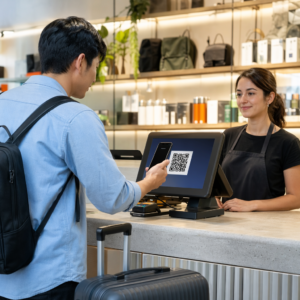
Pernahkah anda menyimpan tangkapan skrin kod QR, hanya untuk menyedari kamera telefon anda tidak dapat mengimbas skrin anda sendiri? Mencuba membuka pautan dari imej yang disimpan adalah mengecewakan apabila aplikasi kamera standard menjangkakan objek fizikal. Nasib baik, anda boleh menyahkod sebarang tangkapan skrin kod QR dengan mudah menggunakan alatan telefon pintar terbina dalam atau alatan berasaskan web.
Mengimbas Tangkapan Skrin Kod QR pada Peranti iPhone dan iOS
iPhone moden yang menjalankan iOS 11 atau lebih baru termasuk ciri sistem asli yang mengurai data imej yang disimpan dalam pustaka foto anda. Anda tidak perlu memuat turun perisian pihak ketiga hanya untuk mengekstrak pautan yang disimpan daripada fail imej.
Ikuti langkah-langkah ini untuk menyahkod tangkapan skrin dalam iOS:
- Buka apl Foto dan cari tangkapan skrin yang disimpan.
- Tekan dan tahan kod QR matriks sehingga menu pilihan muncul.
- Pilih tindakan pilihan anda untuk membuka pautan dalam Safari, salin URL, atau kongsi kandungan.
Jika peranti anda menyokong Teks Langsung (iOS 15 dan ke atas), ikon Teks Langsung juga muncul di sudut kanan bawah penonton foto. Mengetik ikon ini menyerlahkan kod QR secara automatik dan memaparkan sepanduk tindakan yang boleh diklik di bawahnya. Untuk versi iOS yang lebih lama atau persediaan perkakasan khusus, menyemak panduan lengkap kami tentang mengimbas kod QR pada iPhone menyediakan jalan penyelesaian manual tambahan.
Mengekstrak Pautan Kod QR Daripada Tangkapan Skrin pada Android
Sistem pengendalian Android memanfaatkan pengecaman aksara optik untuk memproses fail imej yang disimpan dalam storan tempatan anda. Peranti yang dilengkapi dengan Google Play Perkhidmatan boleh mengekstrak data terbenam dengan serta-merta melalui galeri foto anda.
Ikuti langkah-langkah ini untuk memproses tangkapan skrin pada Android:
- Lancar Google Foto dan pilih tangkapan skrin yang disimpan daripada galeri anda.
- Ketik ikon Google Lens berhampiran bahagian bawah skrin anda untuk menganalisis imej.
- Pilih URL pop timbul yang diserlahkan untuk membuka pautan destinasi atau melaksanakan tindakan yang disimpan.
Jika apl kamera atau galeri lalai anda kekurangan pengecaman optik asli, anda boleh mengetahui lebih lanjut tentang pintasan peranti alternatif dengan membaca panduan kami tentang mengimbas kod QR pada peranti Android.
Imbas Imej Kod QR Tersimpan Dengan Segera Perlu menyahkod kod QR yang disimpan pada peranti anda tanpa memasang perisian tambahan? Gunakan Pengimbas Kod QR Pageloot untuk memuat naik tangkapan skrin anda dan mengekstrak data anda dengan segera.
Membaca Tangkapan Skrin Kod QR pada Pelayar Desktop dan Web
Sistem pengendalian desktop seperti Windows dan macOS tidak selalu mempunyai pintasan kamera titik dan klik untuk fail yang disimpan. Walau bagaimanapun, pelayar web moden menawarkan cara pantas untuk mengurai fail imej terus dari cakera keras anda.
Kaedah 1: Google Lens dalam Chrome Desktop
Jika anda menemui imej kod QR semasa melayari atau disimpan pada komputer anda, Google Chrome menyediakan ciri pengecaman imej terbina dalam:
- Seret dan lepas fail tangkapan skrin terus ke dalam tab penyemak imbas Chrome yang terbuka.
- Klik kanan imej setelah ia dimuatkan di dalam tetingkap penyemak imbas.
- Pilih “Cari imej dengan Google” untuk melihat pautan yang dinyahkod dalam panel sisi.
Kaedah 2: Alatan Muat Naik Fail Berasaskan Web
Apabila bekerja merentasi berbilang sistem pengendalian desktop, memuat naik fail imej ke penyahkod berasaskan web adalah penyelesaian yang paling konsisten:
- Simpan tangkapan skrin ke desktop tempatan atau folder muat turun anda.
- Navigasi ke pengimbas dalam talian menggunakan mana-mana pelayar web moden.
- Muat naik fail imej ke zon seretan untuk mengurai muatan yang dikodkan dengan serta-merta.
Untuk meneroka teknik desktop tambahan merentasi Windows dan macOS, rujuk tutorial kami tentang mengimbas kod QR pada komputer riba.
Menyelesaikan Masalah Tangkapan Skrin Kod QR yang Tidak Dapat Dibaca
Kadangkala penyahkod imej gagal mengesan kod QR di dalam tangkapan skrin. Ralat teknikal biasanya berpunca daripada resolusi imej, corak matriks yang dimampatkan, atau margin yang tidak mencukupi.
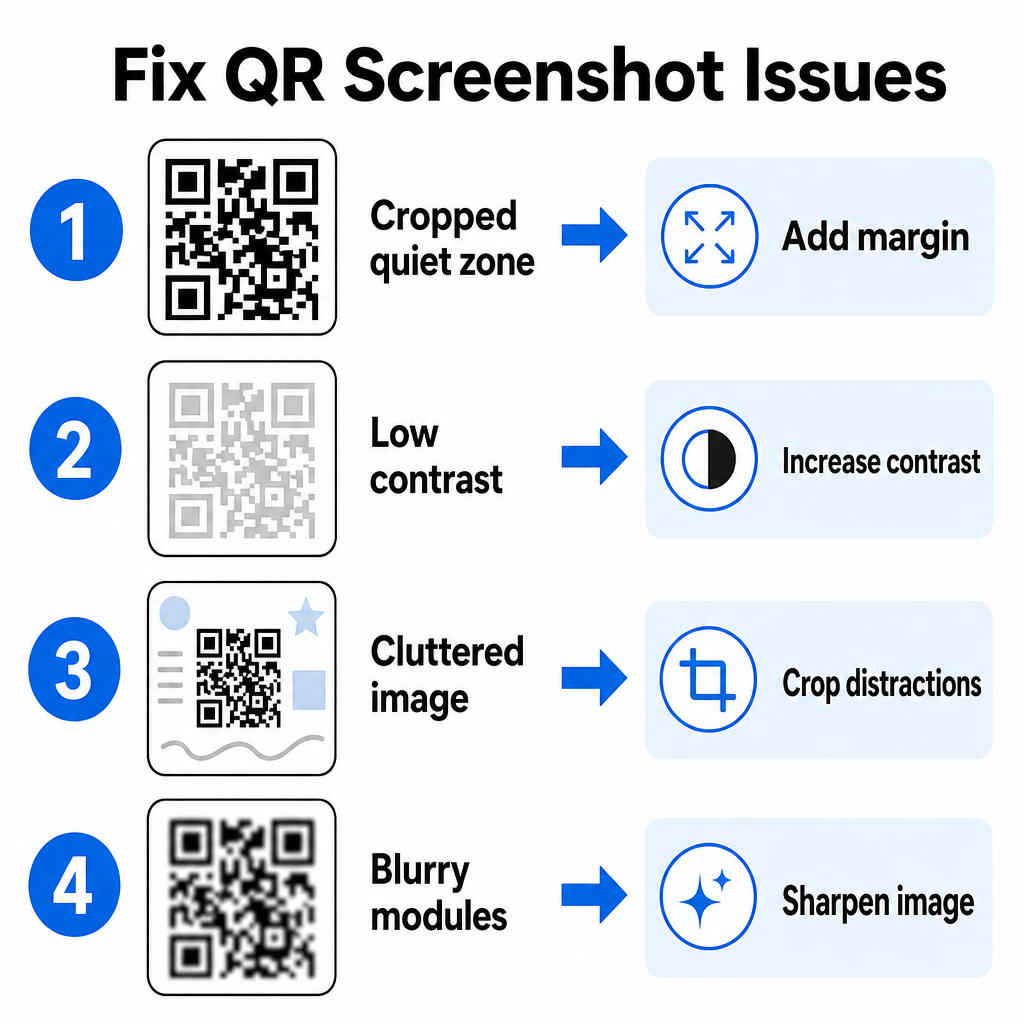
| Masalah | Punca | Penyelesaian |
|---|---|---|
| Zon Senyap Tiada | Bingkai putih di sekeliling kod dipotong terlalu ketat. | Edit foto untuk menambah margin putih selebar sekurang-kurangnya 4 modul di sekeliling matriks. |
| Kontras rendah | Warna latar belakang bercampur dengan modul data gelap. | Tingkatkan kontras atau cerahkan latar belakang menggunakan editor imej asas. |
| Imej yang Sesak | Teks atau grafik sekeliling mengelirukan pengimbas optik. | Pangkas tangkapan skrin supaya kod QR memenuhi kebanyakan bingkai. |
| Modul Kabur | Resolusi rendah mendistorsikan corak data dan tanda penjajaran. | Tajamkan atau ubah saiz fail imej tangkapan skrin sebelum mengimbasnya semula. |
Memahami keperluan teknikal ini membantu anda membetulkan imej yang tidak boleh dibaca dengan cepat. Jika anda kerap mengendalikan imej resolusi rendah atau fail yang rosak, membandingkan apl pengimbas kod QR teratas boleh membantu anda memilih alatan khusus yang dilengkapi dengan algoritma pembetulan ralat yang lebih kukuh.
Data Apa yang Boleh Diekstrak Daripada Tangkapan Skrin Kod QR?
Kod QR menyimpan format data terstruktur di luar alamat tapak web ringkas. Bergantung pada cara pencipta membina kod, membaca imej yang disimpan boleh membuka pelbagai tindakan terus pada skrin anda:
- URL Web: Mengarahkan penyemak imbas anda ke halaman pendaratan, menu digital atau borang dalam talian.
- Butiran Kenalan vCard: Simpan nama, nombor telefon dan alamat e-mel terus ke kenalan anda.
- Kredensial Wi-Fi: Sambungkan peranti anda ke rangkaian wayarles dengan memindahkan nama SSID dan kata laluan.
- Nota Teks Biasa: Paparkan mesej tanpa format, kod promo atau arahan luar talian.
- Templat Komunikasi: Praisi mesej teks SMS atau draf e-mel dengan butiran penerima yang ditetapkan.
Mengetahui jenis data yang wujud memudahkan navigasi permintaan gesaan semasa memproses fail yang disimpan merentasi telefon pintar dan peranti mudah alih yang berbeza.
Amalan Terbaik Keselamatan untuk Mengimbas Imej Kod QR Tersimpan
Memandangkan tangkapan skrin menyembunyikan destinasi akhir pautan yang tertanam sehingga dinyahkod, penjenayah siber kadang-kadang menggunakan kod QR penipuan – amalan yang dikenali sebagai quishing – untuk mengarahkan pengguna ke tapak web berniat jahat. Melindungi maklumat peribadi anda memerlukan pengesahan asas sebelum membuka kandungan yang dinyahkod.
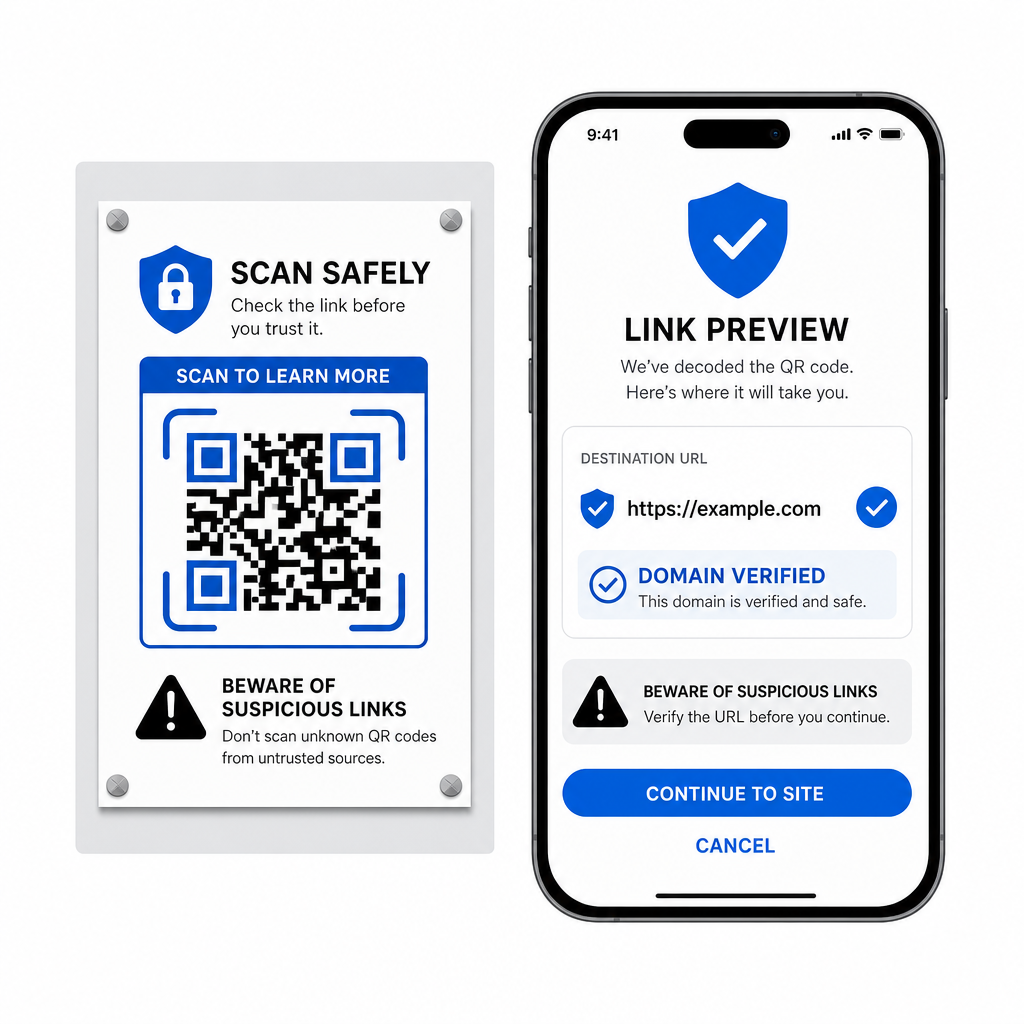
- Pratonton URL destinasi dalam menu pop timbul pengimbas sebelum membukanya.
- Sahkan ejaan domain untuk memastikan alamat web sepadan dengan nama jenama rasmi.
- Elakkan memasukkan kelayakan sensitif atau butiran pembayaran pada halaman yang dibuka terus daripada kod yang diimbas.
- Tolak gesaan muat turun yang tidak dijangka atau permintaan kebenaran yang muncul serta-merta selepas mengimbas.
Nyahkod Imej Kod QR Mana-mana Dengan Mudah
Anda tidak memerlukan telefon kedua atau kanta kamera fizikal untuk membaca kod QR yang disimpan pada skrin anda. Sama ada anda menekan lama imej dalam Apple Photos, mengimbas fail dengan Google Lens pada Android, atau memuat naik tangkapan skrin yang disimpan dalam penyemak imbas desktop, mengekstrak pautan tertanam hanya mengambil masa beberapa saat.
Untuk aliran kerja rentas platform terpantas tanpa memasang perisian tambahan, simpan pengimbas berasaskan penyemak imbas yang dibookmark supaya anda boleh meletakkan fail tangkapan skrin apabila anda perlu mendedahkan kandungan tersembunyinya.
Soalan lazim
Ya. iOS dan Android mempunyai penyahkod galeri terbina dalam seperti Apple Photos dan Google Lens yang mengekstrak data terus daripada imej yang disimpan. Sebagai alternatif, anda boleh memuat naik fail imej anda terus ke Pengimbas Kod QR Pageloot berasaskan web.
Apl kamera fizikal memerlukan input optik daripada kanta kamera luaran yang menuding pada objek. Membaca imej yang disimpan dalam storan dalaman peranti anda memerlukan perisian yang mampu menganalisis fail imej yang disimpan, seperti penyahkod foto galeri atau utiliti muat naik fail.
Pangkas tangkapan layar dengan ketat di sekitar matriks kode QR untuk menghilangkan gangguan latar belakang. Pastikan batas putih (zona tenang) di sekitar modul persegi tetap utuh, dan tingkatkan kecerahan atau kontras gambar jika desain terlihat gelap.