ホーム > ガイド > How to Scan a QR Code From a Screenshot
Scannen eines QR-Screenshots

How to Scan a QR Code From a Screenshot

Learn how to scan a QR code from a screenshot on iPhone, Android, or desktop using built-in photo tools, Google Lens, and web-based image decoders.
Updated on 7月 27, 2026
目次

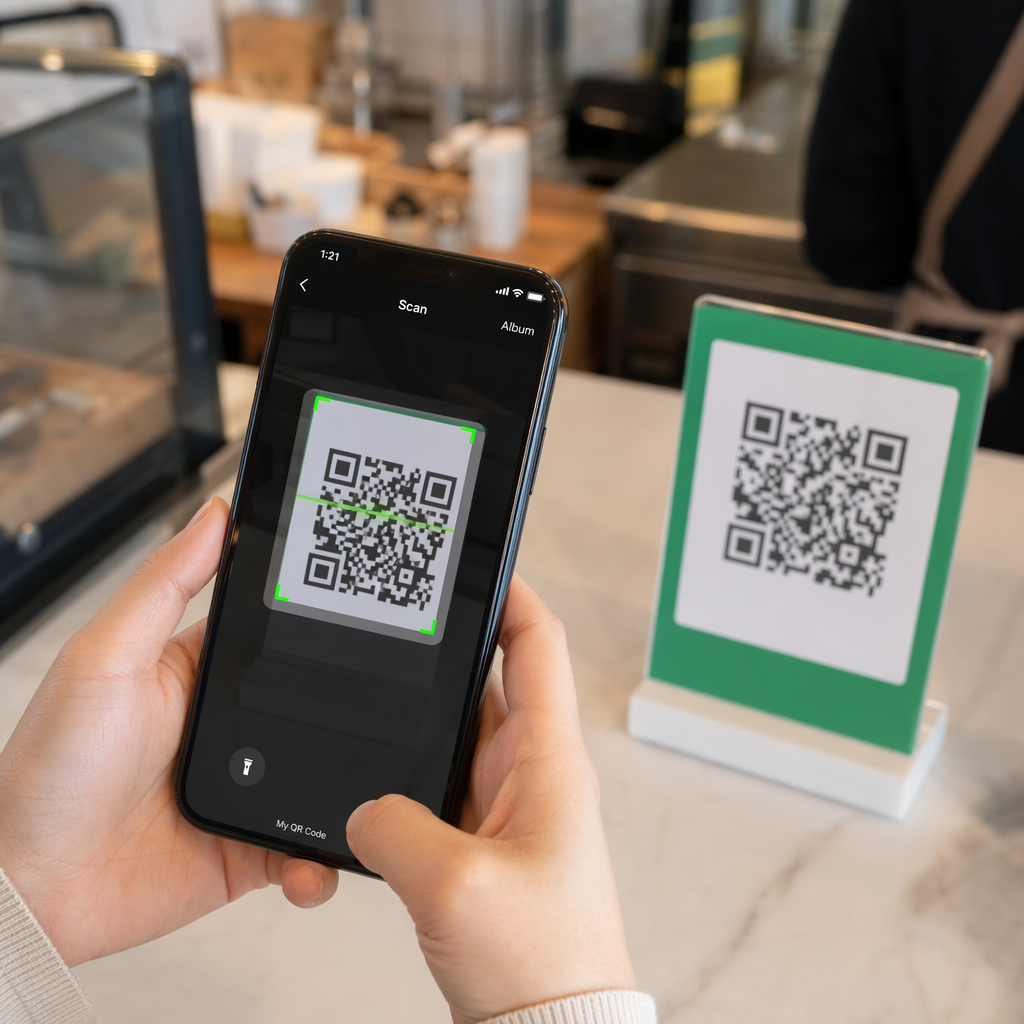
Have you ever saved a screenshot of a QR code, only to realize your phone camera cannot scan your own screen? Trying to open links from saved images is frustrating when standard camera apps expect a physical object. Fortunately, you can easily decode any QR code screenshot using built-in smartphone tools or web-based tools.

Scanning a QR Code Screenshot on iPhone and iOS Devices

Modern iPhones running iOS 11 or later include native system features that parse image data stored in your photo library. You do not need to download third-party software just to extract a saved link from an image file.

Follow these steps to decode a screenshot in iOS:

  • Open the Photos app and locate your saved screenshot.
  • Press and hold the QR code matrix until the selection menu pops up.
  • Select your preferred action to open the link in Safari, copy the URL, or share the content.

If your device supports Live Text (iOS 15 and higher), a Live Text icon also appears in the bottom-right corner of the photo viewer. Tapping this icon highlights the QR code automatically and displays a clickable action banner beneath it. For older iOS versions or specialized hardware setups, reviewing our complete guide on scanning QR codes on iPhone provides additional manual workarounds.

Extracting QR Code Links From Screenshots on Android

Android operating systems leverage optical character recognition to process image files saved in your local storage. Devices equipped with Google Play Services can extract embedded data instantly through your photo gallery.

Follow these steps to process a screenshot on Android:

  • Launch Google Photos and select the saved screenshot from your gallery.
  • Tap the Google Lens icon near the bottom of your screen to analyze the image.
  • Select the highlighted pop-up URL to open the destination link or execute the stored action.

If your default camera or gallery app lacks native optical recognition, you can learn more about alternative device shortcuts by reading our guide on scanning QR codes on Android devices.

Scan Saved QR Code Images Instantly Need to decode a QR code saved on your device without installing extra software? Use the ページルートQRコードスキャナ to upload your screenshot and extract your data immediately.

Reading QR Code Screenshots on Desktop and Web Browsers

Desktop operating systems like Windows and macOS do not always feature point-and-click camera shortcuts for saved files. However, modern web browsers offer quick ways to parse image files directly off your hard drive.

Method 1: Google Lens in Desktop Chrome

If you encounter a QR code image while browsing or saved on your computer, Google Chrome provides built-in image recognition features:

  • Drag and drop the screenshot file directly into an open Chrome browser tab.
  • Right-click the image once it loads inside the browser window.
  • Select “Search image with Google” to view the decoded link in the side panel.

Method 2: Web-Based File Upload Tools

When working across multiple desktop operating systems, uploading an image file to a web-based decoder is the most consistent solution:

  • Save the screenshot to your local desktop or downloads folder.
  • Navigate to an online scanner using any modern web browser.
  • Upload the image file into the drop zone to parse the encoded payload instantly.

To explore additional desktop techniques across Windows and macOS, consult our tutorial on scanning QR codes on laptops.

Troubleshooting Unreadable QR Code Screenshots

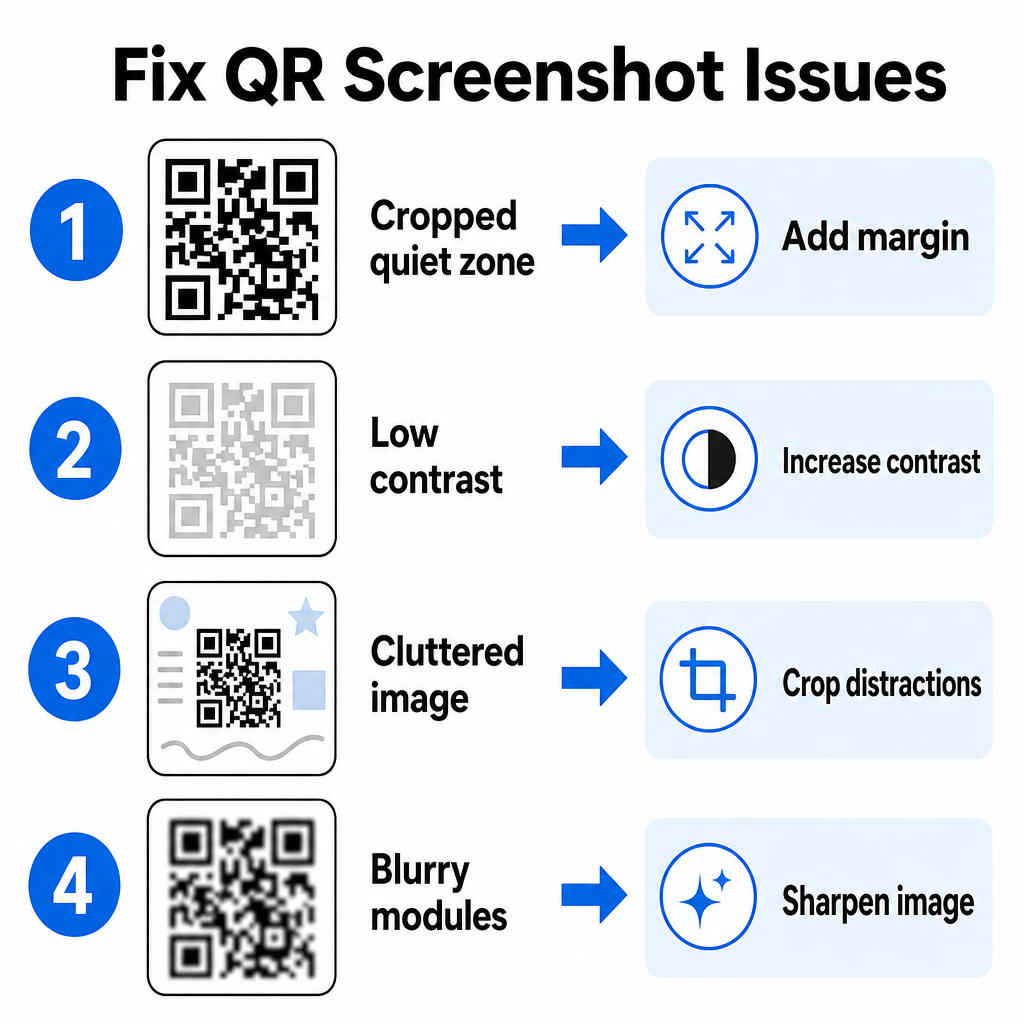
Sometimes an image decoder fails to detect a QR code inside a screenshot. Technical glitches usually stem from image resolution, compressed matrix patterns, or insufficient margins.

QR-Code-Probleme schnell beheben
問題 Cause 解決策
クワイエットゾーンがない The white border around the code is cropped too tight. Edit the photo to add at least a 4-module-wide white margin around the matrix.
低コントラスト Background colors blend into the dark data modules. Boost contrast or lighten the background using a basic image editor.
Cluttered Image Surrounding text or graphics confuse the optical scanner. Crop the screenshot so the QR code fills most of the frame.
Blurry Modules Low resolution distorts the data pattern and alignment marks. Sharpen or resize the screenshot image file before scanning it again.

Understanding these technical requirements helps you fix unreadable images quickly. If you frequently handle low-resolution images or damaged files, comparing top QR code scanner apps can help you select dedicated tools equipped with stronger error-correction algorithms.

What Data Can Be Extracted From a QR Code Screenshot?

QR codes store structured data formats beyond simple website addresses. Depending on how the creator built the code, reading a saved image can unlock various actions directly on your screen:

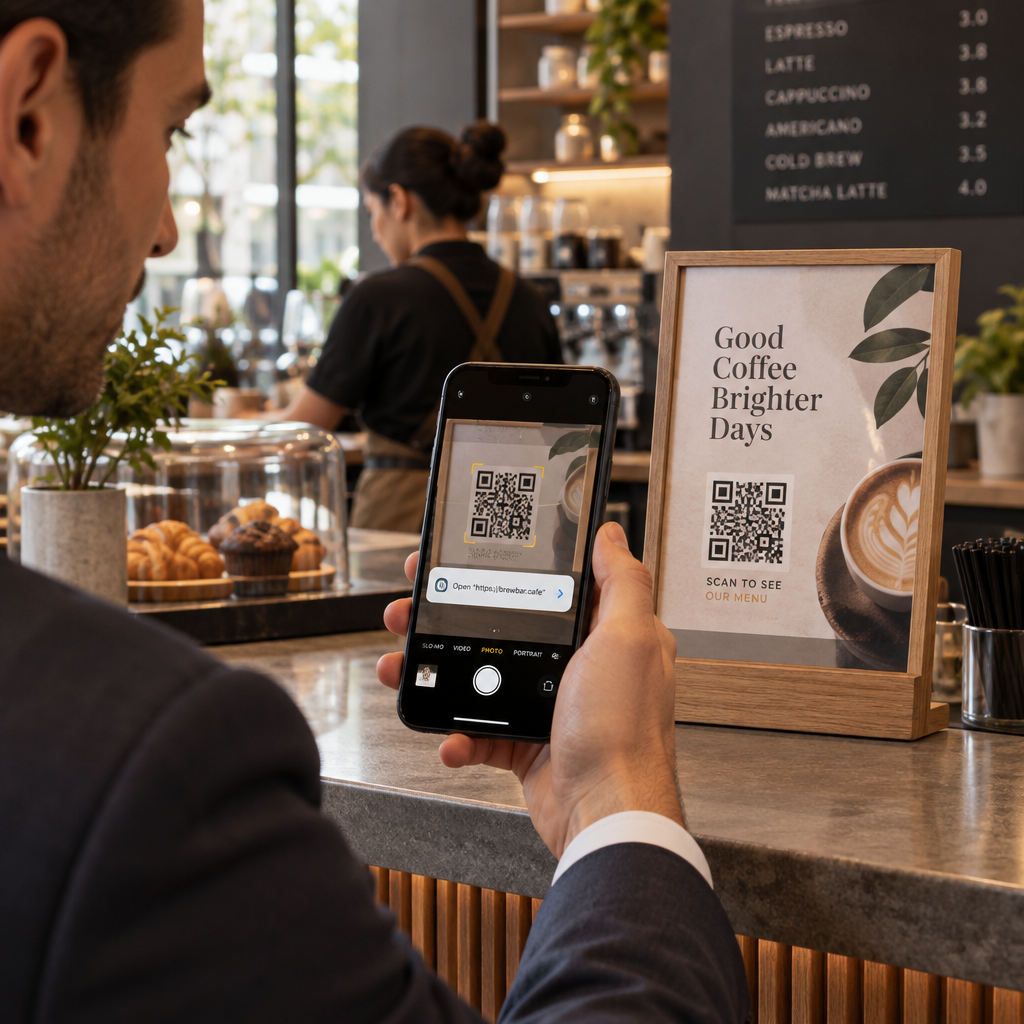
  • Web URLs: Directs your browser to landing pages, digital menus, or online forms.
  • vCard Contact Details: Saves names, phone numbers, and email addresses straight to your contacts.
  • Wi-Fi Credentials: Connects your device to wireless networks by transferring SSID names and passwords.
  • Plain Text Notes: Displays unformatted messages, promo codes, or instructions offline.
  • Communication Templates: Pre-fills SMS text messages or draft emails with designated recipient details.

Knowing what data types exist makes it easier to navigate prompt requests when processing saved files across different smartphones and mobile devices.

Security Best Practices for Scanning Saved QR Code Images

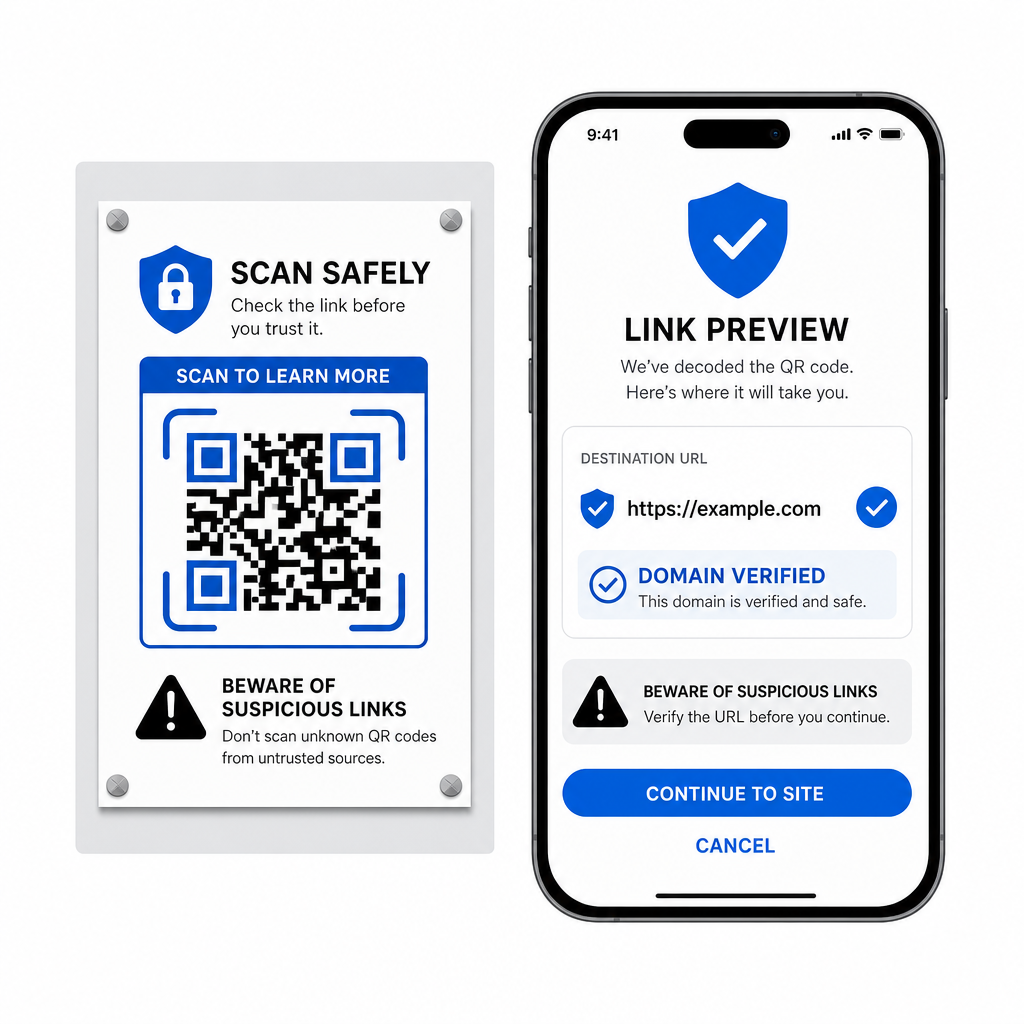
Because screenshots hide the final destination of an embedded link until decoded, cybercriminals sometimes use fraudulent QR codes – a practice known as quishing – to direct users toward malicious websites. Protecting your personal information requires basic verification before opening decoded content.

Sicher QR-Links prüfen
  • Preview destination URLs in the scanner pop-up menu before opening them.
  • Verify domain spelling to ensure the web address matches the official brand name.
  • Avoid entering sensitive credentials or payment details on pages opened directly from scanned codes.
  • Refuse unexpected download prompts or permission requests that appear immediately after scanning.

Easily Decode Any QR Code Image

You do not need a second phone or a physical camera lens to read a QR code saved on your screen. Whether you long-press an image in Apple Photos, scan a file with Google Lens on Android, or upload a saved screenshot in a desktop browser, extracting embedded links takes only a few seconds.

For the fastest cross-platform workflow without installing extra software, keep a browser-based scanner bookmarked so you can drop in screenshot files whenever you need to reveal their hidden content.

よくある質問

Can I scan a QR code screenshot without downloading a new app?

Yes. iOS and Android feature built-in gallery decoders like Apple Photos and Google Lens that extract data directly from saved images. Alternatively, you can upload your image file directly to the web-based Pageloot QR Code Scanner.

Why is my phone camera app not reading a screenshot on my display?

Physical camera apps require optical input from an external camera lens pointing at an object. Reading an image stored in your device’s internal storage requires software capable of analyzing saved image files, such as gallery photo decoders or file upload utilities.

What should I do if my screenshot QR code will not scan?

Crop the screenshot tightly around the QR code matrix to remove background distractions. Ensure the white border (quiet zone) around the square modules remains intact, and boost the image brightness or contrast if the design looks dark.

著者について

Siim KostabiはPagelootのコンテンツリードです。Pagelootの革新的なQRコード生成サービスについて執筆しています。5年以上にわたるQRコードに関する深い専門知識を持つSiimは、この分野の専門家です。QRテクノロジーを活用してデジタルインタラクションを簡素化・拡張する上で、大きな進歩を遂げています。.

カテゴリー
について詳しくはこちら
Bank customer scanning QR
のQRコード 銀行と金融
✅ QRコードの#1ソリューション

オンラインでQRコードを作成する必要がある場合は QRコードを作る ここで無料で
ページルートは #1のGo-Toソリューション でQRコードを作成してスキャンすることができます。

BL-0346

ブログスキャン

売上、レビュー、フォロワーを増やすために 20,000 を超えるブランドから信頼されています。

クライアントのロゴ
トップブランドから信頼される
5 のうち 4.8 と評価しました

4.86 / 5つ星評価

ユーゴ・ローラン
ユーゴ・ローラン
レストランオーナー
最も簡単で信頼性の高いQRコードジェネレータです。PDFファイルを即座にアップロードできます。レストランのメニューがデジタル化されました。
ルーカス・ジャンセン
ルーカス・ジャンセン
不動産開発業者
これは優れたツールで、QRコードでちょうど欲しいところに連れて行ってくれます。私たちは位置情報のQRコードしか使っていませんが、とても便利な機能がたくさんあります。
エマ・モレッティ
エマ・モレッティ
小売製品
使いやすいし、早い。素晴らしい機能で、完璧な画像を作成してくれるので、社員は私のvCardをダウンロードすることができます。
ユーゴ・ローラン
ユーゴ・ローラン
レストランオーナー
最も簡単で信頼性の高いQRコードジェネレータです。PDFファイルを即座にアップロードできます。レストランのメニューがデジタル化されました。
ルーカス・ジャンセン
ルーカス・ジャンセン
不動産開発業者
これは優れたツールで、QRコードでちょうど欲しいところに連れて行ってくれます。私たちは位置情報のQRコードしか使っていませんが、とても便利な機能がたくさんあります。
エマ・モレッティ
エマ・モレッティ
小売製品
使いやすいし、早い。素晴らしい機能で、完璧な画像を作成してくれるので、社員は私のvCardをダウンロードすることができます。
QRコードをもっと見る
あらゆるものをデジタル体験に変えよう 3分以内に。

14日間の無料トライアル。

クレジットカードは必要ありません。

初回購入で30%オフ

次のコードを使用してください:

MP3ファイルを共有

PDF QRコードを作成するにはサインアップしてください

必要なものをすべてアップロードして表示する。

  • オーディオファイル
  • ポッドキャスト
  • 音楽

サインアップで14日間無料トライアル。.
トライアル終了後、QRコードは期限切れになります。.

オーディオmp3 QRコードを作成するにはサインアップしてください

フレームでより多くのスキャンを獲得

QRコードにフレームを追加するにはサインアップしてください

コールトゥアクションフレームは、お客様が簡単にQRコードと対話できるようにします。ぜひお試しください。

サインアップで14日間無料トライアル。.
トライアル終了後、QRコードは期限切れになります。.

QRコードにフレームを追加するにはサインアップしてください

シェイプでスタイルを追加

より多くの図形を作成するにはサインアップしてください

QRコードは四角いものである必要はありません。あなたのブランドのイメージに合わせて変えてみてください。

サインアップで14日間無料トライアル。.
トライアル終了後、QRコードは期限切れになります。.

より多くの図形を作成するにはサインアップしてください

QRコードにロゴを追加

QRコードにロゴを追加するにはサインアップしてください

QRコードにロゴやブランドを入れることで、目立たせることができます。

サインアップで14日間無料トライアル。.
トライアル終了後、QRコードは期限切れになります。.

QRコードにロゴを追加するにはサインアップしてください

スマートなApp Storeリダイレクト

アプリストアのQRコードを作成するにはサインアップしてください

スマートなApp StoreのQRコードに、あなたのアプリのリンクを追加します。ユーザーは、デバイスに応じてリダイレクトされます。

サインアップで14日間無料トライアル。.
トライアル終了後、QRコードは期限切れになります。.

アプリストアのQRコードを作成するにはサインアップしてください

QRコードに画像をアップロード

画像QRコードを作成するにはサインアップしてください

画像を簡単に共有できます。どんな画像も、数秒でダイナミックに変化します。

サインアップで14日間無料トライアル。.
トライアル終了後、QRコードは期限切れになります。.

画像QRコードを作成するにはサインアップしてください

PDFファイルを共有

PDF QRコードを作成するにはサインアップしてください

必要なものをすべてアップロードして表示する。

  • メニュー&プライスリスト
  • 指示
  • 任意の書類

サインアップで14日間無料トライアル。.
トライアル終了後、QRコードは期限切れになります。.

PDF QRコードを作成するにはサインアップしてください

印刷せずに後で編集

再度印刷せずにQRコードを編集するにはサインアップしてください

ダイナミックQRコードは、新たにQRコードを印刷することなく、QRコードの内容を変更することができます。

サインアップで14日間無料トライアル。.
トライアル終了後、QRコードは期限切れになります。.

再度印刷せずにQRコードを編集するにはサインアップしてください

いつ?どこで?QRコードのスキャンを追跡

QRコードを追跡するにはサインアップしてください

どのQRコードが最も多くスキャンされ、何が最も顧客を喜ばせているのかを知ることができます。

サインアップで14日間無料トライアル。.
トライアル終了後、QRコードは期限切れになります。.

QRコードを追跡するにはサインアップしてください

印刷可能なファイルが利用可能

PDFやSVGのようなベクターQRコードを作成するにはサインアップしてください

.eps、.pdf、.svg

QRコードをHD解像度でダウンロードしたいですか?すぐに印刷できるベクターまたはピクセル形式を入手しましょう。

サインアップで14日間無料トライアル。.
トライアル終了後、QRコードは期限切れになります。.

PDFやSVGのようなベクターQRコードを作成するにはサインアップしてください

しばらくお待ちください。あなたのQRコードは ロード... ロード...

あなただけのものに

サインアップしてQRコードを後で保存してください

異なる色、ロゴ、コールトゥアクションフレームで素晴らしいQRコードを作成することで、より多くのスキャンを得ることができます。

サインアップで14日間無料トライアル。.
トライアル終了後、QRコードは期限切れになります。.

サインアップしてQRコードを後で保存してください