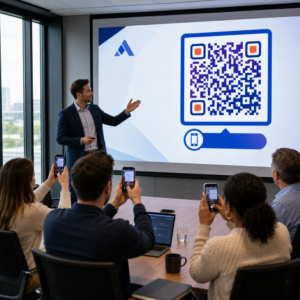
Bạn đã bao giờ lưu ảnh chụp màn hình mã QR, chỉ để nhận ra máy ảnh điện thoại của bạn không thể quét màn hình của chính bạn? Cố gắng mở liên kết từ hình ảnh đã lưu thật khó chịu khi các ứng dụng máy ảnh tiêu chuẩn mong đợi một vật thể vật lý. May mắn thay, bạn có thể dễ dàng giải mã bất kỳ ảnh chụp màn hình mã QR nào bằng các công cụ tích hợp trên điện thoại thông minh hoặc các công cụ dựa trên web.
Quét ảnh chụp màn hình mã QR trên iPhone và thiết bị iOS
iPhone hiện đại chạy iOS 11 trở lên bao gồm các tính năng hệ thống gốc phân tích dữ liệu hình ảnh được lưu trữ trong thư viện ảnh của bạn. Bạn không cần tải xuống phần mềm của bên thứ ba chỉ để trích xuất liên kết đã lưu từ tệp hình ảnh.
Làm theo các bước sau để giải mã ảnh chụp màn hình trên iOS:
- Mở ứng dụng Ảnh và định vị ảnh chụp màn hình đã lưu của bạn.
- Nhấn và giữ mã QR ma trận cho đến khi menu chọn xuất hiện.
- Chọn hành động ưa thích của bạn để mở liên kết trong Safari, sao chép URL hoặc chia sẻ nội dung.
Nếu thiết bị của bạn hỗ trợ Live Text (iOS 15 trở lên), biểu tượng Live Text cũng sẽ xuất hiện ở góc dưới bên phải của trình xem ảnh. Chạm vào biểu tượng này sẽ tự động làm nổi bật mã QR và hiển thị một biểu ngữ hành động có thể nhấp bên dưới nó. Đối với các phiên bản iOS cũ hơn hoặc thiết lập phần cứng chuyên dụng, hãy xem hướng dẫn đầy đủ của chúng tôi về quét mã QR trên iPhone cung cấp các giải pháp thay thế thủ công bổ sung.
Trích xuất liên kết mã QR từ ảnh chụp màn hình trên Android
Hệ điều hành Android tận dụng nhận dạng ký tự quang học để xử lý các tệp hình ảnh được lưu trong bộ nhớ cục bộ của bạn. Các thiết bị được trang bị Dịch vụ Google Play có thể trích xuất dữ liệu được nhúng ngay lập tức thông qua thư viện ảnh của bạn.
Làm theo các bước sau để xử lý ảnh chụp màn hình trên Android:
- Khởi chạy Google Photos và chọn ảnh chụp màn hình đã lưu từ thư viện của bạn.
- Nhấn vào biểu tượng Google Lens gần cuối màn hình của bạn để phân tích hình ảnh.
- Chọn URL bật lên được làm nổi bật để mở liên kết đích hoặc thực hiện hành động đã lưu.
Nếu máy ảnh hoặc ứng dụng thư viện mặc định của bạn thiếu nhận dạng quang học gốc, bạn có thể tìm hiểu thêm về các phím tắt thiết bị thay thế bằng cách đọc hướng dẫn của chúng tôi về quét mã QR trên thiết bị Android.
Quét ảnh mã QR đã lưu ngay lập tức Cần giải mã mã QR đã lưu trên thiết bị của bạn mà không cần cài đặt thêm phần mềm? Sử dụng Máy quét mã QR Pageloot để tải lên ảnh chụp màn hình của bạn và trích xuất dữ liệu của bạn ngay lập tức.
Đọc ảnh chụp màn hình mã QR trên trình duyệt máy tính và web
Các hệ điều hành máy tính để bàn như Windows và macOS không phải lúc nào cũng có các phím tắt máy ảnh bấm và nhấp cho các tệp đã lưu. Tuy nhiên, các trình duyệt web hiện đại cung cấp các cách nhanh chóng để phân tích các tệp hình ảnh trực tiếp từ ổ cứng của bạn.
Phương pháp 1: Google Lens trong Chrome trên máy tính
Nếu bạn gặp hình ảnh mã QR khi duyệt web hoặc đã lưu trên máy tính, Google Chrome cung cấp các tính năng nhận dạng hình ảnh tích hợp:
- Kéo và thả tệp ảnh chụp màn hình trực tiếp vào một tab trình duyệt Chrome đang mở.
- Nhấp chuột phải vào hình ảnh khi nó tải bên trong cửa sổ trình duyệt.
- Chọn “Tìm kiếm hình ảnh bằng Google” để xem liên kết đã giải mã trong bảng điều khiển bên.
Phương pháp 2: Công cụ tải lên tệp dựa trên web
Khi làm việc trên nhiều hệ điều hành máy tính để bàn, việc tải tệp hình ảnh lên trình giải mã dựa trên web là giải pháp nhất quán nhất:
- Lưu ảnh chụp màn hình vào máy tính để bàn cục bộ hoặc thư mục tải xuống của bạn.
- Điều hướng đến một máy quét trực tuyến bằng bất kỳ trình duyệt web hiện đại nào.
- Tải tệp hình ảnh lên vào khu vực thả để phân tích tải trọng được mã hóa ngay lập tức.
Để khám phá các kỹ thuật máy tính để bàn bổ sung trên Windows và macOS, hãy tham khảo hướng dẫn của chúng tôi về quét mã QR trên máy tính xách tay.
Khắc phục sự cố ảnh chụp màn hình mã QR không đọc được
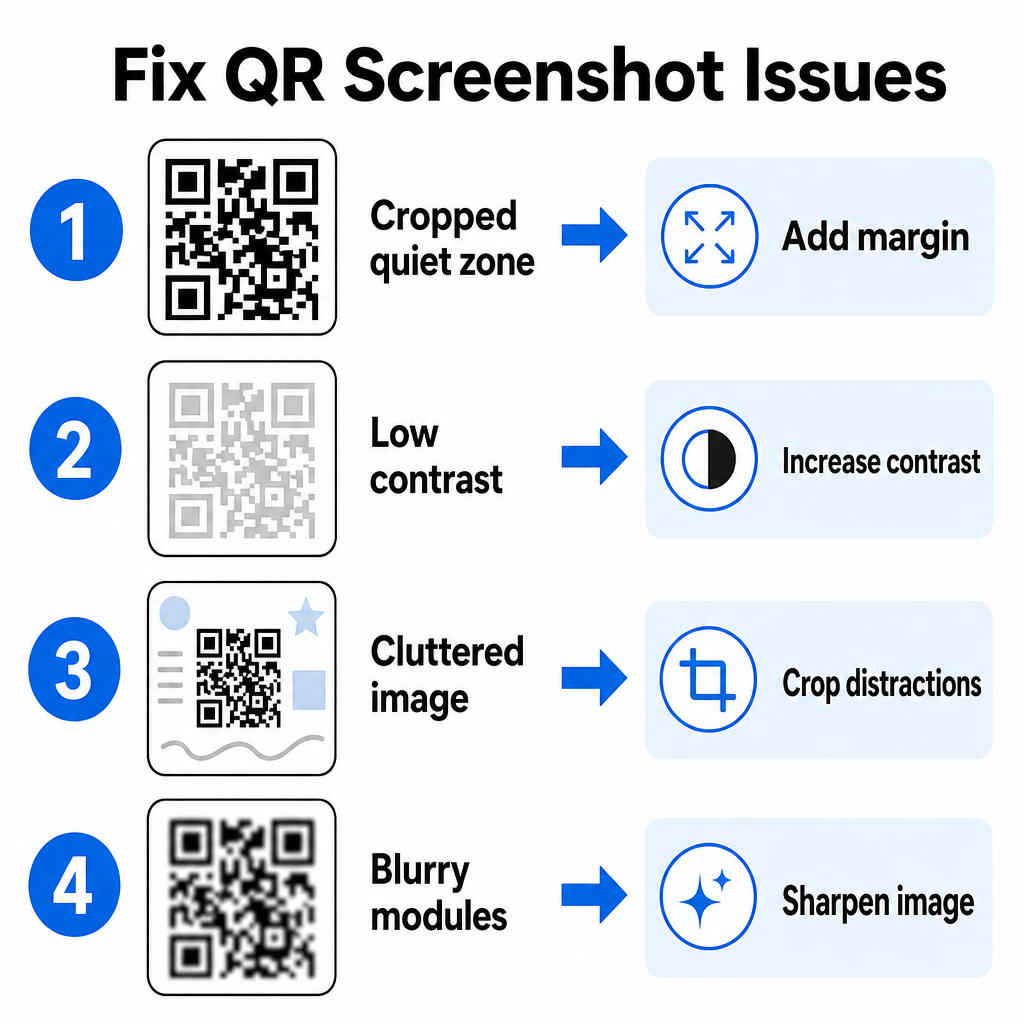
Đôi khi trình giải mã hình ảnh không phát hiện được mã QR bên trong ảnh chụp màn hình. Sự cố kỹ thuật thường bắt nguồn từ độ phân giải hình ảnh, các mẫu ma trận bị nén hoặc lề không đủ.
| Vấn đề | Nguyên nhân | Giải pháp |
|---|---|---|
| Thiếu Vùng yên tĩnh | Viền trắng xung quanh mã bị cắt quá sát. | Chỉnh sửa ảnh để thêm viền trắng rộng ít nhất 4 mô-đun xung quanh ma trận. |
| Độ tương phản thấp | Màu nền hòa quyện vào các mô-đun dữ liệu tối. | Tăng độ tương phản hoặc làm sáng nền bằng trình chỉnh sửa ảnh cơ bản. |
| Ảnh lộn xộn | Văn bản hoặc đồ họa xung quanh làm nhầm lẫn máy quét quang học. | Cắt ảnh chụp màn hình để mã QR chiếm phần lớn khung hình. |
| Mô-đun bị mờ | Độ phân giải thấp làm biến dạng mẫu dữ liệu và các dấu căn chỉnh. | Làm sắc nét hoặc thay đổi kích thước tệp ảnh chụp màn hình trước khi quét lại. |
Hiểu các yêu cầu kỹ thuật này giúp bạn khắc phục nhanh chóng các ảnh không đọc được. Nếu bạn thường xuyên xử lý ảnh có độ phân giải thấp hoặc tệp bị hỏng, so sánh các ứng dụng quét mã QR hàng đầu có thể giúp bạn chọn các công cụ chuyên dụng được trang bị thuật toán sửa lỗi mạnh mẽ hơn.
Dữ liệu nào có thể được trích xuất từ ảnh chụp màn hình mã QR?
Mã QR lưu trữ các định dạng dữ liệu có cấu trúc vượt ra ngoài các địa chỉ trang web đơn giản. Tùy thuộc vào cách người tạo mã xây dựng, việc đọc một ảnh đã lưu có thể mở ra nhiều hành động khác nhau trực tiếp trên màn hình của bạn:
- URL web: Chuyển hướng trình duyệt của bạn đến các trang đích, menu kỹ thuật số hoặc biểu mẫu trực tuyến.
- Chi tiết liên hệ vCard: Lưu tên, số điện thoại và địa chỉ email trực tiếp vào danh bạ của bạn.
- Thông tin xác thực Wi-Fi: Kết nối thiết bị của bạn với mạng không dây bằng cách truyền tên SSID và mật khẩu.
- Ghi chú văn bản thuần túy: Hiển thị các tin nhắn không định dạng, mã khuyến mãi hoặc hướng dẫn ngoại tuyến.
- Mẫu giao tiếp: Điền trước tin nhắn văn bản SMS hoặc bản nháp email với thông tin chi tiết người nhận được chỉ định.
Biết các loại dữ liệu nào tồn tại giúp điều hướng các yêu cầu nhắc nhở dễ dàng hơn khi xử lý các tệp đã lưu trên các điện thoại thông minh và thiết bị di động khác nhau.
Các phương pháp hay nhất về bảo mật để quét ảnh mã QR đã lưu
Vì ảnh chụp màn hình ẩn đích cuối cùng của một liên kết được nhúng cho đến khi được giải mã, tội phạm mạng đôi khi sử dụng mã QR gian lận – một thực hành được gọi là quishing – để hướng người dùng đến các trang web độc hại. Bảo vệ thông tin cá nhân của bạn đòi hỏi phải xác minh cơ bản trước khi mở nội dung đã giải mã.
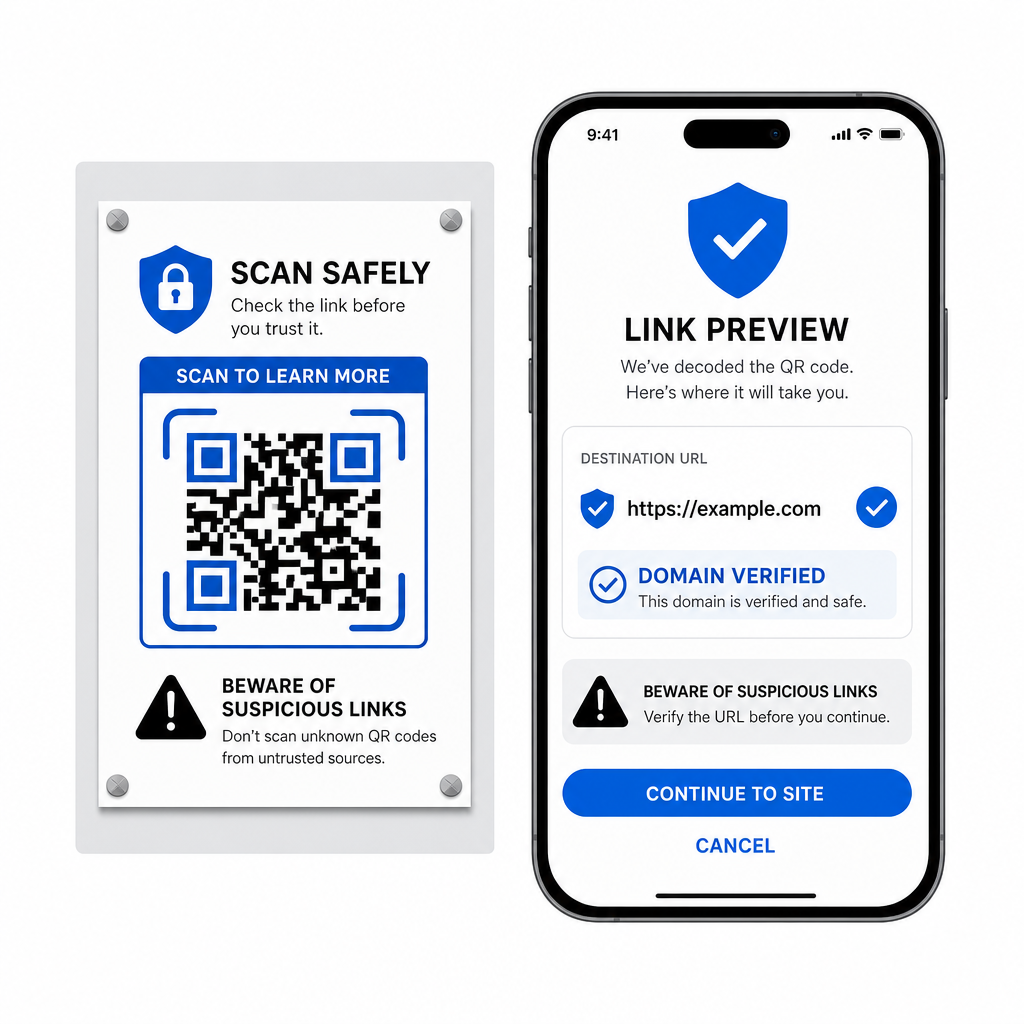
- Xem trước URL đích trong menu bật lên của máy quét trước khi mở chúng.
- Xác minh chính tả tên miền để đảm bảo địa chỉ web khớp với tên thương hiệu chính thức.
- Tránh nhập thông tin xác thực nhạy cảm hoặc chi tiết thanh toán trên các trang được mở trực tiếp từ mã đã quét.
- Từ chối các lời nhắc tải xuống bất ngờ hoặc yêu cầu quyền xuất hiện ngay sau khi quét.
Dễ dàng giải mã bất kỳ ảnh mã QR nào
Bạn không cần điện thoại thứ hai hoặc ống kính máy ảnh vật lý để đọc mã QR đã lưu trên màn hình của mình. Cho dù bạn nhấn và giữ ảnh trong Apple Photos, quét tệp bằng Google Lens trên Android hay tải lên ảnh chụp màn hình đã lưu trong trình duyệt máy tính, việc trích xuất các liên kết được nhúng chỉ mất vài giây.
Để có quy trình làm việc đa nền tảng nhanh nhất mà không cần cài đặt thêm phần mềm, hãy giữ một máy quét dựa trên trình duyệt được đánh dấu để bạn có thể thả các tệp ảnh chụp màn hình bất cứ khi nào bạn cần hiển thị nội dung ẩn của chúng.
Câu hỏi thường gặp
Có. iOS và Android có bộ giải mã thư viện tích hợp sẵn như Apple Photos và Google Lens để trích xuất dữ liệu trực tiếp từ ảnh đã lưu. Ngoài ra, bạn có thể tải trực tiếp tệp ảnh của mình lên Trình quét mã QR Pageloot dựa trên web.
Các ứng dụng máy ảnh vật lý yêu cầu đầu vào quang học từ ống kính máy ảnh bên ngoài hướng vào một đối tượng. Đọc một ảnh được lưu trữ trong bộ nhớ trong của thiết bị của bạn yêu cầu phần mềm có khả năng phân tích các tệp ảnh đã lưu, chẳng hạn như trình giải mã ảnh thư viện hoặc tiện ích tải lên tệp.
Cắt ảnh chụp màn hình chặt chẽ xung quanh ma trận mã QR để loại bỏ các yếu tố gây xao nhãng ở nền. Đảm bảo viền trắng (vùng yên tĩnh) xung quanh các mô-đun hình vuông vẫn còn nguyên vẹn, và tăng độ sáng hoặc độ tương phản của ảnh nếu thiết kế trông tối.