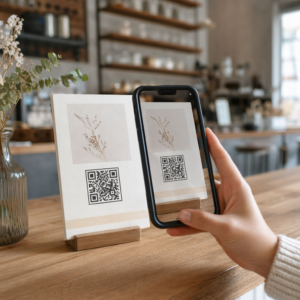
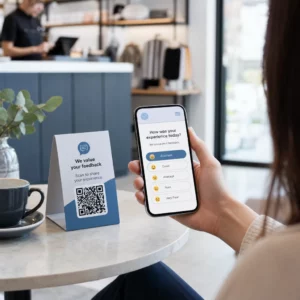
Adakah beg beli-belah anda berfungsi selepas pelanggan keluar dari kedai? Kebanyakannya tidak – dan itu adalah peluang yang terlepas untuk meneruskan perbualan. Halaman ini menunjukkan kepada anda cara mereka bentuk kod QR yang berkesan untuk beg beli-belah, apa yang perlu dipautkan kepadanya, dan cara mengukur hasilnya.
Mengapa Beg Beli-belah Adalah Permukaan Kod QR yang Bernilai
Beg beli-belah bergerak jauh melangkaui titik jualan. Ia menaiki kereta api bawah tanah, diletakkan di atas meja pejabat, digunakan semula di pasar tani. Setiap perjalanan adalah potensi tanggapan – dan potensi imbasan.
Tinjauan pengguna World Sync 2024 mendapati bahawa 64% pembeli telah mengimbas kod QR pada produk semasa membeli-belah di kedai, dan 42% mengatakan kod QR telah meningkatkan pengalaman membeli-belah secara peribadi mereka dengan ketara. Pembeli bersedia untuk mengimbas. Persoalannya ialah sama ada beg anda memberi mereka sebab untuk berbuat demikian.
Tidak seperti pembungkusan produk, yang sering dibuang oleh pelanggan selepas dibuka, beg beli-belah sering digunakan semula. Jangka hayat yang dilanjutkan itu bermakna kod QR anda mendapat pendedahan berulang – kepada pembeli asal dan kepada semua orang di sekeliling mereka. Bagi peruncit yang ingin mendapatkan lebih nilai daripada titik sentuh fizikal, beg adalah salah satu tempat paling mudah untuk bermula. Anda boleh meneroka pelbagai jenis kes penggunaan kod QR untuk perniagaan runcit untuk melihat bagaimana titik sentuh lain dibandingkan.
Apa yang Perlu Dipautkan Kod QR Beg Beli-belah Anda
Destinasi adalah sama pentingnya dengan kod itu sendiri. Kod QR yang tidak membawa ke mana-mana yang berguna akan diimbas sekali dan dilupakan. Berikut adalah destinasi paling berkesan untuk beg runcit:
- Diskaun atau kupon eksklusif – Beri ganjaran kepada pelanggan yang mengimbas selepas pembelian dengan diskaun untuk pesanan seterusnya. A kod QR kupon membolehkan anda memaparkan pelbagai tawaran pada satu halaman pendaratan berjenama.
- Pendaftaran program kesetiaan – Tukar pembeli sekali sahaja menjadi pelanggan berulang dengan menjadikannya mudah untuk menyertai program ganjaran anda.
- Ketibaan baharu atau koleksi bermusim – Pautkan ke halaman produk terpilih yang mengekalkan momentum membeli-belah selepas mereka meninggalkan kedai.
- Profil media sosial – Kembangkan pengikut anda dengan memberikan penerima beg laluan terus ke halaman Instagram, TikTok, atau Pinterest anda.
- Kandungan cara-cara atau cerita jenama – Video pendek atau artikel tentang cara produk anda dibuat membina pertalian dan kepercayaan jenama.
- Halaman pendaftaran produk atau waranti – Terutama berguna untuk teknologi, perkakas, atau barangan premium.
- Halaman ulasan – Minta pelanggan meninggalkan ulasan Google atau sosial semasa pembelian masih baru.
A kod QR pautan mengendalikan kebanyakan kes penggunaan ini dengan bersih – anda memasukkan URL, menyesuaikan kod agar sepadan dengan jenama anda, dan anda bersedia untuk mencetak.
Tukar Beg Beli-belah Anda Menjadi Saluran Pemasaran Menggunakan Penjana Kod QR untuk mencipta kod berjenama yang boleh dijejak untuk cetakan beg anda yang seterusnya. Tiada pengetahuan teknikal diperlukan.
Mengapa Anda Perlu Menggunakan Kod QR Dinamik pada Beg
Kod QR statik mengekod URL tetap. Setelah anda mencetaknya, destinasi itu kekal. Jika promosi tamat, halaman pendaratan berubah, atau pautan rosak, setiap beg dalam edaran menjadi jalan buntu.
Kod QR dinamik menyelesaikan masalah ini dengan menghalakan imbasan melalui pengalihan, jadi anda boleh mengemas kini destinasi pada bila-bila masa tanpa mencetak semula beg. Ini menjadikan mereka pilihan praktikal untuk pembungkusan runcit, di mana inventori beg sering bertahan berbulan-bulan.
Selain fleksibiliti, kod QR dinamik menyediakan analitik imbasan terperinci: jumlah imbasan dan imbasan unik, masa imbasan, jenis peranti, dan data geografi sehingga ke peringkat bandar atau wilayah. Data itu mengubah beg pasif menjadi aset kempen aktif yang boleh anda ukur dan tingkatkan. Anda boleh membaca lebih lanjut tentang data apa yang dikumpul oleh kod QR dinamik dan cara menggunakannya.
Bagi peruncit yang menjalankan kempen bermusim atau menguji tawaran berbeza di seluruh lokasi kedai, keupayaan untuk mengemas kini destinasi dan membandingkan prestasi imbasan mengikut lokasi adalah sangat berharga. Pageloot’s penyelesaian kod QR untuk peruncit dibina untuk pengurusan kempen jenis ini.
Kemas Kini Kempen Beg Anda Tanpa Cetakan Semula Cipta kod QR dinamik di Penjana Kod QR Pageloot dan tukar URL destinasi anda pada bila-bila masa – beg bercetak anda kekal terkini secara automatik.
Cara Mereka Bentuk Kod QR yang Boleh Diimbas dengan Boleh Dipercayai pada Beg
Kod QR yang tidak boleh diimbas adalah lebih teruk daripada tiada kod QR sama sekali – ia mengecewakan pelanggan dan membazirkan bajet cetakan. Beg memperkenalkan cabaran reka bentuk khusus: permukaan bertekstur, panel berlipat, pemegang yang mengganggu kawasan cetakan, dan keadaan pencahayaan yang berbeza pada titik imbasan. Berikut adalah perkara yang perlu dilakukan dengan betul.
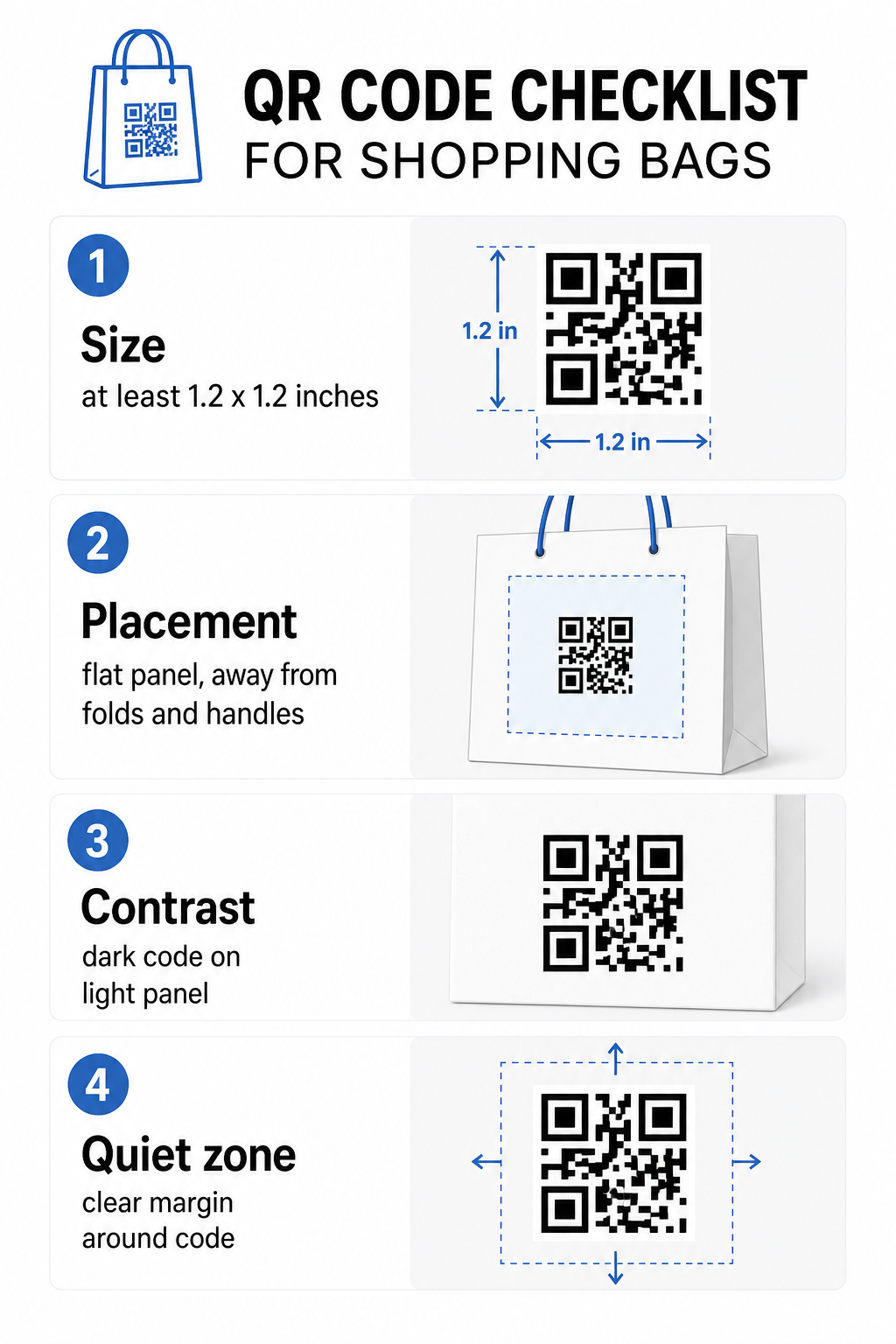
Saiz
Saiz cetakan minimum yang disyorkan untuk pengimbasan yang boleh dipercayai pada jarak lengan ialah 0.8 × 0.8 inci (2 × 2 cm). Untuk beg beli-belah, di mana jarak imbasan biasanya lebih besar dan beg mungkin bergerak, sasarkan sekurang-kurangnya 1.2 × 1.2 inci (3 × 3 cm).
Peraturan praktikal yang berguna ialah nisbah jarak-ke-saiz 10:1: kod itu seharusnya lebar 1 cm untuk setiap 10 cm jarak imbasan yang dijangka. Jika seseorang berkemungkinan mengimbas beg anda dari kira-kira 30 cm (12 inci) jauhnya, kod itu seharusnya sekurang-kurangnya 3 cm lebar. Kod QR yang lebih padat – yang mengekod URL yang lebih panjang atau lebih banyak data – memerlukan saiz tambahan untuk kekal boleh dibaca, jadi menggunakan URL yang dipendekkan atau dinamik menjadikan corak kod kurang padat dan lebih mudah diimbas.
KEDUDUKAN
Elakkan meletakkan kod itu berhampiran lipatan, jahitan, pemegang, atau tepi yang diperkukuh. Kawasan-kawasan ini memesongkan geometri kod, yang mengelirukan pengimbas. Panel tengah yang rata – depan atau belakang – adalah lokasi paling selamat. Jika reka bentuk beg anda termasuk gusset sisi, panel itu juga berfungsi, dengan syarat permukaannya rata apabila beg dipegang terbuka. Untuk pemikiran penempatan yang lebih strategik, panduan untuk penempatan kod QR terbaik untuk kedai runcit merangkumi cara berfikir tentang permukaan, keterlihatan, dan konteks bersama.
Berbeza
Pengimbas kod QR mengesan perbezaan antara modul gelap dan latar belakang terang. Corak gelap pada latar belakang terang adalah kombinasi yang paling boleh dipercayai. Sasarkan nisbah kontras sekurang-kurangnya 4:1 antara kod dan latar belakangnya – lebih tinggi adalah lebih baik. Elakkan gradien, yang menghasilkan kontras tidak sekata, dan elakkan skema warna terbalik (kod terang pada latar belakang gelap), yang gagal dibaca oleh sesetengah pengimbas.
Jika beg anda mempunyai warna asas gelap, letakkan kod QR di dalam panel putih atau berwarna terang daripada mencetak terus ke permukaan gelap. Untuk pecahan lengkap tentang padanan warna yang berfungsi dan yang perlu dielakkan, lihat panduan amalan terbaik kontras warna kod QR.
Zon Tenang
Yang zon senyap adalah margin kosong mengelilingi kod QR. Ia memberi isyarat kepada pengimbas di mana kod itu bermula dan berakhir. Piawaian memerlukan sekurang-kurangnya empat modul ruang kosong di semua sisi – di mana modul adalah unit persegi terkecil dalam grid kod. Pada beg bercetak dengan saiz biasa, ini diterjemahkan kepada kira-kira 3–4 mm ruang kosong di setiap sisi.
Jangan biarkan teks, logo, corak jenama, atau elemen hiasan menceroboh margin ini. Walaupun pencerobohan separa boleh menyebabkan kegagalan imbasan. Jika reka bentuk beg anda padat dengan grafik, letakkan kod QR di dalam kotak putih bersempadan untuk melindungi zon senyap.
Penjenamaan Kod
Kod QR berjenama – yang menggabungkan logo dan warna jenama anda – lebih berkemungkinan diimbas daripada versi hitam-putih biasa. Pelanggan lebih berkemungkinan untuk terlibat apabila mereka mengenali sumbernya dan memahami ada sesuatu yang berbaloi untuk diimbas. Anda boleh menggunakan QR code with logo untuk membenamkan logo anda di tengah kod itu sambil mengekalkan kebolehimbasan.
Apabila menambah logo, gunakan tahap pembetulan ralat yang lebih tinggi (Q atau H) supaya kod itu kekal boleh dibaca walaupun sebahagian corak ditutup. Pastikan logo tidak melebihi 30% daripada jumlah kawasan kod. Panduan panduan amalan terbaik kebolehbacaan kod QR merangkumi penempatan logo bersama garis panduan kontras dan saiz secara terperinci.
Menguji Sebelum Anda Mencetak
Sentiasa uji kod akhir pada pelbagai peranti dan dalam keadaan yang sepadan dengan penggunaan sebenar – tahap cahaya yang berbeza-beza, sudut imbasan yang berbeza, dan pada jarak imbasan yang dijangka. Uji pada kedua-dua iOS dan Android. Cetak sampel fizikal sebelum melakukan pengeluaran beg penuh, kerana kod yang kelihatan baik pada skrin boleh gagal pada permukaan beg bertekstur atau berlaminasi.
Menambah Seruan Tindakan Berhampiran Kod
Penyelidikan dari Scantrust mendapati bahawa pengguna yang biasanya tidak mengimbas kod QR berkata mereka lebih berkemungkinan untuk berbuat demikian jika kod itu jelas menyampaikan apa yang akan mereka perolehi. Seruan tindakan yang pendek dan langsung yang diletakkan berhampiran kod melakukan perkara itu.
Pastikan ia ringkas dan spesifik. Contoh yang berfungsi dengan baik pada beg:
- Imbas untuk diskaun 15% pada pesanan seterusnya anda
- Imbas untuk menyertai program ganjaran kami
- Imbas untuk ketibaan baharu
- Tawaran eksklusif di dalam – imbas untuk membuka kunci
Gesaan samar-samar seperti “Imbas saya” atau “Ketahui lebih lanjut” tidak memberi pelanggan sebab untuk bertindak. Beritahu mereka apa yang akan mereka perolehi sebelum mereka mengimbas. Prinsip ini terpakai di semua penempatan kod QR fizikal – anda boleh melihat bagaimana ia berfungsi dalam konteks kod QR runcit yang lebih luas juga.
Menjejaki Prestasi Kempen
Salah satu hujah terkuat untuk kod QR pada beg membeli-belah adalah kebolehukuran. Tidak seperti nombor telefon bercetak atau URL laman web, imbasan kod QR adalah peristiwa yang boleh dijejak. Dengan kod QR dinamik, setiap imbasan mencatat titik data utama yang mengubah beg anda menjadi aset kempen yang boleh diukur:
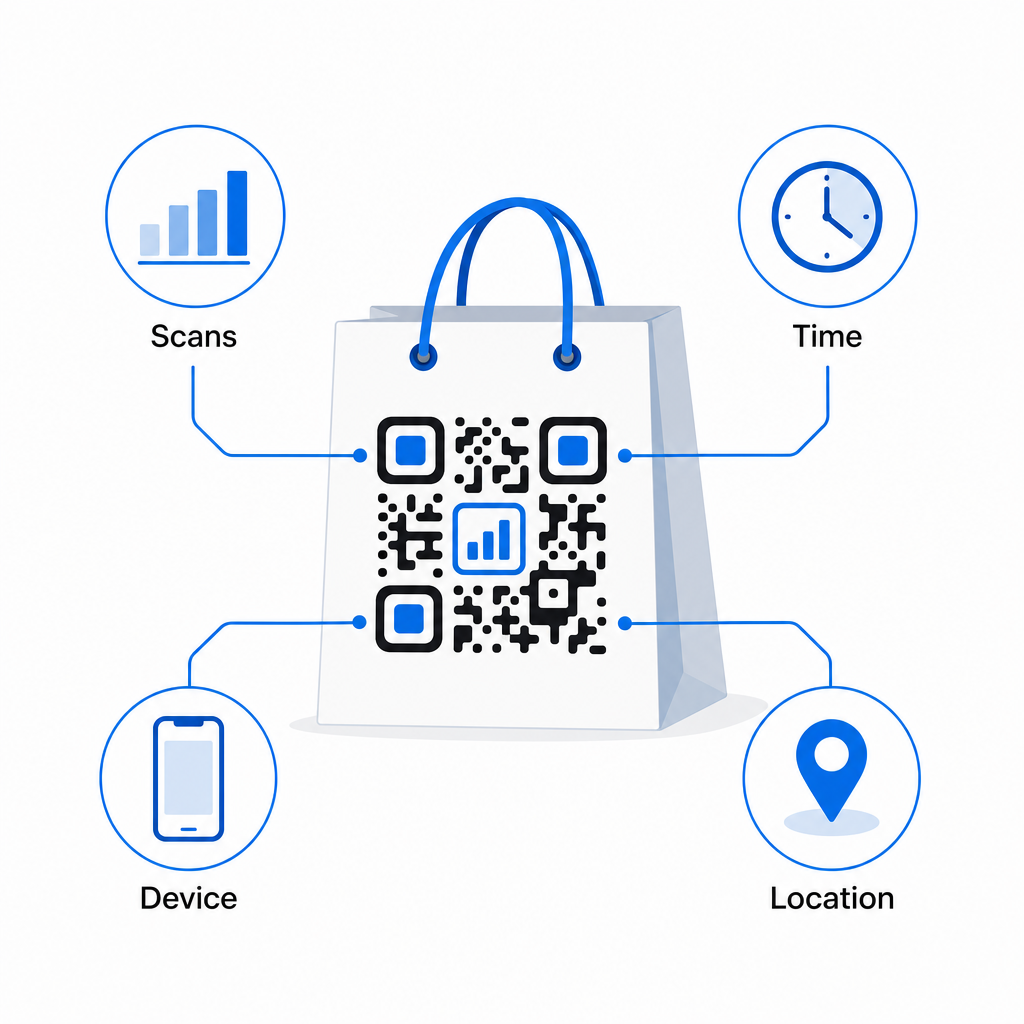
- Jumlah imbasan dan imbasan unik – membezakan jangkauan keseluruhan daripada penglibatan berulang
- Masa dan tarikh imbasan – mendedahkan bila pelanggan paling berkemungkinan untuk terlibat selepas pembelian
- Jenis peranti – membantu anda mengoptimumkan halaman pendaratan untuk peranti paling biasa yang digunakan pelanggan anda
- Data lokasi – berguna untuk peruncit dengan pelbagai lokasi atau kempen serantau
Data ini membolehkan anda membandingkan prestasi merentasi versi beg, lokasi kedai, atau tempoh kempen. Jika promosi tertentu mendorong lebih banyak imbasan dengan ketara, anda boleh melanjutkan tempohnya. Jika imbasan berkurangan selepas dua minggu, anda tahu tawaran itu telah tamat tempohnya dan boleh mengemas kini destinasi tanpa menyentuh beg itu. Ciri analitik dan penjejakan kod QR menerangkan apa yang ditunjukkan oleh papan pemuka dan cara mentafsir data imbasan dalam masa nyata.
Untuk peruncit yang menjalankan kempen merentasi pelbagai format fizikal selain beg, hab penyelesaian industri memberikan pandangan yang lebih luas tentang bagaimana kod QR sesuai ke dalam strategi yang diselaraskan.
Senarai Semak Reka Bentuk dan Teknikal
Sebelum menghantar reka bentuk beg anda untuk dicetak, sahkan setiap yang berikut:
| unsur | Keperluan |
|---|---|
| Saiz kod | Minimum 1.2 × 1.2 inci (3 × 3 cm) untuk beg |
| Nisbah kontras | Sekurang-kurangnya 4:1 antara kod dan latar belakang |
| Zon senyap | Minimum 4 modul ruang kosong di semua sisi |
| KEDUDUKAN | Panel rata, jauh dari lipatan, jahitan, dan pemegang |
| Jenis kod | Kod QR dinamik untuk destinasi yang boleh dikemas kini |
| Seruan bertindak | Spesifik dan berorientasikan faedah, diletakkan berhampiran kod |
| Logo (jika digunakan) | Tahap pembetulan ralat Q atau H, ≤30% daripada kawasan kod |
| Pengujian | Disahkan boleh diimbas pada iOS dan Android dalam pencahayaan sebenar |
Beg membeli-belah adalah salah satu daripada beberapa bahan runcit yang terus berfungsi selepas transaksi berakhir. Dengan kod QR yang direka dengan baik, dipautkan secara dinamik, ia menjadi sambungan yang boleh dijejaki antara pembelian fizikal dan hubungan digital anda yang berterusan dengan pelanggan itu. Reka bentuknya dengan teliti, berikan pelanggan sebab yang jelas untuk mengimbas, dan gunakan analitik untuk terus meningkatkan kempen dari semasa ke semasa.
Mula Membina Kempen Beg Anda Menggunakan Penjana Kod Pageloot QR untuk mencipta kod QR berjenama, dinamik sedia untuk percetakan beg runcit – dengan analitik penuh disertakan.
Soalan lazim
Ya. Dengan kod QR dinamik, anda boleh menggunakan satu kod di semua lokasi dan menjejaki data imbasan mengikut geografi, yang membolehkan anda melihat kedai mana yang mendorong penglibatan paling banyak. Sebagai alternatif, anda boleh mencipta kod berasingan bagi setiap lokasi untuk membandingkan prestasi secara langsung.
Dengan kod QR dinamik, anda hanya kemas kini URL destinasi dalam papan pemuka Pageloot anda. Pelanggan yang mengimbas beg lama akan mendarat di halaman baharu anda secara automatik. Anda tidak perlu mencetak semula untuk memastikan pengalaman sentiasa terkini.
Cetak kod pada permukaan yang rata, pusam dan elakkan meletakkannya berhampiran lipatan, jahitan, atau kawasan berlamina berkilat yang menyebabkan silau. Jika beg anda mempunyai kemasan bertekstur di seluruhnya, pertimbangkan untuk menampal label rata kecil atau panel bercetak khusus untuk kod QR, memastikan permukaan yang bersih, boleh diimbas.