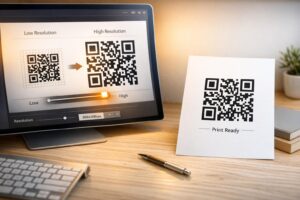
Vai esat kādreiz saglabājis ekrānuzņēmumu ar QR kodu, tikai lai saprastu, ka jūsu tālruņa kamera nevar skenēt jūsu paša ekrānu? Mēģinājums atvērt saites no saglabātajiem attēliem ir neapmierinošs, kad standarta kameras lietotnes sagaida fizisku objektu. Par laimi, jūs varat viegli atšifrēt jebkuru QR koda ekrānuzņēmumu, izmantojot viedtālruņa iebūvētās vai tīmekļa rīkus.
QR koda ekrānuzņēmuma skenēšana iPhone un iOS ierīcēs
Mūsdienu iPhone tālruņi, kuros darbojas iOS 11 vai jaunāka versija, ietver iebūvētas sistēmas funkcijas, kas apstrādā attēlu datus, kas saglabāti jūsu fotoattēlu bibliotēkā. Jums nav jālejupielādē trešās puses programmatūra, lai tikai izgūtu saglabātu saiti no attēla faila.
Veiciet šīs darbības, lai atšifrētu ekrānuzņēmumu operētājsistēmā iOS:
- Atveriet lietotni Fotoattēli un atrodiet savu saglabāto ekrānuzņēmumu.
- Nospiediet un turiet QR kodu matricu, līdz parādās izvēlnes izvēlne.
- Atlasiet vēlamo darbību lai atvērtu saiti Safari, kopētu URL vai kopīgotu saturu.
Ja jūsu ierīce atbalsta Live Text (iOS 15 un jaunāka versija), apakšējā labajā stūrī skatītājā parādās arī Live Text ikona. Pieskaroties šai ikonai, QR kods tiek automātiski izcelts un zem tā tiek parādīts klikšķināms darbību baneris. Vecākām iOS versijām vai specializētām aparatūras konfigurācijām, aplūkojot mūsu pilno ceļvedi par QR kodu skenēšanu iPhone nodrošina papildu manuālus risinājumus.
QR koda saišu izgūšana no ekrānuzņēmumiem Android ierīcē
Android operētājsistēmas izmanto optisko rakstzīmju atpazīšanu, lai apstrādātu attēlu failus, kas saglabāti jūsu lokālajā krātuvē. Ierīces, kas aprīkotas ar Google Play pakalpojumiem, var nekavējoties izgūt iegultos datus, izmantojot jūsu fotoattēlu galeriju.
Veiciet šīs darbības, lai apstrādātu ekrānuzņēmumu Android ierīcē:
- Palaidiet Google fotoattēlus un atlasiet saglabāto ekrānuzņēmumu no savas galerijas.
- Pieskarieties Google Lens ikonai ekrāna apakšdaļā, lai analizētu attēlu.
- Atlasiet izceltu uznirstošo URL lai atvērtu galamērķa saiti vai izpildītu saglabāto darbību.
Ja jūsu noklusējuma kamerai vai galerijas lietotnei trūkst iebūvētas optiskās atpazīšanas, varat uzzināt vairāk par alternatīviem ierīces saīsnes, lasot mūsu ceļvedi par QR kodu skenēšanu Android ierīcēs.
Tūlītēja saglabāto QR koda attēlu skenēšana Vai jums ir nepieciešams atšifrēt ierīcē saglabātu QR kodu, neinstalējot papildu programmatūru? Izmantojiet Pageloot QR Code Scanner lai augšupielādētu savu ekrānuzņēmumu un nekavējoties izgūtu savus datus.
QR koda ekrānuzņēmumu lasīšana galddatoros un tīmekļa pārlūkprogrammās
Galddatoru operētājsistēmās, piemēram, Windows un macOS, ne vienmēr ir pieejami kameras saīsnes saglabātajiem failiem. Tomēr mūsdienu tīmekļa pārlūkprogrammas piedāvā ātrus veidus, kā apstrādāt attēlu failus tieši no jūsu cietā diska.
metode: Google Lens galddatora Chrome pārlūkā
Ja pārlūkošanas laikā vai datorā saglabātā QR koda attēlā sastopaties ar QR kodu, Google Chrome nodrošina iebūvētas attēlu atpazīšanas funkcijas:
- Velciet un nometiet ekrānuzņēmuma failu tieši atvērtā Chrome pārlūka cilnē.
- Ar peles labo pogu noklikšķiniet uz attēla kad tas ielādējas pārlūka logā.
- Atlasiet “Meklēt attēlu ar Google” lai skatītu atšifrēto saiti sānu panelī.
metode: Tīmekļa failu augšupielādes rīki
Strādājot ar vairākām galddatoru operētājsistēmām, attēla faila augšupielāde tīmekļa atšifrētājā ir viskonsekventākais risinājums:
- Saglabājiet ekrānuzņēmumu savā lokālajā galddatorā vai lejupielāžu mapē.
- Dodieties uz tiešsaistes skeneri izmantojot jebkuru mūsdienu tīmekļa pārlūkprogrammu.
- Augšupielādējiet attēla failu nometņu zonā, lai nekavējoties apstrādātu kodēto datu apjomu.
Lai izpētītu papildu galddatoru metodes operētājsistēmās Windows un macOS, skatiet mūsu apmācību par QR kodu skenēšanu klēpjdatoros.
Nelasāmu QR koda ekrānuzņēmumu problēmu novēršana
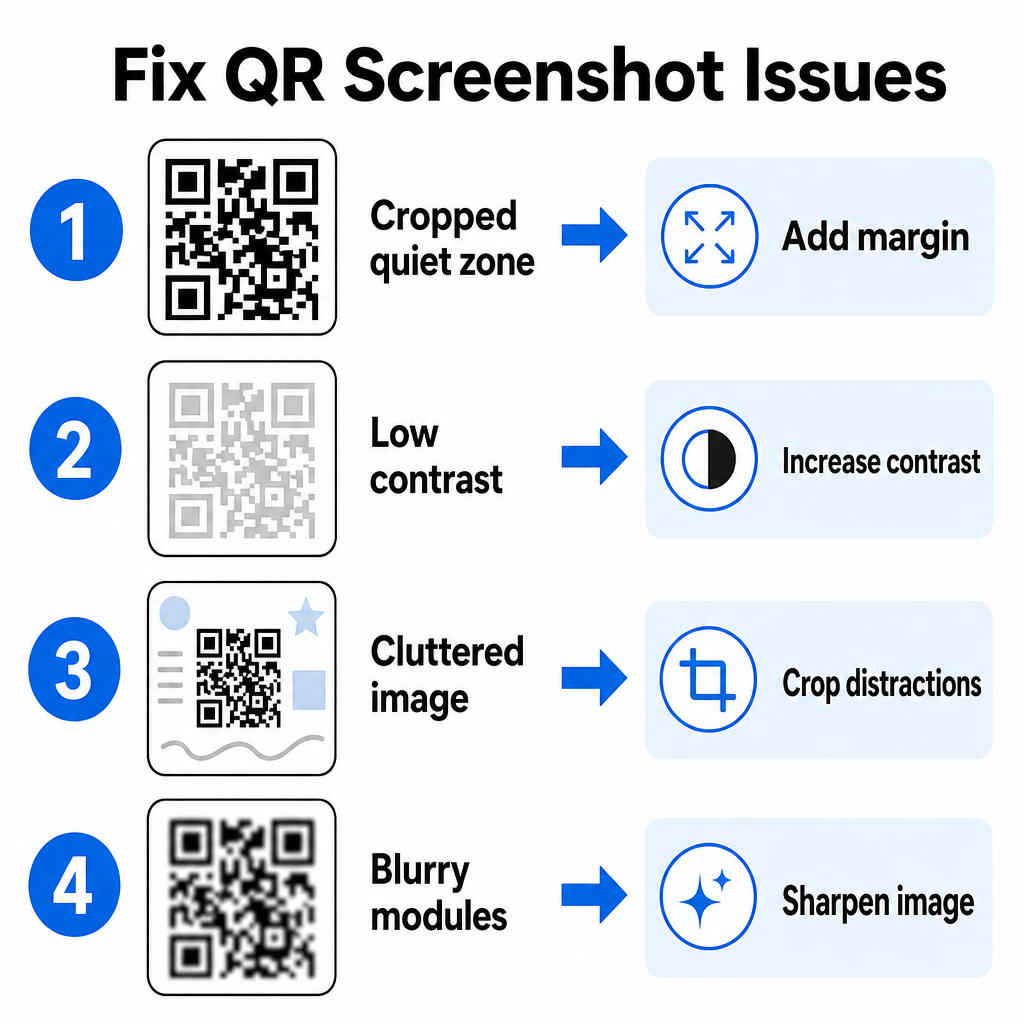
Dažreiz attēlu atšifrētājs nespēj noteikt QR kodu ekrānuzņēmuma iekšpusē. Tehniski traucējumi parasti rodas attēla izšķirtspējas, saspiesto matricas modeļu vai nepietiekamu malu dēļ.
| Problēma | Cēlonis | Risinājums |
|---|---|---|
| Trūkst klusās zonas | Baltā mala ap kodu ir pārāk cieši apgriezta. | Rediģējiet fotoattēlu, lai apdrukātu vismaz 4 moduļus platu baltu malu ap matricu. |
| Zems kontrasts | Fona krāsas saplūst ar tumšajiem datu moduļiem. | Palieliniet kontrastu vai padariet fona gaišāku, izmantojot vienkāršu attēlu redaktoru. |
| Pārblīvēts attēls | Apkārtējais teksts vai grafika maldina optisko skeneri. | Apgrieziet ekrānuzņēmumu tā, lai QR kods aizpildītu lielāko daļu rāmja. |
| Izplūduši moduļi | Zema izšķirtspēja izkropļo datu modeli un izlīdzinājuma atzīmes. | Asiniet vai mainiet ekrānuzņēmuma attēla faila izmērus pirms tā atkārtotas skenēšanas. |
Šo tehnisko prasību izpratne palīdz ātri novērst nelasāmus attēlus. Ja bieži apstrādājat zemas izšķirtspējas attēlus vai bojātus failus, salīdzinot labākās QR kodu skeneru lietotnes var palīdzēt jums izvēlēties īpašus rīkus, kas aprīkoti ar spēcīgākiem kļūdu labošanas algoritmiem.
Kādus datus var iegūt no QR koda ekrānuzņēmuma?
QR kodi glabā strukturētus datu formātus, kas pārsniedz vienkāršas vietņu adreses. Atkarībā no tā, kā veidotājs izveidoja kodu, nolasot saglabāto attēlu, var tieši ekrānā veikt dažādas darbības:
- Web URL: Novirza jūsu pārlūkprogrammu uz galvenajām lapām, digitālajām ēdienkartēm vai tiešsaistes veidlapām.
- vCard kontaktinformācija: Saglabā vārdus, tālruņu numurus un e-pasta adreses tieši jūsu kontaktpersonās.
- Wi-Fi akreditācijas dati: Savieno jūsu ierīci ar bezvadu tīkliem, pārsūtot SSID nosaukumus un paroles.
- Vienkāršas teksta piezīmes: Rāda neformatētas ziņas, reklāmas kodus vai instrukcijas bezsaistē.
- Komunikācijas veidnes: Iepriekš aizpilda SMS īsziņas vai projektu e-pastus ar norādītajiem saņēmēja datiem.
Zinot, kādi datu tipi pastāv, ir vieglāk orientēties uzvedņu pieprasījumos, apstrādājot saglabātos failus dažādās viedtālruņos un mobilajās ierīcēs.
Drošības paraugprakses saglabāto QR koda attēlu skenēšanai
Tā kā ekrānuzņēmumi slēpj iegultās saites galveno galamērķi, līdz tā dekodēšanai, kibernoziedznieki dažreiz izmanto krāpnieciskus QR kodus – prakse, kas pazīstama kā "quishing" – lai novirzītu lietotājus uz ļaunprātīgām vietnēm. Jūsu personīgās informācijas aizsardzībai nepieciešama pamata pārbaude pirms dekodētā satura atvēršanas.
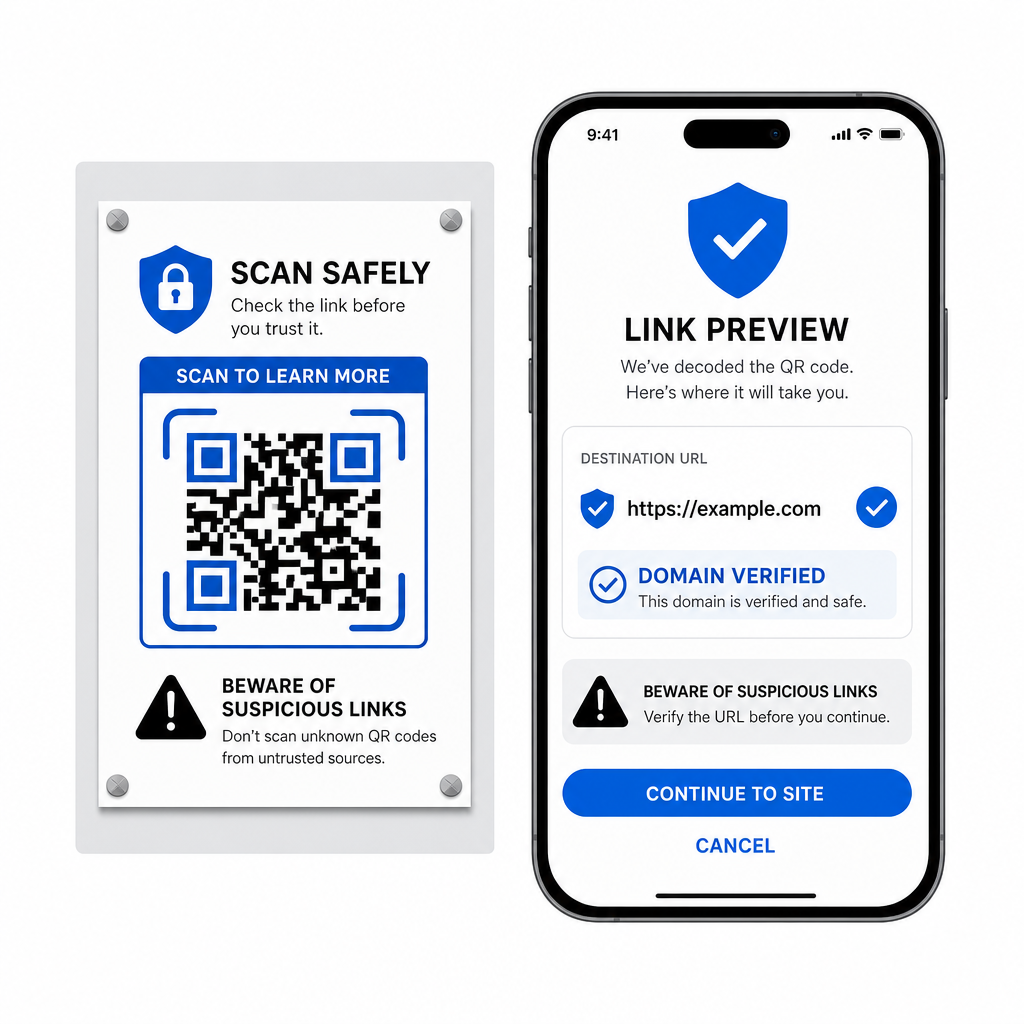
- Priekšskatiet galamērķa URL skenera uznirstošajā izvēlnē pirms to atvēršanas.
- Pārbaudiet domēna pareizrakstību lai pārliecinātos, ka tīmekļa adrese atbilst oficiālajam zīmola nosaukumam.
- Izvairieties ievadīt konfidenciālus akreditācijas datus vai maksājumu datus lapās, kas atvērtas tieši no skenētiem kodiem.
- Noraidiet negaidītus lejupielādes pieprasījumus vai atļauju pieprasījumus, kas parādās tūlīt pēc skenēšanas.
Viegli dekodējiet jebkuru QR koda attēlu
Lai nolasītu ekrānā saglabātu QR kodu, jums nav nepieciešams otrs tālrunis vai fizisks kameras objektīvs. Neatkarīgi no tā, vai ilgi nospiežat attēlu Apple Photos, skenējat failu ar Google Lens operētājsistēmā Android vai augšupielādējat saglabātu ekrānuzņēmumu galddatora pārlūkprogrammā, iegulto saišu izvilkšana aizņem tikai dažas sekundes.
Lai nodrošinātu visātrāko starpplatformu darba plūsmu, neinstalējot papildu programmatūru, saglabājiet pārlūkprogrammā balstītu skeneri kā grāmatzīmi, lai jūs varētu ievietot ekrānuzņēmumu failus, kad vien jums būs nepieciešams atklāt to slēpto saturu.
Biežāk uzdotie jautājumi
Jā. iOS un Android piedāvā iebūvētus galerijas dekoderus, piemēram, Apple Photos un Google Lens, kas izgūst datus tieši no saglabātajiem attēliem. Alternatīvi, varat augšupielādēt savu attēla failu tieši uz tīmekļa vietni Pageloot QR Code Scanner.
Fiziskās kameras lietotnes prasa optisko ievadi no ārēja kameras objektīva, kas vērsts uz objektu. Attēla nolasīšanai, kas saglabāts jūsu ierīces iekšējā atmiņā, nepieciešama programmatūra, kas spēj analizēt saglabātos attēla failus, piemēram, galerijas fotoattēlu dekoderus vai failu augšupielādes utilītas.
Apgrieziet ekrānuzņēmumu cieši ap QR koda matricu, lai noņemtu fona traucējumus. Pārliecinieties, ka baltā mala (klusuma zona) ap kvadrātveida moduļiem paliek neskarta, un palieliniet attēla spilgtumu vai kontrastu, ja dizains izskatās tumšs.