Pernahkah Anda menyimpan tangkapan layar kode QR, hanya untuk menyadari kamera ponsel Anda tidak dapat memindai layar Anda sendiri? Mencoba membuka tautan dari gambar yang disimpan membuat frustrasi ketika aplikasi kamera standar mengharapkan objek fisik. Untungnya, Anda dapat dengan mudah mendekode tangkapan layar kode QR apa pun menggunakan alat bawaan ponsel cerdas atau alat berbasis web.
Memindai Tangkapan Layar Kode QR di Perangkat iPhone dan iOS
iPhone modern yang menjalankan iOS 11 atau lebih baru menyertakan fitur sistem asli yang mengurai data gambar yang disimpan di pustaka foto Anda. Anda tidak perlu mengunduh perangkat lunak pihak ketiga hanya untuk mengekstrak tautan yang disimpan dari file gambar.
Ikuti langkah-langkah ini untuk mendekode tangkapan layar di iOS:
- Buka aplikasi Foto dan temukan tangkapan layar yang Anda simpan.
- Tekan dan tahan kode QR matriks hingga menu pilihan muncul.
- Pilih tindakan pilihan Anda untuk membuka tautan di Safari, salin URL, atau bagikan konten.
Jika perangkat Anda mendukung Live Text (iOS 15 dan yang lebih baru), ikon Live Text juga muncul di sudut kanan bawah penampil foto. Mengetuk ikon ini secara otomatis menyorot kode QR dan menampilkan bilah tindakan yang dapat diklik di bawahnya. Untuk versi iOS yang lebih lama atau penyiapan perangkat keras khusus, tinjau panduan lengkap kami tentang memindai kode QR di iPhone memberikan solusi manual tambahan.
Mengekstrak Tautan Kode QR dari Tangkapan Layar di Android
Sistem operasi Android memanfaatkan pengenalan karakter optik untuk memproses file gambar yang disimpan di penyimpanan lokal Anda. Perangkat yang dilengkapi dengan Google Play Services dapat mengekstrak data yang disematkan secara instan melalui galeri foto Anda.
Ikuti langkah-langkah ini untuk memproses tangkapan layar di Android:
- Luncurkan Google Foto dan pilih tangkapan layar yang disimpan dari galeri Anda.
- Ketuk ikon Google Lens di dekat bagian bawah layar Anda untuk menganalisis gambar.
- Pilih URL pop-up yang disorot untuk membuka tautan tujuan atau menjalankan tindakan yang disimpan.
Jika kamera atau aplikasi galeri default Anda tidak memiliki pengenalan optik asli, Anda dapat mempelajari lebih lanjut tentang pintasan perangkat alternatif dengan membaca panduan kami tentang memindai kode QR di perangkat Android.
Pindai Gambar Kode QR yang Tersimpan Secara Instan Perlu mendekode kode QR yang disimpan di perangkat Anda tanpa menginstal perangkat lunak tambahan? Gunakan Pageloot QR Code Scanner untuk mengunggah tangkapan layar Anda dan mengekstrak data Anda segera.
Membaca Tangkapan Layar Kode QR di Desktop dan Peramban Web
Sistem operasi desktop seperti Windows dan macOS tidak selalu memiliki pintasan kamera sekali klik untuk file yang disimpan. Namun, peramban web modern menawarkan cara cepat untuk mengurai file gambar langsung dari hard drive Anda.
Metode 1: Google Lens di Chrome Desktop
Jika Anda menemukan gambar kode QR saat menjelajah atau disimpan di komputer Anda, Google Chrome menyediakan fitur pengenalan gambar bawaan:
- Seret dan lepas file tangkapan layar langsung ke tab peramban Chrome yang terbuka.
- Klik kanan gambar setelah dimuat di dalam jendela peramban.
- Pilih “Cari gambar dengan Google” untuk melihat tautan yang didekode di panel samping.
Metode 2: Alat Unggah File Berbasis Web
Saat bekerja di berbagai sistem operasi desktop, mengunggah file gambar ke dekoder berbasis web adalah solusi yang paling konsisten:
- Simpan tangkapan layar ke desktop lokal atau folder unduhan Anda.
- Arahkan ke pemindai online menggunakan peramban web modern apa pun.
- Unggah file gambar ke zona jatuhkan untuk mengurai muatan terenkode secara instan.
Untuk menjelajahi teknik desktop tambahan di Windows dan macOS, lihat tutorial kami tentang memindai kode QR di laptop.
Pemecahan Masalah Tangkapan Layar Kode QR yang Tidak Dapat Dibaca
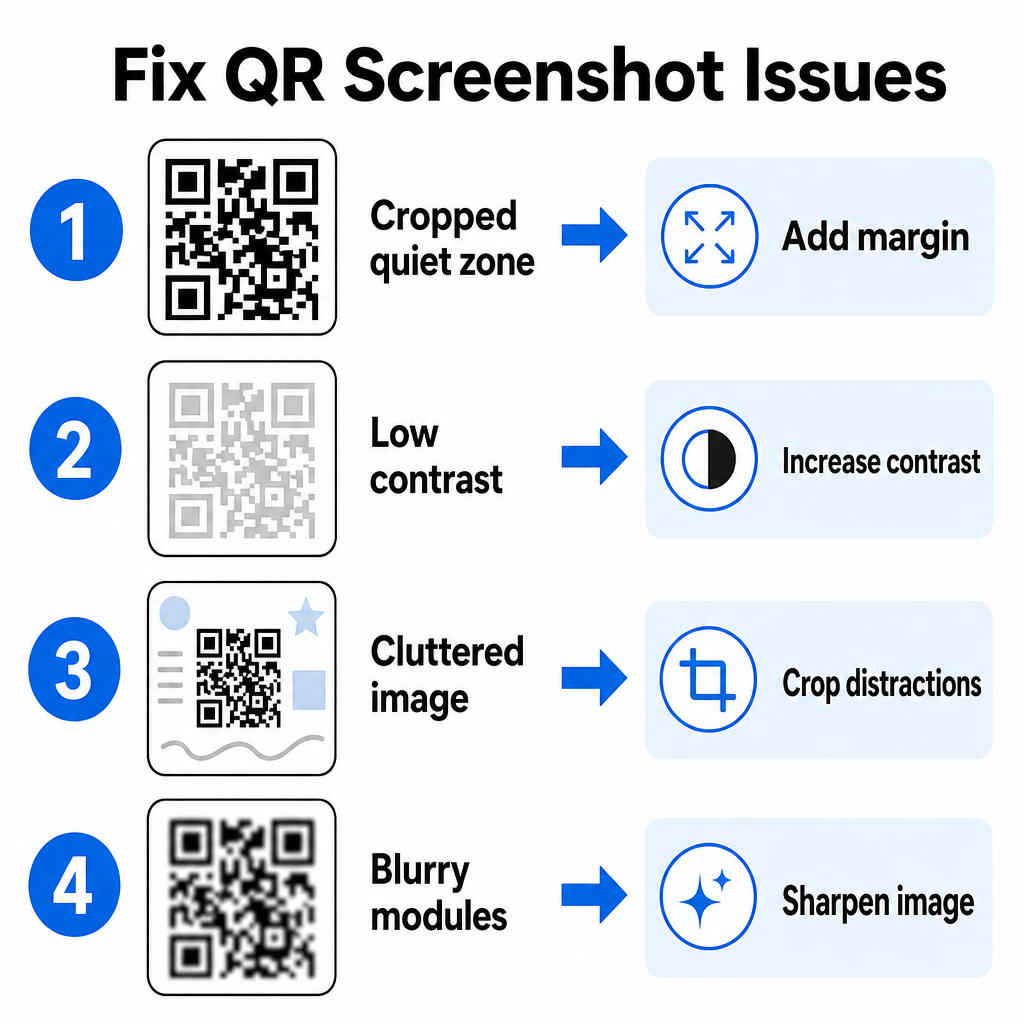
Terkadang dekoder gambar gagal mendeteksi kode QR di dalam tangkapan layar. Gangguan teknis biasanya berasal dari resolusi gambar, pola matriks terkompresi, atau margin yang tidak mencukupi.
| Masalah | Penyebab | Solusi |
|---|---|---|
| Zona Tenang Hilang | Bingkai putih di sekitar kode terpotong terlalu ketat. | Edit foto untuk menambahkan margin putih selebar minimal 4 modul di sekeliling matriks. |
| Kontras rendah | Warna latar belakang menyatu dengan modul data gelap. | Tingkatkan kontras atau cerahkan latar belakang menggunakan editor gambar dasar. |
| Gambar Berantakan | Teks atau grafis di sekeliling membingungkan pemindai optik. | Pangkas tangkapan layar sehingga kode QR memenuhi sebagian besar bingkai. |
| Modul Buram | Resolusi rendah mendistorsi pola data dan tanda perataan. | Pertajam atau ubah ukuran file gambar tangkapan layar sebelum memindainya lagi. |
Memahami persyaratan teknis ini membantu Anda memperbaiki gambar yang tidak dapat dibaca dengan cepat. Jika Anda sering menangani gambar beresolusi rendah atau file yang rusak, membandingkan aplikasi pemindai kode QR teratas dapat membantu Anda memilih alat khusus yang dilengkapi dengan algoritma koreksi kesalahan yang lebih kuat.
Data Apa yang Dapat Diekstrak Dari Tangkapan Layar Kode QR?
Kode QR menyimpan format data terstruktur di luar alamat situs web sederhana. Tergantung pada bagaimana pembuat membuat kode, membaca gambar yang disimpan dapat membuka berbagai tindakan langsung di layar Anda:
- URL Web: Mengarahkan browser Anda ke halaman arahan, menu digital, atau formulir online.
- Detail Kontak vCard: Menyimpan nama, nomor telepon, dan alamat email langsung ke kontak Anda.
- Kredensial Wi-Fi: Menghubungkan perangkat Anda ke jaringan nirkabel dengan mentransfer nama SSID dan kata sandi.
- Catatan Teks Biasa: Menampilkan pesan yang tidak diformat, kode promo, atau instruksi secara offline.
- Templat Komunikasi: Mengisi awal pesan teks SMS atau draf email dengan detail penerima yang ditentukan.
Mengetahui jenis data apa yang ada membuatnya lebih mudah untuk menavigasi permintaan prompt saat memproses file yang disimpan di berbagai ponsel pintar dan perangkat seluler.
Praktik Terbaik Keamanan untuk Memindai Gambar Kode QR yang Disimpan
Karena tangkapan layar menyembunyikan tujuan akhir tautan yang disematkan hingga didekode, pelaku kejahatan siber terkadang menggunakan kode QR palsu – praktik yang dikenal sebagai quishing – untuk mengarahkan pengguna ke situs web berbahaya. Melindungi informasi pribadi Anda memerlukan verifikasi dasar sebelum membuka konten yang didekode.
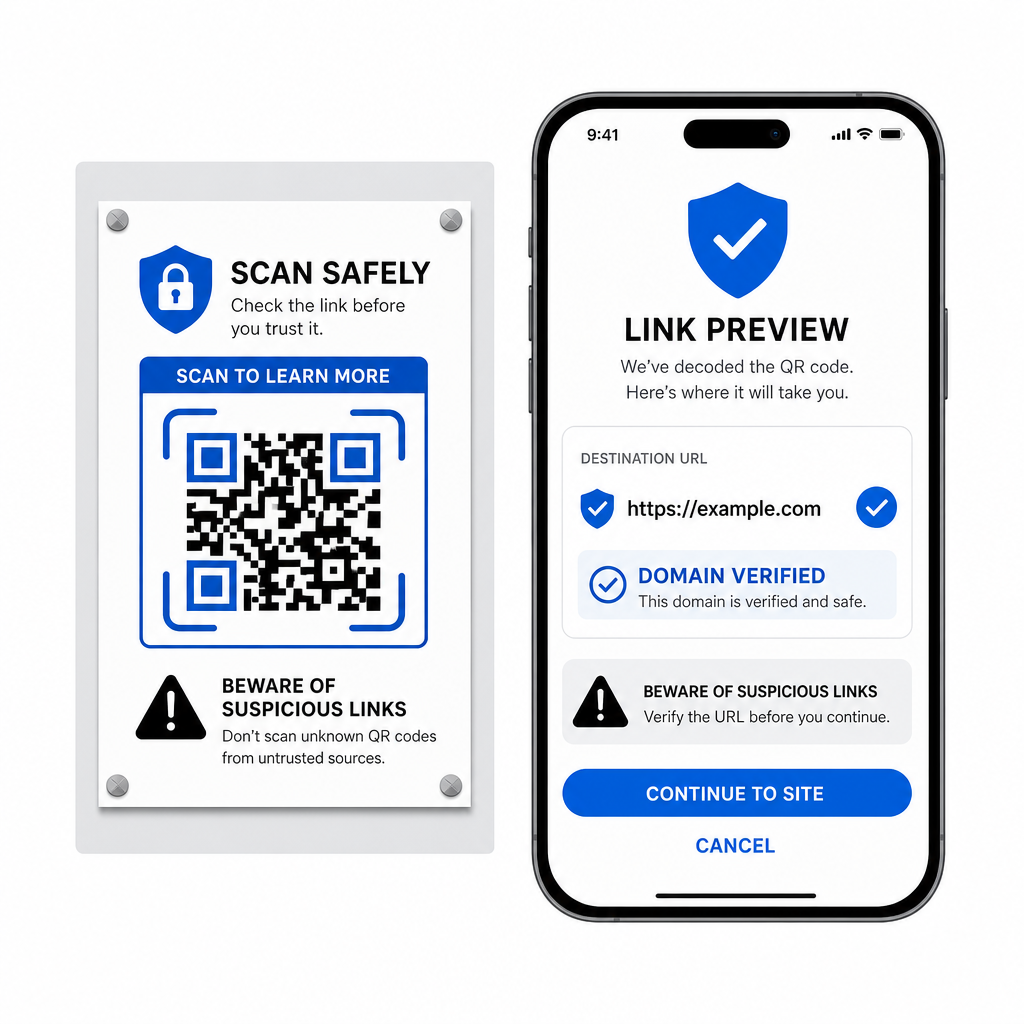
- Pratinjau URL tujuan di menu pop-up pemindai sebelum membukanya.
- Verifikasi ejaan domain untuk memastikan alamat web cocok dengan nama merek resmi.
- Hindari memasukkan kredensial sensitif atau detail pembayaran di halaman yang dibuka langsung dari kode yang dipindai.
- Tolak permintaan unduhan tak terduga atau permintaan izin yang muncul segera setelah memindai.
Dekode Gambar Kode QR Apa Pun dengan Mudah
Anda tidak memerlukan ponsel kedua atau lensa kamera fisik untuk membaca kode QR yang disimpan di layar Anda. Baik Anda menekan lama gambar di Apple Photos, memindai file dengan Google Lens di Android, atau mengunggah tangkapan layar yang disimpan di browser desktop, mengekstrak tautan yang disematkan hanya membutuhkan waktu beberapa detik.
Untuk alur kerja lintas platform tercepat tanpa menginstal perangkat lunak tambahan, simpan pemindai berbasis browser sebagai bookmark sehingga Anda dapat memasukkan file tangkapan layar kapan pun Anda perlu mengungkapkan konten tersembunyinya.
Pertanyaan yang sering diajukan
Ya. iOS dan Android memiliki dekoder galeri bawaan seperti Apple Photos dan Google Lens yang mengekstrak data langsung dari gambar yang disimpan. Alternatifnya, Anda dapat mengunggah file gambar Anda langsung ke Pemindai Kode QR Pageloot berbasis web.
Aplikasi kamera fisik memerlukan input optik dari lensa kamera eksternal yang diarahkan ke objek. Membaca gambar yang disimpan di penyimpanan internal perangkat Anda memerlukan perangkat lunak yang mampu menganalisis file gambar yang disimpan, seperti dekoder foto galeri atau utilitas unggah file.
Pangkas tangkapan layar dengan ketat di sekitar matriks kode QR untuk menghilangkan gangguan latar belakang. Pastikan batas putih (zona tenang) di sekitar modul persegi tetap utuh, dan tingkatkan kecerahan atau kontras gambar jika desain terlihat gelap.