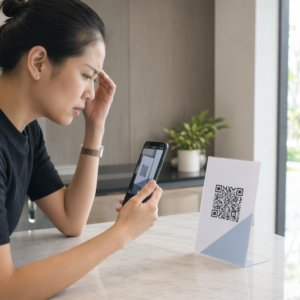
Heb je ooit een screenshot van een QR-code opgeslagen, om er vervolgens achter te komen dat de camera van je telefoon je eigen scherm niet kan scannen? Het openen van links uit opgeslagen afbeeldingen is frustrerend wanneer standaard camera-apps een fysiek object verwachten. Gelukkig kun je elke QR-code screenshot eenvoudig decoderen met ingebouwde smartphone-tools of webgebaseerde tools.
Een QR-code screenshot scannen op iPhone en iOS-apparaten
Moderne iPhones met iOS 11 of hoger bevatten systeemeigen functies die afbeeldingsgegevens in je fotobibliotheek kunnen verwerken. Je hoeft geen software van derden te downloaden om een opgeslagen link uit een afbeeldingsbestand te extraheren.
Volg deze stappen om een screenshot in iOS te decoderen:
- Open de Foto's-app en zoek je opgeslagen screenshot.
- Houd de QR-code matrix ingedrukt totdat het selectiemenu verschijnt.
- Selecteer je gewenste actie om de link in Safari te openen, de URL te kopiëren of de inhoud te delen.
Als je apparaat Live Text ondersteunt (iOS 15 en hoger), verschijnt er ook een Live Text-icoon rechtsonder in de beeldviewer. Door op dit icoon te tikken, wordt de QR-code automatisch gemarkeerd en wordt er een klikbaar actiebanner onder weergegeven. Voor oudere iOS-versies of gespecialiseerde hardwareconfiguraties, biedt het raadplegen van onze complete gids over het scannen van QR-codes op iPhone aanvullende handmatige oplossingen.
QR-code links uit screenshots halen op Android
Android-besturingssystemen maken gebruik van optische tekenherkenning om afbeeldingsbestanden te verwerken die zijn opgeslagen in je lokale opslag. Apparaten die zijn uitgerust met Google Play Services kunnen ingesloten gegevens direct via je fotogalerij extraheren.
Volg deze stappen om een screenshot op Android te verwerken:
- Start Google Foto's en selecteer het opgeslagen screenshot uit je galerij.
- Tik op het Google Lens-icoon onderaan je scherm om de afbeelding te analyseren.
- Selecteer de gemarkeerde pop-up URL om de bestemmingslink te openen of de opgeslagen actie uit te voeren.
Als je standaard camera- of galerij-app geen systeemeigen optische herkenning heeft, kun je meer te weten komen over alternatieve apparaatsnelkoppelingen door onze gids over het scannen van QR-codes op Android-apparaten.
te lezen. Direct opgeslagen QR-code afbeeldingen scannen Wil je een QR-code decoderen die op je apparaat is opgeslagen zonder extra software te installeren? Gebruik de Pageloot QR-code scanner om je screenshot te uploaden en je gegevens onmiddellijk te extraheren.
QR-code screenshots lezen op desktop en webbrowsers
Desktop besturingssystemen zoals Windows en macOS hebben niet altijd directe camera-snelkoppelingen voor opgeslagen bestanden. Moderne webbrowsers bieden echter snelle manieren om afbeeldingsbestanden rechtstreeks van je harde schijf te verwerken.
Methode 1: Google Lens in Desktop Chrome
Als je een QR-code afbeelding tegenkomt tijdens het browsen of opgeslagen op je computer, biedt Google Chrome ingebouwde functies voor beeldherkenning:
- Sleep het screenshotbestand rechtstreeks naar een open Chrome-tabblad.
- Rechtsklik op de afbeelding zodra het in het browservenster is geladen.
- Selecteer “Afbeelding zoeken met Google” om de gedecodeerde link in het zijpaneel te bekijken.
Methode 2: Webgebaseerde uploadtools voor bestanden
Bij het werken met meerdere desktop besturingssystemen is het uploaden van een afbeeldingsbestand naar een webgebaseerde decoder de meest consistente oplossing:
- Sla het screenshot op naar je lokale desktop of downloadmap.
- Navigeer naar een online scanner met elke moderne webbrowser.
- Upload het afbeeldingsbestand in het dropzone om de gecodeerde payload onmiddellijk te verwerken.
Om aanvullende desktoptechnieken voor Windows en macOS te verkennen, raadpleeg onze tutorial over het scannen van QR-codes op laptops.
Problemen oplossen met onleesbare QR-code screenshots
Soms detecteert een afbeeldingsdecoder een QR-code in een screenshot niet. Technische storingen komen meestal voort uit de beeldresolutie, gecomprimeerde matrixpatronen of onvoldoende marges.
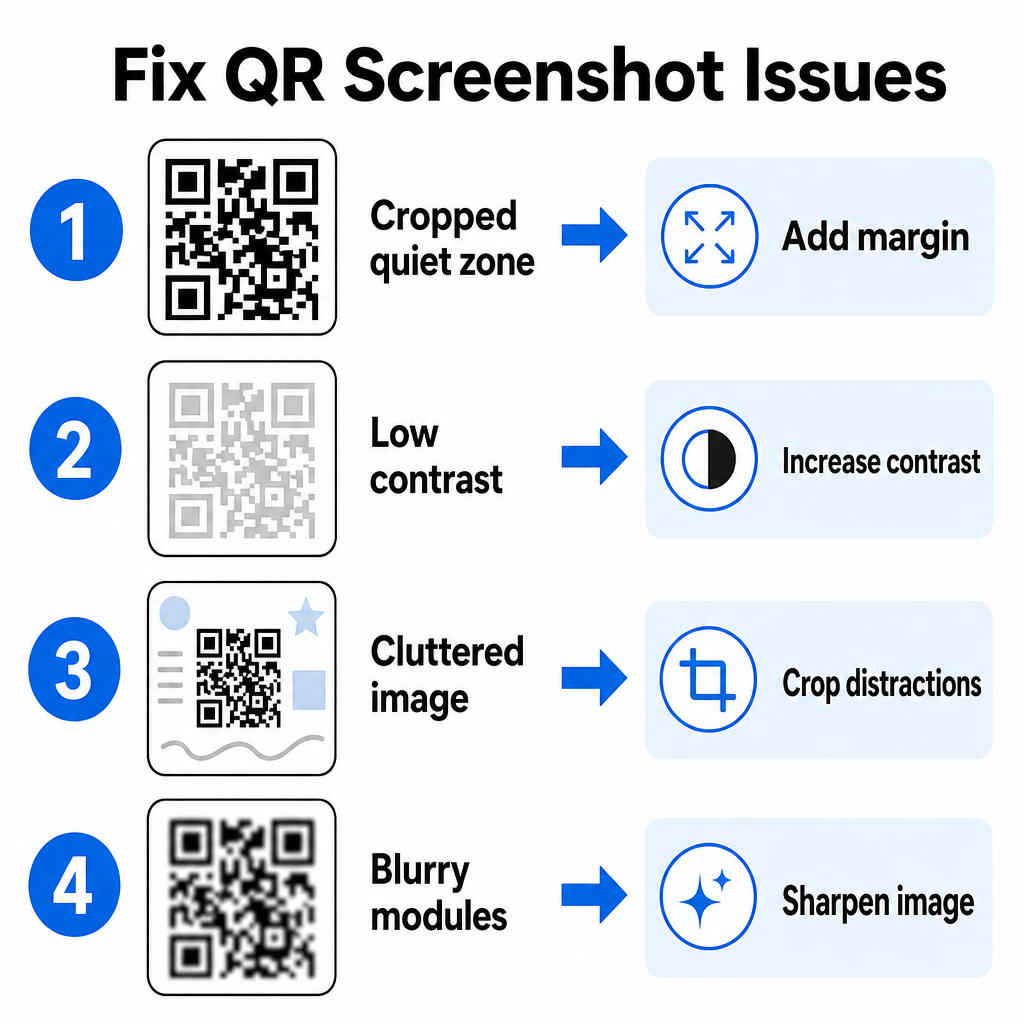
| Probleem | Oorzaak | Oplossing |
|---|---|---|
| Ontbrekende stille zone | De witte rand rond de code is te krap afgesneden. | Bewerk de foto om ten minste een witte rand van 4 modules breed rond de matrix toe te voegen. |
| Weinig contrast | Achtergrondkleuren vloeien samen met de donkere datamodules. | Verhoog het contrast of verlicht de achtergrond met een eenvoudige beeldbewerker. |
| Rommelig beeld | Omringende tekst of afbeeldingen verwarren de optische scanner. | Snijd het screenshot bij zodat de QR-code het grootste deel van het kader vult. |
| Wazige modules | Lage resolutie vervormt het datapatroon en de uitlijningsmarkeringen. | Verscherp of vergroot het screenshot-afbeeldingsbestand voordat u het opnieuw scant. |
Het begrijpen van deze technische vereisten helpt u om onleesbare afbeeldingen snel te repareren. Als u vaak afbeeldingen met een lage resolutie of beschadigde bestanden verwerkt, vergelijken van de beste QR-code scanner-apps kan u helpen bij het selecteren van speciale tools die zijn uitgerust met sterkere algoritmen voor foutcorrectie.
Welke gegevens kunnen uit een QR-code screenshot worden geëxtraheerd?
QR-codes slaan gestructureerde gegevensformaten op die verder gaan dan eenvoudige websiteadressen. Afhankelijk van hoe de maker de code heeft gebouwd, kan het lezen van een opgeslagen afbeelding verschillende acties rechtstreeks op uw scherm ontgrendelen:
- Web URL's: Stuurt uw browser naar bestemmingspagina's, digitale menu's of online formulieren.
- vCard Contactgegevens: Slaat namen, telefoonnummers en e-mailadressen rechtstreeks op in uw contacten.
- Wi-Fi-gegevens: Verbindt uw apparaat met draadloze netwerken door SSID-namen en wachtwoorden over te zetten.
- Platte tekst notities: Toont ongeformatteerde berichten, promotiecodes of instructies offline.
- Communicatie sjablonen: Vooraf ingevulde SMS-berichten of concept-e-mails met opgegeven contactgegevens.
Weten welke gegevenstypen er bestaan, maakt het gemakkelijker om promptverzoeken te navigeren bij het verwerken van opgeslagen bestanden op verschillende smartphones en mobiele apparaten.
Beveiligingsaanbevelingen voor het scannen van opgeslagen QR-code afbeeldingen
Omdat screenshots de uiteindelijke bestemming van een ingesloten link verbergen totdat deze is gedecodeerd, gebruiken cybercriminelen soms frauduleuze QR-codes – een praktijk die bekend staat als quishing – om gebruikers naar kwaadaardige websites te leiden. Het beschermen van uw persoonlijke gegevens vereist basisverificatie voordat u gedecodeerde inhoud opent.
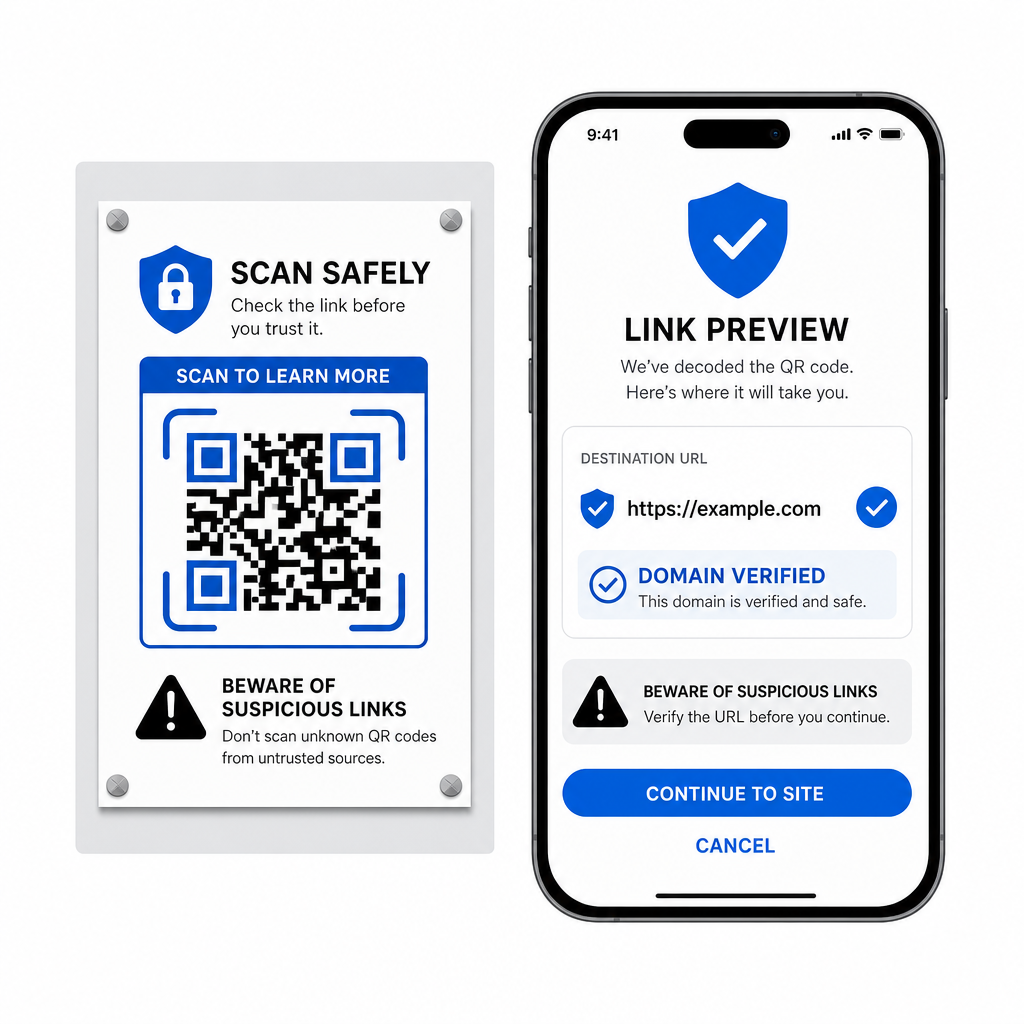
- Bestemmings-URL's vooraf bekijken in het pop-upmenu van de scanner voordat u ze opent.
- Controleer de spelling van het domein om ervoor te zorgen dat het webadres overeenkomt met de officiële merknaam.
- Vermijd het invoeren van gevoelige inloggegevens of betalingsgegevens op pagina's die rechtstreeks vanaf gescande codes zijn geopend.
- Weiger onverwachte downloadprompts of toestemmingsverzoeken die direct na het scannen verschijnen.
Decodeer eenvoudig elke QR-code afbeelding
U hebt geen tweede telefoon of een fysieke cameralens nodig om een QR-code die op uw scherm is opgeslagen, te lezen. Of u nu lang op een afbeelding drukt in Apple Foto's, een bestand scant met Google Lens op Android, of een opgeslagen screenshot uploadt in een desktopbrowser, het extraheren van ingesloten links duurt slechts enkele seconden.
Voor de snelste cross-platform workflow zonder extra software te installeren, bewaart u een browsergebaseerde scanner als bladwijzer, zodat u screenshotbestanden kunt neerzetten wanneer u hun verborgen inhoud wilt onthullen.
Veelgestelde vragen
Ja. iOS en Android beschikken over ingebouwde galerijdecoders zoals Apple Foto's en Google Lens die gegevens rechtstreeks uit opgeslagen afbeeldingen extraheren. Als alternatief kunt u uw afbeeldingsbestand rechtstreeks uploaden naar de webgebaseerde Pageloot QR Code Scanner.
Fysieke camera-apps vereisen optische invoer van een externe cameralens die op een object is gericht. Het lezen van een afbeelding die is opgeslagen in de interne opslag van uw apparaat vereist software die opgeslagen afbeeldingsbestanden kan analyseren, zoals decoders voor galerijfoto's of hulpprogramma's voor het uploaden van bestanden.
Knip de schermafbeelding nauwkeurig rond de QR-codematrix bij om achtergrondafleidingen te verwijderen. Zorg ervoor dat de witte rand (rustzone) rond de vierkante modules intact blijft, en verhoog de helderheid of het contrast van de afbeelding als het ontwerp er donker uitziet.