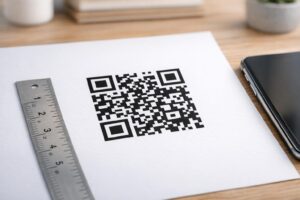
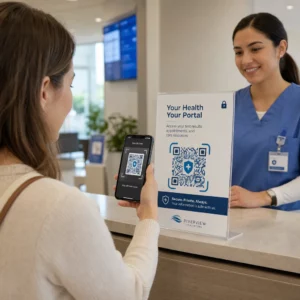
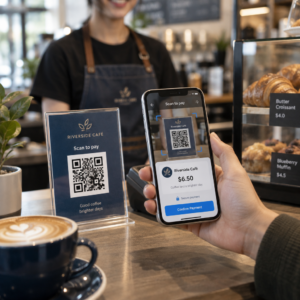
Warna kod QR terbaik adalah modul gelap (petak-petak) pada latar belakang cerah, dan ya, kod QR boleh diwarnakan. Peraturannya mudah: modul mestilah jelas lebih gelap daripada latar belakang. Hitam di atas putih memberikan nisbah kontras 21:1 dan merupakan pilihan paling selamat. Untuk kod berjenama, sasarkan sekurang-kurangnya 4:1, dan gunakan 7:1 atau lebih untuk papan tanda luar, di mana cahaya matahari dan jarak mengurangkan kontras yang berkesan. Panduan ini memberikan nombor, jadual warna, dan rutin ujian.
Warna Kod QR Mana Yang Berkesan, dan Bolehkah Kod QR Diwarnakan?
Kod QR boleh mempunyai hampir apa-apa warna, dan ia boleh menggunakan warna yang berbeza untuk modul dan latar belakang. Kamera telefon tidak melihat rona warna. Ia menukar imej kepada skala kelabu dan memutuskan, petak demi petak, apa yang gelap dan apa yang cerah. Jadi soalannya bukan warna mana yang anda pilih, tetapi sejauh mana perbezaan antara dua nilai skala kelabu itu.
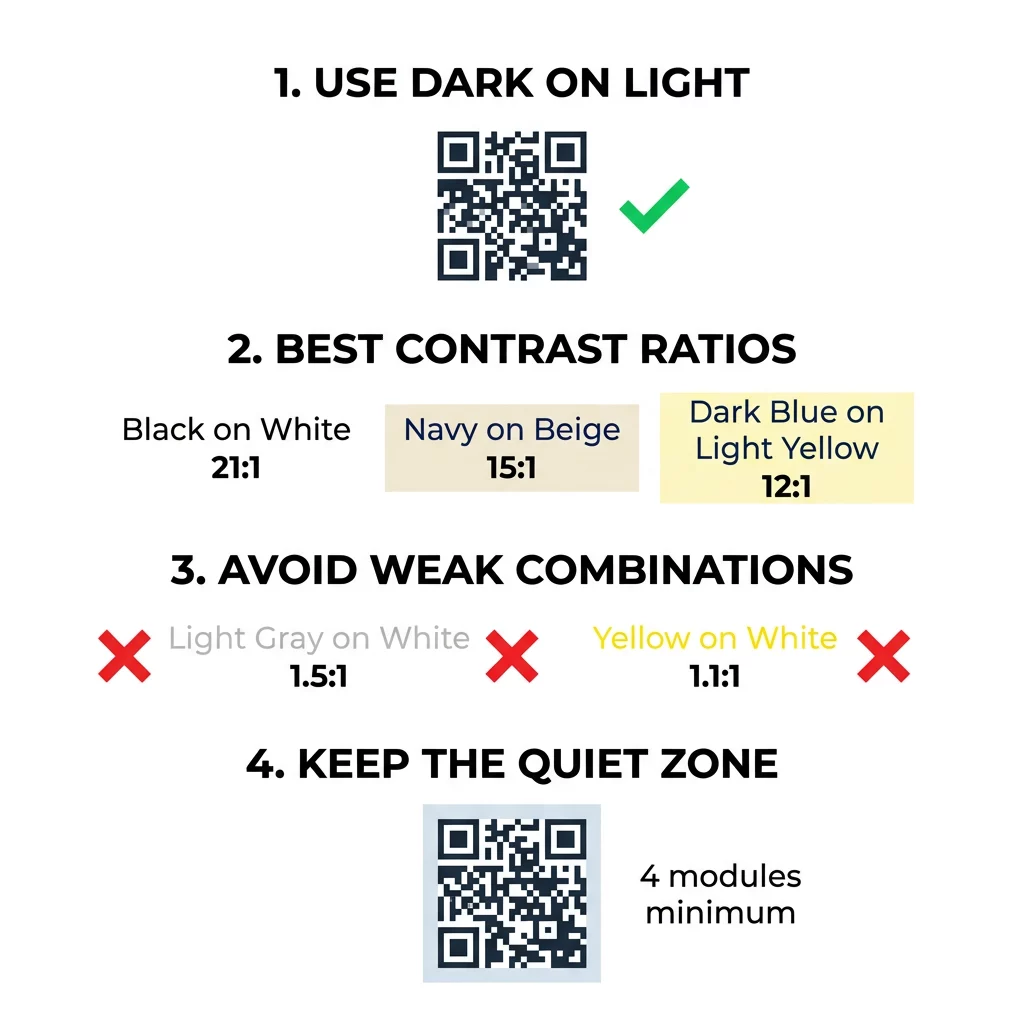
- Berfungsi: modul biru navy, hijau gelap, arang, ungu gelap, coklat gelap atau hitam pada latar belakang putih, krim atau latar belakang yang sangat cerah yang lain.
- Berfungsi dengan ujian: merah gelap, teal gelap dan jingga gelap pada putih. Semak nisbah dahulu, dan imbas bukti bercetak.
- Tidak berfungsi: modul kuning, kelabu cerah, pastel atau neon, dan sebarang pasangan warna dengan kecerahan yang sama, seperti hijau sederhana pada merah sederhana.
- Berisiko: modul cerah pada latar belakang gelap (kod terbalik). Banyak aplikasi pengimbas membacanya, tetapi ada yang tidak, jadi elakkan penggunaannya pada perkara yang penting.
Mengapa Kontras Mengawal Kebolehimbasan Kod QR
Sensor optik membaca kod QR dengan mengukur perbezaan dalam pantulan antara modul gelap dan cerah. Piawaian kod QR, ISO/IEC 18004, mengandaikan modul gelap pada latar belakang cerah. Modul gelap menyerap cahaya dan latar belakang cerah memantulkannya. Jika perbezaannya terlalu kecil, penyahkod tidak dapat memisahkan corak data daripada latar belakang.
Dalam ujian kod bar (ISO/IEC 15415), kontras simbol adalah perbezaan antara pantulan paling terang dan paling gelap dalam kod. Kontras simbol 70% atau lebih mendapat gred tertinggi, dan di bawah 20% gagal. Penilai juga memeriksa modulasi, yang menunjukkan betapa sekata modul terang dan gelap memantul di seluruh simbol. Warna yang tidak sekata atau pemisahan yang lemah menyebabkan pengimbas terlepas tepi modul.
Polariti normal, dengan modul gelap pada latar belakang terang, berfungsi pada setiap peranti. Sesetengah aplikasi kamera telefon terbina dalam tidak dapat membaca kod terang pada latar belakang gelap, dan sokongan berbeza mengikut model telefon dan versi perisian. Gunakan polariti normal melainkan anda telah menguji versi terbalik pada peranti yang digunakan oleh audiens anda.
Menilai Nisbah Kontras Warna dan Ambang
Nisbah kontras adalah nombor dari 1:1 (tiada perbezaan) hingga 21:1 (hitam pada putih). Nisbah ini berasal daripada peraturan kebolehcapaian dalam Garis Panduan Kebolehcapaian Kandungan Web (WCAG), yang ditulis untuk teks tetapi merupakan cara praktikal untuk memeriksa warna QR. Pemeriksa kontras (cari "WCAG contrast checker") menerima dua kod heks dan mengembalikan nisbah. Untuk maklumat lanjut mengenai reka bentuk inklusif, baca panduan kami mengenai cara menjadikan kod QR patuh ADA.
Gunakan sasaran ini. Sekurang-kurangnya 4:1 adalah minimum untuk cetakan dan skrin dalaman. 7:1 atau lebih selamat untuk pembungkusan, risalah dan apa sahaja yang diambil gambar dalam cahaya yang berbeza-beza. 10:1 atau lebih adalah sasaran untuk papan tanda luar. Nisbah di bawah adalah anggaran dan bergantung pada warna sebenar.
| Kombinasi Warna | Nisbah Kontras Anggaran | Penilaian Kebolehimbasan |
|---|---|---|
| Hitam atas Putih | 21:1 | Optimum (piawaian industri) |
| Biru Tua atas Beige | ~15:1 | Cemerlang |
| Biru Gelap atas Kuning Cerah | ~12:1 | Sangat Baik |
| Coklat Gelap pada Putih Kekuningan | ~8:1 | Baik |
| Merah Tulen (#FF0000) pada Putih | ~4:1 | Ambangan, uji sebelum mencetak |
| Merah Gelap (#8B0000) pada Putih | ~11:1 | Sangat Baik |
| Kelabu Cerah di atas Putih | ~1.5:1 | Lemah (kerap gagal imbasan) |
| Kuning di atas Putih | ~1.1:1 | Tidak boleh diimbas |
Sesuaikan Kod Tanpa Mengorbankan Kebolehimbasan Uji warna dan pratonton reka bentuk anda secara masa nyata menggunakan QR code with logo untuk mengimbangi estetika jenama dengan pengimbasan yang boleh dipercayai.
Nisbah Kontras Kod QR Terbaik untuk Papan Tanda Luar
Tiada piawaian menetapkan nisbah yang diperlukan untuk kod QR luar, tetapi keadaan luar mengurangkan kontras dalam tiga cara: matahari langsung memudarkan kawasan cerah, silau menyembunyikan bahagian kod, dan jarak mengaburkan modul kecil. Rancang untuk margin keselamatan yang lebih besar berbanding di dalam bangunan.
- Gunakan warna hitam atau warna yang sangat gelap pada latar putih. Sasarkan nisbah 10:1 atau lebih tinggi.
- Cetak pada bahan matte atau tambahkan laminat matte. Vinil berkilat dan kaca memantulkan matahari serta mengganggu corak.
- Saizkan kod mengikut jarak imbasan. Peraturan umum ialah 1 unit lebar kod untuk setiap 10 unit jarak, jadi kod yang diimbas dari 2 meter (kira-kira 6.5 kaki) seharusnya kira-kira 20 cm (8 inci) lebar.
- Kekalkan zon senyap penuh, dan letakkan kod pada panel cerah yang padu dan bukannya gambar.
- Elakkan meletakkan kod di tempat yang menghadap matahari rendah atau di belakang kaca, dan imbas tanda yang dicetak di tapak sebenar sebelum membuat pesanan secara besar-besaran.
Kontras Kod Bar: Kod QR lwn Kod Bar Linear
Peraturan kontras yang sama berlaku untuk kod bar kontras tinggi yang lain, seperti Kod 128 atau EAN. Pengimbas runcit selalunya menggunakan laser merah, dan cahaya merah tidak melihat palang merah atau dakwat merah sebagai gelap. Untuk kod bar linear, cetak palang dalam warna hitam, biru gelap atau hijau gelap pada latar putih, dan jangan sekali-kali dalam warna merah atau oren. Kod QR yang dibaca oleh kamera telefon kurang sensitif terhadap warna, tetapi nasihat yang sama memberikan hasil yang paling boleh dipercayai untuk kedua-duanya.
Melindungi Zon Senyap dan Dimensi Kod
Kontras tinggi mestilah meluas hingga ke tepi kod. Margin kosong di sekeliling corak adalah zon senyap. Ia memberitahu kamera di mana kod bermula dan di mana karya seni lain berakhir.
- Kekalkan zon senyap sekurang-kurangnya empat lebar modul pada keempat-empat sisi.
- Pastikan margin ini bersih daripada teks, ilustrasi dan sempadan.
- Padankan zon senyap dengan warna latar belakang cerah anda agar sempadannya jelas.
- Cetak kod sekurang-kurangnya 2 x 2 cm (0.8 x 0.8 inci) untuk imbasan dekat, pegang tangan. Cetak lebih besar untuk pautan yang lebih panjang, kerana lebih banyak data bermakna modul yang lebih kecil.
- Pilih pautan pendek. URL pendek menghasilkan corak yang lebih ringkas dengan modul yang lebih besar yang mengimbas lebih baik dalam cahaya malap.
Teks atau karya seni di dalam zon senyap sering menjadi punca ralat imbasan pada bahan berjenama. Panduan kami untuk amalan terbaik untuk kebolehbacaan kod QR menunjukkan cara mengekalkan jidar sambil memadankan susun atur anda.
Mengelak Kesilapan Warna dan Penggayaan Lazim
Menyesuaikan kod boleh menjejaskan kebolehbacaan. Kamera menukar imej kepada skala kelabu, jadi dua rona berbeza boleh berakhir dengan kecerahan yang sama dan bergabung menjadi satu kelabu.
- Elakkan modul pastel seperti biru muda, pudina atau kuning pucat.
- Elakkan modul merah terang atau jingga. Pengimbas laser membaca merah sebagai cahaya, dan nisbah kontras selalunya di bawah 5:1. Merah gelap seperti merah marun jauh lebih selamat.
- Elakkan gradien di mana bahagian paling terang warna modul hampir sama dengan latar belakang.
- Elakkan latar belakang lutsinar di atas foto, kertas bertekstur atau pembungkusan bercorak. Letakkan kod pada panel cahaya pejal.
- Elakkan reka bentuk terbalik dengan modul terang pada latar belakang gelap melainkan anda telah mengujinya pada telefon yang digunakan oleh audiens anda.
- Elakkan logo besar. Logo yang meliputi terlalu banyak modul boleh melebihi pembetulan ralat kod.
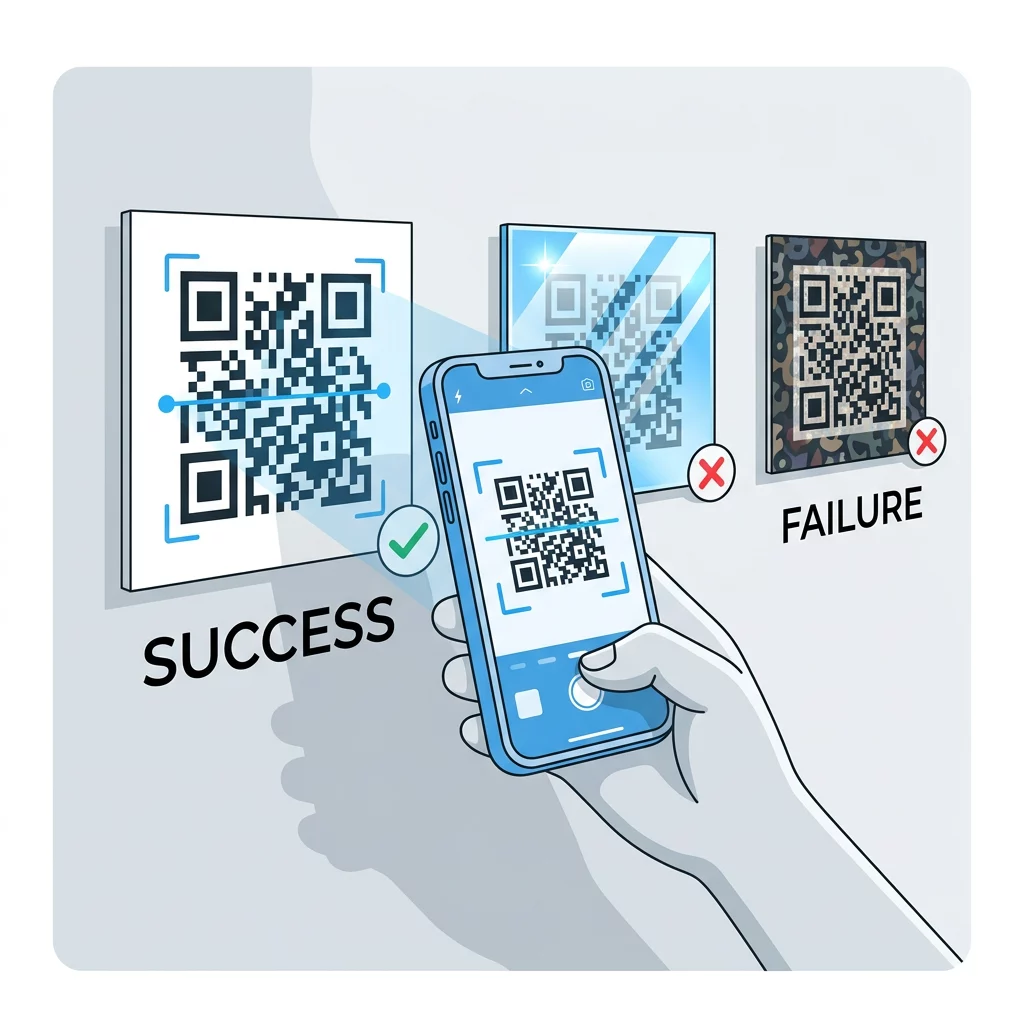
Mengetahui had ini membolehkan anda belajar cara membuat kod QR tersuai yang memaparkan jenama anda tanpa menjejaskan penyahkodan.
Menguji dan Mengesahkan Merentasi Persekitaran Dunia Nyata
Kod yang mengimbas dari monitor terang boleh gagal pada kertas. Cahaya bilik, sudut pandangan dan tekstur bahan semuanya mengubah kontras yang sampai ke lensa. Cahaya matahari langsung menghilangkan perbezaan warna kecil, bilik malap mengurangkan keupayaan sensor untuk memisahkan modul, dan kemasan berkilat menambah silau.
Jalankan semakan ini sebelum setiap kerja cetakan:
- Semak pasangan warna dalam penyemak kontras. Nisbah harus sekurang-kurangnya 4:1, dan 7:1 atau lebih untuk pembungkusan dan kegunaan luar.
- Cetak bukti pada bahan sebenar, pada saiz sebenar, dengan kemasan sebenar.
- Imbasnya dengan kamera terbina dalam pada sekurang-kurangnya satu iPhone dan satu telefon Android, satu telefon lama jika boleh, dan berasaskan pelayar Imbas Kod QR.
- Imbas dalam pencahayaan terburuk yang akan dihadapi kod: bilik malap, cahaya matahari langsung, dan pada sudut.
- Jika ia teragak-agak, tingkatkan kontras, besarkan kod, pendekkan pautan atau pulihkan zon senyap.
Panduan kami tentang cara menguji kod QR sebelum mencetak merangkumi ini dengan lebih terperinci, dan cara meningkatkan kebolehbacaan kod QR merangkumi pembetulan untuk kod yang gagal.
Memaksimumkan Kebolehpercayaan dan Penglibatan Kod QR
Anggap kontras sebagai keperluan teknikal, bukan sentuhan akhir. Pilih warna gelap pada latar belakang terang, kekalkan zon senyap, dan uji cetakan percubaan di bawah cahaya yang akan dihadapinya. Ini melindungi belanjawan cetakan anda daripada kod yang tidak dapat diimbas.
Cipta kod kontras tinggi anda dengan penjana kod QR. Tetapkan warna modul dan latar belakang, dan muat turun PNG, SVG atau PDF. Jika anda mencetak kod dan mungkin perlu menukar pautan kemudian, gunakan kod dinamik: anda boleh mengedit destinasi selepas mencetak dan melihat statistik imbasan. Kod dinamik disertakan dengan percubaan percuma 14 hari, dan pelan disenaraikan di https://pageloot.com/pricing/.
Soalan lazim
Sasar sekurang-kurangnya 4:1 antara modul dan latar belakang. Gunakan 7:1 atau lebih untuk pembungkusan dan risalah, dan 10:1 atau lebih untuk papan tanda luar. Hitam di atas putih ialah 21:1.
Ya. Sebarang warna boleh berfungsi jika modul-modul tersebut jelas lebih gelap daripada latar belakang. Biru gelap (navy), hijau hutan, arang dan merah marun pada latar putih atau krim berfungsi dengan baik. Kuning, kelabu cerah dan warna pastel tidak berfungsi.
Modul dan latar belakang boleh mempunyai warna yang berbeza, dan anda boleh menggunakan sebarang rona, tetapi hanya perbezaan kecerahan yang penting. Telefon membaca kod dalam skala kelabu, jadi dua warna dengan kecerahan yang sama akan gagal. Semak nisbah dan imbas bukti cetakan.
Tiada piawaian rasmi. Nisbah 10:1 atau lebih tinggi adalah sasaran yang selamat, seperti hitam di atas putih. Gunakan kemasan matte untuk mengurangkan silau, saizkan kod pada kira-kira 1/10 daripada jarak imbasan, dan ujinya di tapak.
Ya, jika warna jenama anda cukup gelap, seperti biru tua, hijau hutan atau arang, dan terletak di atas latar belakang cerah yang seragam. Jika warna jenama anda cerah, gunakan rona gelapnya untuk modul-modul tersebut.
Piawaian QR mentakrifkan modul gelap pada latar belakang terang. Banyak aplikasi kamera mencari corak itu dahulu, dan sesetengahnya tidak boleh membaca modul terang pada latar belakang gelap. Sokongan berbeza mengikut telefon, jadi uji sebelum anda mencetak.
Ya. Kod bar linear seperti Kod 128 atau EAN juga memerlukan bar gelap di atas latar belakang cerah. Pengimbas laser runcit menggunakan cahaya merah, jadi jangan sekali-kali mencetak bar dalam warna merah atau oren.