Czy kiedykolwiek zapisałeś zrzut ekranu kodu QR, tylko po to, by zdać sobie sprawę, że aparat w telefonie nie może zeskanować własnego ekranu? Próba otwarcia linków z zapisanych obrazów jest frustrująca, gdy standardowe aplikacje aparatu oczekują fizycznego obiektu. Na szczęście możesz łatwo odkodować dowolny zrzut ekranu kodu QR za pomocą wbudowanych narzędzi smartfona lub narzędzi internetowych.
Skanowanie zrzutu ekranu kodu QR na urządzeniach iPhone i iOS
Nowoczesne iPhone'y z systemem iOS 11 lub nowszym zawierają natywne funkcje systemowe, które analizują dane obrazu przechowywane w bibliotece zdjęć. Nie musisz pobierać oprogramowania innych firm, aby wyodrębnić zapisany link z pliku obrazu.
Wykonaj następujące kroki, aby odkodować zrzut ekranu w systemie iOS:
- Otwórz aplikację Zdjęcia i zlokalizuj zapisany zrzut ekranu.
- Naciśnij i przytrzymaj kod QR matrycę, aż pojawi się menu wyboru.
- Wybierz preferowaną akcję aby otworzyć link w Safari, skopiować adres URL lub udostępnić zawartość.
Jeśli Twoje urządzenie obsługuje funkcję Live Text (iOS 15 i nowsze), ikona Live Text pojawi się również w prawym dolnym rogu przeglądarki zdjęć. Dotknięcie tej ikony automatycznie podświetli kod QR i wyświetli pod nim klikalny baner akcji. W przypadku starszych wersji iOS lub specjalistycznych konfiguracji sprzętowych, zapoznaj się z naszym pełnym przewodnikiem po skanowaniu kodów QR na iPhonie zapewnia dodatkowe ręczne obejścia.
Wyodrębnianie linków z kodów QR ze zrzutów ekranu na Androida
Systemy operacyjne Android wykorzystują optyczne rozpoznawanie znaków do przetwarzania plików obrazów zapisanych w lokalnej pamięci masowej. Urządzenia wyposażone w Usługi Google Play mogą natychmiast wyodrębniać osadzone dane za pośrednictwem galerii zdjęć.
Wykonaj następujące kroki, aby przetworzyć zrzut ekranu na Androidzie:
- Uruchom Zdjęcia Google i wybierz zapisany zrzut ekranu z galerii.
- Dotknij ikony Google Lens u dołu ekranu, aby przeanalizować obraz.
- Wybierz podświetlony adres URL wyskakującego okienka aby otworzyć link docelowy lub wykonać zapisane działanie.
Jeśli Twoja domyślna aplikacja aparatu lub galerii nie ma natywnego rozpoznawania optycznego, możesz dowiedzieć się więcej o alternatywnych skrótach urządzeń, czytając nasz przewodnik po skanowaniu kodów QR na urządzeniach z Androidem.
Natychmiastowe skanowanie zapisanych obrazów kodów QR Potrzebujesz odkodować kod QR zapisany na swoim urządzeniu bez instalowania dodatkowego oprogramowania? Użyj Pageloot Skaner kodów QR aby przesłać swój zrzut ekranu i natychmiast wyodrębnić dane.
Odczytywanie zrzutów ekranu kodów QR na komputerach stacjonarnych i przeglądarkach internetowych
Systemy operacyjne dla komputerów stacjonarnych, takie jak Windows i macOS, nie zawsze posiadają skróty aparatu typu „kliknij i używaj” dla zapisanych plików. Jednak nowoczesne przeglądarki internetowe oferują szybkie sposoby analizowania plików obrazów bezpośrednio z dysku twardego.
Metoda 1: Google Lens w Chrome na komputerze
Jeśli napotkasz obraz kodu QR podczas przeglądania lub zapisany na komputerze, Google Chrome oferuje wbudowane funkcje rozpoznawania obrazów:
- Przeciągnij i upuść plik zrzutu ekranu bezpośrednio do otwartej karty przeglądarki Chrome.
- Kliknij prawym przyciskiem myszy obraz gdy załaduje się w oknie przeglądarki.
- Wybierz “Szukaj obrazu w Google” aby wyświetlić odkodowany link w panelu bocznym.
Metoda 2: Narzędzia do przesyłania plików online
Podczas pracy na wielu systemach operacyjnych dla komputerów stacjonarnych, przesyłanie pliku obrazu do dekodera online jest najbardziej spójnym rozwiązaniem:
- Zapisz zrzut ekranu na pulpicie lub w folderze pobierania.
- Przejdź do skanera online za pomocą dowolnej nowoczesnej przeglądarki internetowej.
- Prześlij plik obrazu do strefy upuszczania, aby natychmiast przeanalizować zakodowany ładunek.
Aby poznać dodatkowe techniki dla komputerów stacjonarnych w systemach Windows i macOS, zapoznaj się z naszym samouczkiem na temat skanowania kodów QR na laptopach.
Rozwiązywanie problemów z nieczytelnymi zrzutami ekranu kodów QR
Czasami dekoder obrazu nie wykrywa kodu QR w zrzucie ekranu. Problemy techniczne zazwyczaj wynikają z rozdzielczości obrazu, skompresowanych wzorów matrycy lub niewystarczających marginesów.
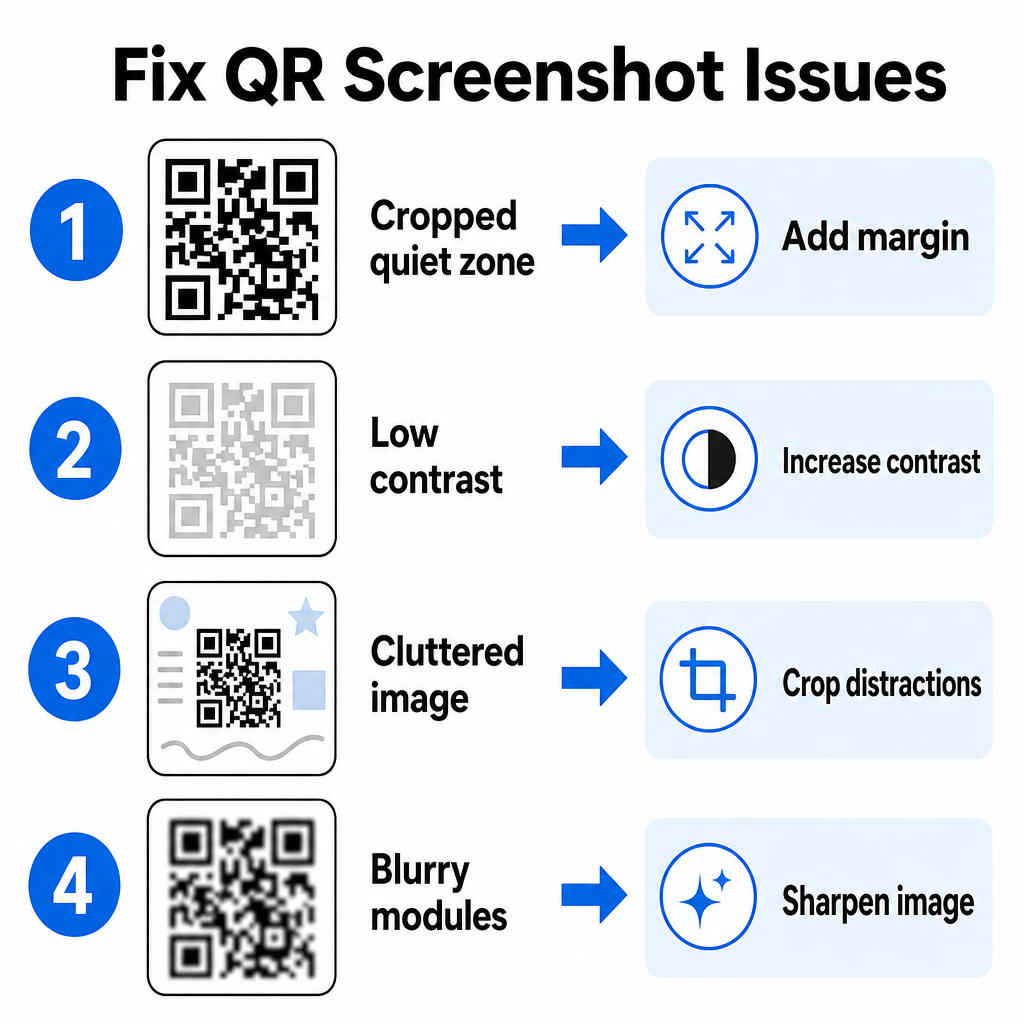
| Problem | Przyczyna | Rozwiązanie |
|---|---|---|
| Brak strefy ciszy | Biała ramka wokół kodu jest zbyt ciasno przycięta. | Edytuj zdjęcie, aby dodać biały margines o szerokości co najmniej 4 modułów wokół macierzy. |
| Niski kontrast | Kolory tła zlewają się z ciemnymi modułami danych. | Zwiększ kontrast lub rozjaśnij tło za pomocą podstawowego edytora obrazów. |
| Zagracony obraz | Otaczający tekst lub grafika dezorientują skaner optyczny. | Przytnij zrzut ekranu, aby kod QR wypełniał większość kadru. |
| Rozmazane moduły | Niska rozdzielczość zniekształca wzór danych i znaczniki wyrównania. | Wyostrz lub zmień rozmiar pliku zrzutu ekranu przed ponownym skanowaniem. |
Zrozumienie tych wymagań technicznych pomaga szybko naprawić nieczytelne obrazy. Jeśli często masz do czynienia z obrazami o niskiej rozdzielczości lub uszkodzonymi plikami, porównanie najlepszych aplikacji do skanowania kodów QR może pomóc w wyborze dedykowanych narzędzi wyposażonych w silniejsze algorytmy korekcji błędów.
Jakie dane można wyodrębnić ze zrzutu ekranu kodu QR?
Kody QR przechowują formaty danych strukturalnych wykraczające poza proste adresy stron internetowych. W zależności od tego, jak twórca zbudował kod, odczytanie zapisanego obrazu może odblokować różne akcje bezpośrednio na ekranie:
- Adresy URL stron internetowych: Kieruje przeglądarkę do stron docelowych, menu cyfrowych lub formularzy online.
- Dane kontaktowe vCard: Zapisuje imiona, numery telefonów i adresy e-mail bezpośrednio do kontaktów.
- Poświadczenia Wi-Fi: Łączy urządzenie z sieciami bezprzewodowymi, przesyłając nazwy SSID i hasła.
- Proste notatki tekstowe: Wyświetla nieformatowane wiadomości, kody promocyjne lub instrukcje offline.
- Szablony komunikacji: Wstępnie wypełnia wiadomości SMS lub szkice e-maili danymi wyznaczonych odbiorców.
Wiedza o tym, jakie typy danych istnieją, ułatwia nawigację po żądaniach monitów podczas przetwarzania zapisanych plików na różnych smartfonach i urządzeniach mobilnych.
Najlepsze praktyki bezpieczeństwa podczas skanowania zapisanych obrazów kodów QR
Ponieważ zrzuty ekranu ukrywają ostateczne przeznaczenie osadzonego linku do momentu dekodowania, cyberprzestępcy czasami używają fałszywych kodów QR – praktyka znana jako quishing – aby kierować użytkowników do złośliwych stron internetowych. Ochrona Twoich danych osobowych wymaga podstawowej weryfikacji przed otwarciem zdekodowanych treści.
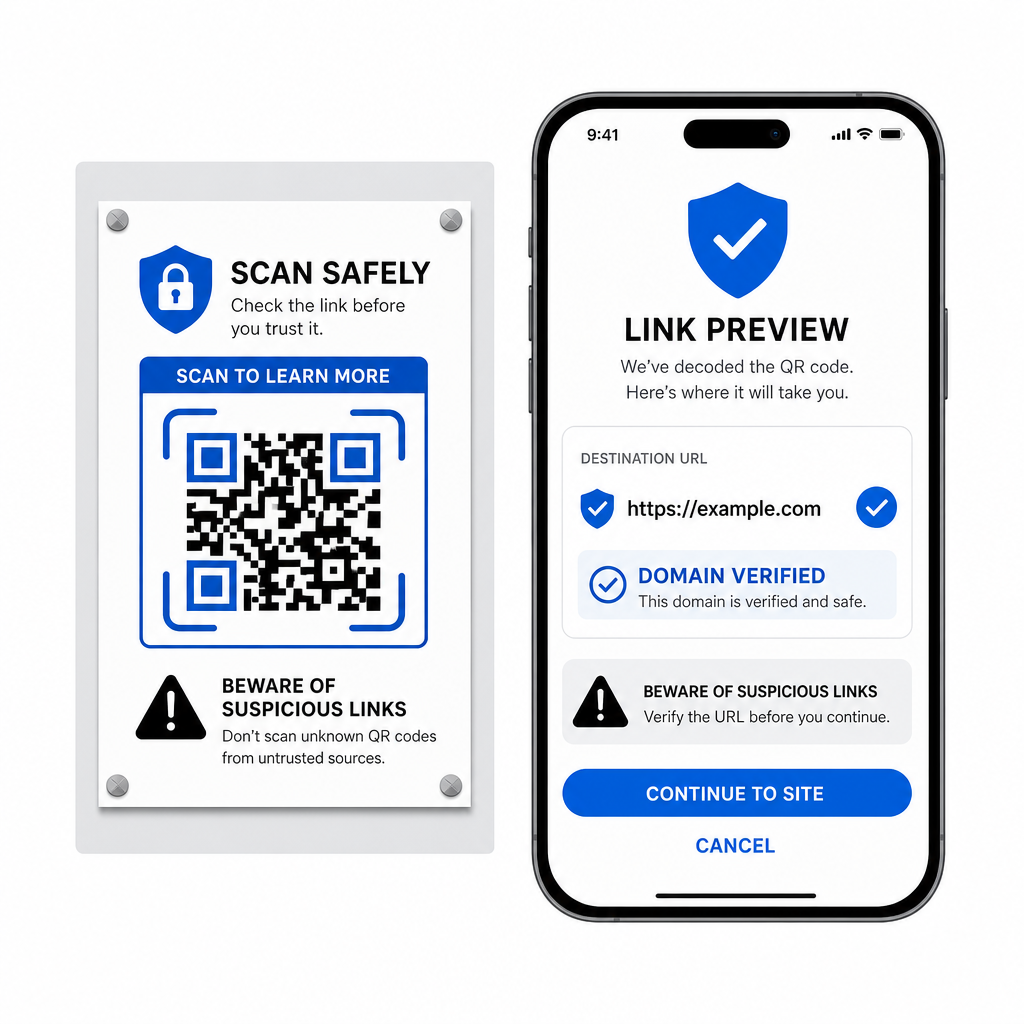
- Podgląd docelowych adresów URL w menu podręcznym skanera przed ich otwarciem.
- Sprawdź pisownię domen , aby upewnić się, że adres internetowy odpowiada oficjalnej nazwie marki.
- Unikaj wprowadzania poufnych danych uwierzytelniających lub danych płatniczych na stronach otwieranych bezpośrednio ze zeskanowanych kodów.
- Odrzuć nieoczekiwane monity pobierania lub prośby o uprawnienia, które pojawiają się natychmiast po zeskanowaniu.
Łatwo dekoduj dowolny obraz kodu QR
Nie potrzebujesz drugiego telefonu ani fizycznego obiektywu aparatu, aby odczytać kod QR zapisany na ekranie. Niezależnie od tego, czy przytrzymasz obraz w Zdjęciach Apple, zeskanujesz plik za pomocą Google Lens na Androidzie, czy prześlesz zapisany zrzut ekranu w przeglądarce stacjonarnej, wyodrębnienie osadzonych linków zajmuje tylko kilka sekund.
Aby uzyskać najszybszy przepływ pracy między platformami bez instalowania dodatkowego oprogramowania, zachowaj zakładkę do skanera opartego na przeglądarce, aby móc wstawiać pliki zrzutów ekranu, gdy tylko będziesz potrzebować ujawnić ich ukrytą zawartość.
Najczęściej zadawane pytania
Tak. iOS i Android posiadają wbudowane dekodery galerii, takie jak Apple Photos i Google Lens, które wyodrębniają dane bezpośrednio z zapisanych obrazów. Alternatywnie, możesz przesłać swój plik obrazu bezpośrednio do internetowego skanera kodów QR Pageloot.
Aplikacje aparatu fizycznego wymagają danych optycznych z zewnętrznego obiektywu aparatu skierowanego na obiekt. Odczytanie obrazu przechowywanego w pamięci wewnętrznej urządzenia wymaga oprogramowania zdolnego do analizy zapisanych plików obrazów, takiego jak dekodery zdjęć galerii lub narzędzia do przesyłania plików.
Przytnij zrzut ekranu ciasno wokół macierzy kodu QR, aby usunąć rozpraszające elementy tła. Upewnij się, że biały margines (strefa ciszy) wokół kwadratowych modułów pozostaje nienaruszony, a zwiększ jasność lub kontrast obrazu, jeśli projekt wygląda na ciemny.