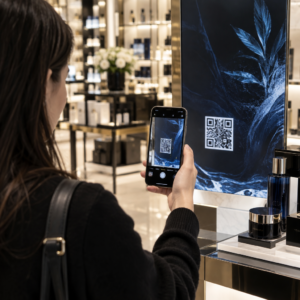
Hai mai salvato uno screenshot di un codice QR, solo per scoprire che la fotocamera del tuo telefono non riesce a scansionare il tuo schermo? Tentare di aprire collegamenti da immagini salvate è frustrante quando le app fotocamera standard si aspettano un oggetto fisico. Fortunatamente, puoi decodificare facilmente qualsiasi screenshot di codice QR utilizzando strumenti integrati per smartphone o strumenti basati sul web.
Scansione di uno screenshot di codice QR su iPhone e dispositivi iOS
Gli iPhone moderni con iOS 11 o versioni successive includono funzionalità di sistema native che analizzano i dati delle immagini archiviati nella tua libreria di foto. Non è necessario scaricare software di terze parti solo per estrarre un collegamento salvato da un file immagine.
Segui questi passaggi per decodificare uno screenshot in iOS:
- Apri l'app Foto e individua il tuo screenshot salvato.
- Tieni premuto il codice QR matrice finché non viene visualizzato il menu di selezione.
- Seleziona la tua azione preferita per aprire il collegamento in Safari, copiare l'URL o condividere il contenuto.
Se il tuo dispositivo supporta Live Text (iOS 15 e versioni successive), un'icona di Live Text appare anche nell'angolo in basso a destra del visualizzatore di foto. Toccando questa icona, il codice QR viene evidenziato automaticamente e viene visualizzato un banner di azione cliccabile sotto di esso. Per versioni iOS precedenti o configurazioni hardware specializzate, consulta la nostra guida completa su scansione di codici QR su iPhone fornisce soluzioni alternative manuali aggiuntive.
Estrazione di collegamenti da codici QR da screenshot su Android
I sistemi operativi Android sfruttano il riconoscimento ottico dei caratteri per elaborare i file immagine salvati nella memoria locale. I dispositivi dotati di Google Play Services possono estrarre istantaneamente i dati incorporati tramite la tua galleria fotografica.
Segui questi passaggi per elaborare uno screenshot su Android:
- Avvia Google Foto e seleziona lo screenshot salvato dalla tua galleria.
- Tocca l'icona di Google Lens in basso sullo schermo per analizzare l'immagine.
- Seleziona l'URL pop-up evidenziato per aprire il collegamento di destinazione o eseguire l'azione memorizzata.
Se la tua fotocamera o app galleria predefinita non dispone del riconoscimento ottico nativo, puoi saperne di più sulle scorciatoie alternative del dispositivo leggendo la nostra guida su scansione di codici QR su dispositivi Android.
Scansiona istantaneamente immagini di codici QR salvate Hai bisogno di decodificare un codice QR salvato sul tuo dispositivo senza installare software aggiuntivo? Usa il Pageloot QR Code Scanner per caricare il tuo screenshot ed estrarre i tuoi dati immediatamente.
Lettura di screenshot di codici QR su browser desktop e web
I sistemi operativi desktop come Windows e macOS non sempre dispongono di scorciatoie della fotocamera point-and-click per i file salvati. Tuttavia, i browser web moderni offrono modi rapidi per analizzare i file immagine direttamente dal tuo disco rigido.
Metodo 1: Google Lens in Chrome per desktop
Se incontri un'immagine di codice QR durante la navigazione o salvata sul tuo computer, Google Chrome offre funzionalità di riconoscimento delle immagini integrate:
- Trascina e rilascia il file dello screenshot direttamente in una scheda aperta del browser Chrome.
- Fai clic destro sull'immagine una volta caricato all'interno della finestra del browser.
- Seleziona “Cerca immagine con Google” per visualizzare il collegamento decodificato nel pannello laterale.
Metodo 2: Strumenti di caricamento file basati sul web
Quando si lavora su più sistemi operativi desktop, il caricamento di un file immagine su un decodificatore basato sul web è la soluzione più coerente:
- Salva lo screenshot sul tuo desktop locale o nella cartella download.
- Naviga verso uno scanner online utilizzando qualsiasi browser web moderno.
- Carica il file immagine nell'area di rilascio per analizzare istantaneamente il payload codificato.
Per esplorare tecniche desktop aggiuntive su Windows e macOS, consulta il nostro tutorial su scansione di codici QR su laptop.
Risoluzione dei problemi di screenshot di codici QR illeggibili
A volte un decodificatore di immagini non riesce a rilevare un codice QR all'interno di uno screenshot. I problemi tecnici di solito derivano dalla risoluzione dell'immagine, dai pattern di matrice compressi o dai margini insufficienti.
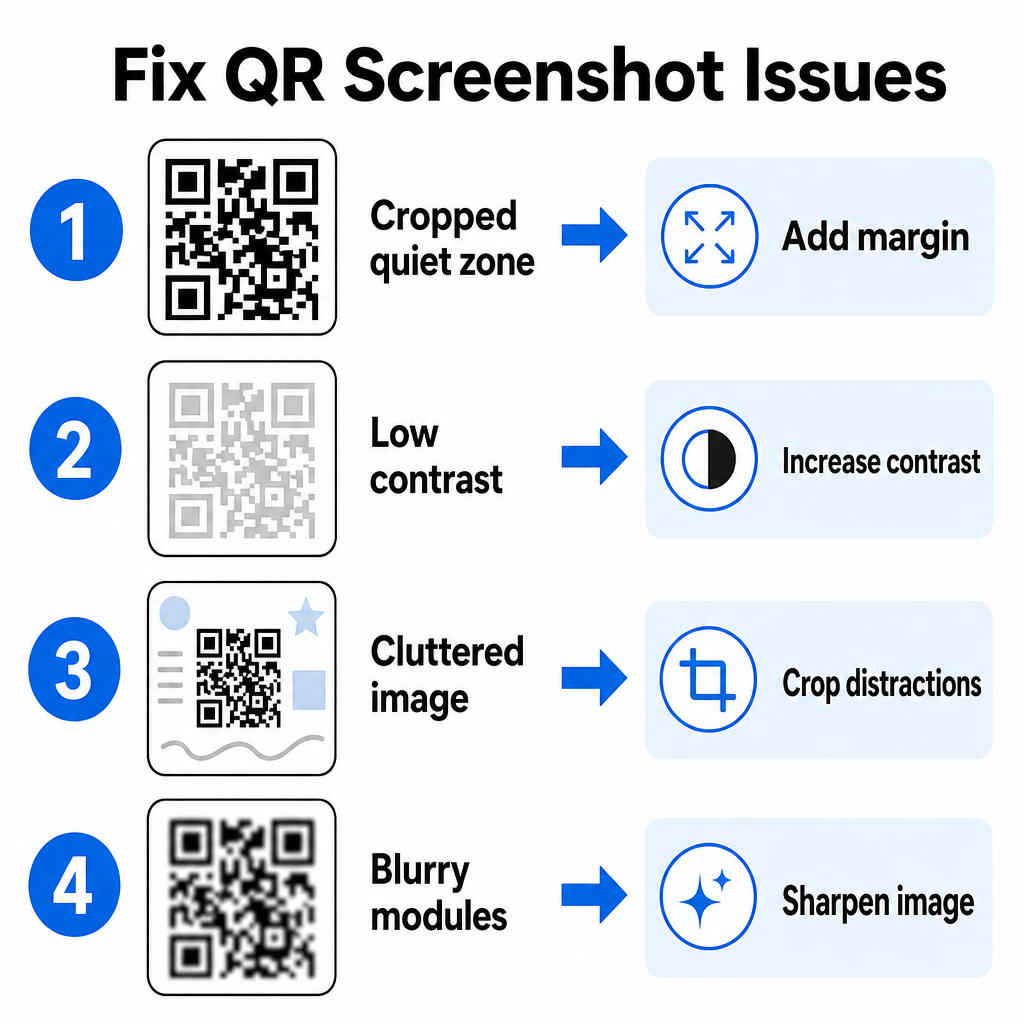
| Problema | Causa | Soluzione |
|---|---|---|
| Zona di silenzio mancante | Il bordo bianco attorno al codice è ritagliato troppo stretto. | Modifica la foto per aggiungere un margine bianco largo almeno 4 moduli attorno alla matrice. |
| Contrasto basso | I colori di sfondo si fondono con i moduli dati scuri. | Aumenta il contrasto o schiarisci lo sfondo usando un editor di immagini di base. |
| Immagine disordinata | Il testo o la grafica circostanti confondono lo scanner ottico. | Ritaglia lo screenshot in modo che il codice QR riempia la maggior parte dell'inquadratura. |
| Moduli sfocati | La bassa risoluzione distorce il pattern dei dati e i segni di allineamento. | Sfoca o ridimensiona il file immagine dello screenshot prima di scansionarlo di nuovo. |
Comprendere questi requisiti tecnici ti aiuta a correggere rapidamente le immagini illeggibili. Se gestisci frequentemente immagini a bassa risoluzione o file danneggiati, confrontare le migliori app per scanner di codici QR può aiutarti a selezionare strumenti dedicati dotati di algoritmi di correzione degli errori più potenti.
Quali dati possono essere estratti da uno screenshot di codice QR?
I codici QR memorizzano formati di dati strutturati oltre ai semplici indirizzi di siti web. A seconda di come il creatore ha costruito il codice, la lettura di un'immagine salvata può sbloccare varie azioni direttamente sul tuo schermo:
- URL web: Indirizza il tuo browser a pagine di destinazione, menu digitali o moduli online.
- Dettagli di contatto vCard: Salva nomi, numeri di telefono e indirizzi email direttamente nei tuoi contatti.
- Credenziali Wi-Fi: Connette il tuo dispositivo alle reti wireless trasferendo nomi SSID e password.
- Note di testo semplice: Visualizza messaggi non formattati, codici promozionali o istruzioni offline.
- Modelli di comunicazione: Pre-compila messaggi di testo SMS o bozze di email con i dettagli del destinatario designato.
Sapere quali tipi di dati esistono rende più facile navigare nelle richieste di prompt quando si elaborano file salvati su diversi smartphone e dispositivi mobili.
Migliori pratiche di sicurezza per la scansione di immagini di codici QR salvate
Poiché gli screenshot nascondono la destinazione finale di un link incorporato fino alla decodifica, i criminali informatici utilizzano talvolta codici QR fraudolenti – una pratica nota come quishing – per indirizzare gli utenti verso siti web dannosi. Proteggere le tue informazioni personali richiede una verifica di base prima di aprire contenuti decodificati.
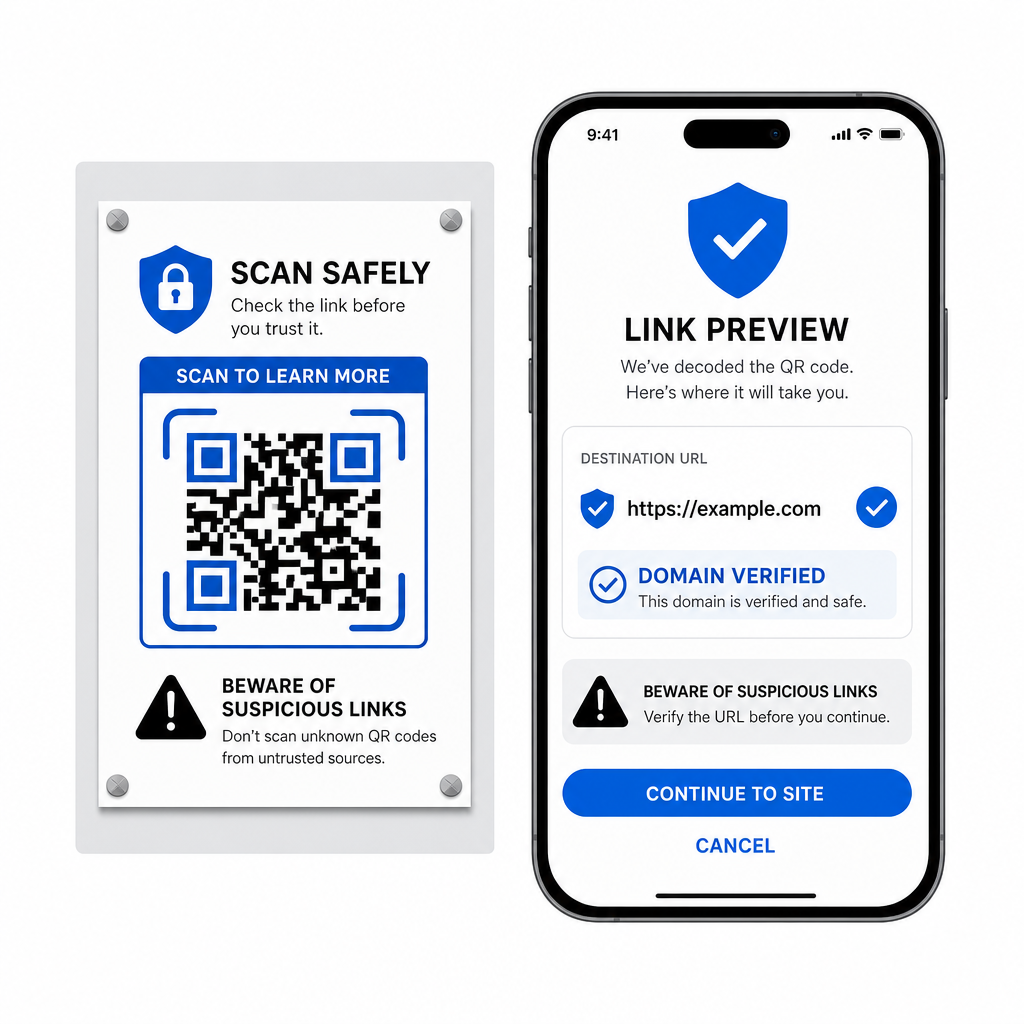
- Anteprima degli URL di destinazione nel menu a comparsa dello scanner prima di aprirli.
- Verifica l'ortografia del dominio per assicurarti che l'indirizzo web corrisponda al nome ufficiale del marchio.
- Evita di inserire credenziali sensibili o dettagli di pagamento su pagine aperte direttamente da codici scansionati.
- Rifiuta richieste di download impreviste o richieste di autorizzazione che appaiono immediatamente dopo la scansione.
Decodifica facilmente qualsiasi immagine di codice QR
Non hai bisogno di un secondo telefono o di una lente della fotocamera fisica per leggere un codice QR salvato sul tuo schermo. Sia che tu prema a lungo un'immagine in Apple Foto, scansiona un file con Google Lens su Android o carica uno screenshot salvato in un browser desktop, estrarre i link incorporati richiede solo pochi secondi.
Per il flusso di lavoro multipiattaforma più veloce senza installare software aggiuntivo, tieni a portata di mano uno scanner basato su browser in modo da poter inserire file di screenshot ogni volta che hai bisogno di rivelare il loro contenuto nascosto.
Domande frequenti
Sì. iOS e Android dispongono di decodificatori di galleria integrati come Apple Foto e Google Lens che estraggono dati direttamente dalle immagini salvate. In alternativa, puoi caricare direttamente il tuo file immagine sullo scanner di codici QR basato sul web di Pageloot.
Le app per fotocamere fisiche richiedono input ottico da una lente della fotocamera esterna puntata su un oggetto. La lettura di un'immagine memorizzata nella memoria interna del tuo dispositivo richiede un software in grado di analizzare i file immagine salvati, come i decodificatori di foto della galleria o le utility di caricamento file.
Ritaglia lo screenshot aderente attorno alla matrice del codice QR per rimuovere le distrazioni di sfondo. Assicurati che il bordo bianco (zona di silenzio) attorno ai moduli quadrati rimanga intatto e aumenta la luminosità o il contrasto dell'immagine se il design appare scuro.