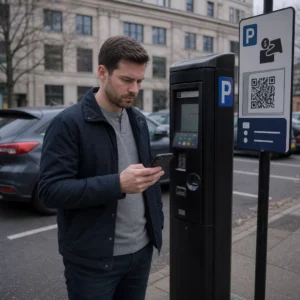
هل سبق لك حفظ لقطة شاشة لرمز الاستجابة السريعة، لتكتشف أن كاميرا هاتفك لا يمكنها مسح شاشتك الخاصة؟ إن محاولة فتح الروابط من الصور المحفوظة أمر محبط عندما تتوقع تطبيقات الكاميرا القياسية شيئًا ماديًا. لحسن الحظ، يمكنك بسهولة فك تشفير أي لقطة شاشة لرمز الاستجابة السريعة باستخدام أدوات الهاتف الذكي المدمجة أو الأدوات المستندة إلى الويب.
مسح لقطة شاشة لرمز الاستجابة السريعة على أجهزة iPhone و iOS
تتضمن أجهزة iPhone الحديثة التي تعمل بنظام iOS 11 أو أحدث ميزات نظام أصلية تقوم بتحليل بيانات الصور المخزنة في مكتبة الصور الخاصة بك. لا تحتاج إلى تنزيل برامج طرف ثالث فقط لاستخراج رابط محفوظ من ملف صورة.
اتبع هذه الخطوات لفك تشفير لقطة شاشة في نظام iOS:
- افتح تطبيق الصور وحدد موقع لقطة الشاشة المحفوظة الخاصة بك.
- اضغط مع الاستمرار على رمز الاستجابة السريعة المصفوفة حتى تظهر قائمة التحديد.
- حدد الإجراء المفضل لديك لفتح الرابط في Safari، أو نسخ عنوان URL، أو مشاركة المحتوى.
إذا كان جهازك يدعم ميزة Live Text (iOS 15 والإصدارات الأحدث)، فسيظهر أيضًا رمز Live Text في الزاوية السفلية اليمنى من عارض الصور. يؤدي النقر فوق هذا الرمز إلى تمييز رمز الاستجابة السريعة تلقائيًا ويعرض لافتة إجراء قابلة للنقر أسفلها. بالنسبة لإصدارات iOS الأقدم أو إعدادات الأجهزة المتخصصة، فإن مراجعة دليلنا الكامل حول مسح رموز الاستجابة السريعة على iPhone يوفر حلولًا يدوية إضافية.
استخراج روابط رموز الاستجابة السريعة من لقطات الشاشة على Android
تستفيد أنظمة تشغيل Android من التعرف الضوئي على الحروف لمعالجة ملفات الصور المحفوظة في مساحة التخزين المحلية الخاصة بك. يمكن للأجهزة المجهزة بخدمات Google Play استخراج البيانات المضمنة على الفور من خلال معرض الصور الخاص بك.
اتبع هذه الخطوات لمعالجة لقطة شاشة على Android:
- قم بتشغيل صور Google وحدد لقطة الشاشة المحفوظة من معرض الصور الخاص بك.
- اضغط على أيقونة Google Lens بالقرب من أسفل شاشتك لتحليل الصورة.
- حدد عنوان URL المنبثق المميز لفتح رابط الوجهة أو تنفيذ الإجراء المخزن.
إذا كان تطبيق الكاميرا أو المعرض الافتراضي الخاص بك يفتقر إلى التعرف الضوئي الأصلي، فيمكنك معرفة المزيد حول اختصارات الأجهزة البديلة من خلال قراءة دليلنا حول مسح رموز الاستجابة السريعة على أجهزة Android.
مسح صور رموز الاستجابة السريعة المحفوظة على الفور هل تحتاج إلى فك تشفير رمز استجابة سريعة محفوظ على جهازك دون تثبيت برامج إضافية؟ استخدم ماسح رمز الاستجابة السريعة Pageloot لتحميل لقطة الشاشة الخاصة بك واستخراج بياناتك على الفور.
قراءة لقطات شاشة رموز الاستجابة السريعة على متصفحات سطح المكتب والويب
لا تتضمن أنظمة تشغيل سطح المكتب مثل Windows و macOS دائمًا اختصارات كاميرا بنقرة واحدة للملفات المحفوظة. ومع ذلك، توفر متصفحات الويب الحديثة طرقًا سريعة لتحليل ملفات الصور مباشرة من محرك الأقراص الثابتة الخاص بك.
الطريقة 1: Google Lens في Chrome لسطح المكتب
إذا واجهت صورة رمز استجابة سريعة أثناء التصفح أو محفوظة على جهاز الكمبيوتر الخاص بك، فإن Google Chrome يوفر ميزات مدمجة للتعرف على الصور:
- اسحب وأفلت ملف لقطة الشاشة مباشرة في علامة تبويب متصفح Chrome مفتوحة.
- انقر بزر الماوس الأيمن على الصورة بمجرد تحميلها داخل نافذة المتصفح.
- حدد “البحث عن الصورة باستخدام Google” لعرض الرابط الذي تم فك تشفيره في اللوحة الجانبية.
الطريقة 2: أدوات تحميل الملفات المستندة إلى الويب
عند العمل عبر أنظمة تشغيل سطح المكتب المتعددة، يعد تحميل ملف صورة إلى أداة فك تشفير مستندة إلى الويب هو الحل الأكثر اتساقًا:
- احفظ لقطة الشاشة على سطح المكتب المحلي أو مجلد التنزيلات الخاص بك.
- انتقل إلى ماسح ضوئي عبر الإنترنت باستخدام أي متصفح ويب حديث.
- قم بتحميل ملف الصورة في منطقة الإفلات لتحليل الحمولة المشفرة على الفور.
لاستكشاف تقنيات سطح المكتب الإضافية عبر Windows و macOS، استشر برنامجنا التعليمي حول مسح رموز الاستجابة السريعة على أجهزة الكمبيوتر المحمولة.
استكشاف أخطاء لقطات شاشة رموز الاستجابة السريعة غير القابلة للقراءة وإصلاحها
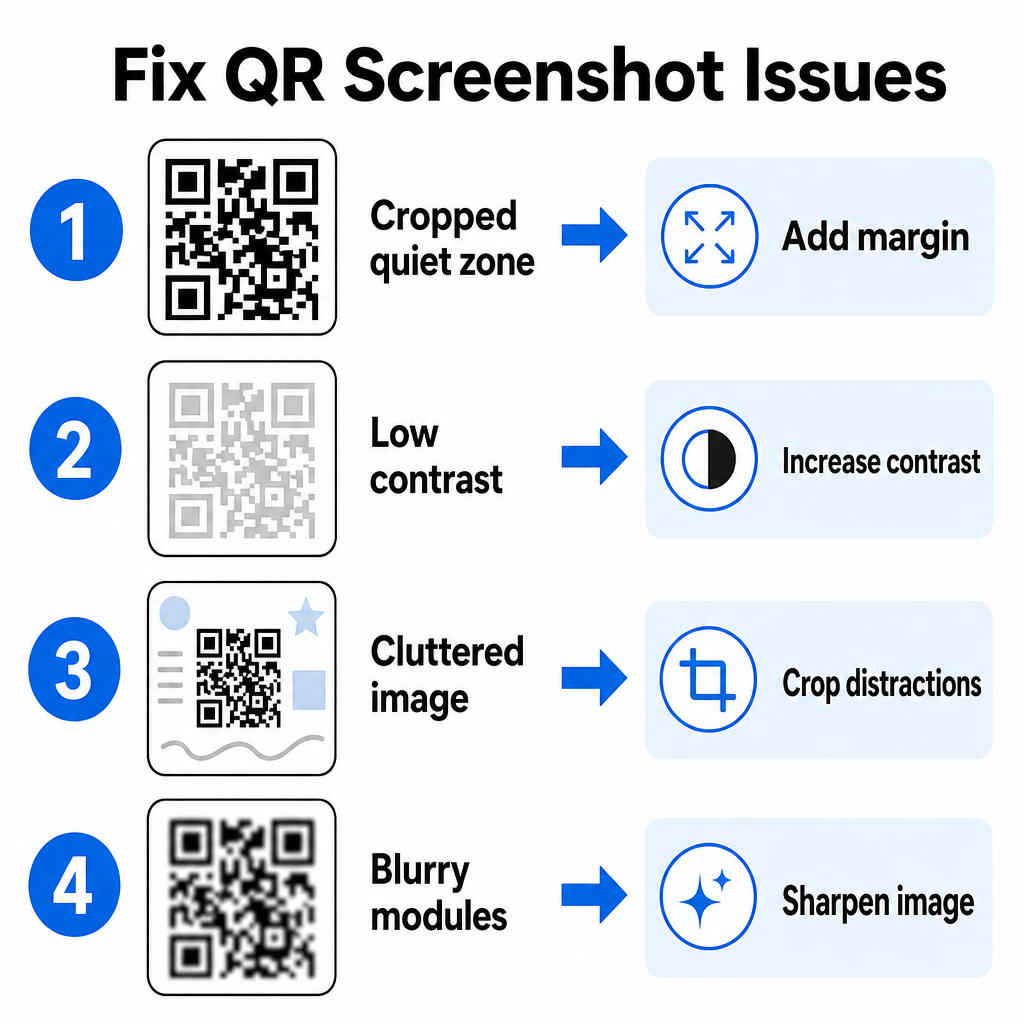
في بعض الأحيان، تفشل أداة فك تشفير الصور في اكتشاف رمز استجابة سريعة داخل لقطة شاشة. تنبع المشكلات الفنية عادةً من دقة الصورة، أو أنماط المصفوفة المضغوطة، أو الهوامش غير الكافية.
| مشكلة | سبب | حل |
|---|---|---|
| منطقة هادئة مفقودة | تم اقتصاص الشريط الأبيض حول الرمز بشكل ضيق جدًا. | قم بتحرير الصورة لإضافة هامش أبيض بعرض 4 وحدات على الأقل حول المصفوفة. |
| تباين منخفض | تمتزج ألوان الخلفية مع وحدات البيانات الداكنة. | عزز التباين أو قم بتفتيح الخلفية باستخدام محرر صور أساسي. |
| صورة مزدحمة | يؤدي النص أو الرسومات المحيطة إلى إرباك الماسح الضوئي البصري. | اقتصاص لقطة الشاشة بحيث يملأ رمز الاستجابة السريعة معظم الإطار. |
| وحدات ضبابية | تشوه الدقة المنخفضة نمط البيانات وعلامات المحاذاة. | قم بزيادة حدة صورة لقطة الشاشة أو تغيير حجمها قبل مسحها ضوئيًا مرة أخرى. |
يساعدك فهم هذه المتطلبات الفنية على إصلاح الصور غير القابلة للقراءة بسرعة. إذا كنت تتعامل بشكل متكرر مع صور منخفضة الدقة أو ملفات تالفة،, مقارنة أفضل تطبيقات مسح رموز الاستجابة السريعة يمكن أن يساعدك في اختيار أدوات مخصصة مجهزة بخوارزميات تصحيح أخطاء أقوى.
ما البيانات التي يمكن استخراجها من لقطة شاشة لرمز الاستجابة السريعة؟
تقوم رموز الاستجابة السريعة بتخزين تنسيقات بيانات منظمة تتجاوز عناوين مواقع الويب البسيطة. اعتمادًا على كيفية قيام المنشئ بإنشاء الرمز، يمكن لقراءة صورة محفوظة أن تفتح إجراءات مختلفة مباشرة على شاشتك:
- عناوين URL للويب: يوجه متصفحك إلى صفحات الهبوط أو القوائم الرقمية أو النماذج عبر الإنترنت.
- تفاصيل الاتصال بـ vCard: يحفظ الأسماء وأرقام الهواتف وعناوين البريد الإلكتروني مباشرة في جهات الاتصال الخاصة بك.
- بيانات اعتماد Wi-Fi: يربط جهازك بالشبكات اللاسلكية عن طريق نقل أسماء SSID وكلمات المرور.
- ملاحظات نص عادي: يعرض رسائل غير منسقة أو رموز ترويجية أو تعليمات دون اتصال بالإنترنت.
- قوالب الاتصال: يقوم بملء رسائل نصية SMS أو مسودات رسائل البريد الإلكتروني مسبقًا بتفاصيل المستلم المعينة.
إن معرفة أنواع البيانات الموجودة تجعل من السهل التنقل في طلبات المطالبات عند معالجة الملفات المحفوظة عبر الهواتف الذكية والأجهزة المحمولة المختلفة.
أفضل ممارسات الأمان لمسح صور رموز الاستجابة السريعة المحفوظة
نظرًا لأن لقطات الشاشة تخفي الوجهة النهائية للرابط المضمن حتى يتم فك تشفيرها، يستخدم مجرمو الإنترنت أحيانًا رموز استجابة سريعة احتيالية - وهي ممارسة تُعرف باسم "quishing" - لتوجيه المستخدمين نحو مواقع ويب ضارة. يتطلب حماية معلوماتك الشخصية التحقق الأساسي قبل فتح المحتوى الذي تم فك تشفيره.
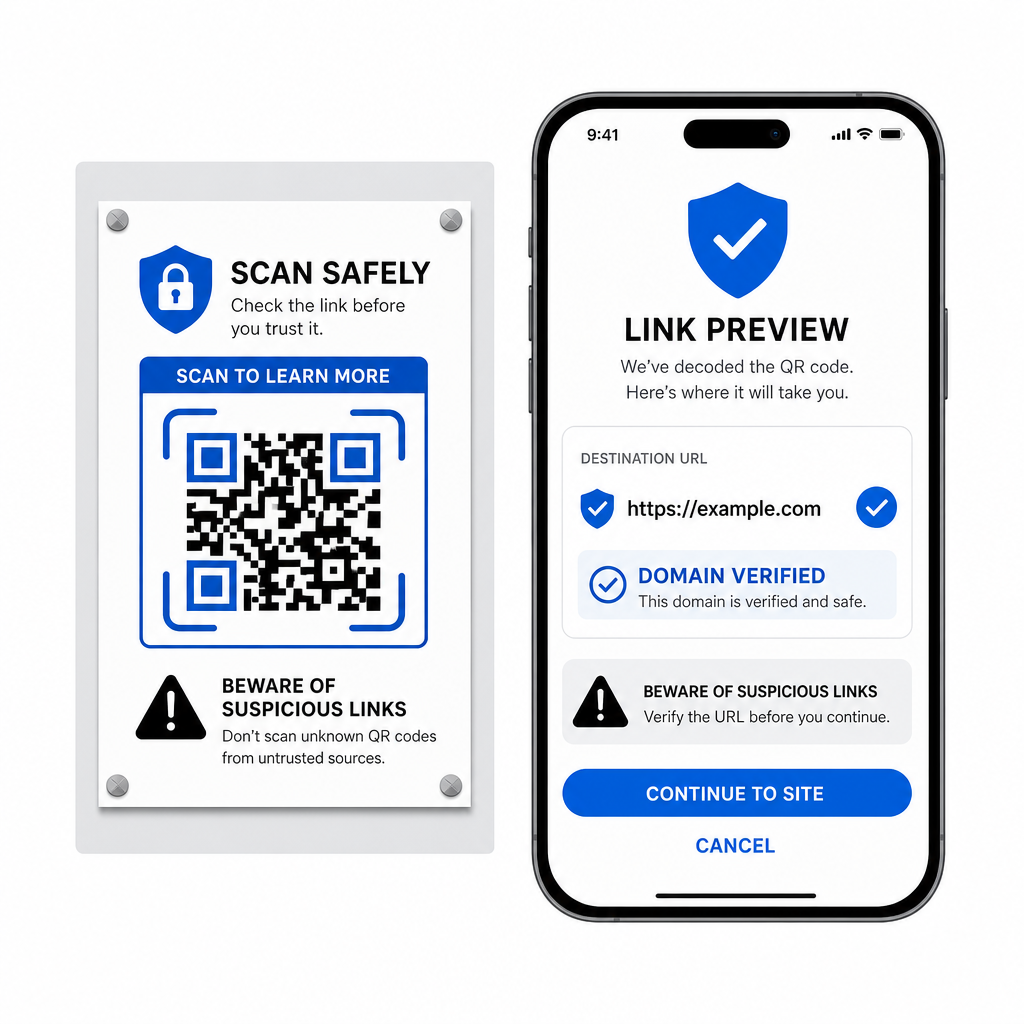
- معاينة عناوين URL الوجهة في قائمة الماسح المنبثقة قبل فتحها.
- تحقق من تهجئة النطاق للتأكد من أن عنوان الويب يطابق اسم العلامة التجارية الرسمي.
- تجنب إدخال بيانات اعتماد حساسة أو تفاصيل الدفع على الصفحات التي تم فتحها مباشرة من الرموز الممسوحة ضوئيًا.
- رفض مطالبات التنزيل غير المتوقعة أو طلبات الإذن التي تظهر فورًا بعد المسح.
فك تشفير أي صورة رمز استجابة سريعة بسهولة
لا تحتاج إلى هاتف ثانٍ أو عدسة كاميرا فعلية لقراءة رمز استجابة سريعة محفوظ على شاشتك. سواء قمت بالضغط لفترة طويلة على صورة في صور Apple، أو مسح ملف باستخدام Google Lens على Android، أو تحميل لقطة شاشة محفوظة في متصفح سطح المكتب، فإن استخراج الروابط المضمنة يستغرق بضع ثوانٍ فقط.
للحصول على أسرع سير عمل عبر الأنظمة الأساسية دون تثبيت برامج إضافية، احتفظ بماسح ضوئي قائم على المتصفح كإشارة مرجعية حتى تتمكن من إسقاط ملفات لقطات الشاشة كلما احتجت إلى الكشف عن محتواها المخفي.
الأسئلة الشائعة
نعم. تتميز أنظمة iOS و Android ببرامج فك تشفير مدمجة في المعرض مثل Apple Photos و Google Lens التي تستخرج البيانات مباشرة من الصور المحفوظة. بدلاً من ذلك، يمكنك تحميل ملف صورتك مباشرة إلى الماسح الضوئي لرموز QR المستند إلى الويب Pageloot.
تتطلب تطبيقات الكاميرا الفعلية إدخالًا بصريًا من عدسة كاميرا خارجية موجهة إلى كائن. تتطلب قراءة صورة مخزنة في مساحة التخزين الداخلية لجهازك برنامجًا قادرًا على تحليل ملفات الصور المحفوظة، مثل أدوات فك تشفير صور المعرض أو أدوات تحميل الملفات.
قص لقطة الشاشة بإحكام حول مصفوفة رمز الاستجابة السريعة لإزالة عوامل التشتيت في الخلفية. تأكد من بقاء الشريط الأبيض (المنطقة الهادئة) حول الوحدات المربعة سليمًا، وقم بزيادة سطوع الصورة أو تباينها إذا كان التصميم يبدو داكنًا.