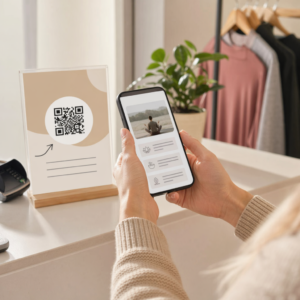
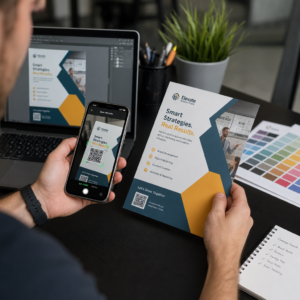
Oletko koskaan tallentanut kuvakaappausta QR-koodista, vain huomataksesi, että puhelimesi kamera ei pysty skannaamaan omaa näyttöäsi? Linkkien avaaminen tallennetuista kuvista on turhauttavaa, kun tavalliset kamerasovellukset odottavat fyysistä kohdetta. Onneksi voit helposti purkaa minkä tahansa QR-koodin kuvakaappauksen käyttämällä älypuhelimen sisäänrakennettuja työkaluja tai verkkopohjaisia työkaluja.
QR-koodin kuvakaappauksen skannaaminen iPhonella ja iOS-laitteilla
Nykyaikaiset iPhonet, joissa on iOS 11 tai uudempi, sisältävät natiiveja järjestelmäominaisuuksia, jotka jäsentävät valokuvakirjastoon tallennettuja kuvatietoja. Sinun ei tarvitse ladata kolmannen osapuolen ohjelmistoja vain tallennetun linkin poimimiseksi kuvatiedostosta.
Noudata näitä ohjeita kuvakaappauksen purkamiseksi iOS:ssä:
- Avaa Kuvat-sovellus ja etsi tallennettu kuvakaappaus.
- Paina ja pidä QR-koodia matriisia, kunnes valintavalikko tulee näkyviin.
- Valitse haluamasi toiminto avataksesi linkin Safarissa, kopioidaksesi URL-osoitteen tai jakaaksesi sisällön.
Jos laitteesi tukee Live Textiä (iOS 15 ja uudempi), Live Text -kuvake ilmestyy myös valokuvan katseluohjelman oikeaan alakulmaan. Tämän kuvakkeen napauttaminen korostaa QR-koodin automaattisesti ja näyttää sen alapuolella napsautettavan toimintopalkin. Vanhemmille iOS-versioille tai erikoistuneille laitteistokokoonpanoille, tarkista täydellinen oppaamme QR-koodien skannaaminen iPhonella tarjoaa lisäkäyttöohjeita.
QR-koodilinkkien poimiminen kuvakaappauksista Androidilla
Android-käyttöjärjestelmät hyödyntävät optista merkintunnistusta käsitelläkseen paikalliseen tallennustilaan tallennettuja kuvatiedostoja. Google Play -palveluilla varustetut laitteet voivat poimia sulautettuja tietoja välittömästi valokuvagalleriasi kautta.
Noudata näitä ohjeita kuvakaappauksen käsittelemiseksi Androidilla:
- Käynnistä Google Kuvat ja valitse tallennettu kuvakaappaus galleriastasi.
- Napauta Google Lens -kuvaketta näytön alareunassa analysoidaksesi kuvaa.
- Valitse korostettu ponnahdusikkunan URL-osoite avataksesi kohdelinkin tai suorittaaksesi tallennetun toiminnon.
Jos oletus kamerasi tai galleriasovelluksestasi puuttuu natiivi optinen tunnistus, voit lukea lisää vaihtoehtoisista laitepikakuvakkeista oppaastamme QR-koodien skannaaminen Android-laitteilla.
Skannaa tallennetut QR-koodikuvat välittömästi Tarvitsetko QR-koodin purkamista laitteellesi tallennetusta koodista asentamatta lisäohjelmistoja? Käytä Pageloot QR-koodinlukija ladataksesi kuvakaappauksesi ja poimiaksesi tietosi välittömästi.
QR-koodikuvakaappausten lukeminen työpöydällä ja verkkoselaimilla
Työpöytäkäyttöjärjestelmissä, kuten Windowsissa ja macOS:ssä, ei aina ole osoita ja napsauta -kameran pikakuvakkeita tallennetuille tiedostoille. Nykyaikaiset verkkoselaimet tarjoavat kuitenkin nopeita tapoja jäsentää kuvatiedostoja suoraan kiintolevyltäsi.
Menetelmä 1: Google Lens työpöydän Chromessa
Jos kohtaat QR-koodikuvan selatessasi tai tietokoneellesi tallennettuna, Google Chrome tarjoaa sisäänrakennettuja kuvantunnistusominaisuuksia:
- Vedä ja pudota kuvakaappaustiedosto suoraan avoimeen Chrome-selainvälilehteen.
- Napsauta kuvaa hiiren kakkospainikkeella kun se latautuu selainikkunaan.
- Valitse “Hae kuvaa Googlella” nähdäksesi puretun linkin sivupaneelissa.
Menetelmä 2: Verkkopohjaiset tiedostojen lataustyökalut
Kun työskentelet useiden työpöytäkäyttöjärjestelmien kanssa, kuvatiedoston lataaminen verkkopohjaiseen dekooderiin on johdonmukaisin ratkaisu:
- Tallenna kuvakaappaus paikalliselle työpöydällesi tai latauskansioosi.
- Siirry verkkoskanneriin käyttämällä mitä tahansa modernia verkkoselainta.
- Lataa kuvatiedosto pudotusalueelle jäsentääksesi koodatun hyötykuorman välittömästi.
Tutustu lisätekniikoihin Windowsissa ja macOS:ssä, katso opetusohjelmamme QR-koodien skannaaminen kannettavilla tietokoneilla.
QR-koodikuvakaappausten lukemisen vianmääritys
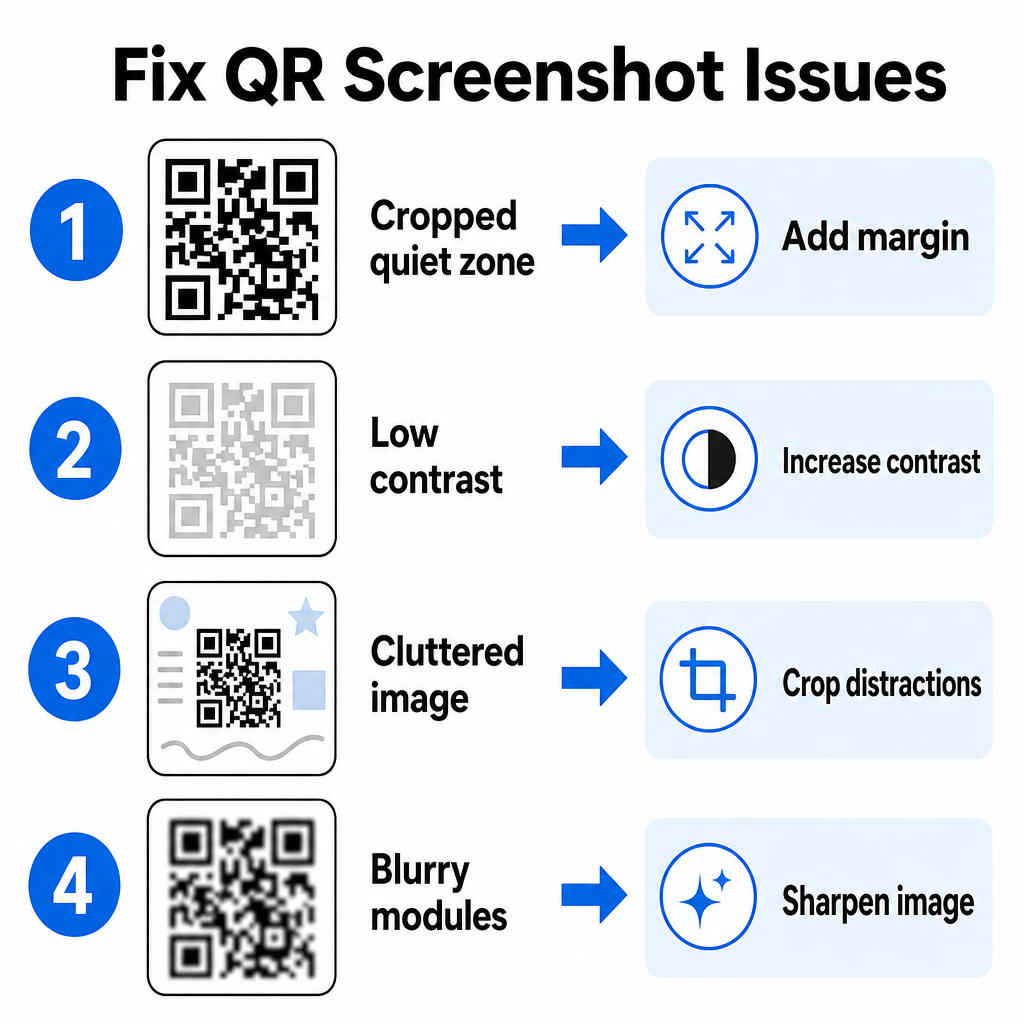
Joskus kuvadekooderi ei tunnista QR-koodia kuvakaappauksessa. Tekniset häiriöt johtuvat yleensä kuvan resoluutiosta, pakatuista matriisikuvioista tai riittämättömistä marginaaleista.
| Ongelma | Syy | Ratkaisu |
|---|---|---|
| Puuttuva hiljainen vyöhyke | Valkoinen reunus koodin ympärillä on leikattu liian tiukaksi. | Muokkaa kuvaa niin, että matriisin ympärille tulee vähintään 4 moduulin levyinen valkoinen reunus. |
| Heikko kontrasti | Taustavärit sulautuvat tummiin datamoduuleihin. | Lisää kontrastia tai vaalenna taustaa peruskuvankäsittelyohjelmalla. |
| Sekainen kuva | Ympäröivä teksti tai grafiikka hämää optista skanneria. | Rajaa kuvakaappaus niin, että QR-koodi täyttää suurimman osan kehyksestä. |
| Epäselvät moduulit | Matala resoluutio vääristää datamallia ja kohdistusmerkkejä. | Terävöitä tai muuta kuvakaappauskuvan kokoa ennen sen uudelleenskannausta. |
Näiden teknisten vaatimusten ymmärtäminen auttaa sinua korjaamaan lukukelvottomia kuvia nopeasti. Jos käsittelet usein matalaresoluutioisia kuvia tai vahingoittuneita tiedostoja, parhaiden QR-koodin skannaussovellusten vertailu voi auttaa sinua valitsemaan erikoistyökaluja, joissa on vahvemmat virheenkorjausalgoritmit.
Mitä tietoja QR-koodin kuvakaappauksesta voidaan poimia?
QR-koodit tallentavat yksinkertaisia verkkosivuosoitteita monimutkaisempia tietoformaatteja. Riippuen siitä, miten luoja koodin rakensi, tallennetun kuvan lukeminen voi avata erilaisia toimintoja suoraan näytölläsi:
- Verkko-URL-osoitteet: Ohjaa selaimesi laskeutumissivuille, digitaalisiin ruokalistoihin tai verkkolomakkeisiin.
- vCard-yhteystiedot: Tallenna nimet, puhelinnumerot ja sähköpostiosoitteet suoraan yhteystietoihisi.
- Wi-Fi-tunnistetiedot: Yhdistä laitteesi langattomiin verkkoihin siirtämällä SSID-nimet ja salasanat.
- Pelkät tekstimuistiinpanot: Näyttää muotoilemattomia viestejä, kampanjakoodeja tai ohjeita offline-tilassa.
- Viestintäpohjat: Esitäyttää tekstiviestit tai luonnokset sähköposteista määritellyillä vastaanottajatiedoilla.
Tietotyyppien tunteminen helpottaa kehote-pyyntöjen käsittelyä, kun käsittelet tallennettuja tiedostoja eri älypuhelimissa ja mobiililaitteissa.
Tallennettujen QR-koodikuvien skannauksen tietoturvakäytännöt
Koska kuvakaappaukset piilottavat upotetun linkin lopullisen määränpään ennen sen purkamista, verkkorikolliset käyttävät joskus petollisia QR-koodeja – käytäntö tunnetaan nimellä "quishing" – ohjatakseen käyttäjiä haitallisille verkkosivustoille. Henkilökohtaisten tietojesi suojaaminen vaatii perustarkistuksen ennen puretun sisällön avaamista.
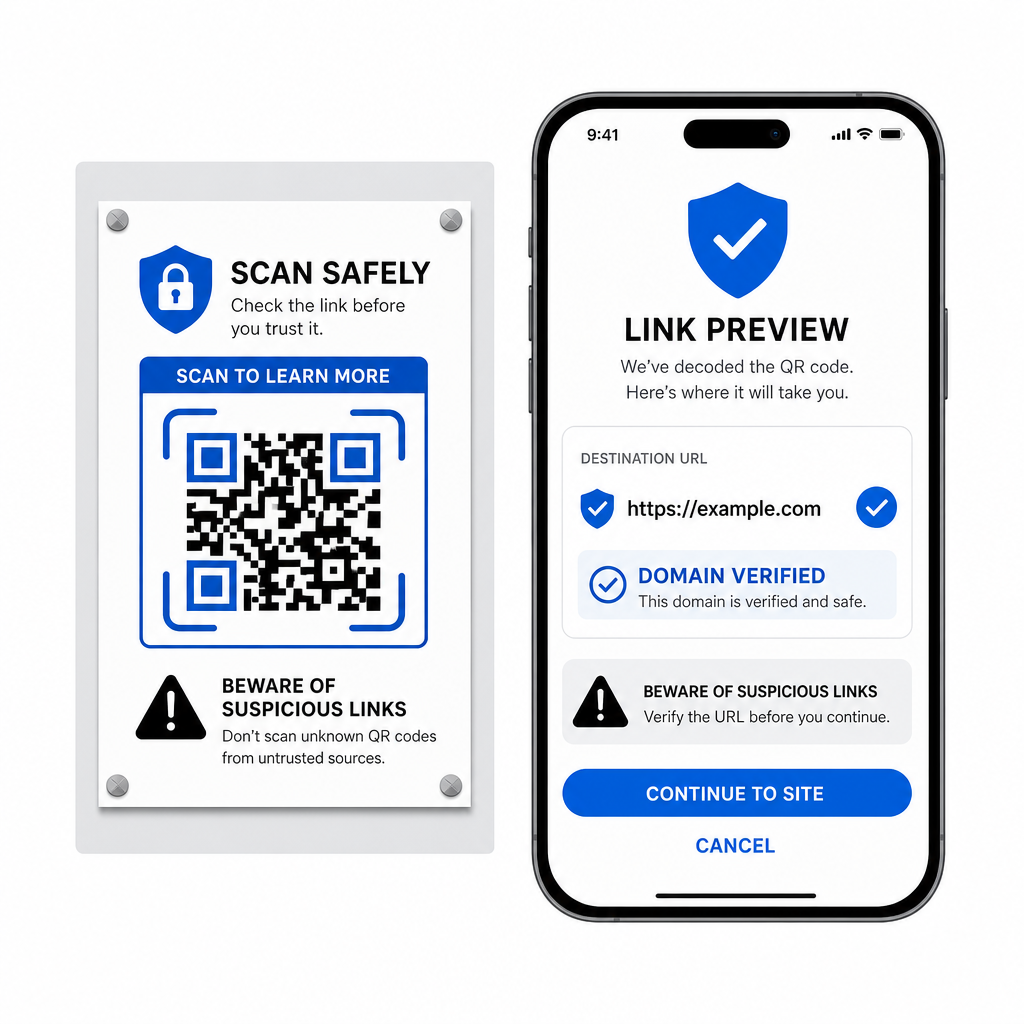
- Esikatsele määränpään URL-osoitteita skannerin ponnahdusvalikossa ennen niiden avaamista.
- Tarkista verkkotunnuksen oikeinkirjoitus varmistaaksesi, että verkkosivun osoite vastaa virallista brändinimeä.
- Vältä arkaluonteisten tunnusten tai maksutietojen syöttämistä sivustoille, jotka avataan suoraan skannatuista koodeista.
- Kieltäydy odottamattomista latauskehotteista tai käyttöoikeuspyynnöistä, jotka ilmestyvät heti skannauksen jälkeen.
Dekoodaa helposti mikä tahansa QR-koodikuva
Et tarvitse toista puhelinta tai fyysistä kameran linssiä lukeaksesi näytölläsi tallennetun QR-koodin. Olipa kyseessä sitten kuvan pitkä painallus Apple Photos -sovelluksessa, tiedoston skannaus Google Lensillä Androidissa tai tallennetun kuvakaappauksen lataaminen työpöytäselaimeen, upotettujen linkkien poimiminen vie vain muutaman sekunnin.
Nopeimman alustojen välisen työnkulun ilman ylimääräisten ohjelmistojen asentamista varten pidä selainpohjainen skanneri kirjanmerkkeissäsi, jotta voit pudottaa kuvakaappaustiedostoja aina, kun sinun on paljastettava niiden piilotettu sisältö.
Usein kysytyt kysymykset
Kyllä. iOS ja Android sisältävät sisäänrakennettuja gallerian dekoodereita, kuten Apple Photos ja Google Lens, jotka poimivat tietoja suoraan tallennetuista kuvista. Vaihtoehtoisesti voit ladata kuvatiedostosi suoraan verkkopohjaiseen Pageloot QR Code Scanneriin.
Fyysiset kamera-sovellukset vaativat optista syötettä ulkoisesta kameran linssistä, joka osoittaa kohteeseen. Laitteen sisäiseen tallennustilaan tallennetun kuvan lukeminen vaatii ohjelmiston, joka pystyy analysoimaan tallennettuja kuvatiedostoja, kuten gallerian valokuvien dekoodereita tai tiedostojen latausapuohjelmia.
Rajaa kuvakaappaus tiukasti QR-koodimatriisin ympäriltä taustan häiriötekijöiden poistamiseksi. Varmista, että neliömäisten moduulien ympärillä oleva valkoinen reunus (hiljainen vyöhyke) pysyy ehjänä, ja lisää kuvan kirkkautta tai kontrastia, jos kuvio näyttää tummalta.