Are you struggling to connect patrons with digital resources scattered across different platforms? Physical signage and printed handouts only go so far, and constantly reprinting updated materials wastes both time and budget. This guide explains how libraries can use QR codes effectively – from choosing the right type to placing them where they’ll have the most impact.
What QR Codes Actually Do in a Library Setting
A QR code is a two-dimensional barcode that encodes information and can be scanned instantly by a smartphone camera. In a library context, think of a QR code as a shortcut: instead of asking a patron to type a long URL or hunt through a catalog, you place a scannable code at the exact moment and location they need it.
The practical range of use cases is broad. Libraries can use QR codes to link patrons to book reviews, event registration pages, e-books, digital databases, instructional videos, and subject research guides. They also work well for operational tasks like guiding patrons through self-checkout steps, connecting visitors to a Wi-Fi network, or displaying a map to a specific section of the building.
QR codes function as a low-cost outreach tool that can be distributed across many locations and deliver additional content precisely at the point of need – which makes them especially well-suited to the library environment.
Static vs. Dynamic QR Codes: Which Do You Need?
Before generating any codes, it’s worth understanding the two main types, because the choice affects how much flexibility you’ll have later.
A static QR code encodes information directly into its pattern. Once created, the destination cannot be changed. This works well for truly permanent content – like a Wi-Fi access code for a reading room or a permanent link to your library’s main catalog.
A dynamic QR code, by contrast, works through a short redirect URL. The code itself never changes, but the destination it points to can be updated at any time, even after the code has been printed and placed. This means you can correct a broken link, swap out a seasonal event page, or point an existing shelf sticker to a new resource guide – all without reprinting a single label.
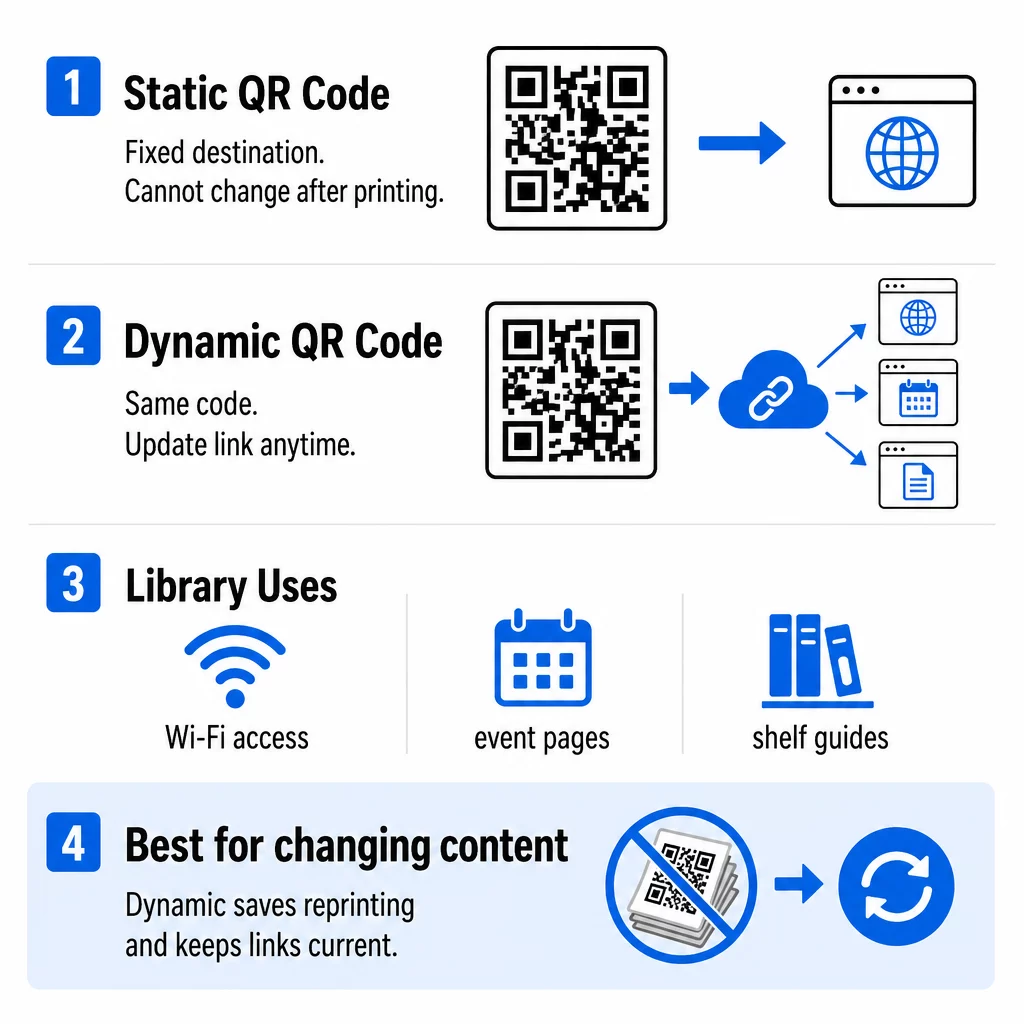
For most library applications, dynamic QR codes are the more practical choice because library content changes frequently. Event schedules rotate, new digital resources come and go, and subject guides get updated. Dynamic codes let you keep pace with those changes without creating waste.
Update Library QR Codes Without Reprinting Use the QR Code Generator to create dynamic codes that let you swap destinations anytime – no new labels needed.
Key Ways Libraries Use QR Codes
Connecting Physical Shelves to Digital Resources
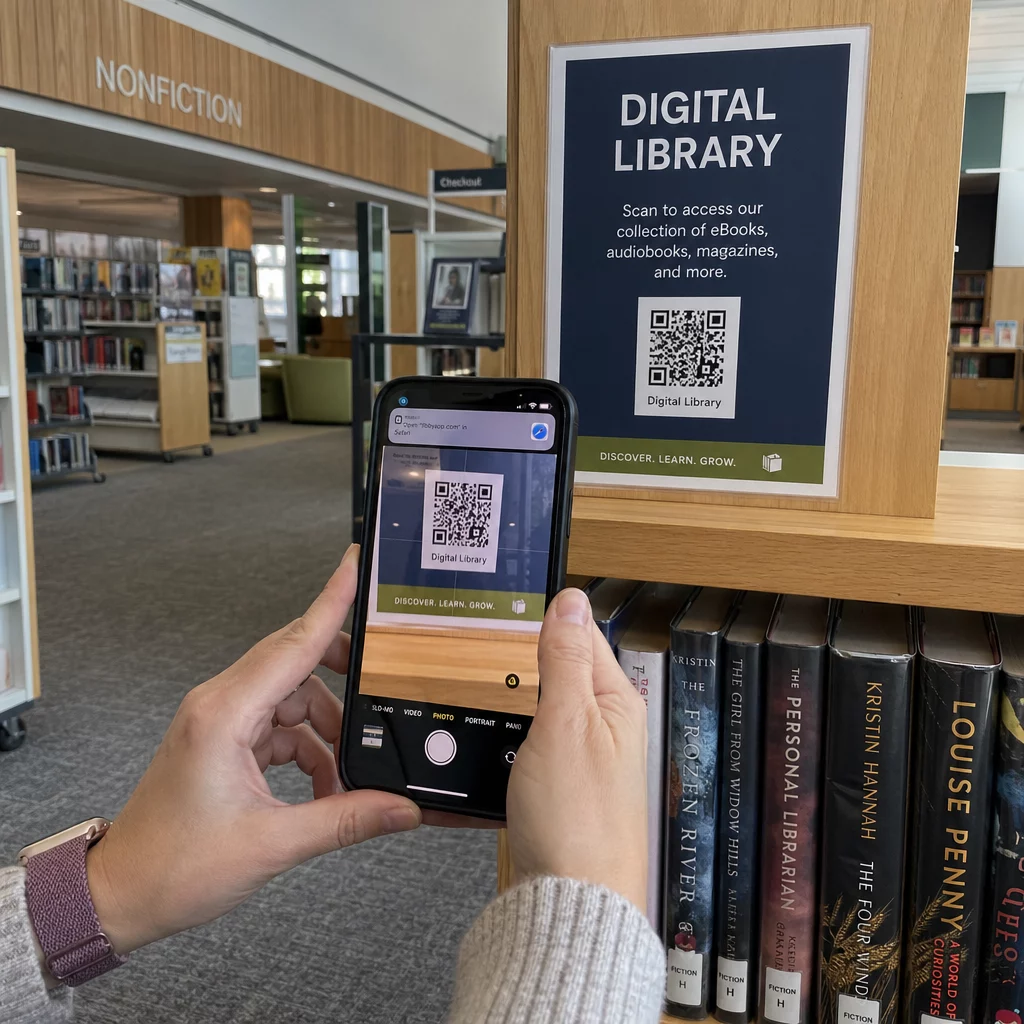
One of the most impactful applications is placing QR codes directly on shelving units so that scanning one opens a subject guide related to the books in that section. A patron browsing the history stacks, for example, could scan a code and immediately reach a curated list of databases, recommended reading, or digitized primary sources relevant to that subject area.
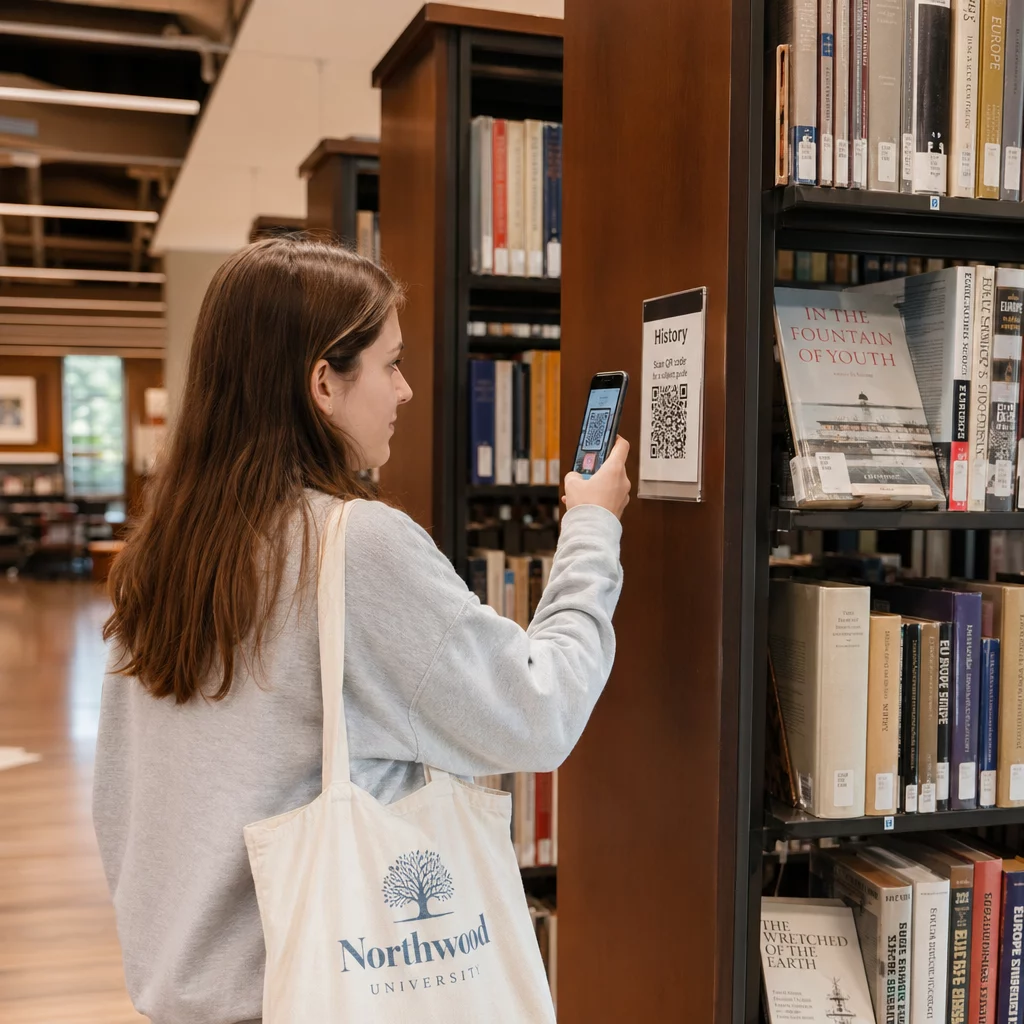
You can extend this same idea to individual items. QR codes placed on books or near physical displays can link to reading group guides, author interviews, or companion digital content – turning a static shelf into an interactive discovery experience.
Promoting Events and Programs
Rather than printing a new flyer for every program, a link QR code placed on a poster or information desk display can point to an event registration page, a calendar feed, or a survey for post-event feedback. Because dynamic codes let you update the destination, the same physical poster can promote a new event each month simply by changing what the code links to.
For feedback and registration specifically, a Google Form QR code removes the friction of searching for a form online – patrons scan, fill out, and submit without leaving the building.
Sharing Documents and Research Guides
Printed handouts for research guides or instruction sheets become outdated quickly. A PDF QR code lets you link directly to an always-current document. When the guide is revised, you update the file behind the code rather than reprinting stacks of paper.
This approach also works well at reference desks and study carrels, where patrons can scan to download citation guides, database tutorials, or library policies on demand.
Wayfinding and Visitor Orientation
For larger libraries or unfamiliar branches, QR codes can serve as a wayfinding tool. A code near the entrance can open a floor map or a short virtual tour. Another near the reference desk can link to a directory of services. You can even link a QR code to a Google Maps location to help patrons find a specific branch from outside the building.
Guest Wi-Fi Access
Typing a long Wi-Fi password is a small but genuine friction point for patrons settling in to work. A Wi-Fi QR code posted at tables and entrance areas automatically connects a patron’s device to the network with a single scan – no password to copy or mistype. You can learn more about the setup process in this guide to connecting to Wi-Fi via QR code.
How to Implement QR Codes Effectively

Start in High-Traffic Areas
The most reliable strategy is to begin where patrons already congregate: entrance areas, information desks, popular shelving sections, and study spaces. Placing codes in these spots maximizes early adoption and lets you observe what works before expanding to less-visited areas.
Always Include Instructions
Not every patron will immediately know what to do with a QR code. A brief line of text near each code – something like “Scan with your phone’s camera to access our research guides” – removes the hesitation for first-time users and increases scan rates noticeably.
Make Codes Easy to Scan
Code size and placement directly affect whether patrons can scan successfully. As a general rule, a QR code should be large enough to scan comfortably from the distance a patron would normally stand. For shelf labels scanned at arm’s length, a minimum of about one inch square is workable, but larger codes on posters or printed displays should scale up accordingly. Use dark code patterns on a light background, avoid placing codes on curved or reflective surfaces, and ensure there is clear white space around the edges of the code. For a full breakdown of design and placement considerations, see QR code readability best practices.
Try a QR Code Scavenger Hunt
An engaging way to introduce patrons to QR codes is through a scavenger hunt. Placing codes throughout the library that each reveal a clue or link to a resource encourages exploration, familiarizes visitors with the technology in a low-pressure context, and can highlight services they might not have discovered otherwise.
Tracking and Improving Performance
One underused advantage of dynamic QR codes is the scan data they generate. By tracking QR code scans, library administrators can see which codes are being used, when patron activity peaks, and which placements attract the most engagement. This data makes it straightforward to make evidence-based decisions – moving a code that isn’t performing, updating content that may have become stale, or doubling down on a format that patrons clearly find useful.
See Which Resources Patrons Are Actually Using Track scan volume, timing, and location data for every code in your library with QR code tracking.
A Note on Accessibility
QR codes improve access for many patrons, but they do create a dependency on mobile devices and mobile-friendly web content. When implementing QR codes, make sure the destinations they link to are optimized for smaller screens and meet accessibility standards. Where possible, also include the destination URL in plain text near the code so patrons without smartphones can still reach the resource. Combining QR codes with accessible digital content ensures the convenience benefit extends to as many visitors as possible.
Getting Started
The most practical first step is identifying two or three high-value use cases in your library – a shelf section guide, an event registration link, or a guest Wi-Fi code – and testing them in real conditions before scaling up. Use dynamic codes from the start so you retain the flexibility to update destinations as your needs evolve.
You can create a QR code for any of these applications in a few minutes, then monitor performance and refine your approach based on actual patron behavior.
Frequently Asked Questions
A static QR code encodes its destination directly and cannot be changed after creation. A dynamic QR code uses a redirect, so you can update the destination at any time without reprinting the code. For most library applications – where event pages, resource guides, and linked documents change regularly – dynamic codes are the more practical choice.
High-traffic locations deliver the best results: entrance areas, information desks, popular shelving sections, and study spaces. Placing codes in context – such as a subject guide code on the relevant shelf – also increases the likelihood that patrons will scan, since the content is directly relevant to what they are already browsing.
They can. QR codes require a mobile device to scan, and the linked content must be mobile-friendly to be usable. To address this, always ensure linked pages meet web accessibility standards and include the destination URL in plain text near the code so patrons without smartphones can still access the resource directly.