Are you losing potential leads the moment customers walk away from your printed displays? Without an immediate follow-up mechanism, physical marketing materials rarely create sustained digital engagement. By connecting scan events to automated push notification workflows, you can instantly reach users directly on their device screens.
Understanding the Scan-to-Push Mechanism
A QR code cannot store or execute an active push alert within its visual pattern. Instead, it acts as a digital trigger that initiates a coordinated sequence between the scanning device, an application server, and a push notification service.
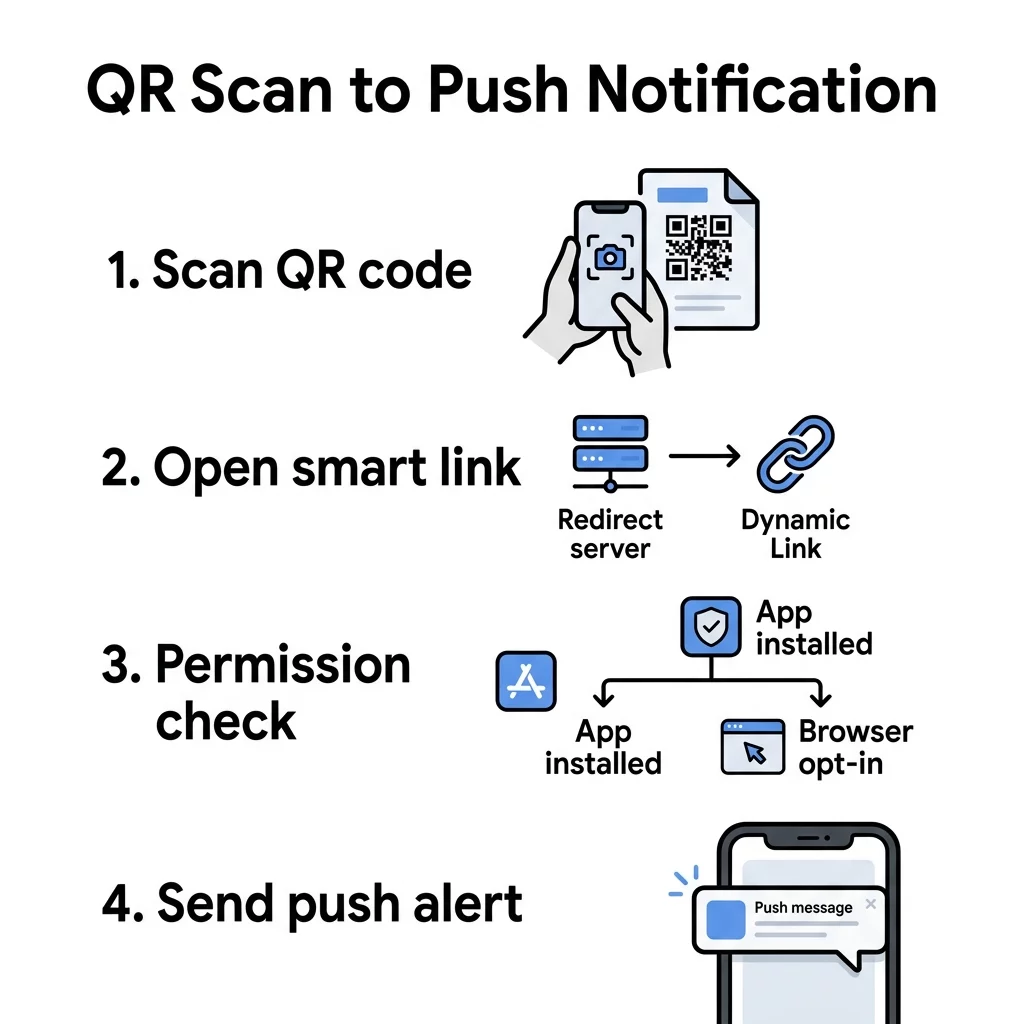
When a user scans a dynamic code, the device contacts a redirect server. That server logs the scan event and sends data downstream to dispatch the alert. The complete component chain involves five key stages:
- The physical QR code is scanned using a smartphone camera or native reader.
- The scanning platform logs the interaction and emits an HTTP POST webhook containing scan metadata.
- An automation hub or custom backend server ingests the webhook payload.
- The server sends an authenticated delivery request to Apple Push Notification service (APNs), Firebase Cloud Messaging (FCM), or a web push provider.
- The notification service displays the message on the subscribed device.
Connecting physical collateral to digital workflows turns passive displays into direct customer communications. For deeper architectural details on setting up these automated pipelines, review our guide on QR code scanning workflow automation.
Native App Push Notification Workflow
For organizations that maintain a native iOS or Android app, this workflow offers reliable, high-engagement delivery. The setup relies on deep linking – specifically Universal Links on iOS and App Links on Android – to open the app immediately upon scanning.
The native delivery process follows a clear sequence:
- The user scans the QR code, opening the installed app directly to a specific view.
- The mobile application transmits the user’s active device token and the scan event to your backend.
- Your server verifies the token and posts a message payload to FCM or APNs using authorized server credentials.
- The operating system receives the payload and surfaces a contextual notification on the device.
If a user scans the code without having your application installed, you need a fallback destination. Using an app QR code generator allows you to create a smart link that detects the operating system and directs the user to the Apple App Store or Google Play Store to download your app first.
Web Push Notification Workflow
If your organization does not maintain a native mobile application, browser-based web push delivers alerts without requiring an app store download. The QR code directs the visitor to a mobile landing page served over a secure HTTPS connection.
Web push requires a registered Service Worker – a client-side script running in the background – and active user permission through the browser’s Notifications API. Web browsers do not allow automatic permission prompts on page load. Instead, the landing page must present a clear opt-in prompt where the visitor explicitly taps an action like “Subscribe” or “Allow Updates.”
Once granted, the browser creates a push subscription object containing a unique endpoint URL and cryptographic keys. Your server stores this subscription and sends messages through the relevant web push service.
Delivery relies on specific browser runtime conditions:
- On Android, browsers like Chrome can receive and display notifications even when the browser is closed.
- On iOS and iPadOS (version 16.4 and later), web push requires the user to add the webpage to their Home Screen as a Progressive Web App (PWA) before granting notification permissions.
- Subscriptions are origin-specific and are removed if the user clears their site data or scans while using private or incognito browsing modes.
| Feature | Native App Push | Web Push (Browser) |
|---|---|---|
| Delivery Channel | APNs (iOS) and FCM (Android) | Push Service via Service Workers |
| User Setup | App installation required | Browser permission prompt |
| iOS Delivery | Native background alerts | Web app saved to Home Screen (iOS 16.4+) |
| Consent Flow | System notification prompt | Explicit user gesture on HTTPS page |
| User Friction | Higher upfront friction | Lower friction, instant opt-in |
Automate Your Mobile Engagement Want to trigger automated interactions the second a customer scans your physical assets? Use the Dynamic QR Code Generator to create webhook-ready codes and track engagement in real time.
Setting Up Automation via Webhooks
You do not need to build a custom backend from scratch to connect scans with notifications. Automation platforms like Zapier and Make can receive scan data and forward it to push providers or customer communication platforms.
When a dynamic code is scanned, the management system sends an HTTP POST request containing a JSON payload to a registered webhook URL. This payload includes identifiers such as the code ID, campaign name, timestamp, and device operating system.
To build an automated delivery pipeline:
- Generate a webhook reception endpoint inside your automation platform.
- Configure your dynamic QR campaign to transmit real-time scan events to that endpoint.
- Map incoming payload fields into your downstream notification tool, such as FCM, OneSignal, or internal communication channels.
- Include fallback branches to handle unauthenticated users or missing device tokens.
Maintaining security across webhook pipelines is essential. Production webhook consumers should verify incoming cryptographic signatures against the raw request body before processing. They should also evaluate request timestamps to guard against replay attacks and enforce idempotency by logging unique event IDs to prevent duplicate alerts.
Why Dynamic QR Codes Are Required
A successful scan-to-push implementation requires dynamic routing. Understanding the differences between static vs dynamic QR codes highlights why hardcoded destinations are unsuitable for automated messaging campaigns.
Static codes embed their destination link directly into the pattern. If your webhook receiver changes, your app routing updates, or you migrate to a new push service, static codes cannot be modified. Dynamic QR codes point to a short redirect URL, allowing you to update webhook endpoints, modify routing rules, and adjust app links at any time without reprinting physical collateral.
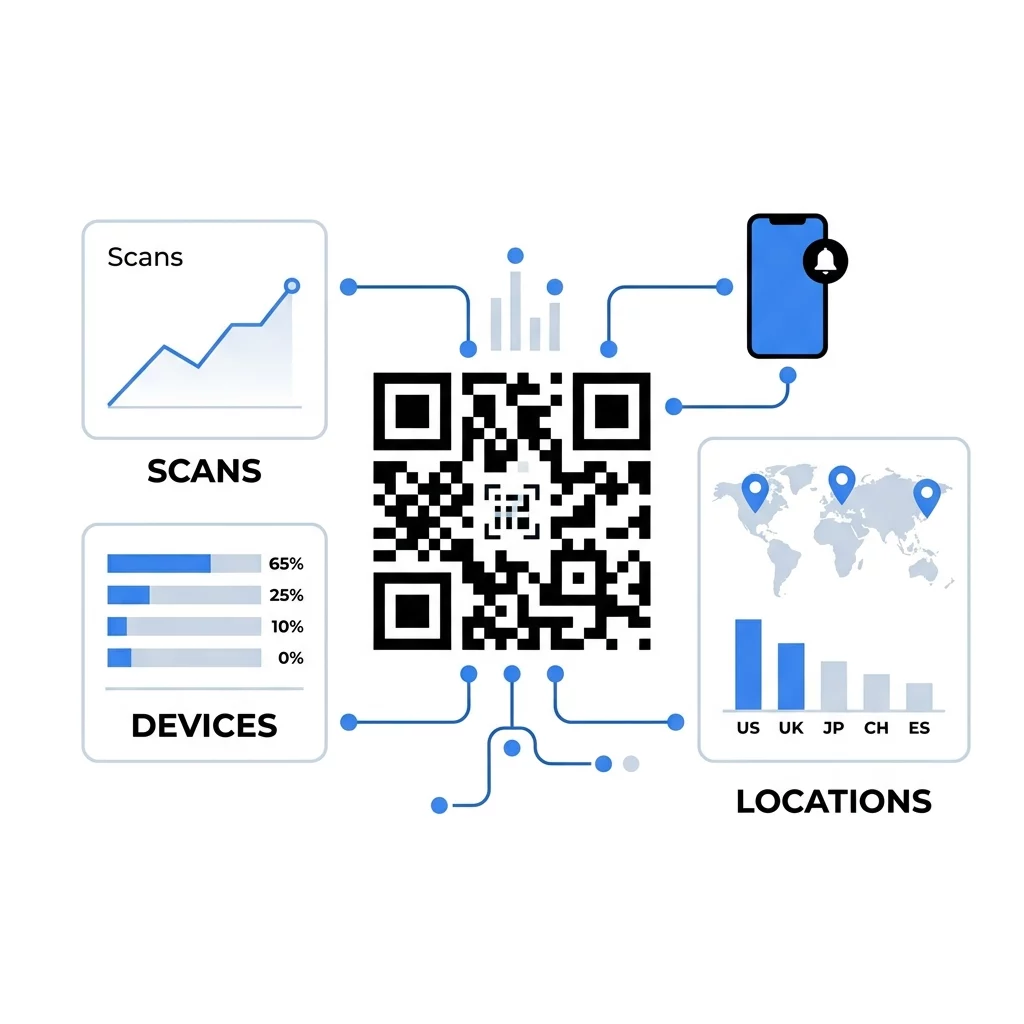
Dynamic routing also captures scan data that informs downstream messaging. Marketers who implement tracking QR codes gain access to operational metrics:
- Total and unique scans to evaluate physical touchpoint reach.
- Time-of-scan patterns to schedule follow-up notifications during peak activity periods.
- Operating system and browser data to route users down appropriate native or web push funnels.
- Geographic data to personalize push content based on local retail environments or event venues.
Deploying Scan-Triggered Campaigns
Transforming physical interactions into digital touchpoints bridges the gap between offline awareness and continuous mobile communication. Whether you deploy deep links to reach existing app users or use web push landing pages for low-friction signups, the foundation of every campaign rests on flexible routing, reliable webhook delivery, and explicit user consent.
You can configure your initial campaigns using our link QR code generator to build mobile-friendly landing destinations, or explore advanced campaign organization across our complete feature catalog.
Frequently Asked Questions
No. The mobile device must have an active internet connection to resolve the redirect URL, emit the webhook trigger, and receive the incoming push alert from the notification service.
No. Operating systems and web browsers require explicit user consent. Native applications require the user to approve system prompts, while web push requires an explicit gesture, such as tapping a subscribe button, on an HTTPS page.
Yes. Dynamic QR platforms can emit an HTTP POST webhook containing scan metadata to services like Zapier or Make, which then formats the request and forwards it to push providers or messaging tools.