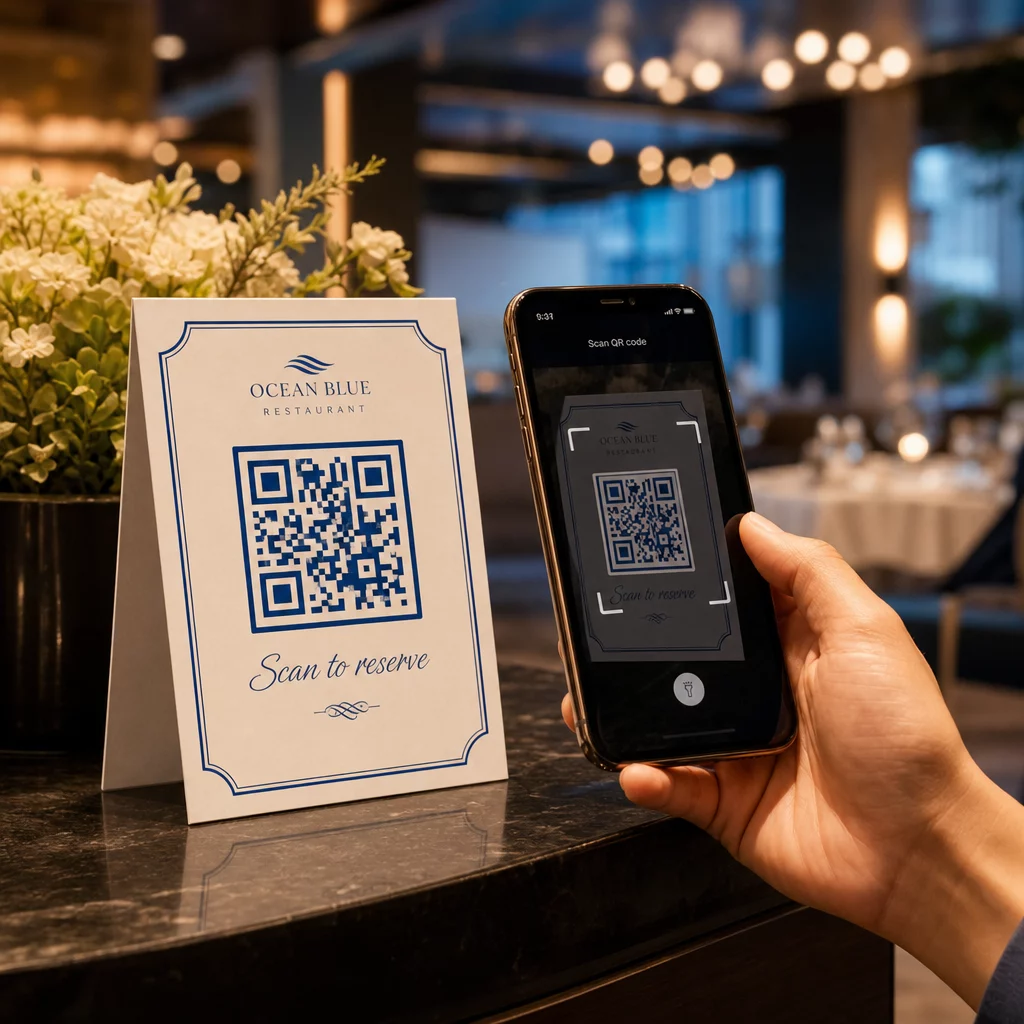
How do you automate QR code creation across thousands of unique labels or campaigns without manual effort? Manually generating codes creates a bottleneck that prevents real-time updates and limits your ability to track performance at scale. Integrating a QR code API allows you to automate your workflow, manage dynamic content, and sync engagement data directly into your application.
Why Automate QR Code Management?
For developers and software teams, the primary advantage of automation is the ability to move beyond one-off generation. Programmatic integration allows your application to generate codes instantly for invoices, event tickets, or personalized marketing materials. This is especially useful for software developers looking to streamline onboarding or app downloads.
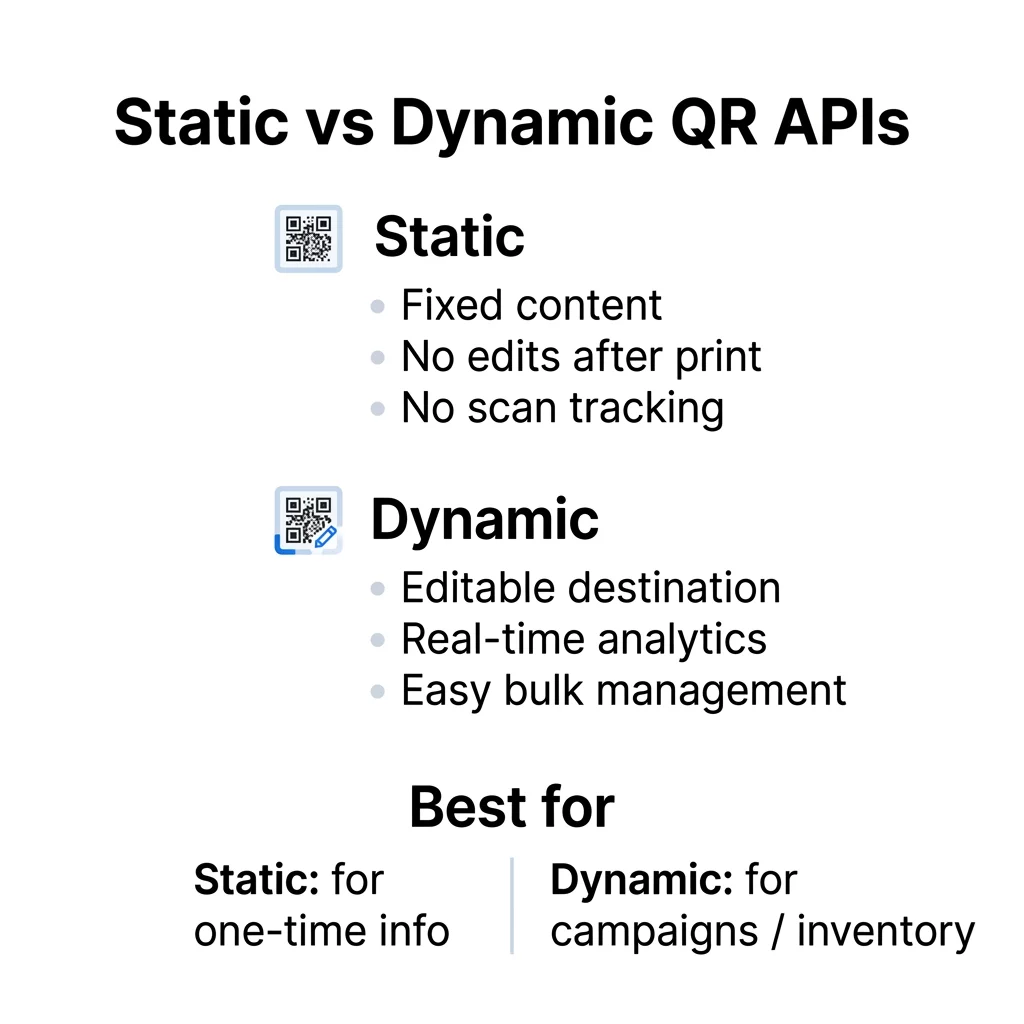
The most critical decision in your integration is choosing between static and dynamic codes. Static QR codes encode data directly into the pattern, meaning the content is permanent once generated. In contrast, dynamic codes use a short redirect URL, which allows you to edit the destination at any time without reprinting physical materials. This flexibility is what enables businesses like Marriott Aruba to save approximately $150,000 in printing costs by updating digital menus remotely rather than reprinting physical copies.
By moving to an API-based management system, you can:
- Generate codes in bulk for inventory tracking or direct mail campaigns.
- Update destination URLs programmatically using PATCH requests when product links change.
- Sync real-time scan data directly into your internal business intelligence tools or CRM.
Core Features for Developer Workflows
A robust API offers more than just a basic image generator; it serves as a management layer for your digital-to-physical touchpoints. When evaluating a provider, you should look for specific features that support scalability and branding.
Programmatic Content Management
The API should support dynamic QR codes that function as living links. Because the actual data is stored on a server rather than in the modules of the code, you can bypass QR code data limits and keep the visual pattern simple. This ensures the code remains easy to scan even if the destination is a complex URL or a heavy file.
Real-Time Analytics Integration
Instead of simple hit counters, a professional API provides rich metadata for every interaction. You can track QR code scans in real-time to monitor campaign performance as it happens. This data includes timestamps, geographic location based on IP addresses, device types, and operating systems. These insights are vital for data-driven decisions, as shown by a study where 95% of businesses found QR codes useful for collecting essential first-party data.
Design and Branding Control
Integration should allow you to maintain brand consistency without manual design work. Your API requests can include parameters to customize the foreground and background colors to match your brand palette, embed logos directly into the center of the code, and apply custom frame styles that include call-to-action text.
Automate Your QR Workflow Scale your operations by integrating our dynamic QR code generator to manage hundreds of editable links with real-time tracking through a single interface.
Technical Implementation and Authentication
Most QR management APIs follow standard REST principles, using JSON for payloads and responses to ensure compatibility with modern development environments.
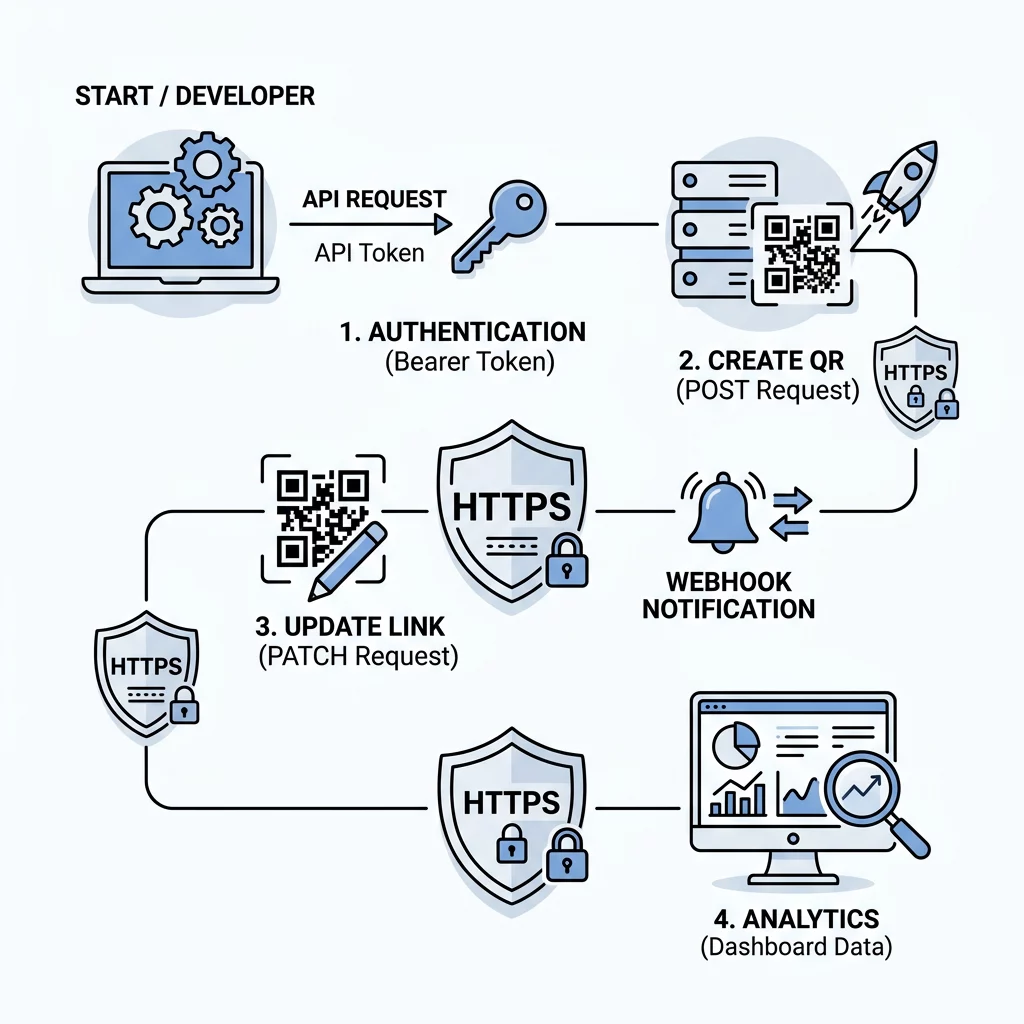
The process begins with authentication, which is essential for securing your dynamic assets. Most platforms utilize Bearer tokens or API keys passed in the request header. Once authenticated, you can create a new code by sending a POST request to the relevant endpoint. A typical payload specifies the type of code, whether it is dynamic, the destination URL, and any specific design requirements like hex codes for colors or a URL for a brand logo.
The server response typically includes a JSON object containing a unique ID for the code, the short redirect URL, and links to the generated image files. For high-quality production, it is best to use an API that supports vector formats like SVG or EPS. These formats ensure that the code remains sharp and scannable regardless of whether it is printed on a small product label or a large billboard.
Advanced Management and Security Best Practices
Effective integration involves ongoing lifecycle management and proactive security measures. If a marketing campaign ends or a link breaks, you do not need to replace the physical signage. Instead, you send a PATCH request to the specific QR ID with a new destination URL.
For real-time interactivity, you can use webhooks to receive push notifications every time a code is scanned. This is particularly useful for app download QR codes, where a scan might trigger a follow-up action in your CRM or an automated welcome email.
When handling sensitive data, it is critical to follow secure QR code generation best practices. This includes ensuring all destination links use HTTPS and implementing access controls such as password protection or scan limits for sensitive documents.
Comparing Static and Dynamic API Capabilities
| Feature | Static API Integration | Dynamic API Integration |
|---|---|---|
| Data Storage | Encoded directly in the image modules | Stored on the server via redirect |
| Editability | Permanent; requires re-generation | Updateable anytime via PATCH request |
| Tracking | No analytics available | Full scan tracking and metrics |
| Scalability | Good for one-off, fixed information | Best for campaigns and inventory |
| Pattern Density | Increases with more data | Remains low and easy to scan |
Practical Guidelines for Robust Integration
To ensure your integration remains stable and your codes remain scannable, you should follow several technical guidelines.
- Monitor rate limits by checking headers like `X-RateLimit-Remaining` to prevent service interruptions during high-traffic periods.
- Implement idempotency by using unique request IDs to ensure that retrying a failed request does not create duplicate codes.
- Handle errors gracefully by accounting for HTTP 429 (Too Many Requests) and 422 (Unprocessable Entity) errors with exponential backoff logic.
- Maintain a high contrast ratio between the foreground and background colors to ensure the code remains readable by all smartphone cameras.
By automating these processes, you turn a static image into a dynamic data point. This allows your business to respond to market changes instantly, creating a seamless bridge between physical touchpoints and digital content.
FAQ
You can only change the destination if you have used a dynamic QR code. Dynamic codes point to a redirect URL managed by the API, allowing you to update the target content via a PATCH request without altering the physical appearance of the printed code.
A management API typically captures detailed analytics including total scan counts, unique visitors, geographic location (country or city level), scan time, and the device operating system used by the person scanning.
While PNG is suitable for digital displays, you should use vector formats like SVG, PDF, or EPS for professional printing on packaging or signage. These formats can be scaled to any size without losing the sharpness required for reliable scanning.