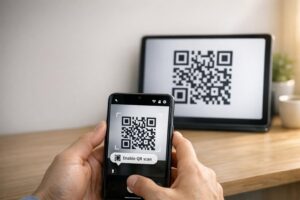
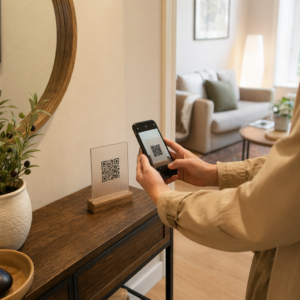
Potreban vam je brz, skenirajući način da povežete fizičke materijale sa digitalnim sadržajem? Nalepnice sa QR kodom pretvaraju svaku površinu u interaktivnu dodirnu tačku – a da biste ih pravilno koristili, potrebno je razumeti materijale, izbore dizajna i tipove kodova koji određuju da li će ih kupci zaista skenirati.
Шта су налепнице за КР код?
Nalepnice sa QR kodom su samolepljive etikete štampane sa QR kodom koji se može skenirati. Kada kupac usmeri kameru pametnog telefona na jednu, kod ih odmah preusmerava na veb-sajt, digitalni meni, stranicu za kontakt, promotivnu ponudu ili bilo koji drugi sadržaj koji ste povezali. Preduzeća ih koriste na ambalaži proizvoda, izlozima, vozilima, stolovima u restoranima, signalizaciji događaja i materijalima za otpremu – svuda gde fizička površina može započeti digitalnu interakciju.
Ključna razlika koja je važna pre nego što odštampate i jednu nalepnicu: da li je vaš kod STATIČKI ILI DINAMIČKI.
- А. статички КР код trajno kodira svoje odredište. Jednom odštampan, ne može se menjati i ne prati skeniranja.
- А. динамички КР код ukazuje na kratak URL za preusmeravanje koji možete ažurirati u bilo kom trenutku – bez ponovnog štampanja. Takođe beleži podatke o skeniranju uključujući vreme, obim i geografsku lokaciju.
Za primene nalepnica gde ćete štampati u velikim količinama ili voditi vremenski ograničene kampanje, Dinamički QR kod generator je praktičan izbor. Promena promocije ili ažuriranje URL-a ne košta ništa kada su nalepnice već na policama ili vozilima.
Pratite svako skeniranje sa vaših nalepnica Želite da znate tačno koja mesta nalepnica podstiču angažovanje? Koristite Dinamički QR kod generator za kreiranje kodova koji se mogu uređivati i pratiti, sa potpunom analitičkom kontrolnom tablom – nije potrebno ponovno štampanje kada se vaš sadržaj promeni.
Kako kreirati QR kod za vaše nalepnice
Dobijanje QR koda spremnog za štampu zahteva tri koraka:
- Generišite svoj QR kod. Користи generator QR kodova za kreiranje koda koji se povezuje sa vašim ciljanim sadržajem – URL-om, PDF-om, digitalnim menijem, vCard-om ili drugim odredištem. Ako očekujete da ažurirate to odredište ili pratite performanse skeniranja, kreirajte dinamički kod.
- Prilagodite dizajn. Dodajte svoj logo, boje brenda i okvir sa pozivom na akciju kako bi nalepnica bila prepoznatljiva i vredna skeniranja. The QR kod generator sa logom omogućava vam da ugradite logo direktno unutar koda, što povećava prepoznatljivost brenda i stope skeniranja u poređenju sa običnim crno-belim kodovima.
- Preuzmite u formatu spremnom za štampu. Izvezite svoj kod kao SVG, EPS ili PDF za vektorsko skaliranje, ili kao PNG visoke rezolucije ako ga ugrađujete u dizajn etikete. Predajte ove datoteke štampaču nalepnica ili ih koristite sa štampanim listovima nalepnica kod kuće.
Odabir pravog materijala za nalepnice
Izbor materijala direktno utiče na to da li će se vaš QR kod pouzdano skenirati u predviđenom okruženju. Glavne opcije koje ćete naići kod štampača nalepnica su:
- Sjajni BOPP ili PET laminat – pogodan za unutrašnju i spoljašnju upotrebu, svetle boje, ali može reflektovati svetlost pod gornjim osvetljenjem i otežati skeniranje pod određenim uglovima.
- Mat BOPP laminat – smanjuje odsjaj pod maloprodajnim osvetljenjem i sunčevom svetlošću, što ga čini preferiranim izborom za nalepnice koje će se skenirati u prodavnici ili na kasi. Mnogi brendovi i dizajneri takođe preferiraju prefinjen izgled.
- Prozirni materijal za nalepnice – štampan belim mastilom iza boja kako bi dizajn ostao vidljiv; dobro funkcioniše za etikete na bocama i pakovanja gde želite izgled “bez etikete”.
- Vinil sa laminatom – izdržljiv i otporan na vremenske uslove, preporučuje se za spoljašnje primene, nalepnice za vozila i bilo koju površinu izloženu vlazi ili UV svetlosti. Vinilne QR kod nalepnice traju znatno duže od standardnih papirnih etiketa u tim uslovima.
- Tanka BOPP etiketa – dovoljno fleksibilna da se prilagodi zakrivljenim površinama, što je čini praktičnim izborom za boce i pakovanje proizvoda.
Mat završne obrade se generalno skeniraju brže i pouzdanije od sjajnih kada se kodovi skeniraju pod jakim ili direktnim svetlom. Ako će vaše nalepnice biti na otvorenom ili na vozilima, dajte prednost vodootpornom vinilu u odnosu na materijale na bazi papira.
Specifikacije veličine i dizajna koje utiču na mogućnost skeniranja
QR kod nalepnica koja se ne skenira pouzdano je gora od nikakve nalepnice. Pre slanja datoteka za štampu, potvrdite da su ovi zahtevi ispunjeni:
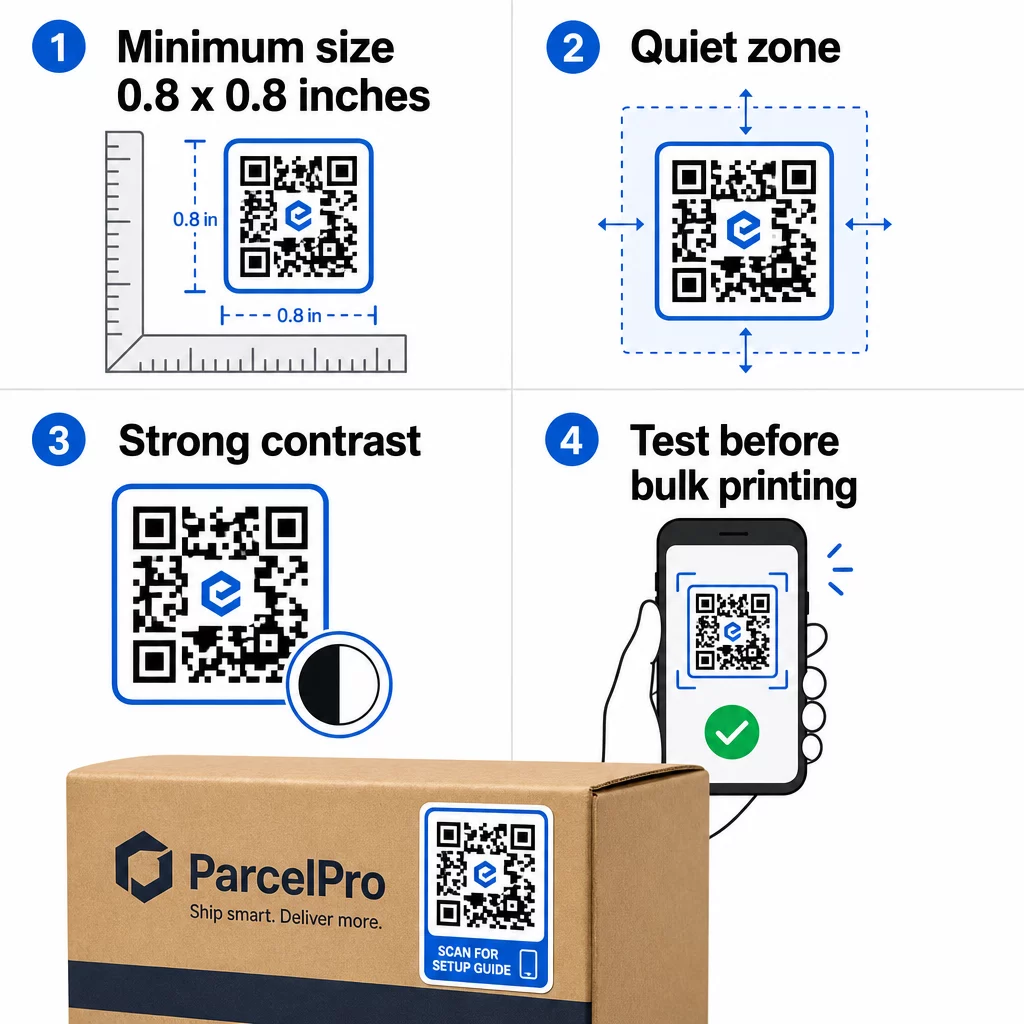
- Minimalna veličina: 0,8 × 0,8 inča (2 × 2 cm) za jednostavan URL. Veći kodovi sa većom gustinom podataka treba da se proporcionalno uvećaju.
- Tiha zona: Ostavite najmanje četiri modula čistog, neštampanog prostora oko sve četiri strane koda. Tekst, logotipi ili ivice postavljeni unutar ove margine izazivaju greške pri skeniranju.
- Odnos kontrasta: Održavajte odnos kontrasta od najmanje 4:1 između tamnih modula i svetle pozadine. Crna na beloj ostaje najpouzdanija kombinacija. Izbegavajte inverzije svetlo na tamno – mnogi skeneri ne uspevaju sa obrnutim šemama boja.
- Bez gradijenata na modulima koda: Gradijenti stvaraju srednje tonove koje skeneri teško čitaju. Koristite samo pune boje.
- Testirajte pre masovne štampe: Skenirajte svoj kod sa više uređaja – različiti telefoni, različite aplikacije za kameru – i testirajte u uslovima osvetljenja gde će se nalepnica zaista koristiti. Za nalepnice na otvorenom, testirajte na sunčevoj svetlosti. Za nalepnice na maloprodajnim policama, testirajte pod fluorescentnim osvetljenjem.
Za potpunu analizu veličina za različite materijale za štampu, pogledajte vodič na dimenzionisanju QR koda za različite materijale za štampu. For contrast and color guidance, najbolje prakse za kontrast boja QR koda . Za smernice o kontrastu i boji,.
Где користити налепнице за КР код
QR kod nalepnice funkcionišu u širokom spektru poslovnih primena. Evo najčešćih i najefikasnijih mesta za postavljanje:
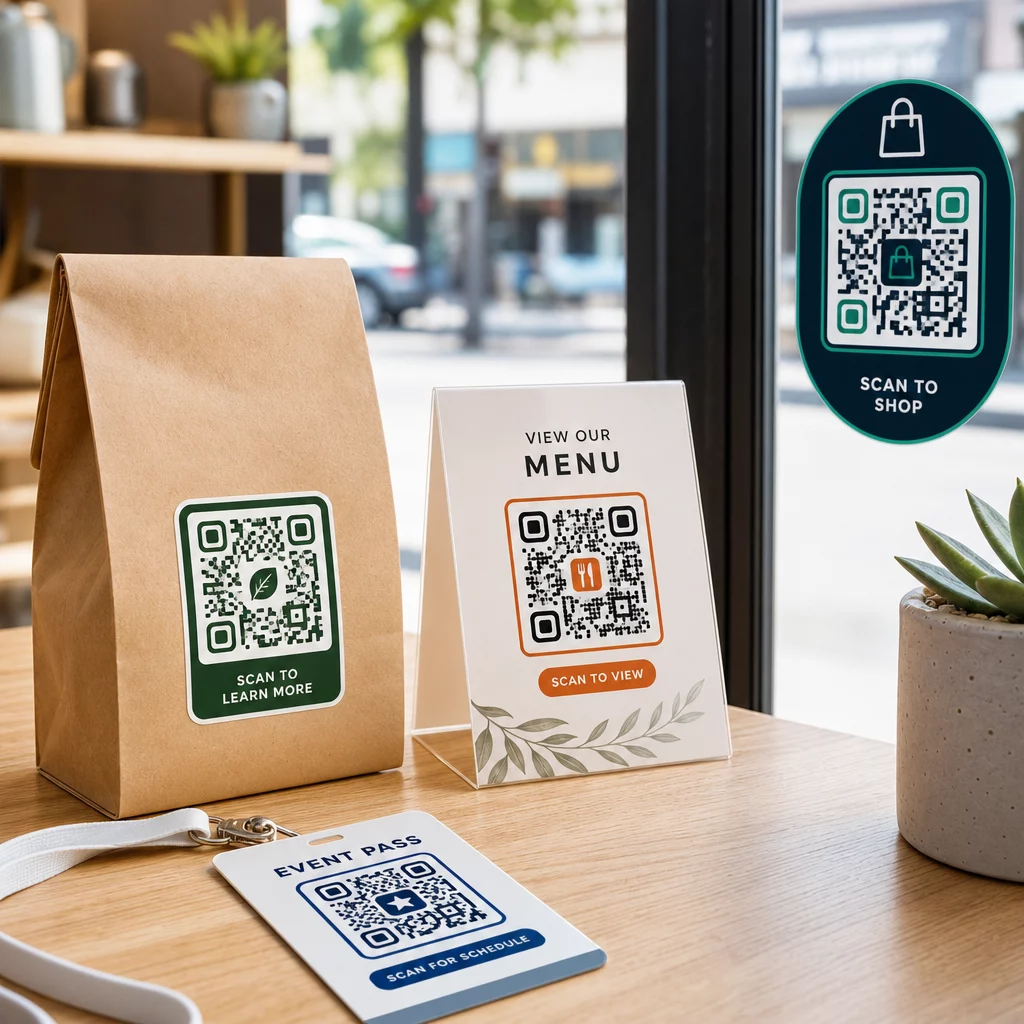
Pakovanje proizvoda i etikete – Povežite kupce sa uputstvima za proizvod, detaljima o sastojcima, video tutorijalima, kodovima za popust ili stranicama za recenzije. Nalepnice funkcionišu i na primarnom pakovanju (sam proizvod) i na sekundarnom pakovanju (kutije, omoti). Za dublji uvid u mogućnosti, pogledajte QR kodove na pakovanju proizvoda and the ultimativnog vodiča za QR kodove za etikete proizvoda.
Stolovi u restoranima i ugostiteljskim objektima – QR kod nalepnica na stolu ili vratima povezuje goste sa digitalnim menijem, Wi-Fi lozinkom ili platformom za recenzije. Dinamički kodovi vam omogućavaju da ažurirate meni ili promociju bez zamene svake nalepnice.
Izlozi i vrata prodavnica – Nalepnice za prozore sa QR kodom su efikasan način da podelite radno vreme, promocije ili linkove ka društvenim mrežama sa prolaznicima koji prolaze van radnog vremena.
Nalepnice za vozila – QR kod nalepnica na službenom vozilu pretvara ga u mobilnu reklamu, povezujući svakoga ko je skenira sa stranicom za rezervacije, listom usluga ili kontakt formom.
Maloprodajno i e-commerce pakovanje – Nalepnice na odlaznim pošiljkama ili kutijama proizvoda mogu usmeriti kupce ka video snimcima otpakivanja, programima lojalnosti ili stranicama za unakrsnu prodaju bez dodavanja zapremine paketu.
Oznake i ulaznice za događaje – Dodajte QR nalepnice na bedževe, oznake ili ulaznice kako biste povezali posetioce sa rasporedima, procesima prijave ili resursima govornika.
| Vrsta nalepnice | Najbolji materijal | Tipična upotreba |
|---|---|---|
| Prilagođena brendirana nalepnica | Mat ili sjajni BOPP | Pakovanje proizvoda, promocije |
| Vodootporna spoljna nalepnica | Vinil sa laminatom | Nalepnice za vozila, spoljne reklame |
| Folija za prozor ili nalepnica | Providni ili beli vinil | Izlozi prodavnica, maloprodajni prozori |
| Mala nalepnica | Tanki BOPP | Boce, etikete proizvoda, vizit karte |
| Nalepnica za sto u restoranu | Mat laminat | Linkovi menija, linkovi stranica za recenzije |
Korišćenje dinamičkih QR kodova za kampanje sa nalepnicama
Za svaku kampanju gde se odredište može promeniti – sezonske promocije, ažuriranja menija, rotirajuće ponude – dinamički QR kodovi su ključni. Sama nalepnica se ne menja; menja se samo odredišni URL iza nje. Ovo je važno kada ste odštampali hiljade nalepnica, a URL odredišne stranice se promeni, ili kada se promocija završi i želite da preusmerite skenere na novu ponudu.
Dinamički kodovi vam takođe pružaju analitiku skeniranja: ukupan broj skeniranja, vreme skeniranja i geografske podatke. Ovo vam omogućava da procenite koja mesta zapravo podstiču angažovanje i da se shodno tome prilagodite. Nalepnica na pakovanju proizvoda se ponaša drugačije od one u izlogu prodavnice, a analitika vam pomaže da jasno vidite tu razliku.
За QR kodovi na pakovanju koji služe maloprodajnim kampanjama, dinamički kodovi vam takođe omogućavaju da sprovodite A/B testove usmeravajući različite serije kodova na različite odredišne stranice i upoređujući rezultate.
Ažurirajte svoju kampanju sa nalepnicama bez ponovnog štampanja Pokrećete vremenski ograničenu promociju? The Dinamički QR kod generator vam omogućava da preusmerite svoje nalepnice na novi URL u trenutku kada se kampanja završi – bez novih nalepnica, bez bačenih tiraža.
Često postavljana pitanja
Minimalna pouzdana veličina za jednostavan URL je 0,8 × 0,8 inča (2 × 2 cm). Za nalepnice postavljene dalje od skenera – na natpisima ili nalepnicama za vozila – povećajte proporcionalno. Opšte pravilo je da kod bude najmanje jedna desetina udaljenosti skeniranja. Uvek ostavite jasnu tihu zonu od najmanje četiri modula oko koda sa svih strana, i testirajte konačnu veličinu na stvarnim uređajima pre štampanja u velikom obimu.
Ne ako je u pitanju statički QR kod – oni trajno kodiraju svoje odredište. Međutim, sa dinamičkim QR kodom, možete promeniti povezani URL, datoteku ili sadržaj u bilo kom trenutku putem kontrolne table vašeg naloga, bez dodirivanja nalepnice. Ovo čini dinamičke kodove praktičnim izborom za svaku primenu gde se URL-ovi ili promocije mogu promeniti, uključujući pakovanje proizvoda, sezonske kampanje i menije restorana.
Vinil nalepnice sa laminatnom završnom obradom su najizdržljivija opcija za spoljašnju upotrebu. One su otporne na vodu, UV zračenje i fizičko habanje mnogo bolje nego papirne ili standardne BOPP etikete. Mat laminat smanjuje odsjaj pod direktnom sunčevom svetlošću, što poboljšava mogućnost skeniranja. Za površine kao što su vozila ili spoljašnja signalizacija, potvrdite da vaš štampač nudi materijale otporne na UV zračenje dizajnirane za dugotrajnu spoljašnju primenu.