Kamppailetko digitaalisen menun tai verkkosivuston avaamisen kanssa, koska puhelimesi ei lue QR-koodia? Koodien nopean skannaamisen epäonnistuminen aiheuttaa tarpeettomia viivästyksiä ja turhautumista, kun tarvitset välitöntä pääsyä tietoihin. Google Lensin käytön opettelu mahdollistaa fyysisten koodien ja tallennettujen kuvien vaivattoman skannaamisen älypuhelimellasi.
Kuinka skannata reaaliaikaisia QR-koodeja Google-sovelluksella
Google Lens käyttää visuaalisen tunnistuksen ohjelmistoa analysoimaan QR-koodin visuaalista kuviota. Se muuntaa tummien ja vaaleiden neliöiden järjestelyn luettavaksi digitaaliseksi dataksi, kuten verkkolinkeiksi tai yhteystiedoiksi. Useimmissa Android-laitteissa Google Lens on integroitu suoraan järjestelmään, kun taas iOS-laitteissa se on käytettävissä tavallisen Google-sovelluksen kautta.
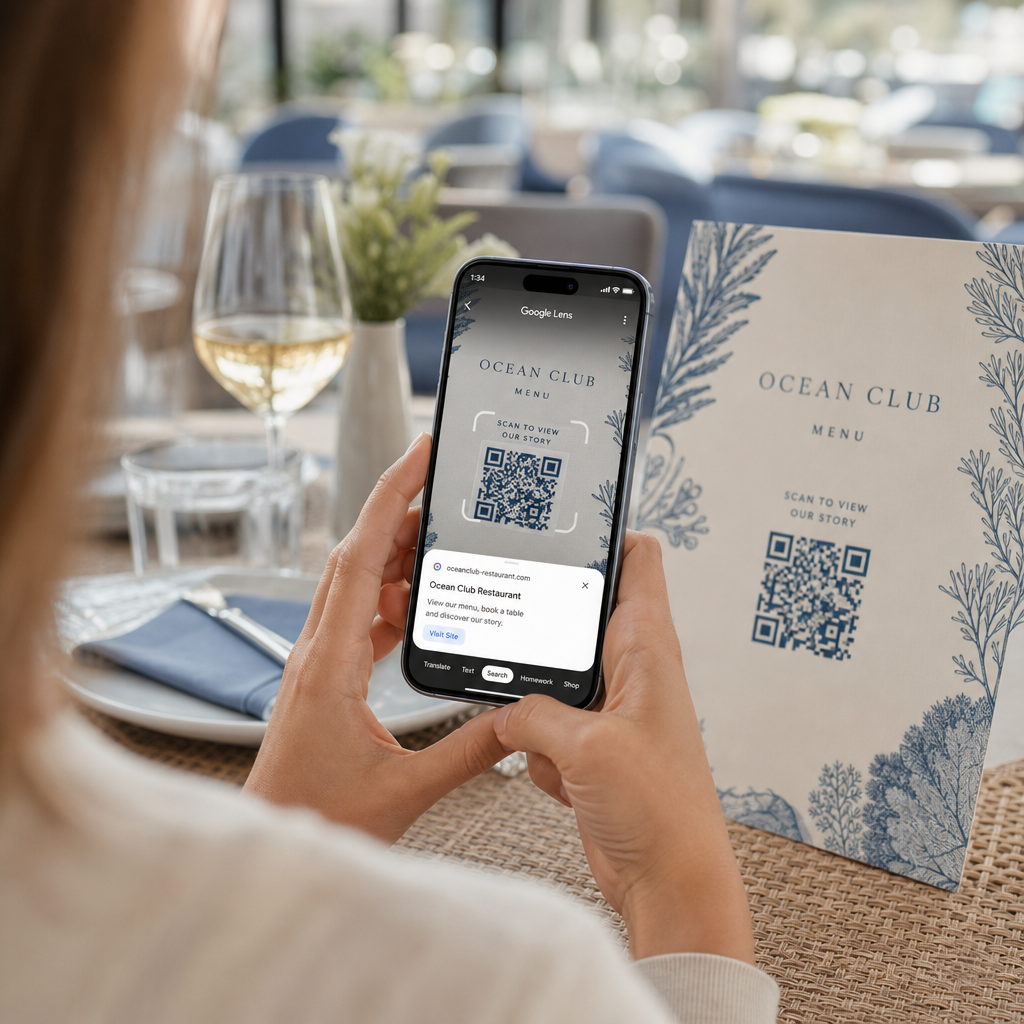
Skannataksesi edessäsi olevan fyysisen QR-koodin:
- Avaa Google-sovellus tai etsi Google-hakupalkin widget puhelimesi aloitusnäytöltä.
- Napauta Lens-kuvaketta joka sijaitsee hakupalkin oikealla puolella.
- Valitse kamera-vaihtoehto jos laitteesi kehottaa sinua myöntämään kameraluvan.
- Suuntaa kamerasi kehys kohde-QR-koodiin pitäen neliön keskellä näyttöäsi.
- Napauta ponnahduslinkkiä joka peittää koodin avataksesi siihen liittyvän verkkosivun tai asiakirjan.
Jos käytät Android-älypuhelinta, voit usein skannata koodeja suoraan pääkamerasovelluksessasi avaamatta erillistä työkalua. Avaa kameran asetusvalikko ja kytke päälle Google Lens -ehdotukset. Kun se on käytössä, tavallinen kamerasi tunnistaa QR-koodit automaattisesti aina, kun ne ilmestyvät kuvaan. Yksityiskohtaiset laitekohtaiset asennusohjeet löydät koko oppaastamme aiheesta Skannaa QR-koodi Androidilla: kamera ja Google Lens.
Kuinka skannata QR-koodi tallennetusta kuvasta tai näyttökuvasta
Et tarvitse toista laitetta skannataksesi QR-koodia, joka saapuu sähköpostitse, tekstiviestinä tai sosiaalisen median kautta. Google Lens voi analysoida tallennettuja kuvatiedostoja suoraan valokuvagalleriastasi lukemalla kuvatiedostoon tallennetun pikselimatriisin.
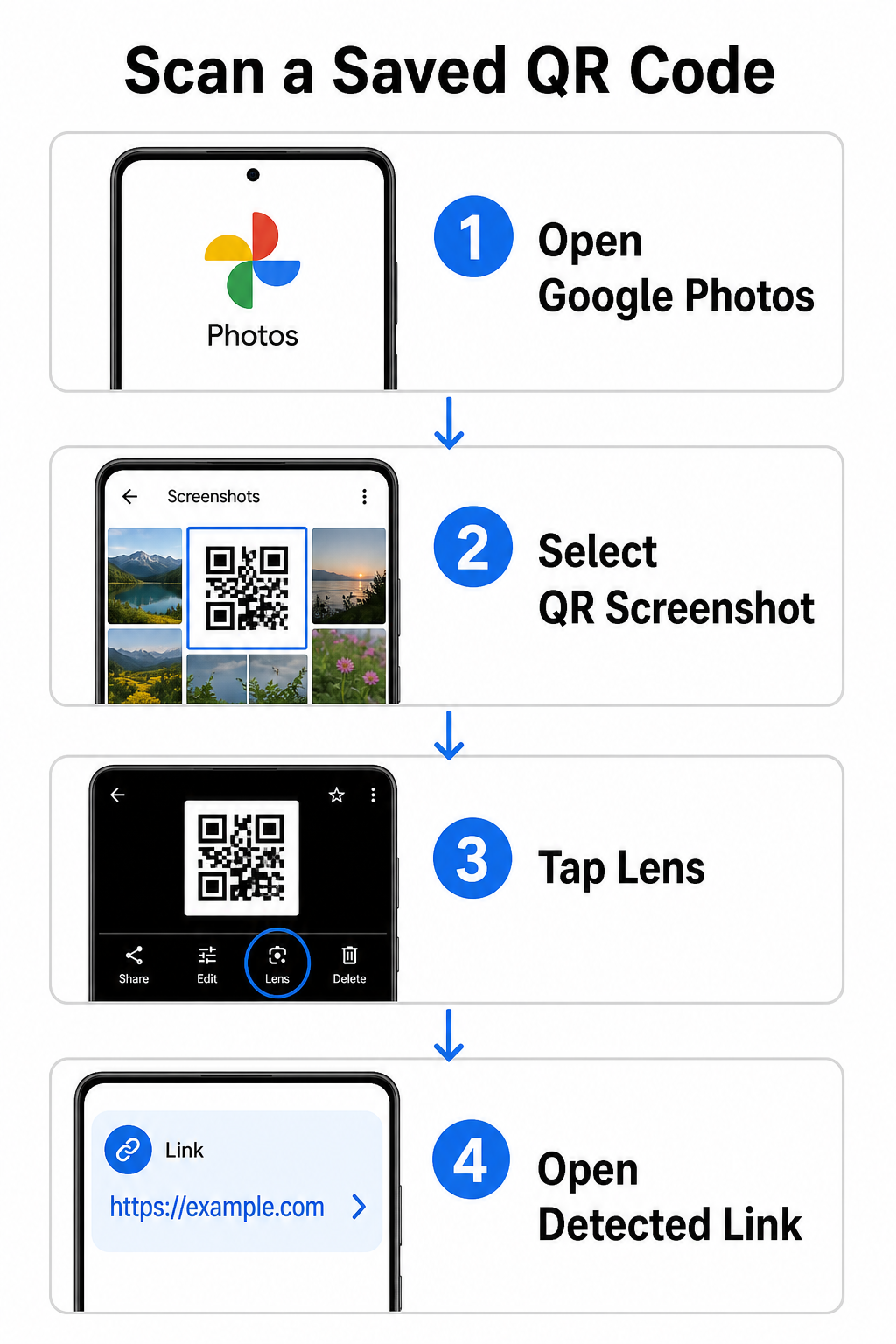
Purkaaksesi QR-koodin tallennetusta kuvasta Android-laitteella:
- Avaa Google Kuvat -sovellus älypuhelimellasi.
- Valitse kuva tai näyttökuva, joka sisältää kohde-QR-koodin.
- Napauta Lens-kuvaketta sijoitettuna alavalikkopalkkiin.
- Napauta tunnistettua linkkiä joka näkyy QR-koodin päällä avataksesi verkkosivun.
Avaa iPhonessa ensisijainen Google-sovellus, napauta Lens-kamerakuvaketta hakupalkin sisällä ja valitse Kuvat-painike valitaksesi kuvan kamerarullastasi. Lisämenetelmiä eri mobiilialustoilla varten tutustu kattavaan opetusohjelmaamme aiheesta QR-koodien skannaus älypuhelimilla.
Skannaa QR-koodeja suoraan selaimessasi Tarvitsetko tallennetun kuvan dekoodauksen tai haluatko käyttää kameraasi avaamatta Google Lensiä? Käytä Online QR-koodinlukijaa nähdäksesi koodatun sisällön välittömästi mistä tahansa verkkoselaimesta.
Yleisten Google Lens -skannausongelmien vianmääritys
Kun Google Lens ei tunnista koodia, syynä ovat yleensä ympäristötekijät tai likaiset laitteistokomponentit. Kamerasensorit perustuvat suureen visuaaliseen kontrastin mustien datamoduulien ja valkoisten taustojen välillä. Sormenjäljet, huono valaistus tai väärä etäisyys sumentavat näiden moduulien reunat, mikä tekee koodista lukukelvottoman optiselle ohjelmistolle.
Korjataksesi skannausvirheet nopeasti, noudata näitä vaiheita:
- Pyyhi kameran linssi puhtaalla liinalla poistaaksesi sormenjäljet, jotka peittävät datamoduulit.
- Paranna ympäristön valaistusta fyysisten kylttien ympärillä, jotta visuaaliset sensorit voivat käsitellä korkeakontrastisia kuvioita.
- Säädä lukemisetäisyyttäsi noin 8–12 tuumaan, jotta kameran automaattitarkennus toimii oikein.
- Tarkasta fyysinen pinta vaurioiden, taitteiden tai häikäisyn varalta, jotka vääristävät neliön muotoa.
Jos Google Lens ei vieläkään tunnista koodia, tarkista laitteesi kameran asetukset varmistaaksesi, että Google Lens -ehdotukset ovat edelleen aktiivisia. Jos ongelmat jatkuvat, omistettujen skannaustyökalujen tutkiminen voi palauttaa skannausominaisuudet. Vertaa luotettavia vaihtoehtoja yksityiskohtaisessa arvostelussamme aiheesta parhaat QR-koodinlukijasovellukset.
Turvallisuuden ylläpitäminen QR-koodien skannauksessa
Koska QR-koodit voivat ohjata mobiiliselaimia automaattisesti ulkoisiin verkkokohteisiin, perustason turvallisuusvarotoimien noudattaminen suojaa henkilökohtaista laitettasi petollisilta linkeiltä. Julkisiin kyltteihin painetuista fyysisistä QR-koodeista puuttuvat sisäänrakennetut turvallisuussertifikaatit, mikä tarkoittaa, että pahantahtoiset toimijat voivat toisinaan asettaa haitallisia tarrataustoja alkuperäisten kylttien päälle.
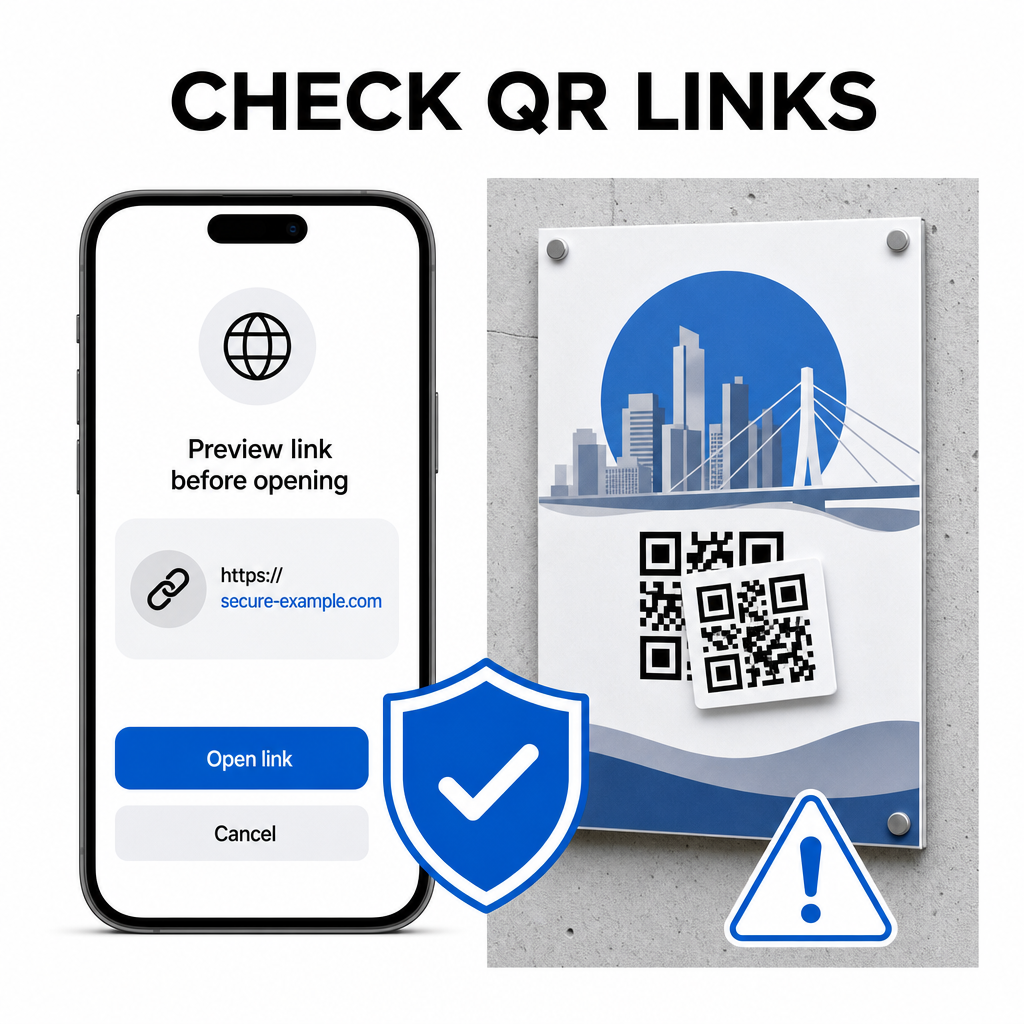
Noudata näitä käytännön turvallisuustapoja koodeja skannatessasi:
- Tarkista esikatselun URL-osoite Google Lensissä ennen napauttamista varmistaaksesi, että verkko-osoite vastaa odotettua sivustoa.
- Tarkista fyysinen peukalointi painetuissa kylteissä, kuten alkuperäisen koodin päälle liimatussa tarrassa.
- Vältä arkaluonteisten tunnusten kirjoittamista kuten kirjautumistietoja tai pankkitietoja sivuille, joille on päädytty odottamattomien koodien kautta.
- Lataa mobiilisovelluksia turvallisesti vierailemalla virallisissa sovelluskaupoissa suoraan upotettujen linkkien sijaan.
Kohdelinkkien tarkistaminen ennen verkkosivujen kanssa vuorovaikutukseen ryhtymistä varmistaa, että henkilötietosi pysyvät suojattuina. Laajemmat neuvot kameran tunnistusasetuksista ja parhaista turvallisuuskäytännöistä löydät täydellisestä oppaastamme aiheesta kuinka skannata QR-koodeja.
Nopea ja turvallinen QR-koodin skannaus
Google Lensin hallitseminen tekee valikkojen, maksupalvelujen ja kampanjalinkkien hakemisesta helppoa millä tahansa älypuhelimella. Kameran puhtaanapito, oikean tarkennusetäisyyden ylläpitäminen ja esikatselulinkkien tarkistaminen ennen niiden napauttamista varmistavat sujuvan skannauskokemuksen. Jos haluat purkaa koodin nopeasti ilman sovellusta, käytä ilmaista QR-skanneria verkossa nähdäksesi koodatut linkit välittömästi mistä tahansa verkkoselaimesta.
Usein kysytyt kysymykset
Ei, useimmissa moderneissa Android-laitteissa on Google Lens -ominaisuudet sisäänrakennettuna suoraan oletusarvoiseen Google-hakupalkkiin, Google Assistantiin tai natiiviin kamerasovelluksen asetuksiin.
Google Lens skannaa kuvatiedostoja, kuten JPEG- tai PNG-tiedostoja. Skannataksesi PDF:n, ota kuvakaappaus dokumentin sisällä olevasta QR-koodista ja avaa kuvakaappaus Google Lensissä tai verkkolukijassa.
Sulje selainvälilehti välittömästi syöttämättä mitään tietoja. Tarkista, onko fyysisen QR-koodin päälle asetettu tarra, vai lukoiko kamerasi väärin viereisen koodin.