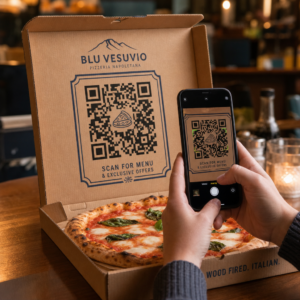
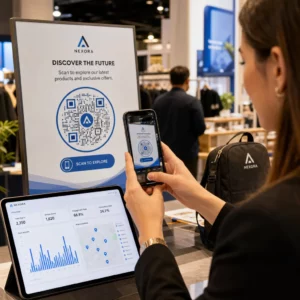
Etykiety z kodem QR umożliwiają klientowi przejście od opakowania w ręce do strony produktu, instrukcji, linku do ponownego zamówienia lub czatu wsparcia w jednym skanowaniu. Ten przewodnik pokazuje, jak stworzyć etykietę produktu z kodem QR, która skanuje się za pierwszym razem: jaki typ kodu użyć, jak duży go wydrukować, gdzie go umieścić i co przetestować przed pełnym nakładem druku.
Kody QR na etykietach produktów: Krótka odpowiedź
- Rozmiar: wydrukuj kod o wymiarach co najmniej 2 x 2 cm (0,8 x 0,8 cala). Użyj 2,5 do 3 cm, jeśli klienci skanują z półki lub lady.
- Strefa ciszy: zachowaj pustą ramkę o szerokości co najmniej 4 modułów (około 4 do 8 mm na etykiecie) ze wszystkich czterech stron.
- Kolory: ciemny kod na jasnym tle. Czarny na białym jest najbezpieczniejszy.
- Rozdzielczość: użyj pliku wektorowego (SVG, PDF lub EPS) do druku. Jeśli używasz PNG, wyeksportuj go w ostatecznym rozmiarze druku w rozdzielczości 300 dpi.
- Typ: użyj kodu statycznego dla linku, który nigdy się nie zmieni. Użyj kodu dynamicznego, jeśli miejsce docelowe może się zmienić lub chcesz uzyskać statystyki skanowania.
- Test: wydrukuj jeden na prawdziwym materiale etykiety i zeskanuj go dwoma lub trzema telefonami, zanim zamówisz pełny nakład.
Dlaczego kody QR powinny znaleźć się na etykietach produktów
Wydrukowana etykieta ma ograniczoną przestrzeń i nie może być aktualizowana po wydrukowaniu. Kod QR dodaje więcej miejsca: szczegóły składników i pochodzenia, filmy instruktażowe, rejestracja gwarancji, instrukcje obsługi i listy części zamiennych mogą znajdować się za jednym małym kwadratem.
Typowe zastosowania kodu QR na produkcie:
- Informacje o produkcie: specyfikacje, składniki, alergeny lub instrukcje pielęgnacji, które nie mieszczą się na etykiecie.
- Instrukcje i konfiguracja: instrukcja w formacie PDF lub krótki film, dzięki czemu możesz wydrukować mniejszą ulotkę lub wcale jej nie drukować.
- Ponowne zamawianie: bezpośredni link do strony produktu, przydatny w przypadku materiałów eksploatacyjnych, takich jak filtry, kawa czy środki czyszczące.
- Wsparcie: link do strony pomocy, formularza lub czatu WhatsApp.
- Recykling i zwroty: instrukcje utylizacji lub formularz zwrotu.
- Oferty i lojalność: kod rabatowy, strona rejestracji lub prośba o recenzję po zakupie.
Aby uzyskać szerszy wgląd w typy opakowań i doświadczenia klienta, zobacz przewodnik po kodach QR na opakowaniach produktów.
Wybierz Dynamiczny Kod QR lub Statyczny
A statyczny kod QR przechowuje miejsce docelowe wewnątrz wzoru. Jest darmowy, nigdy nie wygasa i działa tak długo, jak istnieje strona, do której wskazuje. Jeśli ten URL się zmieni, wydrukowany kod wskazuje na niewłaściwe miejsce i musisz go wydrukować ponownie.
A dynamiczny kod QR przechowuje krótki link przekierowujący, dzięki czemu możesz zmienić miejsce docelowe w dowolnym momencie bez zmiany wydrukowanego kodu. Na etykietach produktów pomaga to na trzy sposoby:
- Możesz zamienić sezonową promocję lub stronę docelową bez nowego nakładu druku.
- Możesz od razu naprawić uszkodzony lub przeniesiony link.
- Możesz zobaczyć statystyki skanowań: kiedy, gdzie i na jakim urządzeniu ludzie skanowali.
Użyj kodu statycznego, gdy link jest stały, na przykład instrukcja obsługi hostowana na Twojej stronie. Użyj kodu dynamicznego, gdy etykiety będą leżeć na półkach przez miesiące, a miejsce docelowe może się zmienić. Możesz utworzyć kod QR dla swojej etykiety produktu za pomocą darmowego generatora Pageloot. Kody dynamiczne oferują 14-dniowy bezpłatny okres próbny, a plany są wymienione na stronie stronie z cennikiem Pageloot.
Śledź każde skanowanie z etykiet Twoich produktów. Aby zobaczyć, gdzie i kiedy klienci skanują Twoje opakowanie, utwórz kod dynamiczny za pomocą Pageloot Generator kodów QR i użyj panelu skanowania.
Jak stworzyć etykiety z kodem QR: Krok po kroku
- Zdecyduj, dokąd ma prowadzić kod. Wybierz stronę przyjazną dla urządzeń mobilnych i zadbaj o to, aby była krótka i szybko się ładowała.
- Otwórz generator kodów QR, wybierz typ (URL, PDF, wideo lub inny) i wprowadź miejsce docelowe.
- Wybierz statyczny lub dynamiczny. Zaznacz opcję dynamiczną tylko, jeśli chcesz później edytować miejsce docelowe lub śledzić skanowania.
- Zachowaj prosty projekt: ciemny kod, jasne tło, bez gradientów za wzorem.
- Pobierz plik wektorowy (SVG lub PDF) dla projektanta etykiet lub plik PNG w docelowym rozmiarze.
- Umieść kod na projekcie etykiety w zaplanowanym rozmiarze, z pustym marginesem (quiet zone) i krótkim wezwaniem do działania obok niego.
- Wydrukuj etykietę testową na prawdziwym materiale i zeskanuj ją przed pełnym nakładem.
Rozmiar: Jak duży musi być kod?
Rozmiar to najczęstszy powód, dla którego kod QR na etykiecie nie skanuje się. Jeśli kod jest zbyt mały, aparat telefonu nie może rozróżnić poszczególnych modułów (małych kwadratów, które tworzą wzór).
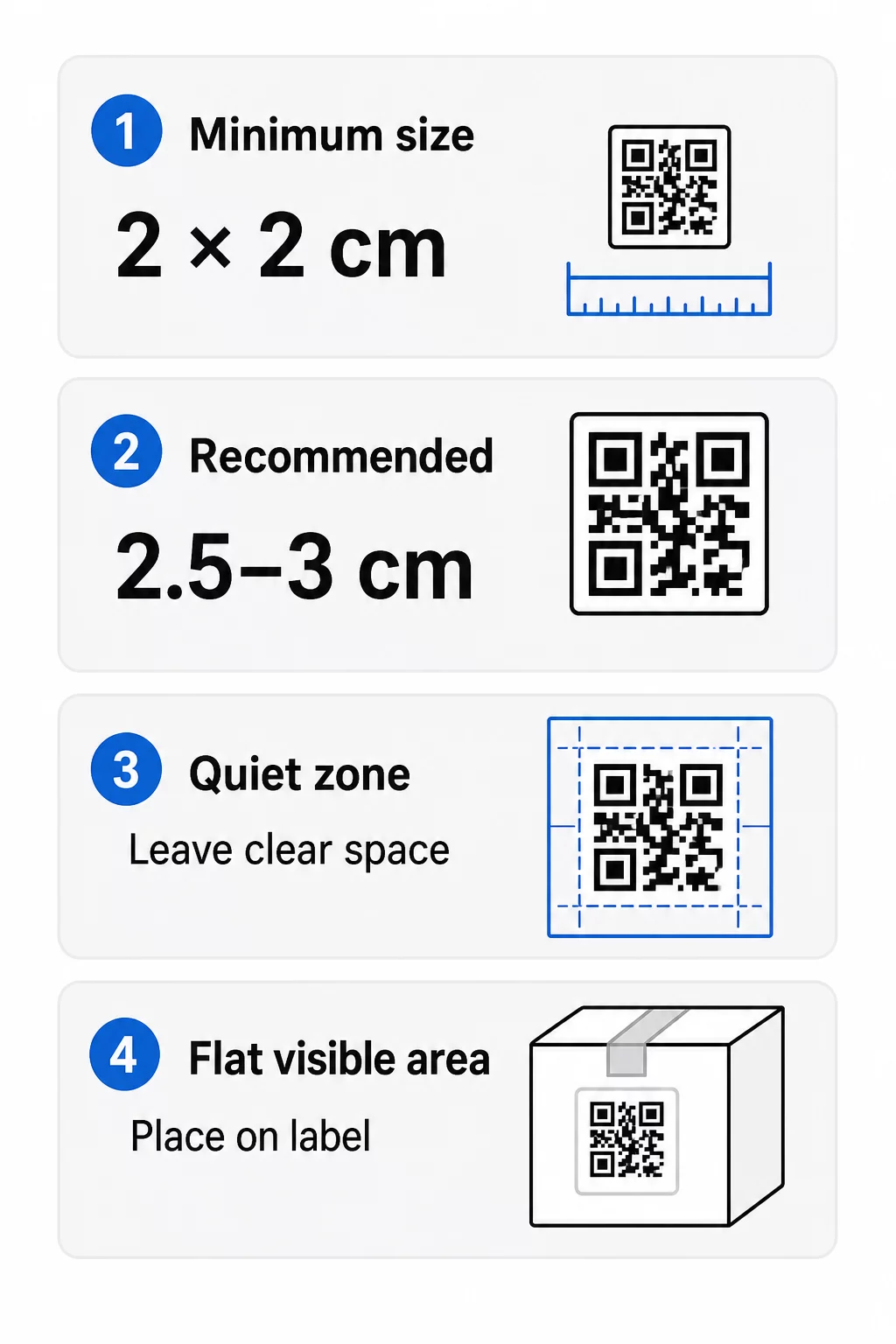
- Absolutne minimum: 2 x 2 cm (0,8 x 0,8 cala) dla kodu skanowanego z odległości ramienia.
- Zalecane dla opakowań produktów: Od 2,5 do 3 cm na stronę.
- Zasada odległości: Telefon odczytuje kod z odległości około 10 razy większej niż jego szerokość. Kod 3 cm skanuje się z odległości około 30 cm (12 cali); kod 10 cm z około 1 m.
- Gęste kody wymagają więcej miejsca: Długi URL tworzy gęstszy wzór z mniejszymi modułami. Użyj krótkiego linku lub kodu dynamicznego, aby zachować prostotę wzoru.
Jeśli dodasz logo, zwiększ rozmiar o 20 do 30 procent. Jeśli użyjesz niestandardowych kolorów, dodaj od 10 do 15 procent. Traktuj to jako punkty wyjścia i potwierdź wydrukiem testowym. W przypadku różnych materiałów do druku, zobacz przewodnik po rozmiarach kodów QR dla materiałów drukowanych.
Umiejscowienie: Gdzie umieścić kod na etykiecie
- Umieść kod na płaskiej powierzchni, a nie na zagięciach, szwach, krawędziach lub perforacjach.
- Wybierz widoczny panel. Etykieta z przodu lub z tyłu jest lepsza niż spód opakowania.
- Użyj jednego kodu na panel, aby skanery nie były zdezorientowane.
- Pozostaw strefę ciszy pustą. Bez tekstu, obramowania ani grafiki wewnątrz niej.
- Dodaj krótkie wezwanie do działania obok kodu, takie jak „Skanuj, aby uzyskać instrukcję” lub „Skanuj, aby ponownie zamówić”.
- Nie umieszczaj kodu pod folią termokurczliwą, zgrzewem lub krawędzią lakieru, która powoduje odblaski.
Zakrzywione powierzchnie wymagają dodatkowej uwagi. Na butelkach, słoikach i tubkach wzór odchyla się od kamery. Zachowaj mały rozmiar kodu w stosunku do krzywizny, umieść go na najbardziej płaskiej części i przetestuj z kilku kątów. Drukowanie kodu na płaskiej etykiecie umieszczonej na krzywiźnie działa lepiej niż drukowanie go na ostro zakrzywionym ramieniu.
Aby dowiedzieć się więcej o umiejscowieniu, przeczytaj Przewodnik po umieszczaniu kodów QR w marketingu.
Strefa Ciszy: Pusta Ramka, Która Umożliwia Skanowanie
Każdy kod QR potrzebuje strefy ciszy: pusty margines wokół całego symbolu. Mówi skanerowi, gdzie kod się zaczyna i kończy.
Standardowa strefa ciszy ma co najmniej 4 moduły szerokości z każdej z czterech stron. Jeden moduł to szerokość jednego małego kwadratu. Na typowej etykiecie kodu jest to około 4 do 8 mm. Nie drukuj w niej nazwy marki, obramowania ani tekstu etykiety. Jeśli etykieta jest drukowana na ruchliwym tle, umieść kod na jednolitym jasnym polu.
Kontrast: Ciemny kod, jasne tło
Skanery odczytują różnicę między ciemnymi modułami a jasnym tłem. Bez wystarczającego kontrastu wzór nie jest wykrywany.
- Użyj ciemnego pierwszego planu na jasnym tle. Czarny na białym jest najbardziej niezawodny.
- Celuj w współczynnik kontrastu wynoszący co najmniej 4:1.
- Unikaj podobnych odcieni dla pierwszego planu i tła, np. ciemnozielonego na średniozielonym.
- Unikaj kodów jasnych na ciemnym tle (odwróconych). Niektóre skanery mogą ich nie odczytać, więc przetestuj je przed użyciem.
- Unikaj gradientów i cieni nad wzorem.
- Unikaj drukowania kodu na bardzo błyszczącej, żebrowanej lub nierównej powierzchni.
Niestandardowe kolory marki mogą działać, jeśli przetestujesz je w rzeczywistym oświetleniu. przewodnikiem po najlepszych praktykach kontrastu kolorów kodów QR zawiera tabelę porównawczą popularnych par.
Korekcja błędów: Wbudowana ochrona przed uszkodzeniami
Kody QR mają cztery poziomy korekcji błędów. Określają one, jaka część kodu może zostać uszkodzona lub zakryta, a mimo to być odczytana:
| Poziom | Zdolność odzyskiwania | Najlepsze dla |
|---|---|---|
| L (Niski) | około 7% | Czyste powierzchnie, bez nakładki z logo |
| M (średni) | około 15% | Ogólne etykiety produktów |
| Q (kwartyl) | około 25% | Etykiety z logo lub elementami marki umieszczonymi na kodzie |
| H (Wysoki) | około 30% | Powierzchnie narażone na zarysowania lub zużycie, lub złożone projekty |
Dla większości etykiet produktów, poziom M lub Q to dobry wybór. Z logo na środku, użyj Q lub H. Wyższe poziomy sprawiają, że wzór jest gęstszy, więc może być potrzebny nieco większy rozmiar wydruku.
Rozdzielczość druku i formaty plików
- Pliki wektorowe (SVG, PDF, EPS) skalują się do dowolnego rozmiaru bez utraty ostrości. Używaj ich zawsze, gdy Twoja drukarka lub projektant etykiet je akceptuje.
- PNG lub JPEG: eksportuj w końcowym rozmiarze wydruku w rozdzielczości 300 dpi. 200 dpi może działać dla małych kodów na gładkim papierze.
- Nie powiększaj małego PNG dla większej etykiety. Krawędzie stają się rozmyte, a kod może przestać być skanowany.
- Sprawdź wydruk próbny. Rozpływanie się atramentu może wypełnić małe moduły na papierze chłonnym.
Zarówno Generator kodów QR z logo oraz generator kodów QR PNG mogą eksportować pliki do druku. Sprawdź opcje pobierania w narzędziu, aby znaleźć potrzebny format.
Praktyczne zastosowania kodów QR na etykietach produktów
Wybierz miejsce docelowe w zależności od tego, czego potrzebuje klient, trzymając produkt:
- Żywność i napoje: strona ze składnikami, alergenami i pochodzeniem, lub przepis.
- Elektronika i narzędzia: film instruktażowy, instrukcja w formacie PDF i formularz gwarancyjny.
- Kosmetyki: kroki użycia i pełna lista składników.
- Materiały eksploatacyjne: strona do ponownego zamówienia jednym dotknięciem.
- Sprzęt i opakowanie: instrukcje recyklingu lub zwrotu.
- Dowolny produkt: krótka prośba o recenzję lub zniżka na kolejne zamówienie.
Większość z nich korzysta z dynamiczne kody QR, ponieważ strona może zostać zaktualizowana po wydrukowaniu etykiety. Przykłady według sektorów znajdziesz tutaj: rozwiązaniami kodów QR według branży. W przypadku programów lojalnościowych, opakowań i zaangażowania, zobacz rozwiązania z kodami QR dla produktów.
Zawsze testuj przed drukowaniem na dużą skalę
Przed pełnym nakładem druku:
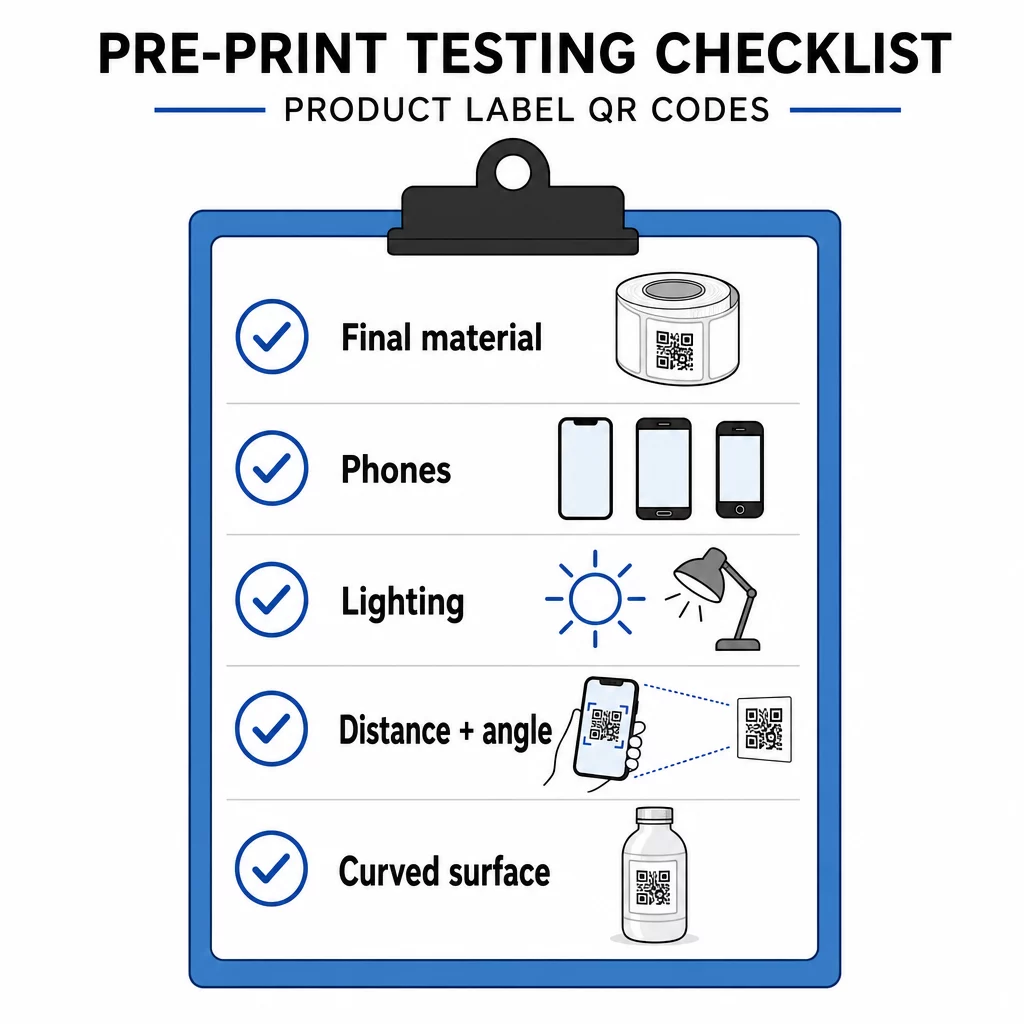
- Wydrukuj kod w jego ostatecznym rozmiarze na właściwym materiale etykietowym.
- Skanuj za pomocą co najmniej dwóch lub trzech telefonów, zarówno iPhone'ów, jak i Androidów.
- Skanuj w jasnym świetle, świetle dziennym i słabym świetle.
- Skanuj z odległości i pod kątem, z jakich będzie korzystał klient.
- Na zakrzywionej powierzchni skanuj z lewej, środkowej i prawej strony.
- Otwórz miejsce docelowe na telefonie z danymi mobilnymi, nie tylko przez Wi-Fi.
Kod QR na produkcie się nie skanuje? Sprawdź to:
- Zbyt mały: powiększ kod lub skróć link.
- Strefa ciszy zbyt wąska: tekst lub grafika dotyka kodu.
- Niski kontrast: jasne kolory, gradienty lub odwrócony kod.
- Odblask: błyszcząca folia lub lakier odbija światło. Użyj matowego wykończenia lub przenieś kod.
- Rozmazany wydruk: niska rozdzielczość lub rozpływanie się atramentu. Użyj pliku wektorowego i sprawdź próbę.
- Zakrzywiona lub pognieciona powierzchnia: przenieś kod na bardziej płaską powierzchnię.
- Błędne miejsce docelowe: link się zmienił. W przypadku kodu dynamicznego edytuj miejsce docelowe. W przypadku kodu statycznego musisz ponownie wydrukować.
Więcej informacji znajdziesz w przewodnik po najlepszych praktykach czytelności kodów QR.
Najczęściej zadawane pytania
Częste minimum to 2 x 2 cm (0.8 x 0.8 cala) dla kodów skanowanych z odległości ramion. W przypadku opakowań bezpieczniej jest 2.5 do 3 cm na stronę. Orientacyjnie, telefon odczytuje kod z odległości około 10 razy jego wydrukowanej szerokości.
Wybierz miejsce docelowe, utwórz kod w generatorze kodów QR, pobierz plik wektorowy lub PNG w wysokiej rozdzielczości, dodaj go do projektu swojej etykiety z cichą strefą i krótkim wezwaniem do działania, następnie wydrukuj etykietę testową i zeskanuj ją na kilku telefonach przed pełnym uruchomieniem.
Tylko z dynamicznym kodem QR. Kod dynamiczny przechowuje krótki link przekierowujący, dzięki czemu możesz zmienić miejsce docelowe bez zmiany wydrukowanego kodu. Kodu statycznego nie można zmienić po wydrukowaniu.
Statyczny kod nigdy nie wygasa, ponieważ miejsce docelowe jest zapisane w jego wzorcu. Dynamiczny kod działa tak długo, jak aktywny jest Twój plan, więc sprawdź swój plan, zanim wydrukujesz etykiety, które będą używane przez lata.
Użyj formatu wektorowego: SVG, PDF lub EPS. Zachowują ostrość w każdym rozmiarze. Jeśli musisz użyć PNG, wyeksportuj go w ostatecznym rozmiarze wydruku przy 300 dpi i nie powiększaj go.
Tak. Użyj poziomu korekcji błędów Q lub H dla logo, powiększ kod o 20 do 30 procent, zachowaj silny kontrast między ciemnym a jasnym, i przetestuj wydrukowaną etykietę przed pełnym nakładem.
Na płaskim, widocznym obszarze, takim jak przednia lub tylna etykieta, z dala od zagięć, szwów i krawędzi, z pustą strefą ciszy i krótkim wezwaniem do działania obok.