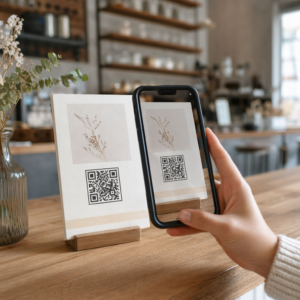
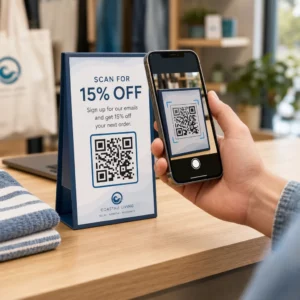
Le etichette con codice QR consentono a un cliente di passare dal pacco in mano a una pagina prodotto, un manuale, un link per riordinare o una chat di supporto con una sola scansione. Questa guida mostra come realizzare un'etichetta prodotto con codice QR che si scansiona al primo tentativo: quale tipo di codice usare, quanto grande stamparlo, dove posizionarlo e cosa testare prima di una tiratura completa.
Codice QR sulle etichette dei prodotti: la risposta breve
- Dimensioni: stampa il codice almeno 2 x 2 cm (0.8 x 0.8 pollici). Usa 2.5 a 3 cm se i clienti scansionano da uno scaffale o un bancone.
- Zona di silenzio: mantieni un bordo vuoto di almeno 4 moduli (circa 4 a 8 mm su un'etichetta) su tutti e quattro i lati.
- Colori: codice scuro su sfondo chiaro. Nero su bianco è il più sicuro.
- Risoluzione: usa un file vettoriale (SVG, PDF o EPS) per la stampa. Se usi PNG, esportalo alla dimensione di stampa finale a 300 dpi.
- Tipo: usa un codice statico per un link che non cambierà mai. Usa un codice dinamico se la destinazione potrebbe cambiare o desideri statistiche di scansione.
- Test: stampane uno sul materiale dell'etichetta reale e scansionalo con due o tre telefoni prima di ordinare la tiratura completa.
Perché i codici QR appartengono alle etichette dei prodotti
Un'etichetta stampata ha uno spazio limitato e non può essere aggiornata dopo la stampa. Un codice QR aggiunge più spazio: dettagli su ingredienti e provenienza, video di configurazione, registrazione della garanzia, manuali utente e liste di pezzi di ricambio possono tutti essere racchiusi in un piccolo quadrato.
Usi tipici di un codice QR su un prodotto:
- Informazioni sul prodotto: specifiche, ingredienti, allergeni o istruzioni per la cura che non trovano spazio sull'etichetta.
- Manuali e configurazione: un manuale in PDF o un breve video, così puoi stampare un opuscolo più piccolo o non stamparlo affatto.
- Riordino: un link diretto alla pagina del prodotto, utile per i materiali di consumo come filtri, caffè o prodotti per la pulizia.
- Supporto: un link a una pagina di aiuto, un modulo o una chat di WhatsApp.
- Riciclo e resi: istruzioni per lo smaltimento o un modulo di reso.
- Offerte e fedeltà: un codice sconto, una pagina di iscrizione o una richiesta di recensione dopo l'acquisto.
Per uno sguardo più ampio ai tipi di packaging e all'esperienza del cliente, consulta guida ai codici QR sugli imballaggi dei prodotti.
Scegli un codice QR dinamico o uno statico
UN codice QR statico memorizza la destinazione all'interno del pattern. È gratuito da creare, non scade mai e funziona finché la pagina a cui punta esiste. Se quell'URL cambia, il codice stampato punta al posto sbagliato e devi ristampare.
UN codice QR dinamico memorizza un breve link di reindirizzamento, così puoi cambiare la destinazione in qualsiasi momento senza modificare il codice stampato. Sulle etichette dei prodotti questo aiuta in tre modi:
- Puoi scambiare una promozione stagionale o una landing page senza una nuova tiratura.
- Puoi correggere un link rotto o spostato immediatamente.
- Puoi vedere le statistiche di scansione: quando, dove e su quale dispositivo le persone hanno scansionato.
Usa un codice statico quando il link è permanente, ad esempio un manuale ospitato sul tuo sito. Usa un codice dinamico quando le etichette rimarranno sugli scaffali per mesi e la destinazione potrebbe cambiare. Puoi creare un codice QR per l'etichetta del tuo prodotto con il generatore gratuito di Pageloot. I codici dinamici includono una prova gratuita di 14 giorni e i piani sono elencati sulla pagina dei prezzi di Pageloot.
Traccia Ogni Scansione Dalle Tue Etichette di Prodotto. Per vedere dove e quando i clienti scansionano la tua confezione, crea un codice dinamico con il Generatore di codici QR di Pageloot e usa la dashboard delle scansioni.
Come Creare Etichette con Codice QR: Passo Dopo Passo
- Decidi dove il codice dovrebbe portare. Scegli una pagina ottimizzata per i dispositivi mobili e assicurati che sia breve e veloce da caricare.
- Aprire il generatore di codici QR, scegli il tipo (URL, PDF, video o altro) e inserisci la destinazione.
- Scegli statico o dinamico. Seleziona l'opzione dinamica solo se desideri modificare la destinazione in seguito o tracciare le scansioni.
- Mantieni il design semplice: codice scuro, sfondo chiaro, nessun gradiente dietro il pattern.
- Scarica un file vettoriale (SVG o PDF) per il designer di etichette, o un PNG alla dimensione finale.
- Posiziona il codice sull'opera d'arte dell'etichetta alla dimensione pianificata, con la zona tranquilla e una breve call to action accanto.
- Stampa un'etichetta di prova sul materiale reale e scansionala prima della tiratura completa.
Dimensione: Quanto deve essere grande il codice?
La dimensione è la ragione più comune per cui un codice QR su etichetta non riesce a essere scansionato. Se il codice è troppo piccolo, la fotocamera del telefono non riesce a separare i singoli moduli (i piccoli quadrati che compongono il pattern).
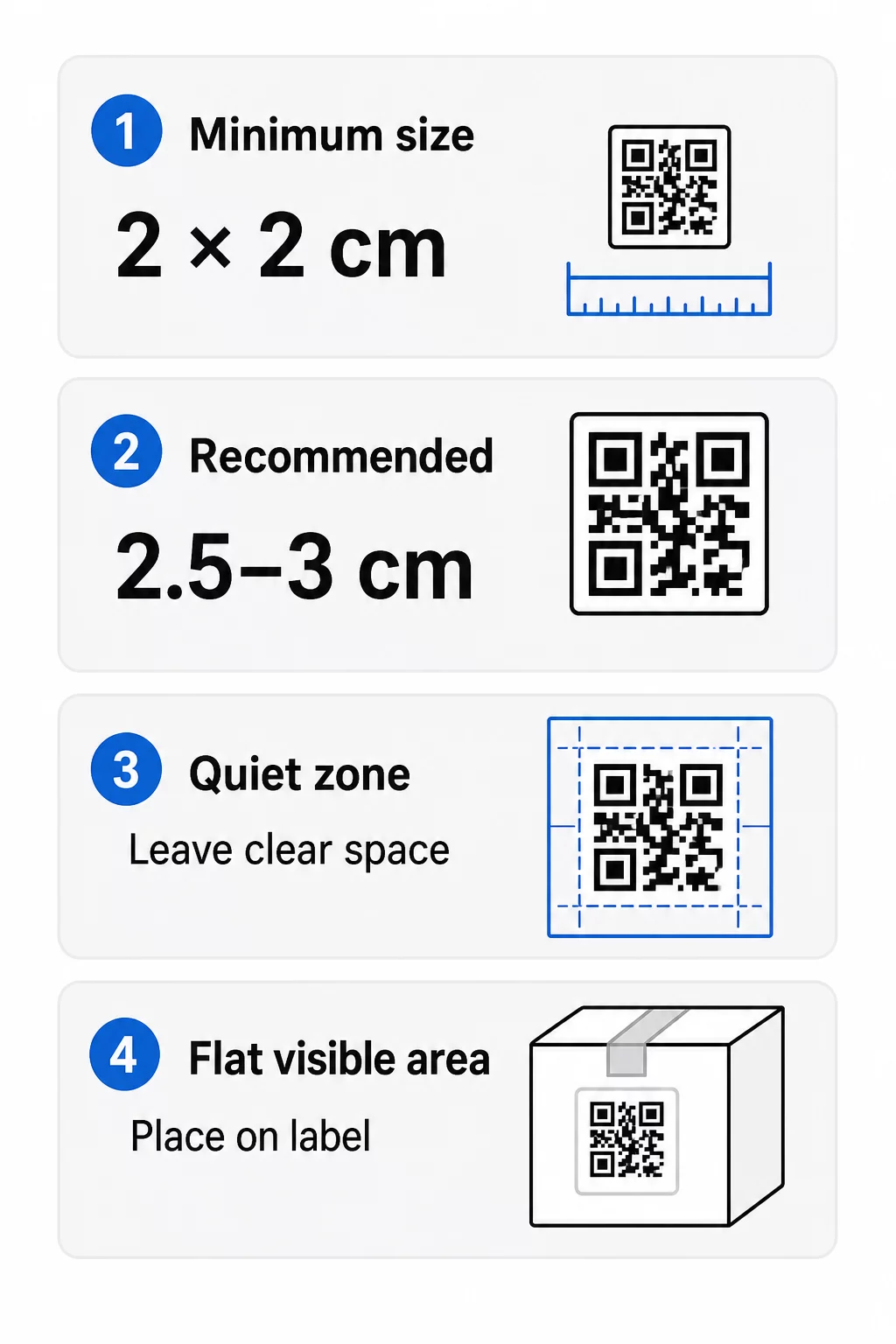
- Minimo assoluto: 2 x 2 cm (0,8 x 0,8 pollici) per un codice scansionato a distanza di un braccio.
- Consigliato per l'imballaggio del prodotto: da 2,5 a 3 cm per lato.
- Regola della distanza: un telefono legge un codice da circa 10 volte la sua larghezza. Un codice di 3 cm viene scansionato da circa 30 cm; un codice di 10 cm da circa 1 m.
- I codici densi richiedono più spazio: un URL lungo crea un modello più denso con moduli più piccoli. Usa un link breve o un codice dinamico per mantenere il modello semplice.
Se aggiungi un logo, aumenta le dimensioni del 20-30 percento. Se usi colori personalizzati, aggiungi il 10-15 percento. Considera questi come punti di partenza e conferma con una stampa di prova. Per diversi materiali di stampa, consulta la guida alle dimensioni dei codici QR per materiali stampati.
Posizionamento: Dove mettere il codice sull'etichetta
- Posiziona il codice su una superficie piana, non su pieghe, cuciture, bordi o perforazioni.
- Scegli un pannello visibile. L'etichetta anteriore o posteriore è migliore del fondo della confezione.
- Usa un codice per pannello in modo che gli scanner non siano confusi.
- Mantieni vuota la quiet zone. Nessun testo, bordo o grafica al suo interno.
- Aggiungi una breve chiamata all'azione accanto al codice, come “Scansiona per il manuale” o “Scansiona per riordinare”.
- Non posizionare il codice sotto pellicola termoretraibile, una termosaldatura o un bordo di vernice che crea riflessi.
Le superfici curve richiedono particolare attenzione. Su bottiglie, barattoli e tubi il modello si piega lontano dalla fotocamera. Mantieni il codice piccolo rispetto alla curva, posizionalo sulla parte più piatta e testa da diverse angolazioni. Stampare il codice su un'etichetta piatta che si adagia sulla curva funziona meglio che stamparlo su una spalla fortemente curva.
Per maggiori informazioni sul posizionamento, leggi la Guida al posizionamento dei codici QR per il marketing.
La Zona di Silenzio: Il Bordo Vuoto Che Fa Funzionare la Scansione
Ogni codice QR necessita di un zona silenziosa: un margine bianco intorno all'intero simbolo. Indica allo scanner dove inizia e finisce il codice.
La quiet zone standard è di almeno 4 moduli di larghezza su tutti e quattro i lati. Un modulo è la larghezza di un piccolo quadrato. Su un tipico codice di etichetta è di circa 4-8 mm. Non stampare il nome del tuo marchio, un bordo o il testo dell'etichetta al suo interno. Se l'etichetta è stampata su uno sfondo affollato, posiziona il codice su una casella di colore chiaro e solido.
Contrasto: Codice Scuro, Sfondo Chiaro
Gli scanner leggono la differenza tra moduli scuri e uno sfondo chiaro. Senza un contrasto sufficiente il modello non viene rilevato.
- Utilizzare un primo piano scuro su uno sfondo chiaro. Il nero su bianco è il più affidabile.
- Puntare a un rapporto di contrasto di almeno 4:1.
- Evitare tonalità simili per il primo piano e lo sfondo, come il verde scuro su verde medio.
- Evitare codici chiari su scuri (invertiti). Alcuni scanner potrebbero non leggerli, quindi testare prima di usarli.
- Evitare gradienti e ombre sul motivo.
- Evitare di stampare il codice su una superficie molto lucida, a coste o irregolare.
I colori personalizzati del marchio possono funzionare se testati in condizioni di illuminazione reali. Il guida alle migliori pratiche di contrasto colore per codici QR contiene una tabella comparativa di abbinamenti comuni.
Correzione degli errori: Protezione integrata dai danni
I codici QR hanno quattro livelli di correzione degli errori. Essi definiscono quanto del codice può essere danneggiato o coperto e rimanere leggibile:
| Livello | Capacità di recupero | Il meglio per |
|---|---|---|
| L (Basso) | circa il 7% | Superfici pulite, senza sovrapposizione di logo |
| M (Medio) | circa il 15% | Etichette generiche del prodotto |
| Q (Quartile) | circa il 25% | Etichette con un logo o elementi del marchio sul codice |
| H (Alto) | circa il 30% | Superfici a rischio di graffi o usura, o design complessi |
Per la maggior parte delle etichette di prodotto, il Livello M o Q è una buona scelta. Con un logo al centro, usare Q o H. Livelli più alti rendono il motivo più denso, quindi potrebbe essere necessaria una dimensione di stampa leggermente maggiore.
Risoluzione di Stampa e Formati di File
- File vettoriali (SVG, PDF, EPS) si adattano a qualsiasi dimensione senza perdere nitidezza. Usali ogni volta che la tua stampante o il designer di etichette li accetta.
- PNG o JPEG: esportare alla dimensione di stampa finale a 300 dpi. 200 dpi possono funzionare per codici piccoli su carta liscia.
- Non ingrandire un piccolo PNG per un'etichetta più grande. I bordi si sfocano e il codice potrebbe smettere di essere scansionato.
- Controllare la prova di stampa. La diffusione dell'inchiostro può riempire piccoli moduli su carta assorbente.
Sia il Generatore di QR code con logo e dell' generatore di PNG per codici QR possono esportare file per la stampa. Controllare le opzioni di download nello strumento per il formato desiderato.
Casi d'uso pratici per i codici QR sulle etichette dei prodotti
Scegliere la destinazione in base a ciò di cui il cliente ha bisogno quando tiene il prodotto:
- Cibo e bevande: una pagina con ingredienti, allergeni e origine, o una ricetta.
- Elettronica e strumenti: un video di configurazione, il manuale in PDF e un modulo di garanzia.
- Cosmetici: passaggi di utilizzo e una lista completa degli ingredienti.
- Prodotti di consumo: una pagina di riordino con un solo tocco.
- Hardware e imballaggio: istruzioni per il riciclo o il reso.
- Qualsiasi prodotto: una breve richiesta di recensione o uno sconto per il prossimo ordine.
La maggior parte di questi beneficia di i codici QR dinamici, perché la pagina può essere aggiornata dopo la stampa dell'etichetta. Per esempi per settore, vedi soluzioni di codici QR per settore. Per fedeltà, packaging e coinvolgimento, vedi soluzioni di codici QR per prodotti.
Testa sempre prima di stampare su larga scala
Prima di una tiratura completa:
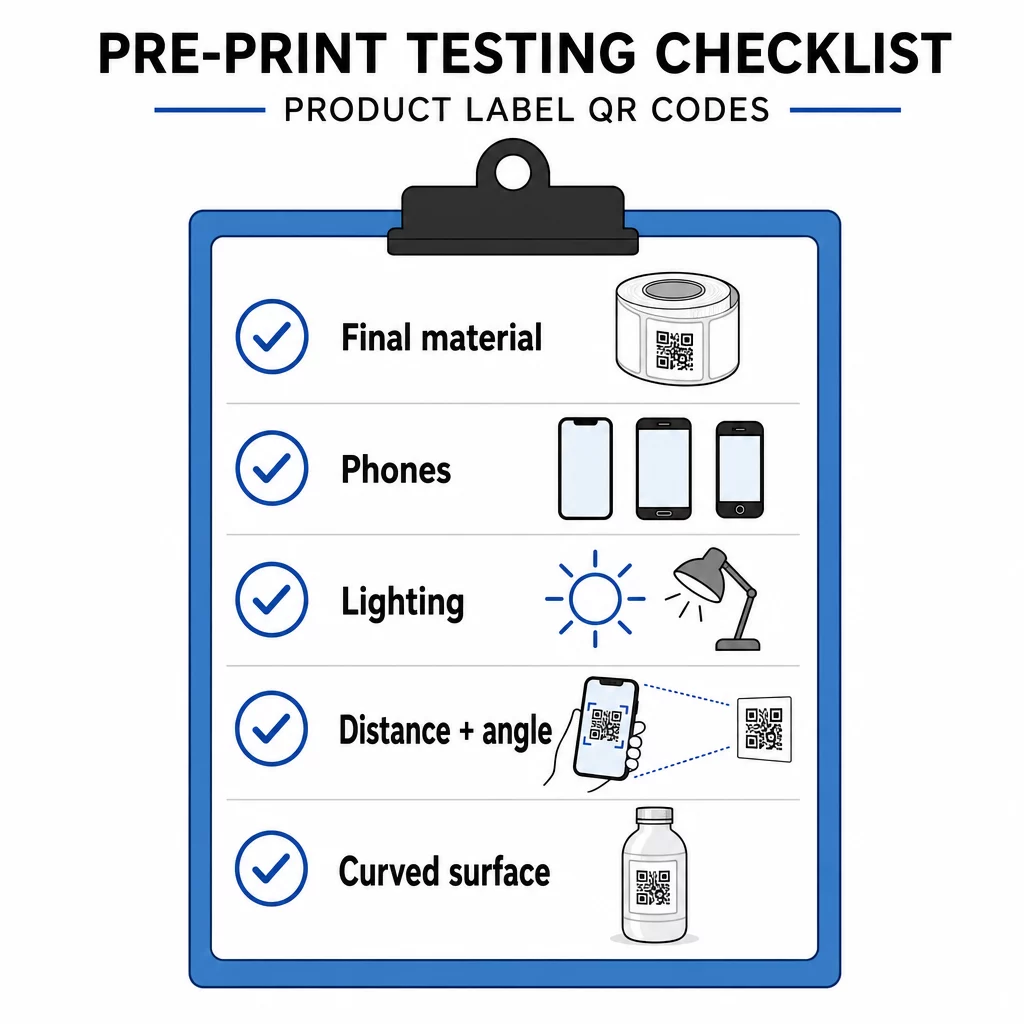
- Stampa il codice nelle sue dimensioni finali sul materiale dell'etichetta reale.
- Scansiona con almeno due o tre telefoni, sia iPhone che Android.
- Scansiona con luce intensa, luce diurna e luce fioca.
- Scansiona dalla distanza e dall'angolazione che un cliente utilizzerà.
- Su una superficie curva, scansiona da sinistra, centro e destra.
- Apri la destinazione su un telefono con dati mobili, non solo con Wi-Fi.
QR Code su un prodotto non scansionabile? Controlla questi punti
- Troppo piccolo: ingrandisci il codice o accorcia il link.
- Zona tranquilla troppo stretta: testo o grafica toccano il codice.
- Contrasto basso: colori chiari, sfumature o un codice invertito.
- Riflesso: pellicola lucida o vernice riflette la luce. Usa una finitura opaca o sposta il codice.
- Stampa sfocata: bassa risoluzione o sbavatura dell'inchiostro. Usa un file vettoriale e controlla la prova.
- Superficie curva o piegata: sposta il codice su un'area più piatta.
- Destinazione errata: il link è cambiato. Con un codice dinamico, modifica la destinazione. Con un codice statico, devi ristampare.
Per ulteriori controlli, vedi guida alle migliori pratiche per la leggibilità dei codici QR.
Domande frequenti
Il minimo comune è 2 x 2 cm (0.8 x 0.8 pollici) per i codici scansionati a distanza di un braccio. Per l'imballaggio, 2.5 a 3 cm per lato è più sicuro. Come guida, un telefono legge un codice da circa 10 volte la sua larghezza stampata.
Scegli la destinazione, crea il codice in un generatore di codici QR, scarica un file vettoriale o un PNG ad alta risoluzione, aggiungilo alla grafica della tua etichetta con una zona di silenzio e una breve chiamata all'azione, quindi stampa un'etichetta di prova e scansionala su più telefoni prima della tiratura completa.
Solo con un codice QR dinamico. Un codice dinamico memorizza un breve link di reindirizzamento, così puoi cambiare la destinazione senza modificare il codice stampato. Un codice statico non può essere modificato dopo la stampa.
Un codice statico non scade mai, perché la destinazione è memorizzata nel modello. Un codice dinamico funziona finché il tuo piano è attivo, quindi controlla il tuo piano prima di stampare etichette che rimarranno in uso per anni.
Usa un formato vettoriale: SVG, PDF o EPS. Rimangono nitidi a qualsiasi dimensione. Se devi usare il PNG, esportalo alla dimensione di stampa finale a 300 dpi e non ingrandirlo.
Sì. Utilizza il livello di correzione degli errori Q o H per un logo, ingrandisci il codice del 20-30 percento, mantieni un forte contrasto tra scuro e chiaro, e testa l'etichetta stampata prima della tiratura completa.
Su un'area piatta e visibile, come l'etichetta anteriore o posteriore, lontano da pieghe, cuciture e bordi, con una zona di quiete vuota e una breve chiamata all'azione accanto ad essa.