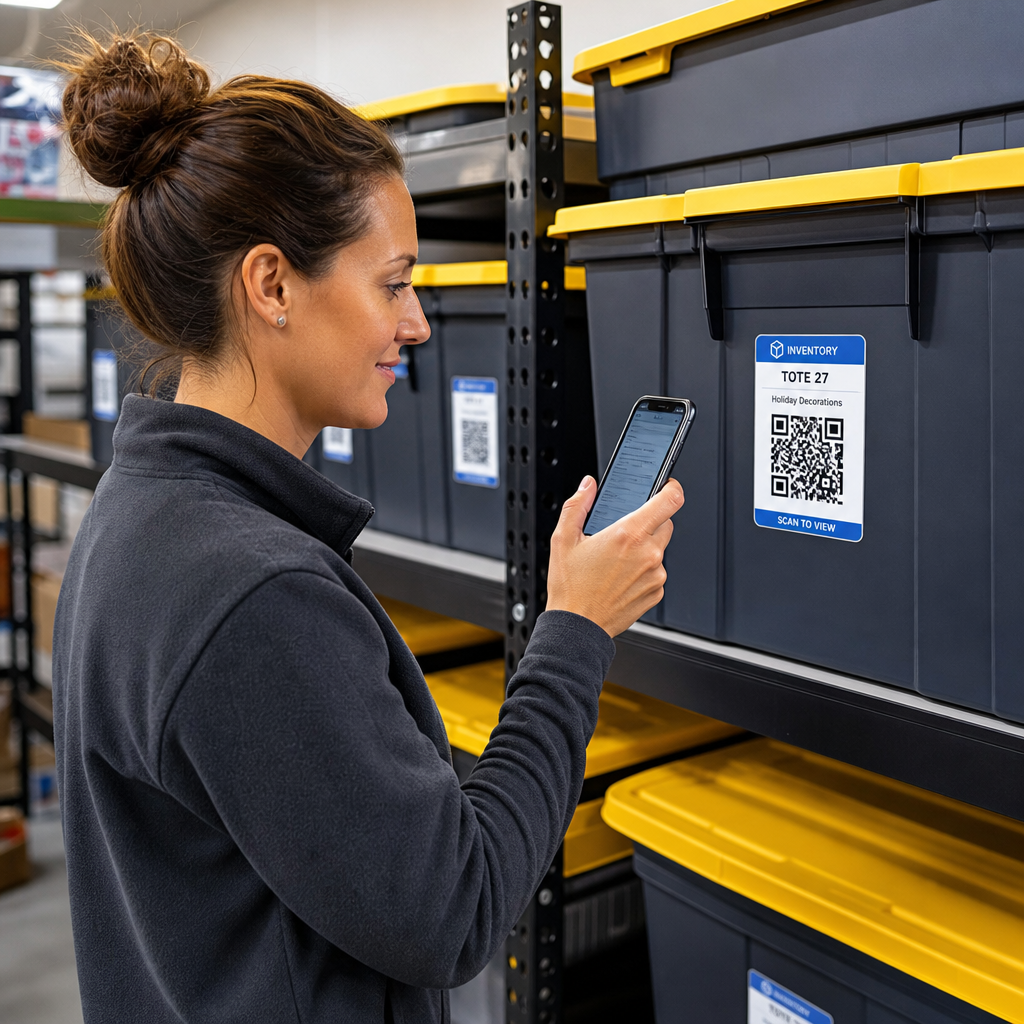
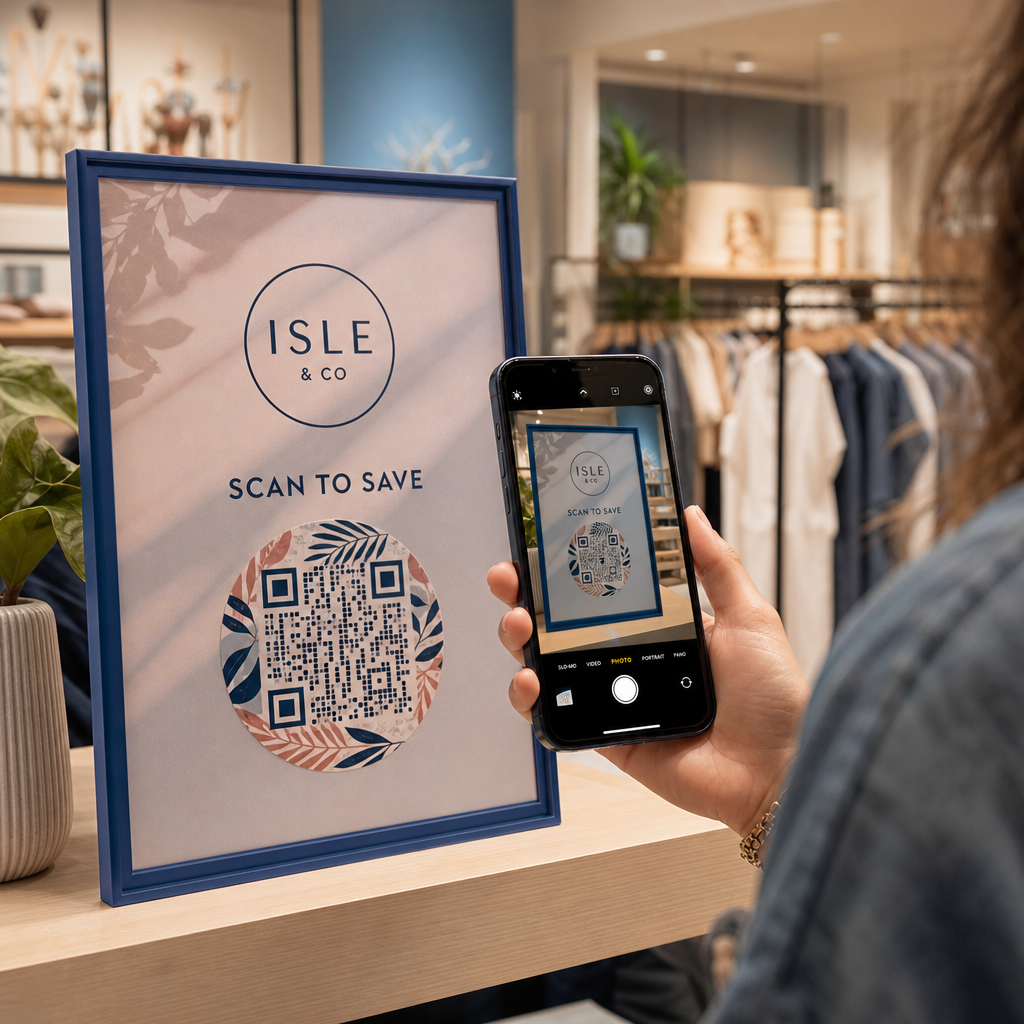
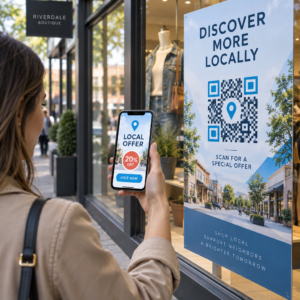
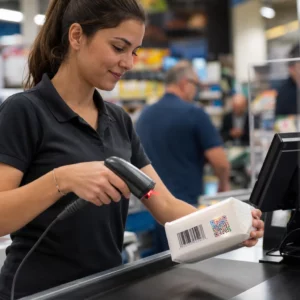
Štítky s QR kódy umožňují zákazníkovi přejít z obalu v ruce na stránku produktu, manuál, odkaz pro opětovné objednání nebo chat podpory jedním skenováním. Tento průvodce ukazuje, jak vytvořit štítek produktu s QR kódem, který se naskenuje na první pokus: jaký typ kódu použít, jak velký ho vytisknout, kam ho umístit a co otestovat před plným tiskem.
QR kód na etiketách produktů: Stručná odpověď
- Velikost: vytiskněte kód o velikosti minimálně 2 x 2 cm (0,8 x 0,8 palce). Použijte 2,5 až 3 cm, pokud zákazníci skenují z regálu nebo pultu.
- Tichá zóna: ponechte prázdný okraj o velikosti minimálně 4 moduly (přibližně 4 až 8 mm na štítku) na všech čtyřech stranách.
- Barvy: tmavý kód na světlém pozadí. Černá na bílé je nejbezpečnější.
- Rozlišení: pro tisk použijte vektorový soubor (SVG, PDF nebo EPS). Pokud používáte PNG, exportujte jej ve finální tiskové velikosti s 300 dpi.
- Typ: použijte statický kód pro odkaz, který se nikdy nezmění. Použijte dynamický kód, pokud se cíl může změnit nebo chcete statistiky skenování.
- Test: vytiskněte jeden na skutečný materiál štítku a naskenujte ho dvěma nebo třemi telefony, než objednáte celou sérii.
Proč QR kódy patří na etikety produktů
Tištěný štítek má omezený prostor a nelze jej po vytištění aktualizovat. QR kód přidává více místa: podrobnosti o složení a původu, instalační videa, registrace záruky, uživatelské příručky a seznamy náhradních dílů – to vše může být za jedním malým čtvercem.
Typické použití QR kódu na produktu:
- Informace o produktu: specifikace, složení, alergeny nebo pokyny k péči, které se nevejdou na štítek.
- Manuály a nastavení: PDF manuál nebo krátké video, takže můžete vytisknout menší leták nebo žádný.
- Opakované objednávky: přímý odkaz na stránku produktu, užitečné pro spotřební zboží, jako jsou filtry, káva nebo čisticí prostředky.
- Podpora: odkaz na stránku nápovědy, formulář nebo chat WhatsApp.
- Recyklace a vrácení: pokyny k likvidaci nebo formulář pro vrácení zboží.
- Nabídky a věrnost: slevový kód, registrační stránka nebo žádost o recenzi po nákupu.
Pro širší pohled na typy balení a zákaznickou zkušenost viz průvodce QR kódy na obalech produktů.
Zvolte dynamický QR kód nebo statický
A statický QR kód ukládá cíl přímo do vzoru. Je zdarma, nikdy nevyprší a funguje tak dlouho, dokud existuje stránka, na kterou odkazuje. Pokud se tato URL změní, vytištěný kód odkazuje na špatné místo a musíte jej znovu vytisknout.
A dynamický QR kód ukládá krátký přesměrovací odkaz, takže můžete kdykoli změnit cíl, aniž byste měnili vytištěný kód. Na etiketách produktů to pomáhá třemi způsoby:
- Můžete vyměnit sezónní akci nebo vstupní stránku bez nového tisku.
- Můžete ihned opravit nefunkční nebo přesunutý odkaz.
- Můžete vidět statistiky skenování: kdy, kde a na jakém zařízení lidé skenovali.
Použijte statický kód, když je odkaz trvalý, například manuál hostovaný na vašem vlastním webu. Použijte dynamický kód, když etikety zůstanou na policích měsíce a cíl se může změnit. Můžete vytvořit QR kód pro etiketu vašeho produktu s bezplatným generátorem Pageloot. Dynamické kódy mají 14denní bezplatnou zkušební verzi a plány jsou uvedeny na stránce s cenami Pageloot.
Sledujte každé skenování z etiket vašich produktů. Chcete-li zjistit, kde a kdy zákazníci skenují vaše obaly, vytvořte dynamický kód pomocí Generátor QR kódu Pageloot a použijte panel skenování.
Jak vytvořit QR kód etikety: Krok za krokem
- Rozhodněte, kam má kód vést. Vyberte stránku přizpůsobenou pro mobily a udržujte ji krátkou a rychle se načítající.
- Otevři generátor QR kódů, vyberte typ (URL, PDF, video nebo jiné) a zadejte cíl.
- Vyberte statický nebo dynamický. Možnost dynamický zaškrtněte pouze v případě, že chcete později upravit cíl nebo sledovat skenování.
- Udržujte design jednoduchý: tmavý kód, světlé pozadí, žádné přechody za vzorem.
- Stáhněte vektorový soubor (SVG nebo PDF) pro návrháře etiket, nebo PNG v konečné velikosti.
- Umístěte kód na návrh etikety v plánované velikosti, s tichou zónou a krátkou výzvou k akci vedle něj.
- Vytiskněte zkušební etiketu na skutečný materiál a naskenujte ji před plnou výrobou.
Velikost: Jak velký musí být kód?
Velikost je nejčastějším důvodem, proč se QR kód na etiketě nedaří naskenovat. Pokud je kód příliš malý, fotoaparát telefonu nedokáže rozlišit jednotlivé moduly (malé čtverce, které tvoří vzor).
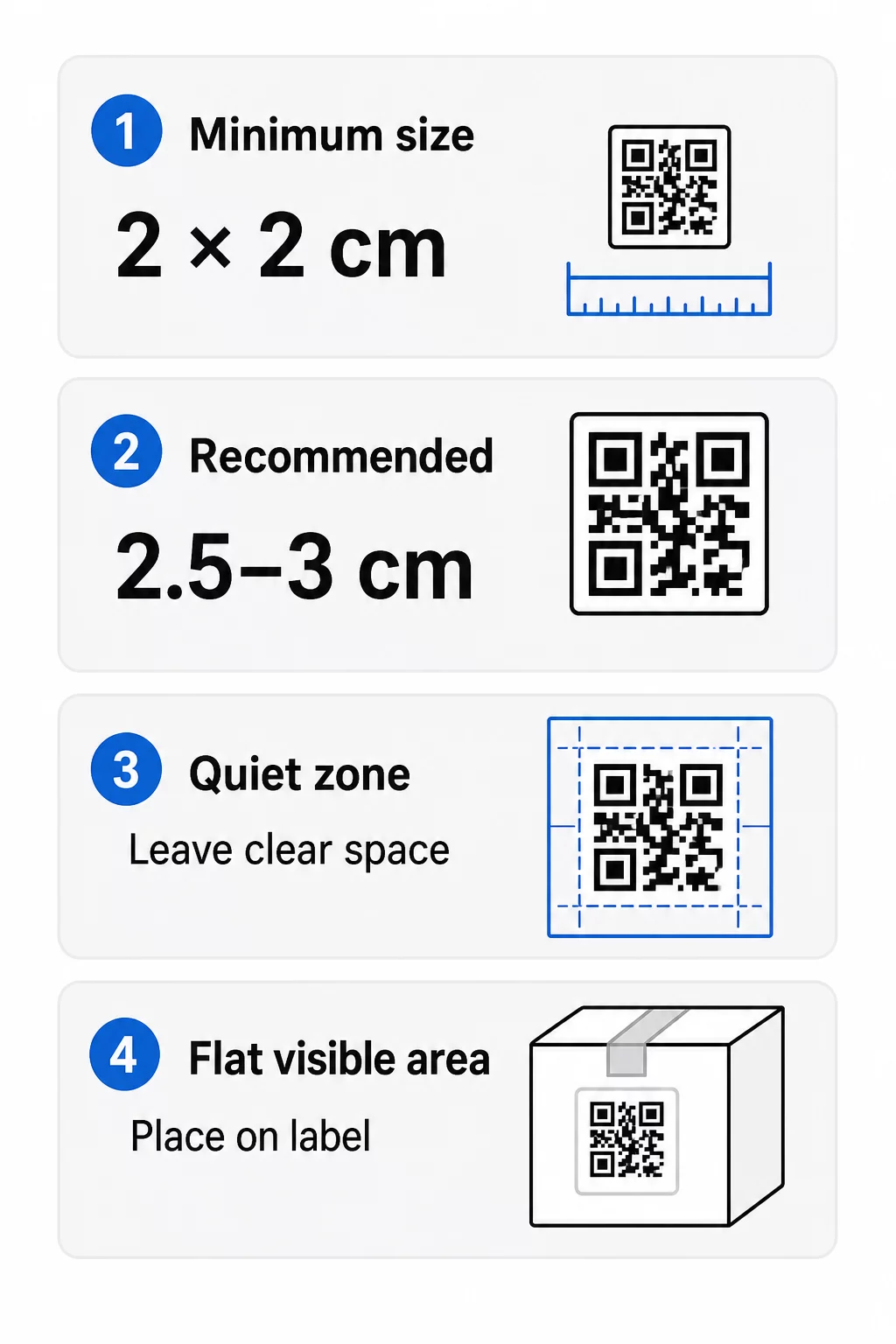
- Absolutní minimum: 2 x 2 cm (0,8 x 0,8 palce) pro kód skenovaný z délky paže.
- Doporučeno pro balení produktů: 2,5 až 3 cm na stranu.
- Pravidlo vzdálenosti: telefon přečte kód z přibližně 10násobku jeho šířky. Kód o velikosti 3 cm lze skenovat z přibližně 30 cm (12 palců); kód o velikosti 10 cm z přibližně 1 m.
- Husté kódy potřebují více místa: dlouhá URL adresa vytváří hustší vzor s menšími moduly. Použijte krátký odkaz nebo dynamický kód, aby byl vzor jednoduchý.
Pokud přidáte logo, zvětšete velikost o 20 až 30 procent. Pokud použijete vlastní barvy, přidejte 10 až 15 procent. Berte to jako výchozí body a ověřte testovacím tiskem. Pro různé tiskové materiály viz průvodce dimenzováním QR kódů pro tiskové materiály.
Umístění: Kam umístit kód na štítek
- Umístěte kód na rovnou plochu, ne přes ohyby, švy, okraje nebo perforace.
- Vyberte viditelný panel. Přední nebo zadní štítek je lepší než dno balení.
- Použijte jeden kód na panel, aby se skenery nezmátly.
- Udržujte klidovou zónu prázdnou. Žádný text, rámeček ani grafika uvnitř.
- Přidejte krátkou výzvu k akci vedle kódu, například „Naskenujte pro manuál“ nebo „Naskenujte pro opětovné objednání“.
- Neumísťujte kód pod smršťovací fólii, tepelnou pečeť nebo lakovaný okraj, který vytváří odlesky.
Zakřivené povrchy potřebují zvláštní péči. Na lahvích, sklenicích a tubách se vzor ohýbá pryč od kamery. Udržujte kód malý vzhledem k zakřivení, umístěte jej na nejrovnější část a otestujte z několika úhlů. Tisk kódu na plochý štítek, který se nachází na zakřivení, funguje lépe než tisk přímo na ostře zakřivené rameno.
Pro více informací o umístění si přečtěte Průvodce umístěním QR kódu pro marketing.
Klidová zóna: Prázdný okraj, který umožňuje skenování
Každý QR kód potřebuje tichou zónu: prázdný okraj kolem celého symbolu. Říká skeneru, kde kód začíná a končí.
Standardní klidová zóna je alespoň 4 moduly široká na všech čtyřech stranách. Jeden modul je šířka jednoho malého čtverce. U typického kódu na štítku je to asi 4 až 8 mm. Netiskněte uvnitř klidové zóny název vaší značky, rámeček ani text štítku. Pokud je štítek vytištěn na rušném pozadí, umístěte kód na jednobarevné světlé pole.
Kontrast: Tmavý kód, světlé pozadí
Skenery čtou rozdíl mezi tmavými moduly a světlým pozadím. Bez dostatečného kontrastu vzor není detekován.
- Použijte tmavé popředí na světlém pozadí. Černá na bílé je nejspolehlivější.
- Usilujte o kontrastní poměr minimálně 4:1.
- Vyhněte se podobným odstínům pro popředí a pozadí, například tmavě zelené na středně zelené.
- Vyhněte se světlým kódům na tmavém pozadí (invertovaným). Některé skenery je nemohou přečíst, proto je před použitím otestujte.
- Vyhněte se gradientům a stínům přes vzor.
- Vyhněte se tisku kódu na vysoce lesklý, žebrovaný nebo nerovný povrch.
Vlastní barvy značky mohou fungovat, pokud je otestujete pod skutečným osvětlením. průvodce osvědčenými postupy pro barevný kontrast QR kódů má srovnávací tabulku běžných kombinací.
Korekce chyb: Vestavěná ochrana proti poškození
QR kódy mají čtyři úrovně korekce chyb. Určují, jak velká část kódu může být poškozena nebo zakryta a stále čitelná:
| Úroveň | Kapacita obnovy | Nejlepší pro |
|---|---|---|
| L (nízká) | asi 7% | Čisté povrchy, bez překrytí logem |
| M (střední) | asi 15% | Obecné etikety produktů |
| Q (kvartil) | asi 25% | Štítky s logem nebo prvky značky přes kód |
| H (vysoké) | asi 30% | Povrchy s rizikem poškrábání nebo opotřebení, nebo složité designy |
Pro většinu produktových štítků je dobrou volbou úroveň M nebo Q. S logem uprostřed použijte Q nebo H. Vyšší úrovně způsobují hustší vzor, takže možná budete potřebovat mírně větší tiskovou velikost.
Rozlišení tisku a formáty souborů
- Vektorové soubory (SVG, PDF, EPS) škálují na libovolnou velikost bez ztráty ostrosti. Používejte je vždy, když je váš tiskař nebo návrhář štítků přijímá.
- PNG nebo JPEG: exportujte ve finální tiskové velikosti s rozlišením 300 dpi. 200 dpi může fungovat pro malé kódy na hladkém papíře.
- Nezvětšujte malý PNG pro větší štítek. Okraje se rozmažou a kód nemusí být čitelný.
- Zkontrolujte tiskovou korekturu. Rozptyl inkoustu může vyplnit malé moduly na savém papíře.
Oba QR kód s logem generátor and the generátor PNG QR kódů mohou exportovat soubory pro tisk. Zkontrolujte možnosti stahování v nástroji pro formát, který potřebujete.
Praktické případy použití QR kódů na etiketách produktů
Vyberte cíl podle toho, co zákazník potřebuje, když drží produkt:
- Jídlo a pití: stránka s ingrediencemi, alergeny a původem, nebo recept.
- Elektronika a nástroje: instalační video, manuál v PDF a formulář záruky.
- Kosmetika: kroky použití a kompletní seznam složek.
- Spotřební zboží: stránka pro opětovné objednání jedním klepnutím.
- Hardware a obaly: pokyny pro recyklaci nebo vrácení.
- Jakýkoli produkt: krátká žádost o recenzi nebo sleva na další objednávku.
Většina z nich těží z dynamické QR kódy, protože stránka může být aktualizována po vytištění štítku. Příklady podle sektoru naleznete řešení QR kódů podle odvětví. Pro věrnost, balení a zapojení zákazníků viz řešení QR kódů pro produkty.
Vždy testujte před tiskem ve velkém měřítku
Před plným tiskem:
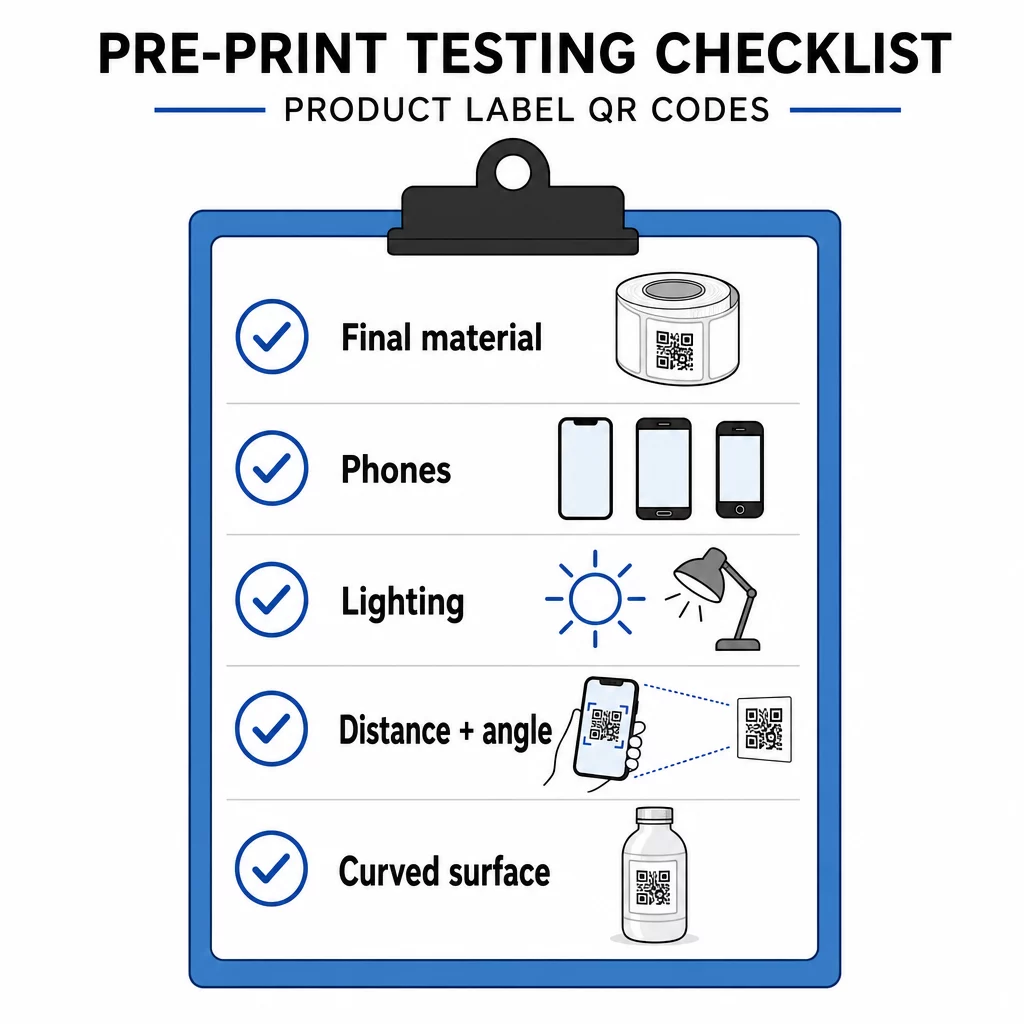
- Vytiskněte kód v jeho finální velikosti na skutečný materiál štítku.
- Skenujte alespoň dvěma nebo třemi telefony, jak iPhonem, tak Androidem.
- Skenujte za jasného světla, denního světla a tlumeného světla.
- Skenujte ze vzdálenosti a úhlu, který použije zákazník.
- Na zakřiveném povrchu skenujte zleva, ze středu a zprava.
- Otevřete cíl na telefonu s mobilními daty, nejen na Wi-Fi.
QR kód na produktu neskenuje? Zkontrolujte tyto body
- Příliš malý: zvětšete kód nebo zkraťte odkaz.
- Tichá zóna příliš úzká: text nebo grafika se dotýká kódu.
- Nízký kontrast: světlé barvy, přechody nebo invertovaný kód.
- Odlesky: lesklá fólie nebo lak odráží světlo. Použijte matný povrch nebo přesuňte kód.
- Rozmazaný tisk: nízké rozlišení nebo rozpíjení inkoustu. Použijte vektorový soubor a zkontrolujte náhled.
- Zakřivený nebo pomačkaný povrch: přesuňte kód na rovnější plochu.
- Špatný cíl: odkaz se změnil. U dynamického kódu upravte cíl. U statického kódu musíte znovu tisknout.
Pro další kontroly viz průvodce osvědčenými postupy pro čitelnost QR kódů.
Často kladené otázky
Běžné minimum je 2 x 2 cm (0,8 x 0,8 palce) pro kódy skenované z délky paže. U obalů je bezpečnější 2,5 až 3 cm na stranu. Jako vodítko platí, že telefon přečte kód z přibližně 10násobku jeho tištěné šířky.
Zvolte cíl, vytvořte kód v generátoru QR kódů, stáhněte vektorový soubor nebo PNG ve vysokém rozlišení, přidejte jej do grafiky štítku s klidovou zónou a krátkou výzvou k akci, poté vytiskněte zkušební štítek a naskenujte jej na několika telefonech před celým tiskem.
Pouze s dynamickým QR kódem. Dynamický kód ukládá krátký přesměrovací odkaz, takže můžete změnit cíl, aniž byste museli měnit vytištěný kód. Statický kód nelze po vytištění změnit.
Statický kód nikdy nevyprší, protože cíl je uložen ve vzoru. Dynamický kód funguje, dokud je váš plán aktivní, proto si zkontrolujte svůj plán, než vytisknete štítky, které zůstanou v používání po léta.
Použijte vektorový formát: SVG, PDF nebo EPS. Zůstanou ostré v jakékoli velikosti. Pokud musíte použít PNG, exportujte jej ve finální tiskové velikosti s 300 dpi a nezvětšujte ho.
Ano. Pro logo použijte úroveň opravy chyb Q nebo H, zvětšete kód o 20 až 30 procent, udržujte silný kontrast mezi tmavými a světlými barvami a před plným tiskem otestujte vytištěný štítek.
Na rovném, viditelném místě, jako je přední nebo zadní etiketa, pryč od záhybů, švů a okrajů, s prázdnou klidovou zónou a krátkou výzvou k akci vedle ní.