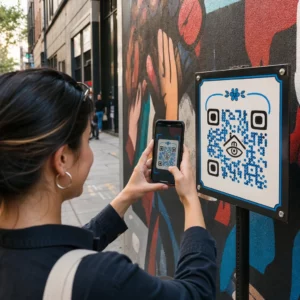
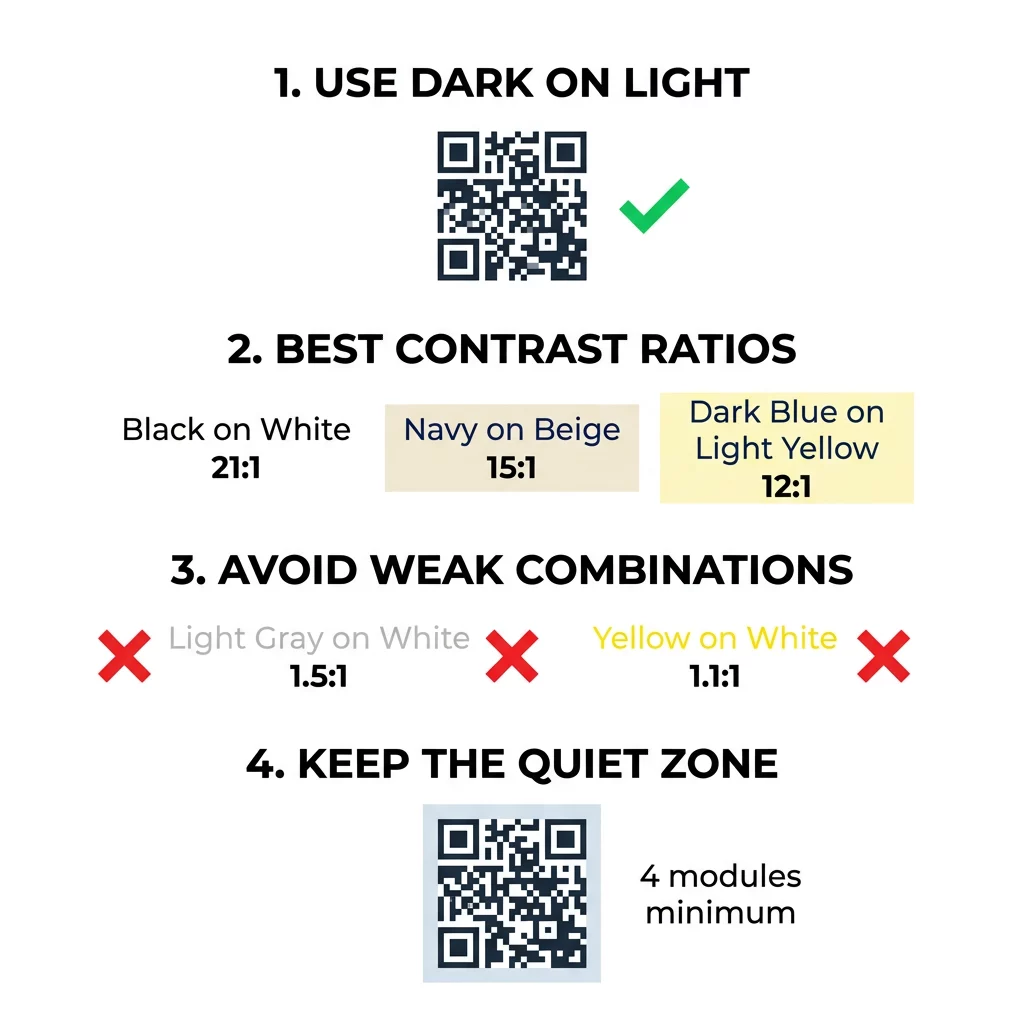
Najlepsze kolory kodów QR to ciemne moduły (kwadraty) na jasnym tle, i tak, kody QR mogą być kolorowe. Zasada jest prosta: moduły muszą być wyraźnie ciemniejsze niż tło. Czarny na białym daje współczynnik kontrastu 21:1 i jest najbezpieczniejszym wyborem. W przypadku kodu marki, celuj w co najmniej 4:1, a dla oznakowania zewnętrznego użyj 7:1 lub więcej, gdzie światło słoneczne i odległość zmniejszają efektywny kontrast. Ten przewodnik zawiera liczby, tabelę kolorów i procedurę testową.
Jakie kolory kodów QR działają i czy kody QR mogą być kolorowe?
Kod QR może mieć niemal dowolny kolor i może używać różnych kolorów dla modułów i tła. Aparat telefonu nie widzi barwy. Konwertuje obraz na skalę szarości i decyduje, kwadrat po kwadracie, co jest ciemne, a co jasne. Pytanie nie brzmi więc, jaki kolor wybierzesz, ale jak bardzo różnią się wartości tych dwóch odcieni szarości.
- Działa: granatowe, ciemnozielone, antracytowe, ciemnofioletowe, ciemnobrązowe lub czarne moduły na białym, kremowym lub innym bardzo jasnym tle.
- Działa po przetestowaniu: ciemnoczerwone, ciemno turkusowe i ciemnopomarańczowe na białym. Najpierw sprawdź współczynnik, a następnie zeskanuj wydrukowany dowód.
- Nie działa: żółte, jasnoszare, pastelowe lub neonowe moduły, oraz dowolna para kolorów o tej samej jasności, np. średniozielony na średnioczerwonym.
- Ryzykowne: jasne moduły na ciemnym tle (kody odwrócone). Wiele aplikacji skanujących je odczytuje, ale niektóre nie, więc unikaj ich w przypadku wszystkiego, co ma znaczenie.
Dlaczego kontrast kontroluje skanowalność kodu QR
Czujniki optyczne odczytują kody QR, mierząc różnicę w odbiciu światła między ciemnymi a jasnymi modułami. Standard kodów QR, ISO/IEC 18004, zakłada ciemne moduły na jasnym tle. Ciemne moduły absorbują światło, a jasne tło je odbija. Jeśli różnica jest zbyt mała, dekoder nie może oddzielić wzoru danych od tła.
W testach kodów kreskowych (ISO/IEC 15415), kontrast symbolu to różnica między najjaśniejszym a najciemniejszym odbiciem w kodzie. Kontrast symbolu wynoszący 70% lub więcej zapewnia najwyższą ocenę, a poniżej 20% oznacza porażkę. Oceniający sprawdzają również modulację, która pokazuje, jak równomiernie moduły jasne i ciemne odbijają światło na całym symbolu. Nierówne kolory lub słabe rozróżnienie sprawiają, że skaner pomija krawędzie modułów.
Normalna polaryzacja, z ciemnymi modułami na jasnym tle, działa na każdym urządzeniu. Niektóre wbudowane aplikacje aparatu w telefonie nie potrafią odczytać jasnych kodów na ciemnym tle, a obsługa różni się w zależności od modelu telefonu i wersji oprogramowania. Używaj normalnej polaryzacji, chyba że przetestowałeś wersję odwróconą na urządzeniach używanych przez Twoją publiczność.
Ocena współczynników kontrastu kolorów i progów
Współczynnik kontrastu to liczba od 1:1 (brak różnicy) do 21:1 (czarny na białym). Współczynnik ten pochodzi z zasad dostępności w Wytycznych dotyczących dostępności treści internetowych (WCAG), które zostały napisane dla tekstu, ale są praktycznym sposobem sprawdzania kolorów kodów QR. Narzędzie do sprawdzania kontrastu (wyszukaj "WCAG contrast checker") akceptuje dwa kody szesnastkowe i zwraca współczynnik. Więcej na temat projektowania inkluzywnego znajdziesz w naszym przewodniku na temat Jak zrobić kody QR zgodne z ADA.
Użyj tych wartości docelowych. Co najmniej 4:1 to minimum dla druku wewnętrznego i ekranów. 7:1 lub więcej jest bezpieczniejsze dla opakowań, ulotek i wszystkiego, co jest fotografowane w zmiennym świetle. 10:1 lub więcej to cel dla oznakowania zewnętrznego. Poniższe współczynniki są przybliżone i zależą od dokładnego odcienia.
| Kombinacja kolorów | Przybliżony Współczynnik Kontrastu | Ocena Skanowalności |
|---|---|---|
| Czarny na białym | 21:1 | Optymalny (standard branżowy) |
| Granatowy na beżowym | ~15:1 | Doskonały |
| Ciemnoniebieski na jasnożółtym | ~12:1 | Bardzo dobry |
| Ciemnobrązowy na Kremowym | ~8:1 | Dobry |
| Czysta Czerwień (#FF0000) na Białym | ~4:1 | Graniczny, testuj przed drukiem |
| Ciemnoczerwony (#8B0000) na Białym | ~11:1 | Bardzo dobry |
| Jasnoszary na białym | ~1.5:1 | Słaby (częste błędy skanowania) |
| Żółty na białym | ~1.1:1 | Niemożliwy do zeskanowania |
Dostosuj Kody Bez Poświęcania Skanowalności Testuj kolory i podglądaj swój projekt w czasie rzeczywistym, używając naszego Generator kodów QR z logo aby zrównoważyć estetykę marki z niezawodnym skanowaniem.
Najlepszy Współczynnik Kontrastu Kodu QR dla Oznakowania Zewnętrznego
Żaden standard nie określa wymaganego współczynnika kontrastu dla kodów QR na zewnątrz, ale warunki zewnętrzne zmniejszają kontrast na trzy sposoby: bezpośrednie słońce rozjaśnia jasne obszary, odblaski ukrywają części kodu, a odległość rozmywa małe moduły. Zaplanuj większy margines bezpieczeństwa niż w pomieszczeniach.
- Użyj czarnego lub bardzo ciemnego koloru na białym tle. Dąż do współczynnika 10:1 lub wyższego.
- Drukuj na matowym materiale lub dodaj matowy laminat. Błyszczący winyl i szkło odbijają słońce i zakłócają wzór.
- Dopasuj rozmiar kodu do odległości skanowania. Powszechna zasada to 1 jednostka szerokości kodu na każde 10 jednostek odległości, więc kod skanowany z 2 metrów (około 6,5 stopy) powinien mieć około 20 cm (8 cali) szerokości.
- Zachowaj pełną strefę ciszy i umieść kod na jednolitym jasnym panelu zamiast na zdjęciu.
- Unikaj umieszczania kodu tam, gdzie jest narażony na niskie słońce lub znajduje się za szkłem, i zeskanuj wydrukowany znak w rzeczywistym miejscu przed zamówieniem pełnego nakładu.
Kontrast kodów kreskowych: Kody QR a liniowe kody kreskowe
Te same zasady kontrastu dotyczą innych kodów kreskowych o wysokim kontraście, takich jak Code 128 lub EAN. Skanery detaliczne często używają czerwonego lasera, a czerwone światło nie widzi czerwonych pasków ani czerwonego tuszu jako ciemnych. W przypadku liniowych kodów kreskowych drukuj paski w kolorze czarnym, ciemnoniebieskim lub ciemnozielonym na białym tle, a nigdy w czerwonym lub pomarańczowym. Kody QR odczytywane przez aparat telefonu są mniej wrażliwe na odcień, ale ta sama rada daje najbardziej niezawodne wyniki dla obu typów.
Zabezpieczanie strefy ciszy i wymiarów kodu
Wysoki kontrast musi sięgać krawędzi kodu. Pusty margines wokół wzoru to strefa ciszy. Mówi on kamerze, gdzie zaczyna się kod, a gdzie kończy inna grafika.
- Zachowaj strefę ciszy o szerokości co najmniej czterech modułów z każdej z czterech stron.
- Zachowaj ten margines wolny od tekstu, ilustracji i obramowań.
- Dopasuj strefę ciszy do jasnego koloru tła, aby granica była czysta.
- Drukuj kody o wymiarach co najmniej 2 x 2 cm (0,8 x 0,8 cala) do bliskiego skanowania ręcznego. Zwiększ rozmiar dla dłuższych linków, ponieważ więcej danych oznacza mniejsze moduły.
- Preferuj krótki link. Krótki URL tworzy prostszy wzór z większymi modułami, które lepiej skanują się w słabym świetle.
Tekst lub grafika wewnątrz strefy ciszy jest częstą przyczyną błędów skanowania na materiałach markowych. Nasz przewodnik po najlepszymi praktykami w zakresie czytelności kodów QR pokazuje, jak zachować marginesy, dopasowując swój układ.
Unikanie typowych błędów w kolorystyce i stylizacji
Dostosowywanie kodu może zaszkodzić czytelności. Aparaty konwertują obraz na skalę szarości, więc dwa różne odcienie mogą mieć tę samą jasność i zlewać się w jedną szarość.
- Unikaj pastelowych modułów, takich jak błękit niemowlęcy, mięta czy bladożółty.
- Unikaj jasno czerwonych lub pomarańczowych modułów. Skanery laserowe odczytują czerwień jako światło, a współczynnik kontrastu często jest niższy niż 5:1. Ciemna czerwień, taka jak bordo, jest znacznie bezpieczniejsza.
- Unikaj gradientów, gdzie najjaśniejsza część koloru modułu jest blisko tła.
- Unikaj przezroczystych teł na zdjęciach, papierze teksturowanym lub opakowaniach z wzorami. Umieść kod na jednolitym, jasnym panelu.
- Unikaj odwróconych wzorów z jasnymi modułami na ciemnym tle, chyba że przetestowałeś je na telefonach, których używa Twoja publiczność.
- Unikaj dużych logo. Logo, które zakrywa zbyt wiele modułów, może przekroczyć zdolność korekcji błędów kodu.
Znajomość tych ograniczeń pozwala nauczyć się jak stworzyć niestandardowy kod QR który pokazuje Twoją markę bez zakłócania dekodowania.
Testowanie i walidacja w rzeczywistych środowiskach
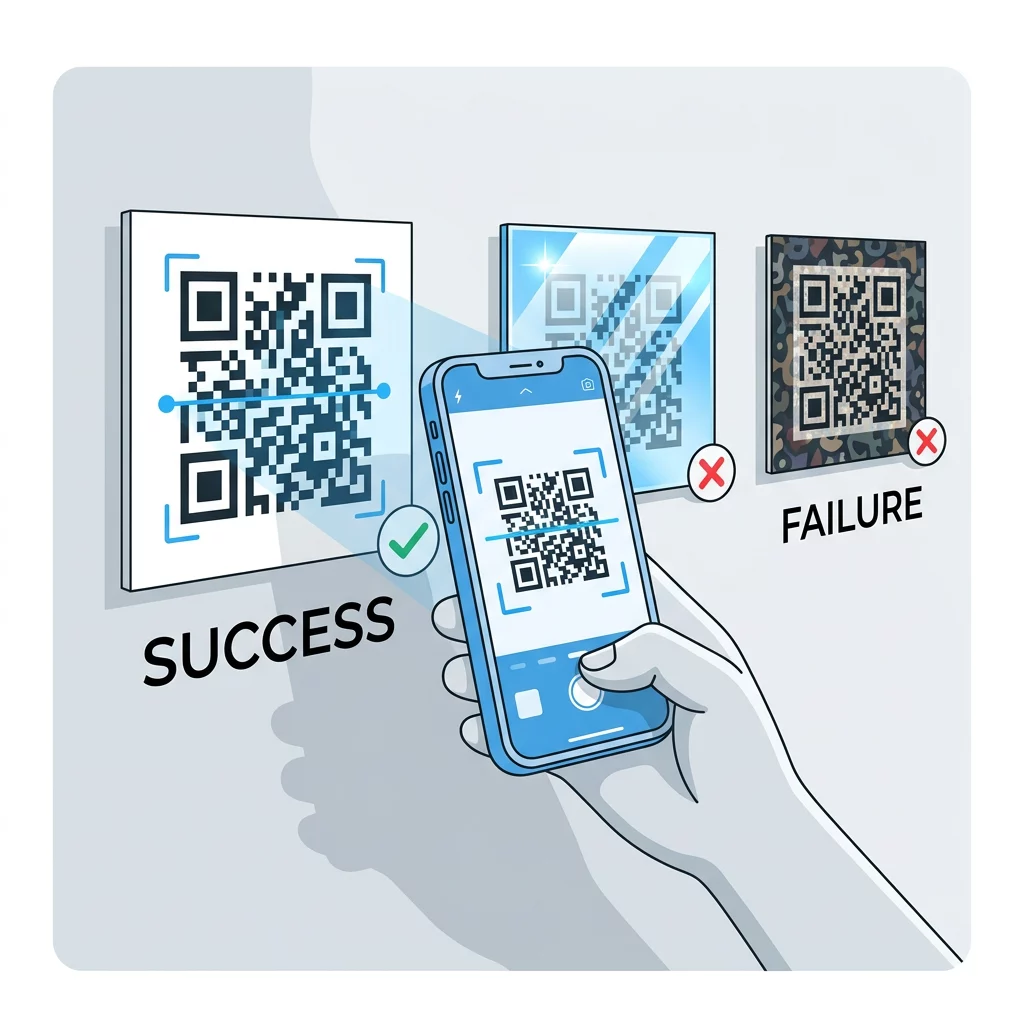
Kod, który skanuje się z jasnego monitora, może zawieść na papierze. Światło w pomieszczeniu, kąt widzenia i tekstura materiału zmieniają kontrast docierający do obiektywu. Bezpośrednie słońce zmywa małe różnice kolorów, słabo oświetlone pomieszczenia zmniejszają zdolność czujnika do rozróżniania modułów, a błyszczące wykończenia dodają odblasków.
Wykonaj to sprawdzenie przed każdym zadaniem drukowania:
- Sprawdź parę kolorów w narzędziu do sprawdzania kontrastu. Stosunek powinien wynosić co najmniej 4:1, a 7:1 lub więcej w przypadku opakowań i użytku zewnętrznego.
- Wydrukuj próbę na rzeczywistym materiale, w rzeczywistym rozmiarze, z rzeczywistym wykończeniem.
- Zeskanuj go wbudowanym aparatem co najmniej jednego iPhone'a i jednego telefonu z Androidem, jednego starszego telefonu, jeśli możesz, oraz przeglądarkowym Skaner kodów QR online.
- Skanuj w najgorszym świetle, z jakim kod będzie miał do czynienia: słabo oświetlonym pomieszczeniu, bezpośrednim słońcu i pod kątem.
- Jeśli skanowanie się waha, zwiększ kontrast, powiększ kod, skróć link lub przywróć strefę ciszy.
Nasz przewodnik na temat Jak przetestować kod QR przed drukiem omawia to bardziej szczegółowo, a także jak poprawić czytelność kodu QR opisuje poprawki dla kodów, które nie działają.
Maksymalizacja niezawodności i zaangażowania kodu QR
Traktuj kontrast jako wymóg techniczny, a nie element wykończeniowy. Wybierz ciemny kolor na jasnym tle, zachowaj strefę ciszy i przetestuj wydrukowany dowód w świetle, z którym kod będzie miał do czynienia. To chroni Twój budżet na druk przed kodami, które się nie skanują.
Stwórz swój kod o wysokim kontraście za pomocą naszego generator kodów QR. Ustaw kolory modułów i tła, a następnie pobierz plik PNG, SVG lub PDF. Jeśli drukujesz kod i być może będziesz musiał zmienić link później, użyj kodu dynamicznego: możesz edytować cel po wydrukowaniu i zobaczyć statystyki skanowań. Kody dynamiczne objęte są 14-dniowym bezpłatnym okresem próbnym, a plany są dostępne pod adresem https://pageloot.com/pricing/.
Najczęściej zadawane pytania
Dąż do stosunku co najmniej 4:1 między modułami a tłem. Użyj 7:1 lub więcej dla opakowań i ulotek, a 10:1 lub więcej dla oznakowania zewnętrznego. Czarny na białym to 21:1.
Tak. Każdy kolor działa, jeśli moduły są wyraźnie ciemniejsze od tła. Głęboki granat, leśna zieleń, antracyt i burgund na białym lub kremowym tle sprawdzają się dobrze. Żółty, jasnoszary i pastele nie działają.
Moduły i tło mogą mieć różne kolory i możesz użyć dowolnego odcienia, ale liczy się tylko różnica jasności. Telefon odczytuje kod w skali szarości, więc dwa kolory o równej jasności zawiodą. Sprawdź współczynnik i zeskanuj wydrukowany dowód.
Nie ma oficjalnego standardu. Bezpiecznym celem jest współczynnik 10:1 lub wyższy, na przykład czarny na białym. Użyj matowego wykończenia, aby zredukować odblaski, ustaw rozmiar kodu na około 1/10 odległości skanowania i przetestuj go na miejscu.
Tak, jeśli kolor Twojej marki jest wystarczająco ciemny, taki jak głęboki granat, leśna zieleń lub antracyt, i znajduje się na jednolitym, jasnym tle. Jeśli kolor Twojej marki jest jasny, użyj jego ciemnego odcienia dla modułów.
Standard QR definiuje ciemne moduły na jasnym tle. Wiele aplikacji aparatu szuka najpierw tego wzorca, a niektóre nie potrafią odczytać jasnych modułów na ciemnym tle. Wsparcie różni się w zależności od telefonu, więc przetestuj przed wydrukowaniem.
Tak. Liniowe kody kreskowe, takie jak Code 128 lub EAN, również wymagają ciemnych pasków na jasnym tle. Skanery laserowe w handlu detalicznym używają czerwonego światła, więc nigdy nie drukuj pasków na czerwono ani na pomarańczowo.