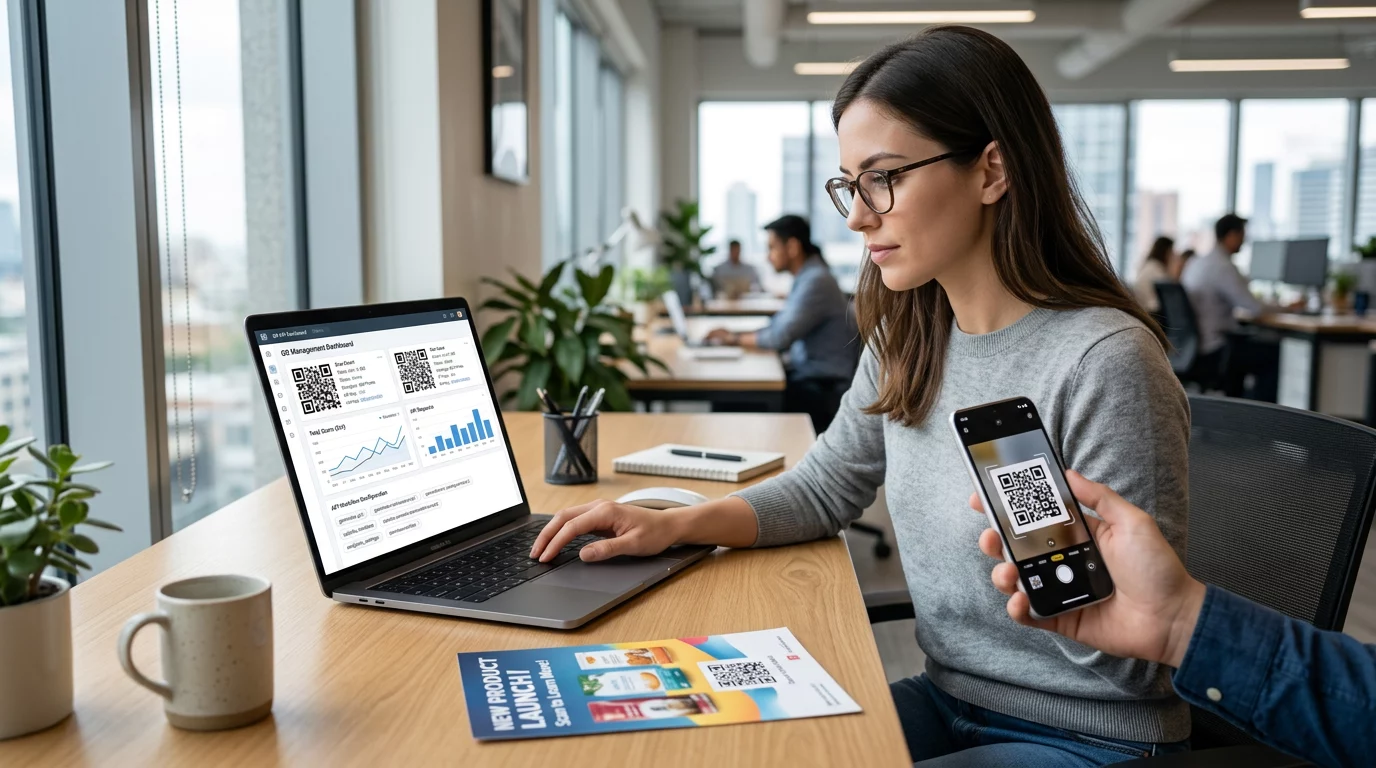
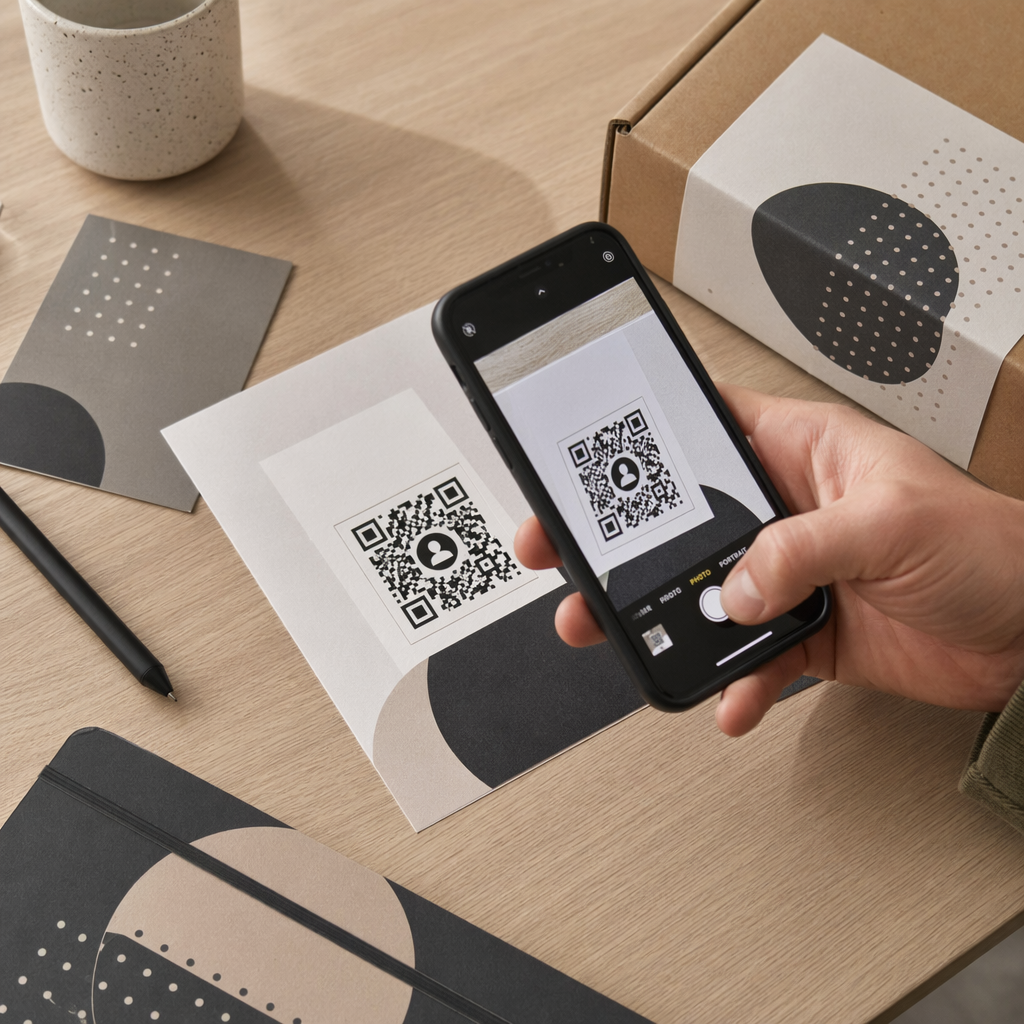
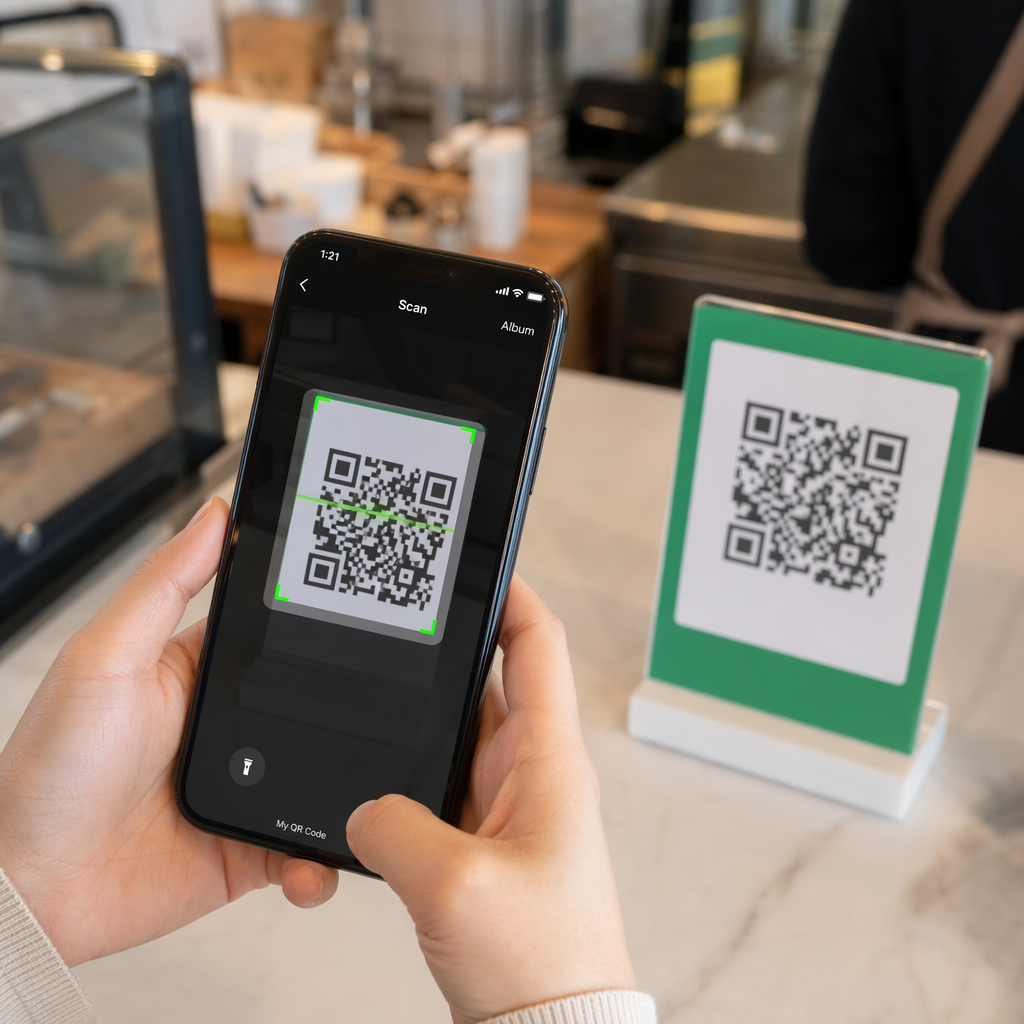
Etichetele cu cod QR permit unui client să treacă de la ambalajul din mână la o pagină de produs, un manual, un link de reordonare sau un chat de suport printr-o singură scanare. Acest ghid arată cum să creezi o etichetă de produs cu cod QR care scanează de la prima încercare: ce tip de cod să folosești, cât de mare să-l printezi, unde să-l plasezi și ce să testezi înainte de o imprimare completă.
Cod QR pe etichetele produselor: Răspunsul scurt
- Mărimea: imprimă codul la cel puțin 2 x 2 cm (0,8 x 0,8 inci). Folosește 2,5 până la 3 cm dacă clienții scanează de pe un raft sau un tejghea.
- Zonă de liniște: menține o margine albă de cel puțin 4 module (aproximativ 4 până la 8 mm pe o etichetă) pe toate cele patru laturi.
- Culori: cod închis pe un fundal deschis. Negru pe alb este cel mai sigur.
- Rezoluție: folosește un fișier vectorial (SVG, PDF sau EPS) pentru imprimare. Dacă folosești PNG, exportă-l la dimensiunea finală de imprimare la 300 dpi.
- Tip: folosește un cod static pentru un link care nu se va schimba niciodată. Folosește un cod dinamic dacă destinația s-ar putea schimba sau dacă dorești statistici de scanare.
- Testare: imprimă unul pe materialul real al etichetei și scanează-l cu două sau trei telefoane înainte de a comanda întreaga serie.
De ce codurile QR aparțin etichetelor de produs
O etichetă imprimată are spațiu limitat și nu poate fi actualizată după ce este tipărită. Un cod QR adaugă mai mult spațiu: detalii despre ingrediente și aprovizionare, videoclipuri de configurare, înregistrarea garanției, manuale de utilizare și liste de piese de schimb pot fi toate accesate printr-un singur pătrat mic.
Utilizări tipice ale unui cod QR pe un produs:
- Informații despre produs: specificații, ingrediente, alergeni sau instrucțiuni de îngrijire care nu încap pe etichetă.
- Manuale și configurare: un manual PDF sau un scurt videoclip, astfel încât să poți imprima o broșură mai mică sau deloc.
- Comandă repetată: un link direct către pagina produsului, util pentru consumabile precum filtre, cafea sau produse de curățenie.
- Suport: un link către o pagină de ajutor, un formular sau un chat WhatsApp.
- Reciclare și retururi: instrucțiuni de eliminare sau un formular de retur.
- Oferte și loialitate: un cod de reducere, o pagină de înregistrare sau o solicitare de recenzie după cumpărare.
Pentru o privire mai amplă asupra tipurilor de ambalaje și a experienței clienților, vezi ghidul codurilor QR pe ambalajele produselor.
Alege un cod QR dinamic sau unul static
A cod QR static stochează destinația în interiorul modelului. Este gratuit de creat, nu expiră niciodată și funcționează atâta timp cât pagina către care indică există. Dacă URL-ul respectiv se schimbă, codul tipărit indică o locație greșită și trebuie să retipăriți.
A cod QR dinamic stochează un scurt link de redirecționare, astfel încât să puteți schimba destinația oricând, fără a modifica codul tipărit. Pe etichetele produselor, acest lucru ajută în trei moduri:
- Puteți schimba o promoție sezonieră sau o pagină de destinație fără o nouă serie de tipărire.
- Puteți repara imediat un link rupt sau mutat.
- Puteți vedea statisticile de scanare: când, unde și pe ce dispozitiv au scanat oamenii.
Utilizați un cod static atunci când link-ul este permanent, de exemplu un manual găzduit pe propriul site. Utilizați un cod dinamic atunci când etichetele vor rămâne pe rafturi luni de zile și destinația se poate schimba. Puteți crea un cod QR pentru eticheta produsului dumneavoastră cu generatorul gratuit Pageloot. Codurile dinamice vin cu o perioadă de încercare gratuită de 14 zile, iar planurile sunt listate pe pagina de prețuri Pageloot.
Urmăriți fiecare scanare de pe etichetele produselor dumneavoastră. Pentru a vedea unde și când scanează clienții ambalajul dumneavoastră, creați un cod dinamic cu Generator de coduri QR Pageloot și utilizați tabloul de bord al scanărilor.
Cum să creați etichete cu cod QR: Pas cu pas
- Decideți unde ar trebui să ducă codul. Alegeți o pagină optimizată pentru mobil și păstrați-o scurtă și rapidă de încărcat.
- Deschide generatorul de coduri QR, alegeți tipul (URL, PDF, video sau altceva) și introduceți destinația.
- Alegeți static sau dinamic. Bifați opțiunea dinamică doar dacă doriți să editați destinația mai târziu sau să urmăriți scanările.
- Păstrați designul simplu: cod întunecat, fundal deschis, fără gradienți în spatele modelului.
- Descărcați un fișier vectorial (SVG sau PDF) pentru designerul de etichete, sau un PNG la dimensiunea finală.
- Plasați codul pe designul etichetei la dimensiunea planificată, cu zona de liniște și un scurt apel la acțiune lângă el.
- Tipăriți o etichetă de test pe materialul real și scanați-o înainte de tirajul complet.
Dimensiune: Cât de mare trebuie să fie codul?
Dimensiunea este cel mai comun motiv pentru care un cod QR de pe o etichetă nu poate fi scanat. Dacă codul este prea mic, camera telefonului nu poate separa modulele individuale (pătrățelele mici care formează modelul).
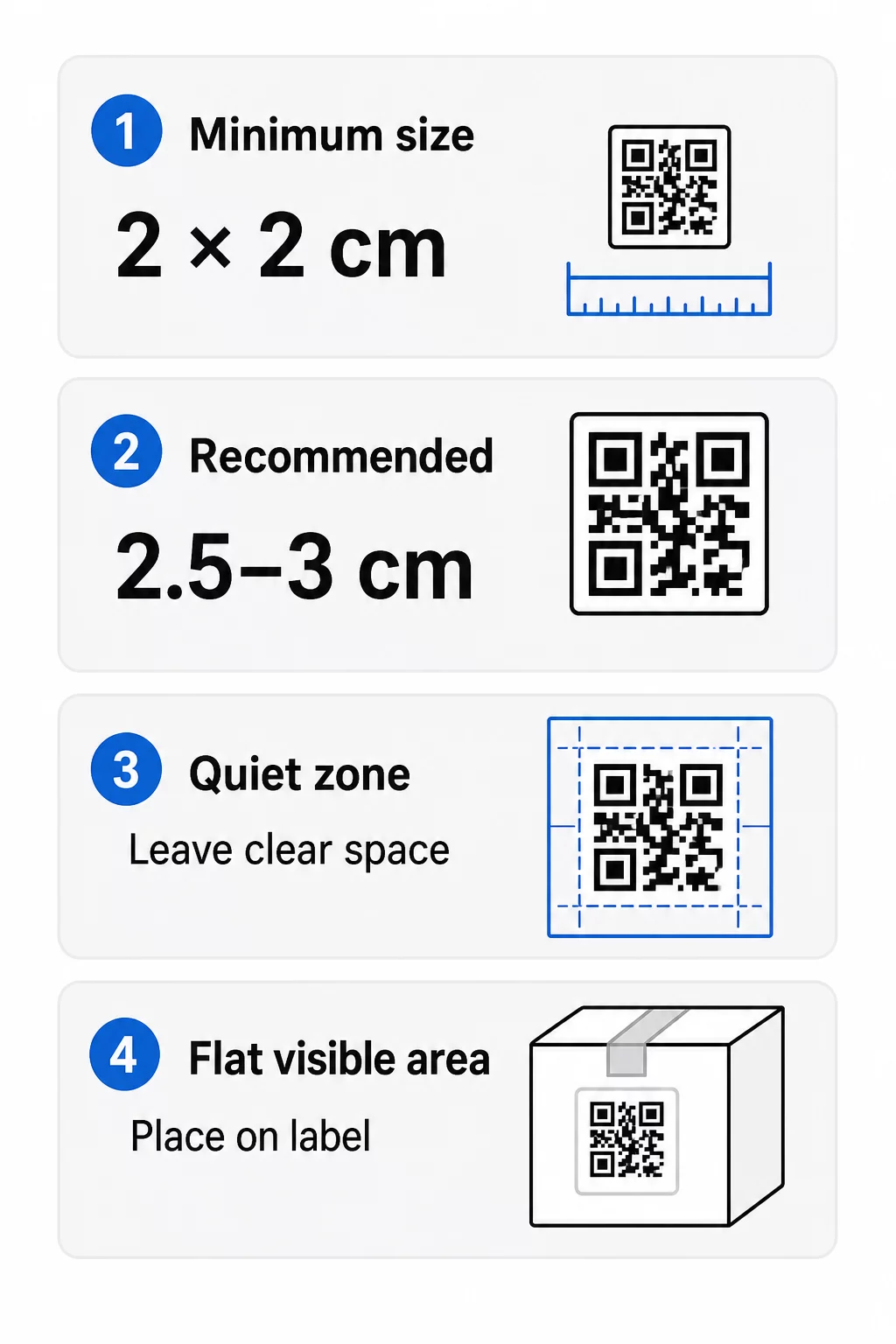
- Minim absolut: 2 x 2 cm (0.8 x 0.8 inches) for a code scanned at arm’s length.
- Recomandat pentru ambalajele produselor: 2.5 to 3 cm per side.
- Regula distanței: a phone reads a code from about 10 times its width. A 3 cm code scans from about 30 cm (12 inches); a 10 cm code from about 1 m.
- Dense codes need more room: a long URL makes a denser pattern with smaller modules. Use a short link, or a dynamic code, to keep the pattern simple.
If you add a logo, increase the size by 20 to 30 percent. If you use custom colors, add 10 to 15 percent. Treat these as starting points and confirm with a test print. For different print materials, see the ghidul de dimensionare a codurilor QR pentru materiale tipărite.
Amplasare: Unde să plasați codul pe etichetă
- Put the code on a flat area, not across folds, seams, edges or perforations.
- Choose a visible panel. The front or back label is better than the bottom of the pack.
- Use one code per panel so scanners are not confused.
- Keep the quiet zone empty. No text, border or artwork inside it.
- Add a short call to action next to the code, such as “Scan for the manual” or “Scan to reorder”.
- Do not place the code under shrink wrap, a heat seal or a varnish edge that creates glare.
Curved surfaces need extra care. On bottles, jars and tubes the pattern bends away from the camera. Keep the code small relative to the curve, place it on the flattest part, and test from several angles. Printing the code on a flat label that sits on the curve works better than printing it on a sharply curved shoulder.
For more on placement, read the Ghid de plasare a codurilor QR pentru marketing.
Zona de Liniște: Marginea Goală Care Face Posibilă Scanarea
Fiecare cod QR are nevoie de un zonă de liniște: a blank margin around the whole symbol. It tells the scanner where the code starts and ends.
The standard quiet zone is at least 4 modules wide on all four sides. One module is the width of one small square. On a typical label code this is about 4 to 8 mm. Do not print your brand name, a border or label text inside it. If the label is printed on a busy background, put the code on a solid light box.
Contrast: Cod Întunecat, Fundal Deschis
Scanners read the difference between dark modules and a light background. Without enough contrast the pattern is not detected.
- Folosește un prim-plan întunecat pe un fundal deschis. Negrul pe alb este cel mai fiabil.
- Țintește o rată de contrast de cel puțin 4:1.
- Evită nuanțele similare pentru prim-plan și fundal, cum ar fi verde închis pe verde mediu.
- Evită codurile deschis pe închis (inverse). Unele scanere nu le pot citi, așa că testează-le înainte de a le folosi.
- Evită gradientele și umbrele peste model.
- Evită imprimarea codului pe o suprafață foarte lucioasă, striată sau neuniformă.
Culorile personalizate ale brandului pot funcționa dacă le testezi în condiții de iluminare reală. de bune practici privind contrastul culorilor codurilor QR are un tabel de comparație al combinațiilor uzuale.
Corecția erorilor: Protecție încorporată împotriva deteriorării
Codurile QR au patru niveluri de corecție a erorilor. Acestea stabilesc cât de mult din cod poate fi deteriorat sau acoperit și totuși să poată fi citit:
| Nivel | Capacitate de Recuperare | Cel mai bun pentru |
|---|---|---|
| L (scăzut) | aproximativ 7% | Suprafețe curate, fără suprapunere de logo |
| M (Mediu) | aproximativ 15% | Etichete generale de produs |
| Q (Cuartilă) | aproximativ 25% | Etichete cu un logo sau elemente de brand peste cod |
| H (ridicat) | aproximativ 30% | Suprafețe cu risc de zgârieturi sau uzură, sau designuri complexe |
Pentru majoritatea etichetelor de produse, Nivelul M sau Q este o alegere bună. Cu un logo în centru, folosește Q sau H. Nivelele superioare fac modelul mai dens, așa că este posibil să ai nevoie de o dimensiune de imprimare ușor mai mare.
Rezoluția de imprimare și formatele de fișiere
- Fișiere vectoriale (SVG, PDF, EPS) se scalează la orice dimensiune fără a pierde din claritate. Folosește-le ori de câte ori imprimanta sau designerul tău de etichete le acceptă.
- PNG sau JPEG: exportă la dimensiunea finală de imprimare la 300 dpi. 200 dpi poate funcționa pentru coduri mici pe hârtie netedă.
- Nu mări un PNG mic pentru o etichetă mai mare. Marginile se estompează și codul s-ar putea să nu mai poată fi scanat.
- Verifică proba de tipar. Împrăștierea cernelii poate umple module mici pe hârtia absorbantă.
Atât Creare cod QR cu logo și generator de coduri QR PNG pot exporta fișiere pentru imprimare. Verifică opțiunile de descărcare din instrument pentru formatul de care ai nevoie.
Cazuri practice de utilizare pentru codurile QR de pe etichetele produselor
Alege destinația în funcție de ceea ce are nevoie clientul atunci când ține produsul în mână:
- Alimente și băuturi: o pagină cu ingrediente, alergeni și origine, sau o rețetă.
- Electronice și unelte: un videoclip de configurare, manualul în format PDF și un formular de garanție.
- Cosmetice: pași de utilizare și o listă completă de ingrediente.
- Consumabile: o pagină de recomandă la o singură atingere.
- Hardware și ambalaje: instrucțiuni de reciclare sau returnare.
- Orice produs: o cerere scurtă de recenzie sau o reducere pentru următoarea comandă.
Majoritatea acestora beneficiază de pe urma codurile QR dinamice, deoarece pagina poate fi actualizată după imprimarea etichetei. Pentru exemple pe sector, vezi soluții de coduri QR pe industrie. Pentru loialitate, ambalare și implicare, vezi soluții de coduri QR pentru produse.
Testați întotdeauna înainte de a imprima la scară mare
Înainte de o imprimare completă:
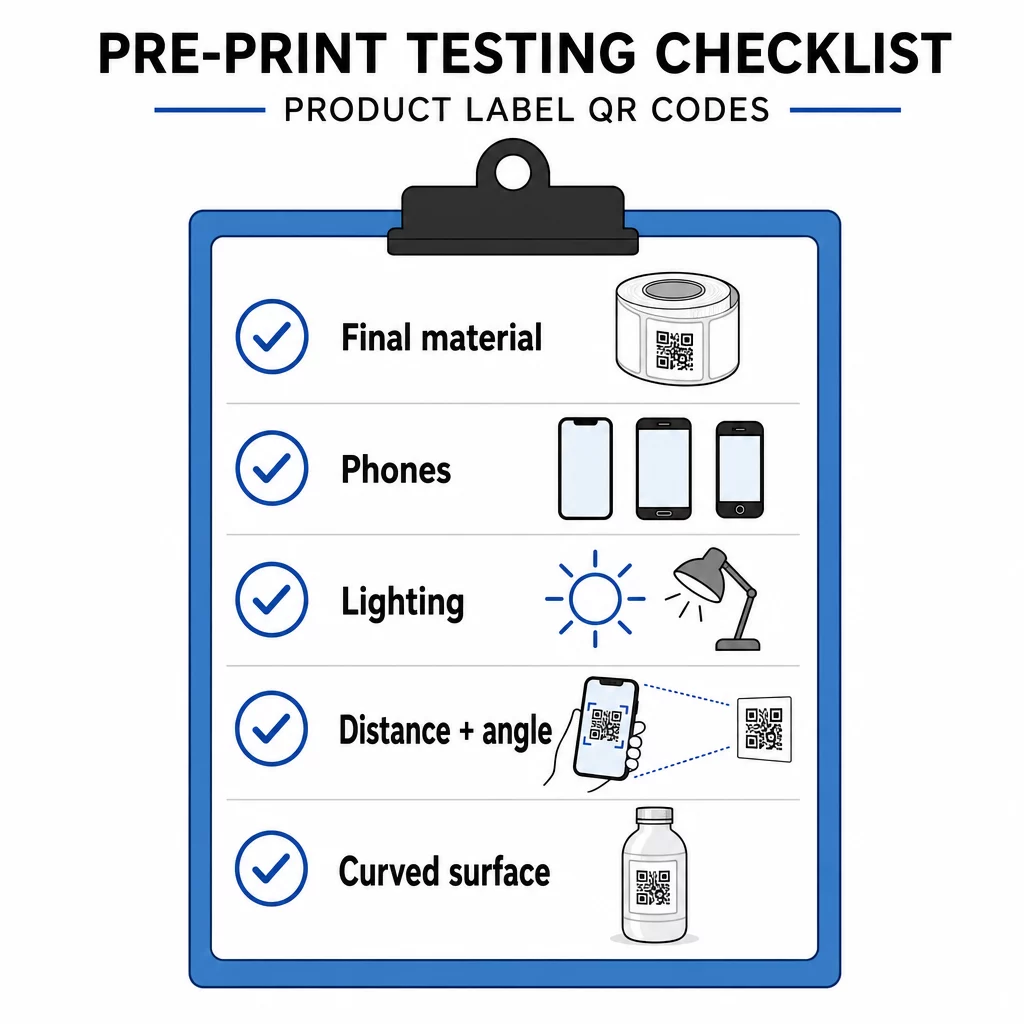
- Imprimați codul la dimensiunea sa finală pe materialul real al etichetei.
- Scanați cu cel puțin două sau trei telefoane, atât iPhone, cât și Android.
- Scanați în lumină puternică, lumină naturală și lumină slabă.
- Scanați de la distanța și unghiul pe care le va folosi un client.
- Pe o suprafață curbată, scanați din stânga, centru și dreapta.
- Deschideți destinația pe un telefon cu date mobile, nu doar pe Wi-Fi.
Codul QR de pe un produs nu se scanează? Verifică aceste aspecte
- Prea mic: mărește codul sau scurtează link-ul.
- Zona de liniște prea îngustă: textul sau grafica atinge codul.
- Contrast scăzut: culori deschise, degradeuri sau un cod inversat.
- Reflexie: folie lucioasă sau lac reflectă lumina. Folosește un finisaj mat sau mută codul.
- Imprimare neclară: rezoluție scăzută sau cerneală răspândită. Folosește un fișier vectorial și revizuiește proba.
- Suprafață curbată sau încrețită: mută codul într-o zonă mai plată.
- Destinație greșită: link-ul s-a schimbat. Cu un cod dinamic, editează destinația. Cu un cod static, trebuie să reimprimi.
Pentru mai multe verificări, vezi de bune practici pentru lizibilitatea codurilor QR.
Întrebări frecvente
Minimul obișnuit este de 2 x 2 cm (0.8 x 0.8 țoli) pentru codurile scanate de la lungimea brațului. Pentru ambalaje, 2.5 până la 3 cm pe latură este mai sigur. Ca ghid, un telefon citește un cod de la aproximativ 10 ori lățimea sa imprimată.
Alegeți destinația, creați codul într-un generator de coduri QR, descărcați un fișier vectorial sau un PNG de înaltă rezoluție, adăugați-l la grafica etichetei dumneavoastră, împreună cu o zonă de liniște și un scurt apel la acțiune, apoi imprimați o etichetă de test și scanați-o pe mai multe telefoane înainte de tirajul complet.
Doar cu un cod QR dinamic. Un cod dinamic stochează un link scurt de redirecționare, astfel încât să poți schimba destinația fără a schimba codul tipărit. Un cod static nu poate fi schimbat după imprimare.
Un cod static nu expiră niciodată, deoarece destinația este stocată în model. Un cod dinamic funcționează atâta timp cât planul dumneavoastră este activ, așa că verificați-vă planul înainte de a imprima etichete care vor rămâne în uz ani de zile.
Utilizați un format vectorial: SVG, PDF sau EPS. Acestea își mențin claritatea la orice dimensiune. Dacă trebuie să utilizați PNG, exportați-l la dimensiunea finală de imprimare la 300 dpi și nu-l măriți.
Da. Utilizați nivelul de corecție a erorilor Q sau H pentru un logo, măriți codul cu 20 până la 30 la sută, mențineți un contrast puternic între întuneric și lumină, și testați eticheta imprimată înainte de producția completă.
Pe o zonă plată, vizibilă, cum ar fi eticheta frontală sau cea din spate, departe de plieri, cusături și margini, cu o zonă de liniște goală și un scurt îndemn la acțiune lângă aceasta.