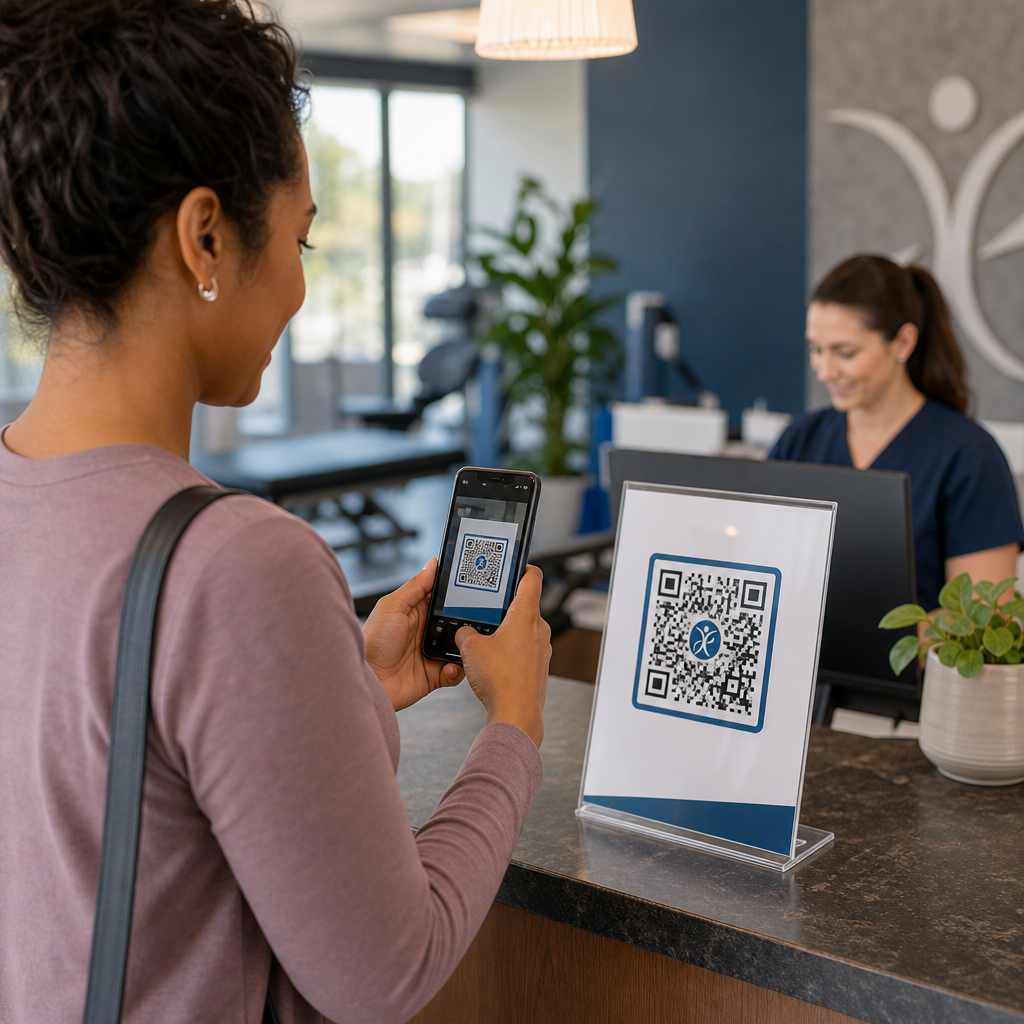
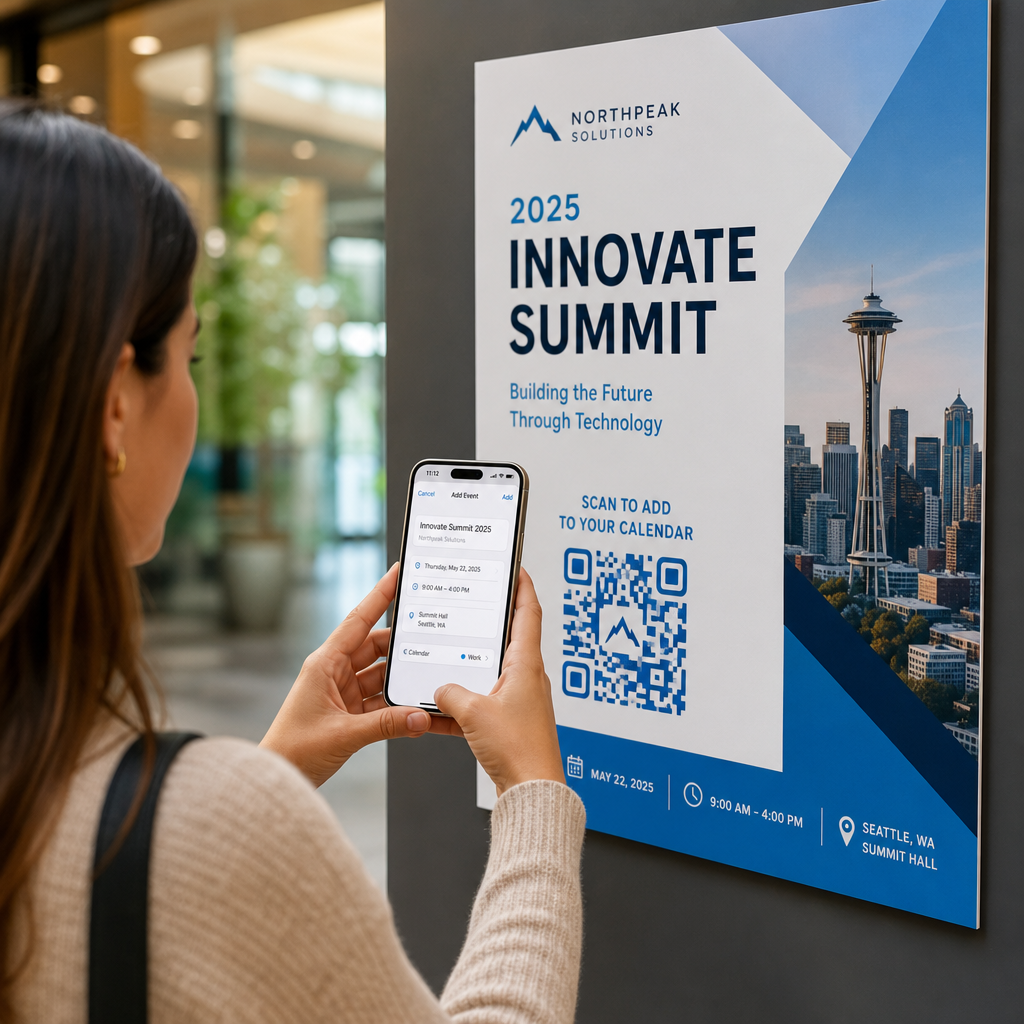
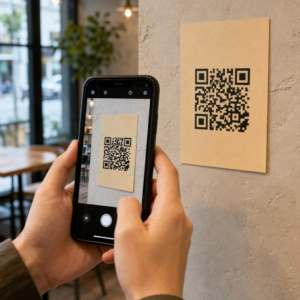
QR kodu etiķetes ļauj klientam ar vienu skenēšanu nokļūt no iepakojuma rokā līdz produkta lapai, rokasgrāmatai, atkārtotas pasūtīšanas saitei vai atbalsta tērzēšanai. Šī rokasgrāmata parāda, kā izveidot QR produkta etiķeti, kas skenējas ar pirmo mēģinājumu: kādu koda tipu izmantot, cik lielu to drukāt, kur to novietot un ko pārbaudīt pirms pilnas tirāžas drukāšanas.
QR kods uz produktu etiķetēm: Īsā atbilde
- Izmērs: drukājiet kodu vismaz 2 x 2 cm (0.8 x 0.8 collas) lielu. Izmantojiet 2.5 līdz 3 cm, ja klienti skenē no plaukta vai letes.
- Klusā zona: visās četrās pusēs atstājiet tukšu apmali vismaz 4 moduļu (apmēram 4 līdz 8 mm uz etiķetes) platumā.
- Krāsas: tumšs kods uz gaiša fona. Melns uz balta ir drošākais variants.
- Izšķirtspēja: drukāšanai izmantojiet vektoru failu (SVG, PDF vai EPS). Ja izmantojat PNG, eksportējiet to gala drukas izmērā ar 300 dpi.
- Tips: izmantojiet statisku kodu saitei, kas nekad nemainīsies. Izmantojiet dinamisku kodu, ja galamērķis var mainīties vai vēlaties skenēšanas statistiku.
- Pārbaude: uzdrukājiet vienu uz reālā etiķetes materiāla un skenējiet to ar diviem vai trim tālruņiem pirms pilnas tirāžas pasūtīšanas.
Kāpēc QR kodiem ir jābūt uz produktu etiķetēm
Uzdrukātai etiķetei ir ierobežota vieta, un to nevar atjaunināt pēc drukāšanas. QR kods piešķir vairāk vietas: sastāvdaļu un izcelsmes detaļas, uzstādīšanas video, garantijas reģistrācija, lietotāja rokasgrāmatas un rezerves daļu saraksti — tas viss var atrasties aiz viena maza kvadrāta.
Tipiski QR koda izmantošanas veidi uz produkta:
- Produkta informācija: specifikācijas, sastāvdaļas, alergēni vai kopšanas instrukcijas, kas neietilpst uz etiķetes.
- Rokasgrāmatas un uzstādīšana: PDF rokasgrāmata vai īss video, lai jūs varētu drukāt mazāku brošūru vai vispār nekādu.
- Atkārtota pasūtīšana: tieša saite uz produkta lapu, noderīga patēriņa precēm, piemēram, filtriem, kafijai vai tīrīšanas līdzekļiem.
- Atbalsts: saite uz palīdzības lapu, veidlapu vai WhatsApp tērzēšanu.
- Pārstrāde un atgriešana: likvidēšanas instrukcijas vai atgriešanas veidlapa.
- Piedāvājumi un lojalitāte: atlaižu kods, reģistrācijas lapa vai atsauksmes pieprasījums pēc pirkuma.
Lai plašāk aplūkotu iepakojuma veidus un klientu pieredzi, skatiet rokasgrāmata par QR kodiem uz produktu iepakojuma.
Izvēlieties dinamisku vai statisku QR kodu
A statisks QR kods saglabā galamērķi šifrā. Tas ir bezmaksas, tas nekad nebeidzas un darbojas tik ilgi, kamēr pastāv lapa, uz kuru tas norāda. Ja šī URL adrese mainās, izdrukātais kods norāda uz nepareizu vietu, un jums ir jāpārdrukā.
A dinamiskais QR kods saglabā īsu pāradresācijas saiti, lai jūs jebkurā laikā varētu mainīt galamērķi, nemainot izdrukāto kodu. Uz produktu etiķetēm tas palīdz trīs veidos:
- Jūs varat nomainīt sezonas akciju vai galveno lapu bez jaunas drukas partijas.
- Jūs varat nekavējoties labot bojātu vai pārvietotu saiti.
- Jūs varat redzēt skenēšanas statistiku: kad, kur un ar kādu ierīci cilvēki skenēja.
Izmantojiet statisku kodu, ja saite ir pastāvīga, piemēram, rokasgrāmata, kas mitināta jūsu pašu vietnē. Izmantojiet dinamisku kodu, ja etiķetes paliks plauktos mēnešiem ilgi un galamērķis var mainīties. Jūs varat izveidot QR kodu jūsu produkta etiķetei ar bezmaksas Pageloot ģeneratoru. Dinamiskajiem kodiem ir pieejams 14 dienu bezmaksas izmēģinājuma periods, un plāni ir uzskaitīti Pageloot cenu lapā.
Izsekojiet katru skenēšanu no jūsu produktu etiķetēm. Lai redzētu, kur un kad klienti skenē jūsu iepakojumu, izveidojiet dinamisku kodu ar Pageloot QR kodu ģenerators un izmantojiet skenēšanas informācijas paneli.
Kā izveidot QR kodu etiķetes: Soli pa solim
- Izlemiet, uz kurieni kodam jāved. Izvēlieties mobilajām ierīcēm draudzīgu lapu un saglabājiet to īsu un ātru ielādei.
- Atveriet QR kodu ģenerators, izvēlieties veidu (URL, PDF, video vai cits) un ievadiet galamērķi.
- Izvēlieties statisku vai dinamisku. Atzīmējiet dinamisko opciju tikai tad, ja vēlaties vēlāk rediģēt galamērķi vai izsekot skenēšanai.
- Saglabājiet dizainu vienkāršu: tumšs kods, gaišs fons, bez gradientiem aiz parauga.
- Lejupielādējiet vektora failu (SVG vai PDF) etiķešu dizainerim vai PNG galīgajā izmērā.
- Novietojiet kodu uz etiķetes mākslas darba plānotajā izmērā, ar kluso zonu un īsu aicinājumu uz darbību blakus tam.
- Izdrukājiet testa etiķeti uz reālā materiāla un skenējiet to pirms pilna tirāžas.
Izmērs: Cik liels kodam jābūt?
Izmērs ir visbiežākais iemesls, kāpēc etiķetes QR kods netiek skenēts. Ja kods ir pārāk mazs, tālruņa kamera nespēj atšķirt atsevišķos moduļus (mazos kvadrātus, kas veido šablonu).
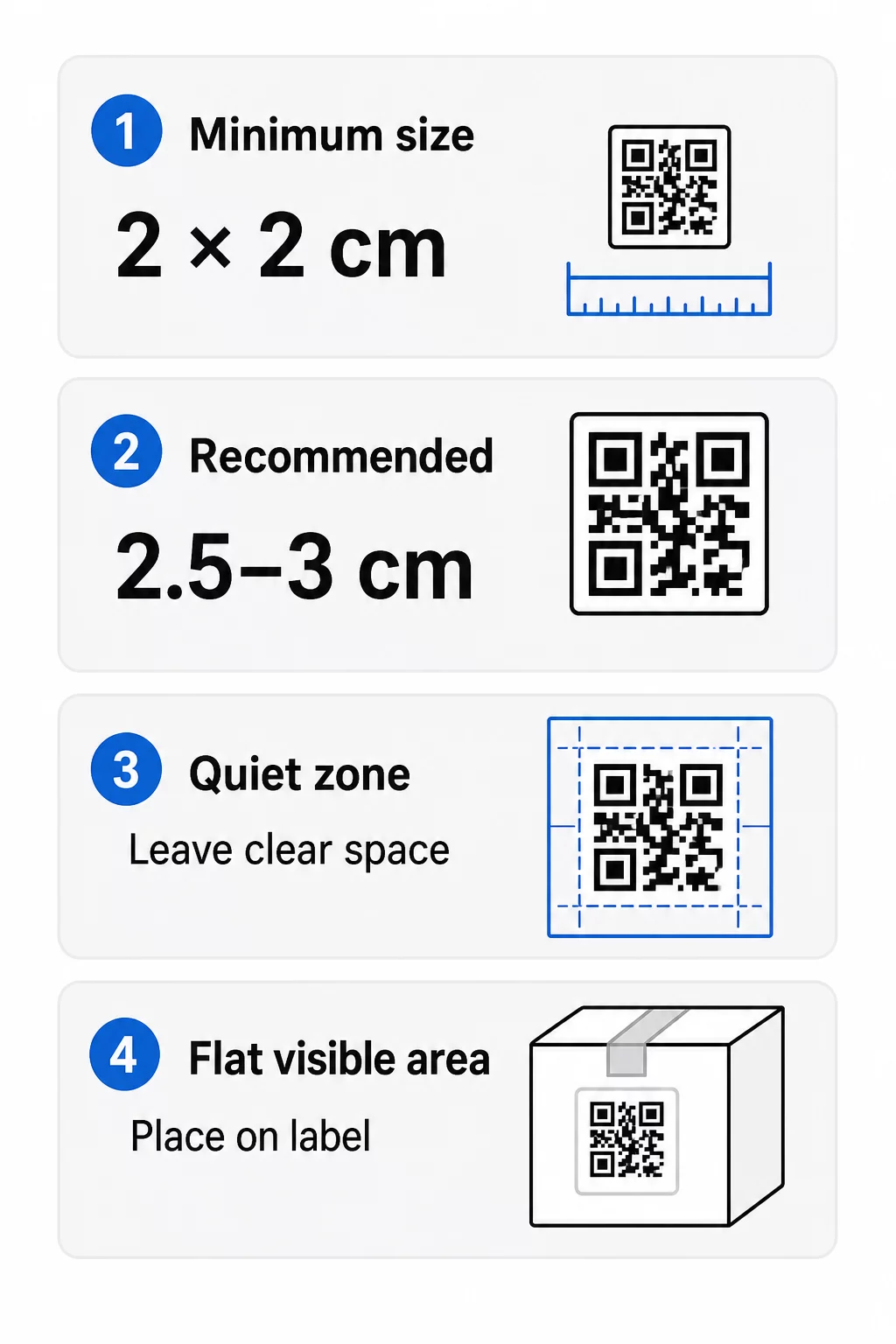
- Absolūtais minimums: 2 x 2 cm (0.8 x 0.8 collas) kodam, kas tiek skenēts rokas stiepiena attālumā.
- Ieteicams produktu iepakojumam: 2,5 līdz 3 cm katrā pusē.
- Attāluma noteikums: telefons nolasa kodu no aptuveni 10 reizes tā platuma. 3 cm kods tiek skenēts no aptuveni 30 cm (12 collas); 10 cm kods no aptuveni 1 m.
- Blīviem kodiem nepieciešams vairāk vietas: garš URL veido blīvāku rakstu ar mazākiem moduļiem. Izmantojiet īsu saiti vai dinamisku kodu, lai saglabātu rakstu vienkāršu.
Ja pievienojat logotipu, palieliniet izmēru par 20 līdz 30 procentiem. Ja izmantojat pielāgotas krāsas, pievienojiet 10 līdz 15 procentus. Uzskatiet šos par sākuma punktiem un apstipriniet ar testa izdrukām. Par dažādiem drukas materiāliem skatiet QR koda izmēru ceļvedis drukas materiāliem.
Izvietojums: Kur novietot kodu uz etiķetes
- Novietojiet kodu uz līdzenas virsmas, nevis pāri krokām, šuvēm, malām vai perforācijām.
- Izvēlieties redzamu paneli. Priekšējā vai aizmugurējā etiķete ir labāka par iepakojuma apakšējo daļu.
- Izmantojiet vienu kodu uz paneli, lai skeneri netiktu sajaukti.
- Glabājiet kluso zonu tukšu. Nekāds teksts, apmale vai mākslas darbs tajā.
- Pievienojiet īsu aicinājumu uz darbību blakus kodam, piemēram, “Skenēt rokasgrāmatu” vai “Skenēt, lai atkārtoti pasūtītu”.
- Nenovietojiet kodu zem saraušanās plēves, termiskā blīvējuma vai lakas malas, kas rada atspīdumu.
Izliektām virsmām nepieciešama īpaša uzmanība. Uz pudelēm, burkām un tūbiņām raksts izliecas prom no kameras. Saglabājiet kodu mazu attiecībā pret izliekumu, novietojiet to uz visplakanākās daļas un testējiet no vairākiem leņķiem. Koda drukāšana uz plakanas etiķetes, kas atrodas uz izliekuma, darbojas labāk nekā tā drukāšana uz strauji izliektas pleca daļas.
Lai iegūtu vairāk informācijas par izvietojumu, lasiet QR kodu izvietošanas ceļvedis mārketingam.
Klusā zona: Tukšā apmale, kas nodrošina skenēšanu
Katram QR kodam ir nepieciešama klusā zona: tukša apmale ap visu simbolu. Tā pasaka skenerim, kur kods sākas un beidzas.
Standarta klusā zona ir vismaz 4 moduļus plata visās četrās pusēs. Viens modulis ir viena maza kvadrāta platums. Tipiskā etiķetes kodā tas ir apmēram 4 līdz 8 mm. Nedrukājiet savu zīmola nosaukumu, apmali vai etiķetes tekstu tajā. Ja etiķete ir drukāta uz aizņemta fona, novietojiet kodu uz cieta gaiša fona (kastes).
Kontrasts: Tumšs kods, gaišs fons
Skeneri nolasa atšķirību starp tumšiem moduļiem un gaišu fonu. Bez pietiekama kontrasta raksts netiek atklāts.
- Izmantojiet tumšu priekšplānu uz gaiša fona. Melns uz balta ir visuzticamākais.
- Tiecieties uz kontrasta attiecību vismaz 4:1.
- Izvairieties no līdzīgiem toņiem priekšplānam un fonam, piemēram, tumši zaļš uz vidēji zaļa.
- Izvairieties no gaišiem uz tumšiem (apgrieztiem) kodiem. Daži skeneri tos nevar nolasīt, tāpēc pārbaudiet pirms to lietošanas.
- Izvairieties no gradientiem un ēnām virs raksta.
- Izvairieties no koda drukāšanas uz ļoti spīdīgas, rievotas vai nelīdzenas virsmas.
Pielāgotas zīmola krāsas var darboties, ja tās pārbaudāt reālā apgaismojumā. Tas QR koda krāsu kontrasta labākās prakses rokasgrāmatu ir salīdzinājuma tabula ar biežākajiem savienojumiem.
Kļūdu labošana: Iebūvēta bojājumu aizsardzība
QR kodiem ir četri kļūdu labošanas līmeņi. Tie nosaka, cik liela koda daļa var tikt bojāta vai nosegta un joprojām nolasīta:
| Līmenis | Atjaunošanas spēja | Vislabāk piemērots |
|---|---|---|
| L (zems) | apmēram 7% | Tīras virsmas, bez logotipa pārklājuma |
| M (vidēja) | apmēram 15% | Vispārīgas produktu etiķetes |
| Q (kvartile) | apmēram 25% | Etiķetes ar logotipu vai zīmola elementiem virs koda |
| H (augsts) | apmēram 30% | Virsmas, kurām draud skrāpējumi vai nolietojums, vai sarežģīti dizaini |
Lielākajai daļai produktu etiķešu M vai Q līmenis ir laba izvēle. Ar logotipu centrā izmantojiet Q vai H. Augstāki līmeņi padara rakstu blīvāku, tāpēc var būt nepieciešams nedaudz lielāks drukas izmērs.
Drukas izšķirtspēja un failu formāti
- Vektoru faili (SVG, PDF, EPS) mērogojas jebkurā izmērā, nezaudējot asumu. Izmantojiet tos ikreiz, kad jūsu printeris vai etiķešu dizainers tos pieņem.
- PNG vai JPEG: eksportējiet gala drukas izmērā ar 300 dpi. 200 dpi var darboties maziem kodiem uz gluda papīra.
- Nepalieliniet mazu PNG lielākai etiķetei. Malas izplūst un kodu var vairs nenolasīt.
- Pārbaudiet drukas pierādījumu. Tintes izplatība var aizpildīt mazus moduļus uz absorbējoša papīra.
Gan QR koda ģenerators ar logotipu un QR koda PNG ģenerators var eksportēt failus drukāšanai. Pārbaudiet rīka lejupielādes opcijas, lai atrastu nepieciešamo formātu.
Praktiski lietošanas gadījumi produktu etiķešu QR kodiem
Izvēlieties galamērķi atkarībā no tā, kas klientam nepieciešams, turot produktu rokās:
- Pārtika un dzērieni: lapa ar sastāvdaļām, alergēniem un izcelsmi, vai recepte.
- Elektronika un instrumenti: iestatīšanas video, rokasgrāmata PDF formātā un garantijas veidlapa.
- Kosmētika: lietošanas soļi un pilns sastāvdaļu saraksts.
- Patēriņa preces: vienu pieskārienu atkārtotas pasūtīšanas lapa.
- Aparatūra un iepakojums: pārstrādes vai atgriešanas instrukcijas.
- Jebkurš produkts: īss atsauksmes pieprasījums vai atlaide nākamajam pasūtījumam.
Lielākā daļa no tiem gūst labumu no dinamiskie QR kodi, jo lapa var tikt atjaunināta pēc etiķetes izdrukāšanas. Piemērus pa nozarēm skatiet QR kodu risinājumi pa nozarēm. Par lojalitāti, iepakojumu un iesaisti skatiet produktu QR kodu risinājumi.
Vienmēr pārbaudiet pirms drukāšanas lielā apjomā
Pirms pilnas tirāžas drukāšanas:
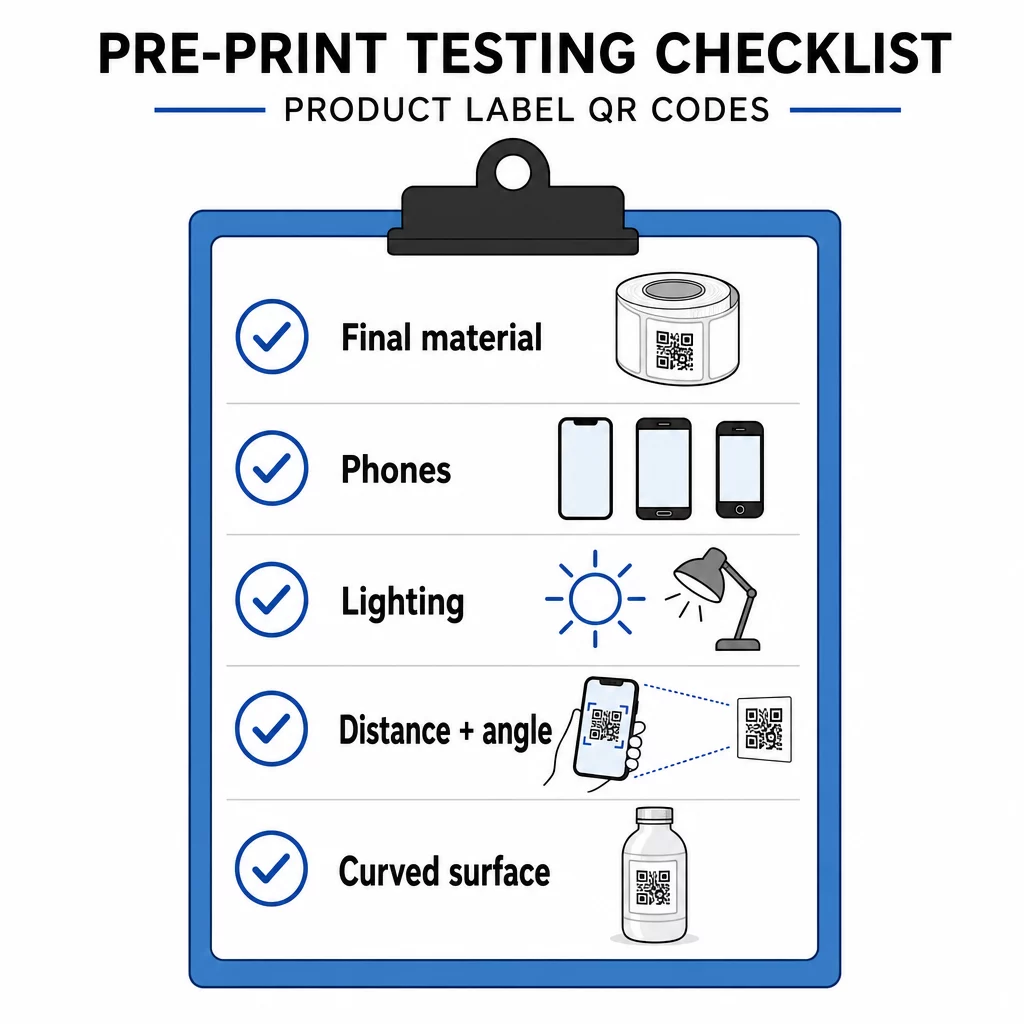
- Izdrukājiet kodu tā galīgajā izmērā uz faktiskā etiķetes materiāla.
- Skenējiet ar vismaz diviem vai trim tālruņiem, gan iPhone, gan Android.
- Skenējiet spilgtā gaismā, dienas gaismā un vājā gaismā.
- Skenējiet no attāluma un leņķa, ko izmantos klients.
- Uz izliektas virsmas skenējiet no kreisās puses, centra un labās puses.
- Atveriet galamērķi tālrunī ar mobilajiem datiem, ne tikai ar Wi-Fi.
QR kods uz produkta netiek skenēts? Pārbaudiet šos
- Pārāk mazs: palieliniet kodu vai saīsiniet saiti.
- Pārāk šaura klusā zona: teksts vai mākslas darbs skar kodu.
- Zems kontrasts: gaišas krāsas, gradienti vai apgriezts kods.
- Atspīdums: spīdīga plēve vai laka atspoguļo gaismu. Izmantojiet matētu apdari vai pārvietojiet kodu.
- Izplūdis druka: zema izšķirtspēja vai tintes izplatīšanās. Izmantojiet vektora failu un pārskatiet korektūru.
- Izliekta vai saburzīta virsma: pārvietojiet kodu uz plakanāku vietu.
- Nepareizs galamērķis: saite ir mainījusies. Ar dinamisku kodu rediģējiet galamērķi. Ar statisku kodu jums ir jāpārdrukā.
Lai veiktu papildu pārbaudes, skatiet QR kodu lasāmības labākās prakses ceļvedis.
Biežāk uzdotie jautājumi
Parastais minimālais izmērs ir 2 x 2 cm (0,8 x 0,8 collas) kodiem, kas tiek skenēti rokas stiepiena attālumā. Iepakojumam drošāk ir 2,5 līdz 3 cm katrā pusē. Kā ceļvedis – tālrunis nolasa kodu no aptuveni 10 reizēm tā izdrukātā platuma.
Izvēlieties galamērķi, izveidojiet kodu QR koda ģeneratorā, lejupielādējiet vektorfailu vai augstas izšķirtspējas PNG, pievienojiet to savam etiķetes mākslas darbam ar kluso zonu un īsu aicinājumu uz darbību, pēc tam izdrukājiet testa etiķeti un skenējiet to vairākos tālruņos pirms pilnas tirāžas.
Tikai ar dinamisku QR kodu. Dinamiskais kods glabā īsu pāradresācijas saiti, lai jūs varētu mainīt galamērķi, nemainot izdrukāto kodu. Statisko kodu nevar mainīt pēc drukāšanas.
Statisks kods nekad nebeidz darboties, jo galamērķis ir saglabāts tā struktūrā. Dinamisks kods darbojas tik ilgi, kamēr jūsu plāns ir aktīvs, tāpēc pārbaudiet savu plānu pirms drukājat etiķetes, kas tiks izmantotas gadiem ilgi.
Izmantojiet vektorgrafikas formātu: SVG, PDF vai EPS. Tie saglabā asumu jebkurā izmērā. Ja jums noteikti jāizmanto PNG, eksportējiet to gala drukas izmērā ar 300 dpi un nepaplašiniet to.
Jā. Logotipam izmantojiet kļūdu labošanas līmeni Q vai H, palieliniet kodu par 20 līdz 30 procentiem, saglabājiet spēcīgu kontrastu starp tumšu un gaišu un pārbaudiet izdrukāto etiķeti pirms pilnas palaišanas.
Uz līdzenas, redzamas vietas, piemēram, uz priekšējās vai aizmugurējās etiķetes, prom no krokām, šuvēm un malām, ar tukšu kluso zonu un īsu aicinājumu uz darbību tai blakus.