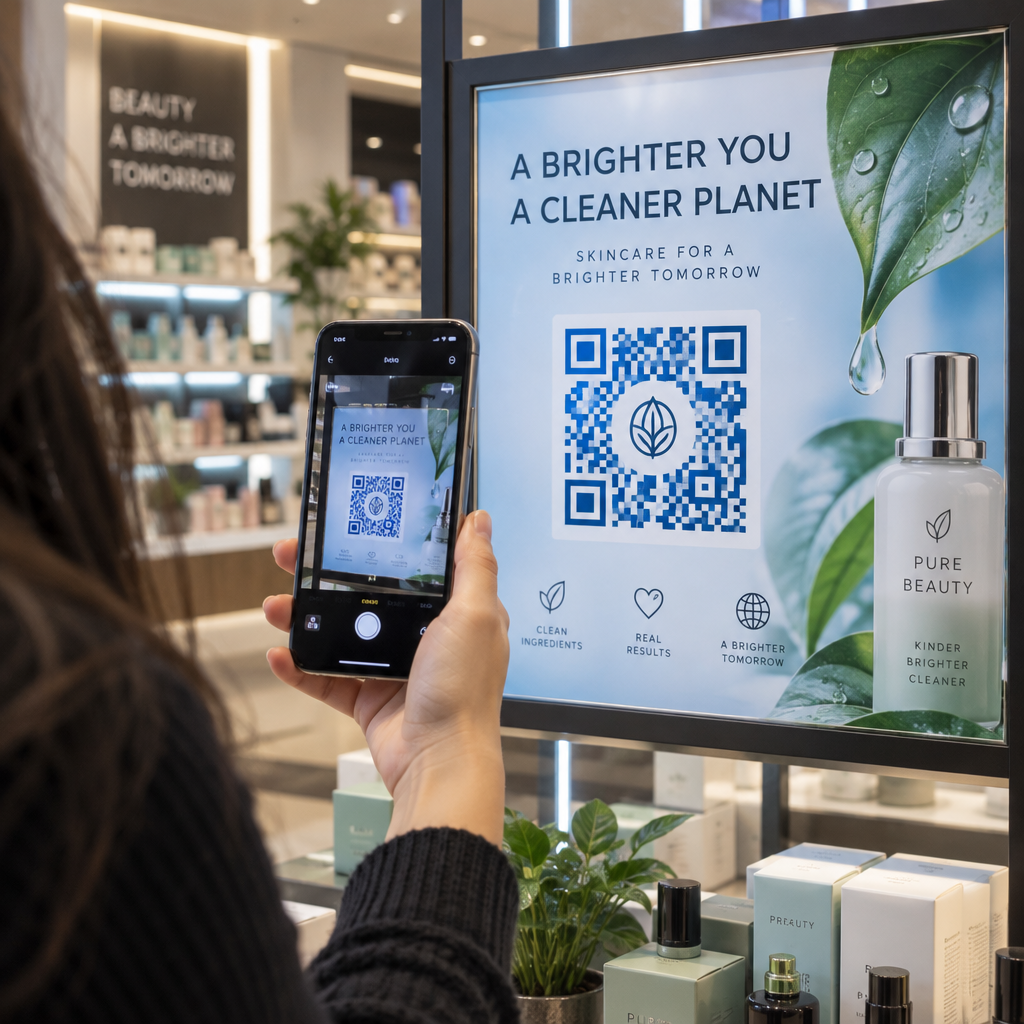
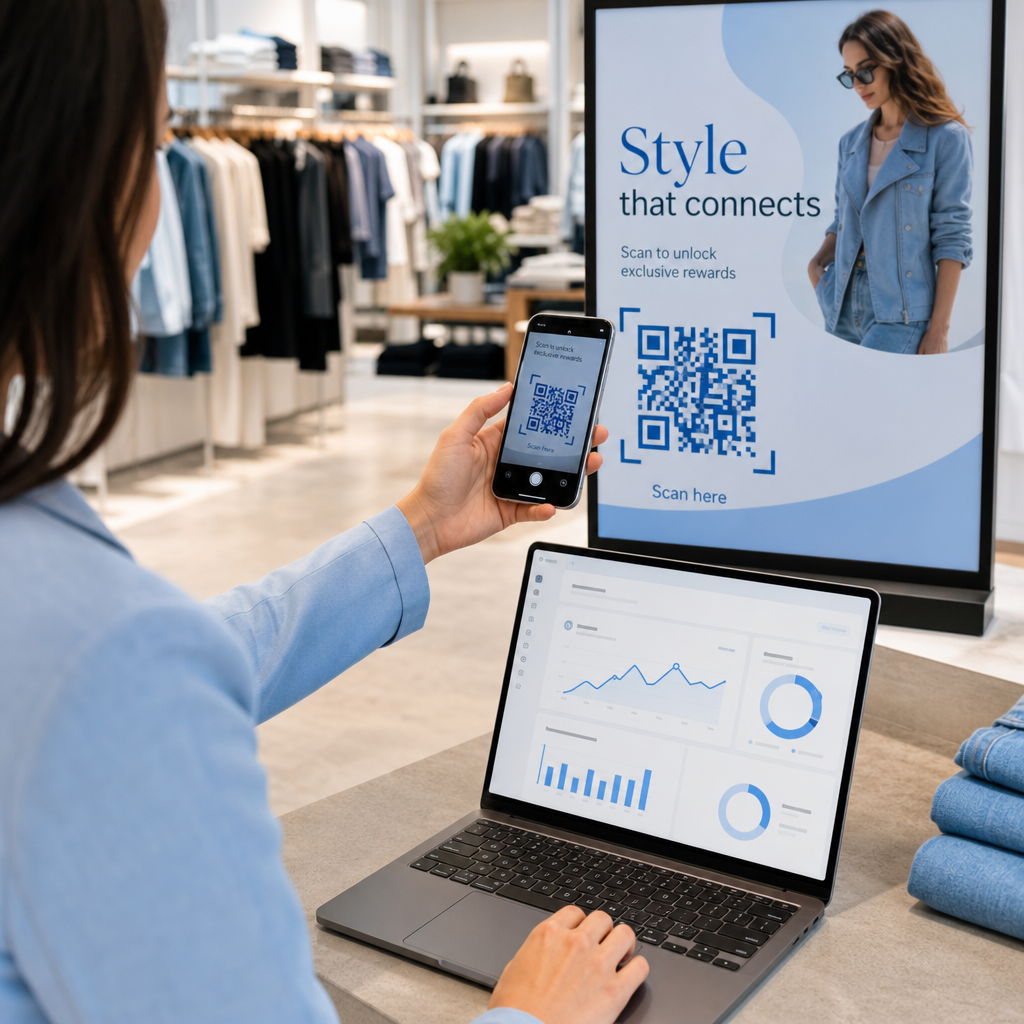
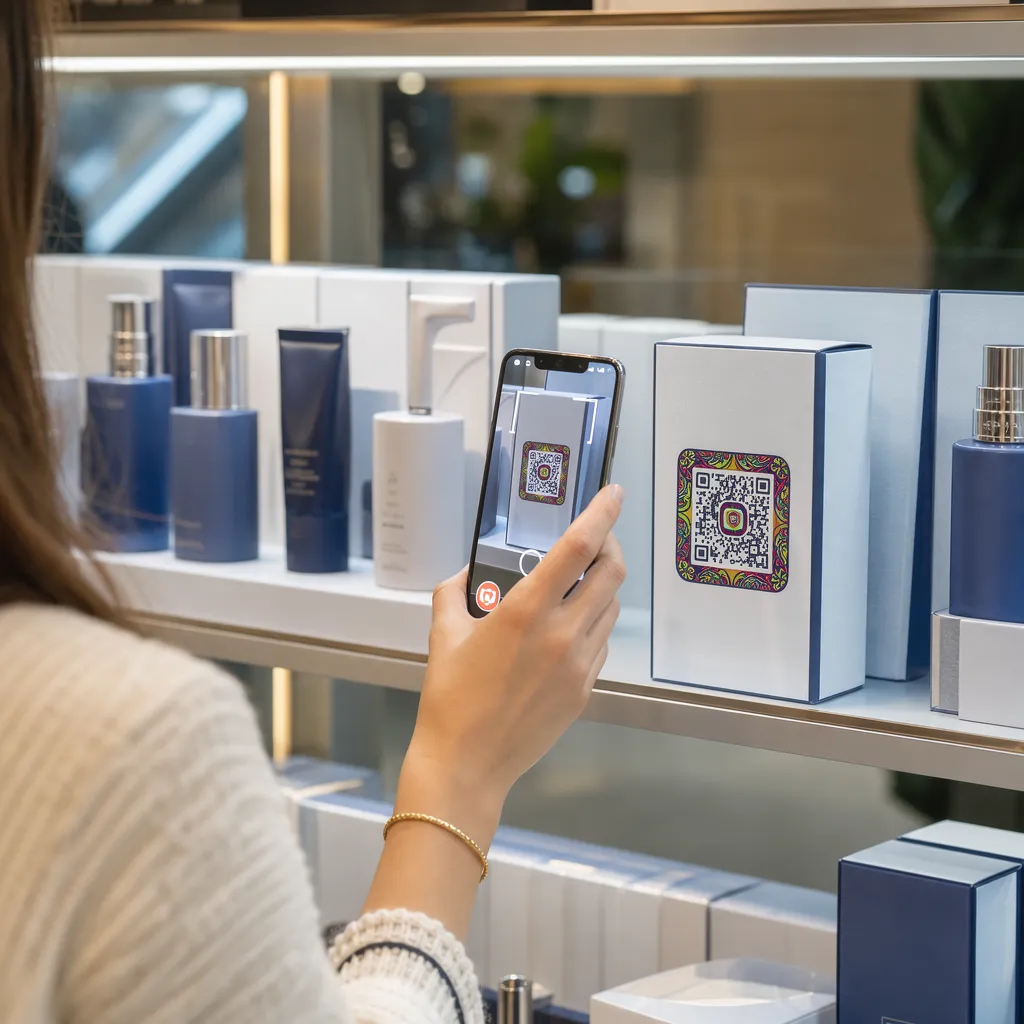
QR kodu etiketleri, müşterilerin ellerindeki paketten tek bir taramayla bir ürün sayfasına, bir kullanım kılavuzuna, yeniden sipariş bağlantısına veya bir destek sohbetine gitmelerini sağlar. Bu kılavuz, ilk denemede tarayan bir QR ürün etiketi nasıl yapılır: hangi kod türünü kullanmalı, ne kadar büyük basılmalı, nereye yerleştirilmeli ve tam bir baskı öncesinde nelerin test edilmesi gerektiğini gösterir.
Ürün Etiketlerinde QR Kodu: Kısa Cevap
- Boyut: Kodu en az 2 x 2 cm (0.8 x 0.8 inç) boyutunda bastırın. Müşteriler raftan veya tezgahtan tarama yapıyorsa 2.5 ila 3 cm kullanın.
- Sessiz bölge: Dört tarafında da en az 4 modüllük (etiket üzerinde yaklaşık 4 ila 8 mm) boş bir kenar bırakın.
- Renkler: Açık bir arka plan üzerinde koyu kod. Beyaz üzerine siyah en güvenlisidir.
- Çözünürlük: Baskı için vektör dosya (SVG, PDF veya EPS) kullanın. PNG kullanıyorsanız, son baskı boyutunda 300 dpi olarak dışa aktarın.
- Tür: Asla değişmeyecek bir bağlantı için statik bir kod kullanın. Hedef değişebilirse veya tarama istatistikleri istiyorsanız dinamik bir kod kullanın.
- Test: Gerçek etiket malzemesine bir tane basın ve tam baskı siparişini vermeden önce iki veya üç telefonla tarayın.
QR Kodları Neden Ürün Etiketlerinde Olmalı
Basılı bir etiketin alanı sınırlıdır ve basıldıktan sonra güncellenemez. Bir QR kodu daha fazla alan ekler: içerik ve kaynak detayları, kurulum videoları, garanti kaydı, kullanım kılavuzları ve yedek parça listeleri tek bir küçük karenin arkasında yer alabilir.
Bir ürün üzerindeki QR kodunun tipik kullanım alanları:
- Ürün bilgileri: Etikete sığmayan özellikler, içerikler, alerjenler veya bakım talimatları.
- Kılavuzlar ve kurulum: daha küçük bir broşür veya hiç broşür basmamanız için bir PDF kılavuzu veya kısa bir video.
- Yeniden sipariş: filtreler, kahve veya temizlik malzemeleri gibi sarf malzemeleri için kullanışlı olan ürün sayfasına doğrudan bir bağlantı.
- Destek: bir yardım sayfasına, bir forma veya bir WhatsApp sohbetine bağlantı.
- Geri dönüşüm ve iadeler: bertaraf talimatları veya bir iade formu.
- Teklifler ve sadakat: bir indirim kodu, bir kayıt sayfası veya satın alma sonrası bir inceleme talebi.
Ambalaj türlerine ve müşteri deneyimine daha geniş bir bakış için, şu bölümü inceleyin: ürün ambalajlarındaki QR kodları kılavuzu.
Dinamik QR Kodu veya Statik Bir Tane Seçin
Bir Statik QR kodu hedef bilgiyi desenin içinde saklar. Oluşturması ücretsizdir, asla süresi dolmaz ve işaret ettiği sayfa var olduğu sürece çalışır. Eğer o URL değişirse, basılı kod yanlış yere işaret eder ve yeniden basmanız gerekir.
Bir dinamik QR kodu kısa bir yönlendirme bağlantısı saklar, böylece basılı kodu değiştirmeden hedefi istediğiniz zaman değiştirebilirsiniz. Ürün etiketlerinde bu üç şekilde yardımcı olur:
- Yeni bir baskı yapmadan mevsimlik bir promosyonu veya açılış sayfasını değiştirebilirsiniz.
- Kırık veya taşınmış bir bağlantıyı hemen düzeltebilirsiniz.
- Tarama istatistiklerini görebilirsiniz: kişilerin ne zaman, nerede ve hangi cihazla tarama yaptığını.
Bağlantı kalıcı olduğunda, örneğin kendi sitenizde barındırılan bir kılavuz için statik bir kod kullanın. Etiketler raflarda aylarca kalacaksa ve hedef değişebilecekse dinamik bir kod kullanın. Şunları yapabilirsiniz: ürün etiketiniz için bir QR kodu oluşturun ücretsiz Pageloot oluşturucusu ile. Dinamik kodlar 14 günlük ücretsiz deneme süresiyle gelir ve planlar şurada listelenmiştir: Pageloot fiyatlandırma sayfası.
Ürün Etiketlerinizdeki Her Taramayı Takip Edin. Müşterilerin ambalajınızı nerede ve ne zaman taradığını görmek için, Pageloot QR Kodu Oluşturucu dinamik bir kod oluşturun ve tarama kontrol panelini kullanın.
QR Kod Etiketleri Nasıl Yapılır: Adım Adım
- Kodun nereye yönlendireceğine karar verin. Mobil uyumlu bir sayfa seçin ve yüklemesi kısa ve hızlı olsun.
- Aç QR kod oluşturucu, türünü seçin (URL, PDF, video veya diğer) ve hedefi girin.
- Statik veya dinamik seçin. Dinamik seçeneğini yalnızca hedefi daha sonra düzenlemek veya taramaları takip etmek istiyorsanız işaretleyin.
- Tasarımı basit tutun: koyu renk kod, açık renk arka plan, desenin arkasında gradyan olmasın.
- Etiket tasarımcısı için bir vektör dosyası (SVG veya PDF) veya son boyutta bir PNG indirin.
- Kodu, etiket tasarımına planlanan boyutta, sessiz bölge ve yanında kısa bir harekete geçirici mesaj ile yerleştirin.
- Gerçek malzeme üzerine bir test etiketi basın ve tam baskıdan önce tarayın.
Boyut: Kod Ne Kadar Büyük Olmalı?
Boyut, bir etiket QR kodunun taranamamasının en yaygın nedenidir. Kod çok küçükse, telefon kamerası tek tek modülleri (deseni oluşturan küçük kareleri) ayırt edemez.
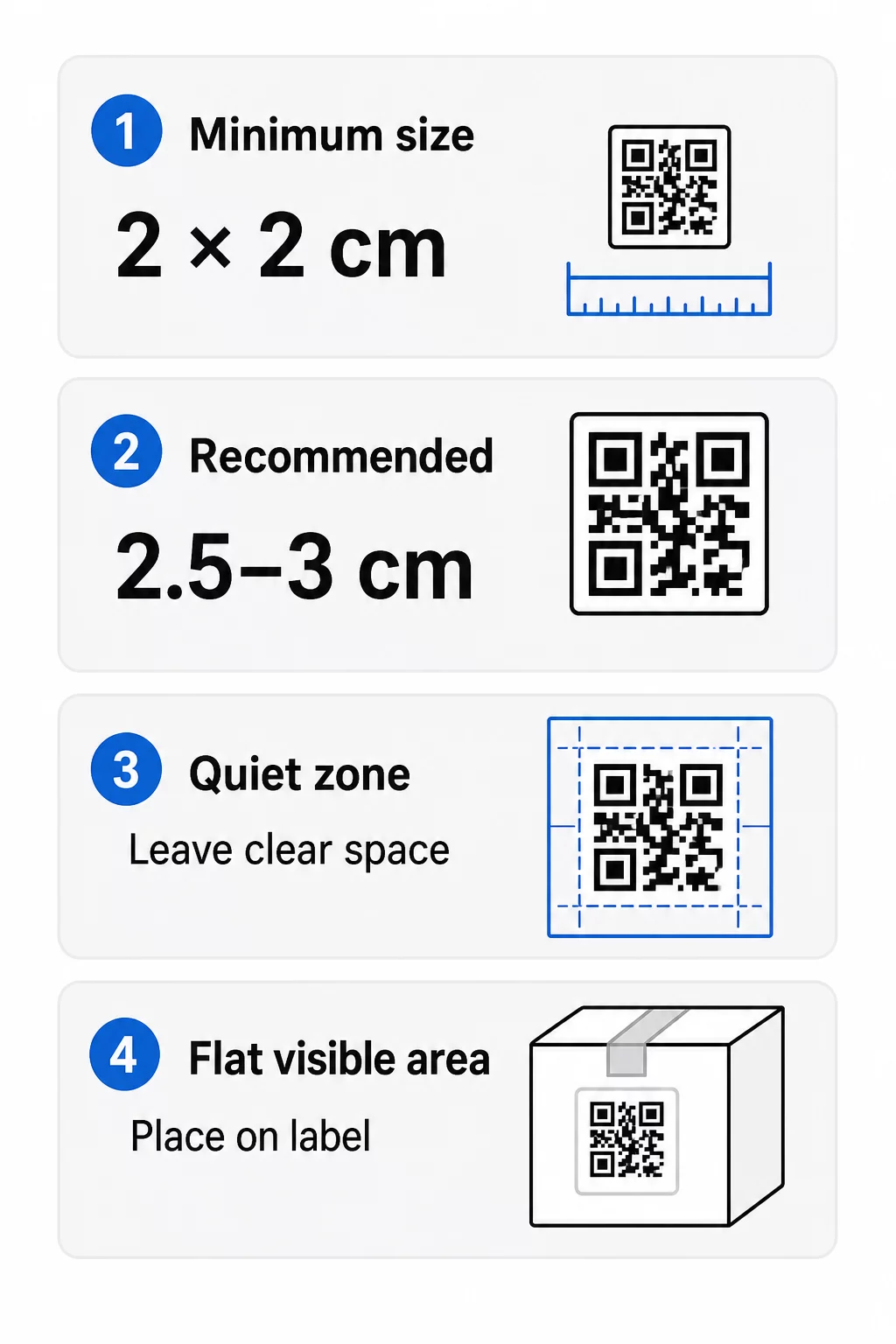
- Mutlak minimum: Kol mesafesinden taranan bir kod için 2 x 2 cm (0.8 x 0.8 inç).
- Ürün ambalajı için önerilen: Her bir kenar için 2.5 ila 3 cm.
- Mesafe kuralı: Bir telefon, bir kodu kendi genişliğinin yaklaşık 10 katı mesafeden okur. 3 cm'lik bir kod yaklaşık 30 cm'den (12 inç); 10 cm'lik bir kod yaklaşık 1 m'den taranır.
- Yoğun kodlar daha fazla alana ihtiyaç duyar: Uzun bir URL, daha küçük modüllerle daha yoğun bir desen oluşturur. Deseni basit tutmak için kısa bir bağlantı veya dinamik bir kod kullanın.
Bir logo eklerseniz, boyutu ila oranında artırın. Özel renkler kullanırsanız, ila ekleyin. Bunları başlangıç noktası olarak kabul edin ve bir test baskısı ile onaylayın. Farklı baskı malzemeleri için şuraya bakın: Baskı malzemeleri için QR kodu boyutlandırma kılavuzu.
Yerleşim: Kodu Etikete Nereye Koymalı
- Kodu düz bir alana yerleştirin, katlar, dikişler, kenarlar veya perforasyonlar üzerine değil.
- Görünür bir panel seçin. Ön veya arka etiket, paketin altından daha iyidir.
- Tarayıcıların kafası karışmaması için panel başına bir kod kullanın.
- Sessiz bölgeyi boş bırakın. İçine metin, kenarlık veya çizim koymayın.
- Kodun yanına kısa bir eylem çağrısı ekleyin, örneğin “Kılavuz için tarayın” veya “Yeniden sipariş vermek için tarayın”.
- Kodu shrink ambalajın, bir ısı yalıtımının veya parlamaya neden olan bir vernik kenarının altına yerleştirmeyin.
Kavisli yüzeyler ekstra özen gerektirir. Şişelerde, kavanozlarda ve tüplerde desen kameradan uzağa doğru bükülür. Kodu eğriye göre küçük tutun, en düz kısmına yerleştirin ve farklı açılardan test edin. Kodu keskin kavisli bir omuza basmak yerine eğrinin üzerine oturan düz bir etikete basmak daha iyi sonuç verir.
Yerleştirme hakkında daha fazla bilgi için şurayı okuyun: Pazarlama için QR kodu yerleştirme rehberi.
Sessiz Bölge: Taramayı Sağlayan Boş Kenarlık
Her QR kodunun bir şeye ihtiyacı vardır sessiz alan: tüm sembolün etrafındaki boş bir kenar boşluğu. Tarayıcıya kodun nerede başlayıp bittiğini söyler.
Standart sessiz bölge, dört tarafında en az 4 modül genişliğindedir. Bir modül, küçük bir karenin genişliğidir. Tipik bir etiket kodunda bu yaklaşık 4 ila 8 mm'dir. İçine markanızın adını, bir kenarlığı veya etiket metnini basmayın. Etiket yoğun bir arka plan üzerine basılmışsa, kodu düz, açık renkli bir kutunun üzerine yerleştirin.
Kontrast: Koyu Kod, Açık Arka Plan
Tarayıcılar, koyu modüller ile açık renkli bir arka plan arasındaki farkı okur. Yeterli kontrast olmadan desen algılanmaz.
- Açık bir arka plan üzerinde koyu bir ön plan kullanın. Beyaz üzerinde siyah en güvenilir olanıdır.
- En az 4:1 kontrast oranı hedefleyin.
- Ön plan ve arka plan için benzer tonlardan kaçının, örneğin orta yeşil üzerinde koyu yeşil gibi.
- Açık renkli zemin üzerine koyu renkli (ters çevrilmiş) kodlardan kaçının. Bazı tarayıcılar bunları okuyamayabilir, bu yüzden kullanmadan önce test edin.
- Desen üzerinde gradyanlardan ve gölgelerden kaçının.
- Kodu çok parlak, nervürlü veya düz olmayan bir yüzeye yazdırmaktan kaçının.
Özel marka renkleri, gerçek aydınlatma koşullarında test ettiğinizde işe yarayabilir. QR kodu renk kontrastı en iyi uygulamalar kılavuzu yaygın eşleşmelerin karşılaştırma tablosuna sahiptir.
Hata Düzeltme: Dahili Hasar Koruması
QR kodlarının dört hata düzeltme seviyesi. Kodun ne kadarının hasar görebileceğini veya üzerinin kapanabileceğini ve yine de okunabileceğini belirlerler:
| Seviye | Kurtarma Kapasitesi | İçin En İyisi |
|---|---|---|
| L (Düşük) | yaklaşık %7 | Temiz yüzeyler, logo kaplaması yok |
| M (Orta) | yaklaşık | Genel ürün etiketleri |
| Q (Çeyreklik) | yaklaşık | Kod üzerinde logo veya marka öğeleri bulunan etiketler |
| H (Yüksek) | yaklaşık | Çizilme veya aşınma riski taşıyan yüzeyler veya karmaşık tasarımlar |
Çoğu ürün etiketi için Seviye M veya Q iyi bir seçimdir. Ortada bir logo ile Q veya H kullanın. Daha yüksek seviyeler deseni daha yoğun hale getirir, bu nedenle biraz daha büyük bir baskı boyutuna ihtiyacınız olabilir.
Baskı Çözünürlüğü ve Dosya Biçimleri
- Vektör dosyaları (SVG, PDF, EPS) keskinliğini kaybetmeden herhangi bir boyuta ölçeklenebilir. Yazıcınız veya etiket tasarımcınız bunları kabul ettiğinde kullanın.
- PNG veya JPEG: nihai baskı boyutunda 300 dpi olarak dışa aktarın. 200 dpi, düz kağıt üzerindeki küçük kodlar için işe yarayabilir.
- Küçük bir PNG'yi büyütmeyin daha büyük bir etiket için. Kenarları bulanıklaşır ve kod taramayı durdurabilir.
- Yazıcı baskı provasını kontrol edin. Mürekkep yayılması, emici kağıt üzerindeki küçük modülleri doldurabilir.
Hem Logolu QR Kod Oluşturucu ve QR kodu PNG oluşturucu baskı için dosya dışa aktarabilir. İhtiyacınız olan format için araçtaki indirme seçeneklerini kontrol edin.
Ürün Etiketi QR Kodları için Pratik Kullanım Durumları
Ürünü tutarken müşterinin ihtiyaçlarına göre hedefi seçin:
- Yiyecek ve içecek: içindekiler, alerjenler ve menşe bilgileri içeren bir sayfa veya bir tarif.
- Elektronik ve aletler: bir kurulum videosu, PDF kılavuzu ve bir garanti formu.
- Kozmetik: kullanım adımları ve tam bir içerik listesi.
- Tüketim malzemeleri: tek dokunuşla yeniden sipariş sayfası.
- Donanım ve ambalaj: geri dönüşüm veya iade talimatları.
- Herhangi bir ürün: kısa bir inceleme talebi veya bir sonraki sipariş için indirim.
Bunların çoğu şunlardan faydalanır: dinamik QR kodları, çünkü etiket basıldıktan sonra sayfa güncellenebilir. Sektöre göre örneklere bakınız sektöre göre QR kod çözümleri. Sadakat, ambalaj ve etkileşim için bakınız ürün QR kodu çözümleri.
Büyük Ölçekte Baskı Yapmadan Önce Daima Test Edin
Tam baskı öncesi:
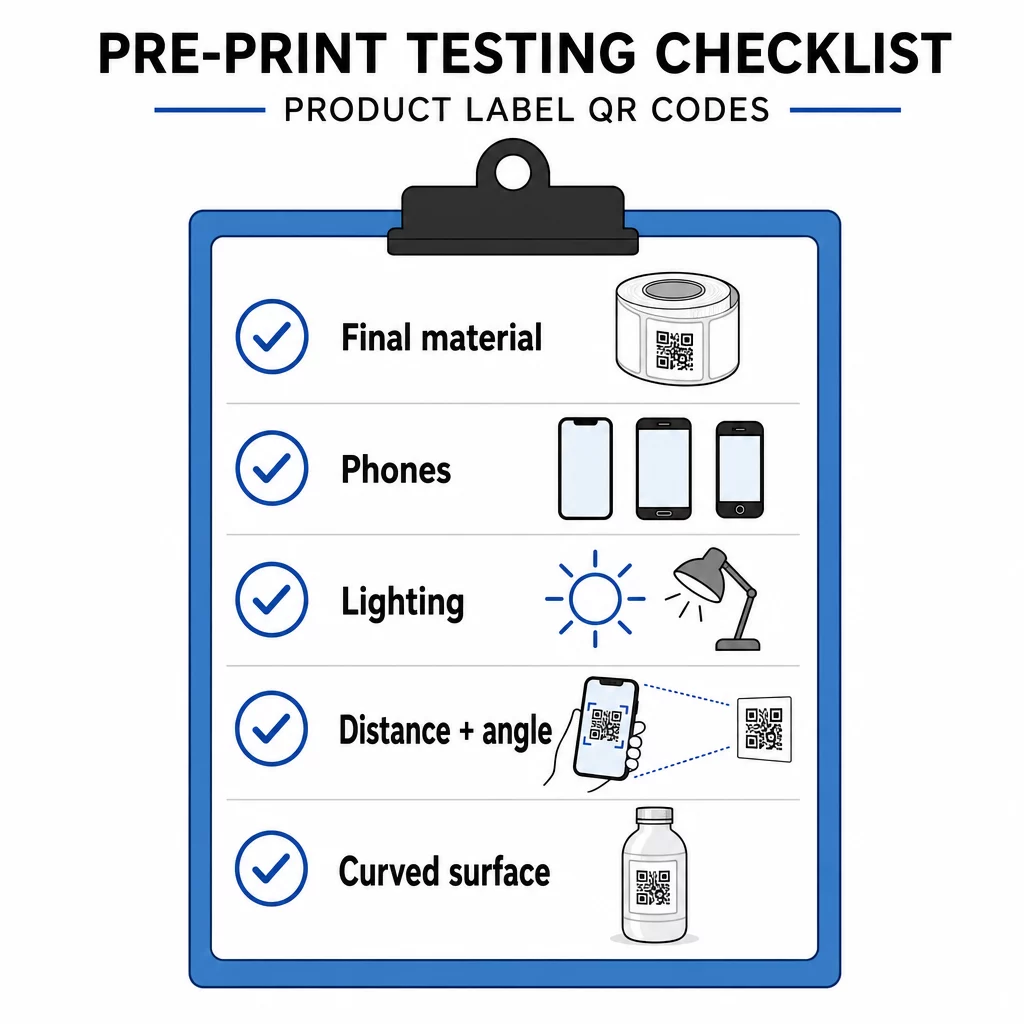
- Kodu son boyutunda, gerçek etiket malzemesine basın.
- Hem iPhone hem de Android olmak üzere en az iki veya üç telefonla tarayın.
- Parlak ışıkta, gün ışığında ve loş ışıkta tarayın.
- Müşterinin kullanacağı mesafeden ve açıdan tarayın.
- Eğri bir yüzeyde, soldan, ortadan ve sağdan tarayın.
- Hedefi yalnızca Wi-Fi ile değil, mobil verisi olan bir telefonda açın.
Üründeki QR Kodu Taranmıyor mu? Bunları Kontrol Edin
- Çok küçük: kodu büyütün veya bağlantıyı kısaltın.
- Sessiz alan çok dar: metin veya görsel koda değiyor.
- Düşük kontrast: açık renkler, gradyanlar veya tersine çevrilmiş bir kod.
- Parlama: parlak film veya vernik ışığı yansıtıyor. Mat bir yüzey kullanın veya kodu taşıyın.
- Bulanık baskı: düşük çözünürlük veya mürekkep dağılımı. Bir vektör dosyası kullanın ve prova baskıyı gözden geçirin.
- Eğri veya kırışık yüzey: kodu daha düz bir alana taşıyın.
- Yanlış hedef: bağlantı değişti. Dinamik bir kodla hedefi düzenleyin. Statik bir kodla yeniden baskı yapmanız gerekir.
Daha fazla kontrol için şurayı inceleyin QR kodu okunabilirlik en iyi uygulamalar kılavuzu.
Sıkça sorulan sorular
Kol mesafesinden taranan kodlar için yaygın minimum boyut 2 x 2 cm (0.8 x 0.8 inç) şeklindedir. Ambalaj için her bir kenarı 2.5 ila 3 cm olması daha güvenlidir. Bir rehber olarak, bir telefon bir kodu basılı genişliğinin yaklaşık 10 katı mesafeden okur.
Hedefi seçin, bir QR kod oluşturucuda kodu oluşturun, bir vektör dosyası veya yüksek çözünürlüklü bir PNG indirin, onu etiket tasarımınıza bir sessiz alan ve kısa bir harekete geçirici mesajla ekleyin, ardından tam baskıdan önce bir test etiketi yazdırın ve birkaç telefonda tarayın.
Yalnızca dinamik bir QR kod ile. Dinamik bir kod, kısa bir yönlendirme bağlantısı depolar, böylece basılı kodu değiştirmeden hedefi değiştirebilirsiniz. Statik bir kod, basıldıktan sonra değiştirilemez.
Statik bir kod asla sona ermez, çünkü hedef desende depolanır. Dinamik bir kod, planınız aktif olduğu sürece çalışır, bu nedenle yıllarca kullanımda kalacak etiketleri basmadan önce planınızı kontrol edin.
Vektör formatı kullanın: SVG, PDF veya EPS. Her boyutta net kalırlar. PNG kullanmanız gerekiyorsa, son baskı boyutunda 300 dpi olarak dışa aktarın ve büyütmeyin.
Evet. Bir logo için hata düzeltme seviyesi Q veya H kullanın, kodu yüzde 20 ila 30 oranında büyütün, koyu ve açık renkler arasında güçlü bir kontrast sağlayın ve tam baskıdan önce basılı etiketi test edin.
Düz, görünür bir alana, ön veya arka etiket gibi, katlamalardan, dikişlerden ve kenarlardan uzakta, boş bir sessiz alanla birlikte ve yanında kısa bir harekete geçirici mesajla.