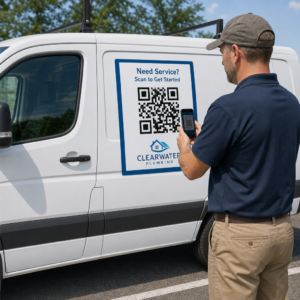
QR-код на етикетках дозволяє клієнту перейти з упаковки в його руці на сторінку продукту, посібник, посилання для повторного замовлення або чат підтримки за одне сканування. Цей посібник показує, як створити етикетку продукту з QR-кодом, яка сканується з першої спроби: який тип коду використовувати, якого розміру його друкувати, де його розмістити та що перевірити перед повним тиражем.
QR-код на етикетках продукції: коротка відповідь
- Розмір: друкуйте код розміром не менше 2 x 2 см (0,8 x 0,8 дюйма). Використовуйте 2,5–3 см, якщо клієнти сканують з полиці або прилавка.
- Тиха зона: залишайте порожній відступ принаймні 4 модулі (близько 4–8 мм на етикетці) з усіх чотирьох сторін.
- Кольори: темний код на світлому фоні. Чорний на білому є найбезпечнішим.
- Роздільна здатність: використовуйте векторний файл (SVG, PDF або EPS) для друку. Якщо ви використовуєте PNG, експортуйте його у фінальному розмірі для друку з роздільною здатністю 300 dpi.
- Тип: використовуйте статичний код для посилання, яке ніколи не змінюватиметься. Використовуйте динамічний код, якщо призначення може змінитися або якщо ви хочете отримати статистику сканувань.
- Тестування: надрукуйте один на реальному матеріалі етикетки та відскануйте його двома-трьома телефонами, перш ніж замовляти повний тираж.
Чому QR-коди мають бути на етикетках продуктів
Друкована етикетка має обмежений простір і не може бути оновлена після друку. QR-код додає більше місця: деталі інгредієнтів та джерела походження, відео з налаштування, реєстрація гарантії, посібники користувача та списки запчастин – все це може розміщуватися за одним маленьким квадратом.
Типові варіанти використання QR-коду на продукті:
- Інформація про продукт: технічні характеристики, інгредієнти, алергени або інструкції з догляду, які не вміщаються на етикетці.
- Посібники та налаштування: PDF-посібник або коротке відео, щоб ви могли надрукувати менший буклет або взагалі обійтися без нього.
- Повторне замовлення: пряме посилання на сторінку продукту, корисне для витратних матеріалів, таких як фільтри, кава або засоби для прибирання.
- Підтримка: посилання на сторінку довідки, форму або чат у WhatsApp.
- Переробка та повернення: інструкції з утилізації або форма повернення.
- Пропозиції та лояльність: код знижки, сторінка реєстрації або запит на відгук після покупки.
Щоб отримати ширший огляд типів пакування та клієнтського досвіду, дивіться посібник з QR-кодів на упаковці продукції.
Виберіть динамічний QR-код або статичний
A статичний QR-код зберігає призначення всередині візерунка. Його створення безкоштовне, він ніколи не закінчується, і працює до тих пір, поки існує сторінка, на яку він вказує. Якщо ця URL-адреса змінюється, надрукований код вказує на неправильне місце, і вам доведеться передруковувати.
A динамічний QR-код зберігає коротке посилання для перенаправлення, тому ви можете змінити призначення в будь-який час, не змінюючи надрукований код. На етикетках продуктів це допомагає трьома способами:
- Ви можете замінити сезонну акцію або цільову сторінку без нового друку.
- Ви можете одразу виправити непрацююче або переміщене посилання.
- Ви можете бачити статистику сканувань: коли, де та на якому пристрої люди сканували.
Використовуйте статичний код, коли посилання є постійним, наприклад, посібник, розміщений на вашому власному сайті. Використовуйте динамічний код, коли етикетки залишатимуться на полицях місяцями, а призначення може змінюватися. Ви можете створити QR-код для етикетки вашого продукту за допомогою безкоштовного генератора Pageloot. Динамічні коди поставляються з 14-денною безкоштовною пробною версією, а тарифи вказані на сторінці цін Pageloot.
Відстежуйте кожне сканування з етикеток вашої продукції. Щоб побачити, де і коли клієнти сканують вашу упаковку, створіть динамічний код за допомогою Генератор QR-кодів Pageloot та використовуйте панель сканування.
Як створити етикетки з QR-кодом: Покроково
- Вирішіть, куди має вести код. Виберіть зручну для мобільних пристроїв сторінку та зробіть її короткою та швидкою для завантаження.
- Відкрийте генератор QR-кодів, оберіть тип (URL, PDF, відео або інше) та введіть призначення.
- Виберіть статичний або динамічний. Поставте позначку біля динамічного варіанту лише якщо ви бажаєте редагувати призначення пізніше або відстежувати сканування.
- Зберігайте дизайн простим: темний код, світлий фон, без градієнтів за візерунком.
- Завантажте векторний файл (SVG або PDF) для дизайнера етикеток або PNG у кінцевому розмірі.
- Розмістіть код на макеті етикетки у запланованому розмірі, з тихою зоною та коротким закликом до дії поруч.
- Надрукуйте тестову етикетку на реальному матеріалі та відскануйте її перед повним тиражем.
Розмір: Наскільки великим має бути код?
Розмір – найпоширеніша причина, чому QR-код етикетки не сканується. Якщо код занадто малий, камера телефону не може розрізнити окремі модулі (маленькі квадрати, що утворюють візерунок).
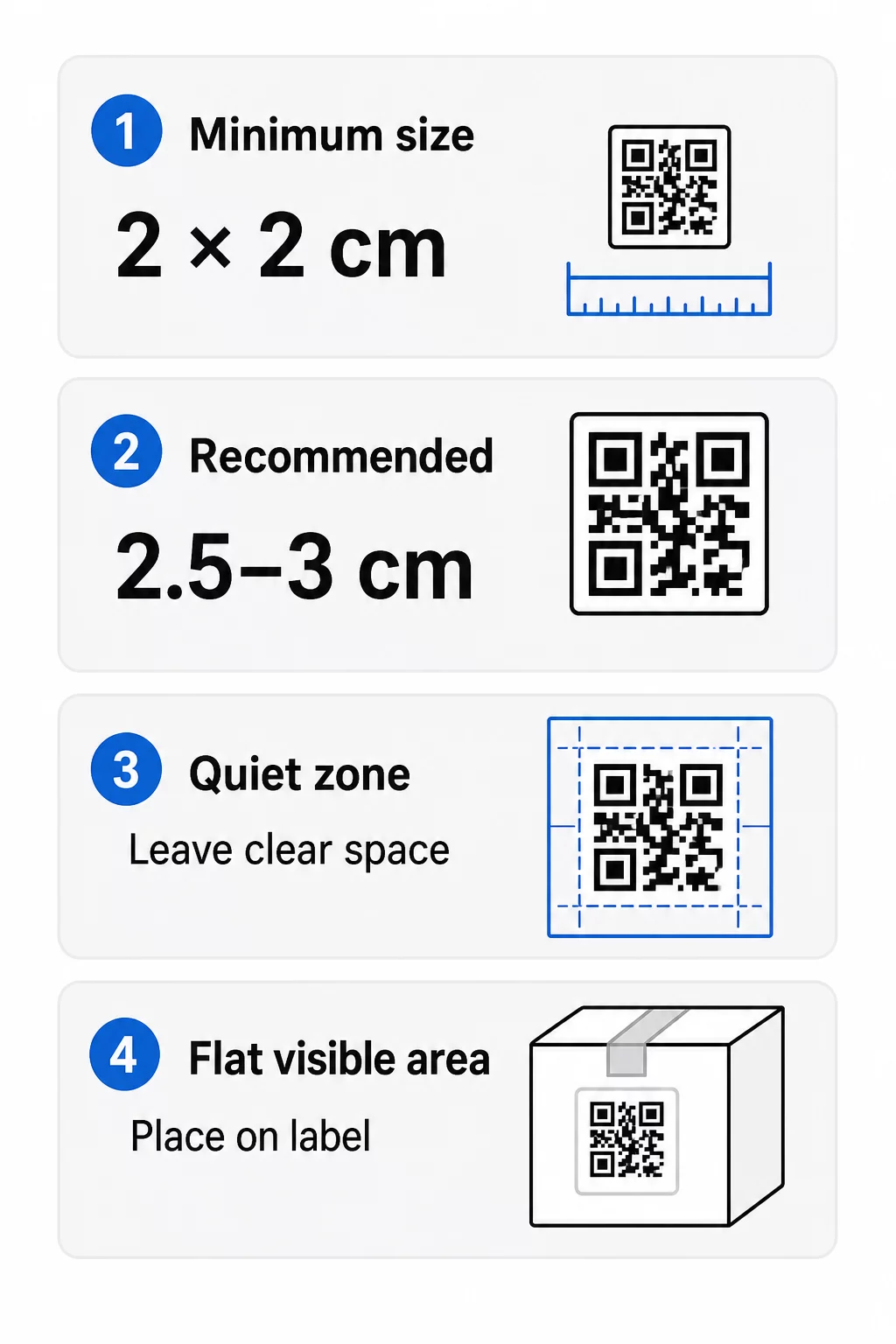
- Абсолютний мінімум: 2 x 2 см (0.8 x 0.8 дюйма) для коду, сканованого на відстані витягнутої руки.
- Рекомендовано для упаковки продукції: 2.5 до 3 см на сторону.
- Правило відстані: телефон зчитує код приблизно з відстані, у 10 разів більшої за його ширину. Код розміром 3 см сканується приблизно з 30 см (12 дюймів); код розміром 10 см – приблизно з 1 м.
- Щільні коди потребують більше місця: довга URL-адреса створює щільніший візерунок з меншими модулями. Використовуйте коротке посилання або динамічний код, щоб зберегти візерунок простим.
Якщо ви додаєте логотип, збільште розмір на 20-30 відсотків. Якщо ви використовуєте власні кольори, додайте 10-15 відсотків. Розглядайте це як початкові точки та підтверджуйте тестовим друком. Щодо різних друкованих матеріалів, дивіться посібник з розмірів QR-кодів для друкованих матеріалів.
Розміщення: Куди помістити код на етикетці
- Розмістіть код на рівній поверхні, а не через згини, шви, краї або перфорації.
- Оберіть видиму панель. Передня або задня етикетка краща, ніж низ упаковки.
- Використовуйте один код на панель, щоб сканери не плуталися.
- Залишайте тиху зону порожньою. Жодних текстів, рамок чи зображень всередині неї.
- Додайте короткий заклик до дії поруч із кодом, наприклад, “Відскануйте для посібника” або “Відскануйте, щоб повторно замовити”.
- Не розміщуйте код під термоусадковою плівкою, термозварюванням або лакованим краєм, що створює відблиски.
Вигнуті поверхні потребують особливої уваги. На пляшках, банках і тубах візерунок вигинається від камери. Зберігайте код невеликим відносно кривизни, розміщуйте його на найрівнішій частині та тестуйте з кількох кутів. Друк коду на плоскій етикетці, яка прилягає до вигину, працює краще, ніж друк на різко вигнутому плечі.
Для отримання додаткової інформації про розміщення, прочитайте Посібник з розміщення QR-кодів для маркетингу.
Тиха зона: Порожня межа, яка забезпечує сканування
Кожен QR-код потребує тихої зони: порожній простір навколо всього символу. Він вказує сканеру, де починається і закінчується код.
Стандартна тиха зона має ширину щонайменше 4 модулів з усіх чотирьох сторін. Один модуль – це ширина одного маленького квадрата. На типовому коді етикетки це приблизно 4-8 мм. Не друкуйте назву вашого бренду, рамку або текст етикетки всередині неї. Якщо етикетка надрукована на зайнятому фоні, розмістіть код на суцільному світлому полі.
Контраст: Темний код, світлий фон
Сканери зчитують різницю між темними модулями та світлим фоном. Без достатнього контрасту візерунок не буде виявлено.
- Використовуйте темний передній план на світлому фоні. Чорний на білому є найнадійнішим.
- Прагніть до контрастності щонайменше 4:1.
- Уникайте схожих відтінків для переднього плану та фону, наприклад, темно-зелений на середньо-зеленому.
- Уникайте світлих на темному (інвертованих) кодів. Деякі сканери не можуть їх прочитати, тому протестуйте їх перед використанням.
- Уникайте градієнтів та тіней над шаблоном.
- Уникайте друку коду на сильно глянцевій, ребристій або нерівній поверхні.
Власні фірмові кольори можуть працювати, якщо ви протестуєте їх за реального освітлення. посібник з найкращих практик контрастності кольорів QR-коду має порівняльну таблицю поширених поєднань.
Виправлення помилок: Вбудований захист від пошкоджень
QR-коди мають чотири рівні корекції помилок. Вони визначають, яку частину коду можна пошкодити або приховати, і він все одно буде зчитуватися:
| Рівень | Можливість відновлення | Найкраще для |
|---|---|---|
| L (низький) | близько 7% | Чисті поверхні, без накладання логотипу |
| M (середній) | близько 15% | Загальні етикетки продукції |
| Q (квартиль) | близько 25% | Етикетки з логотипом або елементами бренду поверх коду |
| H (Високий) | близько 30% | Поверхні, схильні до подряпин або зносу, або складні дизайни |
Для більшості етикеток продуктів, рівень M або Q є хорошим вибором. З логотипом у центрі використовуйте Q або H. Вищі рівні роблять шаблон щільнішим, тому вам може знадобитися трохи більший розмір друку.
Роздільна здатність друку та формати файлів
- Векторні файли (SVG, PDF, EPS) масштабуються до будь-якого розміру без втрати чіткості. Використовуйте їх щоразу, коли ваш принтер або дизайнер етикеток приймає їх.
- PNG або JPEG: експортуйте у фінальному розмірі друку з роздільною здатністю 300 dpi. 200 dpi може працювати для невеликих кодів на гладкому папері.
- Не збільшуйте малий PNG для більшої етикетки. Краї розмиваються, і код може перестати скануватися.
- Перевірте пробний відбиток. Розтікання чорнила може заповнити невеликі модулі на поглинаючому папері.
Обидва Генератор QR-кодів з логотипом а також генератор QR-кодів у форматі PNG можуть експортувати файли для друку. Перевірте параметри завантаження в інструменті для потрібного формату.
Практичні випадки використання QR-кодів на етикетках продуктів
Обирайте цільову сторінку за тим, що потрібно клієнту, коли він тримає продукт:
- Їжа та напої: сторінку зі складом, алергенами та походженням, або рецепт.
- Електроніка та інструменти: відео з налаштування, посібник у PDF та форму гарантії.
- Косметика: етапи використання та повний список інгредієнтів.
- Витратні матеріали: сторінка для повторного замовлення в один клік.
- Обладнання та упаковка: інструкції з переробки або повернення.
- Будь-який продукт: запит на короткий відгук або знижка на наступне замовлення.
Більшість з них отримують користь від динамічні QR-коди, тому що сторінку можна оновити після друку етикетки. Приклади за секторами дивіться рішеннями QR-кодів за галузями. Щодо лояльності, пакування та залучення, дивіться рішення для QR-кодів продуктів.
Завжди тестуйте перед масовим друком
Перед повним тиражем:
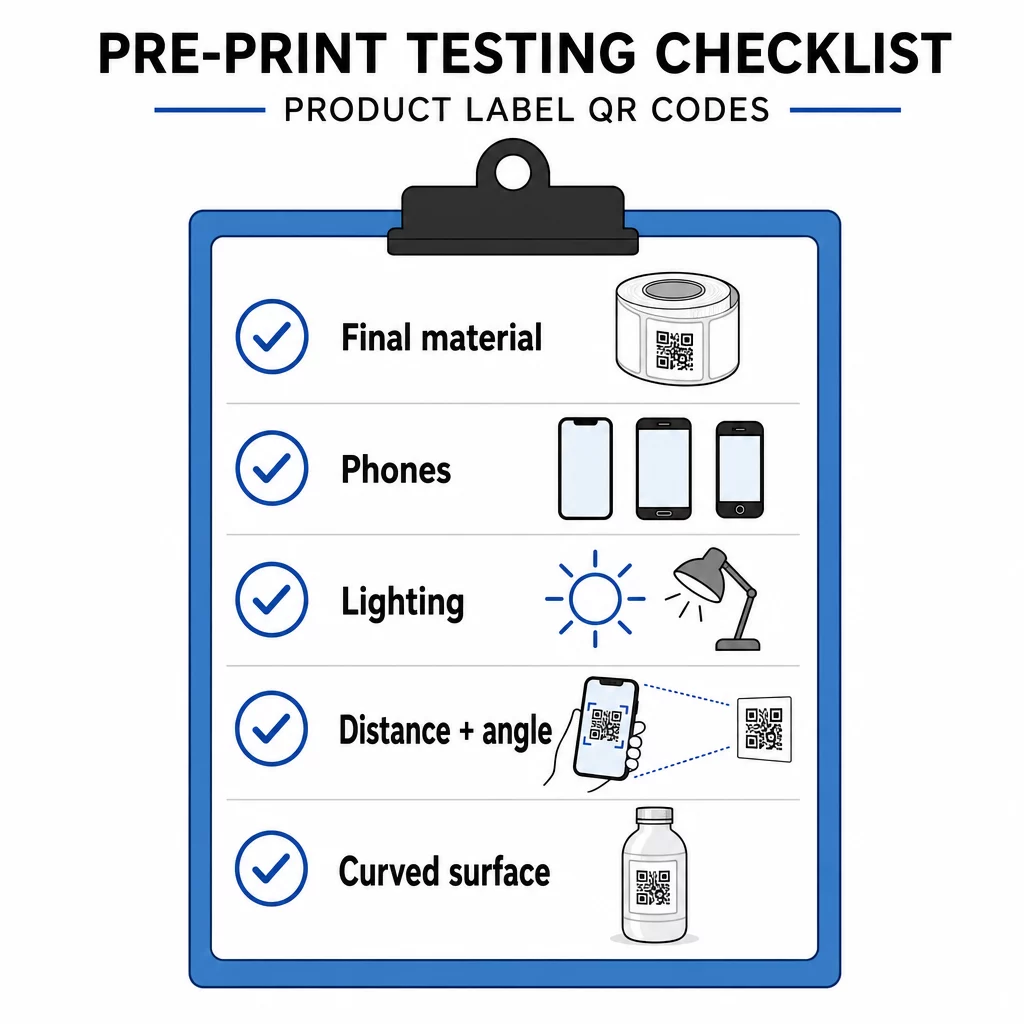
- Надрукуйте код у його остаточному розмірі на фактичному матеріалі етикетки.
- Скануйте щонайменше двома-трьома телефонами, як iPhone, так і Android.
- Скануйте при яскравому світлі, денному світлі та тьмяному світлі.
- Скануйте з відстані та під кутом, який використовуватиме клієнт.
- На вигнутій поверхні скануйте зліва, по центру та справа.
- Відкрийте місце призначення на телефоні з мобільним інтернетом, не тільки через Wi-Fi.
QR-код на продукті не сканується? Перевірте це
- Занадто малий: збільшіть код або скоротіть посилання.
- Занадто вузька тиха зона: текст або зображення торкається коду.
- Низький контраст: світлі кольори, градієнти або інвертований код.
- Блік: глянцева плівка або лак відбиває світло. Використовуйте матове покриття або перемістіть код.
- Розмитий друк: низька роздільна здатність або розтікання чорнила. Використовуйте векторний файл і перегляньте макет.
- Вигнута або зім’ята поверхня: перемістіть код на більш рівну ділянку.
- Неправильне призначення: посилання змінилося. З динамічним кодом відредагуйте місце призначення. Зі статичним кодом ви повинні передрукувати.
Для додаткових перевірок дивіться посібник з найкращих практик читабельності QR-кодів.
Поширені запитання
Загальний мінімум становить 2 х 2 см (0,8 х 0,8 дюйма) для кодів, що скануються на відстані витягнутої руки. Для пакування безпечніше 2,5-3 см на бік. Як орієнтир, телефон зчитує код приблизно з 10-кратної його надрукованої ширини.
Оберіть призначення, створіть код у генераторі QR-кодів, завантажте векторний файл або PNG високої роздільної здатності, додайте його до макета вашої етикетки з тихою зоною та коротким закликом до дії, потім роздрукуйте тестову етикетку та відскануйте її на кількох телефонах перед повним тиражем.
Лише з динамічним QR-кодом. Динамічний код зберігає коротке посилання для перенаправлення, тому ви можете змінити місце призначення, не змінюючи надрукований код. Статичний код не може бути змінений після друку.
Статичний код ніколи не втрачає актуальності, оскільки пункт призначення зберігається у його шаблоні. Динамічний код функціонує доти, доки ваш тарифний план активний, тому перевірте свій план, перш ніж друкувати етикетки, які будуть використовуватися роками.
Використовуйте векторний формат: SVG, PDF або EPS. Вони залишаються чіткими за будь-якого розміру. Якщо ви змушені використовувати PNG, експортуйте його у фінальному розмірі для друку з роздільною здатністю 300 dpi і не збільшуйте його.
Так. Використовуйте рівень корекції помилок Q або H для логотипу, збільшіть код на 20-30 відсотків, зберігайте сильний контраст між темним і світлим, та протестуйте надруковану етикетку перед повною серією.
На плоскій, видимій ділянці, такій як передня або задня етикетка, подалі від згинів, швів та країв, з порожньою тихою зоною та коротким закликом до дії поруч.