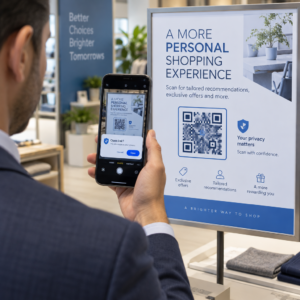
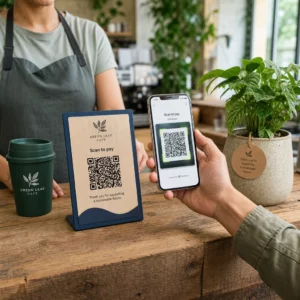
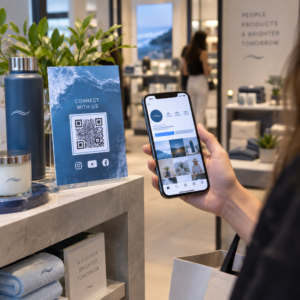
Οι ετικέτες κωδικών QR επιτρέπουν σε έναν πελάτη να μεταβεί από τη συσκευασία που κρατάει στα χέρια του σε μια σελίδα προϊόντος, ένα εγχειρίδιο, έναν σύνδεσμο αναπαραγγελίας ή μια συνομιλία υποστήριξης με μία μόνο σάρωση. Αυτός ο οδηγός δείχνει πώς να φτιάξετε μια ετικέτα προϊόντος με κωδικό QR που σαρώνεται με την πρώτη προσπάθεια: ποιον τύπο κωδικού να χρησιμοποιήσετε, πόσο μεγάλο να τον εκτυπώσετε, πού να τον τοποθετήσετε και τι να δοκιμάσετε πριν από μια πλήρη εκτύπωση.
Κωδικός QR σε Ετικέτες Προϊόντων: Η Σύντομη Απάντηση
- Μέγεθος: εκτυπώστε τον κωδικό τουλάχιστον 2 x 2 cm (0,8 x 0,8 ίντσες). Χρησιμοποιήστε 2,5 έως 3 cm αν οι πελάτες σαρώνουν από ράφι ή πάγκο.
- Ήσυχη ζώνη: διατηρήστε ένα κενό περιθώριο τουλάχιστον 4 μονάδων (περίπου 4 έως 8 mm σε μια ετικέτα) και στις τέσσερις πλευρές.
- Χρώματα: σκούρος κωδικός σε ανοιχτό φόντο. Το μαύρο σε λευκό είναι το ασφαλέστερο.
- Ανάλυση: χρησιμοποιήστε ένα αρχείο διανυσματικών γραφικών (SVG, PDF ή EPS) για εκτύπωση. Αν χρησιμοποιήσετε PNG, εξαγάγετέ το στο τελικό μέγεθος εκτύπωσης στα 300 dpi.
- Τύπος: χρησιμοποιήστε έναν στατικό κωδικό για έναν σύνδεσμο που δεν θα αλλάξει ποτέ. Χρησιμοποιήστε έναν δυναμικό κωδικό εάν ο προορισμός ενδέχεται να αλλάξει ή θέλετε στατιστικά στοιχεία σαρώσεων.
- Δοκιμή: εκτυπώστε ένα στο πραγματικό υλικό ετικέτας και σαρώστε το με δύο ή τρία τηλέφωνα πριν παραγγείλετε την πλήρη παραγωγή.
Γιατί οι κωδικοί QR ανήκουν στις ετικέτες προϊόντων
Μια τυπωμένη ετικέτα έχει περιορισμένο χώρο και δεν μπορεί να ενημερωθεί μετά την εκτύπωσή της. Ένας κωδικός QR προσθέτει περισσότερο χώρο: λεπτομέρειες συστατικών και προέλευσης, βίντεο εγκατάστασης, καταχώριση εγγύησης, εγχειρίδια χρήσης και λίστες ανταλλακτικών μπορούν όλα να βρίσκονται πίσω από ένα μικρό τετράγωνο.
Τυπικές χρήσεις ενός κωδικού QR σε ένα προϊόν:
- Πληροφορίες προϊόντος: προδιαγραφές, συστατικά, αλλεργιογόνα ή οδηγίες φροντίδας που δεν χωρούν στην ετικέτα.
- Εγχειρίδια και ρύθμιση: ένα εγχειρίδιο PDF ή ένα σύντομο βίντεο, ώστε να μπορείτε να εκτυπώσετε ένα μικρότερο φυλλάδιο ή καθόλου.
- Επαναπαραγγελία: ένας άμεσος σύνδεσμος προς τη σελίδα του προϊόντος, χρήσιμος για αναλώσιμα όπως φίλτρα, καφέ ή είδη καθαρισμού.
- Υποστήριξη: ένας σύνδεσμος προς μια σελίδα βοήθειας, μια φόρμα ή μια συνομιλία WhatsApp.
- Ανακύκλωση και επιστροφές: οδηγίες απόρριψης ή φόρμα επιστροφής.
- Προσφορές και επιβράβευση: ένας κωδικός έκπτωσης, μια σελίδα εγγραφής ή ένα αίτημα για αξιολόγηση μετά την αγορά.
Για μια ευρύτερη ματιά στους τύπους συσκευασίας και την εμπειρία του πελάτη, δείτε το οδηγός για τους κωδικούς QR στις συσκευασίες προϊόντων.
Επιλέξτε έναν Δυναμικό Κωδικό QR ή έναν Στατικό
ΕΝΑ στατικό κωδικό QR αποθηκεύει τον προορισμό μέσα στο μοτίβο. Είναι δωρεάν στη δημιουργία, δεν λήγει ποτέ και λειτουργεί όσο υπάρχει η σελίδα στην οποία παραπέμπει. Εάν αυτή η διεύθυνση URL αλλάξει, ο εκτυπωμένος κωδικός οδηγεί σε λάθος μέρος και πρέπει να τον εκτυπώσετε ξανά.
ΕΝΑ δυναμικός κωδικός QR αποθηκεύει έναν σύντομο σύνδεσμο ανακατεύθυνσης, ώστε να μπορείτε να αλλάξετε τον προορισμό ανά πάσα στιγμή χωρίς να αλλάξετε τον εκτυπωμένο κωδικό. Στις ετικέτες προϊόντων αυτό βοηθάει με τρεις τρόπους:
- Μπορείτε να αλλάξετε μια εποχιακή προσφορά ή σελίδα προορισμού χωρίς νέα εκτύπωση.
- Μπορείτε να διορθώσετε έναν χαλασμένο ή μετακινημένο σύνδεσμο αμέσως.
- Μπορείτε να δείτε στατιστικά σαρώσεων: πότε, πού και σε ποια συσκευή σάρωσαν οι χρήστες.
Χρησιμοποιήστε έναν στατικό κωδικό όταν ο σύνδεσμος είναι μόνιμος, για παράδειγμα ένα εγχειρίδιο που φιλοξενείται στον δικό σας ιστότοπο. Χρησιμοποιήστε έναν δυναμικό κωδικό όταν οι ετικέτες θα παραμείνουν στα ράφια για μήνες και ο προορισμός ενδέχεται να αλλάξει. Μπορείτε δημιουργήστε έναν κωδικό QR για την ετικέτα του προϊόντος σας με τη δωρεάν γεννήτρια Pageloot. Οι δυναμικοί κωδικοί συνοδεύονται από 14ήμερη δωρεάν δοκιμή, και τα προγράμματα αναφέρονται στη σελίδα τιμολόγησης του Pageloot.
Παρακολουθήστε κάθε σάρωση από τις ετικέτες των προϊόντων σας. Για να δείτε πού και πότε σαρώνουν οι πελάτες τη συσκευασία σας, δημιουργήστε έναν δυναμικό κωδικό με το Δημιουργία κώδικα Pageloot QR και χρησιμοποιήστε τον πίνακα ελέγχου σαρώσεων.
Πώς να Δημιουργήσετε Ετικέτες με Κωδικό QR: Βήμα προς Βήμα
- Αποφασίστε πού πρέπει να οδηγεί ο κωδικός. Επιλέξτε μια σελίδα φιλική προς κινητά και διατηρήστε την σύντομη και γρήγορη στη φόρτωση.
- Ανοιξε το γεννήτρια κωδικών QR, επιλέξτε τον τύπο (URL, PDF, βίντεο ή άλλο) και εισαγάγετε τον προορισμό.
- Επιλέξτε στατικό ή δυναμικό. Επιλέξτε τη δυναμική επιλογή μόνο εάν θέλετε να επεξεργαστείτε τον προορισμό αργότερα ή να παρακολουθήσετε τις σαρώσεις.
- Διατηρήστε τον σχεδιασμό απλό: σκούρος κωδικός, ανοιχτόχρωμο φόντο, χωρίς διαβαθμίσεις πίσω από το μοτίβο.
- Κατεβάστε ένα αρχείο διανυσματικών γραφικών (SVG ή PDF) για τον σχεδιαστή ετικετών, ή ένα PNG στην τελική διάσταση.
- Τοποθετήστε τον κωδικό στην ετικέτα στο επιθυμητό μέγεθος, με την ήσυχη ζώνη και μια σύντομη παρότρυνση για δράση δίπλα του.
- Εκτυπώστε μια δοκιμαστική ετικέτα στο πραγματικό υλικό και σαρώστε την πριν την πλήρη εκτύπωση.
Μέγεθος: Πόσο μεγάλος πρέπει να είναι ο κωδικός;
Το μέγεθος είναι ο πιο συνηθισμένος λόγος που ένας κωδικός QR ετικέτας αποτυγχάνει να σαρωθεί. Εάν ο κωδικός είναι πολύ μικρός, η κάμερα του τηλεφώνου δεν μπορεί να διαχωρίσει τις επιμέρους μονάδες (τα μικρά τετράγωνα που αποτελούν το μοτίβο).
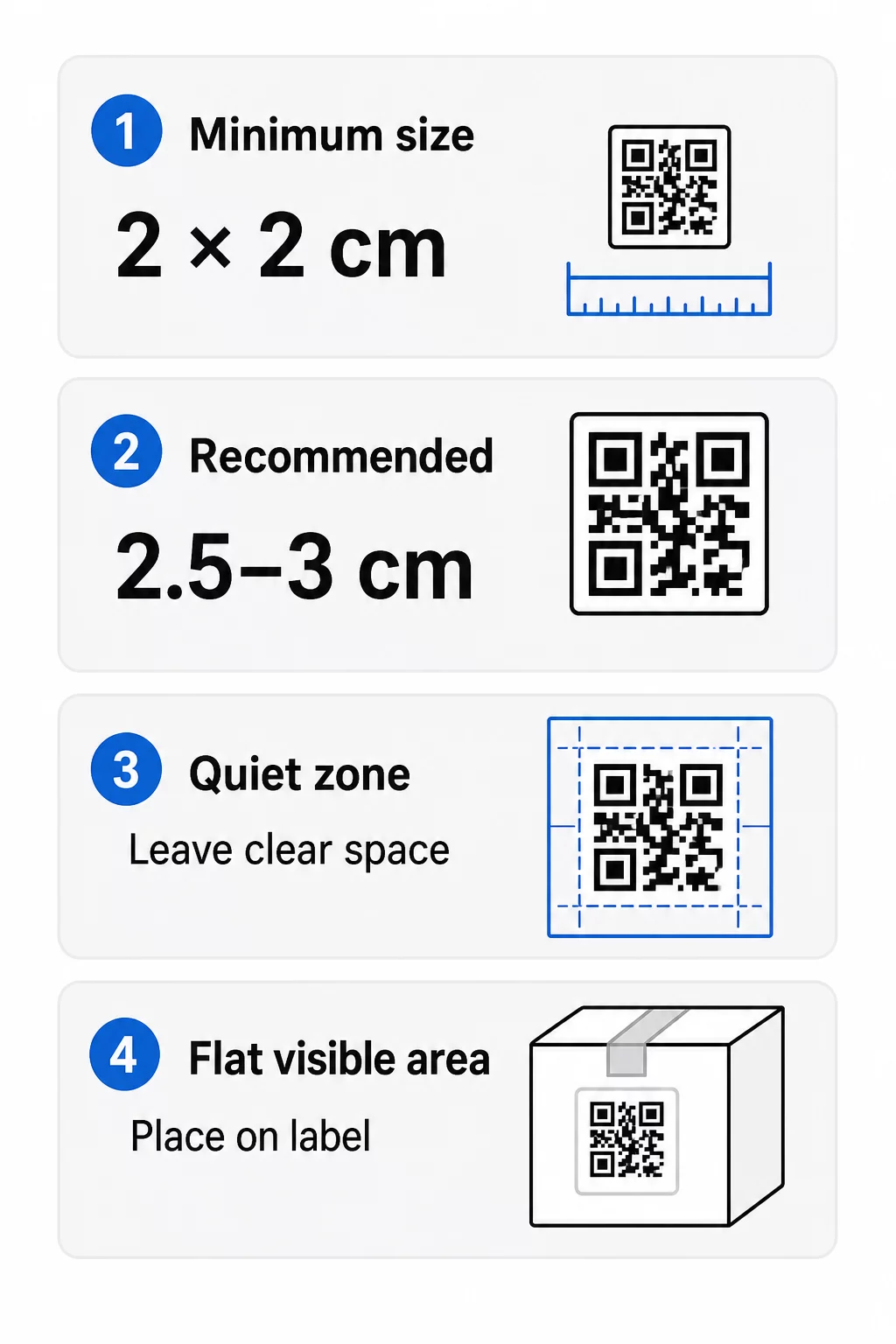
- Απόλυτο ελάχιστο: 2 x 2 cm (0.8 x 0.8 ίντσες) για έναν κωδικό που σαρώνεται σε απόσταση ενός χεριού.
- Συνιστάται για συσκευασίες προϊόντων: 2.5 έως 3 cm ανά πλευρά.
- Κανόνας απόστασης: ένα τηλέφωνο διαβάζει έναν κωδικό από περίπου 10 φορές το πλάτος του. Ένας κωδικός 3 cm σαρώνεται από περίπου 30 cm (12 ίντσες)· ένας κωδικός 10 cm από περίπου 1 m.
- Οι πυκνοί κωδικοί χρειάζονται περισσότερο χώρο: μια μεγάλη διεύθυνση URL δημιουργεί ένα πιο πυκνό μοτίβο με μικρότερα στοιχεία. Χρησιμοποιήστε έναν σύντομο σύνδεσμο ή έναν δυναμικό κωδικό, για να διατηρήσετε το μοτίβο απλό.
Εάν προσθέσετε ένα λογότυπο, αυξήστε το μέγεθος κατά 20 έως 30 τοις εκατό. Εάν χρησιμοποιήσετε προσαρμοσμένα χρώματα, προσθέστε 10 έως 15 τοις εκατό. Αντιμετωπίστε αυτά ως σημεία εκκίνησης και επιβεβαιώστε με μια δοκιμαστική εκτύπωση. Για διαφορετικά υλικά εκτύπωσης, δείτε τις οδηγό μεγέθους κωδικών QR για έντυπα υλικά.
Τοποθέτηση: Πού να βάλετε τον κωδικό στην ετικέτα
- Τοποθετήστε τον κωδικό σε μια επίπεδη επιφάνεια, όχι πάνω από πτυχώσεις, ραφές, άκρες ή διατρήσεις.
- Επιλέξτε μια ορατή επιφάνεια. Η μπροστινή ή η πίσω ετικέτα είναι καλύτερη από τον πάτο της συσκευασίας.
- Χρησιμοποιήστε έναν κωδικό ανά επιφάνεια ώστε οι σαρωτές να μην μπερδεύονται.
- Διατηρήστε την ήσυχη ζώνη άδεια. Χωρίς κείμενο, περίγραμμα ή σχέδιο μέσα της.
- Προσθέστε μια σύντομη παρότρυνση για δράση δίπλα στον κωδικό, όπως «Σαρώστε για το εγχειρίδιο» ή «Σαρώστε για αναπαραγγελία».
- Μην τοποθετείτε τον κωδικό κάτω από συρρικνούμενο περιτύλιγμα, θερμοσφράγιση ή άκρη βερνικιού που δημιουργεί αντανάκλαση.
Οι καμπύλες επιφάνειες χρειάζονται ιδιαίτερη προσοχή. Σε μπουκάλια, βάζα και σωληνάρια το μοτίβο κάμπτεται μακριά από την κάμερα. Διατηρήστε τον κωδικό μικρό σε σχέση με την καμπύλη, τοποθετήστε τον στο πιο επίπεδο σημείο, και δοκιμάστε από διάφορες γωνίες. Η εκτύπωση του κωδικού σε μια επίπεδη ετικέτα που κάθεται στην καμπύλη λειτουργεί καλύτερα από την εκτύπωσή του σε ένα έντονα καμπύλο τμήμα.
Για περισσότερα σχετικά με την τοποθέτηση, διαβάστε το Οδηγό τοποθέτησης κωδικών QR για το μάρκετινγκ.
Η Ζώνη Ηρεμίας: Το Κενό Περιθώριο που Κάνει τη Σάρωση να Λειτουργεί
Κάθε κωδικός QR χρειάζεται ένα ήσυχη ζώνη: ένα κενό περιθώριο γύρω από ολόκληρο το σύμβολο. Λέει στον σαρωτή πού αρχίζει και πού τελειώνει ο κωδικός.
Η τυπική ήσυχη ζώνη είναι τουλάχιστον 4 στοιχεία πλάτος και στις τέσσερις πλευρές. Ένα στοιχείο είναι το πλάτος ενός μικρού τετραγώνου. Σε έναν τυπικό κωδικό ετικέτας αυτό είναι περίπου 4 έως 8 mm. Μην εκτυπώνετε την επωνυμία της μάρκας σας, ένα περίγραμμα ή κείμενο ετικέτας μέσα σε αυτήν. Εάν η ετικέτα εκτυπώνεται σε ένα πολυσύχναστο φόντο, τοποθετήστε τον κωδικό σε ένα συμπαγές ανοιχτό πλαίσιο.
Αντίθεση: Σκούρος Κώδικας, Ανοιχτόχρωμο Φόντο
Οι σαρωτές διαβάζουν τη διαφορά μεταξύ σκούρων στοιχείων και ενός ανοιχτού φόντου. Χωρίς επαρκή αντίθεση το μοτίβο δεν ανιχνεύεται.
- Χρησιμοποιήστε ένα σκούρο προσκήνιο σε ένα ανοιχτό φόντο. Το μαύρο σε λευκό είναι το πιο αξιόπιστο.
- Στοχεύστε σε αναλογία αντίθεσης τουλάχιστον 4:1.
- Αποφύγετε παρόμοιες αποχρώσεις για το προσκήνιο και το φόντο, όπως σκούρο πράσινο σε μεσαίο πράσινο.
- Αποφύγετε τους ανοιχτούς σε σκούρο (αντεστραμμένους) κωδικούς. Ορισμένοι σαρωτές δεν μπορούν να τους διαβάσουν, επομένως δοκιμάστε πριν τους χρησιμοποιήσετε.
- Αποφύγετε τις διαβαθμίσεις και τις σκιές πάνω από το μοτίβο.
- Αποφύγετε την εκτύπωση του κώδικα σε εξαιρετικά γυαλιστερή, ραβδωτή ή ανομοιόμορφη επιφάνεια.
Τα προσαρμοσμένα χρώματα επωνυμίας μπορούν να λειτουργήσουν εάν τα δοκιμάσετε υπό πραγματικό φωτισμό. Το οδηγός βέλτιστων πρακτικών αντίθεσης χρωμάτων κωδικών QR διαθέτει πίνακα σύγκρισης κοινών συνδυασμών.
Διόρθωση Σφαλμάτων: Ενσωματωμένη Προστασία από Ζημιές
Οι κώδικες QR έχουν τέσσερα επίπεδα διόρθωσης σφαλμάτων. Καθορίζουν πόσο μέρος του κώδικα μπορεί να υποστεί ζημιά ή να καλυφθεί και να εξακολουθεί να διαβάζεται:
| Επίπεδο | Ικανότητα Ανάκτησης | Καλύτερα για |
|---|---|---|
| L (χαμηλό) | περίπου 7% | Καθαρές επιφάνειες, χωρίς επικάλυψη λογότυπου |
| M (Μεσαίο) | περίπου 15% | Γενικές ετικέτες προϊόντων |
| Q (τεταρτημόριο) | περίπου 25% | Ετικέτες με λογότυπο ή στοιχεία επωνυμίας πάνω από τον κώδικα |
| H (Υψηλή) | περίπου 30% | Επιφάνειες με κίνδυνο γρατσουνιών ή φθοράς, ή σύνθετα σχέδια |
Για τις περισσότερες ετικέτες προϊόντων, το Επίπεδο M ή Q είναι μια καλή επιλογή. Με ένα λογότυπο στο κέντρο, χρησιμοποιήστε Q ή H. Τα υψηλότερα επίπεδα κάνουν το μοτίβο πιο πυκνό, οπότε μπορεί να χρειαστείτε ένα ελαφρώς μεγαλύτερο μέγεθος εκτύπωσης.
Ανάλυση Εκτύπωσης και Μορφές Αρχείων
- Διανυσματικά αρχεία (SVG, PDF, EPS) κλιμακώνονται σε οποιοδήποτε μέγεθος χωρίς απώλεια ευκρίνειας. Χρησιμοποιήστε τα όποτε ο εκτυπωτής ή ο σχεδιαστής ετικετών σας τα αποδέχεται.
- PNG ή JPEG: εξαγωγή στο τελικό μέγεθος εκτύπωσης στα 300 dpi. Τα 200 dpi μπορούν να λειτουργήσουν για μικρούς κωδικούς σε λείο χαρτί.
- Μην μεγεθύνετε ένα μικρό PNG για μια μεγαλύτερη ετικέτα. Οι άκρες θολώνουν και ο κώδικας ενδέχεται να σταματήσει να σαρώνεται.
- Ελέγξτε τη δοκιμαστική εκτύπωση. Η εξάπλωση του μελανιού μπορεί να γεμίσει μικρές ενότητες σε απορροφητικό χαρτί.
Τόσο το Δημιουργία QR με λογότυπο και ο γεννήτρια PNG κωδικών QR μπορούν να εξαγάγουν αρχεία για εκτύπωση. Ελέγξτε τις επιλογές λήψης στο εργαλείο για τη μορφή που χρειάζεστε.
Πρακτικές Περιπτώσεις Χρήσης για Κωδικούς QR σε Ετικέτες Προϊόντων
Επιλέξτε τον προορισμό με βάση το τι χρειάζεται ο πελάτης όταν κρατάει το προϊόν:
- Τρόφιμα και ποτά: μια σελίδα με συστατικά, αλλεργιογόνα και προέλευση, ή μια συνταγή.
- Ηλεκτρονικά και εργαλεία: ένα βίντεο εγκατάστασης, το εγχειρίδιο σε PDF και ένα έντυπο εγγύησης.
- Καλλυντικά: βήματα χρήσης και πλήρης λίστα συστατικών.
- Αναλώσιμα: μια σελίδα αναπαραγγελίας με ένα πάτημα.
- Υλικό και συσκευασία: οδηγίες ανακύκλωσης ή επιστροφής.
- Οποιοδήποτε προϊόν: μια σύντομη αίτηση αξιολόγησης ή μια έκπτωση για την επόμενη παραγγελία.
Τα περισσότερα από αυτά επωφελούνται από δυναμικοί κωδικοί QR, επειδή η σελίδα μπορεί να ενημερωθεί αφού εκτυπωθεί η ετικέτα. Για παραδείγματα ανά τομέα, δείτε λύσεις κωδικών QR ανά κλάδο. Για την αφοσίωση, τη συσκευασία και την προσέλκυση πελατών, δείτε λύσεις κωδικών QR προϊόντων.
Πάντα να δοκιμάζετε πριν από την εκτύπωση σε μεγάλη κλίμακα
Πριν από μια πλήρη εκτύπωση:
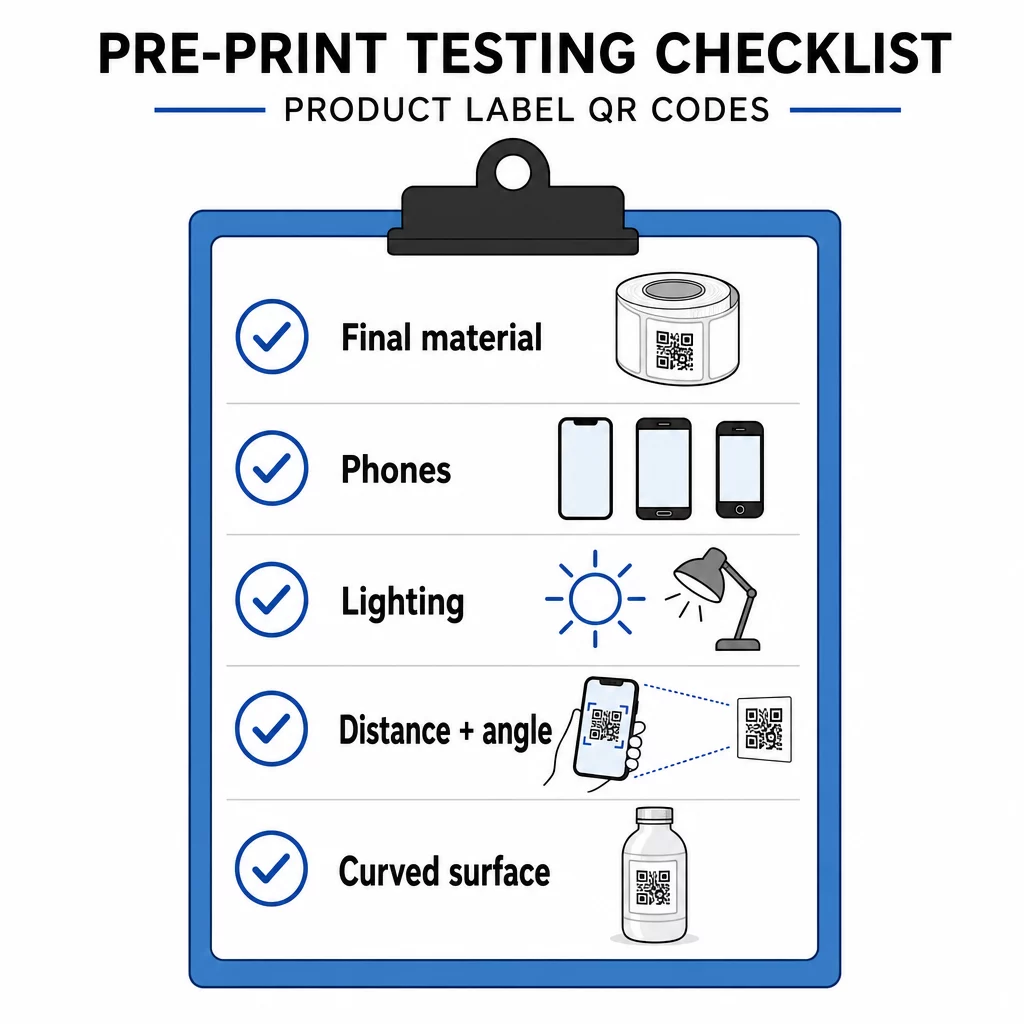
- Εκτυπώστε τον κωδικό στο τελικό του μέγεθος πάνω στο πραγματικό υλικό της ετικέτας.
- Σαρώστε με τουλάχιστον δύο ή τρία τηλέφωνα, τόσο iPhone όσο και Android.
- Σαρώστε σε έντονο φως, φως ημέρας και αμυδρό φως.
- Σαρώστε από την απόσταση και τη γωνία που θα χρησιμοποιήσει ένας πελάτης.
- Σε κυρτή επιφάνεια, σαρώστε από αριστερά, κέντρο και δεξιά.
- Ανοίξτε τον προορισμό σε ένα τηλέφωνο με δεδομένα κινητής τηλεφωνίας, όχι μόνο με Wi-Fi.
Ο κωδικός QR σε ένα προϊόν δεν σαρώνεται; Ελέγξτε αυτά
- Πολύ μικρό: μεγεθύνετε τον κωδικό ή συντομεύστε τον σύνδεσμο.
- Η ήσυχη ζώνη είναι πολύ στενή: κείμενο ή έργο τέχνης ακουμπά τον κωδικό.
- Χαμηλή αντίθεση: ανοιχτά χρώματα, διαβαθμίσεις ή ένας ανεστραμμένος κωδικός.
- Αντανάκλαση: η γυαλιστερή μεμβράνη ή το βερνίκι αντανακλά το φως. Χρησιμοποιήστε ματ φινίρισμα ή μετακινήστε τον κωδικό.
- Θολή εκτύπωση: χαμηλή ανάλυση ή εξάπλωση μελανιού. Χρησιμοποιήστε αρχείο διανυσματικών γραφικών και ελέγξτε την δοκιμαστική εκτύπωση.
- Κυρτή ή τσαλακωμένη επιφάνεια: μετακινήστε τον κωδικό σε μια πιο επίπεδη περιοχή.
- Λάθος προορισμός: ο σύνδεσμος έχει αλλάξει. Με έναν δυναμικό κωδικό, επεξεργαστείτε τον προορισμό. Με έναν στατικό κωδικό, πρέπει να επανεκτυπώσετε.
Για περισσότερους ελέγχους, δείτε το οδηγός βέλτιστων πρακτικών αναγνωσιμότητας κωδικών QR.
Συχνές ερωτήσεις
Το κοινό ελάχιστο είναι 2 x 2 cm (0.8 x 0.8 ίντσες) για κωδικούς που σκανάρονται από απόσταση χεριού. Για συσκευασίες, 2.5 έως 3 cm ανά πλευρά είναι ασφαλέστερο. Ως οδηγός, ένα τηλέφωνο διαβάζει έναν κωδικό από περίπου 10 φορές το εκτυπωμένο του πλάτος.
Επιλέξτε τον προορισμό, δημιουργήστε τον κωδικό σε μια γεννήτρια κωδικών QR, κατεβάστε ένα διανυσματικό αρχείο ή ένα PNG υψηλής ανάλυσης, προσθέστε το στο σχέδιο της ετικέτας σας με μια ήσυχη ζώνη και μια σύντομη παρότρυνση για δράση, εκτυπώστε στη συνέχεια μια δοκιμαστική ετικέτα και σαρώστε την σε πολλά τηλέφωνα πριν από την πλήρη εκτέλεση.
Μόνο με έναν δυναμικό κωδικό QR. Ένας δυναμικός κωδικός αποθηκεύει έναν σύντομο σύνδεσμο ανακατεύθυνσης, ώστε να μπορείτε να αλλάξετε τον προορισμό χωρίς να αλλάξετε τον εκτυπωμένο κωδικό. Ένας στατικός κωδικός δεν μπορεί να αλλάξει μετά την εκτύπωση.
Ένας στατικός κωδικός δεν λήγει ποτέ, επειδή ο προορισμός αποθηκεύεται στο μοτίβο. Ένας δυναμικός κωδικός λειτουργεί όσο το πρόγραμμά σας είναι ενεργό, οπότε ελέγξτε το πρόγραμμά σας πριν εκτυπώσετε ετικέτες που θα παραμείνουν σε χρήση για χρόνια.
Χρησιμοποιήστε διανυσματική μορφή: SVG, PDF ή EPS. Παραμένουν ευκρινείς σε οποιοδήποτε μέγεθος. Αν πρέπει να χρησιμοποιήσετε PNG, εξαγάγετέ το στο τελικό μέγεθος εκτύπωσης στα 300 dpi και μην το μεγεθύνετε.
Ναι. Χρησιμοποιήστε επίπεδο διόρθωσης σφαλμάτων Q ή H για ένα λογότυπο, μεγεθύνετε τον κωδικό κατά 20 έως 30 τοις εκατό, διατηρήστε ισχυρή αντίθεση μεταξύ σκούρου και ανοιχτού, και δοκιμάστε την εκτυπωμένη ετικέτα πριν από την πλήρη εκτύπωση.
Σε μια επίπεδη, ορατή περιοχή, όπως η μπροστινή ή πίσω ετικέτα, μακριά από πτυχώσεις, ραφές και άκρα, με μια κενή ήσυχη ζώνη και μια σύντομη παρότρυνση για δράση δίπλα της.