首页 > QR新闻 > How to Put QR Codes on Product Labels
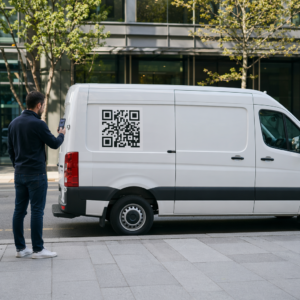
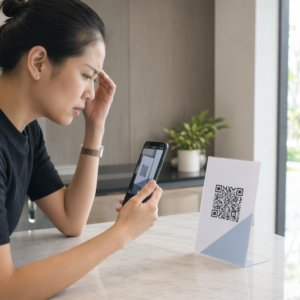
Scanning product label

How to Put QR Codes on Product Labels

Learn how to put QR codes on product labels. This guide covers sizing, placement, and contrast to ensure reliable scans and track analytics with dynamic codes.
Updated on 6 月 10, 2026
目录

Are you printing product labels without QR codes? You’re leaving a direct line to your customers – and measurable engagement data – on the table. This guide covers the practical standards for sizing, placement, contrast, and file formats so your codes scan reliably every time.

Why QR Codes Belong on Product Labels

Print marketing still works. Consumers are far more likely to remember a physical label than a digital ad, and over 60% of people report trusting print advertising more than online equivalents. The problem is that traditional product labels create a dead end – there’s no straightforward path from the package in someone’s hand to your digital channels.

QR codes solve that problem. A well-placed code on your label can take a customer directly to a product page, nutritional information, a support chat, a reorder link, or a loyalty offer. Brands like McDonald’s use them to display nutritional values. Western Digital uses them for product recycling programs. E-commerce companies like Pencils.co.uk use them to enable instant reorders.

The technology is no longer a novelty – it’s an expected feature on modern packaging. The question is how to implement it correctly so the code actually scans.

For a broader look at how QR codes fit across retail packaging strategies, the guide to QR codes on product packaging covers packaging types and customer experience considerations in detail.

Choose a Dynamic QR Code, Not a Static One

Before you finalize anything, decide which type of QR code you need. A 静态二维码 permanently encodes a destination into the pattern itself. If that URL changes, the code is useless and you must reprint.

一种 动态二维码 uses a short redirect link, so you can update the destination anytime without changing the printed code. This matters enormously for product labels because:

  • Seasonal promotions or landing pages can be swapped without a reprint run
  • You can fix broken links instantly
  • You get real-time scan analytics – time, location, and device data – for every scan

Dynamic codes are the standard for any serious product label application. You can create and manage dynamic QR codes with full analytics through Pageloot’s platform, which requires no technical experience to use.

Track Every Scan From Your Product Labels Want to see exactly where and when customers are scanning your packaging? Use the Pageloot QR码生成器 to create dynamic codes with a full real-time analytics dashboard.

Size: How Big Does the Code Need to Be?

Size is the most common reason a label QR code fails to scan. Too small, and smartphone cameras cannot resolve the individual modules (the small squares that make up the code pattern) clearly enough to decode the data.

QR label sizing

Use these as your working standards:

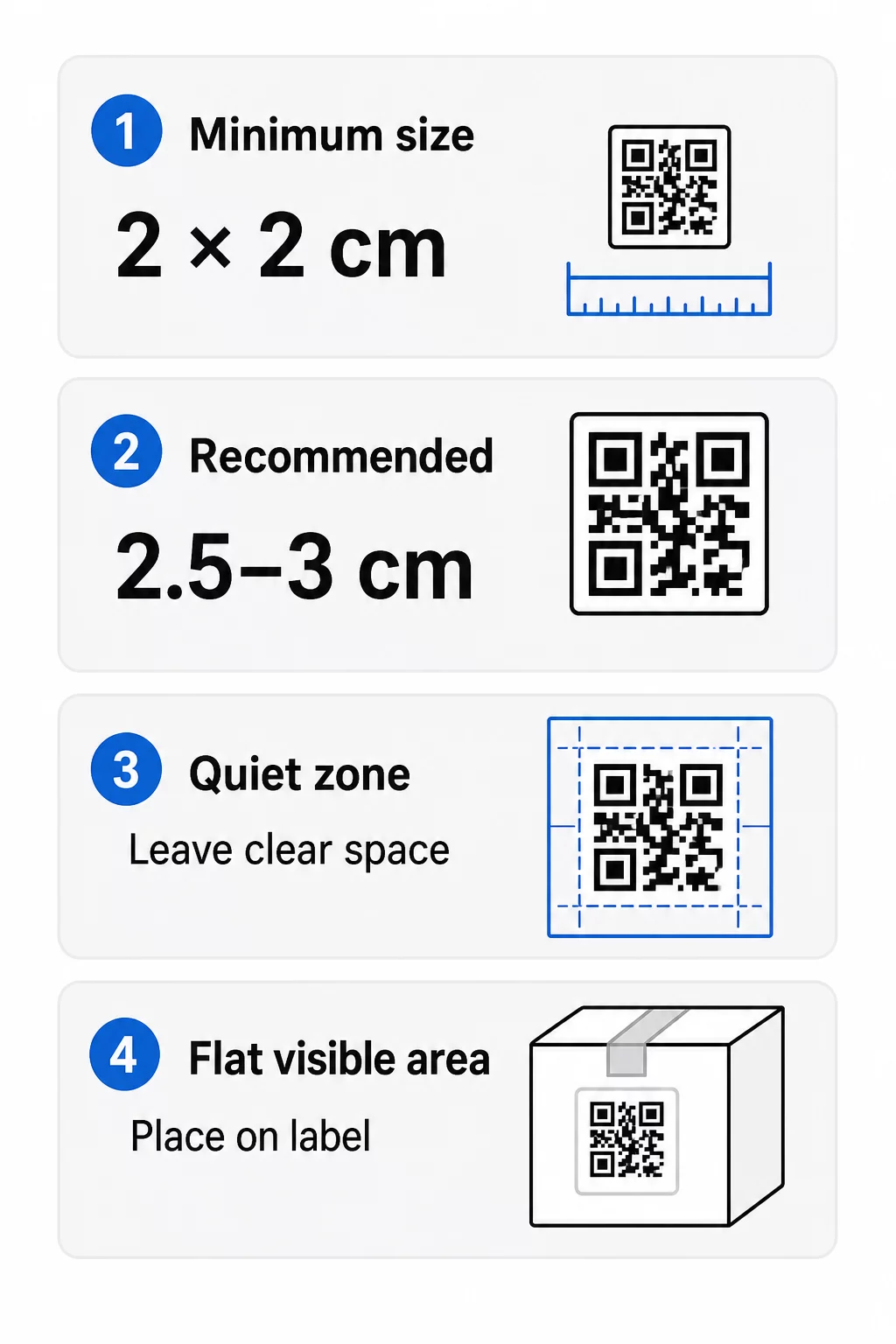
  • Absolute minimum: 2 × 2 cm (0.8 × 0.8 inches) for labels scanned at arm’s length
  • Recommended for product packaging: 2.5–3 cm per side for reliable consumer scanning
  • Distance rule: The maximum comfortable scanning distance is roughly 10× the code’s width – so a 3 cm code can be read from about 30 cm away

If you add a logo or custom branding to the code, increase its size by 20–30% to compensate for the space the logo occupies. If you use custom colors, add 10–15% to account for reduced contrast.

For a detailed breakdown of size guidelines across different print materials, see the 印刷材料的二维码尺寸指南.

Placement: Where to Put the Code on the Label

Where you position the code on your label or package determines whether customers even notice it – and whether it scans cleanly.

General placement rules:

  • Place the code on a flat area of the label or package, not across folds, seams, or edges
  • Avoid the bottom of the package; front or top panels are far more visible at point of purchase
  • Use only one code per visible panel to prevent scanner confusion
  • Leave clear space around the code – no text, graphics, or design elements should crowd the quiet zone (see below)
  • Add a short call-to-action near the code, such as “Scan for product details” or “Scan to reorder,” to tell customers what to expect

Curved surfaces require extra care. Bottles, jars, and cylindrical packaging present a specific challenge: if the code wraps too far around the curve, the scanner cannot see both edges of the symbol. As a rule, the code’s width should be no more than 30–40% of the container’s diameter. Smaller codes reduce this distortion risk, and real-world testing is essential before committing to a print run.

For a comprehensive look at placement across all marketing formats, the QR code placement guide for marketing covers surface, lighting, and positioning considerations in depth.

The Quiet Zone: The Empty Border That Makes Scanning Work

每个二维码都需要一个 静区 – a blank margin surrounding the entire symbol with no text, graphics, borders, or other printed marks inside it. This empty space tells the scanner where the code begins and ends.

The standard quiet zone is at least 4 modules wide on all sides (one module being the width of one small square in the code pattern). For a typical label code, this translates to roughly 4–8 mm of clear space. GS1 guidance additionally recommends adding a couple of extra millimeters on each side to accommodate natural printing variation.

Do not print your brand name, a decorative border, or any label text inside this zone. Any intrusion into the quiet zone will degrade scannability and can cause complete scan failures.

Contrast: Dark Code, Light Background

QR code scanners work by detecting the contrast between dark modules and light background. Without sufficient contrast, the camera cannot distinguish the pattern.

Follow these principles:

  • 使用一个 dark foreground color on a light background – black on white gives the most reliable results
  • Aim for a contrast ratio of at least 4:1; higher is better for accessibility and scan reliability
  • Avoid similar hues for foreground and background (e.g., dark green on medium green)
  • Avoid light-on-dark or inverted codes – many scanners fail to read them
  • Avoid gradients and shadows, which create mid-tones that confuse the scanner
  • Do not print the code on a reflective, highly glossy, ribbed, or uneven surface directly under the code pattern

Custom brand colors can work well, but they need to be tested under real lighting conditions before going to print. For detailed guidance on color combinations and contrast ratios, the QR code color contrast best practices guide includes a comparison table of common pairings.

Error Correction: Built-In Damage Protection

QR codes have four error correction levels that determine how much of the code can be damaged or obscured while still scanning successfully:

级别恢复能力最适合
L(低)~7%Clean surfaces, no logo overlay
M(中型)~15%General product labels
Q(四分位数)~25%Labels with logos or brand elements overlaid
H(高)~30%High-damage-risk surfaces or complex designs

For most product labels, Level M or Q is appropriate. If you are embedding a logo in the center of the code, use Level Q or H to ensure the code remains scannable despite the logo obscuring part of the pattern. Note that higher error correction increases the code’s density, which may require a slightly larger print size.

打印分辨率和文件格式

A blurry or pixelated QR code will not scan regardless of how well it is sized or placed. Print resolution matters.

  • Minimum resolution for print: 300 dpi – this is the standard for sharp, clearly readable modules on product packaging
  • Acceptable minimum: 200 dpi for small, close-range codes on smooth paper surfaces
  • File formats for packaging: Use vector formats – SVG, EPS, or PDF – whenever possible. Vector files scale to any size without losing sharpness, which is critical when a code needs to be enlarged for different packaging sizes
  • Avoid: Scaling up PNG or JPEG files for large-format packaging – pixel-based formats become blurry when enlarged and can make codes unscannable

Pageloot 的 带标志的二维码生成器 and the standard QR code PNG generator both offer downloads in print-ready vector formats (SVG, PDF, EPS), as well as high-resolution PNG for smaller applications.

Practical Use Cases for Product Label QR Codes

The right destination for your QR code depends on what your customers need at the moment they are holding your product. Common and effective uses include:

  • Customer support access: Link to a WhatsApp or live chat so customers can ask questions immediately after purchase
  • Nutritional or product information: Detailed specifications, ingredient lists, or sourcing details that won’t fit on the label itself
  • Reordering: Send customers directly to the product’s purchase page – particularly effective for consumables
  • Recycling programs: Direct customers to return or recycling instructions, as Western Digital does with old hardware
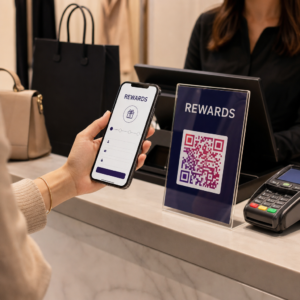
  • Loyalty and promotions: Link to a discount code, loyalty sign-up, or limited-time offer
  • Brand content: Product tutorials, brand story videos, or social media channels

Each of these use cases benefits from 动态二维码 because the destination can change as campaigns evolve without requiring a reprint.

For a broader look at how different industries apply these approaches, the QR code solutions by industry page covers retail, food packaging, manufacturing, and more. If you specifically manufacture or manage products at scale, the product QR code solutions page covers loyalty, packaging, and engagement applications in detail.

Always Test Before Printing at Scale

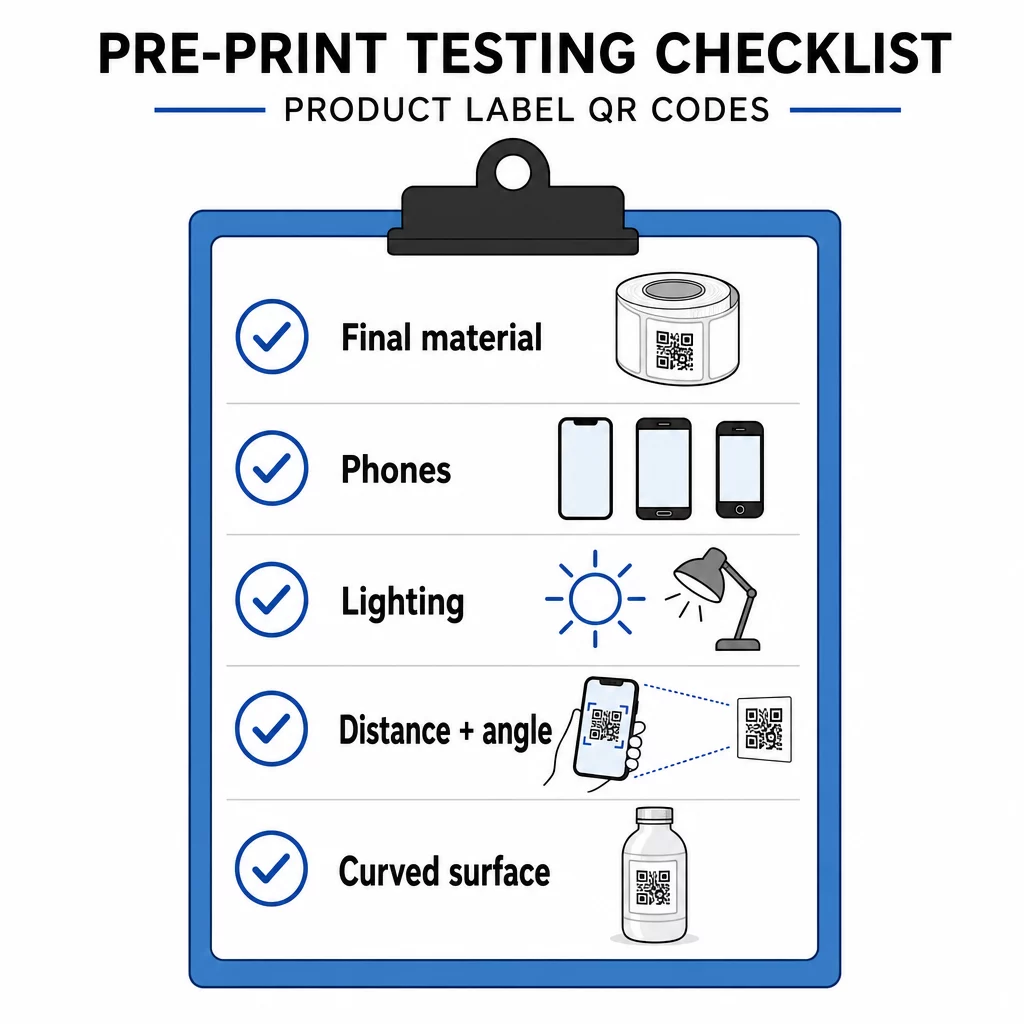
No amount of careful planning replaces real-world testing. Before committing to a full print run:

二维码测试清单
  • Print the code at its final intended size on the actual label material
  • Test with at least two or three different smartphones (both iOS and Android)
  • Scan in multiple lighting conditions – bright overhead light, natural light, dim conditions
  • Test at the expected scanning distance and angle
  • If the code is on a curved surface, test from multiple horizontal positions

A code that scans perfectly on screen but fails on the finished label due to surface gloss, ink absorption, or curvature is a costly mistake to fix after printing. For a full pre-launch checklist, the QR code readability best practices guide covers device compatibility, surface testing, and link verification in detail.

常见问题

产品标签上二维码的最小尺寸是多少?

The widely used minimum is 2 × 2 cm (0.8 × 0.8 inches) for codes scanned at arm’s length. For product packaging where consumers may be slightly farther away, 2.5–3 cm per side is a safer target. Use the 10:1 rule as a guide: the maximum comfortable scanning distance is about 10 times the code’s printed width.

Can I update a QR code on a product label without reprinting?

Yes, but only if you use a dynamic QR code. Dynamic codes encode a short redirect link rather than the final destination URL, so you can update where the code points – a new landing page, a seasonal promotion, updated product details – without changing the printed code or running a new label print job.

What file format should I use when sending a QR code to a printer?

Use a vector format: SVG, EPS, or PDF. These formats scale to any size without losing sharpness, which is essential when a QR code must appear at different sizes across packaging variants. Avoid scaling up PNG or JPEG files for large-format applications, as pixel-based formats become blurry when enlarged and can result in codes that fail to scan.

关于作者

Siim Kostabi 是 Pageloot 的内容主管,负责撰写关于我们创新型二维码生成器服务的文章。凭借五年多来在二维码领域积累的深厚专业知识,Siim 是该领域的专家。他致力于利用二维码技术简化和增强数字交互,并取得了显著的成果。.

类别
了解更多关于
手机扫描二维码
二维码常见错误
QR QR码的#1解决方案

如果您需要在线创建QR码,则可以 制作二维码 就在这里免费!
Pageloot是 #1转到解决方案 创建和扫描QR码。

QRN-013

博客生成器

受到超过 20,000 个品牌的信赖,可获得更多销售、评论和关注者。

客户徽标
受到顶级品牌的信赖
评分为 4.8(共 5)

4.86 / 5 星评级

雨果·劳伦特
雨果·劳伦特
餐馆老板
有史以来最容易和最可靠的QR码生成器。PDF文件可以立即上传。我们的餐厅菜单现在是数字化的。
卢卡斯-詹森
卢卡斯-詹森
房地产开发商
这是一个很好的工具,二维码带你到你想要的地方。我们只使用位置二维码,但有许多有用的功能。
艾玛-莫雷蒂
艾玛-莫雷蒂
零售产品
易于使用和快速。它工作得很好,创造了一个完美的图像,所以员工可以下载我的vCard。
雨果·劳伦特
雨果·劳伦特
餐馆老板
有史以来最容易和最可靠的QR码生成器。PDF文件可以立即上传。我们的餐厅菜单现在是数字化的。
卢卡斯-詹森
卢卡斯-詹森
房地产开发商
这是一个很好的工具,二维码带你到你想要的地方。我们只使用位置二维码,但有许多有用的功能。
艾玛-莫雷蒂
艾玛-莫雷蒂
零售产品
易于使用和快速。它工作得很好,创造了一个完美的图像,所以员工可以下载我的vCard。
查看更多QR码
设计师制作 Canva 二维码
二维码坎瓦
将一切转化为数字体验 不到3分钟。

免费试用 14 天。

无需信用卡。

首次购买可享受 30% 折扣

使用代码:

分享您的 MP3 文件

注册以创建 PDF QR 码

上传和显示你需要的一切。

  • 音频文件
  • 播客
  • 音乐

注册即可享 14 天免费试用。.
试用期结束后,二维码将失效。.

注册以创建音频 mp3 二维码

使用边框获得更多扫描

注册以向您的二维码添加更多框架

呼叫行动框架帮助您的客户与QR码轻松互动。试试吧!

注册即可享 14 天免费试用。.
试用期结束后,二维码将失效。.

注册以向您的二维码添加更多框架

使用形状添加更多样式

注册以创建更多形状

二维码不一定是方形的。试着改变它以适应你的品牌形象。

注册即可享 14 天免费试用。.
试用期结束后,二维码将失效。.

注册以创建更多形状

为您的二维码添加徽标

注册以将您的徽标添加到二维码中

通过在二维码上添加你的标志和品牌,使你的二维码脱颖而出。

注册即可享 14 天免费试用。.
试用期结束后,二维码将失效。.

注册以将您的徽标添加到二维码中

智能应用商店重定向

注册以创建应用商店二维码

将您的应用程序链接添加到我们的智能应用程序商店QR码。用户会根据他们的设备被重新定向。

注册即可享 14 天免费试用。.
试用期结束后,二维码将失效。.

注册以创建应用商店二维码

将图片上传到二维码

注册以创建图像二维码

轻松分享你的图像。在几秒钟内动态地改变任何图像。

注册即可享 14 天免费试用。.
试用期结束后,二维码将失效。.

注册以创建图像二维码

分享您的 PDF 文件

注册以创建 PDF QR 码

上传和显示你需要的一切。

  • 菜单和价格表
  • 使用说明
  • 任何文件

注册即可享 14 天免费试用。.
试用期结束后,二维码将失效。.

注册以创建 PDF QR 码

稍后编辑,无需打印

注册即可编辑您的二维码,无需再次打印

动态QR码让你改变你的QR码的内容,而不需要打印新的QR码。

注册即可享 14 天免费试用。.
试用期结束后,二维码将失效。.

注册即可编辑您的二维码,无需再次打印

何时?何地?追踪您的二维码扫描

注册以追踪您的二维码

发现你的哪些二维码收到了最多的扫描,以及什么最能让你的客户兴奋。

注册即可享 14 天免费试用。.
试用期结束后,二维码将失效。.

注册以追踪您的二维码

提供可打印文件

注册以创建 PDF 和 SVG 等矢量二维码

.EPS, .PDF, .SVG

想下载高清分辨率的QR码吗?获得矢量或像素格式,可随时打印。

注册即可享 14 天免费试用。.
试用期结束后,二维码将失效。.

注册以创建 PDF 和 SVG 等矢量二维码

请等待。您的二维码是 正在加载... 正在加载...

打造专属

注册以保存您的二维码以供日后使用

通过创建具有不同颜色、标识和行动呼吁框架的出色的QR码,获得更多的扫描。

注册即可享 14 天免费试用。.
试用期结束后,二维码将失效。.

注册以保存您的二维码以供日后使用