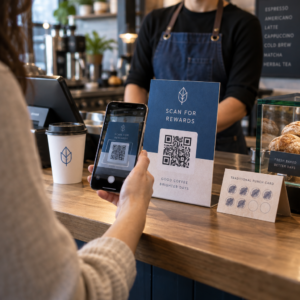
Najlepsze praktyki umieszczania kodów QR sprowadzają się do pięciu zasad. Wydrukuj kod o wymiarach co najmniej 2 x 2 cm (0.8 x 0.8 cala), zachowaj cichą strefę czterech modułów z każdej strony, używaj ciemnych modułów na jasnym tle, umieść go na płaskiej, matowej powierzchni na wygodnej wysokości i dodaj krótkie wezwanie do działania obok niego. Przetestuj każdy wydrukowany egzemplarz za pomocą co najmniej dwóch telefonów przed pełnym nakładem.
Ten przewodnik obejmuje zasady projektowania kodów QR i wytyczne dotyczące rozmiaru, kontrastu i powierzchni, gdzie umieścić kod na każdym typie materiału, jak reklamować się za pomocą kodów QR oraz czego potrzebuje strona docelowa, do której prowadzi kod.
Najlepsze praktyki dotyczące kodów QR w skrócie
- Rozmiar: co najmniej 2 x 2 cm (0.8 x 0.8 cala) dla przedmiotów trzymanych w ręku. Na odległość, użyj 1 cala szerokości kodu na każde 10 cali odległości skanowania.
- Strefa ciszy: pusty margines co najmniej czterech modułów ze wszystkich czterech stron. Żadnego tekstu, linii ani znaczników cięcia w jego obrębie.
- Kontrast: ciemny kod na jasnym tle. Nigdy go nie odwracaj ani nie używaj jasnego kodu na ciemnym tle, chyba że przetestowałeś to na kilku telefonach.
- Powierzchnia: płaska i matowa. Unikaj zagnieceń, szwów, krzywizn, odblasków i błyszczącego laminatu.
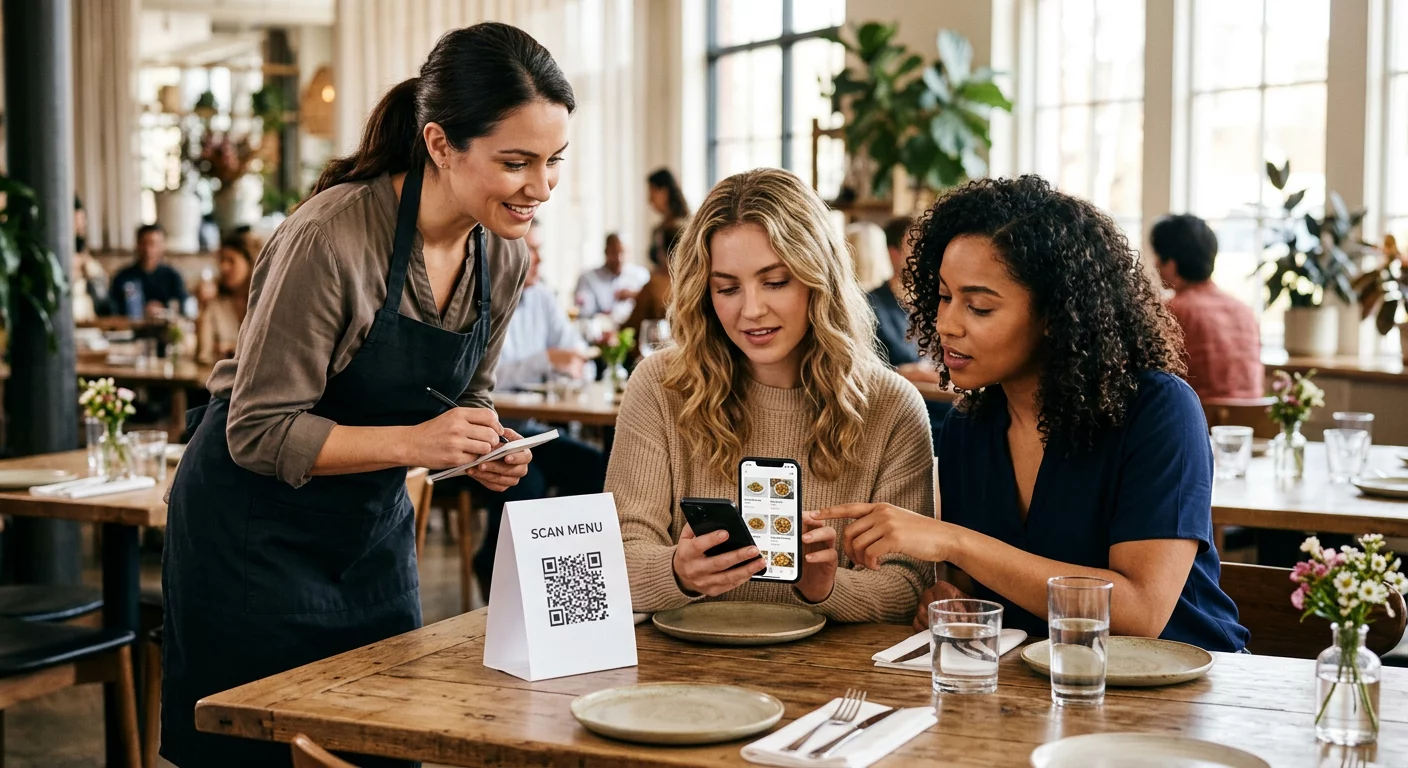
- Wezwanie do działania: powiedz ludziom, dlaczego mają skanować, na przykład „Zeskanuj, aby zobaczyć menu”.
- Cel: strona przyjazna dla urządzeń mobilnych, która szybko się ładuje i odpowiada temu, co obiecuje wezwanie do działania.
- Testowanie: zeskanuj ostateczny dowód na iPhonie i telefonie z Androidem, w świetle, w którym kod będzie używany.
Standardy techniczne dotyczące rozmiaru i odległości oglądania
Kod QR, który jest zbyt mały lub niewyraźny, nie zostanie zeskanowany. W przypadku materiałów trzymanych w ręku na bliską odległość, praktyczny minimalny rozmiar to 2 x 2 cm (0.8 x 0.8 cala). W przypadku większych materiałów oglądanych z drugiego końca pokoju lub ulicy, zastosuj zasadę 10:1: zezwól na co najmniej 1 cal szerokości kodu na każde 10 cali odległości skanowania. Plakat, który ludzie czytają z odległości 5 stóp, potrzebuje kodu o szerokości co najmniej 6 cali.
Do druku komercyjnego eksportuj grafikę jako plik wektorowy, np. SVG, EPS lub PDF. Pliki wektorowe zachowują ostrość w każdym rozmiarze, podczas gdy obrazy rastrowe rozmywają się po powiększeniu. Jeśli musisz użyć obrazu rastrowego, takiego jak PNG, wyeksportuj go w rozmiarze wystarczająco dużym dla 300 DPI w końcowym rozmiarze wydruku. Przeczytaj nasz przewodniku po rozmiarach kodów QR aby sprawdzić właściwe wymiary dla każdego formatu.
| Typ umieszczenia | Zalecany rozmiar | Odległość oglądania | Poziom korekcji błędów |
|---|---|---|---|
| Wizytówki | 2 x 2 cm (0,8 x 0,8 cala) | Do ręki (poniżej 30 cm) | Poziom L lub M |
| Ulotki i broszury | 3 x 3 cm (1,2 x 1,2 cala) | Na długość ramienia (30-60 cm) | Poziom M |
| Opakowania produktów | 3 x 3 cm (1,2 x 1,2 cala) | Do ręki (30-60 cm) | Poziom Q lub H |
| Plakaty i wyświetlacze | 10 x 10 cm (4 x 4 cale) | Odległość spacerowa (90 cm – 2 m) | Poziom M |
| Billboardy i banery | 40 x 40 cm (16 x 16 cali) lub większy | Długi dystans (ponad 4,5 m) | Poziom H |
Korekcja błędów pozwala skanerowi odczytać kod nawet wtedy, gdy jego część jest uszkodzona lub zakryta. Poziom L odzyskuje około 7% danych, M około 15%, Q około 25%, a H około 30%. Wyższe poziomy sprawiają, że wzór jest gęstszy, więc kod z długim adresem URL na poziomie H wymaga większego rozmiaru wydruku, aby pozostać czytelnym.
Zasady projektowania kodów QR: kontrast, strefy ciszy i wybór powierzchni
Skanery odczytują kod QR, wykrywając różnicę między ciemnymi modułami a jasną przestrzenią wokół nich. Czarne moduły na białym tle to najbezpieczniejszy wybór. Kolory marki działają, jeśli ciemne moduły pozostają wyraźnie ciemniejsze niż tło. Sprawdź wynik, konwertując swój projekt na skalę szarości: jeśli kod wygląda na wyblakły, aparat w telefonie również będzie miał problemy.
- Zachowaj ciemniejszy pierwszy plan niż tło. Kody jasne na ciemnym tle (odwrócone) nie działają w wielu starszych aplikacjach skanujących.
- Nie używaj czerwieni na ciemnym tle ani dwóch kolorów o podobnej jasności.
- Pozostaw strefę ciszy o szerokości co najmniej czterech modułów z każdej strony. Tekst, obramowania, zdjęcia i linie kadrowania wewnątrz tego marginesu mogą uniemożliwić skanowanie.
- Nie rozciągaj kodu. Zachowaj jego idealnie kwadratowy kształt.
- Unikaj błyszczącego laminatu, błyszczącej folii i szkła, które odbijają światło. Użyj papieru matowego lub matowej laminacji.
- Jeśli dodajesz logo, zachowaj je małe i wyśrodkowane, i użyj wyższego poziomu korekcji błędów.
Wiele nieudanych skanów wynika z kilku powtarzających się błędów. Unikaj tych częste błędy w umieszczaniu kodów QR zanim wydrukujesz.
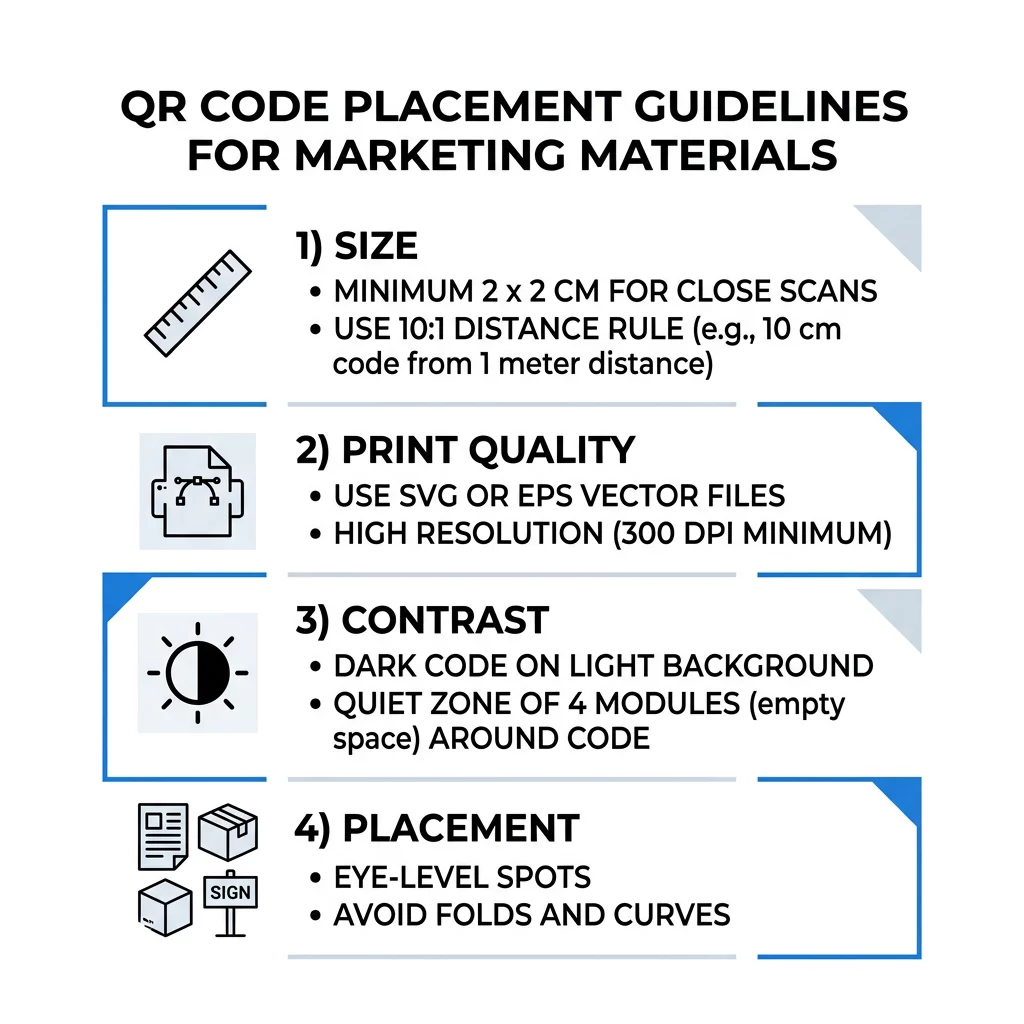
Najlepsze praktyki umieszczania kodów QR w różnych formatach druku i wyświetlania
Umiejscowienie decyduje o tym, czy ludzie w ogóle zauważą kod. Umieść go tam, gdzie ludzie już patrzą i gdzie mogą stabilnie trzymać telefon. Dodaj obok krótką instrukcję, ponieważ ludzie nie skanują tego, czego nie rozumieją.
Ulotki, Broszury i Poczta Bezpośrednia
Umieść kod tam, gdzie czytelnik kończy czytać, na przykład w prawym dolnym rogu lub na ostatnim panelu:
- Umieść Kody QR na ulotkach obok głównej oferty i trzymaj je z dala od przyciętych krawędzi papieru.
- Umieść Kody QR na broszurach wewnątrz jednego panelu. Nie umieszczaj kodu na zgięciu lub fałdzie, ponieważ wzór się wygina i łamie.
- W przypadku poczty bezpośredniej, trzymaj kod poza oznaczeniem pocztowym i strefą wolną od kodów kreskowych wymaganą przez Twoją usługę pocztową. Sprawdź zasady u swojego dostawcy usług pocztowych.
Opakowania Produktów i Etykiety
Opakowanie dociera do ludzi po zakupie, co sprzyja filmom instruktażowym, rejestracji gwarancji i ofertom ponownego zamówienia:
- Umieść kody QR na opakowaniach produktów na płaskim panelu, a nie na zaokrąglonym rogu ani wąskiej szyjce.
- Użyj poziomu korekcji błędów Q lub H, aby kod nadal był czytelny po zadrapaniach, zawilgoceniu lub użytkowaniu.
- Trzymaj kod z dala od pasków do odrywania, szwów i naklejek z ceną, które mogłyby go częściowo zakryć.
- Na butelkach i puszkach, trzymaj kod wystarczająco mały, aby zmieścił się na najbardziej płaskiej części. Kod, który zbyt mocno owija się wokół krzywizny, nie będzie skanowalny.
Plakaty, witryny sklepowe i ekrany publiczne
Znaki muszą działać dla ludzi, którzy idą lub stoją kilka metrów dalej:
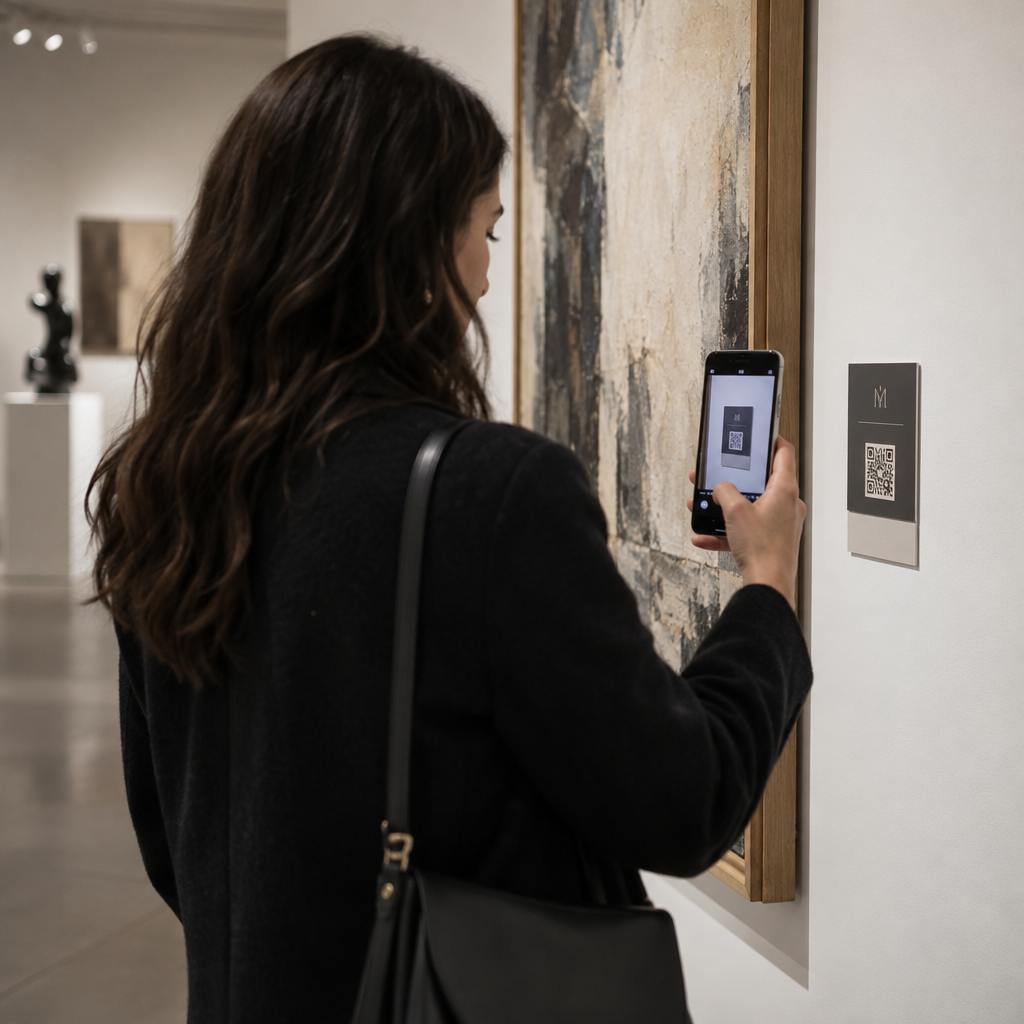
- Umieść Kody QR na plakatach na wysokości wzroku, około 3,5 do 5,5 stopy od ziemi, aby nikt nie musiał się pochylać ani sięgać.
- Trzymaj Kody QR na wyświetlaczach i ekranach na ekranie wystarczająco długo, aby można go było zeskanować. Dziesięć sekund to bezpieczne minimum, a statyczny kod, który pozostaje widoczny, jest lepszy niż ten w ruchomej animacji.
- Przestrzegaj podstaw używania kodów QR w mediach drukowanych i wyświetlaj jeden kod na znak, aby aparat nie musiał wybierać.
- Nie umieszczaj kodów tam, gdzie ludzie nie mogą się zatrzymać, np. na jadącym pojeździe, wysokim bilbordzie lub oknie daleko od chodnika.
Jak reklamować się za pomocą kodów QR
Aby reklamować się za pomocą kodów QR, traktuj każdy kod jako krótką reklamę z jednym celem. Wybierz miejsce, napisz wezwanie do działania, skieruj ludzi na jedną konkretną stronę i zmierz wynik. Zastosuj ten proces:
- Wybierz jeden cel dla każdego kodu, np. kupon, menu, recenzję lub stronę produktu.
- Wygeneruj kod z już ustawionym miejscem docelowym. Nie wysyłaj ludzi na stronę główną, jeśli obiecałeś kupon.
- Umieść go, stosując powyższe zasady dotyczące rozmiaru i powierzchni, i dodaj wezwanie do działania z korzyścią, na przykład “Zeskanuj, aby otrzymać 15% zniżki na pierwsze zamówienie”.
- Użyj innego kodu dla każdego miejsca (ulotka, okno, opakowanie), aby móc sprawdzić, który działa.
- Wydrukuj jeden egzemplarz próbny, zeskanuj go dwoma telefonami, a dopiero potem zamów cały nakład.
- Sprawdź liczbę skanów po tygodniu lub dwóch i przenieś budżet do miejsc, które generują skany.
Dobre miejsca do reklamowania się za pomocą kodów QR to witryny sklepowe, stojaki na stoły, paragony, pudełka dostawcze, tablice informacyjne na wydarzeniach, stoiska targowe i mailing bezpośredni. Słabe miejsca to wszystko, co się porusza, wszystko, co znajduje się powyżej poziomu wzroku, i każde miejsce bez sygnału komórkowego.
Zwiększanie liczby skanów za pomocą ramek z wezwaniem do działania
Kod bez kontekstu nie daje ludziom powodu do wyjęcia telefonu. Umieść obok niego krótkie wezwanie do działania. Przykłady, które działają: “Zeskanuj, aby zobaczyć menu”, “Zeskanuj, aby zarezerwować stolik”, “Zeskanuj, aby otrzymać 15% zniżki”, “Zeskanuj, aby zostawić opinię”. Umieść tekst bezpośrednio nad lub pod kodem, w rozmiarze, który ludzie mogą odczytać z tej samej odległości co kod.
Logo na środku może pomóc ludziom zaufać kodowi. Użyj Generator kodów QR z logo, zachowaj małe logo i ponownie przetestuj kod po jego dodaniu. Wydrukowanie krótkiego adresu internetowego pod kodem daje ludziom, którzy nie mogą skanować, możliwość wpisania go ręcznie.
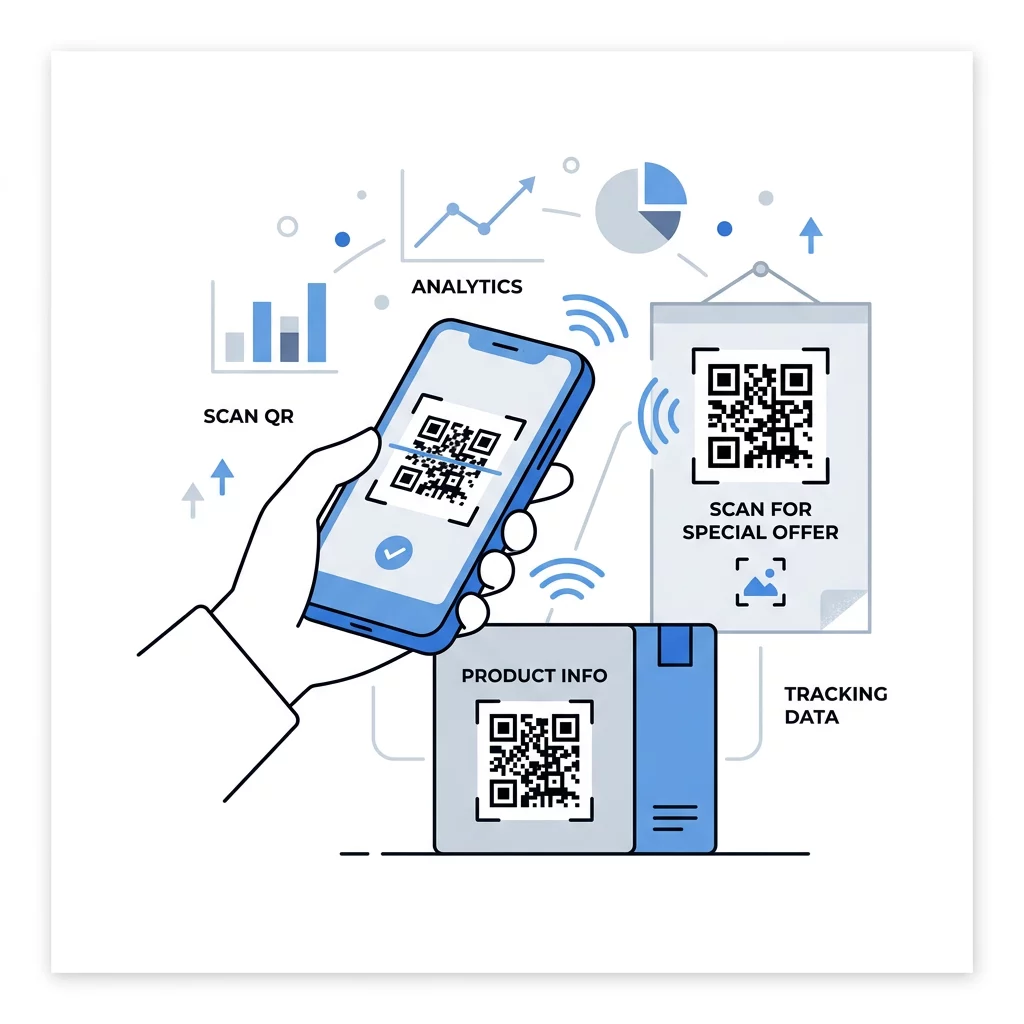
Najlepsze praktyki dla stron docelowych kodów QR
Większość ludzi skanuje telefonem, jedną ręką, często korzystając z danych mobilnych. Strona, do której prowadzi kod, decyduje, czy skanujący stanie się klientem. Postępuj zgodnie z tymi najlepszymi praktykami dla stron docelowych kodów QR:
- Projektuj przede wszystkim z myślą o ekranie telefonu. Używaj dużego tekstu i dużych przycisków.
- Spraw, aby strona ładowała się szybko. Używaj małych obrazów i unikaj ciężkich wyskakujących okienek lub automatycznie odtwarzających się filmów.
- Dopasuj wezwanie do działania. Jeśli znak mówi „Zeskanuj, aby otrzymać 15% zniżki”, pokaż zniżkę na pierwszym ekranie.
- Umieść jedno główne działanie powyżej linii zgięcia, takie jak jeden przycisk dla kuponu, rezerwacji lub połączenia.
- Utrzymuj krótkie formularze. Poproś o adres e-mail lub numer telefonu, a nie pełny profil.
- Używaj https i upewnij się, że strona działa bez logowania.
- Przetestuj to zarówno na iPhone'ach, jak i Androidzie, przy użyciu danych mobilnych, a nie tylko na biurowym Wi-Fi.
Śledzenie zaangażowania za pomocą technologii dynamicznej
Statyczny kod QR przechowuje adres internetowy w swoim wzorcu. Nigdy nie wygasa i działa bez żadnych usług, co jest wystarczające dla stałego linku, takiego jak logowanie do Wi-Fi lub wizytówka. Ograniczeniem jest to, że nie możesz zmienić adresu po wydrukowaniu. Jeśli strona zostanie przeniesiona lub oferta zakończy się, każdy wydrukowany kod wskazuje na starą stronę.
Dynamiczny kod QR wskazuje na krótki link, który możesz przekierować w dowolnym momencie, dzięki czemu wydrukowany kod pozostaje ten sam, podczas gdy miejsce docelowe się zmienia. Rejestruje również skany, w tym kiedy, gdzie i na jakim typie urządzenia. Pomaga to porównać ulotkę z reklamą okienną i eliminuje koszty ponownego druku, gdy kampania się zmienia. Krótki link daje również prostszy, mniej gęsty wzorzec, który łatwiej skanuje się w małych rozmiarach.
Kody dynamiczne Pageloot są objęte 14-dniowym bezpłatnym okresem próbnym i 30-dniową gwarancją zwrotu pieniędzy na plany, a plany można zobaczyć pod adresem pageloot.com/pricing. Kod dynamiczny w planie miesięcznym lub rocznym staje się nieaktywny po zakończeniu planu, więc wybierz kody dynamiczne dla kampanii, które planujesz kontynuować.
Śledź skuteczność kampanii Chcesz sprawdzić, które materiały generują najwięcej skanów? Użyj Generator dynamicznych kodów QR aby tworzyć edytowalne kody, przeglądać analizy skanów i aktualizować adresy URL docelowe bez ponownego drukowania.
Podsumowując: wybierz rozmiar, który pasuje do odległości oglądania, zachowaj czystą strefę ciszy, użyj wysokiego kontrastu, umieść kod na płaskiej powierzchni na wysokości wzroku i napisz wezwanie do działania. Następnie przetestuj wydrukowaną próbę przed pełnym nakładem. Możesz stworzyć i pobrać swój kod za pomocą Darmowy generator kodów QR na Pageloot.
Najczęściej zadawane pytania
Umieść kod na płaskiej, matowej powierzchni na wygodnej wysokości, minimum 2 x 2 cm dla przedmiotów trzymanych w ręku, z cichą strefą czterech modułów z każdej strony. Umieść go tam, gdzie ludzie już patrzą, np. na końcu ulotki lub w centrum plakatu, i dodaj obok niego krótkie wezwanie do działania.
Używaj ciemnych modułów na jasnym tle, utrzymuj kod kwadratowy i nierozciągnięty, zostaw strefę ciszy o szerokości co najmniej czterech modułów, a wszelkie logo utrzymuj małe i wyśrodkowane. Nie drukuj na błyszczących ani zakrzywionych powierzchniach i przetestuj wydrukowaną próbkę na więcej niż jednym telefonie.
Praktyczne minimum dla materiałów trzymanych w ręku, takich jak wizytówki, wynosi 2 x 2 cm (0.8 x 0.8 cala). Dla materiałów oglądanych z odległości, zastosuj zasadę 10:1: 1 cal szerokości kodu na każde 10 cali odległości skanowania.
Przypisz każdemu kodowi jeden cel, skieruj go na konkretną stronę, która odpowiada Twojemu wezwaniu do działania, i umieść go na płaskiej powierzchni na wysokości wzroku. Użyj oddzielnego kodu dla każdego miejsca umieszczenia i porównaj liczbę skanów po jednym do dwóch tygodni.
Strona, która szybko ładuje się na telefonie, pokazuje obiecaną ofertę na pierwszym ekranie, ma jedno wyraźne działanie i nie wymaga logowania. Przetestuj ją na iPhonie i Androidzie przez dane mobilne.
Tak, ale zachowaj mały kod i umieść go na najbardziej płaskiej części powierzchni. Jeśli kod owinie się zbyt daleko wokół krzywizny, wzór ulegnie zniekształceniu, a kamera nie będzie w stanie go w całości odczytać.
Użyj dynamicznego kodu QR. Wydrukowany wzór pozostaje taki sam, a miejsce docelowe zmieniasz na swoim koncie. Statycznego kodu QR nie można zmienić po wydrukowaniu.
Najczęstsze przyczyny to zbyt mały kod, brak strefy ciszy, niski kontrast, błyszcząca lub zakrzywiona powierzchnia oraz rozmyty plik o niskiej rozdzielczości. Wydrukuj większą kopię testową i sprawdź te punkty w tej kolejności.