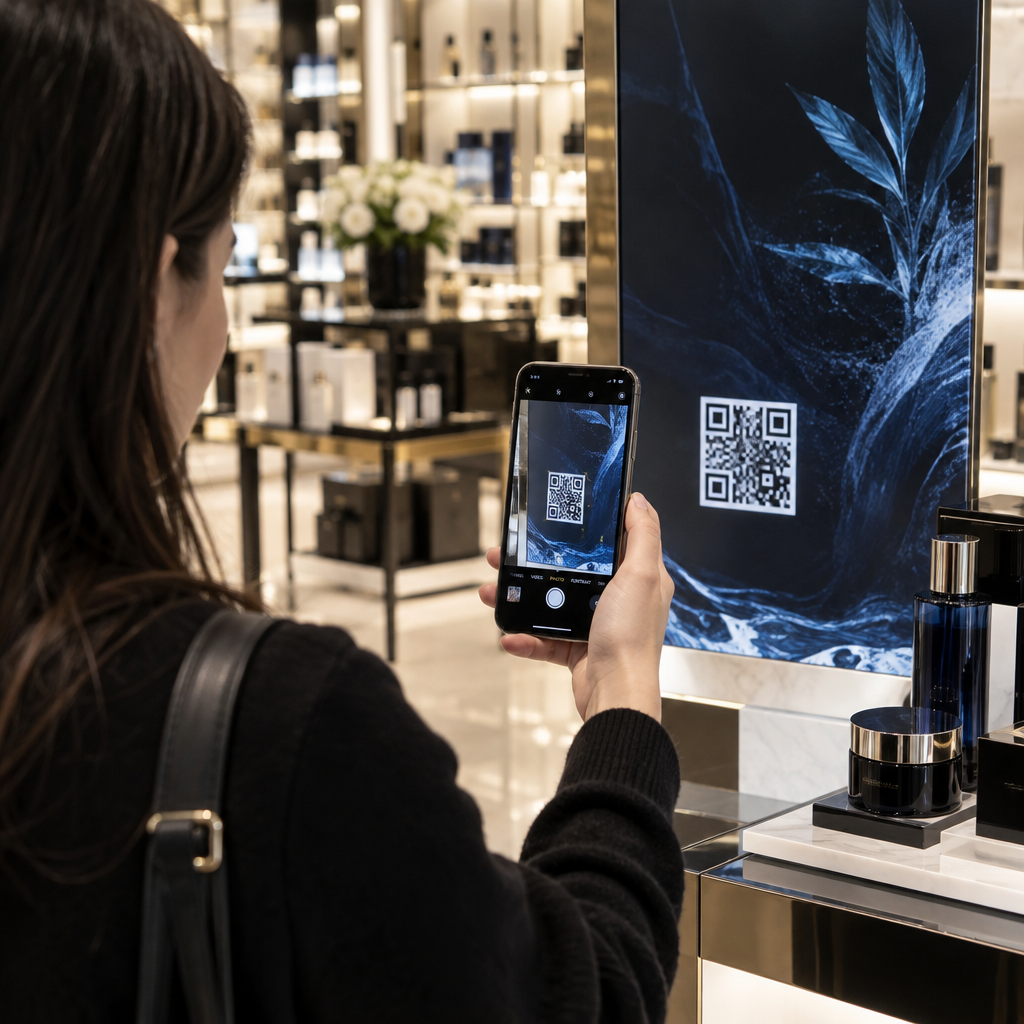
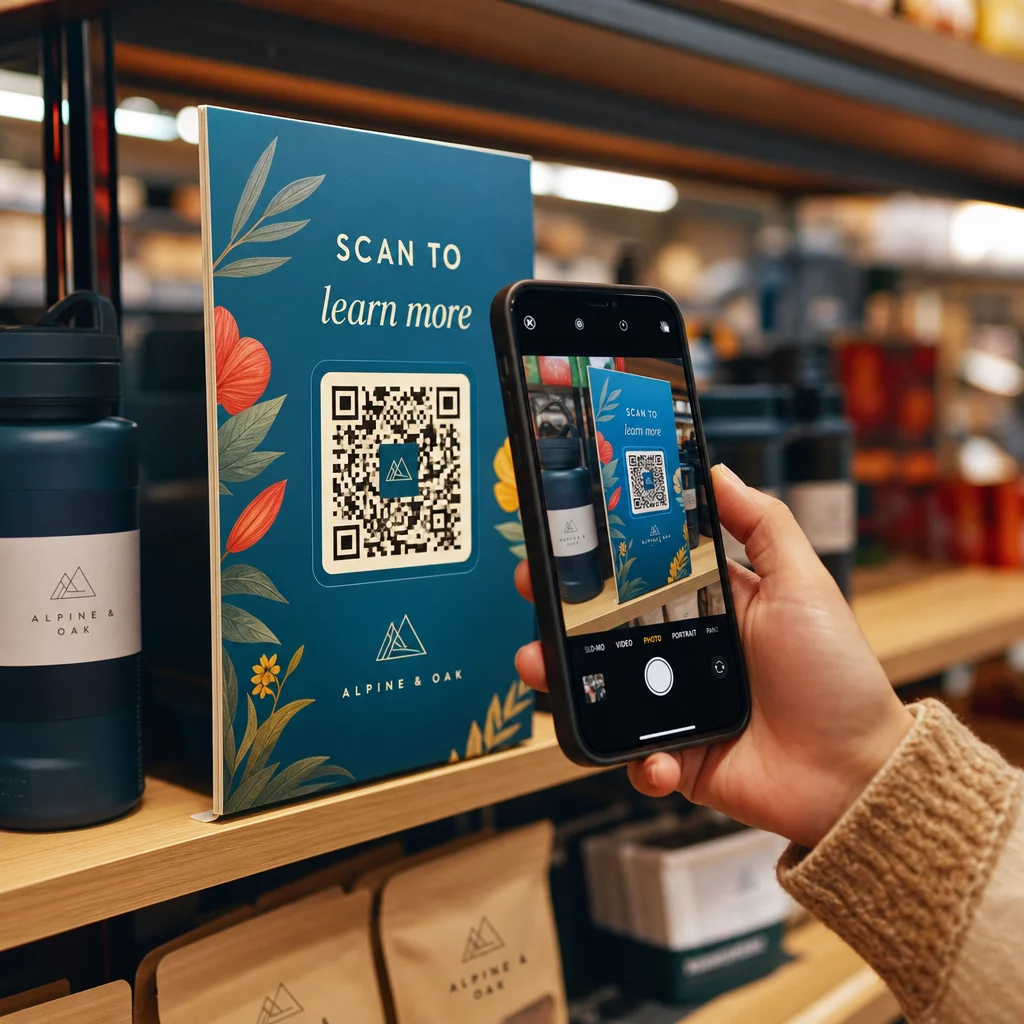
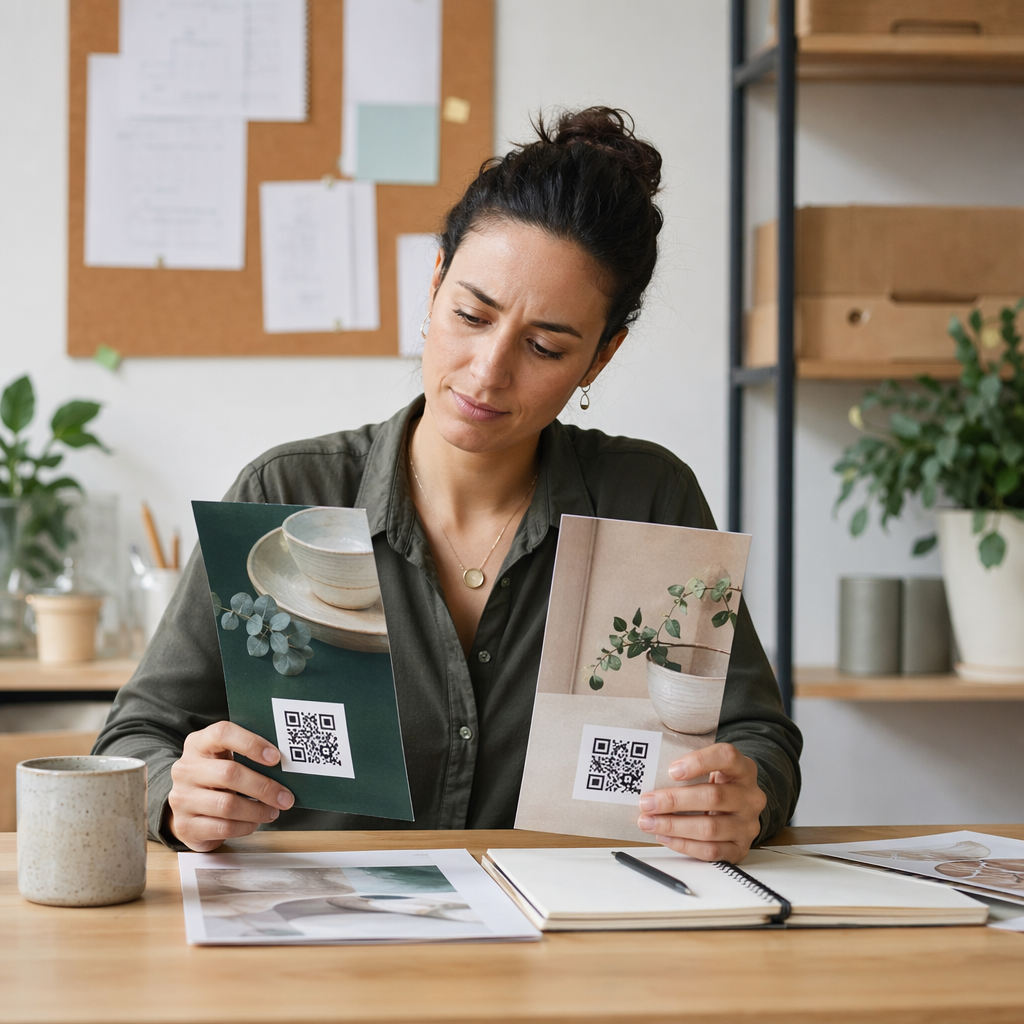
Label kod QR membolehkan pelanggan beralih daripada pembungkusan di tangan mereka ke halaman produk, manual, pautan tempahan semula atau sembang sokongan dalam satu imbasan. Panduan ini menunjukkan cara membuat label produk QR yang boleh diimbas pada cubaan pertama: jenis kod yang hendak digunakan, saiz cetakan, tempat letak, dan apa yang perlu diuji sebelum cetakan penuh.
Kod QR pada Label Produk: Jawapan Ringkas
- Saiz: cetak kod sekurang-kurangnya 2 x 2 cm (0.8 x 0.8 inci). Gunakan 2.5 hingga 3 cm jika pelanggan mengimbas dari rak atau kaunter.
- Zon senyap: simpan sempadan kosong sekurang-kurangnya 4 modul (kira-kira 4 hingga 8 mm pada label) di keempat-empat sisi.
- Warna: kod gelap pada latar belakang cerah. Hitam atas putih adalah yang paling selamat.
- Resolusi: gunakan fail vektor (SVG, PDF atau EPS) untuk cetakan. Jika anda menggunakan PNG, eksport pada saiz cetakan akhir pada 300 dpi.
- Jenis: gunakan kod statik untuk pautan yang tidak akan berubah. Gunakan kod dinamik jika destinasi mungkin berubah atau anda mahukan statistik imbasan.
- Ujian: cetak satu pada bahan label sebenar dan imbasnya dengan dua atau tiga telefon sebelum anda membuat pesanan penuh.
Mengapa Kod QR Perlu Ada pada Label Produk
Label bercetak mempunyai ruang terhad dan tidak boleh dikemas kini selepas dicetak. Kod QR menambah lebih banyak ruang: butiran bahan dan sumber, video persediaan, pendaftaran waranti, manual pengguna dan senarai alat ganti semuanya boleh diletakkan di belakang satu segi empat kecil.
Penggunaan tipikal kod QR pada produk:
- Maklumat produk: spesifikasi, bahan, alergen atau arahan penjagaan yang tidak muat pada label.
- Manual dan persediaan: manual PDF atau video pendek, supaya anda boleh mencetak risalah yang lebih kecil atau tiada langsung.
- Pesanan semula: pautan terus ke halaman produk, berguna untuk barangan habis pakai seperti penapis, kopi atau bekalan pembersihan.
- Sokongan: pautan ke halaman bantuan, borang atau sembang WhatsApp.
- Kitar semula dan pemulangan: arahan pelupusan atau borang pemulangan.
- Tawaran dan kesetiaan: kod diskaun, halaman pendaftaran atau permintaan ulasan selepas pembelian.
Untuk melihat dengan lebih luas jenis pembungkusan dan pengalaman pelanggan, lihatlah panduan kod QR pada pembungkusan produk.
Pilih Kod QR Dinamik atau Statik
A kod QR statik menyimpan destinasi di dalam corak. Ia percuma untuk dibuat, tidak pernah luput, dan berfungsi selagi halaman yang ditunjuknya wujud. Jika URL itu berubah, kod yang dicetak menunjuk ke tempat yang salah dan anda mesti mencetak semula.
A kod QR dinamik menyimpan pautan pengalihan pendek, jadi anda boleh mengubah destinasi pada bila-bila masa tanpa mengubah kod yang dicetak. Pada label produk, ini membantu dalam tiga cara:
- Anda boleh menukar promosi bermusim atau halaman pendaratan tanpa cetakan baharu.
- Anda boleh membaiki pautan yang rosak atau berpindah serta-merta.
- Anda boleh melihat statistik imbasan: bila, di mana dan pada peranti apa orang mengimbas.
Gunakan kod statik apabila pautan adalah kekal, contohnya manual yang dihoskan di tapak web anda sendiri. Gunakan kod dinamik apabila label akan kekal di rak selama berbulan-bulan dan destinasinya mungkin berubah. Anda boleh mencipta kod QR untuk label produk anda dengan penjana Pageloot percuma. Kod dinamik disertakan dengan percubaan percuma 14 hari, dan pelan disenaraikan di halaman harga Pageloot.
Jejak Setiap Imbasan Daripada Label Produk Anda. Untuk melihat di mana dan bila pelanggan mengimbas pembungkusan anda, cipta kod dinamik dengan Penjana Kod Pageloot QR dan gunakan papan pemuka imbasan.
Cara Membuat Label Kod QR: Langkah demi Langkah
- Tentukan ke mana kod itu harus membawa. Pilih halaman mesra mudah alih dan pastikan ia ringkas dan cepat dimuatkan.
- Buka penjana kod QR, pilih jenis (URL, PDF, video atau lain-lain) dan masukkan destinasi.
- Pilih statik atau dinamik. Tandakan pilihan dinamik hanya jika anda ingin mengedit destinasi kemudian atau menjejaki imbasan.
- Pastikan reka bentuk ringkas: kod gelap, latar belakang terang, tiada kecerunan di belakang corak.
- Muat turun fail vektor (SVG atau PDF) untuk pereka label, atau PNG pada saiz akhir.
- Letakkan kod pada karya seni label pada saiz yang dirancang, dengan zon senyap dan seruan tindakan pendek di sebelahnya.
- Cetak label ujian pada bahan sebenar dan imbasnya sebelum cetakan penuh.
Saiz: Berapa Besar Kod Itu Perlu?
Saiz adalah sebab paling biasa kod QR label gagal diimbas. Jika kod terlalu kecil, kamera telefon tidak dapat memisahkan modul individu (petak-petak kecil yang membentuk corak).
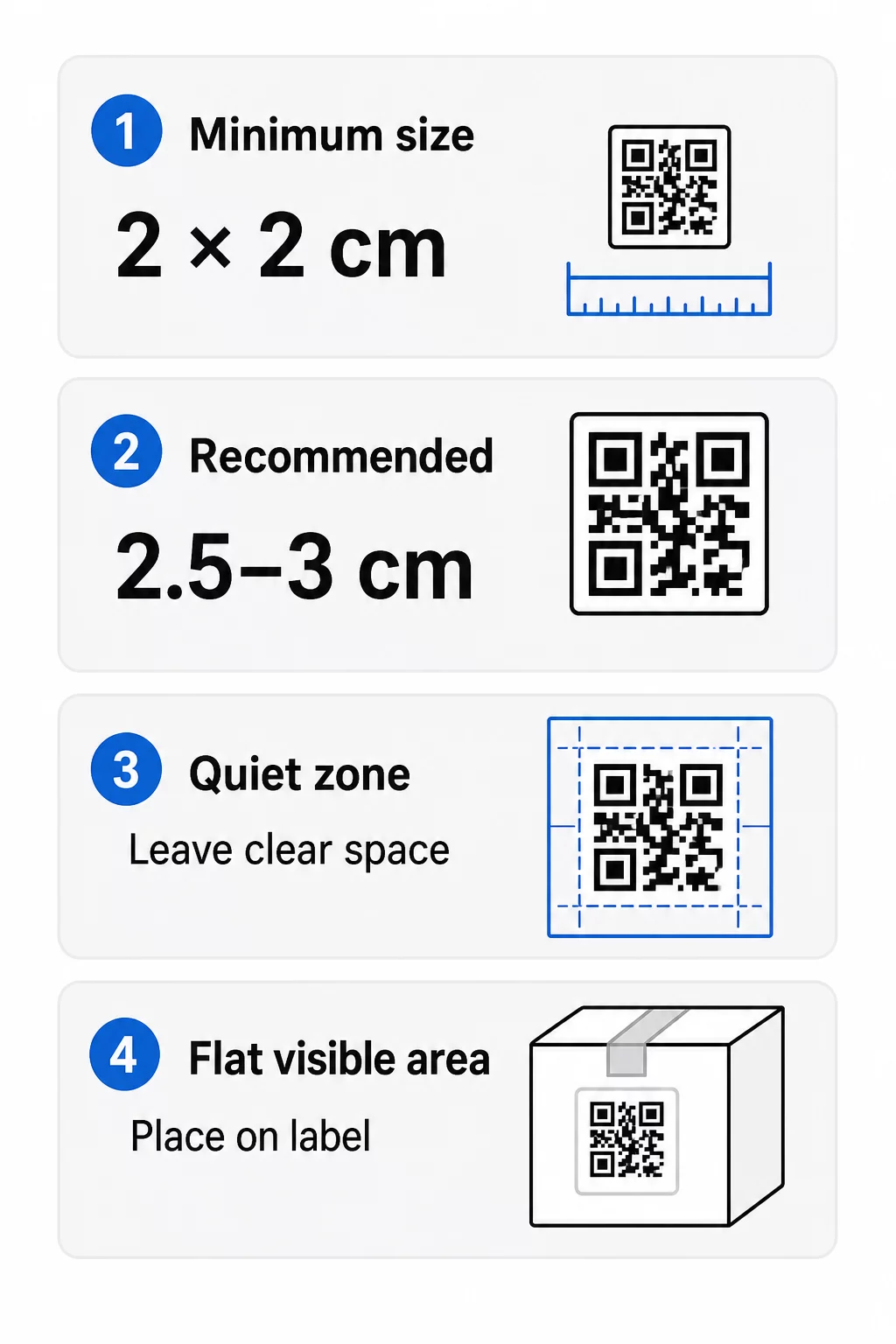
- Minimum mutlak: 2 x 2 cm (0.8 x 0.8 inci) untuk kod yang diimbas pada jarak sepanjang lengan.
- Disyorkan untuk pembungkusan produk: 2.5 hingga 3 cm setiap sisi.
- Peraturan jarak: telefon membaca kod dari kira-kira 10 kali lebarnya. Kod 3 cm mengimbas dari kira-kira 30 cm (12 inci); kod 10 cm dari kira-kira 1 m.
- Kod padat memerlukan lebih ruang: URL yang panjang menghasilkan corak yang lebih padat dengan modul yang lebih kecil. Gunakan pautan pendek, atau kod dinamik, untuk mengekalkan corak yang ringkas.
Jika anda menambah logo, tingkatkan saiz sebanyak 20 hingga 30 peratus. Jika anda menggunakan warna tersuai, tambah 10 hingga 15 peratus. Anggap ini sebagai titik permulaan dan sahkan dengan cetakan ujian. Untuk bahan cetakan yang berbeza, lihat panduan saiz kod QR untuk bahan cetakan.
Penempatan: Di Mana Meletakkan Kod pada Label
- Letakkan kod pada kawasan rata, bukan di atas lipatan, jahitan, tepi atau perforasi.
- Pilih panel yang kelihatan. Label depan atau belakang adalah lebih baik daripada bahagian bawah pek.
- Gunakan satu kod setiap panel supaya pengimbas tidak keliru.
- Biarkan zon senyap kosong. Tiada teks, sempadan atau karya seni di dalamnya.
- Tambah seruan tindakan pendek di sebelah kod, seperti “Imbas untuk manual” atau “Imbas untuk memesan semula”.
- Jangan letakkan kod di bawah balutan pengecutan (shrink wrap), pengedap haba atau tepi varnis yang menghasilkan silau.
Permukaan melengkung memerlukan penjagaan tambahan. Pada botol, balang dan tiub, corak melengkung menjauhi kamera. Pastikan kod kecil berbanding dengan lengkungan, letakkannya pada bahagian paling rata, dan uji dari beberapa sudut. Mencetak kod pada label rata yang diletakkan pada lengkungan berfungsi lebih baik daripada mencetaknya pada bahu yang melengkung tajam.
Untuk maklumat lanjut tentang penempatan, baca Panduan penempatan kod QR untuk pemasaran.
Zon Senyap: Sempadan Kosong yang Membolehkan Pengimbasan Berfungsi
Setiap kod QR memerlukan zon senyap: margin kosong di sekeliling keseluruhan simbol. Ia memberitahu pengimbas di mana kod bermula dan berakhir.
Zon senyap standard adalah sekurang-kurangnya 4 modul lebar pada keempat-empat sisi. Satu modul adalah lebar satu petak kecil. Pada kod label biasa ini adalah kira-kira 4 hingga 8 mm. Jangan cetak nama jenama anda, sempadan atau teks label di dalamnya. Jika label dicetak pada latar belakang yang sibuk, letakkan kod pada kotak cahaya yang padu.
Kontras: Kod Gelap, Latar Belakang Cerah
Pengimbas membaca perbezaan antara modul gelap dan latar belakang terang. Tanpa kontras yang mencukupi, corak tidak dikesan.
- Gunakan latar depan gelap pada latar belakang cerah. Hitam pada putih adalah yang paling boleh dipercayai.
- Sasarkan nisbah kontras sekurang-kurangnya 4:1.
- Elakkan warna serupa untuk latar depan dan latar belakang, seperti hijau gelap pada hijau sederhana.
- Elakkan kod cerah-pada-gelap (songsang). Sesetengah pengimbas tidak dapat membacanya, jadi uji sebelum anda menggunakannya.
- Elakkan kecerunan dan bayang-bayang di atas corak.
- Elakkan mencetak kod pada permukaan yang sangat berkilat, beralur atau tidak rata.
Warna jenama tersuai boleh berfungsi jika anda mengujinya di bawah pencahayaan sebenar. The panduan amalan terbaik kontras warna kod QR mempunyai jadual perbandingan padanan biasa.
Pembetulan Ralat: Perlindungan Kerosakan Terbina Dalam
Kod QR mempunyai empat tahap pembetulan ralat. Mereka menetapkan berapa banyak kod yang boleh rosak atau ditutup dan masih boleh dibaca:
| Tahap | Kapasiti Pemulihan | Terbaik Untuk |
|---|---|---|
| L (Rendah) | kira-kira 7% | Permukaan bersih, tiada tindihan logo |
| M (Sederhana) | kira-kira 15% | Label produk am |
| Q (Kuartil) | kira-kira 25% | Label dengan logo atau elemen jenama di atas kod |
| H (Tinggi) | kira-kira 30% | Permukaan yang berisiko calar atau haus, atau reka bentuk kompleks |
Untuk kebanyakan label produk, Tahap M atau Q adalah pilihan yang baik. Dengan logo di tengah, gunakan Q atau H. Tahap yang lebih tinggi menjadikan corak lebih padat, jadi anda mungkin memerlukan saiz cetakan yang sedikit lebih besar.
Resolusi Cetakan dan Format Fail
- Fail vektor (SVG, PDF, EPS) berskala kepada sebarang saiz tanpa kehilangan ketajaman. Gunakannya apabila pencetak atau pereka label anda menerimanya.
- PNG atau JPEG: eksport pada saiz cetakan akhir pada 300 dpi. 200 dpi boleh berfungsi untuk kod kecil pada kertas licin.
- Jangan besarkan PNG kecil untuk label yang lebih besar. Tepi menjadi kabur dan kod mungkin berhenti mengimbas.
- Semak bukti pencetak. Lebar dakwat boleh mengisi modul kecil pada kertas penyerap.
Kedua-dua QR code with logo dan penjana PNG kod QR boleh mengeksport fail untuk dicetak. Semak pilihan muat turun dalam alat untuk format yang anda perlukan.
Kes Penggunaan Praktikal untuk Kod QR Label Produk
Pilih destinasi mengikut apa yang pelanggan perlukan apabila memegang produk:
- Makanan dan minuman: halaman dengan ramuan, alergen dan asal, atau resipi.
- Elektronik dan alatan: video persediaan, manual dalam PDF dan borang jaminan.
- Kosmetik: langkah-langkah penggunaan dan senarai ramuan penuh.
- Bahan habis guna: halaman pesanan semula sekali ketik.
- Perkakasan dan pembungkusan: arahan kitar semula atau pemulangan.
- Mana-mana produk: permintaan ulasan ringkas atau diskaun untuk pesanan seterusnya.
Kebanyakan ini mendapat manfaat daripada kod QR dinamik, kerana halaman boleh dikemas kini selepas label dicetak. Untuk contoh mengikut sektor, lihat penyelesaian kod QR mengikut industri. Untuk kesetiaan, pembungkusan dan penglibatan, lihat penyelesaian kod QR produk.
Sentiasa Uji Sebelum Mencetak Secara Besar-besaran
Sebelum cetakan penuh:
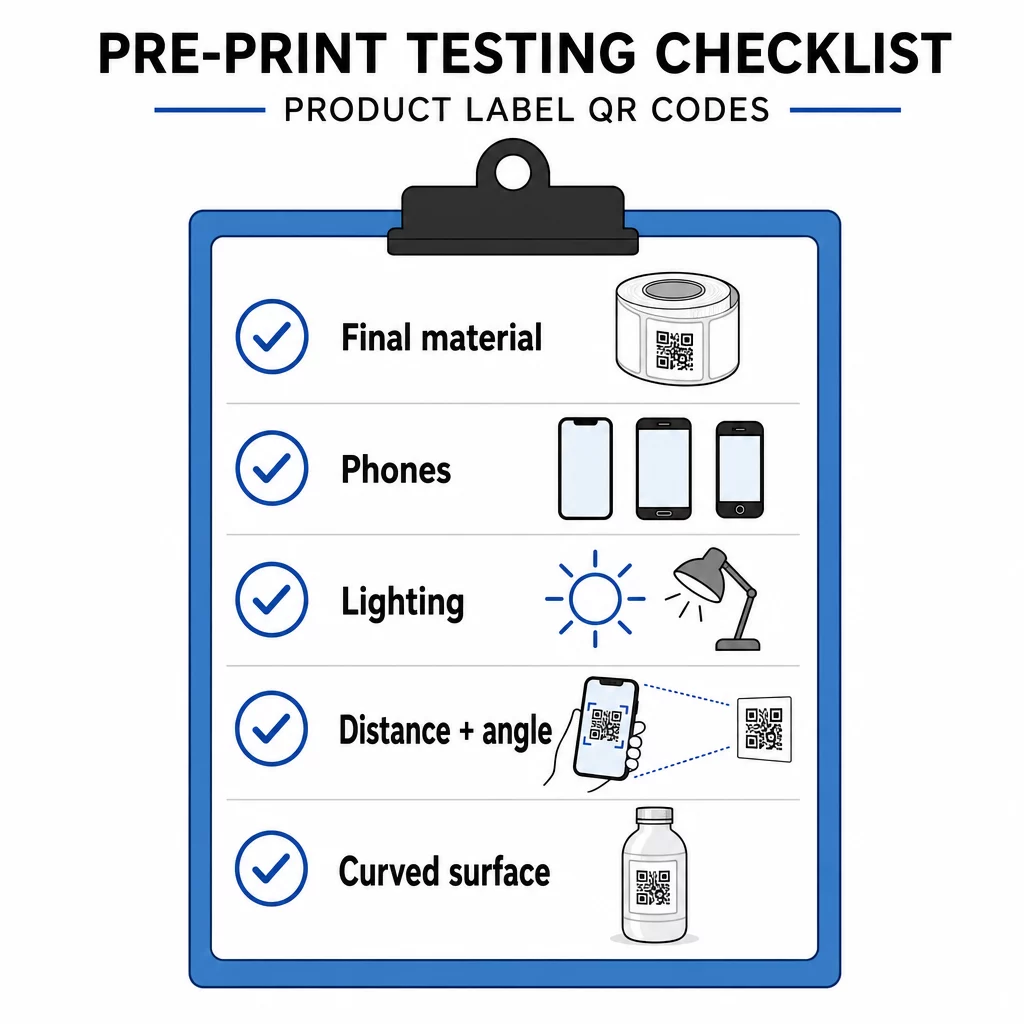
- Cetak kod pada saiz akhirnya pada bahan label sebenar.
- Imbas dengan sekurang-kurangnya dua atau tiga telefon, kedua-duanya iPhone dan Android.
- Imbas dalam cahaya terang, cahaya siang dan cahaya malap.
- Imbas dari jarak dan sudut yang akan digunakan oleh pelanggan.
- Pada permukaan melengkung, imbas dari kiri, tengah dan kanan.
- Buka destinasi pada telefon dengan data mudah alih, bukan hanya pada Wi-Fi.
Kod QR pada Produk Tidak Boleh Diimbas? Semak Ini
- Terlalu kecil: besarkan kod atau pendekkan pautan.
- Zon senyap terlalu sempit: teks atau karya seni menyentuh kod.
- Kontras rendah: warna terang, gradien atau kod terbalik.
- Silau: lapisan berkilat atau varnis memantulkan cahaya. Gunakan kemasan matte atau alihkan kod.
- Cetakan kabur: resolusi rendah atau dakwat merebak. Gunakan fail vektor dan semak bukti.
- Permukaan melengkung atau berkedut: alihkan kod ke kawasan yang lebih rata.
- Destinasi salah: pautan telah berubah. Dengan kod dinamik, edit destinasinya. Dengan kod statik, anda perlu mencetak semula.
Untuk semakan lanjut, lihat panduan amalan terbaik kebolehbacaan kod QR.
Soalan lazim
Minimum biasa ialah 2 x 2 cm (0.8 x 0.8 inci) untuk kod yang diimbas pada jarak panjang lengan. Untuk pembungkusan, 2.5 hingga 3 cm setiap sisi adalah lebih selamat. Sebagai panduan, telefon membaca kod dari kira-kira 10 kali ganda lebar cetakannya.
Pilih destinasi, cipta kod tersebut dalam penjana kod QR, muat turun fail vektor atau PNG resolusi tinggi, tambahkan pada reka bentuk label anda dengan zon senyap dan seruan tindakan yang ringkas, kemudian cetak label ujian dan imbasnya pada beberapa telefon sebelum cetakan penuh.
Hanya dengan kod QR dinamik. Kod dinamik menyimpan pautan ubah hala pendek, jadi anda boleh menukar destinasi tanpa perlu mengubah kod yang telah dicetak. Kod statik tidak boleh diubah setelah dicetak.
Kod statik tidak pernah luput, kerana destinasinya disimpan dalam corak. Kod dinamik berfungsi selagi pelan anda aktif, jadi semak pelan anda sebelum anda mencetak label yang akan digunakan selama bertahun-tahun.
Gunakan format vektor: SVG, PDF atau EPS. Ia kekal tajam pada sebarang saiz. Jika anda perlu menggunakan PNG, eksport pada saiz cetakan akhir pada 300 dpi dan jangan besarkannya.
Ya. Gunakan tahap pembetulan ralat Q atau H untuk logo, besarkan kod sebanyak 20 hingga 30 peratus, pastikan kontras yang kuat antara gelap dan terang, dan uji label yang dicetak sebelum cetakan penuh.
Di kawasan yang rata, jelas kelihatan seperti label hadapan atau belakang, jauh dari lipatan, jahitan dan tepi, dengan zon senyap yang kosong dan panggilan untuk bertindak (CTA) yang ringkas di sebelahnya.