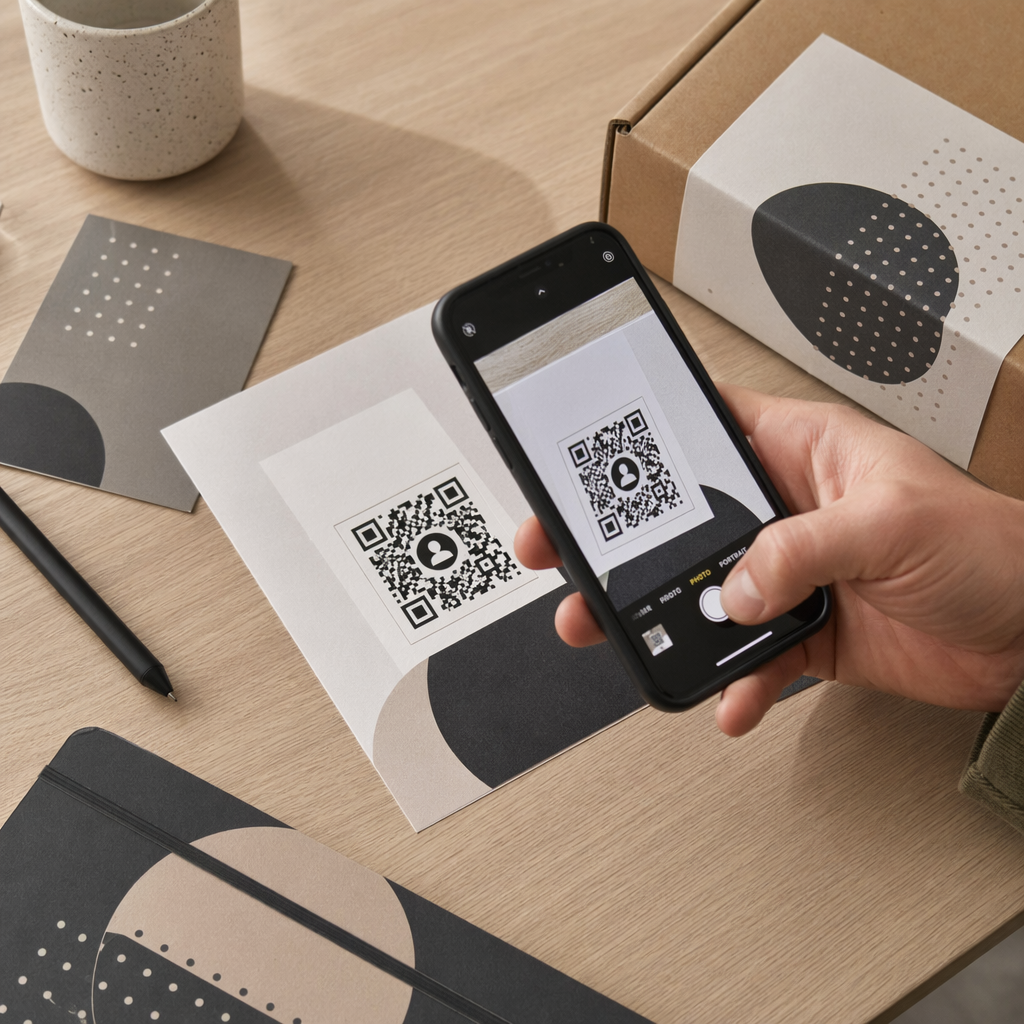
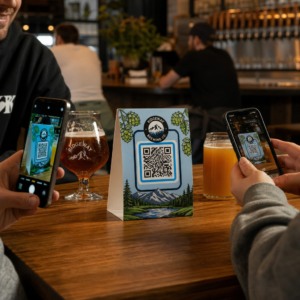
Naljepnice s QR kodom omogućuju kupcu da jednim skeniranjem dođe od pakiranja u ruci do stranice proizvoda, priručnika, veze za ponovnu narudžbu ili chata podrške. Ovaj vodič pokazuje kako napraviti QR naljepnicu proizvoda koja se skenira iz prvog pokušaja: koji tip koda koristiti, koliko ga veliko ispisati, gdje ga postaviti i što testirati prije pune serije ispisa.
QR kod na naljepnicama proizvoda: Kratak odgovor
- Veličina: ispišite kod veličine najmanje 2 x 2 cm (0.8 x 0.8 inča). Koristite 2.5 do 3 cm ako kupci skeniraju s police ili pulta.
- Tiha zona: ostavite prazan rub od najmanje 4 modula (oko 4 do 8 mm na naljepnici) sa sve četiri strane.
- Boje: tamni kod na svijetloj pozadini. Crna na bijeloj je najsigurnija.
- Razlučivost: koristite vektorsku datoteku (SVG, PDF ili EPS) za ispis. Ako koristite PNG, izvezite je u konačnoj veličini ispisa pri 300 dpi.
- Vrsta: koristite statički kod za vezu koja se nikada neće promijeniti. Koristite dinamički kod ako se odredište može promijeniti ili želite statistiku skeniranja.
- Testiranje: ispišite jedan na stvarnom materijalu naljepnice i skenirajte ga s dva ili tri telefona prije nego naručite cijelu seriju.
Zašto QR kodovi pripadaju na etiketama proizvoda
Ispisana naljepnica ima ograničen prostor i ne može se ažurirati nakon što je ispisana. QR kod dodaje više prostora: detalji o sastojcima i izvoru, videozapisi za postavljanje, registracija jamstva, korisnički priručnici i popisi rezervnih dijelova mogu se svi nalaziti iza jednog malog kvadrata.
Tipične upotrebe QR koda na proizvodu:
- Informacije o proizvodu: specifikacije, sastojci, alergeni ili upute za njegu koje ne stanu na naljepnicu.
- Priručnici i postavljanje: PDF priručnik ili kratak video, tako da možete ispisati manji letak ili ga uopće ne ispisati.
- Ponovno naručivanje: izravna veza na stranicu proizvoda, korisna za potrošni materijal poput filtera, kave ili sredstava za čišćenje.
- Podrška: veza na stranicu pomoći, obrazac ili WhatsApp chat.
- Recikliranje i povrati: upute za odlaganje ili obrazac za povrat.
- Ponude i vjernost: kod za popust, stranica za prijavu ili zahtjev za recenziju nakon kupnje.
Za širi pregled vrsta pakiranja i korisničkog iskustva, pogledajte vodič za QR kodove na pakiranju proizvoda.
Odaberite dinamički QR kod ili statički
A statički QR kod pohranjuje odredište unutar uzorka. Besplatno ga je izraditi, nikada ne istječe i radi sve dok stranica na koju pokazuje postoji. Ako se taj URL promijeni, ispisani kod pokazuje na pogrešno mjesto i morate ga ponovno ispisati.
A dinamički QR kod pohranjuje kratku vezu za preusmjeravanje, tako da možete promijeniti odredište u bilo kojem trenutku bez promjene ispisanog koda. Na naljepnicama proizvoda to pomaže na tri načina:
- Možete zamijeniti sezonsku promociju ili odredišnu stranicu bez novog ispisa.
- Možete odmah popraviti neispravnu ili premještenu vezu.
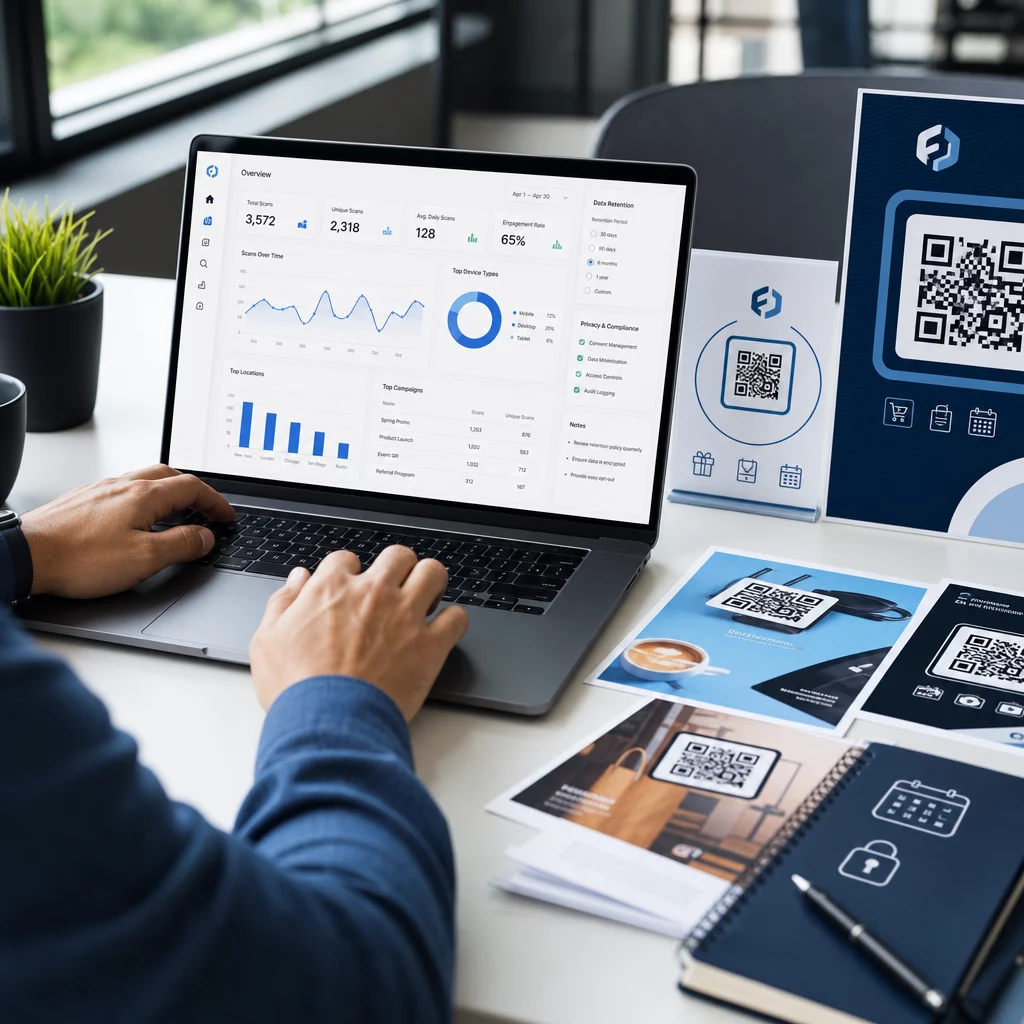
- Možete vidjeti statistiku skeniranja: kada, gdje i na kojem uređaju su ljudi skenirali.
Koristite statički kod kada je veza trajna, na primjer priručnik hostiran na vašoj vlastitoj stranici. Koristite dinamički kod kada će naljepnice ostati na policama mjesecima i odredište se može promijeniti. Možete izraditi QR kod za svoju naljepnicu proizvoda s besplatnim Pageloot generatorom. Dinamički kodovi dolaze s 14-dnevnim besplatnim probnim razdobljem, a planovi su navedeni na stranici s cijenama Pageloota.
Pratite svako skeniranje sa svojih naljepnica proizvoda. Da biste vidjeli gdje i kada kupci skeniraju vaše pakiranje, izradite dinamički kod s Pageloot Generator QR kodova i koristite nadzornu ploču za skeniranje.
Kako izraditi naljepnice s QR kodom: Korak po korak
- Odlučite kamo kod treba voditi. Odaberite stranicu prilagođenu mobilnim uređajima i neka bude kratka i brza za učitavanje.
- Otvori generator QR kodova, odaberite vrstu (URL, PDF, video ili drugo) i unesite odredište.
- Odaberite statički ili dinamički. Označite dinamičku opciju samo ako želite kasnije urediti odredište ili pratiti skeniranja.
- Neka dizajn bude jednostavan: tamni kod, svijetla pozadina, bez gradijenata iza uzorka.
- Preuzmite vektorsku datoteku (SVG ili PDF) za dizajnera naljepnica ili PNG u konačnoj veličini.
- Postavite kod na umjetničko djelo naljepnice u planiranoj veličini, s mirnom zonom i kratkim pozivom na akciju pored njega.
- Ispišite probnu naljepnicu na stvarnom materijalu i skenirajte je prije pune serije.
Veličina: Koliko velik mora biti kod?
Veličina je najčešći razlog zašto se QR kod na naljepnici ne uspijeva skenirati. Ako je kod premalen, kamera telefona ne može razdvojiti pojedine module (male kvadrate koji čine uzorak).
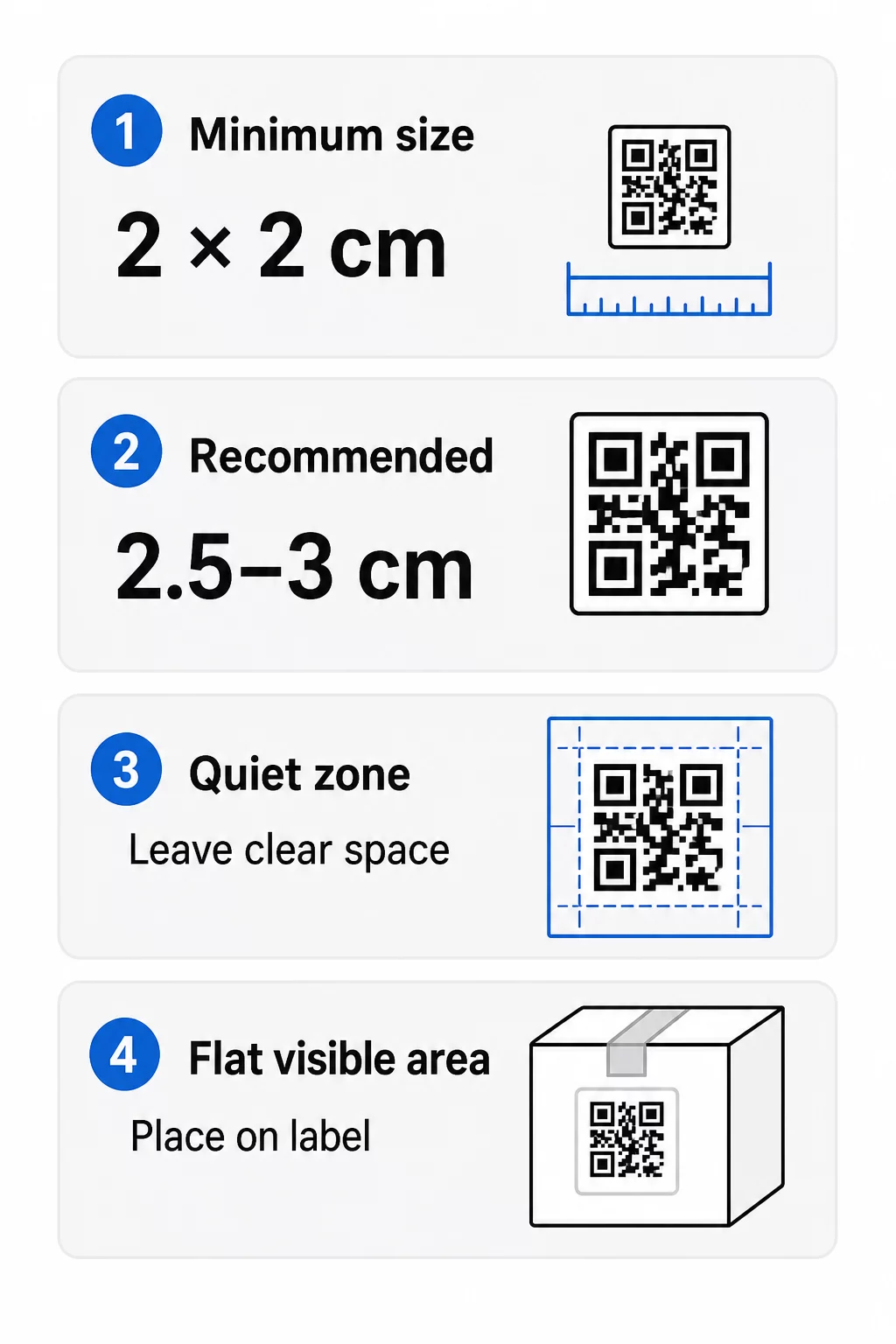
- Apsolutni minimum: 2 x 2 cm (0.8 x 0.8 inča) za kod skeniran s duljine ruke.
- Preporučeno za pakiranje proizvoda: 2.5 do 3 cm po strani.
- Pravilo udaljenosti: telefon čita kod s udaljenosti od otprilike 10 puta njegove širine. Kod od 3 cm skenira se s oko 30 cm (12 inča); kod od 10 cm s oko 1 m.
- Gusti kodovi trebaju više prostora: dugačak URL stvara gušći uzorak s manjim modulima. Koristite kratku vezu ili dinamički kod kako biste uzorak održali jednostavnim.
Ako dodate logotip, povećajte veličinu za 20 do 30 posto. Ako koristite prilagođene boje, dodajte 10 do 15 posto. Smatrajte to početnim točkama i potvrdite probnim ispisom. Za različite materijale za ispis, pogledajte vodič za dimenzioniranje QR koda za tiskane materijale.
Smještaj: Gdje postaviti kod na naljepnicu
- Postavite kod na ravnu površinu, ne preko nabora, šavova, rubova ili perforacija.
- Odaberite vidljivu ploču. Prednja ili stražnja naljepnica je bolja od dna pakiranja.
- Koristite jedan kod po panelu kako skeneri ne bi bili zbunjeni.
- Neka tiha zona bude prazna. Bez teksta, obruba ili umjetničkih djela unutar nje.
- Dodajte kratak poziv na akciju pored koda, poput “Skenirajte za priručnik” ili “Skenirajte za ponovnu narudžbu”.
- Ne postavljajte kod ispod folije za skupljanje, termoskupljajuće folije ili ruba laka koji stvara odsjaj.
Zakrivljene površine zahtijevaju dodatnu pažnju. Na bocama, staklenkama i tubama uzorak se savija od kamere. Držite kod malim u odnosu na zakrivljenost, postavite ga na najravniji dio i testirajte iz nekoliko kutova. Ispisivanje koda na ravnoj naljepnici koja se postavlja na zakrivljenu površinu radi bolje nego ispisivanje na oštro zakrivljenom ramenu.
Za više o postavljanju, pročitajte Vodič za postavljanje QR kodova za marketing.
Tiha zona: Prazan rub koji omogućuje skeniranje
Svaki QR kod treba tihu zonu: prazna margina oko cijelog simbola. Govori skeneru gdje kod počinje i završava.
Standardna tiha zona široka je najmanje 4 modula sa sve četiri strane. Jedan modul je širina jednog malog kvadrata. Na tipičnom kodu naljepnice to je oko 4 do 8 mm. Nemojte ispisivati naziv svoje marke, obrub ili tekst naljepnice unutar nje. Ako je naljepnica ispisana na zauzetoj pozadini, postavite kod na jednoličnu svijetlu kutiju.
Kontrast: Tamni kod, svijetla pozadina
Skeneri čitaju razliku između tamnih modula i svijetle pozadine. Bez dovoljno kontrasta uzorak se ne detektira.
- Koristite tamnu boju prednjeg plana na svijetloj pozadini. Crna na bijeloj je najpouzdanija.
- Ciljajte na omjer kontrasta od najmanje 4:1.
- Izbjegavajte slične nijanse za prednji plan i pozadinu, kao što je tamnozelena na srednjezelenoj.
- Izbjegavajte svijetle kodove na tamnoj pozadini (invertirane). Neki ih skeneri ne mogu pročitati, stoga ih testirajte prije upotrebe.
- Izbjegavajte gradijente i sjene preko uzorka.
- Izbjegavajte ispisivanje koda na vrlo sjajnoj, rebrastoj ili neravnoj površini.
Prilagođene boje brenda mogu funkcionirati ako ih testirate pod stvarnom rasvjetom. vodič za najbolje prakse kontrasta boja QR koda ima usporednu tablicu uobičajenih kombinacija.
Ispravljanje pogrešaka: Ugrađena zaštita od oštećenja
QR kodovi imaju četiri razine ispravljanja pogrešaka. Oni određuju koliko se koda može oštetiti ili prekriti, a da se i dalje može pročitati:
| Razina | Kapacitet oporavka | Najbolje za |
|---|---|---|
| L (nisko) | oko 7% | Čiste površine, bez preklapanja logotipa |
| M (srednje) | oko 15% | Opće etikete proizvoda |
| Q (kvartil) | oko 25% | Naljepnice s logotipom ili elementima brenda preko koda |
| H (visoka) | oko 30% | Površine izložene riziku od ogrebotina ili trošenja, ili složeni dizajni |
Za većinu etiketa proizvoda, razina M ili Q je dobar izbor. S logotipom u sredini, koristite Q ili H. Više razine čine uzorak gušćim, pa ćete možda trebati nešto veću veličinu ispisa.
Rezolucija ispisa i formati datoteka
- Vektorske datoteke (SVG, PDF, EPS) skaliraju se na bilo koju veličinu bez gubitka oštrine. Koristite ih kad god ih vaš pisač ili dizajner naljepnica prihvati.
- PNG ili JPEG: izvezite u konačnoj veličini ispisa na 300 dpi. 200 dpi može funkcionirati za male kodove na glatkom papiru.
- Ne povećavajte mali PNG za veću naljepnicu. Rubovi će postati mutni i kod se možda neće moći skenirati.
- Provjerite probni otisak. Širenje tinte može popuniti male module na upijajućem papiru.
I QR kod generator s logotipom and the QR kod PNG generator mogu izvesti datoteke za ispis. Provjerite opcije preuzimanja u alatu za format koji vam je potreban.
Praktični slučajevi upotrebe QR kodova na etiketama proizvoda
Odaberite odredište prema onome što kupac treba kada drži proizvod:
- Hrana i piće: stranica sa sastojcima, alergenima i podrijetlom, ili receptom.
- Elektronika i alati: videozapis o postavljanju, priručnik u PDF-u i obrazac za jamstvo.
- Kozmetika: koraci upotrebe i potpuni popis sastojaka.
- Potrošni materijal: stranica za ponovnu narudžbu jednim dodirom.
- Hardver i pakiranje: upute za recikliranje ili povrat.
- Bilo koji proizvod: kratak zahtjev za recenziju ili popust za sljedeću narudžbu.
Većina ovih ima koristi od dinamični QR kodovi, jer se stranica može ažurirati nakon što se ispiše naljepnica. Primjere po sektorima pogledajte ovdje rješenja QR kodova po industriji. Za lojalnost, pakiranje i angažman, pogledajte rješenja za QR kodove proizvoda.
Uvijek testirajte prije masovnog ispisa
Prije punog tiska:
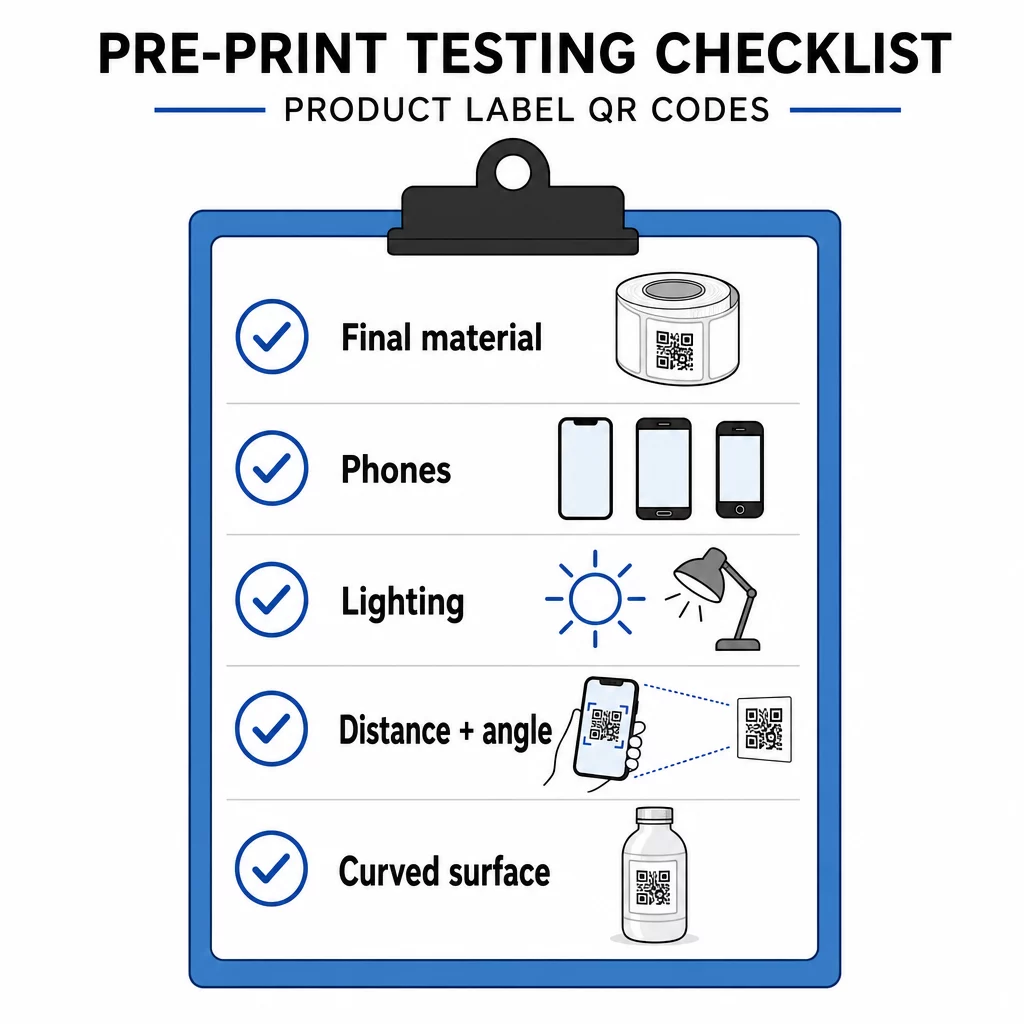
- Ispišite kod u njegovoj konačnoj veličini na stvarnom materijalu naljepnice.
- Skenirajte s najmanje dva ili tri telefona, iPhoneom i Androidom.
- Skenirajte pri jakom svjetlu, dnevnom svjetlu i prigušenom svjetlu.
- Skenirajte s udaljenosti i pod kutom koje će koristiti kupac.
- Na zakrivljenoj površini skenirajte s lijeve, središnje i desne strane.
- Otvorite odredište na telefonu s mobilnim podacima, ne samo putem Wi-Fi-ja.
QR kod na proizvodu se ne skenira? Provjerite ovo
- Previše malen: povećajte kod ili skratite poveznicu.
- Tiha zona preuska: tekst ili umjetničko djelo dodiruju kod.
- Nizak kontrast: svijetle boje, gradijenti ili obrnuti kod.
- Odsjaj: sjajna folija ili lak reflektiraju svjetlost. Koristite mat završnu obradu ili premjestite kod.
- Mutan ispis: niska razlučivost ili širenje tinte. Koristite vektorsku datoteku i pregledajte probni otisak.
- Zakrivljena ili naborana površina: premjestite kod na ravnije područje.
- Pogrešno odredište: poveznica je promijenjena. Kod dinamičkog koda, uredite odredište. Kod statičkog koda, morate ponovno ispisati.
Za više provjera, pogledajte vodič za najbolje prakse čitljivosti QR kodova.
Često postavljana pitanja
Uobičajeni minimum je 2 x 2 cm (0.8 x 0.8 inča) za kodove skenirane na duljinu ruke. Za pakiranje, 2.5 do 3 cm po strani je sigurnije. Kao smjernica, telefon čita kod s udaljenosti otprilike 10 puta veće od njegove ispisane širine.
Odaberite odredište, izradite kod u generatoru QR kodova, preuzmite vektorsku datoteku ili PNG visoke razlučivosti, dodajte ga u svoj dizajn naljepnice s mirnom zonom i kratkim pozivom na akciju, zatim ispišite probnu naljepnicu i skenirajte je na nekoliko telefona prije pune naklade.
Samo s dinamičnim QR kodom. Dinamički kod pohranjuje kratku vezu za preusmjeravanje, tako da možete promijeniti odredište bez mijenjanja otiskanog koda. Statički kod ne može se promijeniti nakon ispisa.
Statični kod nikad ne istječe jer je odredište pohranjeno u uzorku. Dinamični kod funkcionira dok god je vaš plan aktivan, stoga provjerite svoj plan prije nego što ispišete naljepnice koje će se koristiti godinama.
Koristite vektorski format: SVG, PDF ili EPS. Ostaju oštri pri bilo kojoj veličini. Ako morate koristiti PNG, izvezite ga u konačnoj veličini za ispis pri 300 dpi i nemojte ga povećavati.
Da. Koristite razinu ispravljanja pogrešaka Q ili H za logotip, povećajte kod za 20 do 30 posto, održavajte snažan kontrast između tamnog i svijetlog te testirajte ispisanu naljepnicu prije pune serije.
Na ravnoj, vidljivoj površini kao što je prednja ili stražnja etiketa, udaljenoj od nabora, šavova i rubova, s praznom mirnom zonom i kratkim pozivom na akciju pored nje.