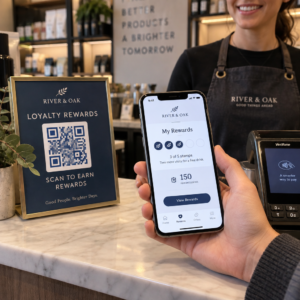
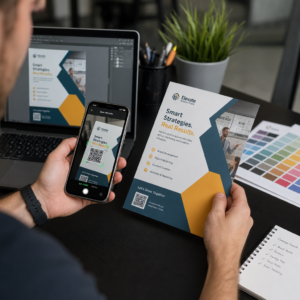
Nhãn mã QR cho phép khách hàng từ gói sản phẩm trên tay truy cập trang sản phẩm, hướng dẫn sử dụng, liên kết đặt hàng lại hoặc trò chuyện hỗ trợ chỉ với một lần quét. Hướng dẫn này chỉ ra cách tạo nhãn sản phẩm QR có thể quét được ngay lần đầu tiên: loại mã nào nên sử dụng, in kích thước bao nhiêu, đặt ở đâu và những gì cần kiểm tra trước khi chạy in đầy đủ.
Mã QR trên Nhãn sản phẩm: Câu trả lời ngắn gọn
- Kích thước: in mã có kích thước tối thiểu 2 x 2 cm (0.8 x 0.8 inch). Sử dụng 2.5 đến 3 cm nếu khách hàng quét từ kệ hoặc quầy.
- Vùng yên tĩnh: giữ một đường viền trống ít nhất 4 mô-đun (khoảng 4 đến 8 mm trên nhãn) ở cả bốn phía.
- Màu sắc: mã tối trên nền sáng. Đen trên trắng là an toàn nhất.
- Độ phân giải: sử dụng tệp vector (SVG, PDF hoặc EPS) để in. Nếu bạn sử dụng PNG, hãy xuất ở kích thước in cuối cùng với 300 dpi.
- Loại: sử dụng mã tĩnh cho liên kết sẽ không bao giờ thay đổi. Sử dụng mã động nếu đích đến có thể thay đổi hoặc bạn muốn có số liệu thống kê lượt quét.
- Kiểm tra: in thử một cái trên chất liệu nhãn thật và quét bằng hai hoặc ba điện thoại trước khi đặt hàng chạy đầy đủ.
Tại sao mã QR nên có trên nhãn sản phẩm
Một nhãn in có không gian hạn chế và không thể cập nhật sau khi đã in. Một mã QR bổ sung thêm không gian: thông tin chi tiết về thành phần và nguồn gốc, video hướng dẫn cài đặt, đăng ký bảo hành, hướng dẫn sử dụng và danh sách phụ tùng thay thế đều có thể nằm sau một ô vuông nhỏ.
Các trường hợp sử dụng phổ biến của mã QR trên sản phẩm:
- Thông tin sản phẩm: thông số kỹ thuật, thành phần, chất gây dị ứng hoặc hướng dẫn chăm sóc không vừa trên nhãn.
- Hướng dẫn sử dụng và thiết lập: một bản PDF hướng dẫn hoặc một video ngắn, để bạn có thể in một tờ rơi nhỏ hơn hoặc không cần in gì cả.
- Đặt hàng lại: một liên kết trực tiếp đến trang sản phẩm, hữu ích cho các mặt hàng tiêu hao như bộ lọc, cà phê hoặc vật tư vệ sinh.
- Hỗ trợ: một liên kết đến trang trợ giúp, một biểu mẫu hoặc một cuộc trò chuyện WhatsApp.
- Tái chế và trả hàng: hướng dẫn xử lý hoặc biểu mẫu trả hàng.
- Ưu đãi và khách hàng thân thiết: một mã giảm giá, một trang đăng ký hoặc một yêu cầu đánh giá sau khi mua hàng.
Để có cái nhìn rộng hơn về các loại bao bì và trải nghiệm khách hàng, hãy xem hướng dẫn về mã QR trên bao bì sản phẩm.
Chọn Mã QR Động hay Tĩnh
A mã QR tĩnh lưu trữ đích đến bên trong mẫu mã. Nó miễn phí để tạo, không bao giờ hết hạn và hoạt động miễn là trang mà nó trỏ đến còn tồn tại. Nếu URL đó thay đổi, mã in sẽ trỏ đến sai vị trí và bạn phải in lại.
A mã QR động lưu trữ một liên kết chuyển hướng ngắn, giúp bạn có thể thay đổi đích đến bất cứ lúc nào mà không cần thay đổi mã đã in. Trên nhãn sản phẩm, điều này hữu ích theo ba cách:
- Bạn có thể thay đổi chương trình khuyến mãi theo mùa hoặc trang đích mà không cần in lại.
- Bạn có thể sửa ngay lập tức một liên kết bị hỏng hoặc đã di chuyển.
- Bạn có thể xem thống kê quét: khi nào, ở đâu và trên thiết bị nào mọi người đã quét.
Sử dụng mã tĩnh khi liên kết là vĩnh viễn, ví dụ: một tài liệu hướng dẫn được lưu trữ trên trang web của riêng bạn. Sử dụng mã động khi nhãn sẽ nằm trên kệ hàng trong nhiều tháng và đích đến có thể thay đổi. Bạn có thể tạo mã QR cho nhãn sản phẩm của bạn với trình tạo Pageloot miễn phí. Mã động đi kèm với bản dùng thử miễn phí 14 ngày và các gói dịch vụ được liệt kê trên trang giá của Pageloot.
Theo dõi mọi lượt quét từ nhãn sản phẩm của bạn. Để xem khách hàng quét bao bì của bạn ở đâu và khi nào, hãy tạo mã động với Trình tạo mã QR Pageloot và sử dụng bảng điều khiển quét.
Cách tạo nhãn mã QR: Hướng dẫn từng bước
- Quyết định nơi mã sẽ dẫn đến. Chọn một trang thân thiện với thiết bị di động và giữ cho nó ngắn gọn, tải nhanh.
- Mở trình tạo mã QR, chọn loại (URL, PDF, video hoặc loại khác) và nhập đích đến.
- Chọn tĩnh hoặc động. Chỉ chọn tùy chọn động nếu bạn muốn chỉnh sửa đích đến sau này hoặc theo dõi lượt quét.
- Giữ thiết kế đơn giản: mã tối, nền sáng, không có gradient phía sau mẫu.
- Tải xuống tệp vector (SVG hoặc PDF) cho nhà thiết kế nhãn, hoặc tệp PNG ở kích thước cuối cùng.
- Đặt mã lên mẫu thiết kế nhãn ở kích thước đã định, với vùng tĩnh và một lời kêu gọi hành động ngắn gọn bên cạnh.
- In thử một nhãn trên vật liệu thật và quét nó trước khi in hàng loạt.
Kích Thước: Mã Cần Lớn Đến Mức Nào?
Kích thước là lý do phổ biến nhất khiến mã QR trên nhãn không thể quét được. Nếu mã quá nhỏ, camera điện thoại không thể phân biệt các mô-đun riêng lẻ (các ô vuông nhỏ tạo nên mẫu).
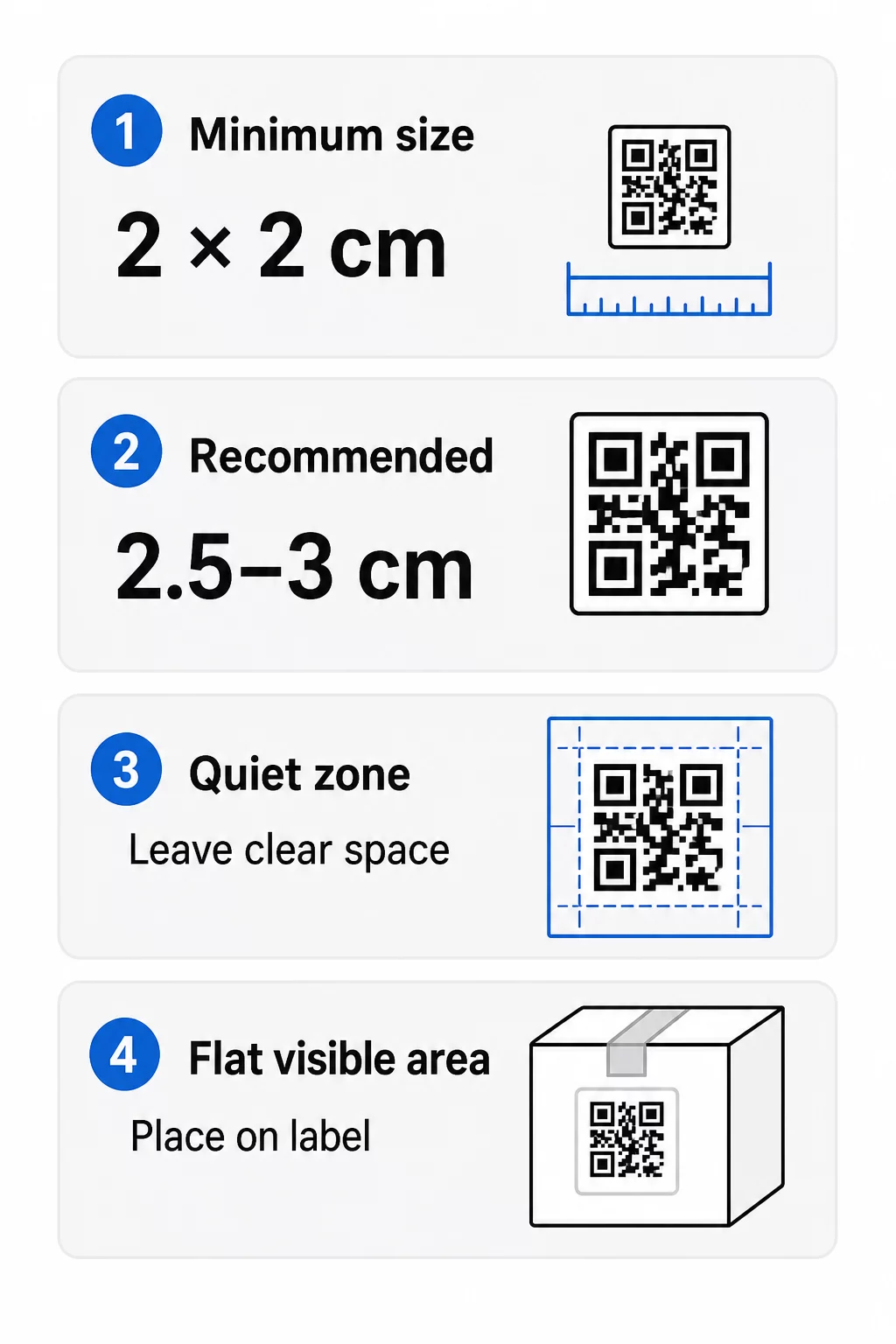
- Tối thiểu tuyệt đối: 2 x 2 cm (0.8 x 0.8 inch) cho mã được quét ở khoảng cách sải tay.
- Đề xuất cho bao bì sản phẩm: 2.5 đến 3 cm mỗi cạnh.
- Quy tắc khoảng cách: điện thoại đọc mã từ khoảng 10 lần chiều rộng của nó. Mã 3 cm được quét từ khoảng 30 cm (12 inch); mã 10 cm từ khoảng 1 m.
- Mã dày đặc cần nhiều không gian hơn: URL dài tạo ra mẫu dày đặc hơn với các mô-đun nhỏ hơn. Sử dụng liên kết ngắn hoặc mã động để giữ cho mẫu đơn giản.
Nếu bạn thêm logo, hãy tăng kích thước lên 20 đến 30 phần trăm. Nếu bạn sử dụng màu tùy chỉnh, hãy thêm 10 đến 15 phần trăm. Coi đây là những điểm khởi đầu và xác nhận bằng bản in thử. Đối với các vật liệu in khác nhau, hãy xem hướng dẫn kích thước mã QR cho vật liệu in.
Vị trí: Đặt mã ở đâu trên nhãn
- Đặt mã lên một bề mặt phẳng, không đặt trên các nếp gấp, đường may, cạnh hoặc lỗ thủng.
- Chọn một mặt phẳng dễ nhìn. Nhãn phía trước hoặc phía sau tốt hơn đáy bao bì.
- Sử dụng một mã cho mỗi mặt phẳng để máy quét không bị nhầm lẫn.
- Giữ vùng yên tĩnh trống. Không có văn bản, đường viền hoặc hình ảnh bên trong.
- Thêm một lời kêu gọi hành động ngắn bên cạnh mã, chẳng hạn như “Quét để xem hướng dẫn” hoặc “Quét để đặt hàng lại”.
- Không đặt mã dưới lớp màng co, niêm phong nhiệt hoặc cạnh véc-ni gây chói.
Bề mặt cong cần được chăm sóc đặc biệt. Trên chai, lọ và ống, mẫu mã uốn cong ra xa máy ảnh. Giữ mã nhỏ so với độ cong, đặt nó ở phần phẳng nhất và thử nghiệm từ nhiều góc độ. In mã trên một nhãn phẳng dán trên đường cong sẽ tốt hơn là in trực tiếp lên phần vai cong sắc nét.
Để biết thêm về vị trí đặt, hãy đọc Hướng dẫn đặt mã QR cho tiếp thị.
Vùng yên tĩnh: Vùng biên trống giúp việc quét hoạt động
Mọi mã QR đều cần một vùng yên tĩnh: một lề trống xung quanh toàn bộ ký hiệu. Nó cho máy quét biết mã bắt đầu và kết thúc ở đâu.
Vùng yên tĩnh tiêu chuẩn rộng ít nhất 4 mô-đun ở cả bốn phía. Một mô-đun là chiều rộng của một ô vuông nhỏ. Trên một mã nhãn thông thường, kích thước này khoảng 4 đến 8 mm. Không in tên thương hiệu, đường viền hoặc văn bản nhãn bên trong nó. Nếu nhãn được in trên nền bận rộn, hãy đặt mã vào một hộp sáng màu đặc.
Độ tương phản: Mã tối, Nền sáng
Máy quét đọc sự khác biệt giữa các mô-đun tối và nền sáng. Không đủ độ tương phản, mẫu sẽ không được phát hiện.
- Sử dụng màu tối cho tiền cảnh trên nền sáng. Đen trên trắng là đáng tin cậy nhất.
- Đặt mục tiêu tỷ lệ tương phản ít nhất là 4:1.
- Tránh các tông màu tương tự cho tiền cảnh và nền, chẳng hạn như xanh đậm trên xanh vừa.
- Tránh các mã sáng trên nền tối (nghịch đảo). Một số máy quét không thể đọc chúng, vì vậy hãy kiểm tra trước khi sử dụng.
- Tránh gradient và bóng đổ trên mẫu.
- Tránh in mã trên bề mặt bóng loáng, có gân hoặc không bằng phẳng.
Màu sắc thương hiệu tùy chỉnh có thể hoạt động nếu bạn kiểm tra chúng dưới ánh sáng thực. Trang hướng dẫn thực hành tốt nhất về độ tương phản màu sắc của mã QR có một bảng so sánh các cặp màu phổ biến.
Sửa lỗi: Bảo vệ hư hỏng tích hợp
Mã QR có bốn mức độ sửa lỗi. Chúng xác định mức độ mã có thể bị hỏng hoặc bị che phủ mà vẫn có thể đọc được:
| Cấp độ | Khả năng phục hồi | Tốt nhất cho |
|---|---|---|
| L (Thấp) | khoảng 7% | Bề mặt sạch, không phủ logo |
| M (Trung bình) | khoảng 15% | Nhãn sản phẩm chung |
| Q (Tứ phân vị) | khoảng 25% | Nhãn có logo hoặc yếu tố thương hiệu trên mã |
| H (Cao) | khoảng 30% | Bề mặt có nguy cơ bị trầy xước hoặc mòn, hoặc thiết kế phức tạp |
Đối với hầu hết các nhãn sản phẩm, Cấp độ M hoặc Q là lựa chọn tốt. Với logo ở trung tâm, hãy sử dụng Q hoặc H. Các cấp độ cao hơn làm cho mẫu dày đặc hơn, vì vậy bạn có thể cần kích thước in lớn hơn một chút.
Độ phân giải in và định dạng tệp
- Tệp vector (SVG, PDF, EPS) có thể phóng to hoặc thu nhỏ đến bất kỳ kích thước nào mà không mất độ sắc nét. Hãy sử dụng chúng bất cứ khi nào máy in hoặc nhà thiết kế nhãn của bạn chấp nhận.
- PNG hoặc JPEG: xuất ở kích thước in cuối cùng với 300 dpi. 200 dpi có thể hoạt động đối với các mã nhỏ trên giấy nhẵn.
- Không phóng to một tệp PNG nhỏ để làm nhãn lớn hơn. Các cạnh sẽ bị mờ và mã có thể ngừng quét được.
- Kiểm tra bản in thử. Mực có thể lem và lấp đầy các mô-đun nhỏ trên giấy thấm.
Cả Tạo mã QR có logo ở giữa và trình tạo mã QR PNG đều có thể xuất tệp để in. Kiểm tra các tùy chọn tải xuống trong công cụ để chọn định dạng bạn cần.
Các Trường hợp Sử dụng Thực tế cho Mã QR trên Nhãn Sản phẩm
Chọn đích đến dựa trên nhu cầu của khách hàng khi cầm sản phẩm:
- Thực phẩm và đồ uống: một trang với thành phần, chất gây dị ứng và nguồn gốc, hoặc một công thức nấu ăn.
- Điện tử và công cụ: một video hướng dẫn cài đặt, sách hướng dẫn dạng PDF và một biểu mẫu bảo hành.
- Mỹ phẩm: các bước sử dụng và danh sách thành phần đầy đủ.
- Vật tư tiêu hao: một trang đặt hàng lại chỉ với một lần chạm.
- Phần cứng và bao bì: hướng dẫn tái chế hoặc trả hàng.
- Bất kỳ sản phẩm nào: một yêu cầu đánh giá ngắn hoặc một mã giảm giá cho đơn hàng tiếp theo.
Hầu hết các mục này đều có lợi từ mã QR động, vì trang có thể được cập nhật sau khi nhãn được in. Để xem các ví dụ theo ngành, hãy xem các giải pháp mã QR theo ngành. Để biết về lòng trung thành, bao bì và tương tác, hãy xem giải pháp mã QR sản phẩm.
Luôn kiểm tra trước khi in ở quy mô lớn
Trước khi in toàn bộ:
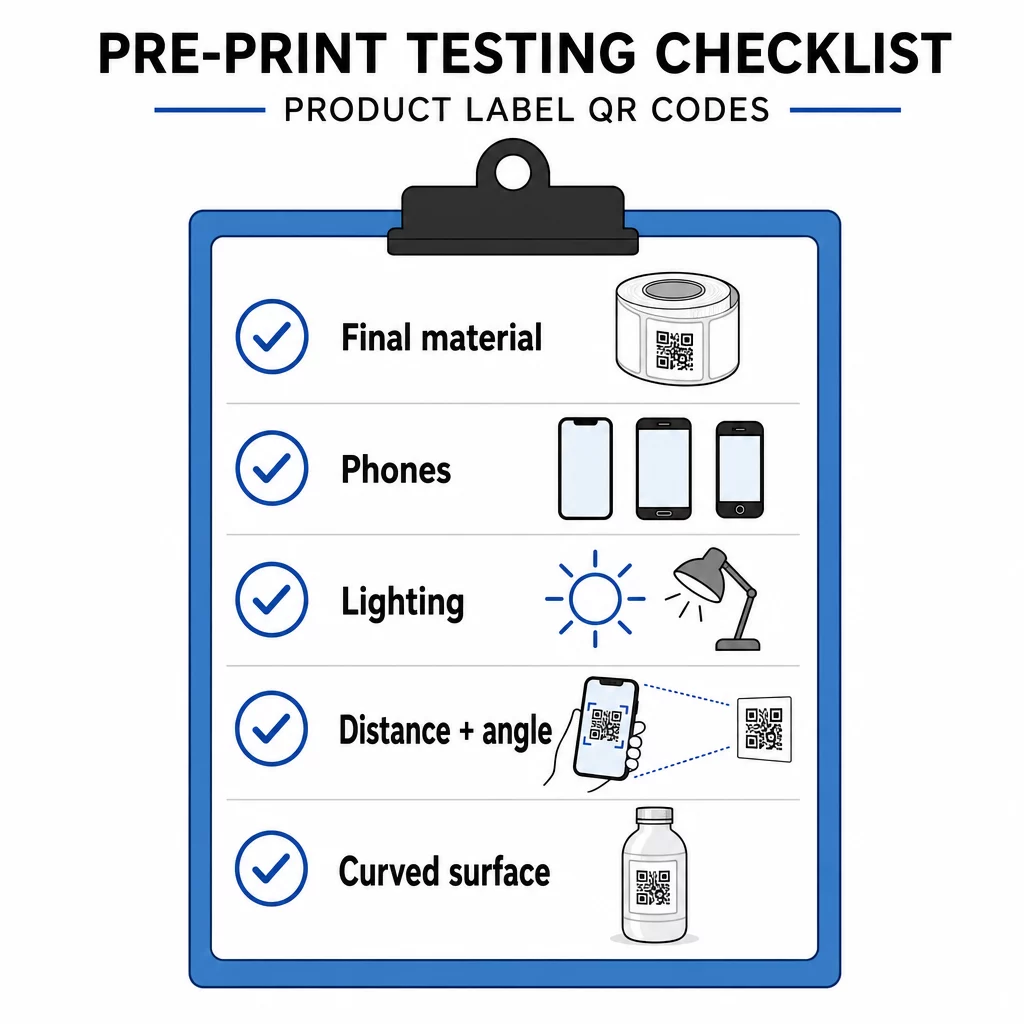
- In mã ở kích thước cuối cùng trên chất liệu nhãn thực tế.
- Quét bằng ít nhất hai hoặc ba điện thoại, cả iPhone và Android.
- Quét trong điều kiện ánh sáng mạnh, ánh sáng ban ngày và ánh sáng yếu.
- Quét từ khoảng cách và góc độ mà khách hàng sẽ sử dụng.
- Trên bề mặt cong, quét từ bên trái, giữa và bên phải.
- Mở đích đến trên điện thoại có dữ liệu di động, không chỉ trên Wi-Fi.
Mã QR trên sản phẩm không quét được? Kiểm tra những điều này
- Quá nhỏ: phóng to mã hoặc rút ngắn liên kết.
- Vùng yên tĩnh quá hẹp: văn bản hoặc hình ảnh chạm vào mã.
- Độ tương phản thấp: màu sắc nhạt, chuyển màu hoặc mã đảo ngược.
- Chói sáng: màng bóng hoặc lớp véc-ni phản chiếu ánh sáng. Sử dụng lớp hoàn thiện mờ hoặc di chuyển mã.
- In mờ: độ phân giải thấp hoặc mực bị lem. Sử dụng tệp vector và xem lại bản in thử.
- Bề mặt cong hoặc nhăn: di chuyển mã đến khu vực phẳng hơn.
- Địa chỉ đích sai: liên kết đã thay đổi. Với mã động, hãy chỉnh sửa đích đến. Với mã tĩnh, bạn phải in lại.
Để kiểm tra thêm, hãy xem thực hành tốt nhất về khả năng đọc mã QR.
Câu hỏi thường gặp
Kích thước tối thiểu phổ biến là 2 x 2 cm (0.8 x 0.8 inch) cho các mã được quét ở khoảng cách sải tay. Đối với bao bì, 2.5 đến 3 cm mỗi cạnh sẽ an toàn hơn. Theo hướng dẫn, điện thoại đọc mã từ khoảng 10 lần chiều rộng đã in của nó.
Chọn điểm đến, tạo mã trong trình tạo mã QR, tải xuống tệp vector hoặc PNG độ phân giải cao, thêm nó vào thiết kế nhãn của bạn với một vùng yên tĩnh và một lời kêu gọi hành động ngắn gọn, sau đó in nhãn thử nghiệm và quét nó trên một số điện thoại trước khi in hàng loạt.
Chỉ với mã QR động. Mã động lưu trữ một liên kết chuyển hướng ngắn, cho phép bạn thay đổi đích đến mà không cần thay đổi mã đã in. Mã tĩnh không thể thay đổi sau khi in.
Mã tĩnh không bao giờ hết hạn, vì đích đến được lưu trữ trong mẫu. Mã động hoạt động miễn là gói của bạn còn hoạt động, vì vậy hãy kiểm tra gói của bạn trước khi bạn in nhãn sẽ được sử dụng trong nhiều năm.
Sử dụng định dạng vector: SVG, PDF hoặc EPS. Chúng giữ được độ sắc nét ở mọi kích thước. Nếu bạn bắt buộc phải sử dụng PNG, hãy xuất nó ở kích thước in cuối cùng với 300 dpi và không phóng to nó.
Có. Sử dụng mức độ sửa lỗi Q hoặc H cho biểu trưng, phóng to mã từ 20 đến 30 phần trăm, giữ độ tương phản mạnh giữa tối và sáng, và kiểm tra nhãn đã in trước khi chạy đầy đủ.
Trên một khu vực phẳng, dễ nhìn, chẳng hạn như nhãn phía trước hoặc phía sau, tránh xa các nếp gấp, đường nối và cạnh, với một vùng yên tĩnh trống và một lời kêu gọi hành động ngắn gọn bên cạnh nó.