Is your manual onboarding process leaving new hires feeling unprepared on their first day? Fragmented systems and slow document verification can delay full productivity by weeks while driving up administrative costs. Using QR codes allows you to automate identity checks and streamline training workflows to get your team working faster.
The High Cost of Outdated Onboarding Systems
Traditional onboarding often acts as a bottleneck for growing organizations. Manual processes cause 42% of new hires to feel unprepared, while the average onboarding cycle takes between eight and ten weeks. For HR teams, this translates to a 20% waste in administrative time and costs ranging from $1,830 to $7,500 per employee in lost productivity.
By implementing QR codes for software and HR management, you can bridge the gap between physical documents and digital systems. This technology enables a mobile-first approach that reduces onboarding time by up to 50% and slashes administrative errors by 30%. Think of the scanner like a high-speed reader that instantly connects a new hire’s physical touchpoint to your secure digital database, ensuring they have what they need from the moment they arrive.
Secure Identity Verification and Access Control
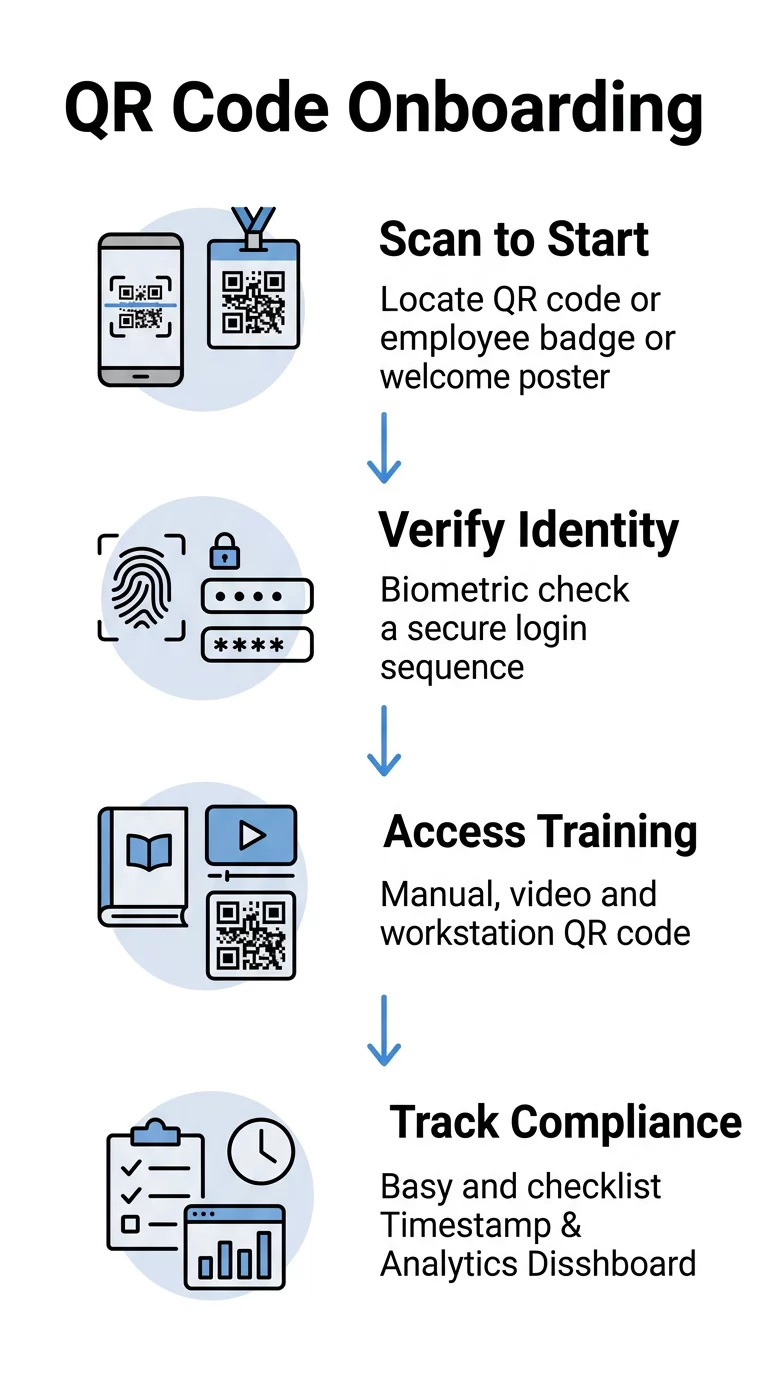
Identity verification is a critical step in the hiring process, yet 65% of HR teams report significant delays due to manual document checks. QR codes simplify this by enabling secure, passwordless authentication and digital badge issuance. You can use a link QR code generator to create secure entry points for Single Sign-On (SSO) platforms like Okta or Microsoft Entra ID. Employees simply scan the code to verify their identity via biometrics on their mobile device, removing the friction of forgotten passwords.
Digital badges are another powerful application. You can issue ID badges that contain a dynamic QR code, which can be updated in real-time to reflect changes in access levels or certifications without the need to reprint physical cards. For document handling, new hires can scan a code to securely upload I-9 documents or tax forms directly into your encrypted HRIS, preventing the security risks associated with physical paperwork or unencrypted email attachments.
Streamline your HR workflows today. Use the Pageloot QR Code Generator to create secure, branded codes for your employee portal and digital ID badges.
Training Tracking and Regulatory Compliance
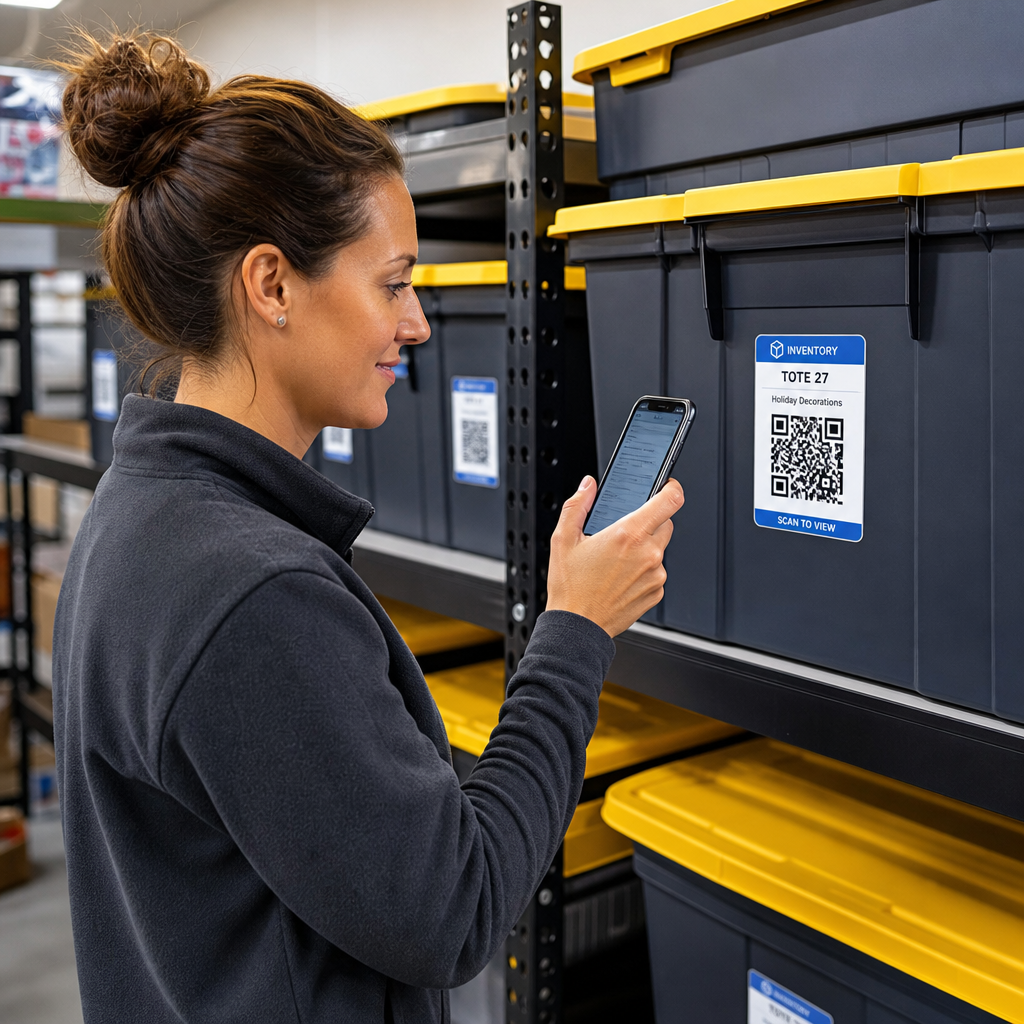
Ensuring that every employee completes mandatory safety and policy training is a major compliance hurdle that often requires constant manual follow-ups. QR codes turn passive training materials into interactive, trackable assets. In industries like manufacturing or hospitality, managers can place QR codes directly on equipment or at specific workstations. When an employee scans the code, they can access specific manuals via a PDF QR code generator or watch a “just-in-time” safety video tailored to that exact location.
To track completion and maintain an audit trail, you can link a QR code to a Google Form QR code generator that automatically logs the employee’s ID, location, and timestamp upon submission. This data provides an automated record for safety inspectors, helping you avoid compliance fines and ensuring that 100% of your workforce is properly trained before they begin high-risk tasks.
Implementation Best Practices for HR Teams
To ensure your QR code system is both secure and user-friendly, you should adhere to specific technical standards. Using dynamic QR codes is essential because they allow you to update the destination URL at any time without reprinting posters or badges. If your training platform changes or a link is updated, you can modify the destination in your dashboard instantly.
Security must remain the top priority when handling sensitive employee data. You should follow secure QR code generation best practices by using Multi-Factor Authentication (MFA), setting 30-day expirations for sensitive links, and ensuring all URLs use HTTPS encryption. For the best user experience, maintain high contrast – typically dark patterns on light backgrounds – and follow QR code usability best practices to ensure codes are large enough to be scanned in various lighting conditions. Reviewing best practices for QR code readability can also help you avoid common pitfalls like placing codes on reflective or curved surfaces that might hinder the scanner.
Finally, you should monitor engagement using a QR code scanner with built-in analytics. These tools allow you to see which training modules are being accessed most frequently and identify where bottlenecks occur in the onboarding journey, allowing for continuous process improvement.
Measurable ROI for Business Administrators
Switching to a QR-based onboarding system offers immediate financial benefits. Organizations save an average of $175 in labor costs per employee onboarded by automating administrative tasks. For a mid-sized company hiring 100 people a year, this represents $17,500 in direct savings, not including the value of reaching full productivity weeks earlier.
Integrating these codes with your existing HRIS or LMS creates a seamless experience that boosts new hire retention. When the first day at a new job is organized and tech-driven, employees are more likely to stay engaged for the long term. This digital transformation moves HR from a administrative burden to a strategic advantage.
FAQ
Yes, provided you use dynamic QR codes with encryption and access controls. Secure implementations include features like password protection, time-limited access, and integration with SSO providers to ensure only authorized personnel can view the data.
Because dynamic QR codes are managed through a central dashboard, you can instantly revoke access for a specific code. You can then issue a new digital or physical badge without compromising the security of your entire facility or needing to reset the entire system.
No, most modern smartphones have a built-in QR code reader within the camera app. For older devices or specialized needs, web-based scanners can be used to ensure everyone has access regardless of their hardware. To begin optimizing your hiring process, explore how dynamic QR codes can transform your employee experience into a secure, digital advantage.