首页 > 指南 > How to Set Up Password-Protected QR Codes
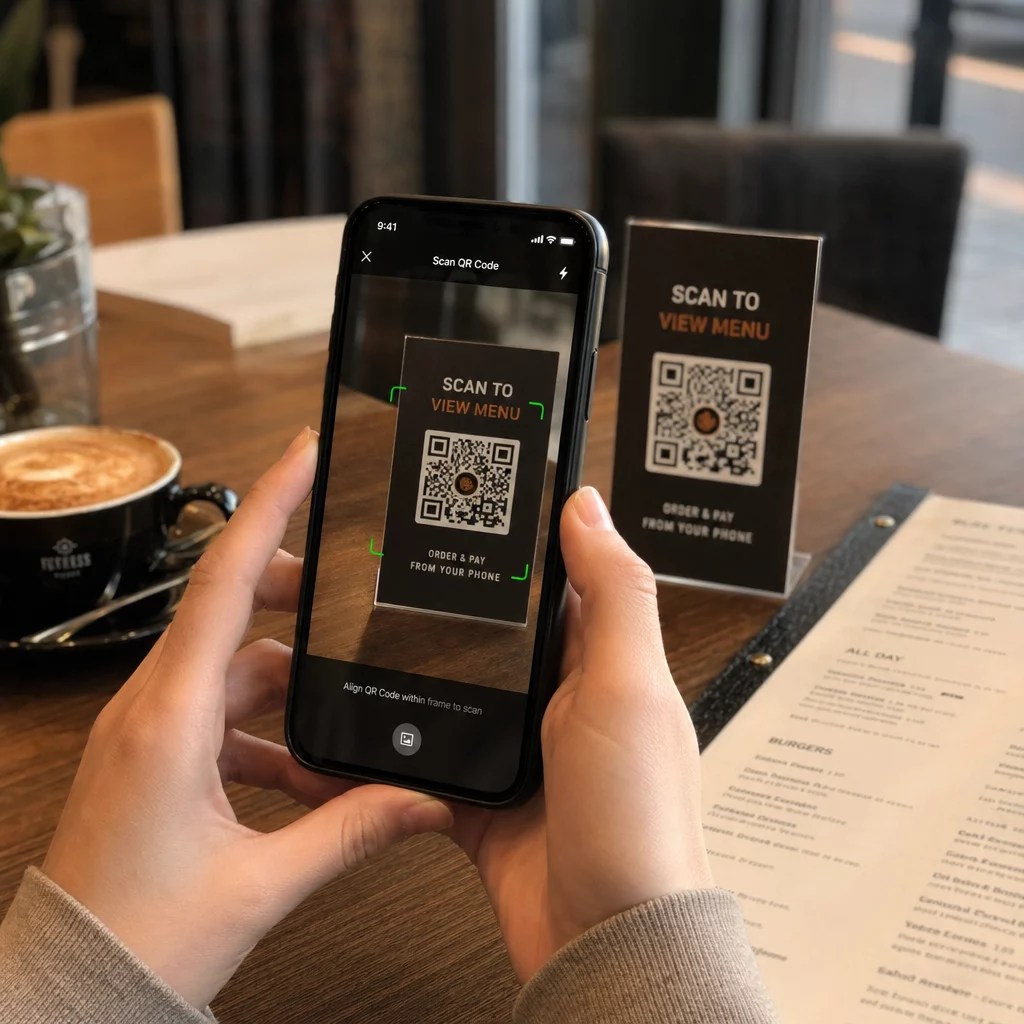
Scanning a secure code

How to Set Up Password-Protected QR Codes

Secure confidential files and links by setting up password-protected QR codes. Discover step-by-step methods and best practices for access control.
Updated on 7 月 28, 2026
目录

Are you sharing sensitive documents or exclusive content through QR codes, but worried about unauthorized access? When physical codes appear in public areas, anyone can scan them to view confidential files or internal landing pages. Adding password protection to your destination links and files ensures only authorized users access your content.

Can a QR Code Itself Be Password Protected?

Standard static QR codes cannot store passwords inside their pixel patterns. A static code simply translates plain text or a fixed web link into a scannable graphic, meaning any smartphone reader decodes the exact same endpoint data immediately upon scanning.

To secure access, password protection must take place either at the redirect level or at the target destination. You can achieve this using two main approaches:

  • Redirect-level protection: Using a 动态二维码生成器 to intercept the scan and require password authentication before redirecting visitors to the target resource.
  • Destination-level protection: Securing the host environment or protecting the file directly (such as creating a password-gated document) before linking it.

Both methods prevent unauthorized users from viewing confidential resources, even if your physical QR code is displayed in a public location.

Key Methods to Secure QR Code Content

Choosing the right implementation depends on whether you are securing a website link, an internal document, or temporary event content.

Dynamic QR Code Access Controls

Dynamic QR codes rely on a short redirect link rather than hardcoding the final URL into the image. This short link allows you to manage security settings on the platform hosting the code. You can enable password requirements, update the destination link at any time, or revoke access entirely without reprinting your physical materials.

Password-Protected File Uploads

If you are sharing files directly, you can password-protect the file prior to converting it into a scannable graphic. When using a PDF QR 码生成器, you can upload an encrypted PDF or host your document on a secure platform requiring authentication. Users who scan the code reach the document viewer but must enter the correct credentials to open and read the file.

Expiration Dates and Usage Limits

Access control extends beyond passwords. You can combine credential requirements with rules like calendar expirations or maximum scan counts. Setting these parameters ensures that once an offer or internal meeting concludes, the link automatically deactivates. Learn more about controlling content lifecycles in our guide on how to set expiration dates for QR codes.

Secure Your Digital Content Today Protect your sensitive files and restricted links with flexible access controls by creating codes with our 动态二维码生成器.

How to Set Up a Password-Protected QR Code Step-by-Step

Follow these steps to create a password-gated access flow for your business or marketing materials:

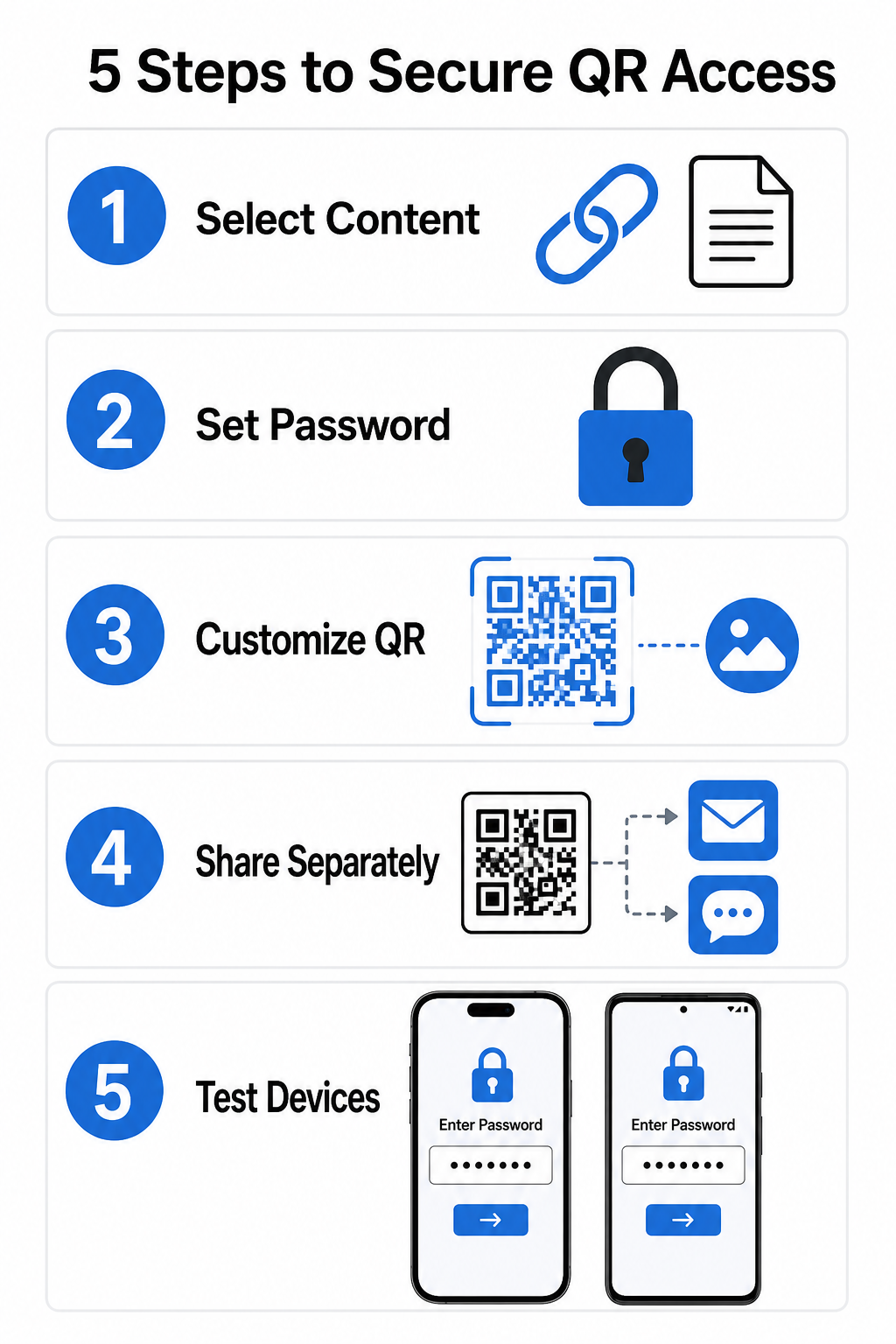
Secure QR setup steps
  • Select your content type: Choose the format you want to share, such as a website URL using a 链接二维码生成器 or a document file.
  • Configure access security: Enable password requirements in your dynamic management dashboard or apply password protection directly to your target file before uploading.
  • Customize the visual design: Add brand colors, custom frames, and an official logo using a flexible 二维码生成器 to build user trust and reduce fraud risks.
  • Distribute credentials separately: Share the password with authorized users through a separate channel, such as email confirmation, welcome packets, or direct messages, rather than placing it near the code.
  • Test across multiple devices: Scan the code using both iOS and Android camera apps to confirm that the password prompt triggers correctly before printing or publishing.

Best Practices for Secure QR Code Deployment

Implementing access protection requires following cybersecurity standards to prevent data leaks and unauthorized scans:

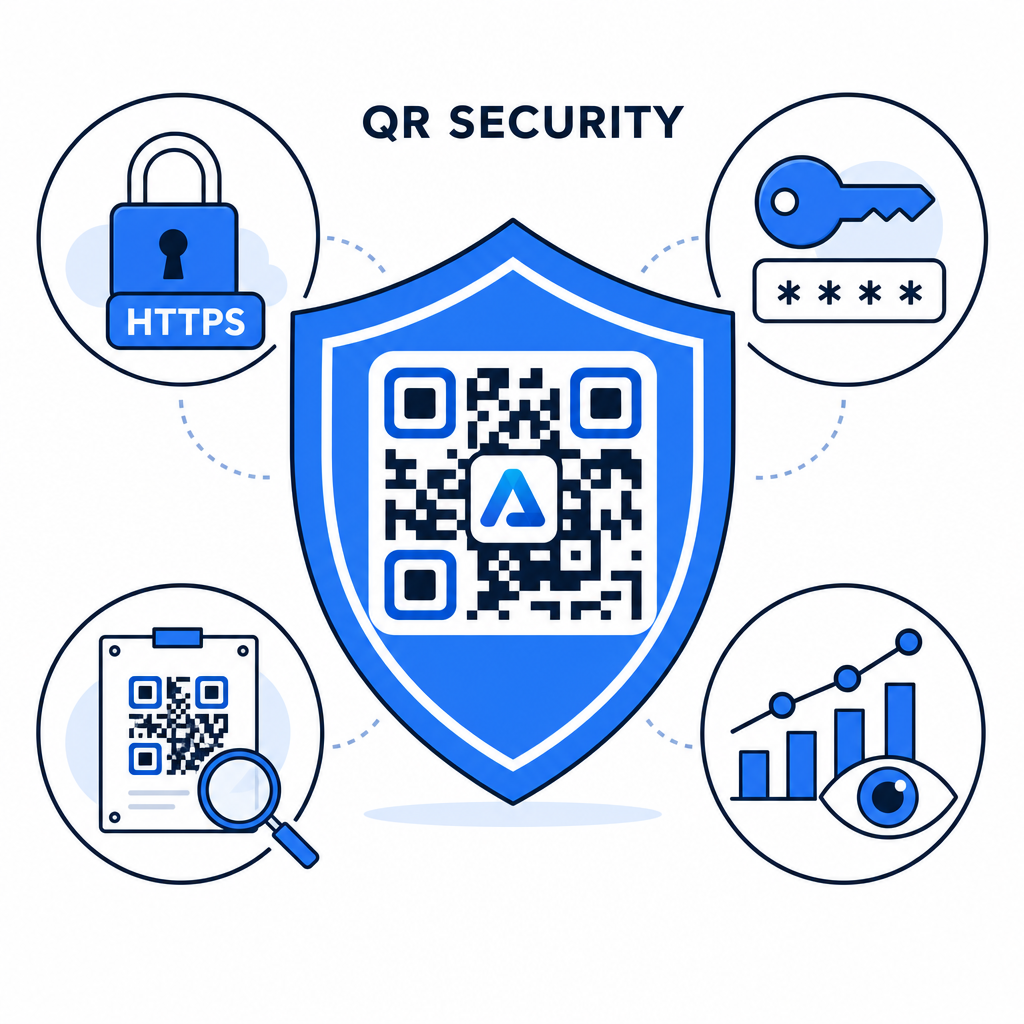
QR security best practices
  • Use strong password standards: Require passwords to be at least 15 characters long for single-factor protection to prevent automated guessing attempts.
  • Require HTTPS endpoints: Ensure the destination server uses SSL encryption to protect data in transit. You can read more about how encryption secures QR code data for deeper security insights.
  • Inspect physical displays regularly: Routinely monitor printed touchpoints in public areas to ensure physical codes have not been altered or covered by unauthorized overlays, mitigating key 二维码隐私风险.
  • Monitor access analytics: Track scan frequency, locations, and user agent data in your management dashboard to identify suspicious traffic patterns or unauthorized access attempts.

Manage and Protect Your Files Effortlessly Convert your confidential manuals and documents into trackable, secure digital links with our PDF QR 码生成器.

Secure Your Touchpoints with Password Access Controls

Pairing physical QR touchpoints with digital access controls provides a seamless user experience while keeping proprietary documents, internal forms, and exclusive marketing assets private. By deploying dynamic codes with password prompts, encrypted endpoints, and proactive monitoring, you maintain complete authority over your shared content.

Explore our comprehensive guide on 安全二维码生成最佳实践 to implement end-to-end security across your print and digital touchpoints today.

常见问题

Can I password-protect a static QR code?

No. Static QR codes encode fixed data directly into the pattern and cannot trigger password prompts. To restrict access, use a dynamic QR code platform or secure the destination page or file itself.

How should I share the access password with my target audience?

Send passwords through a separate communication channel, such as an email confirmation, SMS, event badge, or secure onboarding packet. Never print the password next to the physical QR code.

What happens if I need to change the password or destination link later?

Dynamic QR codes allow you to update destination links, security settings, or password access rules directly from your dashboard at any time without reprinting physical materials.

关于作者

Siim Kostabi 是 Pageloot 的内容主管,负责撰写关于我们创新型二维码生成器服务的文章。凭借五年多来在二维码领域积累的深厚专业知识,Siim 是该领域的专家。他致力于利用二维码技术简化和增强数字交互,并取得了显著的成果。.

类别
了解更多关于
扫描二维码海报
二维码 如何建立
QR QR码的#1解决方案

如果您需要在线创建QR码,则可以 制作二维码 就在这里免费!
Pageloot是 #1转到解决方案 创建和扫描QR码。

BL-0354

博客生成器

受到超过 20,000 个品牌的信赖,可获得更多销售、评论和关注者。

客户徽标
受到顶级品牌的信赖
评分为 4.8(共 5)

4.86 / 5 星评级

雨果·劳伦特
雨果·劳伦特
餐馆老板
有史以来最容易和最可靠的QR码生成器。PDF文件可以立即上传。我们的餐厅菜单现在是数字化的。
卢卡斯-詹森
卢卡斯-詹森
房地产开发商
这是一个很好的工具,二维码带你到你想要的地方。我们只使用位置二维码,但有许多有用的功能。
艾玛-莫雷蒂
艾玛-莫雷蒂
零售产品
易于使用和快速。它工作得很好,创造了一个完美的图像,所以员工可以下载我的vCard。
雨果·劳伦特
雨果·劳伦特
餐馆老板
有史以来最容易和最可靠的QR码生成器。PDF文件可以立即上传。我们的餐厅菜单现在是数字化的。
卢卡斯-詹森
卢卡斯-詹森
房地产开发商
这是一个很好的工具,二维码带你到你想要的地方。我们只使用位置二维码,但有许多有用的功能。
艾玛-莫雷蒂
艾玛-莫雷蒂
零售产品
易于使用和快速。它工作得很好,创造了一个完美的图像,所以员工可以下载我的vCard。
查看更多QR码
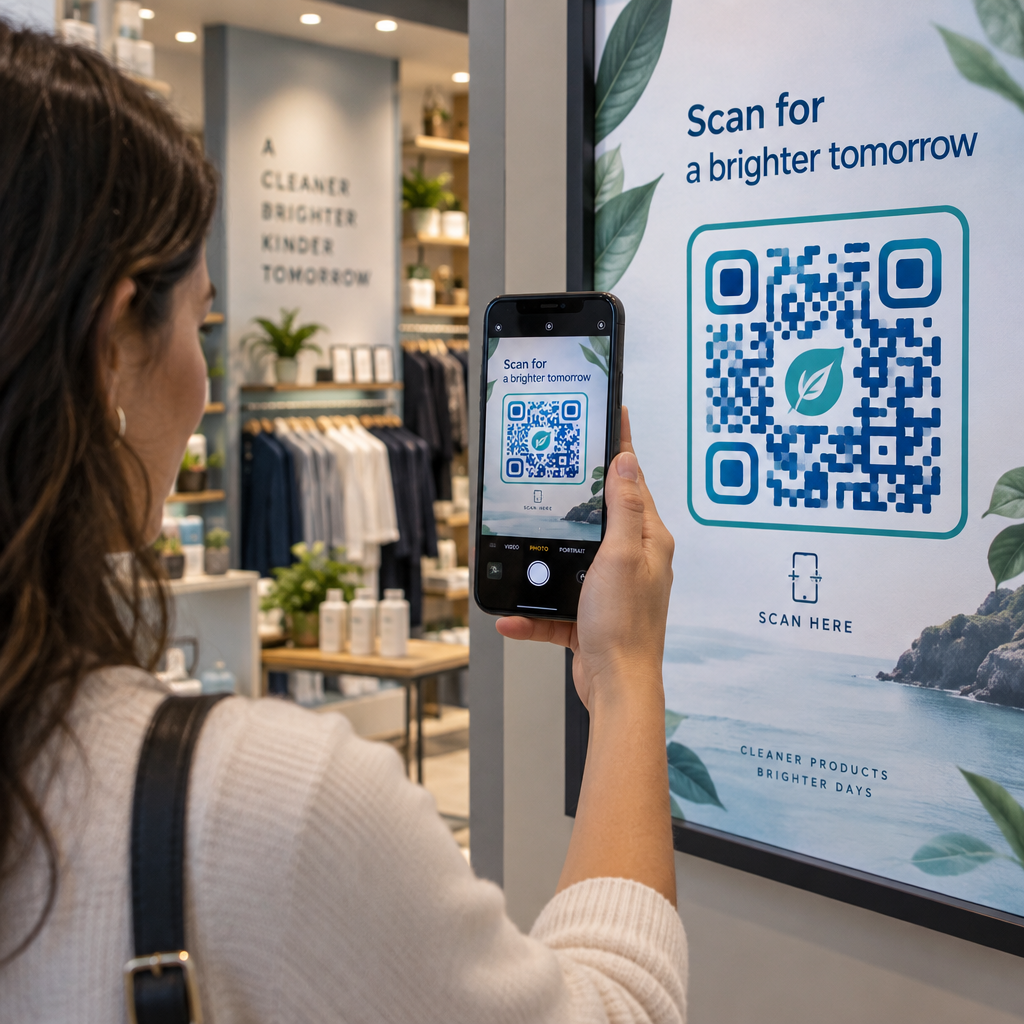
Visitor scanning exhibit code
的QR码 博物馆
二维码票务活动入场
开启QR码 门票和节日通行证
将一切转化为数字体验 不到3分钟。

免费试用 14 天。

无需信用卡。

首次购买可享受 30% 折扣

使用代码:

分享您的 MP3 文件

注册以创建 PDF QR 码

上传和显示你需要的一切。

  • 音频文件
  • 播客
  • 音乐

注册即可享 14 天免费试用。.
试用期结束后,二维码将失效。.

注册以创建音频 mp3 二维码

使用边框获得更多扫描

注册以向您的二维码添加更多框架

呼叫行动框架帮助您的客户与QR码轻松互动。试试吧!

注册即可享 14 天免费试用。.
试用期结束后,二维码将失效。.

注册以向您的二维码添加更多框架

使用形状添加更多样式

注册以创建更多形状

二维码不一定是方形的。试着改变它以适应你的品牌形象。

注册即可享 14 天免费试用。.
试用期结束后,二维码将失效。.

注册以创建更多形状

为您的二维码添加徽标

注册以将您的徽标添加到二维码中

通过在二维码上添加你的标志和品牌,使你的二维码脱颖而出。

注册即可享 14 天免费试用。.
试用期结束后,二维码将失效。.

注册以将您的徽标添加到二维码中

智能应用商店重定向

注册以创建应用商店二维码

将您的应用程序链接添加到我们的智能应用程序商店QR码。用户会根据他们的设备被重新定向。

注册即可享 14 天免费试用。.
试用期结束后,二维码将失效。.

注册以创建应用商店二维码

将图片上传到二维码

注册以创建图像二维码

轻松分享你的图像。在几秒钟内动态地改变任何图像。

注册即可享 14 天免费试用。.
试用期结束后,二维码将失效。.

注册以创建图像二维码

分享您的 PDF 文件

注册以创建 PDF QR 码

上传和显示你需要的一切。

  • 菜单和价格表
  • 使用说明
  • 任何文件

注册即可享 14 天免费试用。.
试用期结束后,二维码将失效。.

注册以创建 PDF QR 码

稍后编辑,无需打印

注册即可编辑您的二维码,无需再次打印

动态QR码让你改变你的QR码的内容,而不需要打印新的QR码。

注册即可享 14 天免费试用。.
试用期结束后,二维码将失效。.

注册即可编辑您的二维码,无需再次打印

何时?何地?追踪您的二维码扫描

注册以追踪您的二维码

发现你的哪些二维码收到了最多的扫描,以及什么最能让你的客户兴奋。

注册即可享 14 天免费试用。.
试用期结束后,二维码将失效。.

注册以追踪您的二维码

提供可打印文件

注册以创建 PDF 和 SVG 等矢量二维码

.EPS, .PDF, .SVG

想下载高清分辨率的QR码吗?获得矢量或像素格式,可随时打印。

注册即可享 14 天免费试用。.
试用期结束后,二维码将失效。.

注册以创建 PDF 和 SVG 等矢量二维码

请等待。您的二维码是 正在加载... 正在加载...

打造专属

注册以保存您的二维码以供日后使用

通过创建具有不同颜色、标识和行动呼吁框架的出色的QR码,获得更多的扫描。

注册即可享 14 天免费试用。.
试用期结束后,二维码将失效。.

注册以保存您的二维码以供日后使用