首页 > 博客 > Where to Place QR Codes on Marketing Materials
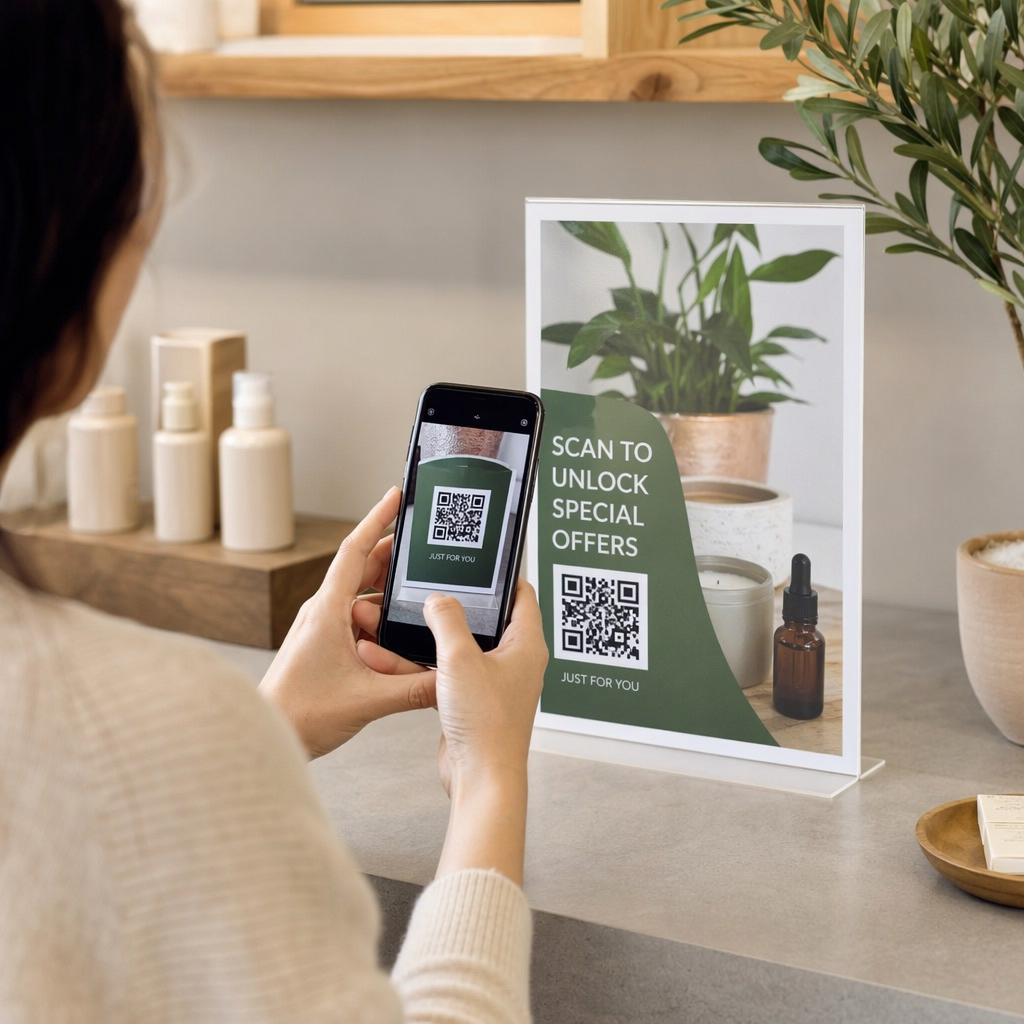
Shopper scanning promotional poster

Where to Place QR Codes on Marketing Materials

Learn where to place QR codes on flyers, packaging, and posters for maximum scans. Follow sizing rules, contrast standards, and strategic positioning tips.
Updated on 9 月 29, 2026
目录

Are your printed QR codes failing to attract scans or getting completely overlooked by customers? A misplaced code wastes valuable marketing spend and creates a frustrating dead end for interested buyers. Here is how to strategically place QR codes across your marketing assets to ensure high visibility and effortless scanning.

Technical Standards for Size and Viewing Distance

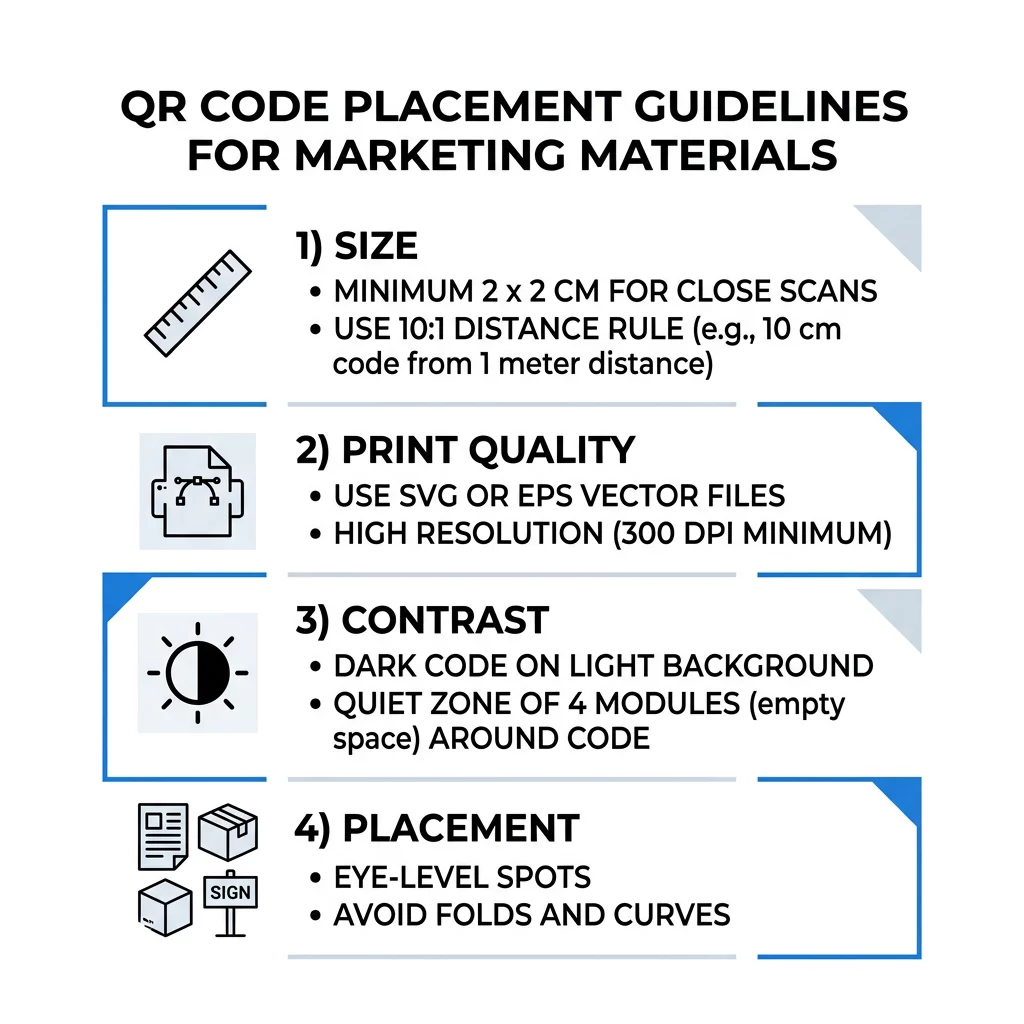
A QR code that is too small or blurry frustrates users and prevents smartphone cameras from reading the data. For close-range handheld materials, the practical minimum size is 2 x 2 cm (0.8 x 0.8 inches). For larger materials viewed from across a room or street, calculate the dimensions using the 10:1 ratio rule: provide at least 1 inch of code width for every 10 inches of scanning distance.

When preparing files for commercial print runs, always export your artwork as vector assets such as SVG, EPS, or PDF files. Unlike raster images that pixelate when enlarged, vector graphics scale cleanly to any size without degrading edge sharpness. If you must use raster graphics, maintain a resolution of at least 300 DPI to keep individual data modules crisp. Review our comprehensive 二维码尺寸指南 to verify proper dimensions for every format.

放置类型 建议尺寸 Viewing Distance 纠错水平
商业名片 2 x 2 厘米(0.8 x 0.8 英寸) Handheld (< 1 ft) L级或M级
Flyers and brochures 3 x 3 厘米(1.2 x 1.2 英寸) Arm’s length (1–2 ft) M级
产品包装 3 x 3 厘米(1.2 x 1.2 英寸) Handheld (1–2 ft) Q级或H级
Posters and displays 10 x 10 厘米(4 x 4 英寸) Walking distance (3–7 ft) M级
Billboards and banners 40 x 40 cm (16 x 16 in)+ Long distance (15+ ft) H级

Contrast, Quiet Zones, and Surface Selection

Scanners read QR codes by detecting the difference in light reflection between dark modules and light spaces. Dark modules absorb light while pale backgrounds reflect it back to the sensor. To ensure rapid detection across varying ambient lighting, maintain a contrast ratio of at least 4.5:1 between the foreground pattern and the background surface. Black modules on a pure white background offer the most dependable baseline, though you can apply brand colors as long as the dark foreground remains distinct.

Every code also requires a dedicated quiet zone – an unprinted margin at least four modules wide surrounding all four sides of the pattern. Encroaching on this border with text, illustrations, or crop lines prevents the scanning software from identifying the matrix boundary. Furthermore, avoid printing on high-gloss laminates or reflective glass surfaces that produce glare. Choosing matte paper stocks and avoiding 常见的二维码放置错误 will protect scannability across diverse environments.

二维码放置指南

Strategic Placement Across Print and Display Formats

Physical positioning determines whether an audience notices your call to action or ignores it entirely. Match code placement to natural eye-movement patterns and comfortable hand positions across each specific medium.

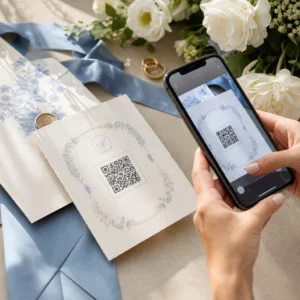
传单、小册子和直邮

When designing handouts, position your code where the reader naturally concludes their review, such as the bottom-right corner or the center of the final fold:

  • 位置 传单上的二维码 prominently alongside the primary value offer, keeping them well away from paper edges.
  • Distribute QR codes on brochures across dedicated panels rather than over folds, creases, or seams that warp the grid pattern.
  • Check postal guidelines when using direct mail, ensuring the code stays outside postal indicia and clear barcode zones.

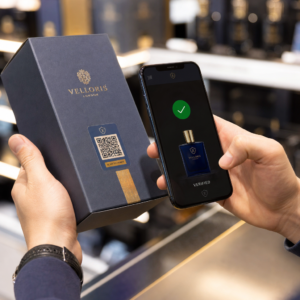
产品包装和标签

Packaging provides a valuable post-purchase opportunity to offer tutorials, warranty registrations, and reorder incentives:

  • Place 产品包装上的二维码 on flat panels rather than rounded corners or tapered necks to prevent optical distortion.
  • Select error correction Level Q or Level H so the code remains readable even if the surface receives scratches, moisture, or handling smudges.
  • Position the code away from tear strips, seams, and price stickers that might destroy portions of the pattern during unboxing.

Posters, Storefronts, and Public Screens

Large-format print and digital signage require positioning that accommodates walking traffic:

  • Mount 海报上的二维码 at average eye level, roughly 3.5 to 5.5 feet from the ground, so pedestrians can scan without stooping or reaching.
  • Configure QR codes on displays and screens to remain static and visible long enough for viewers to draw their devices and complete the scan.
  • Follow standards for using QR codes in print media by limiting signage to a single prominent code per display area to avoid camera focus confusion.

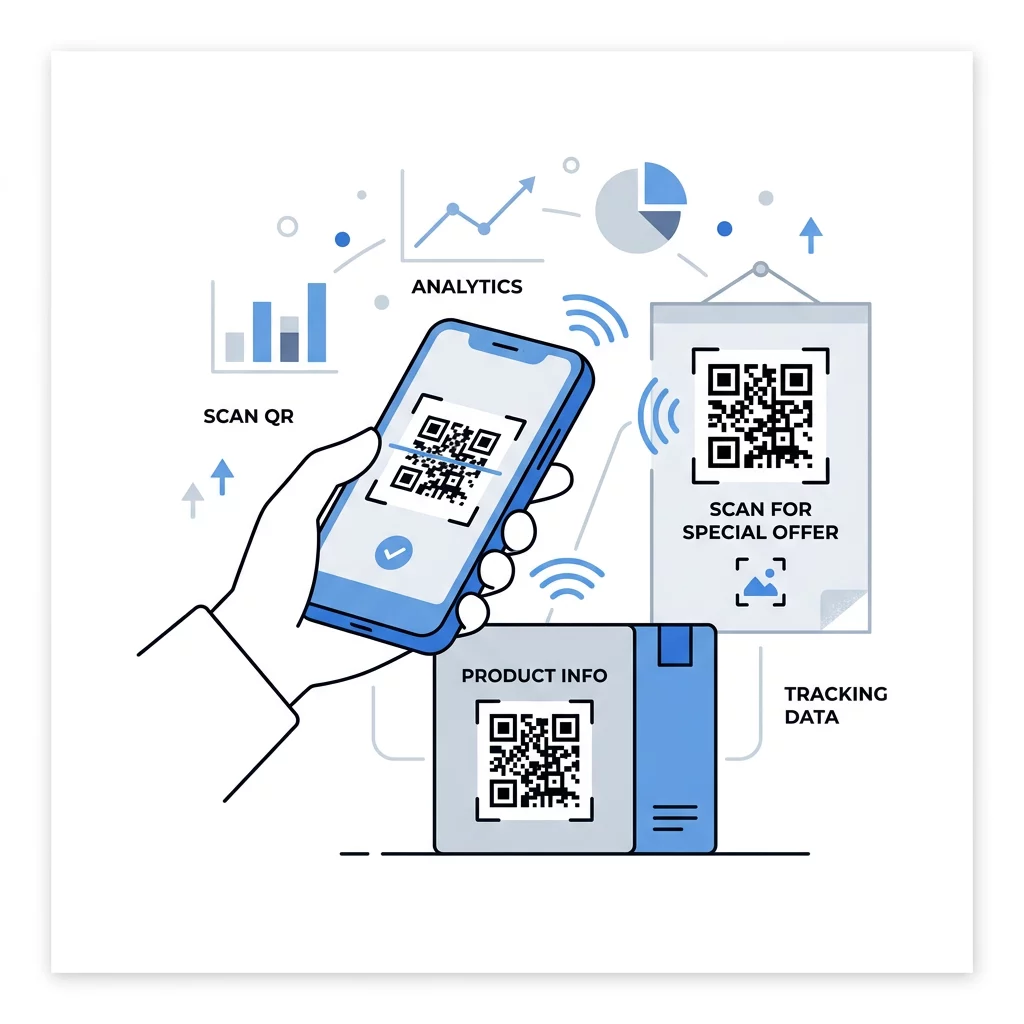
Track Campaign Performance in Real Time Want to see which marketing materials drive the most scans and customer engagement? Use the 动态二维码生成器 to create editable codes, review detailed analytics, and update destination URLs without reprinting.

Increasing Scans with Call-to-Action Frames

An isolated QR code without context provides no incentive for an audience to take out their phones. Pair every code with a clear call to action (CTA) that communicates the immediate value of interacting. Framing the code with actionable prompts like “Scan for 15% Off” or “Scan to View Menu” sets expectations and builds trust.

Incorporating branded elements into the code also improves credibility. Using a 带标志的二维码生成器 allows you to embed your business emblem directly in the center while preserving the necessary error-correction thresholds. Adding a brief URL alongside the code gives hesitant users an alternate way to reach your content, ensuring complete accessibility.

二维码CTA设计

Tracking Engagement with Dynamic Technology

Static QR codes encode destination web addresses permanently into their module patterns. If a destination web page changes or a promotional campaign expires, static codes printed on thousands of materials become useless. Dynamic codes solve this vulnerability by routing through an editable short URL that you can redirect at any time.

Beyond avoiding costly reprint cycles, dynamic codes provide detailed campaign analytics. Marketers can monitor scan counts, operating systems, scanning times, and geographic regions from a centralized dashboard. These metrics make it straightforward to compare the performance of different collateral types and refine your distribution strategy using verified engagement data.

Careful placement, strict adherence to contrast standards, and actionable CTAs turn static marketing collateral into active digital touchpoints. Before initiating a mass print run, test your materials under diverse lighting conditions with multiple mobile devices to ensure a seamless scan. Create high-resolution, trackable codes using the professional 免费的二维码生成器 on Pageloot to optimize your marketing assets today.

常见问题

打印的二维码的最小推荐尺寸是多少?

The practical minimum size for handheld materials like business cards or brochures is 2 x 2 cm (0.8 x 0.8 inches). For materials viewed from a distance, scale the code upward using the 10:1 ratio so phone cameras can clearly resolve the modules.

Can you place a QR code on a curved surface like a bottle?

Yes, but keep the code compact or position it on the flattest face of the packaging. If the code wraps too far around a cylinder, the curve distorts the square pattern and prevents the camera from reading all modules simultaneously.

How can you update a printed QR code if the destination link changes?

By using dynamic QR codes instead of static ones, you can update the destination URL anytime through your management dashboard. The printed code remains identical, preventing costly reprints when running seasonal campaigns or changing promotions.

关于作者

Siim Kostabi 是 Pageloot 的内容主管,负责撰写关于我们创新型二维码生成器服务的文章。凭借五年多来在二维码领域积累的深厚专业知识,Siim 是该领域的专家。他致力于利用二维码技术简化和增强数字交互,并取得了显著的成果。.

类别
了解更多关于
扫描打印的二维码
二维码 尺寸指南
QR QR码的#1解决方案

如果您需要在线创建QR码,则可以 制作二维码 就在这里免费!
Pageloot是 #1转到解决方案 创建和扫描QR码。

BL-0172

博客生成器

受到超过 20,000 个品牌的信赖,可获得更多销售、评论和关注者。

客户徽标
受到顶级品牌的信赖
评分为 4.8(共 5)

4.86 / 5 星评级

雨果·劳伦特
雨果·劳伦特
★★★★★
餐馆老板
有史以来最容易和最可靠的QR码生成器。PDF文件可以立即上传。我们的餐厅菜单现在是数字化的。
卢卡斯-詹森
卢卡斯-詹森
★★★★★
房地产开发商
这是一个很好的工具,二维码带你到你想要的地方。我们只使用位置二维码,但有许多有用的功能。
艾玛-莫雷蒂
艾玛-莫雷蒂
★★★★★
零售产品
易于使用和快速。它工作得很好,创造了一个完美的图像,所以员工可以下载我的vCard。
雨果·劳伦特
雨果·劳伦特
★★★★★
餐馆老板
有史以来最容易和最可靠的QR码生成器。PDF文件可以立即上传。我们的餐厅菜单现在是数字化的。
卢卡斯-詹森
卢卡斯-詹森
★★★★★
房地产开发商
这是一个很好的工具,二维码带你到你想要的地方。我们只使用位置二维码,但有许多有用的功能。
艾玛-莫雷蒂
艾玛-莫雷蒂
★★★★★
零售产品
易于使用和快速。它工作得很好,创造了一个完美的图像,所以员工可以下载我的vCard。
查看更多QR码
将一切转化为数字体验 不到3分钟。

免费试用 14 天。

无需信用卡。

首次购买可享受 30% 折扣

使用代码:

分享您的 MP3 文件

注册以创建 PDF QR 码

上传和显示你需要的一切。

  • 音频文件
  • 播客
  • 音乐

注册即可享 14 天免费试用。.
试用期结束后,二维码将失效。.

注册以创建音频 mp3 二维码

使用边框获得更多扫描

注册以向您的二维码添加更多框架

呼叫行动框架帮助您的客户与QR码轻松互动。试试吧!

注册即可享 14 天免费试用。.
试用期结束后,二维码将失效。.

注册以向您的二维码添加更多框架

使用形状添加更多样式

注册以创建更多形状

二维码不一定是方形的。试着改变它以适应你的品牌形象。

注册即可享 14 天免费试用。.
试用期结束后,二维码将失效。.

注册以创建更多形状

为您的二维码添加徽标

注册以将您的徽标添加到二维码中

通过在二维码上添加你的标志和品牌,使你的二维码脱颖而出。

注册即可享 14 天免费试用。.
试用期结束后,二维码将失效。.

注册以将您的徽标添加到二维码中

智能应用商店重定向

注册以创建应用商店二维码

将您的应用程序链接添加到我们的智能应用程序商店QR码。用户会根据他们的设备被重新定向。

注册即可享 14 天免费试用。.
试用期结束后,二维码将失效。.

注册以创建应用商店二维码

将图片上传到二维码

注册以创建图像二维码

轻松分享你的图像。在几秒钟内动态地改变任何图像。

注册即可享 14 天免费试用。.
试用期结束后,二维码将失效。.

注册以创建图像二维码

分享您的 PDF 文件

注册以创建 PDF QR 码

上传和显示你需要的一切。

  • 菜单和价格表
  • 使用说明
  • 任何文件

注册即可享 14 天免费试用。.
试用期结束后,二维码将失效。.

注册以创建 PDF QR 码

稍后编辑,无需打印

注册即可编辑您的二维码,无需再次打印

动态QR码让你改变你的QR码的内容,而不需要打印新的QR码。

注册即可享 14 天免费试用。.
试用期结束后,二维码将失效。.

注册即可编辑您的二维码,无需再次打印

何时?何地?追踪您的二维码扫描

注册以追踪您的二维码

发现你的哪些二维码收到了最多的扫描,以及什么最能让你的客户兴奋。

注册即可享 14 天免费试用。.
试用期结束后,二维码将失效。.

注册以追踪您的二维码

提供可打印文件

注册以创建 PDF 和 SVG 等矢量二维码

.EPS, .PDF, .SVG

想下载高清分辨率的QR码吗?获得矢量或像素格式,可随时打印。

注册即可享 14 天免费试用。.
试用期结束后,二维码将失效。.

注册以创建 PDF 和 SVG 等矢量二维码

请等待。您的二维码是 正在加载... 正在加载...

打造专属

注册以保存您的二维码以供日后使用

通过创建具有不同颜色、标识和行动呼吁框架的出色的QR码,获得更多的扫描。

注册即可享 14 天免费试用。.
试用期结束后,二维码将失效。.

注册以保存您的二维码以供日后使用