首页 > 博客 > QR Code Phishing: How to Protect Your Business
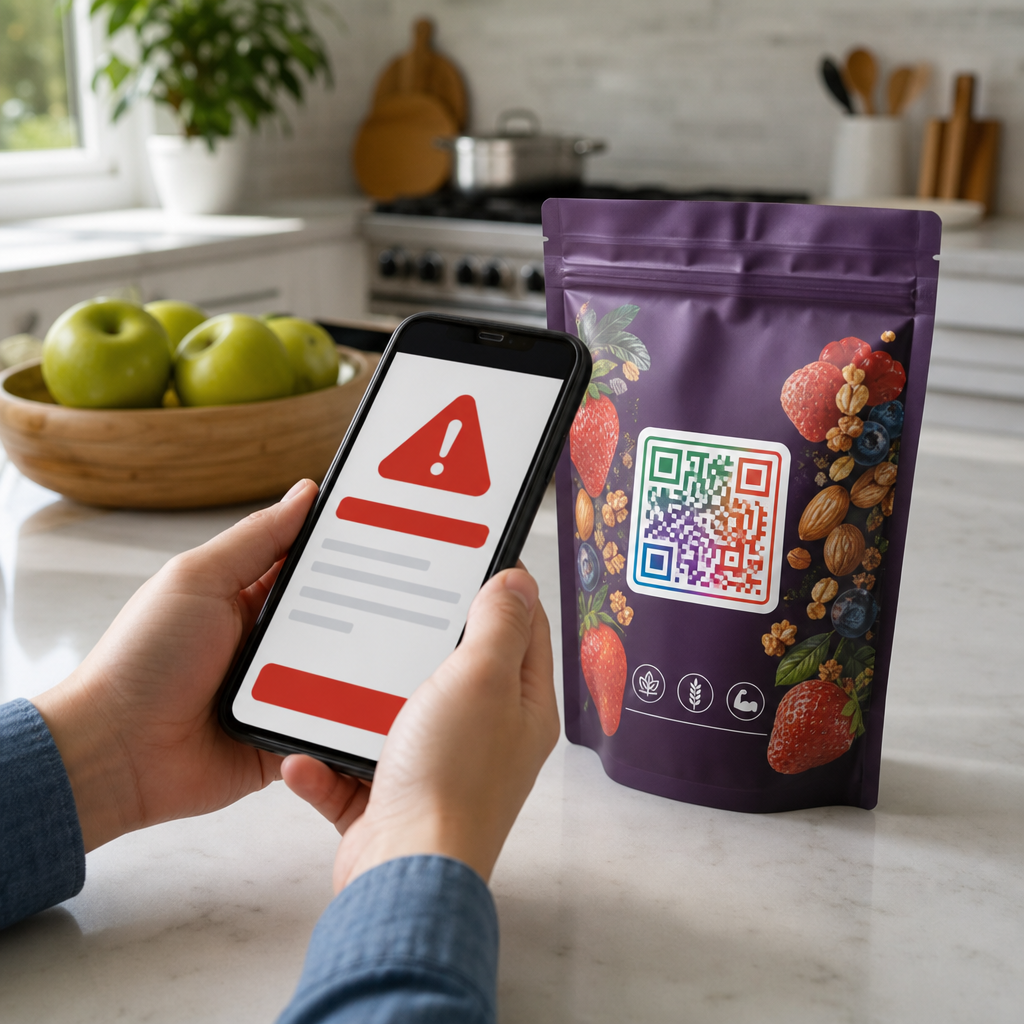
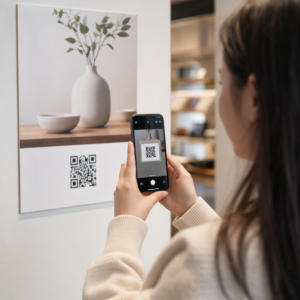
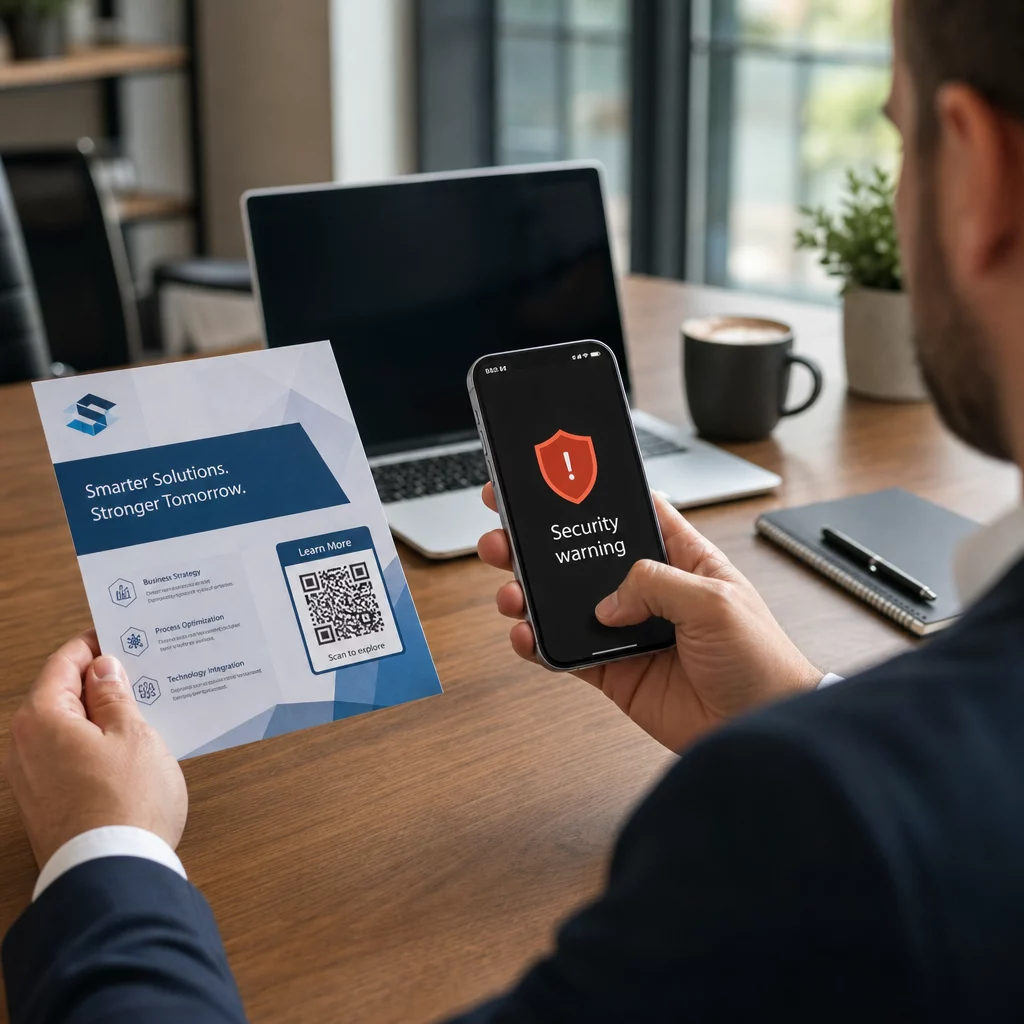
QR phishing warning

QR Code Phishing: How to Protect Your Business

Protect your business from QR code phishing. Learn how quishing attacks work and discover layered security controls like MFA and OCR filtering to stop them.
Updated on 6 月 10, 2026
目录

Is your business using QR codes without knowing which ones have been tampered with? QR code phishing – commonly called “quishing” – turns an everyday convenience into a credential-stealing trap, and traditional security filters often miss it entirely. This guide covers how these attacks work, what they cost businesses, and the specific controls you can put in place to stop them.

How QR Code Phishing Works

QR code phishing exploits a fundamental weakness: QR codes are not human-readable. With a traditional URL, a trained eye can often catch a spoofed domain or suspicious string. A QR code conceals all of that. As Alex Mosher, global vice president at MobileIron, explains:

“QR codes inherently conceal their destination. Therefore, the ability to alter a QR code to point to an alternative resource without being detected is simple and highly effective.”

Attackers embed malicious URLs inside QR codes that redirect victims to fake login pages designed to harvest credentials, or to sites that trigger malware downloads. Compounding the problem, many email security systems cannot decode QR code images – they see a picture, not a link – so the payload slips through filters that would catch a plain phishing URL.

In 2023, QR code phishing accounted for 22% of all phishing attacks. One large-scale quishing campaign grew by 2,400% in a matter of months, and analysis of a corporate-targeted operation found that roughly 29% of malicious emails contained QR codes.

Where Attackers Plant Malicious QR Codes

Email and document attacks are the most common delivery method. Attackers embed QR codes inside PDF or Word attachments to bypass email security filters. In 2023, 82% of quishing attacks impersonated trusted brands – Microsoft was targeted in 51% of observed cases, followed by DocuSign at 31% and Adobe at 15%. Between mid-2024 and late 2024, researchers uncovered over 500,000 phishing emails containing QR codes embedded in PDFs.

Physical tampering is equally dangerous. Attackers place fraudulent QR code stickers over legitimate codes in high-traffic locations – restaurants, parking meters, airports, and retail spaces. In San Francisco, criminals placed counterfeit QR codes on parking tickets that directed users to a fake transit page designed to steal credit card details. The Social Security Administration specifically warns that legitimate QR codes on official signage are typically not stickers; a code applied as a sticker should be treated as suspicious.

Social engineering lures complete the picture. Victims are prompted to scan a QR code to claim a discount, connect to free Wi-Fi, or complete a survey. In one documented case in Singapore, a woman scanned a code at a bubble tea shop expecting a loyalty reward. Instead, a malicious app was downloaded to her phone, and attackers drained $2,000 from her bank account.

What These Attacks Cost Businesses

Credential and Data Theft

Nearly 90% of quishing attacks are designed specifically to steal login credentials and sensitive data. Attackers redirect victims to convincing replicas of Microsoft 365, SharePoint, or banking portals. Executives are disproportionately targeted because their credentials unlock critical systems and privileged data.

Personal devices make this worse. When employees scan QR codes on phones not enrolled in enterprise management, IT teams have no visibility into what happened or what was accessed.

Financial Losses

The average cost of a data breach reached $4.45 million in 2023, with Business Email Compromise scams averaging $4.89 million – before factoring in regulatory fines and legal expenses. Direct phishing losses surged 76% year-over-year. Individual incidents illustrate the scale: a UK railway station scam left one victim £13,000 in debt; a Calgary family lost $10,000 to a Facebook Marketplace QR code scam.

Small businesses absorb a disproportionate share of the damage. In the UK, small enterprises face an estimated 65,000 cyberattacks daily, with the average cost of resolving a successful attack around $33,700.

Operational Disruption and Reputational Damage

Stolen credentials frequently serve as the entry point for ransomware deployment. In 2023, organizations spent an average of $1.82 million recovering from ransomware incidents. Construction and engineering firms face QR code attack risk 19.2 times higher than average; professional services firms face a risk 18.5 times higher.

Beyond operational downtime, businesses face customer churn, higher cybersecurity insurance premiums, and regulatory scrutiny when customer data is exposed. Rebuilding trust after a breach takes far longer than resolving the technical incident itself.

How to Prevent QR Code Phishing: A Layered Approach

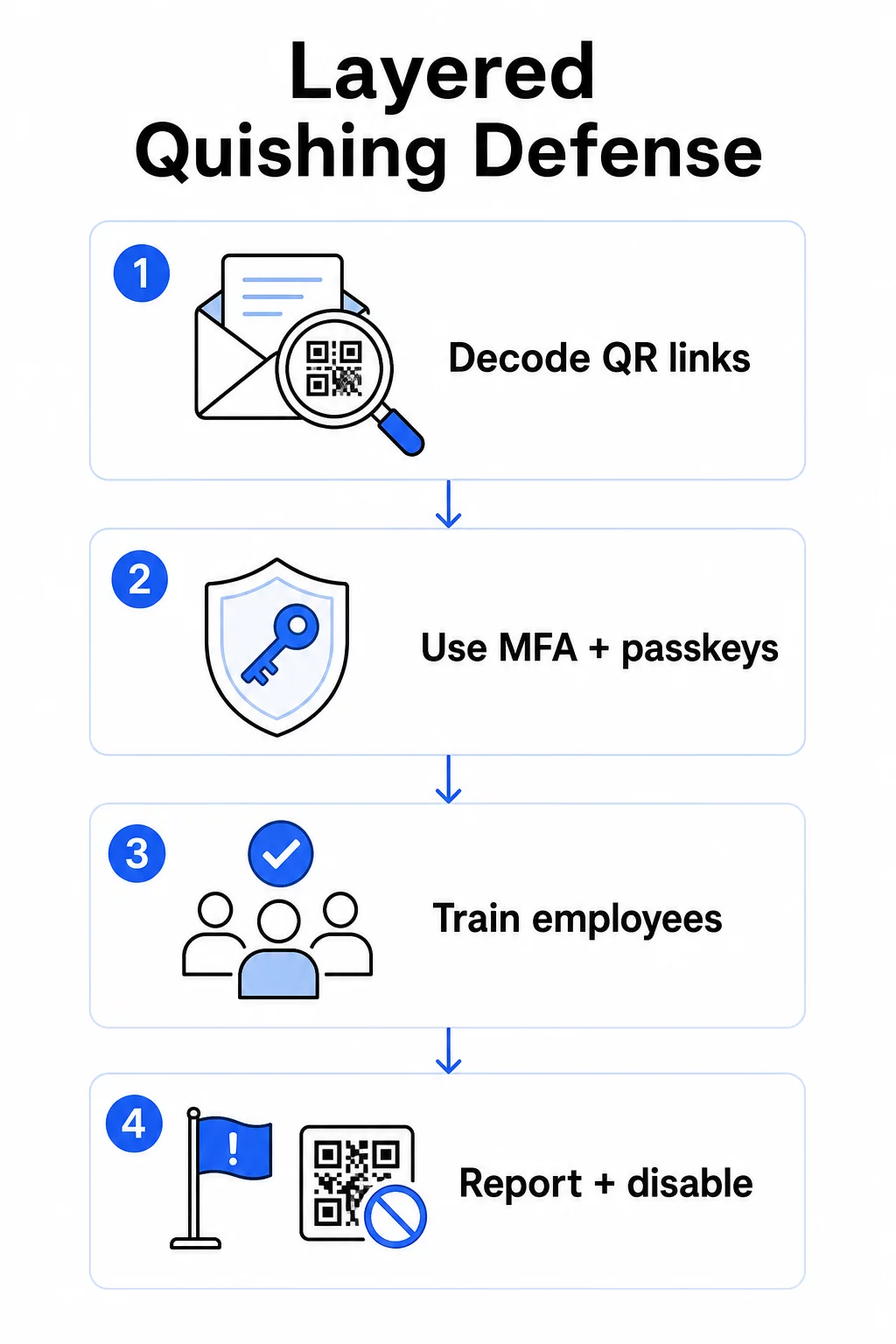
No single control eliminates quishing. The consistent recommendation from security researchers, federal agencies, and enterprise security teams is a layered defense combining email filtering, identity controls, endpoint protection, employee training, and reporting workflows.

Layered quishing defense

Email Security Controls

Configure email security systems with capabilities that go beyond standard link scanning. Effective controls include:

  • OCR-capable filtering that decodes QR code images within emails and analyzes the embedded URL against threat intelligence
  • Anti-phishing policies tuned to flag image-based payloads, especially QR codes embedded in PDF or Office document attachments
  • Strict spam gateway rules that treat unsolicited QR codes in email as high-risk by default

For Microsoft 365 environments specifically, Microsoft Defender for Office 365 includes QR code image decoding to surface embedded URLs for reputation checking and Safe Links evaluation.

Identity and Access Controls

Stolen credentials are only useful if they can be used. Layered identity controls reduce that risk significantly:

  • Multi-factor authentication (MFA) across all accounts, with stronger authentication requirements for high-privilege users and executives
  • Phishing-resistant MFA methods such as hardware security keys or passkeys, which are tied to the legitimate domain and cannot be intercepted by a fraudulent site
  • Blocking legacy authentication protocols that do not support MFA, eliminating a common bypass route
  • Conditional access policies that flag or block sign-in attempts from unmanaged devices

For deeper context on how QR codes intersect with authentication workflows, see 二维码如何简化多因素认证.

Endpoint and Device Protection

Managed devices with up-to-date endpoint security provide a critical safety net:

  • Deploy endpoint detection and response (EDR) on all managed devices
  • Enable browser reputation checks (such as Microsoft SmartScreen) that warn users before they reach a known phishing domain
  • Apply Mobile Device Management (MDM) policies that enforce security baselines on phones used to scan QR codes for work
  • Restrict downloads from unmanaged devices on corporate networks

The FTC advises keeping device operating systems current and using strong, unique passwords across accounts as foundational hygiene that reduces the impact of any successful phishing attempt.

Employee Training and Awareness

Your employees are the most direct line of defense against quishing, and training must be explicit – general phishing awareness does not automatically transfer to QR code threats.

Effective training programs cover:

  • Why QR codes are dangerous: the destination is hidden until after the scan
  • Red flags in emails containing QR codes: urgency, generic greetings, unsolicited messages from known brands, and requests for login credentials
  • Physical tampering signs: codes applied as stickers over printed materials, codes on unofficial signage
  • Verification habits: if a QR code arrives in an unexpected email, contact the sender through a known phone number or official website rather than scanning the code
  • URL inspection: after scanning, check the URL in the browser bar before entering any credentials – look for misspellings, switched letters, or unfamiliar domains

The U.S. Department of Health and Human Services recommends training end users to maintain a healthy degree of skepticism and recognize indicators such as suspicious sender addresses, spoofed links, and improper grammar – all of which appear in QR-based phishing campaigns just as in text-based ones.

Run simulated quishing exercises alongside standard phishing simulations. Target high-risk groups – executives, finance teams, and anyone with administrative privileges – with more frequent and realistic scenarios.

For a broader view of QR code security best practices in cyber defense, including encryption and authentication pairing, that guide covers the technical controls in more depth.

Reporting and Incident Response

Employees need a clear, low-friction way to report suspicious QR codes – both in email and in physical spaces. A report-phish button in email clients removes friction for digital reports. For physical codes, provide guidance on how to flag and photograph suspicious stickers or tampered materials.

Your incident response plan should specifically address quishing scenarios with defined steps:

  • Isolate any account that may have submitted credentials through a malicious QR code
  • Revoke active sessions and reset passwords immediately
  • Check for unauthorized access or data movement in the window between the scan and the response
  • Notify affected individuals according to your breach notification policy
  • Conduct a post-incident review to identify how the QR code bypassed existing controls

Run penetration testing that includes quishing scenarios to find gaps before attackers do.

QR Codes Your Business Deploys: Securing Your Own Codes

Preventing quishing also means ensuring the QR codes your business publishes cannot be weaponized against your customers or employees.

Use dynamic QR codes instead of static ones. Static codes permanently encode a destination URL. If that destination is ever compromised, the code becomes a liability you cannot fix without reprinting. 动态 QR 码 point to a short redirect URL that you control – you can update the destination, redirect to a new page, or disable the code entirely from a management dashboard without touching the printed material.

Keep Your Published QR Codes Under Control If you suspect one of your deployed codes has been tampered with or is pointing somewhere unsafe, you can update or disable it instantly. Use the 动态二维码生成器 to manage all your codes from a centralized dashboard with real-time scan analytics.

Apply consistent branding to your codes. Seventy-one percent of people cannot reliably distinguish a fake QR code from a legitimate one. Branded QR codes – with your logo, company colors, and a custom domain in the destination URL – give users a visual signal that the code is authentic. Generic black-and-white QR codes with opaque short URLs provide no such assurance.

Monitor scan analytics for anomalies. Dynamic QR codes collect scan data including timestamps, device types, and geographic locations. A sudden spike in scans from unexpected regions, or scan activity outside normal business hours, can indicate that one of your codes has been copied and redistributed maliciously. Pageloot’s analytics dashboard surfaces these patterns so you can investigate and respond quickly.

For a detailed look at what scan data your codes collect and how to interpret it responsibly, see understanding what data your dynamic QR codes track.

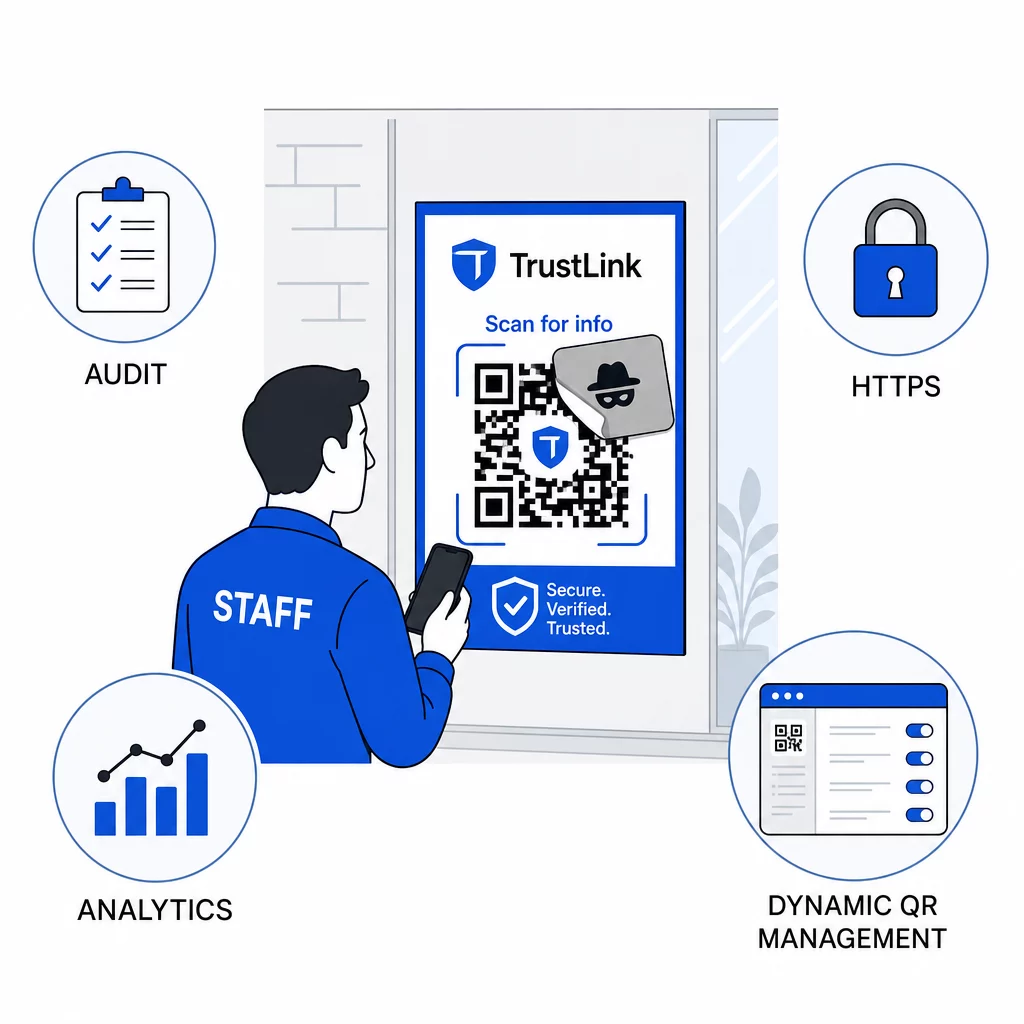
Conduct regular physical audits. For any QR codes displayed in public or semi-public spaces – restaurant tables, event signage, vehicle displays, or retail windows – physically inspect codes on a regular schedule. Look for stickers placed over the original code and test each code’s destination before customers encounter it.

QR code audit

Use HTTPS destinations exclusively. Every URL your QR codes link to should use HTTPS. Sending users to an unencrypted HTTP destination undermines trust and exposes data in transit.

For additional guidance on 二维码隐私风险以及如何避免它们, including how to balance analytics with user privacy, that resource covers the data considerations businesses often overlook.

Evaluating Detection Tools

Employee training and platform controls address a significant portion of the risk, but dedicated detection tools add another layer – particularly for organizations with high email volume or complex QR code deployments. If you are evaluating options, tools designed to detect QR code phishing range from enterprise behavioral analytics platforms to email gateway add-ons and mobile scanning apps with built-in reputation checks.

The right combination depends on your existing security stack, the volume of QR codes you receive versus deploy, and whether physical tampering is a significant concern for your locations. Quishing is not a hypothetical threat. It accounts for a meaningful share of real-world phishing activity, bypasses controls most organizations already have in place, and disproportionately targets the businesses and users least equipped to recognize it. Closing the gap requires deliberate action across email security, identity controls, employee training, and the QR codes you publish yourself.

Start with the controls you can implement immediately – MFA, employee awareness, and switching your published codes to dynamic management – then build toward the layered defense that makes quishing attacks consistently unsuccessful against your organization.

常见问题

What is the difference between QR code phishing and regular phishing?

Regular phishing typically uses visible URLs in email text or hyperlinks that a trained user can inspect before clicking. QR code phishing conceals the destination entirely – the malicious URL is encoded inside the image, invisible until after scanning. This also makes it harder for email security filters to detect, since they see an image rather than a link. The result is that QR code phishing bypasses many controls that effectively catch text-based phishing.

How can small businesses protect themselves if they have a limited security budget?

Focus on the highest-impact controls first: enable multi-factor authentication on all accounts, train employees to treat unexpected QR codes as suspicious and verify through independent channels, and switch any published QR codes from static to dynamic so you can update or disable them if a problem is detected. These steps cost little and eliminate the most common attack paths. Use a QR code scanner with URL preview capability before scanning unknown codes, and establish a clear process for employees to report suspicious codes to IT.

Why are dynamic QR codes more secure for businesses than static ones?

Static QR codes permanently encode a destination URL. If that URL is compromised – or if an attacker copies your code and redistributes it pointing to a malicious site – you have no way to correct the original printed code without reprinting everything. Dynamic QR codes route through a short redirect URL that you control centrally. You can change the destination, add password protection, set expiration dates, and monitor scan activity in real time. If something looks wrong, you can disable the code immediately. That combination of flexibility and visibility makes dynamic codes significantly safer for any QR code used in public-facing or ongoing business contexts.

关于作者

Siim Kostabi 是 Pageloot 的内容主管,负责撰写关于我们创新型二维码生成器服务的文章。凭借五年多来在二维码领域积累的深厚专业知识,Siim 是该领域的专家。他致力于利用二维码技术简化和增强数字交互,并取得了显著的成果。.

类别
了解更多关于
QR QR码的#1解决方案

如果您需要在线创建QR码,则可以 制作二维码 就在这里免费!
Pageloot是 #1转到解决方案 创建和扫描QR码。

BL-0016

博客生成器

受到超过 20,000 个品牌的信赖,可获得更多销售、评论和关注者。

客户徽标
受到顶级品牌的信赖
评分为 4.8(共 5)

4.86 / 5 星评级

雨果·劳伦特
雨果·劳伦特
餐馆老板
有史以来最容易和最可靠的QR码生成器。PDF文件可以立即上传。我们的餐厅菜单现在是数字化的。
卢卡斯-詹森
卢卡斯-詹森
房地产开发商
这是一个很好的工具,二维码带你到你想要的地方。我们只使用位置二维码,但有许多有用的功能。
艾玛-莫雷蒂
艾玛-莫雷蒂
零售产品
易于使用和快速。它工作得很好,创造了一个完美的图像,所以员工可以下载我的vCard。
雨果·劳伦特
雨果·劳伦特
餐馆老板
有史以来最容易和最可靠的QR码生成器。PDF文件可以立即上传。我们的餐厅菜单现在是数字化的。
卢卡斯-詹森
卢卡斯-詹森
房地产开发商
这是一个很好的工具,二维码带你到你想要的地方。我们只使用位置二维码,但有许多有用的功能。
艾玛-莫雷蒂
艾玛-莫雷蒂
零售产品
易于使用和快速。它工作得很好,创造了一个完美的图像,所以员工可以下载我的vCard。
查看更多QR码
扫描二维码手册
开启QR码 书籍和出版物
将一切转化为数字体验 不到3分钟。

免费试用 14 天。

无需信用卡。

首次购买可享受 30% 折扣

使用代码:

分享您的 MP3 文件

注册以创建 PDF QR 码

上传和显示你需要的一切。

  • 音频文件
  • 播客
  • 音乐

注册即可享 14 天免费试用。.
试用期结束后,二维码将失效。.

注册以创建音频 mp3 二维码

使用边框获得更多扫描

注册以向您的二维码添加更多框架

呼叫行动框架帮助您的客户与QR码轻松互动。试试吧!

注册即可享 14 天免费试用。.
试用期结束后,二维码将失效。.

注册以向您的二维码添加更多框架

使用形状添加更多样式

注册以创建更多形状

二维码不一定是方形的。试着改变它以适应你的品牌形象。

注册即可享 14 天免费试用。.
试用期结束后,二维码将失效。.

注册以创建更多形状

为您的二维码添加徽标

注册以将您的徽标添加到二维码中

通过在二维码上添加你的标志和品牌,使你的二维码脱颖而出。

注册即可享 14 天免费试用。.
试用期结束后,二维码将失效。.

注册以将您的徽标添加到二维码中

智能应用商店重定向

注册以创建应用商店二维码

将您的应用程序链接添加到我们的智能应用程序商店QR码。用户会根据他们的设备被重新定向。

注册即可享 14 天免费试用。.
试用期结束后,二维码将失效。.

注册以创建应用商店二维码

将图片上传到二维码

注册以创建图像二维码

轻松分享你的图像。在几秒钟内动态地改变任何图像。

注册即可享 14 天免费试用。.
试用期结束后,二维码将失效。.

注册以创建图像二维码

分享您的 PDF 文件

注册以创建 PDF QR 码

上传和显示你需要的一切。

  • 菜单和价格表
  • 使用说明
  • 任何文件

注册即可享 14 天免费试用。.
试用期结束后,二维码将失效。.

注册以创建 PDF QR 码

稍后编辑,无需打印

注册即可编辑您的二维码,无需再次打印

动态QR码让你改变你的QR码的内容,而不需要打印新的QR码。

注册即可享 14 天免费试用。.
试用期结束后,二维码将失效。.

注册即可编辑您的二维码,无需再次打印

何时?何地?追踪您的二维码扫描

注册以追踪您的二维码

发现你的哪些二维码收到了最多的扫描,以及什么最能让你的客户兴奋。

注册即可享 14 天免费试用。.
试用期结束后,二维码将失效。.

注册以追踪您的二维码

提供可打印文件

注册以创建 PDF 和 SVG 等矢量二维码

.EPS, .PDF, .SVG

想下载高清分辨率的QR码吗?获得矢量或像素格式,可随时打印。

注册即可享 14 天免费试用。.
试用期结束后,二维码将失效。.

注册以创建 PDF 和 SVG 等矢量二维码

请等待。您的二维码是 正在加载... 正在加载...

打造专属

注册以保存您的二维码以供日后使用

通过创建具有不同颜色、标识和行动呼吁框架的出色的QR码,获得更多的扫描。

注册即可享 14 天免费试用。.
试用期结束后,二维码将失效。.

注册以保存您的二维码以供日后使用